
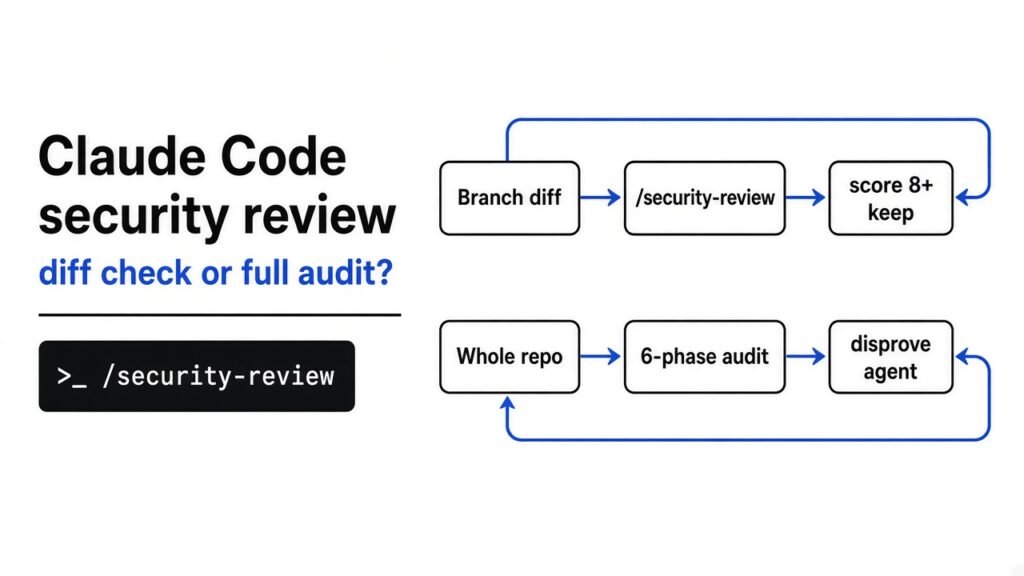
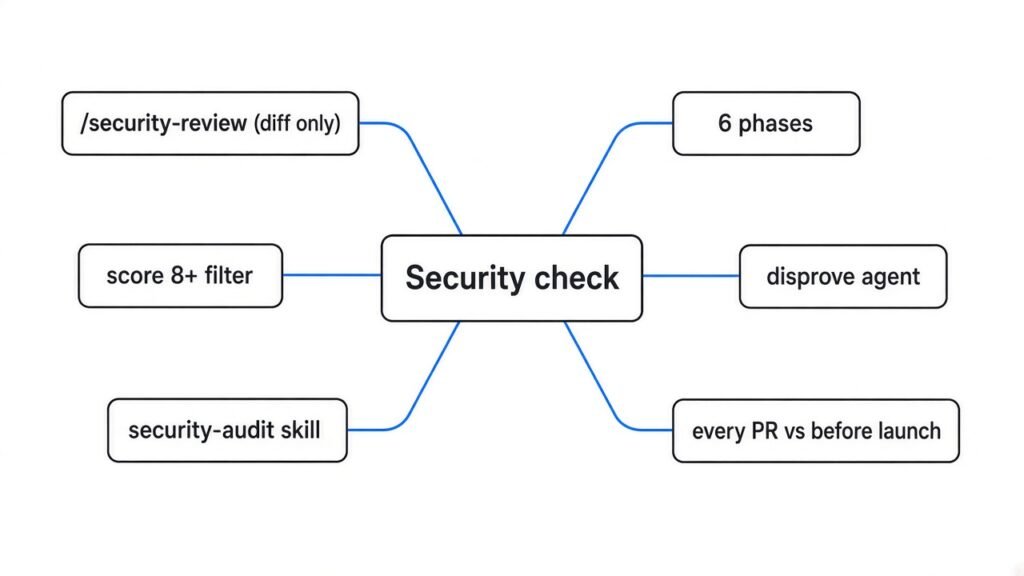
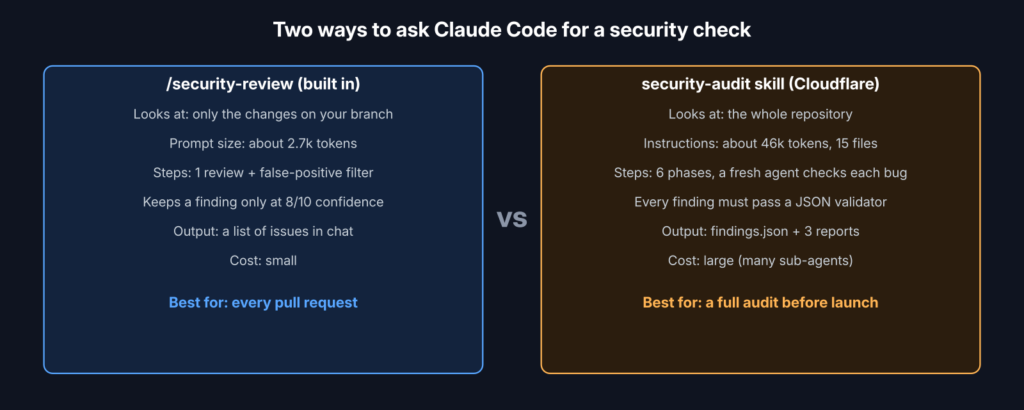
Short answer: /security-review checks only the code you changed on your branch, and keeps a bug only when Claude is at least 8 out of 10 sure it is real. Cloudflare’s security-audit skill checks the whole repository in six steps and makes a separate agent try to disprove every bug. Run the first on every pull request. Run the second before a launch.
You ask Claude Code to check your project for security holes. Sometimes it says “looks fine”. Sometimes it lists twelve scary problems, and half of them are not real.
Both answers cost you. A missed hole can leak user data. A fake alarm wastes an afternoon and teaches your team to ignore the tool.
This post shows what the two main ways to run a security check with Claude Code actually do, what I ran myself to check them, and which one to use when.
What does a security review by an AI actually look for?
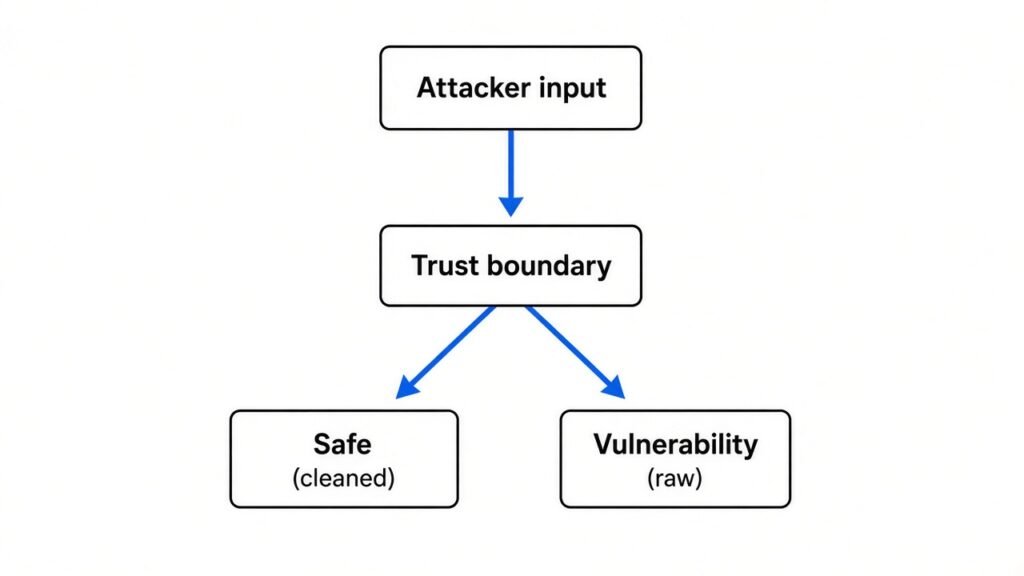
It looks for places where outside data crosses into your system and can make it do something it should not.
Start with the base idea. A vulnerability (a mistake in code that lets someone do what they should not be allowed to do) almost always sits where data from outside enters your app. That line is called a trust boundary (the point where data you do not control meets code you do control).
A login form is a trust boundary. So is a file upload, a webhook, or a URL your server fetches. If text from that form ends up inside a database query without being cleaned, an attacker can rewrite the query. That is SQL injection (sneaking database commands into normal input).
Why does this matter for AI? An AI reviewer is eager to please. It reports things that look scary but cannot be reached by an attacker. Each one is a false positive (an alarm for a problem that is not really there).
Left unchecked, an agent can even change your code so its own attack works, then report the bug it just created. So the real question for any AI security tool is simple: how does it stop itself from lying?
What does Claude Code’s /security-review check?
It reviews only the lines you changed on your branch, and it throws away anything it is not very sure about.
A slash command (a shortcut you type in Claude Code that starts with a /) is just a saved prompt. /security-review is built into Claude Code. When you type it, Claude runs git diff (a Git command that lists every line you changed compared with the main branch) and reads only that diff.
I read the full prompt behind the command. It is about 1,600 words, roughly 2,700 tokens (a token is a small chunk of text, about 4 characters, and it is how AI usage is measured). Three rules shape everything it does:
- New problems only. It is told to review security issues added by this pull request and to skip problems that already existed.
- High confidence only. It should flag an issue only when it is more than 80% sure the issue can really be exploited.
- A second pass kills weak findings. For every bug it finds, it starts a sub-task (a separate helper run) that tries to filter out false positives. Anything scored below 8 out of 10 is dropped.
It also has a long list of things it must not report, such as denial of service (flooding a service until it stops working), missing rate limits, and race conditions (bugs that depend on two things happening at the same moment) that are only theoretical.
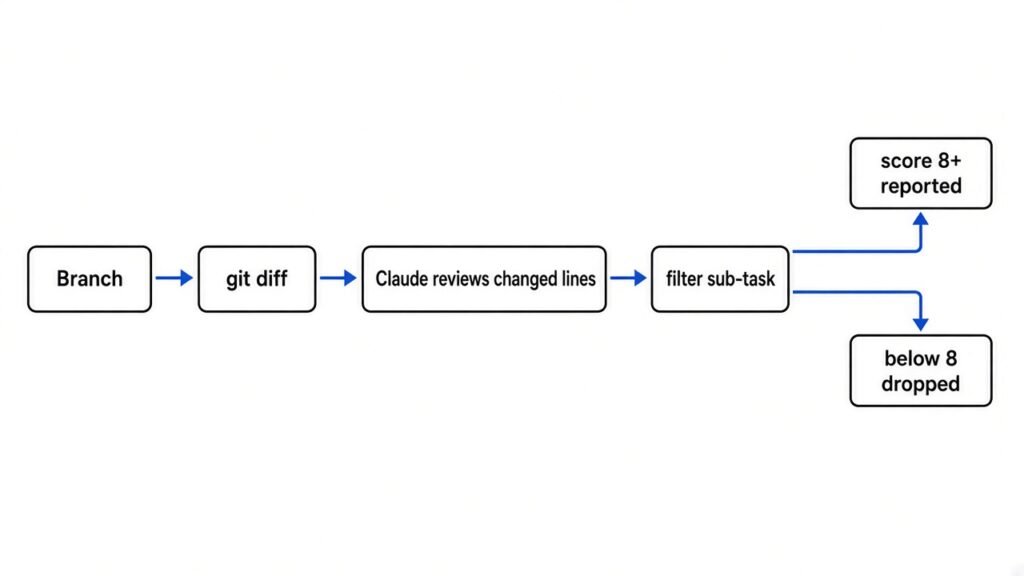
That design is the right one for pull requests. It is fast, cheap, and quiet. But notice what it cannot do: a hole that was already in your code before this branch is invisible to it, by design.
What does Cloudflare’s security-audit skill do differently?
It audits the whole repository, and every bug must survive a separate agent that tries to prove it wrong.
First, a prerequisite. A skill (a folder of instructions that Claude loads only when your request matches it) teaches Claude a long procedure without filling every conversation with it. Cloudflare’s security-audit skill is one of these, and it is agent-neutral, so it also works with other coding agents that support skills.
It runs a full audit in six phases:
- Reconnaissance (mapping the ground first): Claude writes down the architecture, the trust boundaries and every input surface, and builds a coverage ledger (a checklist of which parts of the code have been examined).
- Coverage-led hunting: separate sub-agents (helper Claude sessions that work on one slice and report back) hunt for bugs in the unchecked parts of the ledger.
- Candidate validation: each possible bug goes to a fresh agent whose only job is to disprove it.
- Structured output: survivors are written to
findings.jsonand must pass a strict validator. - Independent record verification: new agents re-check the final claims against the source code.
- Reporting: the readable reports are built only from the verified records.
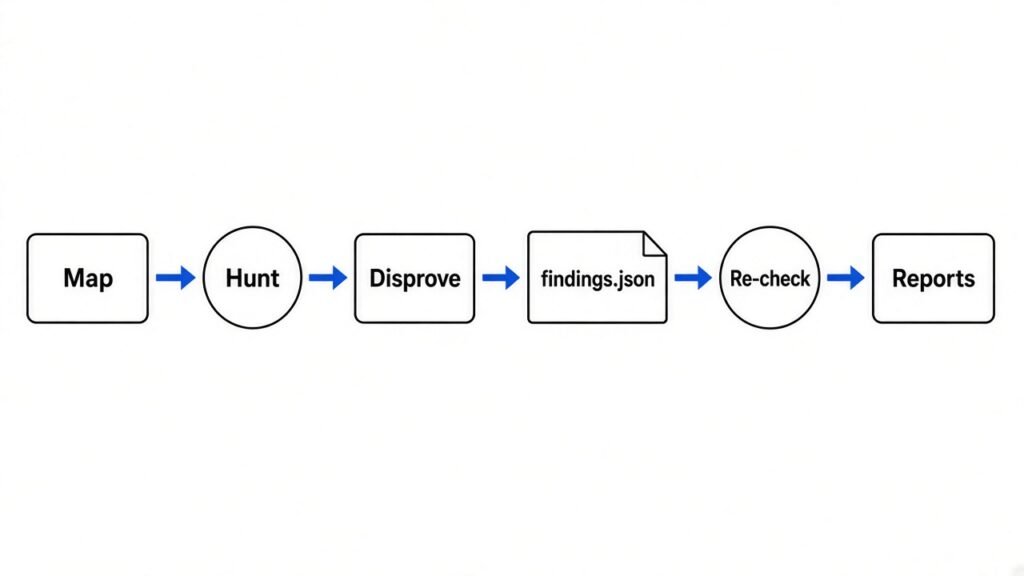
The key idea is adversarial validation (the agent that checks a bug is never the agent that found it). Think of it like a court: the prosecutor who brings the case is not allowed to also be the judge.
Every bug ends in one of three verdicts. Confirmed means there is a full trace from the input to the dangerous line and an observed result. Needs validation means one exact fact is still unknown, so it gets no severity score. Rejected means it was disproved, and the record is kept so the next run does not waste time on it.
I tested the part you can test without paying for an AI run
The skill’s validator rejected a typical lazy AI finding with 12 errors, which is the whole point of it.
The skill ships two small checker programs written in Node.js (a way to run JavaScript outside the browser). They need no extra packages. A schema (a strict template that says which fields a record must have) defines what a real finding looks like.
First I ran the skill’s own test suites. All 65 tests passed.
Then I wrote the kind of finding an eager AI usually produces: a title, one sentence of description, and “critical” as the severity. No file, no line number, no proof. The validator refused it with 12 errors, including a missing trace, missing evidence, a missing fix, and no observed result.
Next I wrote an unproven lead that still claimed “high” severity. The validator refused that too, with 9 errors, because an unproven lead is not allowed to carry a severity at all.
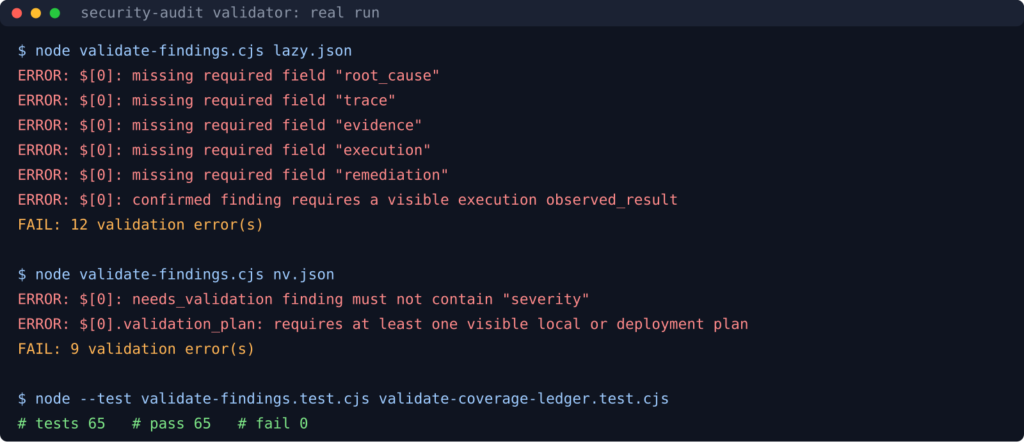
One honest limit: an empty report, [], passes. The validator checks the shape of a finding, not whether the finding is true. That is exactly why phases 3 and 5 use fresh agents. The validator stops vague claims, and the second agents stop false ones.
I also installed it the normal way. One command copied 20 files into .claude/skills/security-audit in my test project. The main SKILL.md is about 5,500 tokens, and the 15 instruction guides add up to about 46,000 tokens. Claude reads the guides as each phase needs them, but plan for a long, token-heavy run.
/security-review vs the security-audit skill, side by side
One is a quick guard for every change. The other is a deep inspection of everything.
| /security-review | security-audit skill | |
|---|---|---|
| What it reads | Only your branch’s changes | The whole repository |
| Old bugs already in the code | Ignored on purpose | Hunted |
| How it fights false alarms | Filter sub-task, keeps 8/10 and up | Separate agent disproves, then a validator, then re-checks |
| Instruction size | About 2,700 tokens | About 5,500 tokens plus 46,000 in guides |
| Output | A list in chat, or PR comments with the GitHub Action | findings.json plus three Markdown reports |
| Runs your code | No | Only inside a locked sandbox, otherwise never |
| Best moment | Every pull request | Before a launch, after a big refactor, or once per quarter |
Which one should you use?
Use both, at different moments: the quick one as a habit, the deep one as an event.
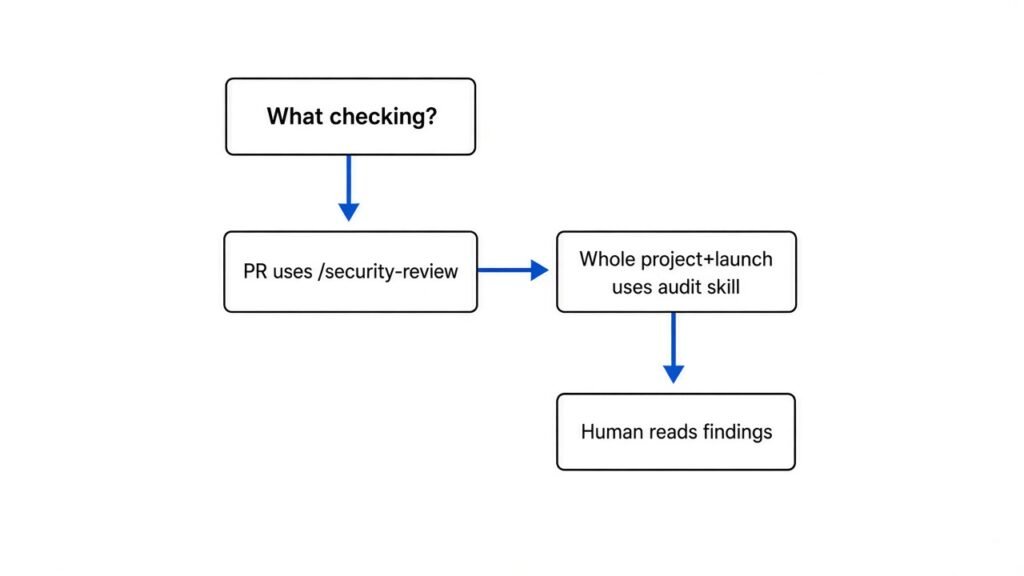
If you only ever run /security-review, you are checking new doors while old ones stay unlocked. If you only run the full audit, you pay a lot of tokens and still miss the bug someone adds next Tuesday.
A simple rhythm works: /security-review on every branch before you open a pull request, and the full skill once before anything goes public. Repeat the full audit after big changes, because a single run finds only about half of what repeated runs find.
How to set up both in five minutes
Two commands, one Git fix, and a sentence to Claude.
For /security-review:
- Open Claude Code inside your project, on your feature branch.
- Make sure Git knows your main branch. Run
git remote set-head origin -a. Without it, the diff step fails with an “unknown revision” error, which I reproduced in a fresh clone. - Type
/security-reviewand read the list.
For the full audit:
- Inside your project, run
npx skills add https://github.com/cloudflare/security-audit-skill --skill security-audit. npx (a tool that runs a Node package without installing it for good) downloads the installer and copies the skill in. - Open Claude Code and ask:
security audit this codebase, output to ~/audits/my-project. - Let it finish. Read
REPORT.mdfirst, thenNEEDS-VALIDATION.mdfor the open questions.
npx skills add https://github.com/cloudflare/security-audit-skill --skill security-audit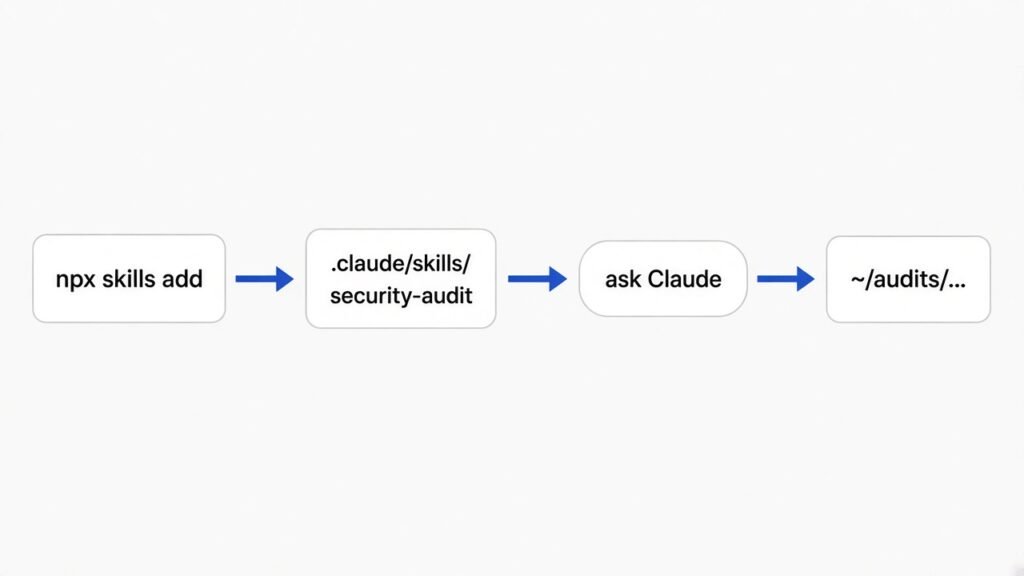
The output goes outside your repository by default, so an audit never litters your code with files.
What can go wrong?
Cost, time, and trusting the report too much.
The full audit launches many sub-agents, so it burns far more tokens than a normal session. Long runs also hit compaction (Claude shrinking older conversation to make room), which can drop instructions if you are not careful. That is covered in why Claude Code compaction drops your instructions.
The skill will only run your code inside a sandbox (a locked box with no internet, fake secrets and strict limits). If your machine cannot provide one, it does not run the code at all. It marks the lead as needs validation and writes a plan for you instead. That is safe, but it means more manual follow-up.
And neither tool replaces a person. Read every confirmed finding and every suggested fix before you merge it. Keep the project rules that make Claude careful in the first place in your CLAUDE.md file, and if you want to know what a skill switch really loads, see Claude Code mods vs plugins.
Get the tools: Cloudflare security-audit skill · Claude Code security docs
Common questions about Claude Code security review
Does Claude Code /security-review scan the whole codebase?
No. It reviews the pending changes on your current branch against the main branch and is told to ignore security problems that already existed.
How do I install the Cloudflare security-audit skill in Claude Code?
Run npx skills add https://github.com/cloudflare/security-audit-skill --skill security-audit inside your project. It copies the skill into .claude/skills/security-audit, and Claude Code picks it up when you ask for a security audit.
Is the security-audit skill safe to run on my repo?
It reads source code by default and only runs your code inside a sandbox with no network. Without that sandbox it never executes anything and marks the lead as needs validation.
Can AI replace a human security review?
No. Both tools find likely bugs faster, but a person should still read every confirmed finding and every fix before it ships.
3 comments