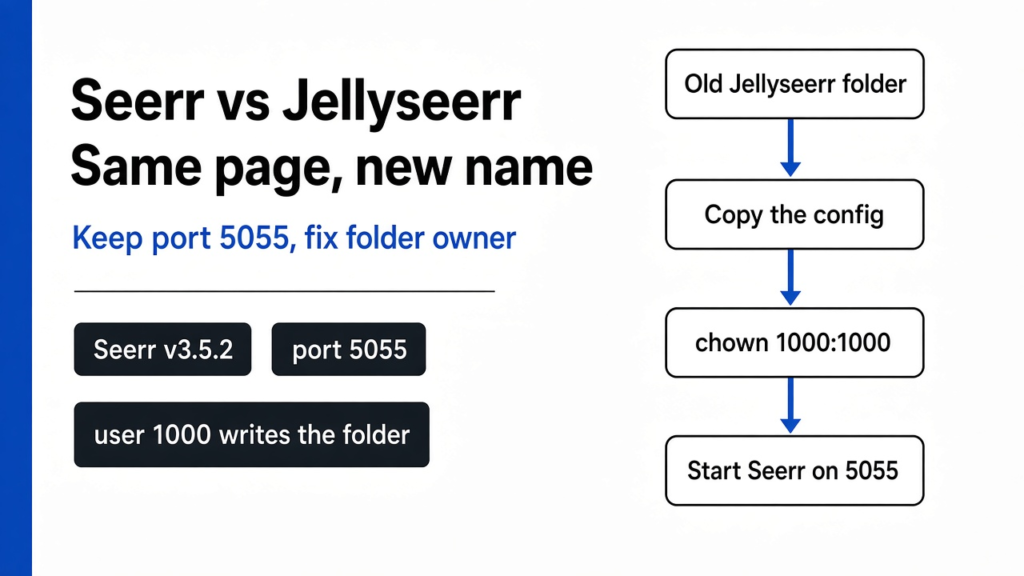
Seerr vs Jellyseerr is not a choice between two products. Seerr is what Jellyseerr became, and it is the name that still gets fixes. I checked Seerr v3.5.2, its Dockerfile, and the official migration guide on 14 November 2026. Keep port 5055, copy the config folder, and give that copy to user 1000. A live house migration was left unrun on this box.
Someone in the house asked for a film that was not on the TV. The TV app was Jellyfin (the free program that plays films you already have), or it was Plex, or it was Emby (a third program in that family). The page they typed the title into was not that app. It was Jellyseerr, a small site where a person asks and an admin says yes. The old name is no longer where fixes go.
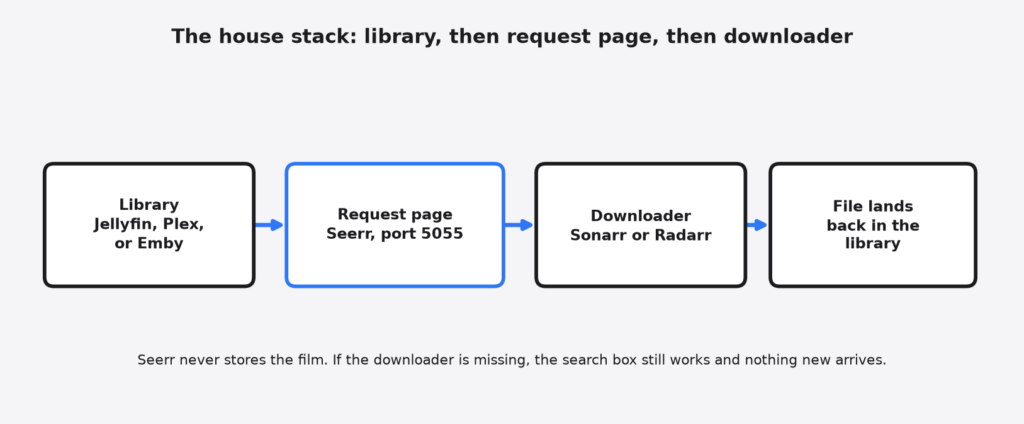
A request page is a website on a computer you control. It does not store the film. It takes the ask, checks whether the film is already in the library, and hands the ask to a downloader. Sonarr (the helper that fetches TV shows) and Radarr (the helper that fetches films) are those downloaders. If those two are not connected, Seerr can still show a search box, and nothing new will show up on the TV. That order is the whole stack: library, then request page, then downloader, then the file lands back in the library.
What Is Seerr?
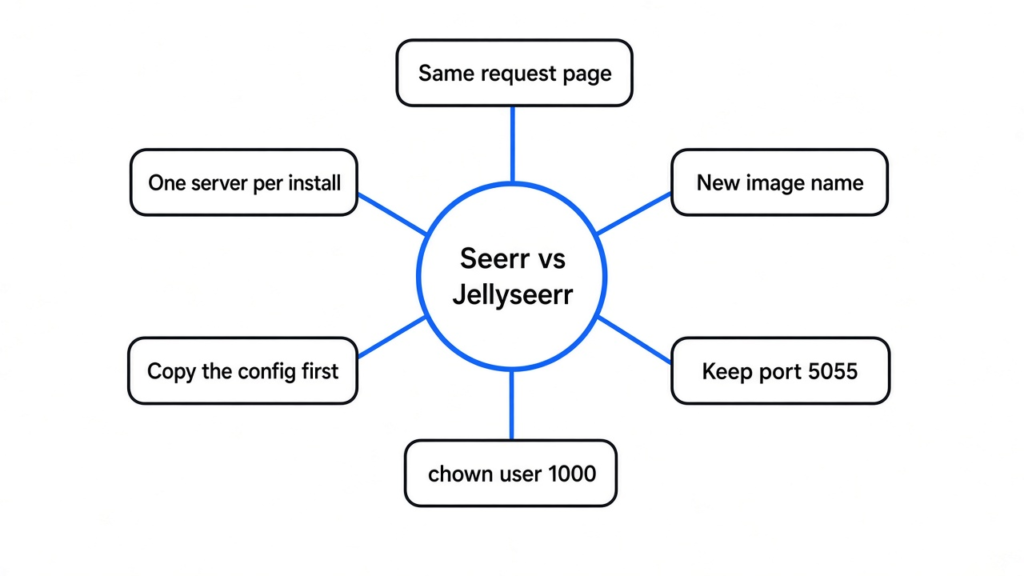
Seerr is a free, MIT-licensed request site for a library you host yourself. People log in with the account they already have on Jellyfin, Plex, or Emby, and Seerr can import those users so you do not invent a second password for the house. One install talks to one of those three servers, not all three at once. The official release post is blunt: only one integration can be used at a time. The word choice is doing the work. You pick one.
The memory of that site can sit in SQLite, which is a database stored as one file inside the config folder, or in PostgreSQL, which is a database that runs as its own program. A normal house should keep the one file. Move to PostgreSQL only when you already run it and you already know how to copy it.
Seerr also has a blocklist, which is a list of titles regular users are not allowed to request, and a watchlist, which is a list of titles someone wants without sending the ask yet. Permissions are per person, so one account can approve and another can only ask. None of that replaces the downloader. It only decides who is allowed to ask.
Seerr vs Jellyseerr
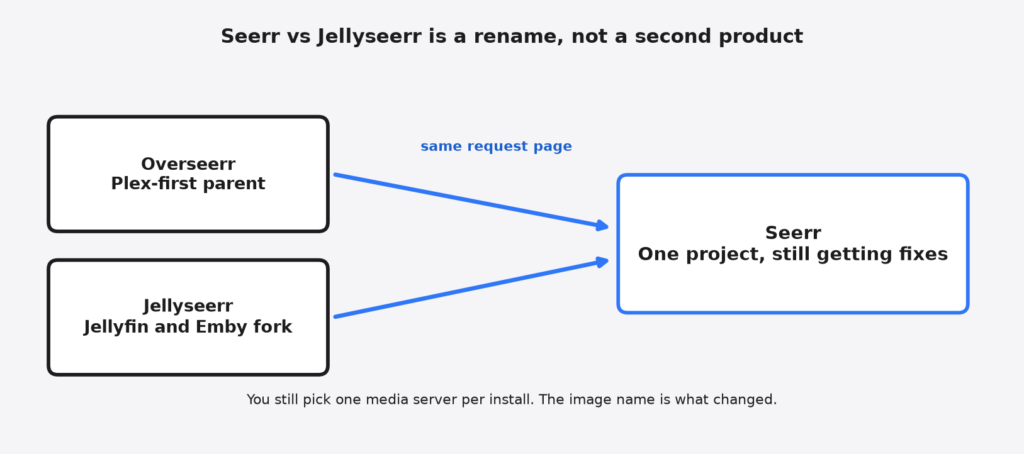
Seerr is what Jellyseerr became, not a second app you run next to it. Jellyseerr was the branch that added Jellyfin and Emby to an older Plex-first tool. In February 2026 those two teams merged into one project named Seerr, and they now share one codebase. If a write-up still calls Jellyseerr the safe one and Seerr a young rewrite, it is describing a split the project has already closed.
| Jellyseerr | Seerr | |
|---|---|---|
| What it is now | The old name | The name that still gets fixes |
| Jellyfin and Emby | Yes | Yes |
| Plex | Yes | Yes |
| Two of those in one install | No | No |
| Database | One file, or PostgreSQL | The same |
| Port a bookmark already uses | 5055 | 5055 |
| Image to run | The old name | ghcr.io/seerr-team/seerr |
I expected a new port and a new config shape. The v3.5.2 Dockerfile still exposes 5055, switches to the node user, and starts with npm start, which runs NODE_ENV=production node dist/index.js. The official migration guide says that node user is UID 1000. If the config folder is owned by root, the new container can see the files and still fail when it tries to save a setting. That permission line is the real difference in seerr vs jellyseerr. The page looks the same. The user who is allowed to write the folder is not.
Seerr vs Overseerr
Overseerr is the older parent, and it started as a Plex request page. Jellyseerr was the fork that opened the same page to Jellyfin and Emby. Seerr is those two lines put back in one project. A Plex house picks up pieces that used to live only on the fork, including the blocklist and the choice of database. A Jellyfin house does not pick up a second media server in the same install. You still choose one login source.
The practical test is the image name and the folder owner, not the logo. If the container you update is still named for Overseerr or Jellyseerr, you are on the frozen line. If it is ghcr.io/seerr-team/seerr and the config folder is writable by user 1000, you are on the line that still changes.
Should I Switch From Jellyseerr to Seerr?
Yes, if this page is how the house asks for films and you want later fixes. No, if the current container is healthy and you cannot copy the config folder before you change anything. The switch is a new image name plus a permission fix. It is not a new library, and it is not a new downloader.
The official guide says the first start on the Seerr image will migrate the old instance automatically. That is about the files inside the folder, not a reason to skip the copy. The copy is the undo button. Without it, an empty page looks like the history was erased, when the history is sitting in the folder you failed to mount.
I would switch a Jellyfin house that people still open. I would not switch in the hour before guests sit down. I would not delete the old folder the same night.
How Do I Install Seerr?
A new install is one container, one empty config folder, and port 5055. You do not point it at an old Jellyseerr folder. You open the page, connect one media server, then connect Sonarr or Radarr if an approved ask should become a file.
docker run -d \
  --name seerr \
  --init \
  -e TZ=Asia/Kolkata \
  -e PORT=5055 \
  -p 5055:5055 \
  -v /path/to/seerr/config:/app/config \
  --restart unless-stopped \
ghcr.io/seerr-team/seerr:latestChange the folder path and the timezone. Leave the port alone unless some other program already took 5055. The --init flag matters: the official image no longer ships its own init process, and the migration guide tells you to add it. The health check in those same notes asks for /api/v1/settings/public on that port. A failed check means the process is not up. It does not mean the path was renamed.
The project also publishes a Docker Hub image named seerr/seerr, last updated on 13 November 2026. The migration notes name ghcr.io/seerr-team/seerr. On a new install, pick one and write the name in the compose file. Do not alternate them and then wonder which folder you mounted.
Fresh Seerr will not find your films by itself. After the page loads, the first setting is the media server, and the second is the downloader. Skip the second and the search still works. The file never arrives. The pipe is not the library. An open source download manager is a different job, and it will not approve a film request for you.
How Do I Migrate Jellyseerr to Seerr?
Stop the old container. Copy the config folder. Do not move it. Fix the owner on the copy. Start Seerr against that copy, on the same port. Only then is it safe to remove the old container.
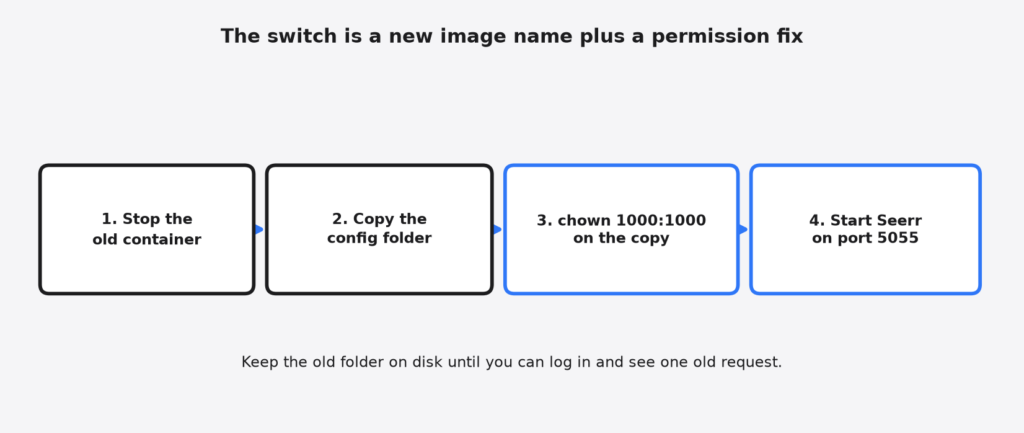
The copy matters because the new image runs as user 1000, not as root. The official migration notes use a throwaway container to hand the folder over:
docker run --rm -v /path/to/appdata/config:/data alpine chown -R 1000:1000 /dataRun that on the copy. If you skip it, Seerr can list the files and still fail to save a setting. The symptom looks like a broken upgrade. It is a folder the process is not allowed to write.
services:
  seerr:
    image: ghcr.io/seerr-team/seerr:latest
    init: true
    container_name: seerr
    environment:
      - TZ=Asia/Kolkata
      - PORT=5055
    ports:
      - 5055:5055
    volumes:
      - /path/to/appdata/config:/app/config
restart: unless-stoppedDelete a user: line if an older file forced a different id. The image already becomes node. A second id fights the chown you just did. Keep the old container stopped, not deleted, until you can log in, see an old request, and approve a test title. An empty page means the wrong folder is mounted. The right folder is still on disk because you copied it.
Two writers must not open that file together. Stop Jellyseerr before Seerr starts, even for a test. SQLite, the one-file database, does not like two programs saving at once.
When Should I Wait to Switch?
Do not switch with only one copy of the config folder. Users, old requests, and the link to Sonarr or Radarr live in that folder. A fresh folder looks like a brand new site. People will think the history is gone.
Do not switch if you need one request page to serve Plex and Jellyfin together. Seerr will not. That house needs two installs, two ports, and two config folders, or it needs to pick one server and stay there. Comparison pages that promise a mixed household in one box are ahead of the feature list.
Do not switch in the only window when the person who knows the server is away. The page is simple. The owner of the folder is the part that sticks.
A full disk is a separate problem. The request page is tiny. The films are not. If the server is already out of room, approving more titles will fail in Radarr, and Seerr will look guilty. Clear space, or stop adding, before you blame the new image.
The network in front of the TV is also a separate problem. Two home internet lines do not become one faster stream inside this app. Combining two connections helps when many downloads run at once. It does not change which image you should run.
A phone on the same table is not part of this decision. Sharing a mouse or a clipboard between a laptop and a phone is a desk tool, not a media server. Do not install a desk app to “fix” requests, and do not install Seerr to share a keyboard.
Common questions about seerr vs jellyseerr
Does Seerr work with Plex and Jellyfin?
Seerr works with Plex. It works with Jellyfin. It works with Emby. It does not work with two of them inside one install. Use the server your family already logs into, and let the request page reuse that login. Importing users is the point. A second password list is how people stop asking and start texting you instead.
If you are on Overseerr and you only have Plex, switch for the fixes, the blocklist, and the database choice. If you are on Jellyseerr, switch so the image name matches the project that is still moving. Staying on the old image means the page is frozen on purpose. That can be fine for a month. It is a bad plan for a year, because a public request page is a login, and a login you never update is a door you stopped checking.
Is Jellyseerr discontinued?
Yes, as a project that still receives fixes. The code and the users moved to Seerr. An old container keeps running for as long as you leave it running. It does not grow, and it does not get the next repair.
Can I run Seerr and Jellyseerr at the same time?
Not on the same port, and not on the same config folder. Stop the old container, start Seerr on a copy of the folder, and keep port 5055 if you want old bookmarks to work. Two programs writing one SQLite file is how that file gets corrupted. If you only want to look, look at the copy.
What port does Seerr use?
5055, unless you set PORT. The v3.5.2 Dockerfile, the official compose example, and the local API health check all use that number. Keep it and the address your family already saved keeps opening the same page.
Will my requests survive the move?
They survive when Seerr mounts the copied config folder and user 1000 can write it. They do not survive an empty folder. Log in and find one old request before you delete the old container. If that request is missing, stop and mount the other folder. The app did not eat the history. The volume line is pointing at the wrong place.
I would move a house that still asks for films. I would copy the folder, give it to user 1000, and leave the old folder on disk until the next morning. The name on the image is the part that changed. The page your family searches should stay the one they already know. Official install and migration steps live in the Seerr docs, and the files I checked are in the Seerr project at v3.5.2.