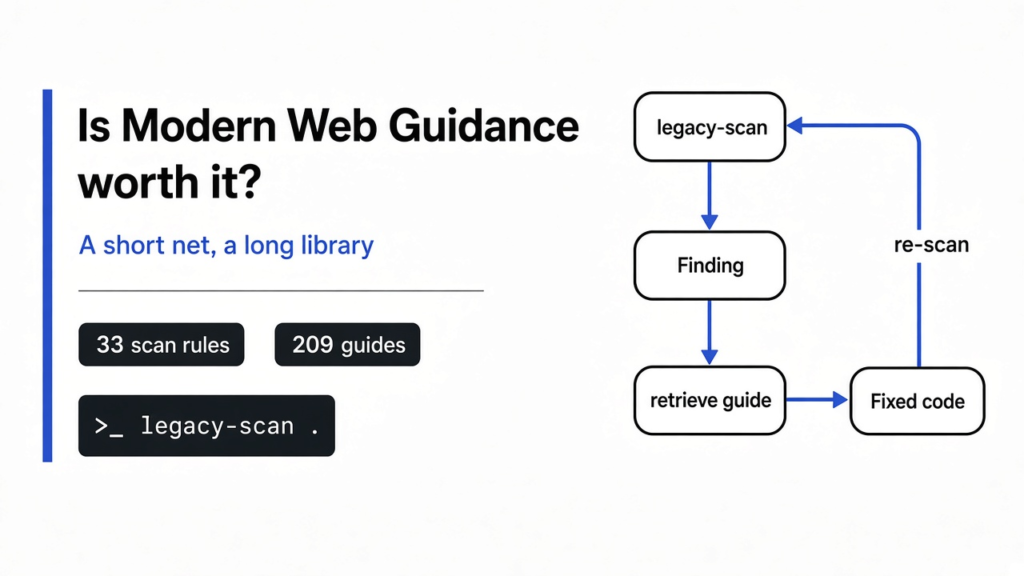
Is Modern Web Guidance worth it? We pointed it at two small pages. The first still did things the old way: boxes laid out with float, the old trick of pulling a box left and letting the next one wrap beside it; a click that ran document.write, which paints text by rewriting the page; and a data request through XMLHttpRequest, the older object a page uses to ask a server for something. The scan came back with zero findings.
The second page had a div pretending to be a progress bar, a street field, a card field, and a script loaded from a public file host. The scan came back with four findings. So yes, Modern Web Guidance is worth it if you ship web pages and you will either run that scan or open one guide. It is not worth it if you expected a linter for every old habit. Tested with modern-web-guidance 1.0.0 (guide set 2026_11_09) on Node 24, November 2026.
Modern Web Guidance is Google Chrome’s free pack of written guides, plus a command that searches them, that you hand to a coding agent: the program that edits your project. The guides tell it to use what the browser already knows how to do.
What Is Modern Web Guidance?
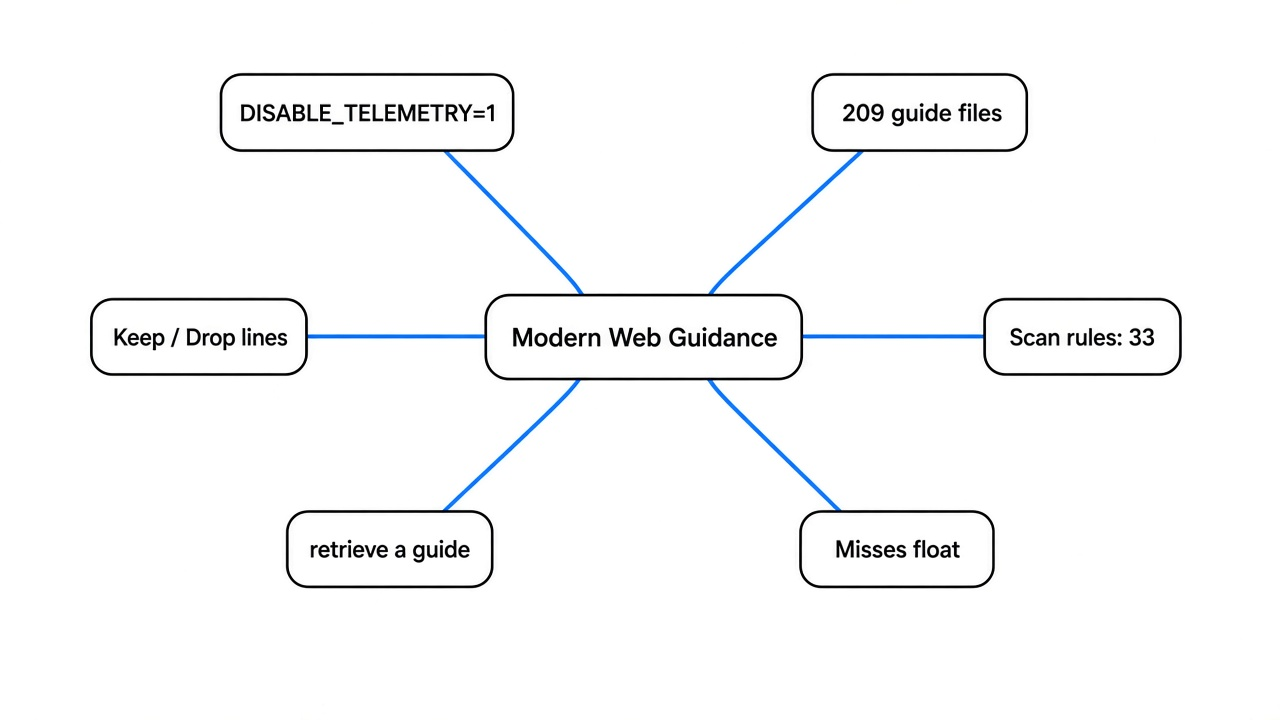
Modern Web Guidance is a folder of short guides about current web features, plus a command-line tool that searches that folder and scans your code.
The browser already knows how to show a progress bar, open a small popup, fill in an address, and lay out a row of boxes. For years people copied long scripts to fake those things, because the browser could not do them yet or because the copy-paste was what every tutorial showed. Coding agents learned from that pile. Ask for a tooltip and you often get a long script. Ask for a bar that fills up and you often get a div with a role stuck on it. The role is a label for assistive tools. The element is still a plain box.
The pack does not replace your editor and it does not rewrite files by itself. It gives the agent a page to read before it writes, and it gives you a scan that looks for a short list of old patterns.
How many guides? The 1.0.0 package ships 209 guide files. The project README lists 203 “real-world developer use cases”; the other six files are area overviews (accessibility, forms, HTML, performance and security) plus a prompt-api file that the list command does not return, so list prints 208 ids. All three numbers describe the same folder. More useful: the scan only has firm rules for 33 guides, about a fifth of the set, and says so in its own output. The rest is lookup, not a detector.
The project lives at github.com/GoogleChrome/modern-web-guidance under the Apache-2.0 license, and the setup page is developer.chrome.com/docs/modern-web-guidance.
How Do I Install Modern Web Guidance?
Install it with one command, then ask it a question or point the scan at a folder. The package declares Node 22 or newer.
npx modern-web-guidance@latest installThat command starts a wizard that asks which agent to attach the guides to. The official page also lists a Claude Code plugin (claude plugin install modern-web-guidance@claude-plugins-official) and a npx skills add GoogleChrome/modern-web-guidance route. The wizard was not completed for this test, because there was no signed-in agent on the test machine. You can still use the lookup and the scan with no install:
export DISABLE_TELEMETRY=1
npx modern-web-guidance@latest search "tooltip without a click"
npx modern-web-guidance@latest retrieve progress
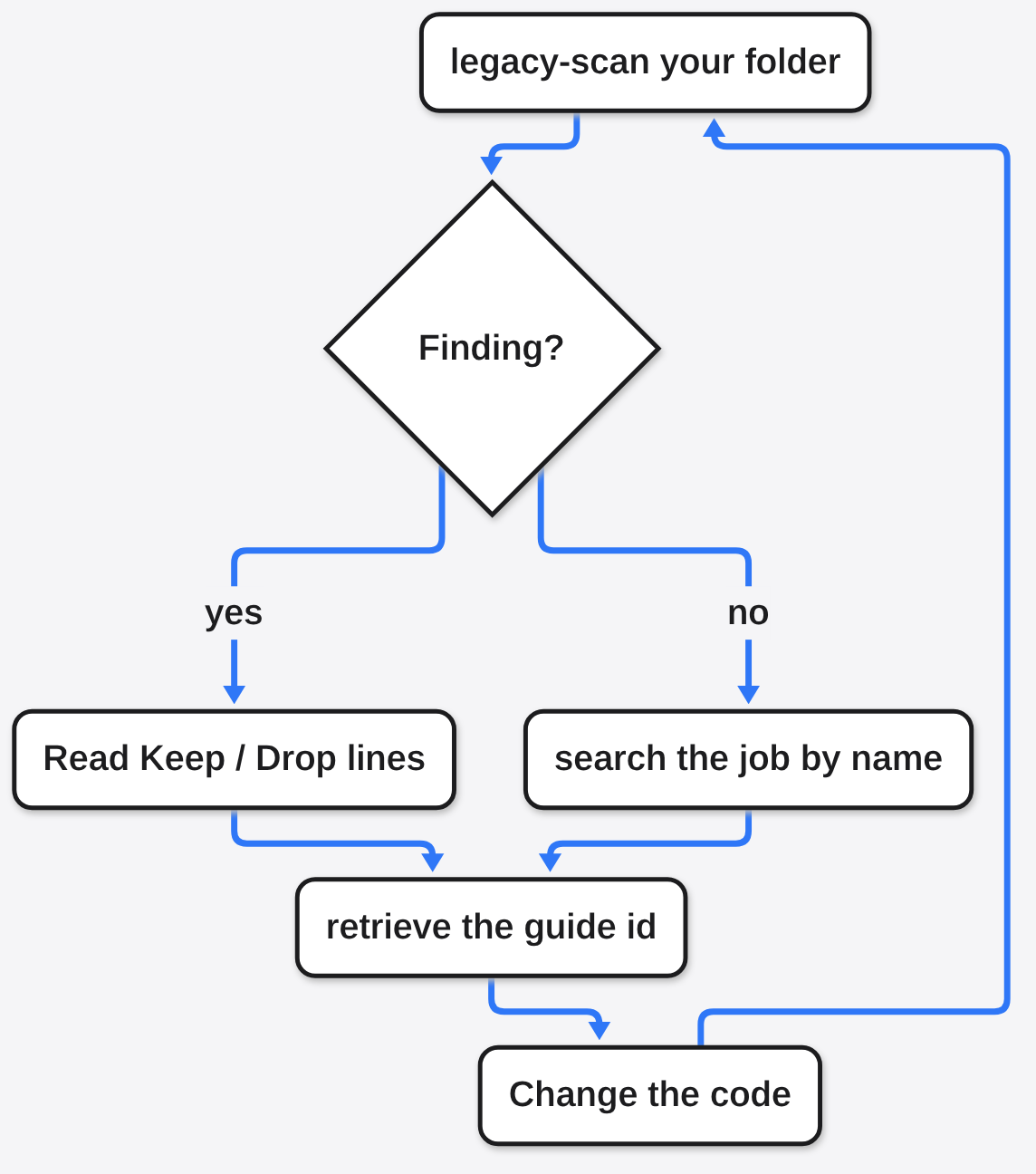
npx modern-web-guidance@latest legacy-scan .search prints a short JSON list of guide ids and one-line jobs. retrieve writes the full guide to a temporary file instead of the terminal, so a long guide is not cut off; the progress guide came out at 183 lines. legacy-scan reads the folder you point it at and prints findings. If you already installed an older copy, npx modern-web-guidance@latest update refreshes the guides.
One caveat before you run npx on a name you have not used: a bad package can run code during install. The habit in how do I know if I have a malicious npm package still applies. This package’s README also says Google collects anonymous usage data: install counts, the calling agent’s name, guide ids retrieved, and the search text the agent sends. Raw prompts are not collected. Setting DISABLE_TELEMETRY=1, as in the block above, opts out; put it in your shell profile if you want it permanent.
What Does the Modern Web Guidance Legacy Scan Catch?
On the second page, the scan caught four things. It missed the old habits we were sure it would flag.
The second page was small on purpose. A box advertised itself as a progress bar with role="progressbar" and aria-valuenow="40". A form had an input named street-address and an input named card-number. A script tag pointed at a copy of jQuery on a public CDN, a shared file host on the web. We also put jquery and moment in package.json, the file that lists the libraries a project installs. Then:
$ npx modern-web-guidance@latest legacy-scan .
Modern Web Guidance Analyzer — .
Found 4 modernization opportunities across 4 guides (scanned 33 guides with deterministic rules; ~20% of the guidance corpus):
Note: Static analysis results are provisional — verify against the Keep/Drop criteria below.

* autofill-address-form (1 finding)
* autofill-payment-form (1 finding)
* progress (1 finding)
* secure-external-subresources (1 finding)That output is trimmed to the headings; each finding also prints a one-line rule, a “Keep when” line, a “Drop when” line, and the file and line number. The keep and drop lines are the scan telling you when to ignore itself.
| What the page had | What the scan asked for |
|---|---|
A div with role="progressbar" and a number | A real <progress> element |
<input name="street-address"> inside a form | autocomplete="street-address" on that input |
<input name="card-number"> inside a form | autocomplete="cc-number", and not type="password" or type="number" |
<script src="https://cdn.jsdelivr.net/..."> | A checksum in integrity, plus crossorigin="anonymous" and referrerpolicy="no-referrer" |
autocomplete is the hint you put on a field so the browser knows the box is a street or a card number and can fill it from the user’s saved details. The name street-address was not enough; the scan wanted the hint as its own attribute. Same for the card. card-number looks obvious to a person, but the browser’s saved-card feature looks for autocomplete="cc-number", not for a clever name.
The script finding is about trust, not about jQuery being old. A checksum here is a fingerprint of the file. You put that fingerprint on the tag, and if someone swaps the file on the host, the fingerprint no longer matches and the browser refuses to run it. crossorigin="anonymous" is what lets the browser do that check across sites. The scan did not mention jquery or moment sitting in package.json. Old libraries in that file were invisible to this run.
The progress finding is the one worth acting on. A div with a role is a box taught to sound like a progress bar; the <progress> element already is one, and screen readers know it. You set value and, if you need a scale other than 0 to 1, max. So we retrieved the progress guide:
npx modern-web-guidance@latest retrieve progressIt says to start with the native element and color a simple bar with accent-color. Then it gives a warning you would not guess: adding border-radius, background, or border “just in case” can silently turn off the browser’s own drawing of the bar, after which you must style the fill yourself with appearance: none. It also says not to put the Chrome-family fill selector (::-webkit-progress-value) and the Firefox one (::-moz-progress-bar) in the same CSS rule, because the browser treats that rule as invalid and ignores all of it. Each gets its own rule.
That is the useful part of a guide. The scan finds the fake bar. The guide stops you from “fixing” the real bar into a blank one.
Why Does My Coding Agent Write Old JavaScript?
Because most of the pages it learned from are old, and the scan will not catch every one of those habits.
We expected the first file to light up. It had float and a clearfix, var, document.write, XMLHttpRequest, an onclick and an onload. A clearfix is the extra rule people add so a parent box notices the floated children inside it. var is the older way to declare a variable. onclick is an attribute that runs code on a click. The scan said:
$ npx modern-web-guidance@latest legacy-scan .
Modern Web Guidance Analyzer — .
0 findings from 33 qualified guides.
Note: legacy-scan covers legacy patterns for 33 guides (~20% of the guidance corpus). Use 'modern-web-guidance search <topic>' for general UI/platform guidance.So the story “install this and your agent stops writing old JavaScript” is too big. The agent still knows the old patterns, and the scan does not look for several famous ones. What the pack can do is narrower: you search for the job in front of you, retrieve that guide, and put it where the agent will read it. Searching for a tooltip that does not need a click returned interest-triggered-tooltips first, described as a tip that shows on hover, focus, or a long press. That is a lookup, not a rewrite of your file.
This test stops at the tool itself: the scan, the search, and one full guide. No agent was watched rebuilding the page, so this run cannot tell you whether an agent opens a guide on its own when you never mention it. The safe use is to name the guide, or paste the part you care about, when the task is a web page.
This is a different job from a security check of your last edit; that is is Claude Code’s security review enough. It also does not shrink the chat. If the agent is drowning in old tool output, that is context mode vs compact. And if the worry is the agent running commands on your machine, a guide about progress bars is not a fence; see which cage is your coding agent actually in. Pointing the agent at a cheaper model, as in how to use Claude Code with DeepSeek or Kimi, changes who answers. It does not hand that model a current note about <progress>.
Is Modern Web Guidance Worth It for Your Project?
Yes, if you are building a web page and will use a guide or the scan. No, if you wanted a detector for float and XMLHttpRequest.
Two files, one command. The file full of famous old habits scored zero. The file with a fake bar, two unhinted form fields and an unsigned script scored four. The progress guide then named two ways to ruin the fix: style the native bar too hard, or merge the two browser-specific fill rules. That second lesson is the reason to keep the tool. The scan is a short net. The guides are the part with the surprises.
| Question | Modern Web Guidance | A CSS or JS linter | Reading the docs yourself |
|---|---|---|---|
Flags float and XMLHttpRequest | Not in this test | Often, if you enable that rule | Only if you go looking |
| Flags a fake progress bar | Yes, on the second file | Not unless you write that rule | If you already know <progress> |
Tells you the autocomplete hint | Yes, by name | Rarely | Yes, if you open the forms page |
Warns that border-radius can blank the bar | Yes, in the progress guide | No | Easy to miss |
| Edits the file for you | No | Some rules can autofix | No |
| Sends usage data | Yes, unless DISABLE_TELEMETRY=1 | Usually not | No |
Use it when the task is HTML, CSS or a form. Run legacy-scan on the folder, retrieve the guide it names, and read the keep and drop lines before you change code. A fifth of the guides have a detector. The rest are text the agent can be shown.
When Should I Skip Modern Web Guidance?
Skip it when you are not shipping a web page, when the usage data is a no and you will not set the opt-out, or when you needed the scan to catch float.
If the project is a command-line tool, a phone app with no web view, or a library that never becomes HTML, the guides have nothing to say. Installing them adds a wizard for no lookup you will make.
If you already know you want <progress>, autocomplete, and a checksum on third-party scripts, you do not need the scan to tell you. The progress guide is still where to send someone about to “improve” a native bar with a border and a radius.
If your real pain is the first kind of file, the one with float and XMLHttpRequest, this scan will shrug. You want a linter rule, or a guide you search for on purpose: search "layout" returned css-layout first, which covers flexbox, grid and related layout, not a float detector. Do not tell a teammate the scan cleaned the old page. It did not look.
Common questions about Modern Web Guidance
Does Modern Web Guidance Only Work in Chrome?
No. The guides are about the web platform, and the progress guide treats Firefox and the Chrome family as two separate CSS rules. The command is a normal npm package you run in a terminal, not a Chrome extension.
Does Modern Web Guidance Catch float and XMLHttpRequest?
No, not in version 1.0.0. The first test file used float, a clearfix, var, document.write, XMLHttpRequest, onclick and onload, and the scan reported 0 findings from 33 qualified guides.
How Do I Look Up One Guide?
Search, then retrieve the id it prints.
npx modern-web-guidance@latest search "progress bar"
npx modern-web-guidance@latest retrieve progressRead the file it writes. The keep and drop lines on a scan finding are the same idea in short form: change the code only when your case matches the keep line.
Will Modern Web Guidance Change My Search Ranking?
There is no evidence of that. Nothing in the tool measures search. It checks files against a short list of web patterns and hands you guides. Better HTML can be easier to use, but that is not a ranking switch.
Run the scan on the next web page you touch, and retrieve the guide it names before you restyle a native control. Just do not read a zero on an old float page as clean.