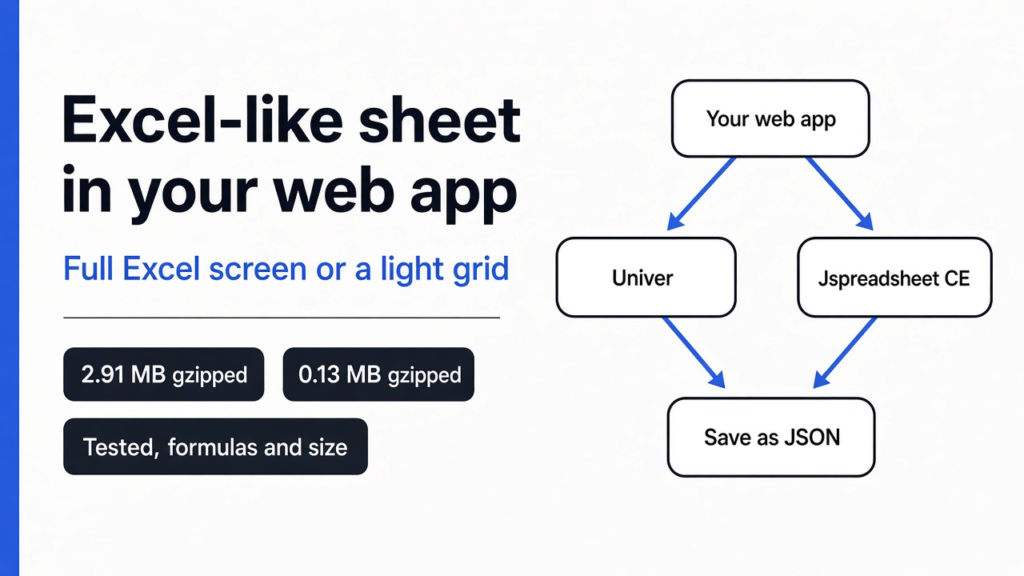
Short answer: install a JavaScript spreadsheet library and mount it inside a <div> on your page. If you want the full Excel feel (toolbar, formula bar, sheet tabs) and a license that lets you sell your product, use Univer, which is free and open source. If you only need a light grid with formulas, Jspreadsheet CE is a fraction of the size. Both computed my test budget correctly.
Your users already live in Excel. They paste numbers, drag formulas, and expect =SUM to just work. So the day your app needs a “budget” or “price list” screen, a plain HTML form feels broken to them.
Building that grid yourself is a trap. A spreadsheet looks like a table, but it is really three hard programs stacked together. This post shows what those three parts are, which free library gives you all three, and the one catch that decides your pick: size.
What is actually inside a spreadsheet?
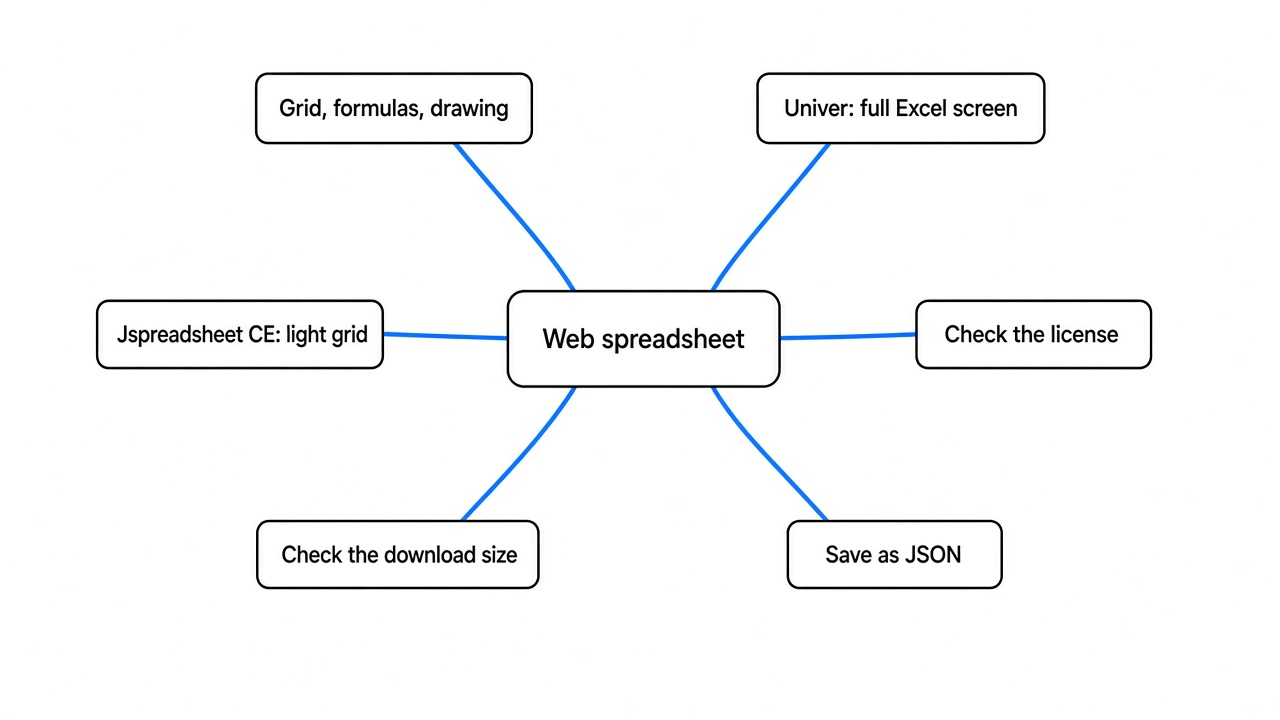
A web spreadsheet is three parts working together. Knowing them tells you what a library must do for you. It also explains why nobody should write one from scratch.
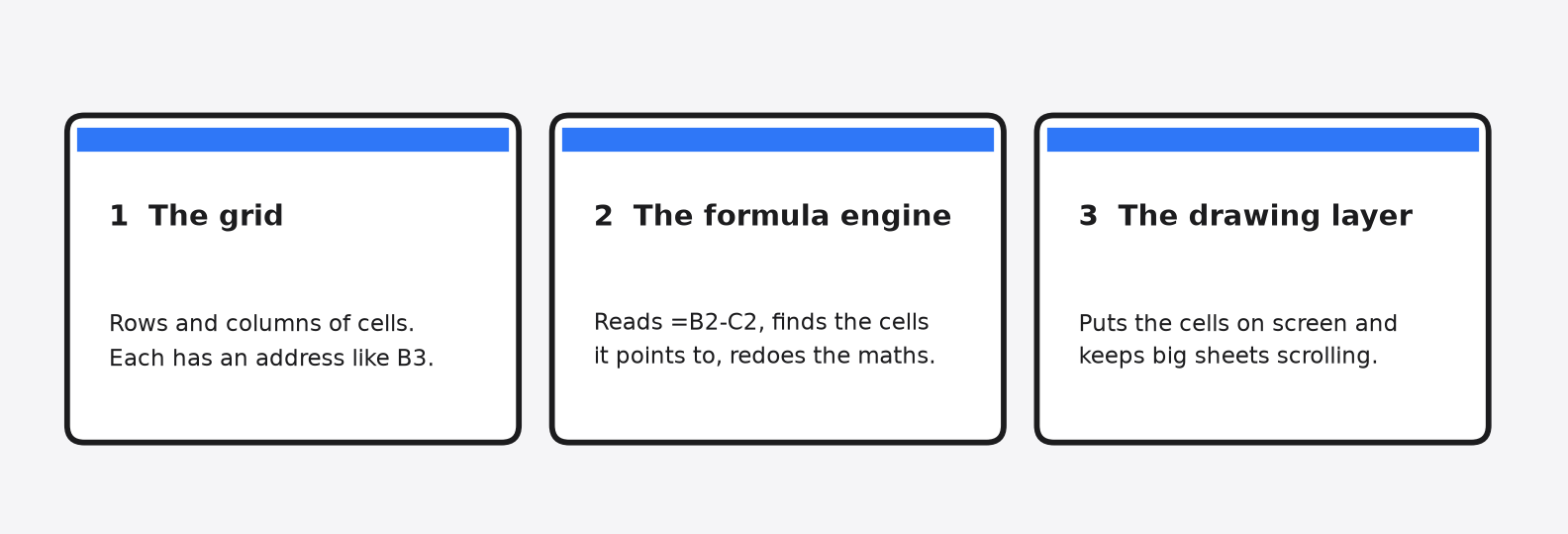
Start with the simplest part, the grid. It is rows and columns of boxes called cells. Each has an address like B3 (column B, row 3).
Then comes the formula engine (the part that reads =B2-C2 and works out the answer). It has to understand the formula, find the cells it points to, and redo the maths whenever one of those cells changes. Change one number and every cell that depends on it must update, in the right order.
Last is the drawing layer (the code that puts the cells on screen). It keeps a thousand rows scrolling without freezing the page. That part is harder than it looks.
Think of a calculator glued to a sheet of graph paper. The paper is the grid, the calculator is the formula engine, and your pen is the drawing layer. A good library hands you all three, already wired together.
Is there a free open source JavaScript spreadsheet library?
Yes. Univer and Jspreadsheet CE are both free to use in paid products. The license is the first thing to check, because some well-known grids are free only until you start earning.
A license (the legal rules for using someone’s code) decides if you can ship the library inside a product you sell. Univer uses Apache-2.0 and Jspreadsheet CE (source on GitHub) uses MIT. Both are permissive licenses (rules that let you use, change and sell with the code, as long as you keep the copyright notice).
That is the gap with Handsontable, another JavaScript data grid. Its license-key docs say the free key covers only non-commercial use, such as teaching, research and evaluation. A product that earns money needs a paid license.
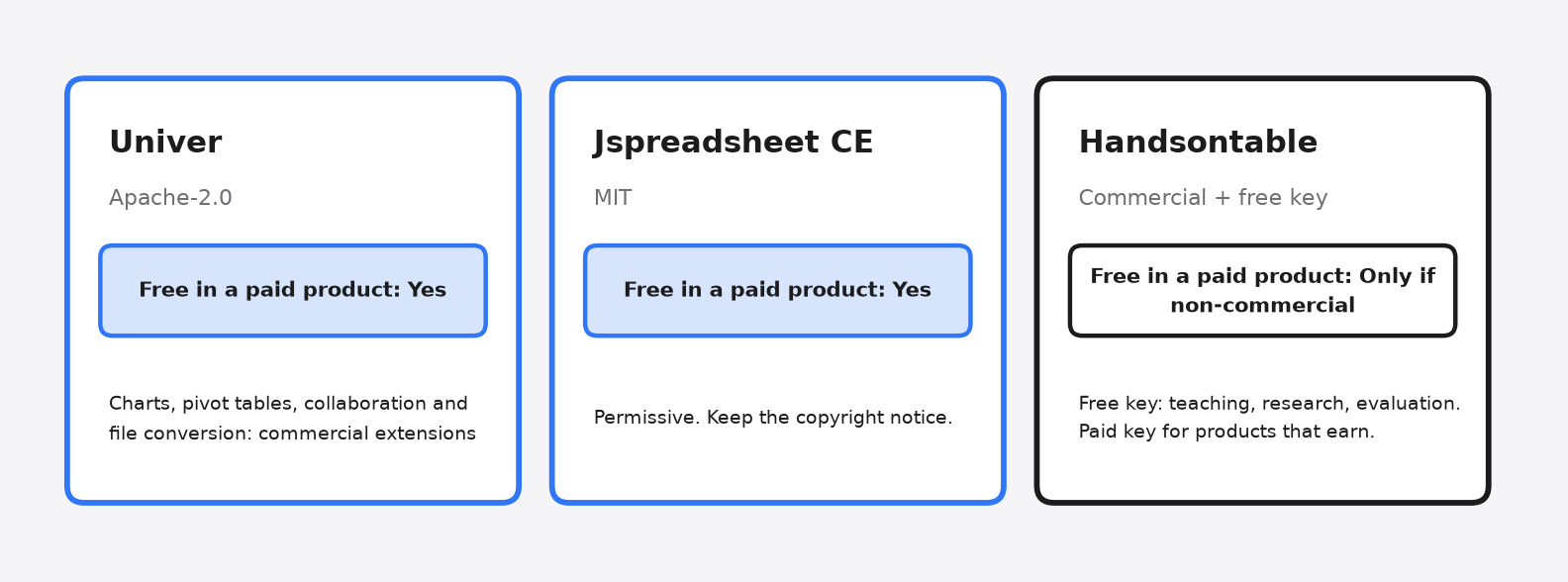
So for a side project, any of the three works. For a business app, the free choice comes down to Univer or Jspreadsheet CE.
How do I add Univer to my web app?
One install command, one empty <div>, and about fifteen lines of setup code. I did this from scratch and had a working sheet in the browser in a few minutes.
First, the install, which follows the Univer installation guide. Univer ships a preset (a ready-made bundle of its plugins, so you don’t wire each piece by hand):
npm install @univerjs/presets @univerjs/preset-sheets-coreNext, give it somewhere to live. Univer fills whatever box you point it at, so that box needs a height:
<div id="app" style="height: 600px"></div>Then start it and create a workbook (a spreadsheet file, holding one or more sheets):
import { UniverSheetsCorePreset } from '@univerjs/preset-sheets-core'
import UniverPresetSheetsCoreEnUS from '@univerjs/preset-sheets-core/locales/en-US'
import { createUniver, LocaleType, mergeLocales } from '@univerjs/presets'
import '@univerjs/preset-sheets-core/lib/index.css'

const { univerAPI } = createUniver({
  locale: LocaleType.EN_US,
  locales: { [LocaleType.EN_US]: mergeLocales(UniverPresetSheetsCoreEnUS) },
  presets: [UniverSheetsCorePreset({ container: 'app' })],
})

univerAPI.createWorkbook({})That code needs a bundler (a tool that joins your imports into one file the browser can load), such as Vite, esbuild or Webpack 5. I used esbuild. The whole build took under a second.
Letting a coding agent write this setup? Point it at good web docs first. Modern Web Guidance is one way to do that.
The install command pulled in 22 Univer packages plus their own dependencies, so run a quick check for malicious npm packages on any project you care about.
Do formulas really work like Excel?
They did in my test, including live updates when I typed a different number. This matters more than the toolbar, because a sheet that shows wrong totals is worse than no sheet.
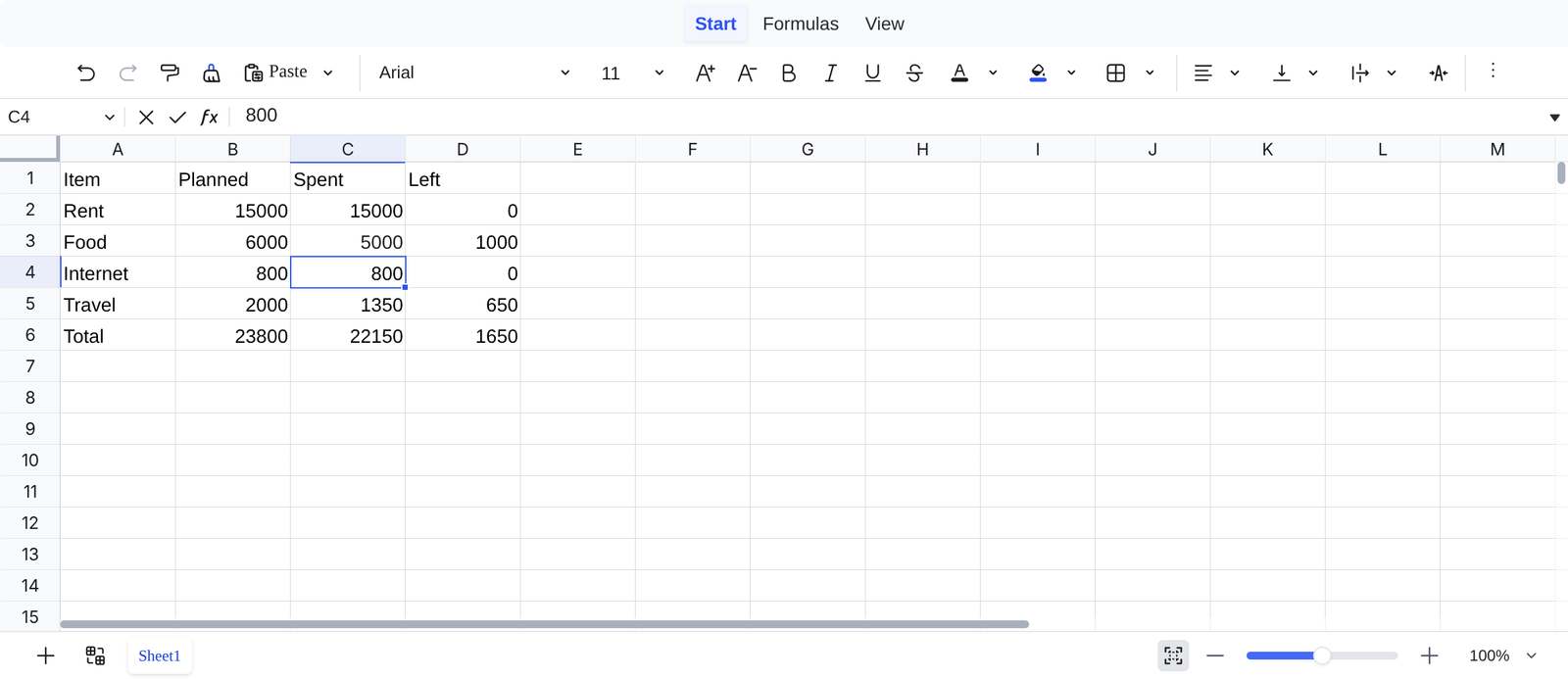
I filled a small monthly budget through Univer’s code interface: rent, food, internet and travel, with planned and spent columns. Then I added =SUM(B2:B5) for the totals and =B2-C2 for what was left in each row.
The sheet got it right on the first load. It showed 23,800 planned, 24,350 spent, and -550 left over.
Then I clicked the food cell and typed a different amount, like a normal user would. The “left” cell and the grand total changed on their own, straight away. Total spent dropped to 22,150 and the balance flipped to 1,650.
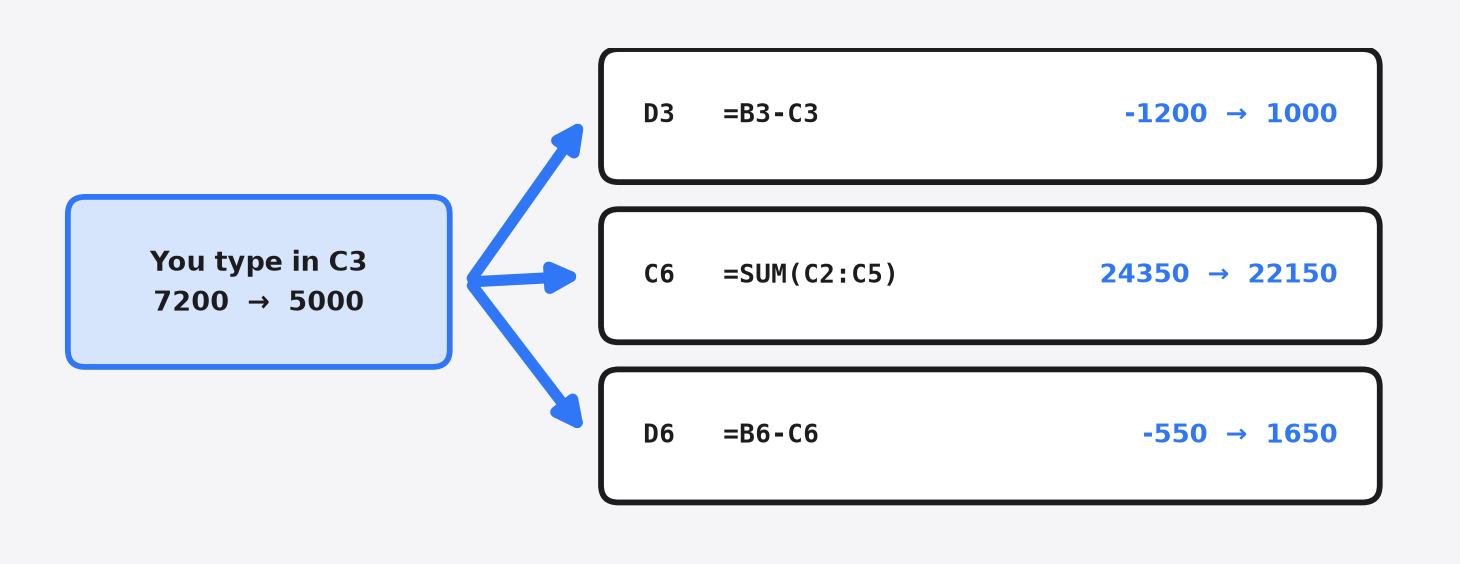
That chain reaction is the formula engine at work. One edit. Three cells updated. Nothing reloaded.
How do I save the spreadsheet data?
Ask Univer for a snapshot and store it as JSON in your own database. Your app needs this, because a sheet that forgets everything on refresh is just a toy.
A snapshot is a plain copy of the whole workbook at one moment: every value, formula and style. Univer gives it to you as JSON (a text format for data that every language can read).
const snapshot = univerAPI.getActiveWorkbook().save()
// send JSON.stringify(snapshot) to your serverMy test budget came out as a small text file. Each formula cell kept both the formula and its answer, so B6 stored =SUM(B2:B5) right next to 23800. Load that same JSON back later and the user picks up where they left off.
One more thing I checked while it ran: the page made zero requests to any outside server. Everything stayed in the browser.
What is the catch with Univer?
It is heavy. My test page shipped about 12 MB of JavaScript, close to 3 MB after compression. That size decides who should use it, so look at it before you commit.
Bundle size is how much code the browser must download before your page works. Servers usually shrink it with gzip (a compression method, like zipping a file) before sending it. So the 2.9 MB gzipped figure is roughly what a visitor actually downloads.
So I built the same budget sheet with Jspreadsheet CE. Its JavaScript came to about 0.5 MB, or 0.13 MB gzipped. That is over twenty times smaller.
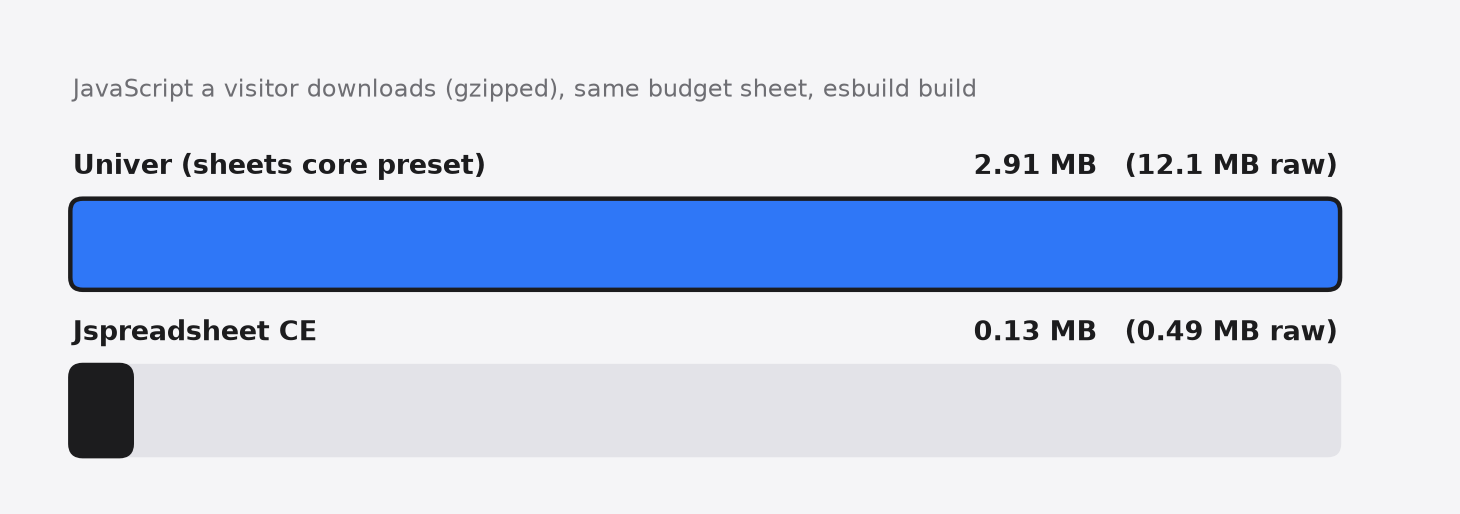
Most of Univer’s weight sits in its drawing engine and its formula engine. You are paying for an Excel-grade screen, and that has a cost on slow phone networks.
The second catch is about files. Importing and exporting Excel files and real-time collaboration, charts and pivot tables sit in commercial Univer extensions (the Server SDK and paid plugins), which are licensed separately. The open source side still covers sheets, formulas and number formatting, with filtering, sorting and data validation added as extra free presets.
What does Jspreadsheet CE give you instead?
A light, plain grid that handles formulas and feels like a table, not a full office app. If your users only need to type and calculate, this is the faster choice.

It ran the same formulas and showed the same -550 balance. What it skipped was the extras: no ribbon toolbar, no formula bar, no sheet tabs in my basic setup.
There is a deeper difference too, in how each one draws. Jspreadsheet builds a real HTML table, so each cell is an element you can style with normal CSS. Univer paints the grid onto a canvas (a blank drawing surface where code paints pixels, like a digital whiteboard). My Univer page had three canvas elements and zero table cells.
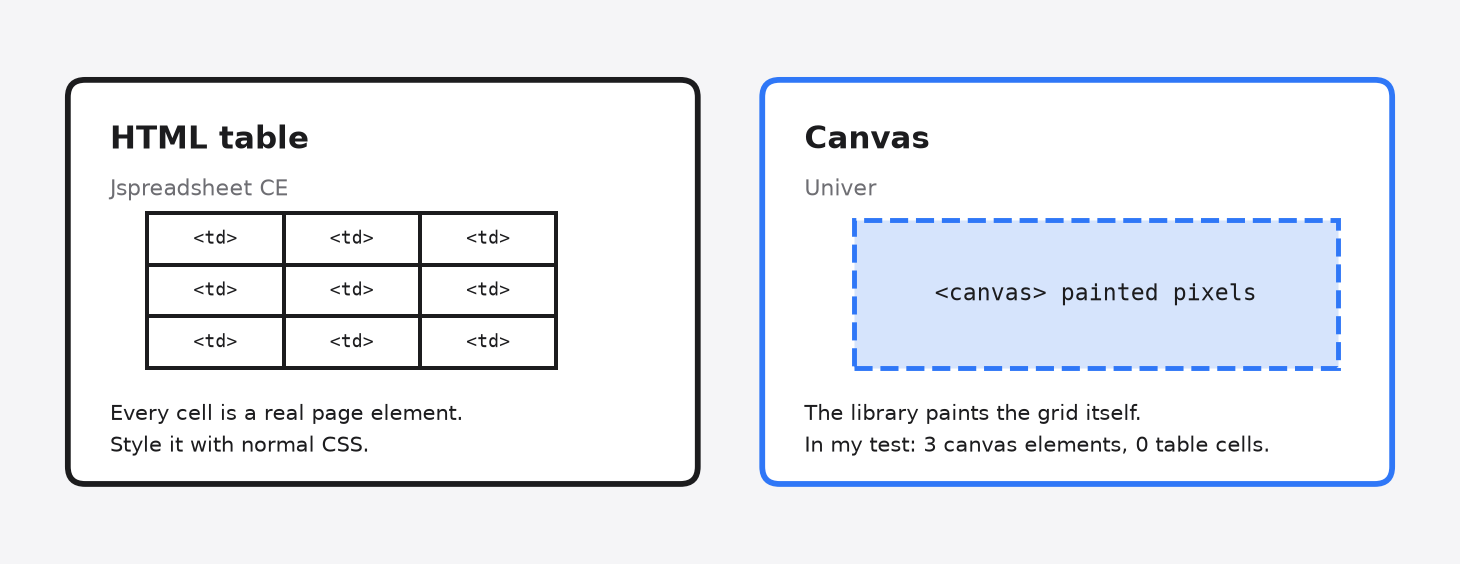
Each approach has a trade-off. A table is easy to style and inspect with the tools you already know, so it blends in with a CSS-styled app like the ones in Looseleaf vs Shadcn. A canvas gives the library full control over every pixel, but you style it through the library’s options instead of your own CSS.
Which one should I pick?
Pick by what your users expect to see, then check the size budget. There is no single winner here, only the right fit for your screen.
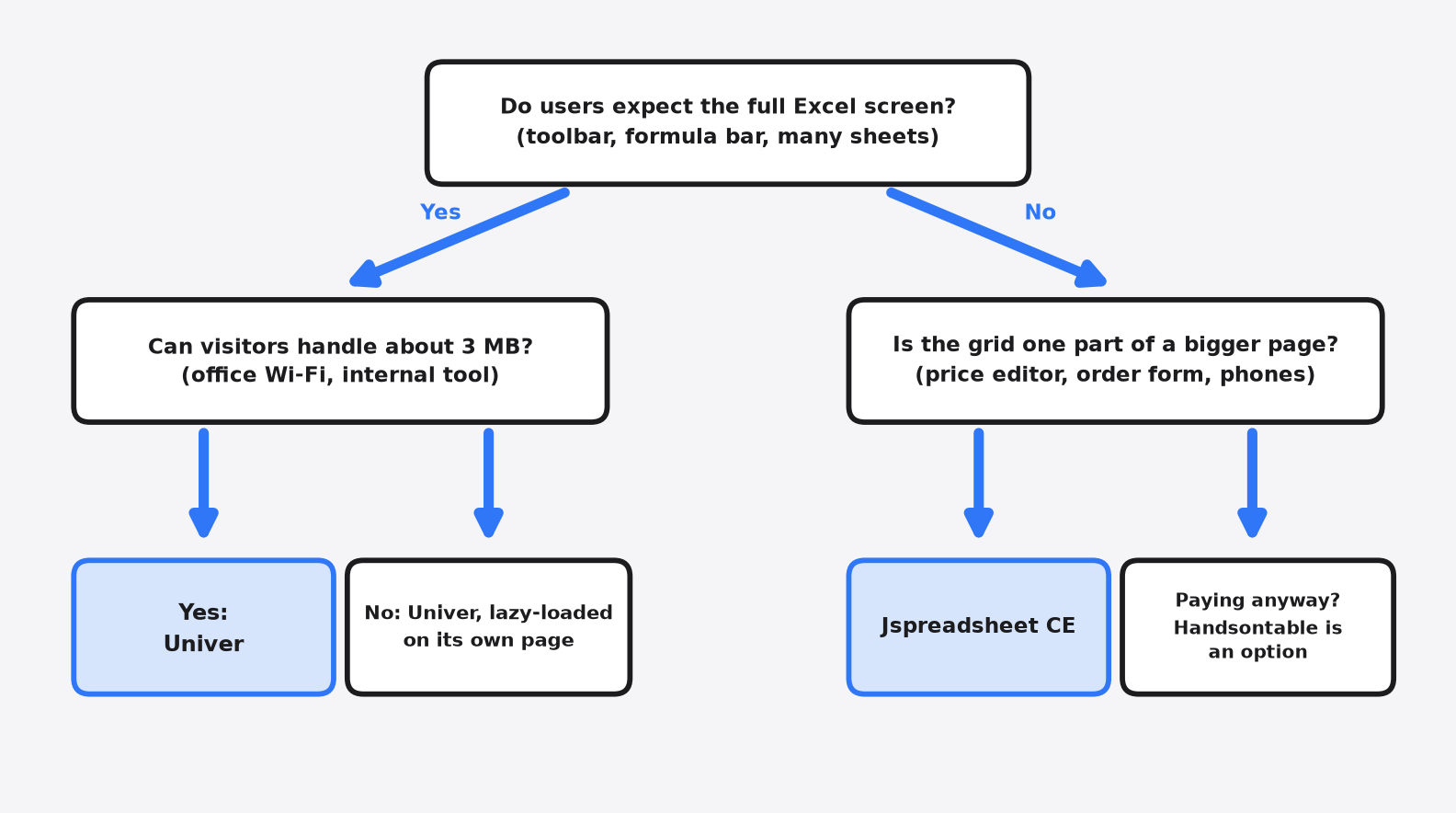
Choose Univer when users expect Excel itself: the toolbar, the formula bar and many sheets in one file. Internal tools and dashboards on office Wi-Fi are a perfect home for it. On a public site, lazy-load it (load the code only when someone opens the sheet page), so the rest of your site stays fast.
Choose Jspreadsheet CE when the sheet is one part of a bigger page, like a price editor or an order form, and many visitors come from phones.
Handsontable makes sense only if you will pay for it, or if your project earns nothing.
There is a fair case for Univer even on a public site. If spreadsheets are your core product, 3 MB is a small price for an editor your users already know. For everyone else, the size gap decides it.
So go back to the budget test. Both libraries got -550 right. Pick the one whose weight your users can carry.
Common questions about open source JavaScript spreadsheet libraries
Is Univer free for commercial use?
Yes. Univer’s open source core uses the Apache-2.0 license, which allows use in paid products. Excel file import and export, real-time collaboration, charts and pivot tables come from commercial Univer extensions that are licensed separately.
Can Univer open an Excel .xlsx file for free?
Not in the open source core. Office file import and export belongs to Univer’s separately licensed Server SDK, so plan for that cost or use a separate file library if you need .xlsx support.
Is Handsontable free?
Only for non-commercial use, such as teaching, research and evaluation. A product that earns money needs a paid Handsontable license key.
What is the lightest free JavaScript spreadsheet with formulas?
Of the two I tested, Jspreadsheet CE was far lighter. It came to about 0.13 MB gzipped against Univer’s 2.9 MB. It still calculated SUM and cell maths correctly.