
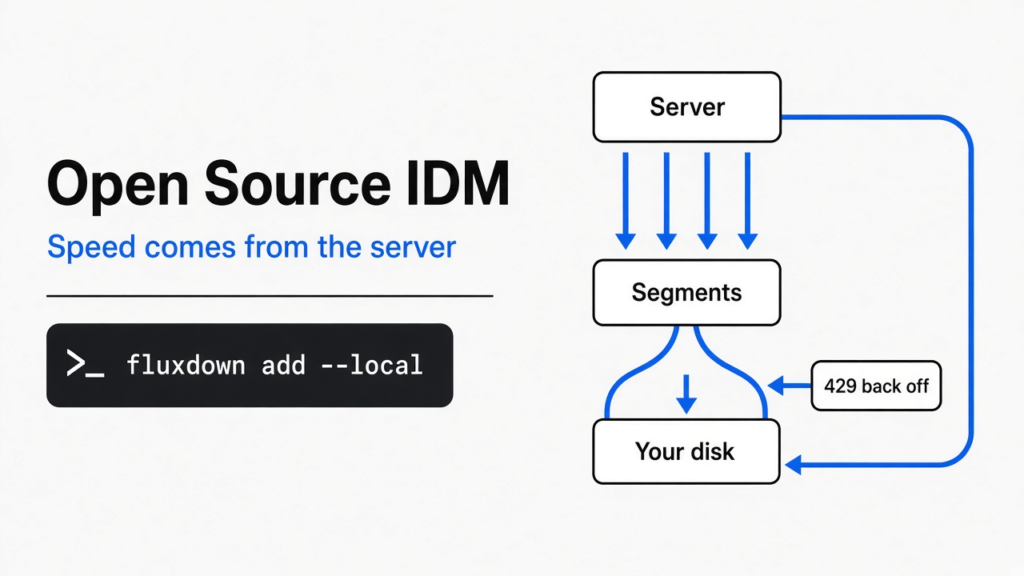
Short answer: yes. FluxDown is a free, open source download manager that does the IDM trick (splitting one file into many parallel pieces) on Windows, macOS and Linux. I timed that trick on three real servers. It made downloads up to 6x faster on one, helped then hurt on another, and got me blocked on the third.
You switch to a Mac or Linux laptop and go looking for Internet Download Manager. It is not there. IDM only runs on Windows, and it costs money after a 30-day trial.
So you search for a free IDM alternative and find long lists. Every one promises “5x faster” or “10x faster”. None of them tells you when that is true.
This post answers both questions. Which free tool replaces IDM on any computer, and how much faster it really gets you. One idea runs through all of it: speed comes from the server, not the app.
What does IDM actually do to make downloads faster?
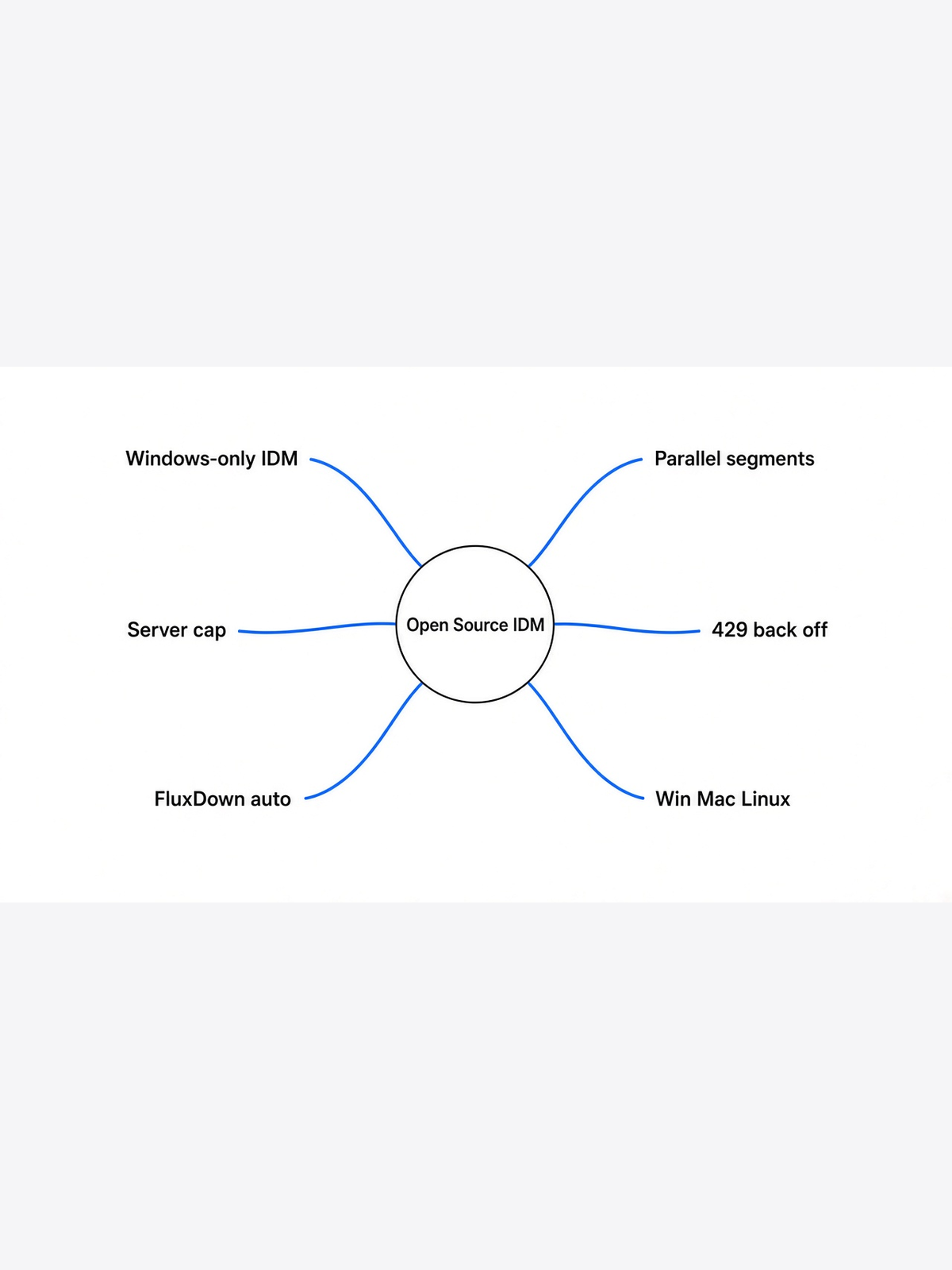
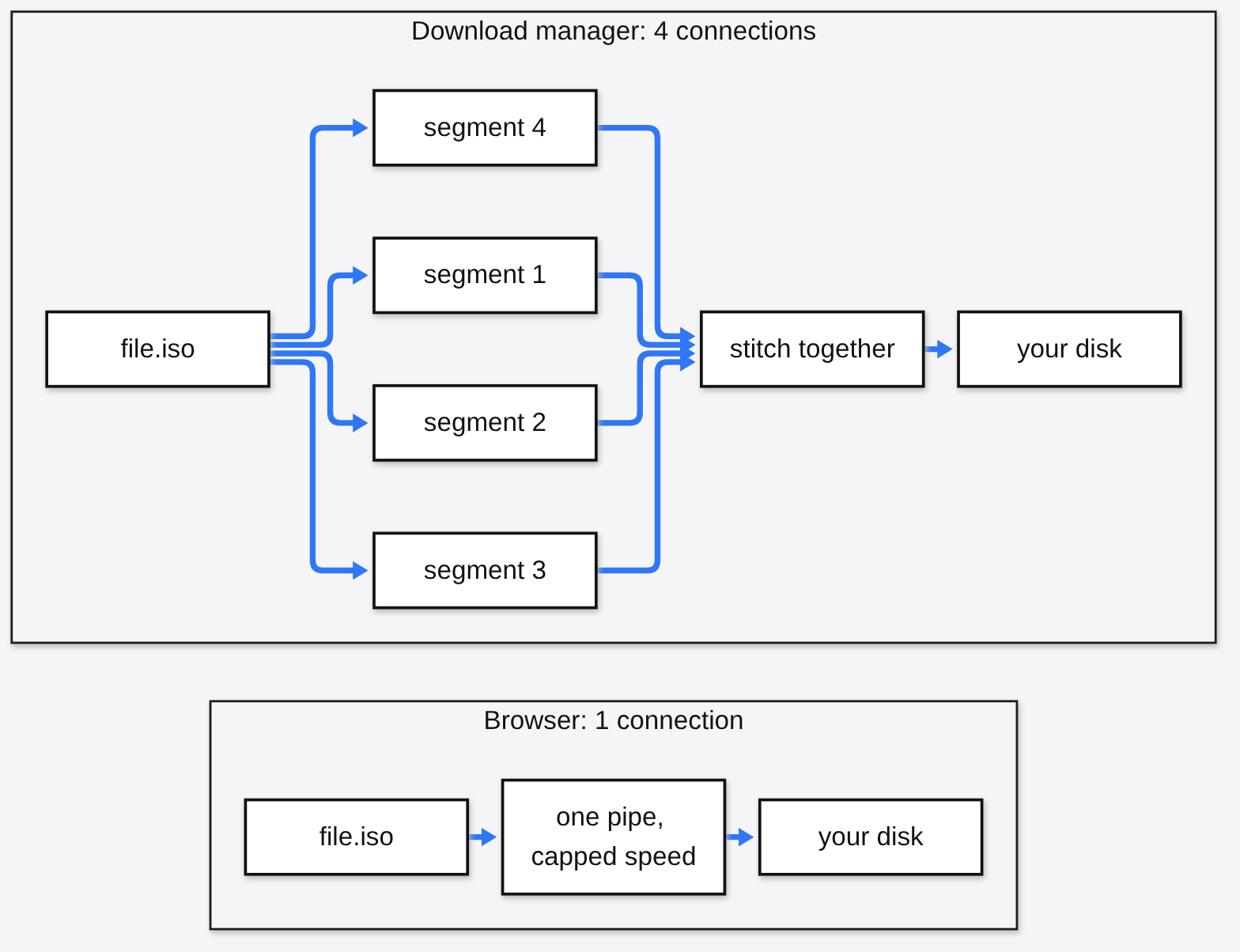
It opens several connections to the same file at once, so a server that limits each connection still gives you more total speed.
Start with the base fact. When your browser downloads a file, it usually opens one connection (one open line between your computer and the server) and pulls the file from start to end.
Many servers put a speed cap on each connection. Think of a shop with one cashier per customer. You can’t make the cashier faster, but you can send four friends to four cashiers.
That is exactly what a download manager does. It asks the server for different parts of the same file at the same time, using a Range request (a request that says “send me bytes 1,000 to 2,000 only”). Each part is called a segment. When all segments arrive, it stitches them back into one file.
IDM’s own homepage promises “up to 5 times”, “up to 8 times” and “up to 10 times” in different places. That spread is the first clue. The number depends on something the app does not control.
Does splitting a download really make it faster?
Sometimes a lot, sometimes not at all, and sometimes it gets you blocked. I measured all three.
I wanted the real answer, not a marketing number. So I wrote a small Python script that downloads the same file with 1, 4, 8 and 16 parallel Range requests and times each run. It is the core trick IDM and FluxDown use, with nothing else on top.
I ran it twice per setting from the same machine against three public download servers, and took the median (the middle value, so one lucky run can’t skew it).
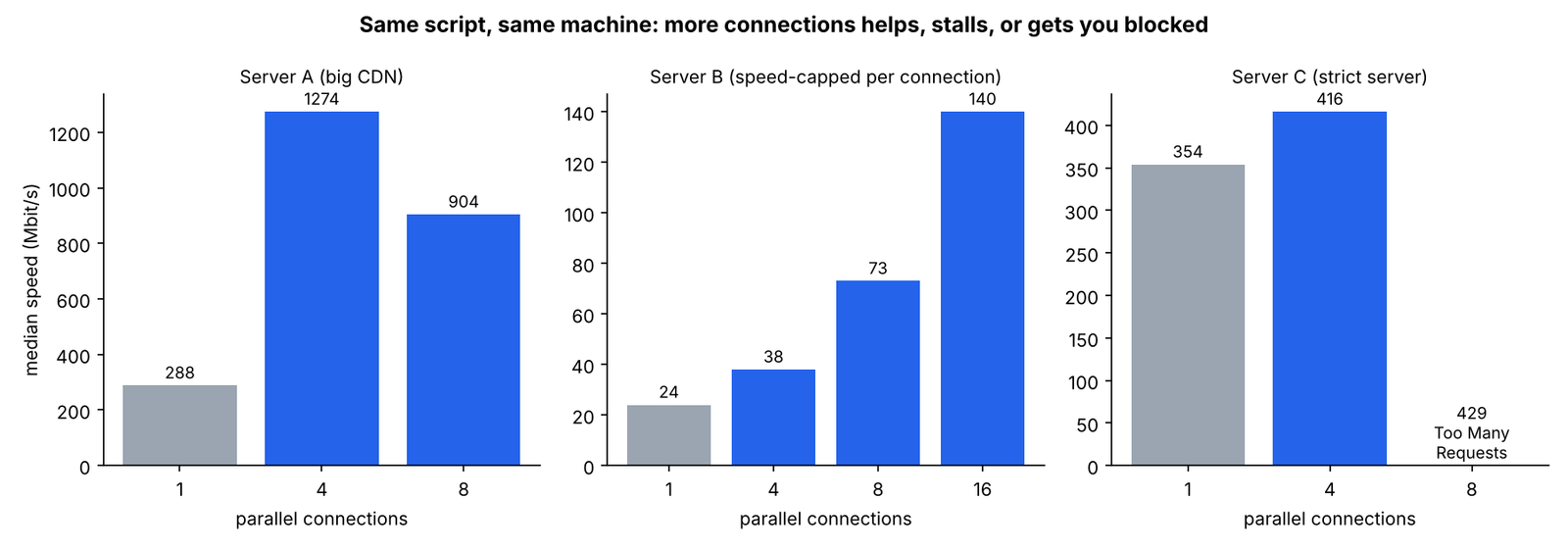
| Connections | Server A (big CDN) | Server B (per-connection cap) | Server C (strict server) |
|---|---|---|---|
| 1 | 288 Mbit/s | 24 Mbit/s | 354 Mbit/s |
| 4 | 1,274 Mbit/s | 38 Mbit/s | 416 Mbit/s |
| 8 | 904 Mbit/s | 73 Mbit/s | blocked (429) |
| 16 | not run | 140 Mbit/s | not run |
Here is what each result means for you.
Server B capped every single connection, so more connections kept adding speed. 16 connections were about 6x faster than one. This is the case IDM-style tools were built for.
Server A is a CDN (a network of fast servers spread around the world). Four connections were over 4x faster, but eight were slower than four. Past a point, extra connections just compete with each other.
Server C barely improved at 4, then answered 8 connections with HTTP 429 (the server’s way of saying “too many requests, slow down”). A dumb downloader would fail right there.
The catch: two runs per setting is a small sample, and your network will give different numbers. The shape is what matters. There is no single “right” number of connections.
So how does FluxDown pick the number of connections?
It starts small, adds connections only while speed keeps rising, and backs off when a server complains.
Given the test above, a fixed “always use 16” setting would be wrong on two of three servers. FluxDown’s download engine code shows how it handles this.
It starts every download with 2 connections. Every 2 seconds it measures total speed. If speed went up, it doubles the connection count, up to a cap. If doubling stopped helping, it freezes at the current number.
If a server answers with 403 or 429, FluxDown cuts back and remembers that site’s limit for 24 hours. The next download from the same site starts at the safe number instead of tripping the alarm again.
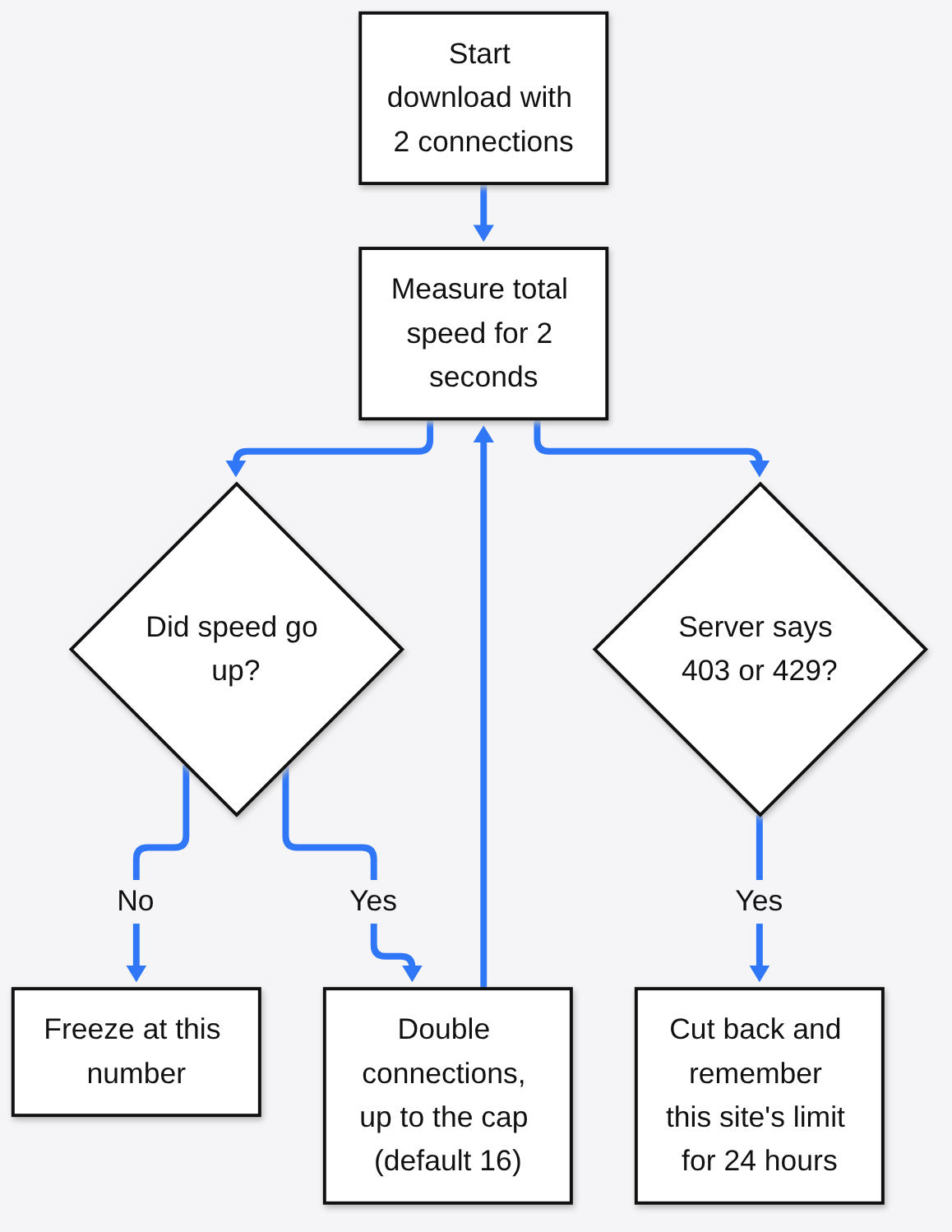
That is the behavior my three servers call for. On Server B it would climb toward 16. On Server A it would stop near 4. On Server C it would back off instead of failing.
The default cap is 16 connections, with a hard ceiling of 64 if you raise it yourself. The code comments say why it stays at 16: higher counts trip protection on servers that dislike many connections. Server C proved that point.
What is FluxDown, and what can it replace?
A free download manager with one Rust engine and apps for Windows, macOS, Linux, Android and home servers.
FluxDown is a download manager that does what IDM does, plus a few things IDM never did. Here is the quick comparison.
| FluxDown | IDM | |
|---|---|---|
| Price | Free, open source | Paid after 30-day trial |
| Windows / macOS / Linux | Yes / Yes / Yes | Yes / No / No |
| Android, NAS, Docker | Yes | Not offered |
| Torrents and magnet links | Yes | Not on its feature list |
| Browser extension | Chrome, Edge, Firefox | Yes |
It also grabs HLS and DASH streams, the formats most websites use to send video in small chunks. A NAS (a small always-on storage box at home) can run FluxDown headless (with no screen, controlled from a web page) through Docker.
It also ships an MCP server (a standard plug that lets AI apps like Claude use outside tools). That lets an AI assistant add, pause and list your downloads. Most people won’t need it, but it is there.
How do you install it?
Download the build for your system, then add the browser extension so it catches downloads automatically.
- Get the installer for your system from the FluxDown download page: setup.exe for Windows, .dmg for Mac, and AppImage, .deb or an Arch package for Linux.
- Install the FluxDown extension for Chrome, Edge or Firefox.
- Click any download link. FluxDown takes it over instead of the browser.
- For a home server, run the Docker image and open port 17800 in your browser.
The project also has a command-line tool. This downloads a file without the desktop app running, which is handy in scripts:
fluxdown add --local "<url>"
Is FluxDown private, or does it phone home?
It sends two anonymous pings by default and never your download list, but you should know they exist and how to turn them off.
Telemetry means an app quietly reporting usage back to its makers. The analytics code shows exactly what leaves your machine.
It sends only two events. One “installed” event the first time, then one “active” event per day. Each carries a random ID, your OS name, your CPU type, the app version and the build type. No file names, no links, no download history.
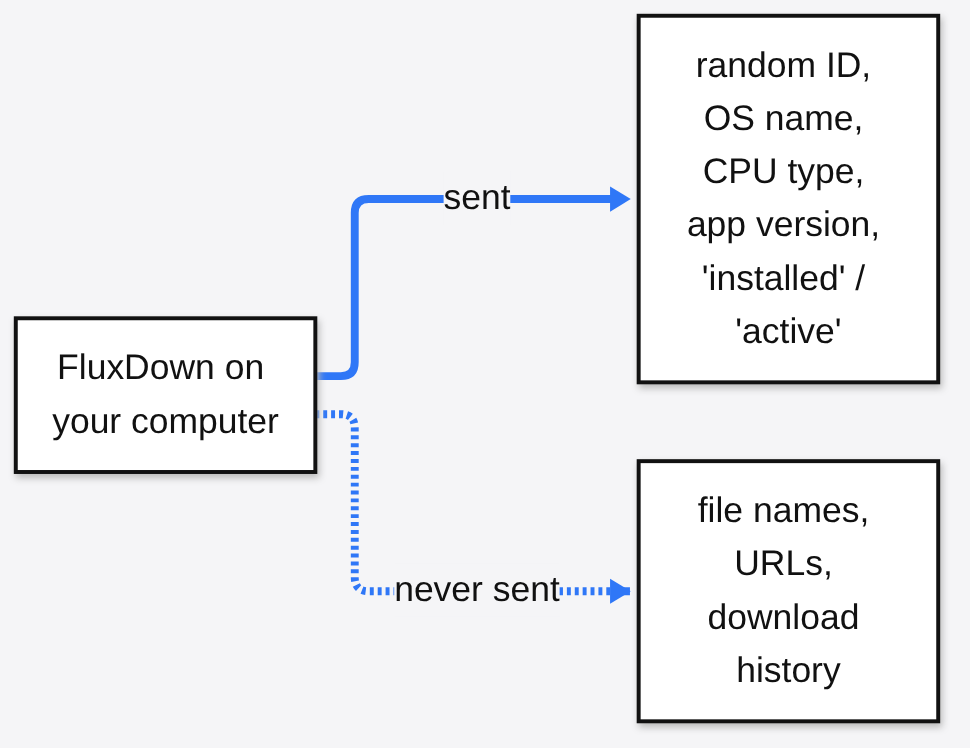
It is on by default. To turn it off, open Settings, then General, and switch off “Anonymous Usage Statistics”. On a server, set the environment variable FLUXDOWN_ANALYTICS=off.
One honest flag. The README shipped with the latest release still says “your data never leaves your machine”, while the same release contains these pings. The newer README now says plainly that it is not a zero-telemetry app. The pings are small, but “free” should never mean “invisible”.
What is the catch?
It is young software with an AGPL license and some optional cloud features, so check those three things before you rely on it.
First, it is new and moves fast, so expect rough edges and frequent updates. IDM’s browser capture is more mature.
Second, the AGPL license (a strict open source license that requires sharing your changes if you run a modified copy as a service) is fine for personal use. It matters only if a company wants to embed it.
Third, there is an optional cloud account for syncing devices. You don’t need it for normal downloads, but read the setting before you sign in.
And the big one, which no app can fix: if the server gives you full speed on one connection, no download manager will make it faster.
Should you switch?
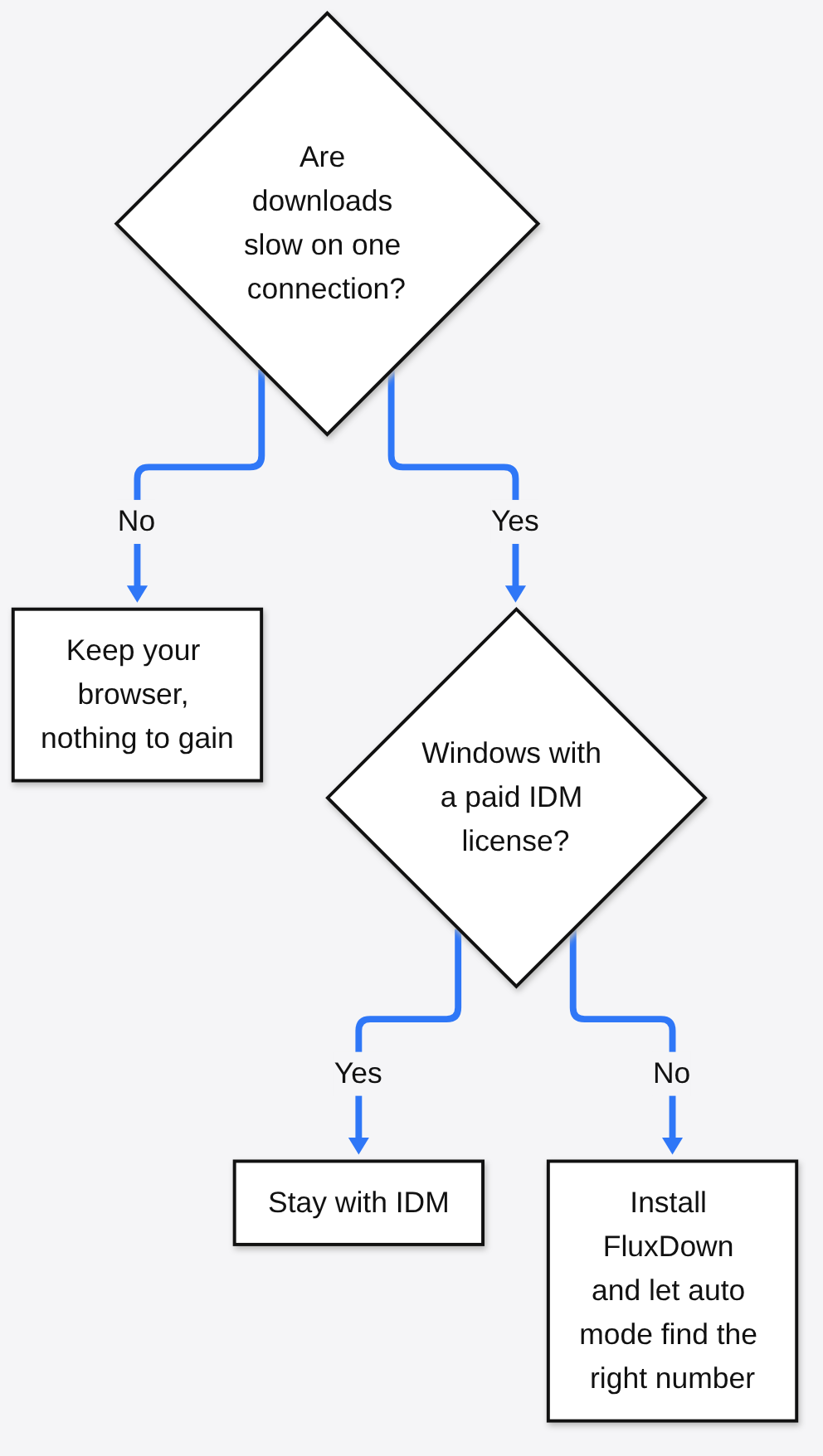
Yes if you are on Mac or Linux, or tired of paying for IDM. Keep your browser if your downloads are already fast.
There are fair reasons to stay with IDM. If you already own a license and live on Windows, it works and you have nothing to gain from moving.
For everyone else, the choice is simple. FluxDown is free, runs everywhere, and handles the connection question more carefully than a fixed slider does. If you already use aria2 (a popular command-line downloader), note that it uses 1 connection per server unless you raise it with -x.
More open source swaps tested the same way: a lighter DBeaver alternative, Strata vs Ollama on 12 GB, and Moli vs headless Chrome.
Speed comes from the server. Pick the app that listens to it.
Common questions about open source IDM alternatives
Is there an IDM for Linux or Mac?
IDM itself is Windows-only. FluxDown is a free, open source alternative with native builds for Linux and macOS that uses the same multi-connection method.
Is FluxDown really 10x faster than IDM?
No app is 10x faster on every server. Both use parallel connections, and the gain depends on the server’s per-connection limit; in my test it ranged from blocked to about 6x.
Is FluxDown free and safe to use?
It is free and open source with no ads. It sends two anonymous usage pings by default, which you can switch off in Settings under “Anonymous Usage Statistics”.
How many connections should a download manager use?
There is no fixed best number. Let the tool ramp up and stop when speed stops rising, which is what FluxDown’s auto mode does with a default cap of 16.



4 comments