
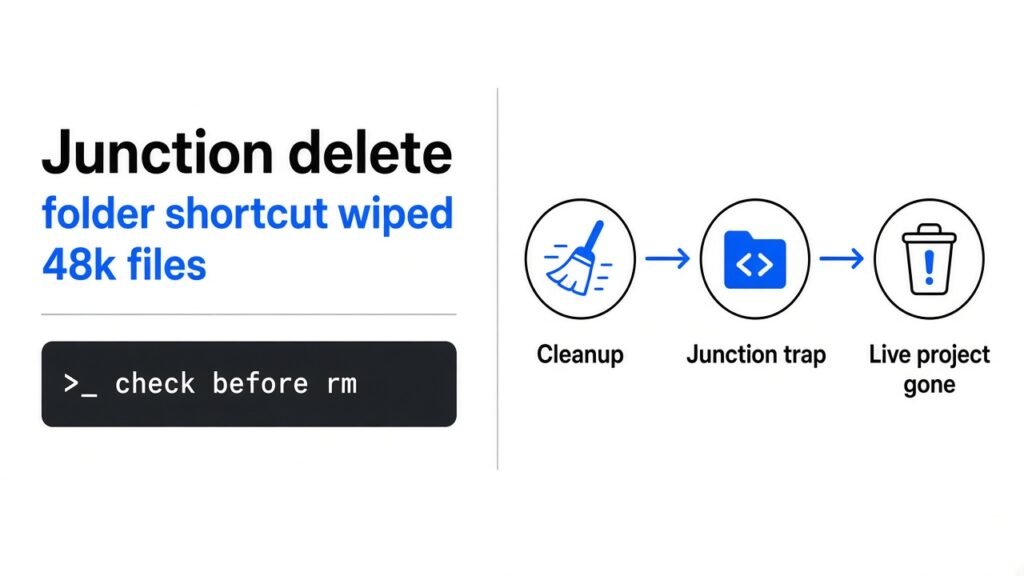
Quick answer: A Windows junction (a folder that is really a signpost to another folder) does not count as a “link” to Python’s
os.walk, sofollowlinks=Falsewalks right through it. A cleanup script then deletes the real files at the other end. The fix is not a better link check. It is a manifest: delete only files your script created, and stop if the folder holds anything else.
AI coding agents write little helper scripts all the time. Clean a temp folder, rebuild a test copy, tidy the output. You rarely read them, because they look boring.
That is the risk. A developer reported that one such helper, written by a Claude Code sub-agent (a second agent the main agent starts to handle a side task), deleted about 48,000 real project files in under two minutes, plus the git history. The script even had a safety flag set. It did not help.
This post shows why, in plain steps, with a test you can run yourself in 5 minutes. Then it gives you a 20-line cleanup helper that stopped the same trap cold in my test.
What is a junction, and why does it trick scripts?
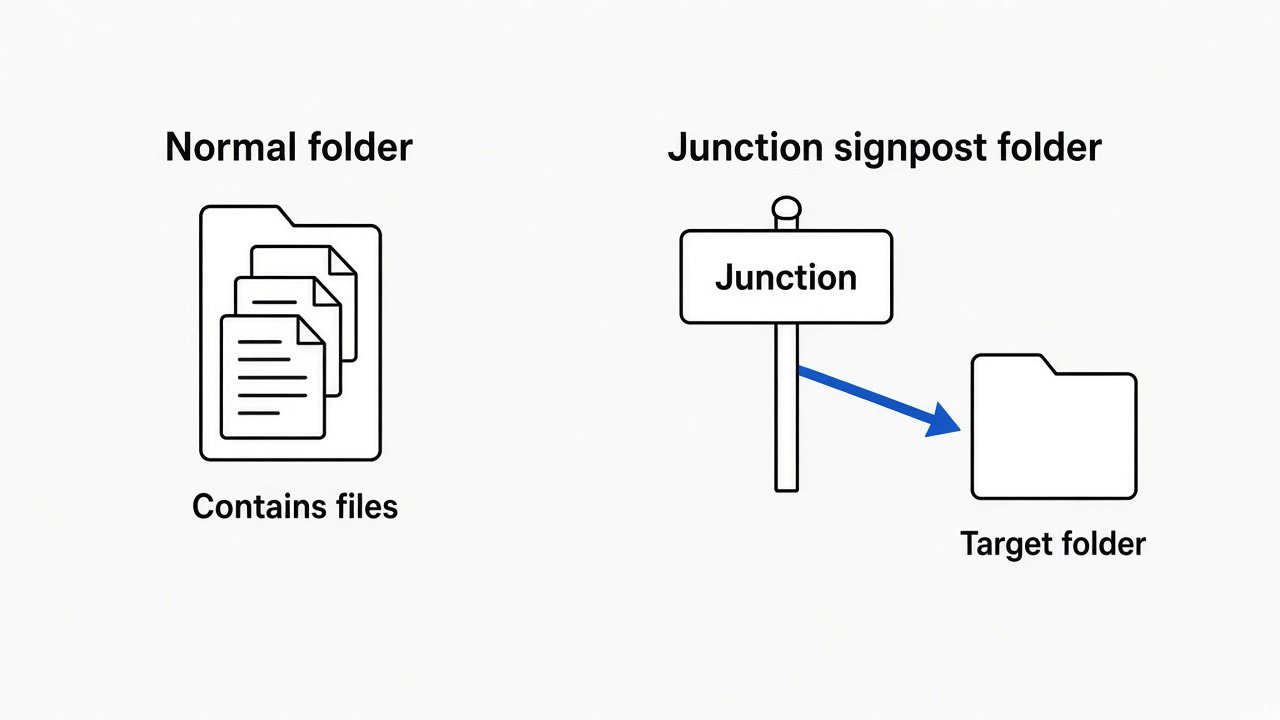
A junction is a folder that holds nothing itself. It only points to another folder.
Start with the base idea. A normal folder is a box: the files are really inside it. Delete the box’s contents and only those files go.
Now the twist. Windows lets you make a folder that is only a signpost. It is called a directory junction (a Windows folder that redirects to another folder on the same machine). You make one with mklink /J. When any program opens it, Windows quietly sends that program to the real folder at the other end.
Think of a door in your garage labelled “Storage” that actually opens into your living room. Clear out “Storage” and you just emptied your living room.
Linux has a close cousin called a bind mount (a way to show one folder at a second path). It behaves the same way for this bug, which is why I could test it on Linux.
What actually happened in the 48,000-file delete?
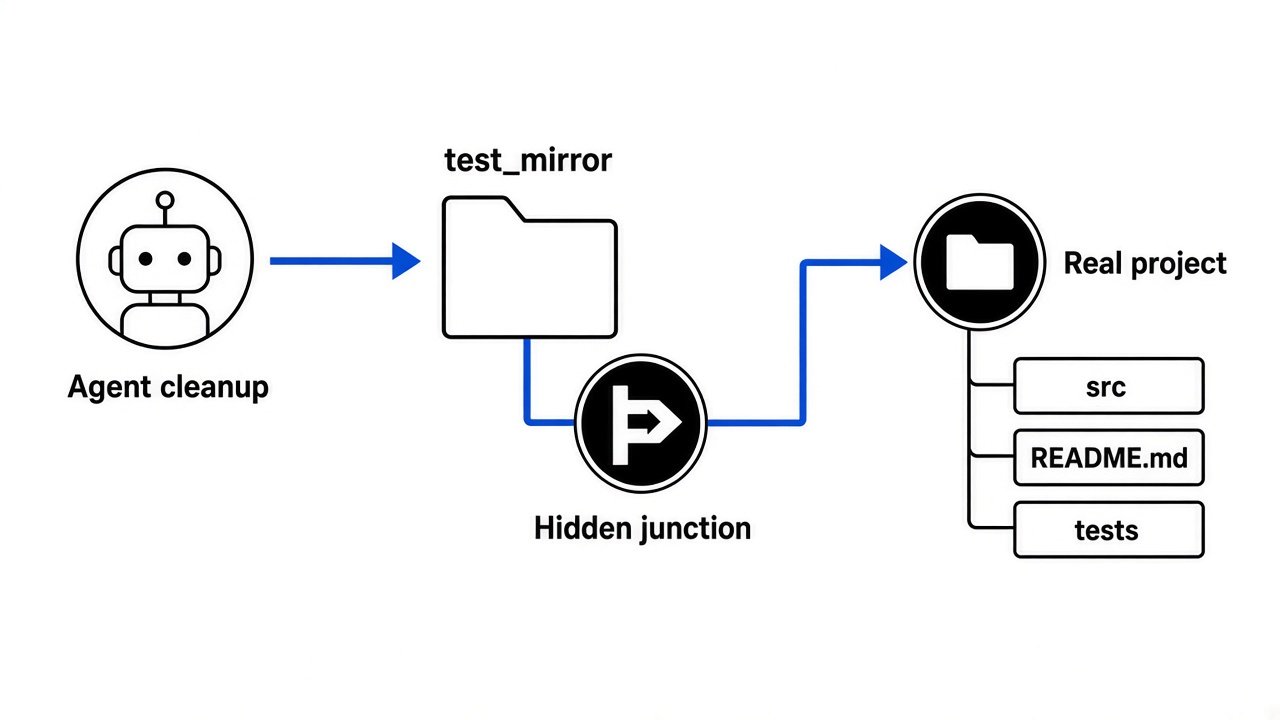
The script cleaned a test copy of the project, but that copy contained junctions pointing back into the live project.
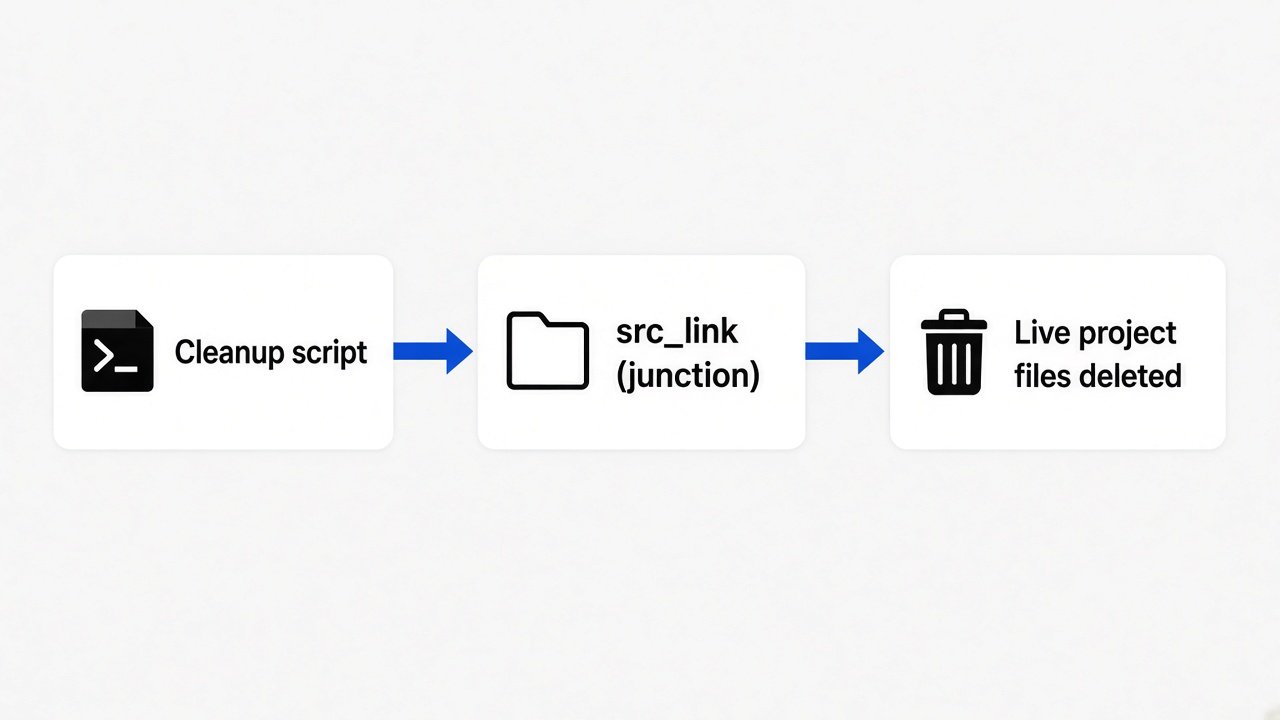
Here is the reported chain, step by step:
- The agent built a mirror (a throwaway copy of the project for testing).
- The mirror held 614 junctions that pointed back into the real project tree.
- A cleanup script walked the mirror with
os.walk(..., followlinks=False)and deleted every file it found. followlinks=Falsedid not treat the junctions as links, so the walk went straight through them.- The real files at the other end were deleted, including the
.gitfolder that stores your project’s history.
That last point matters. Git keeps every saved version of your code inside .git/objects. If that folder lives on the same disk and gets deleted, local git cannot bring anything back. Only a copy pushed somewhere else (like GitHub) can.
Why did followlinks=False not protect the files?
Because Python’s link checks only recognise symbolic links, and a junction is a different thing.
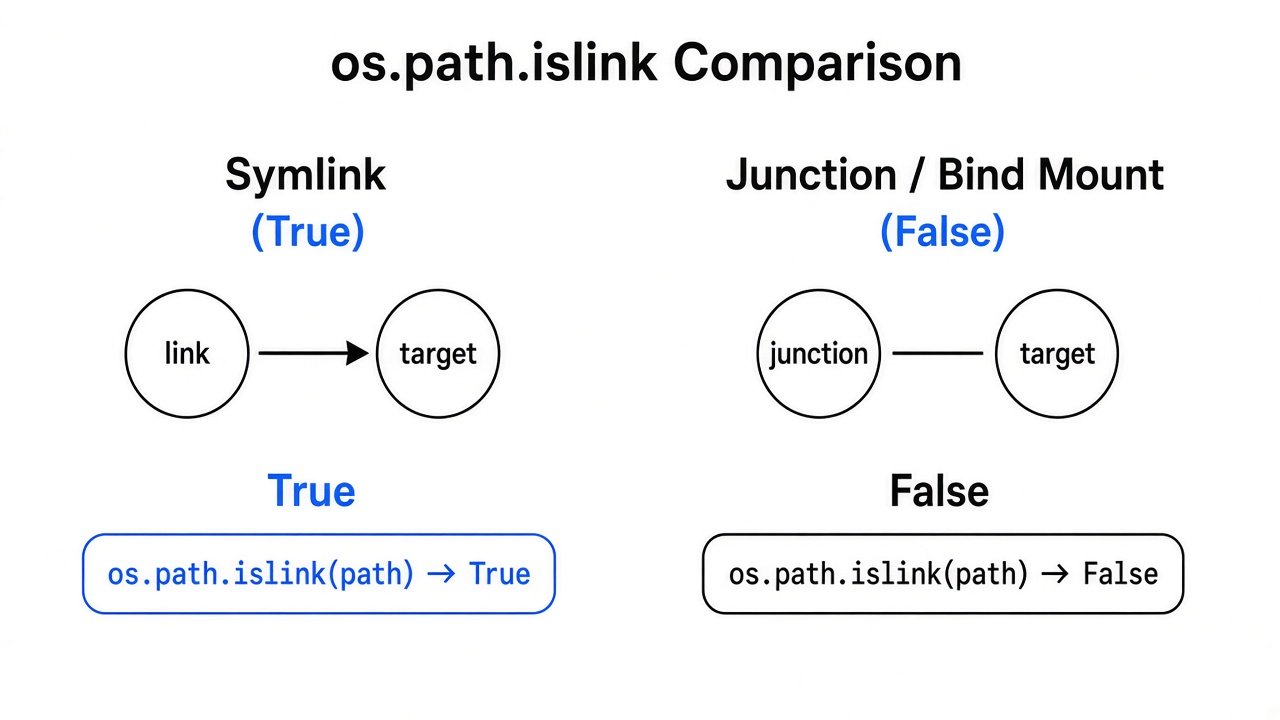
First, the prerequisite. A symbolic link, or symlink (a small file that stores the path of another file or folder), is the classic “shortcut” on Linux and macOS. Python’s os.walk docs promise one thing: it “will not walk down into symbolic links that resolve to directories.”
A junction is not a symlink. So os.path.islink() returns False for it, and os.walk treats it as an ordinary folder and walks in. This is a known Python bug titled “os.walk always follows Windows junctions.” It is still open.
Python did add a separate check, os.path.isjunction(), in version 3.12. But a script only gets that protection if it calls it. Most scripts, and most AI-written scripts, only think about symlinks.
Can you see the bug with your own eyes?
Yes. On Linux, a bind mount reproduces it in about 20 lines of Python.
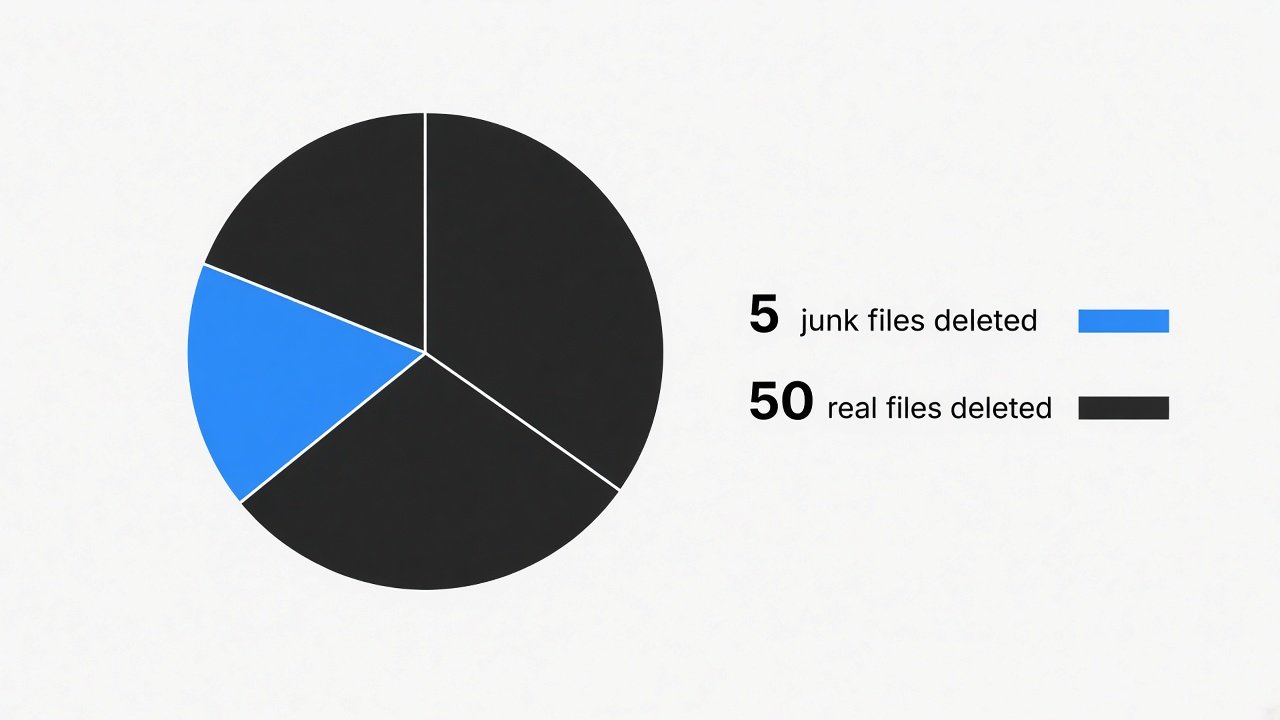
I built a tiny version of the disaster: a “live project” with 50 files, and a “test mirror” with 5 junk files plus one folder bind-mounted onto the live project. Then I ran the same naive cleanup pattern.
for dirpath, dirs, files in os.walk(mirror, followlinks=False):
    for f in files:
os.remove(os.path.join(dirpath, f))Here is the output:
is src_link a symlink? False
is src_link a mount point? False
live files before: 50
naive cleanup deleted: 55
live files after: 0It was meant to delete 5 files. It deleted 55. Every real project file was gone, and both safety checks said the folder was normal.
To try it yourself on any Linux box, run the script as root inside unshare -m (a command that gives the test its own private set of mounts, so nothing leaks onto your system). Use a throwaway folder like /tmp/lab.
Does shutil.rmtree save you instead?
On Windows it helps with junctions. On Linux it walked straight through the bind mount in my test.
shutil.rmtree (Python’s “delete this whole folder” function) got a Windows fix in Python 3.8: it “will no longer delete the contents of a directory junction before removing the junction.” So on Windows, rmtree is safer than a hand-rolled os.walk loop.
But I also ran shutil.rmtree on the Linux test mirror. The live folder went from 50 files to 0. So “use rmtree” is not a universal fix. Any tool that trusts the folder tree can be fooled by a folder that points elsewhere.
That is the real lesson. You cannot list every kind of “folder that is secretly somewhere else.” You need a check that does not care how the trick works.
How do you write a cleanup that cannot eat your project?
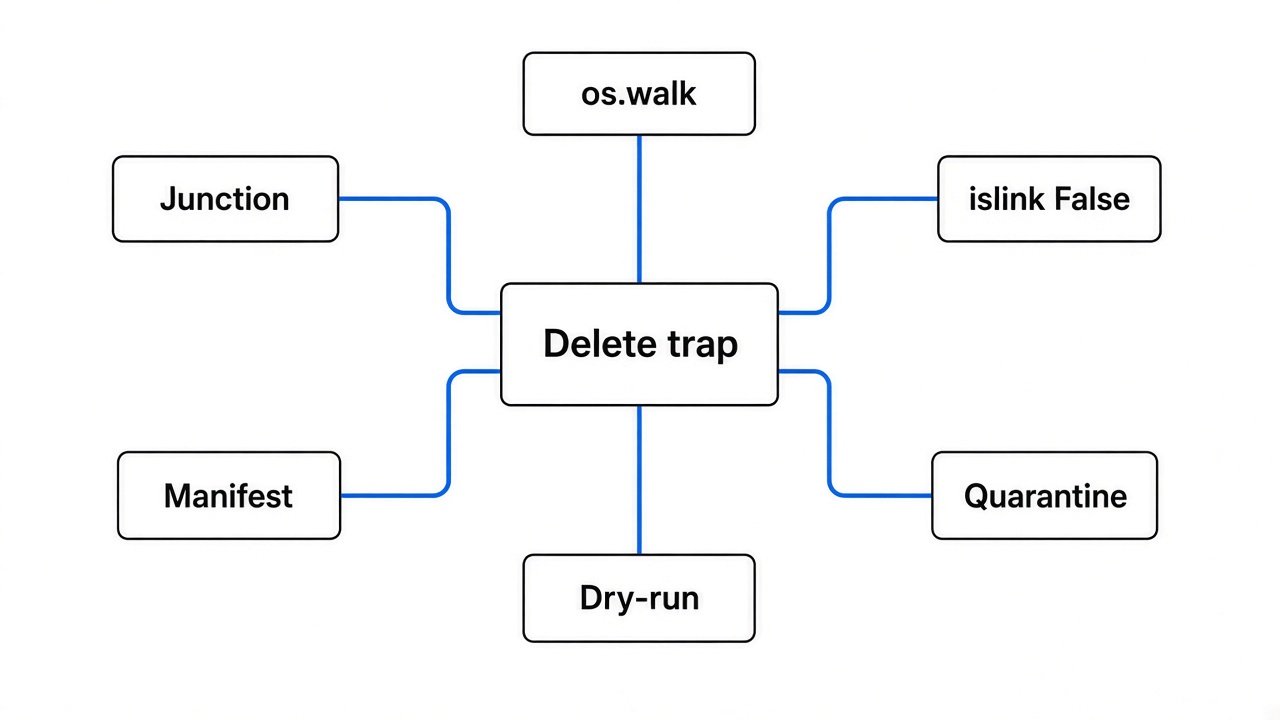
Keep a list of what you created, and refuse to delete anything that is not on it.
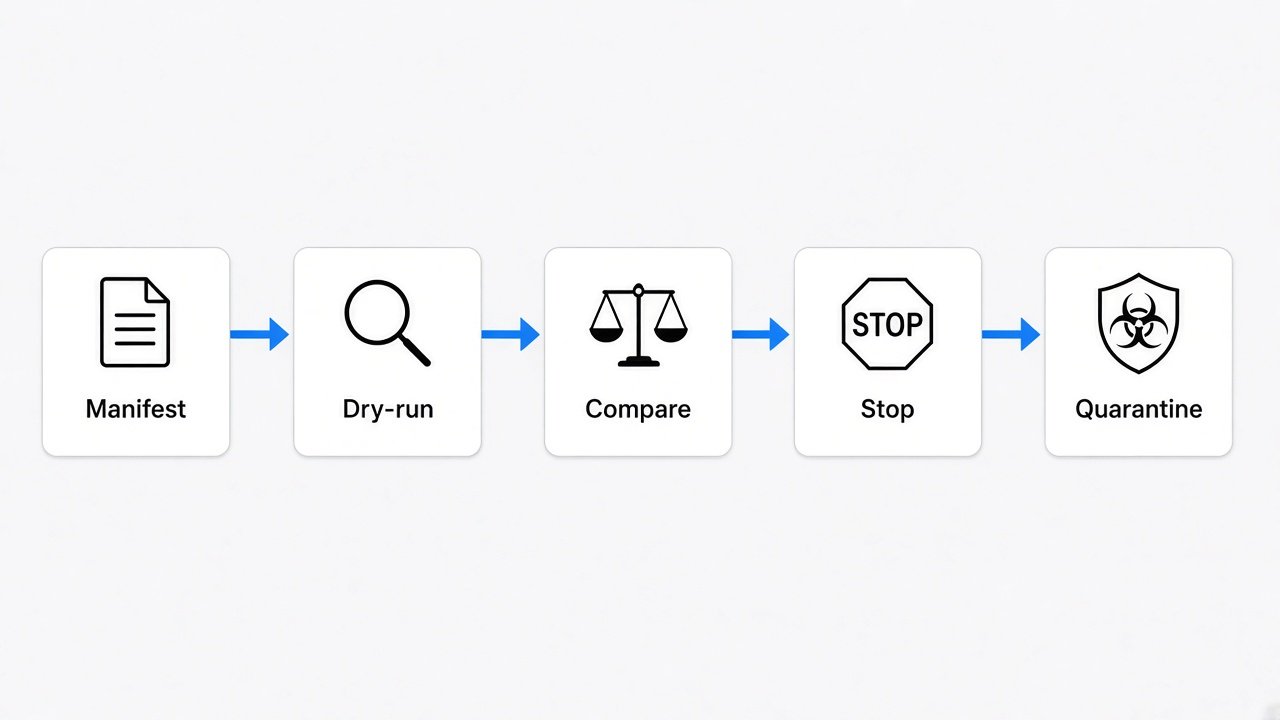
This is the manifest idea (a written list of every file your script made). The logic is simple: the script knows exactly what it put in the temp folder. If the folder suddenly holds more than that, something is wrong, and the safe move is to stop.
Here is the helper I tested:
import os, json, shutil, sys

def is_link_like(path):
    return (os.path.islink(path)
            or getattr(os.path, "isjunction", lambda p: False)(path)
            or os.path.ismount(path))

def safe_cleanup(root, manifest_file, quarantine):
    root = os.path.realpath(root)
    wanted = json.load(open(manifest_file))      # only files WE created
    found = []
    for d, dirs, files in os.walk(root):
        dirs[:] = [x for x in dirs if not is_link_like(os.path.join(d, x))]
        found += [os.path.join(d, f) for f in files]
    extra = set(found) - set(wanted)
    print(f"plan: {len(wanted)} | walk found {len(found)} | unexpected {len(extra)}")
    if extra:
        sys.exit("STOP: the folder holds files this script did not create")
    os.makedirs(quarantine, exist_ok=True)
    for p in wanted:
        if os.path.commonpath([os.path.realpath(p), root]) != root:
            sys.exit(f"STOP: {p} resolves outside {root}")
shutil.move(p, quarantine) # reversible, not deleteRun against the same trap, it printed:
plan: 5 | walk found 55 | unexpected 50
STOP: the folder holds files this script did not create
live files left: 50Notice something honest here. The link check (is_link_like) missed the bind mount again. What saved the files was the manifest comparison. In a normal folder with no trap, the same helper moved all 5 junk files and left the project alone.
Three habits make it work:
- Dry run first. Count what you would delete before deleting anything.
- Compare to the manifest. More files than you made means stop, not continue.
- Quarantine, do not delete. Moving files to a holding folder can be undone.
os.removecannot.
Would Claude Code’s settings have caught this?
Probably not on their own, because the dangerous part hides inside a script.

Claude Code’s permission rules match the command it is about to run. A rule can make it ask before rm -rf or git push. But a cleanup written as Python shows up as something like python cleanup.py. Nothing in that line says “delete 48,000 files.”
The built-in sandbox (an operating system fence around the commands Claude runs) helps with a different problem. By default, sandboxed commands can write to your current working directory, a temp folder, and any folders you added. That stops a script from wrecking your home folder. It does not stop it from wrecking the project you are working in, because that is the working directory.
So think in layers, each catching what the one before missed. If you want the deeper sandbox side, we covered how a network fence can still leak in OpenAI blocked HTTPS. DNS returned Paris. and what a policy proof can and cannot promise in the OpenShell prover piece.
What should you do today?
Four small changes cover almost all of this risk.
- Push to a remote often. A git copy on GitHub survives when
.giton your disk does not. - Put one line in your
CLAUDE.mdfile: “Any script that deletes files must use a manifest, print a dry-run count, and move files to a quarantine folder instead of deleting.” - Keep test mirrors out of your project folder, and never create junctions or links inside them.
- Read any agent-written script that contains
remove,rmtree,unlinkordelbefore you approve running it. It takes 20 seconds.
Want the agent to show its work so you can review this kind of script later? Save the prompt behind every commit. And if the agent keeps writing big helper scripts you never asked for, stop Claude Code from overengineering first.
Common questions about Claude Code deleting files
Does os.walk follow Windows junctions?
Yes. Even with followlinks=False, os.walk walks into directory junctions, because Python does not treat them as symbolic links. This is a known, still-open Python bug.
Is shutil.rmtree safe with junctions?
On Windows, since Python 3.8, rmtree removes a junction without deleting what it points to. On Linux it still walks through bind mounts, so do not rely on it alone.
Can Claude Code’s sandbox stop an agent from deleting project files?
Not fully. By default the sandbox allows writes to your working directory, which is usually the project itself. Use manifests in scripts and push to a remote as a backup.
How do I check if a folder is a junction in Python?
Use os.path.isjunction(path) on Python 3.12 or newer. On older versions, compare os.stat and os.lstat results, or better, delete only from a manifest so the check does not matter.
One folder can point anywhere. Only delete what you made.



1 comment