Short answer: OpenAI’s DevDay added features that overlap with pull-request review bots, meeting note-takers, AI slide makers and AI docs. On the $20 Plus plan, only one is worth testing as a replacement right now: Codex Code Review. The others need a Pro plan, which starts at $100, and one of them is still on its way.
You probably pay for ChatGPT plus two or three other AI tools. A note-taker for calls. A bot that reviews your code. Maybe an app that turns notes into slides.
DevDay just added ChatGPT versions of several of those tools. Every recap lists what launched. This post answers the question that affects your wallet: which of your subscriptions can you actually cancel, on the plan you are on today?
For each overlap, you get the plan it needs, the math, and a clear call: try it, or wait.
Why does OpenAI keep adding features you already pay for elsewhere?
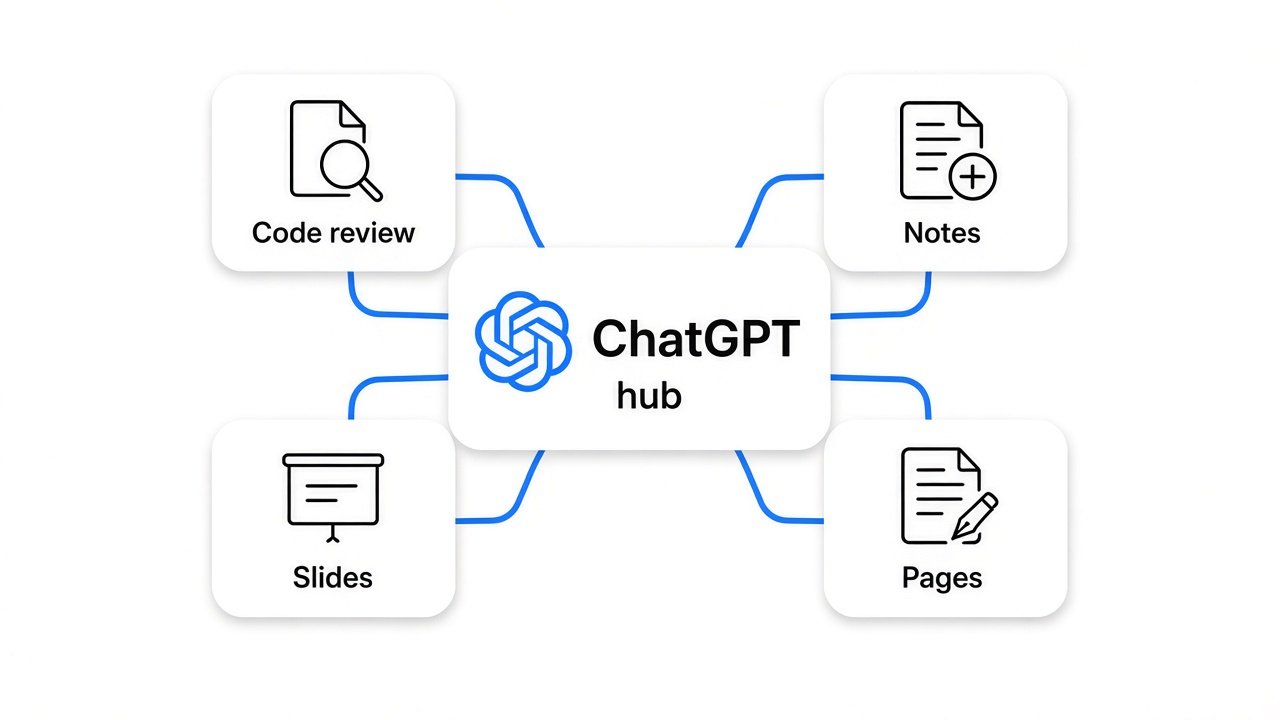
Because ChatGPT is turning from a chat window into a place where work gets done, and that puts it in competition with single-purpose apps.
Start with a simple idea. A bundle (several products sold together for one price) wins when people get tired of paying many small bills. Office did this to standalone word processors. Phone makers did it to standalone music players.
OpenAI puts its combined weekly users at 1.2 billion. When a company with that reach adds a feature, it lands in front of more people than most small apps will ever reach. That is why one keynote can shake a whole category.
But a feature on a keynote slide is not the same as a feature on your plan. That gap is where people lose money: they cancel too early, or they upgrade for tools they will never open.
Which paid apps overlap with the new ChatGPT features?
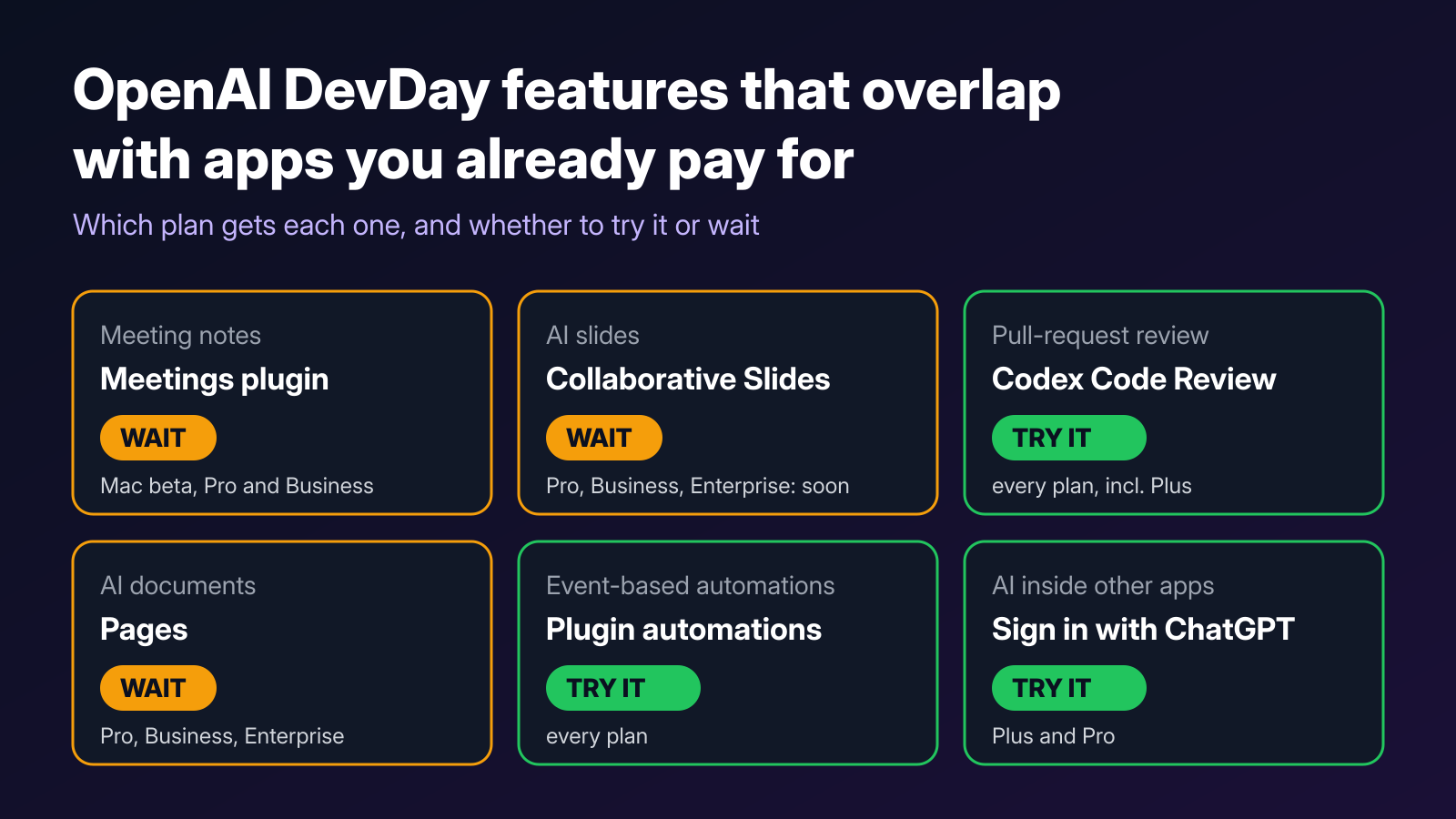
Six overlaps matter. Three reach the $20 Plus plan, and only one of those is a clear money saver today.
| Job | New ChatGPT feature | Plans that get it | Verdict |
|---|---|---|---|
| Reviewing pull requests | Codex Code Review | All plans | Try it now |
| Using AI inside other apps | Sign in with ChatGPT | Plus and Pro | Try it now |
| Starting automations when something happens | Plugin automations | All plans | Try it, keep your current tool for now |
| Meeting notes | Meetings plugin | Pro and Business, beta, Mac desktop app only | Wait |
| AI documents | Pages | Pro, Business, Enterprise | Wait unless you are already on Pro |
| AI slides | Collaborative Slides | Pro, Business, Enterprise, arriving in the coming weeks | Wait |
Notice the pattern. The features that sound most like a replacement for a paid app mostly start at Pro. The quiet ones reach everyone.
Can Codex Code Review replace a paid review bot?
For a solo developer, possibly, and it is the one overlap you can test today on Plus.
A quick prerequisite. A pull request (a proposed code change that someone reviews before it is merged) is where many bugs get caught. Plenty of developers pay for a bot that reads each pull request and leaves comments. CodeRabbit’s Essentials plan, for example, costs $24 per developer per month on annual billing.
Codex Code Review lives in the ChatGPT desktop app and is available on all plans. You can read summaries, go through the diff (the list of lines that changed), and ask Codex about possible problems before you send feedback to a GitHub pull request or a GitLab merge request. With automatic reviews, Codex can take a first pass in the cloud while you are away.
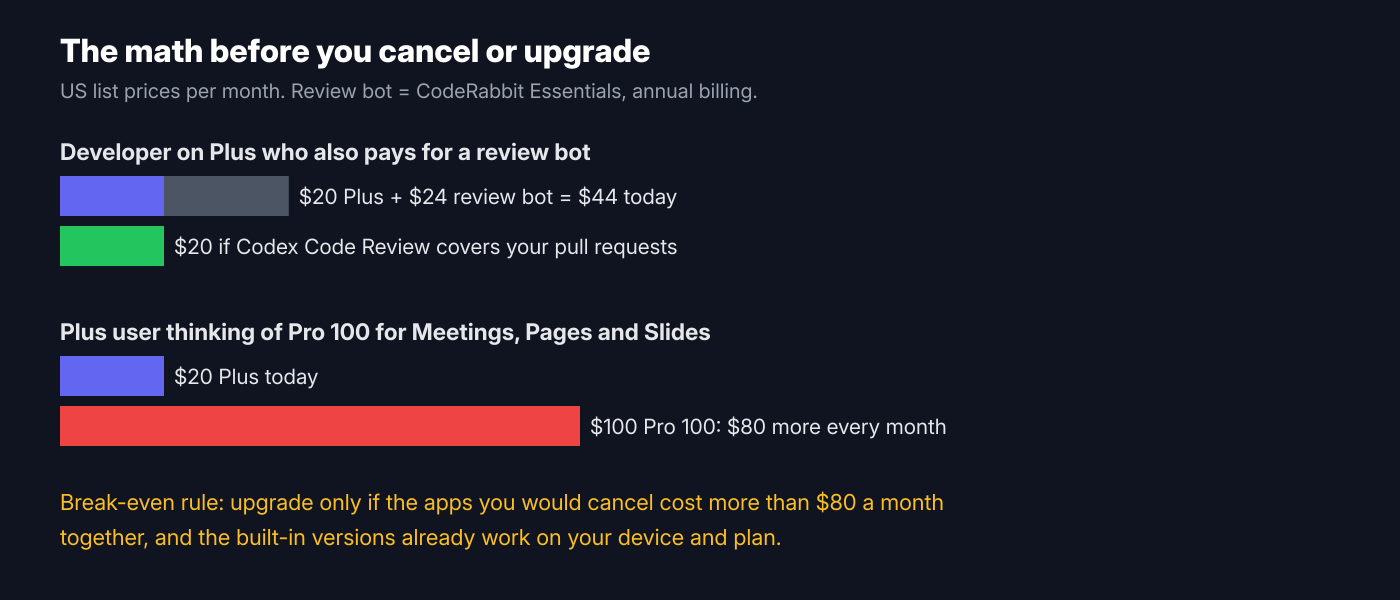
For a solo developer on Plus who also pays for that bot, the monthly spend goes from about $44 to $20. That is $288 a year.
Do not cancel blind. Run both on your next three pull requests and compare what each one catches. Teams with custom review rules, or companies that need a separate vendor for compliance, may still want their bot. If security is the worry, a general reviewer is not a security audit either, as covered in whether Claude Code’s /security-review is enough.
Should you upgrade to Pro for meetings, slides and docs?
Only if the apps you would cancel cost more than the upgrade, and the built-in versions already work for you.
The Meetings plugin takes notes, saves summaries with action items, and deletes the audio once your notes are ready. It is a beta in the ChatGPT desktop app on macOS, for Pro and Business users. On Windows or on your phone, it does not help you yet.
Pages is a new kind of document for writing and researching with AI, on Pro, Business and Enterprise. Collaborative Slides lets teammates and AI agents edit one deck at the same time and export to PowerPoint or Google Slides with formatting kept. It is arriving on those same plans in the coming weeks.
Here is the math that matters. Plus costs $20 a month and Pro starts at $100, so upgrading costs $80 more every month. If the note-taker and slide apps you would drop cost less than $80 together, upgrading to replace them loses you money.
If you are already on Pro, the picture flips. You already pay for these features, so test them against your current apps and cancel whatever they fully replace.
What is Sign in with ChatGPT, and can it cut your bill?
It lets some apps run their AI features on your existing ChatGPT plan, so you may not need their separate AI subscription.
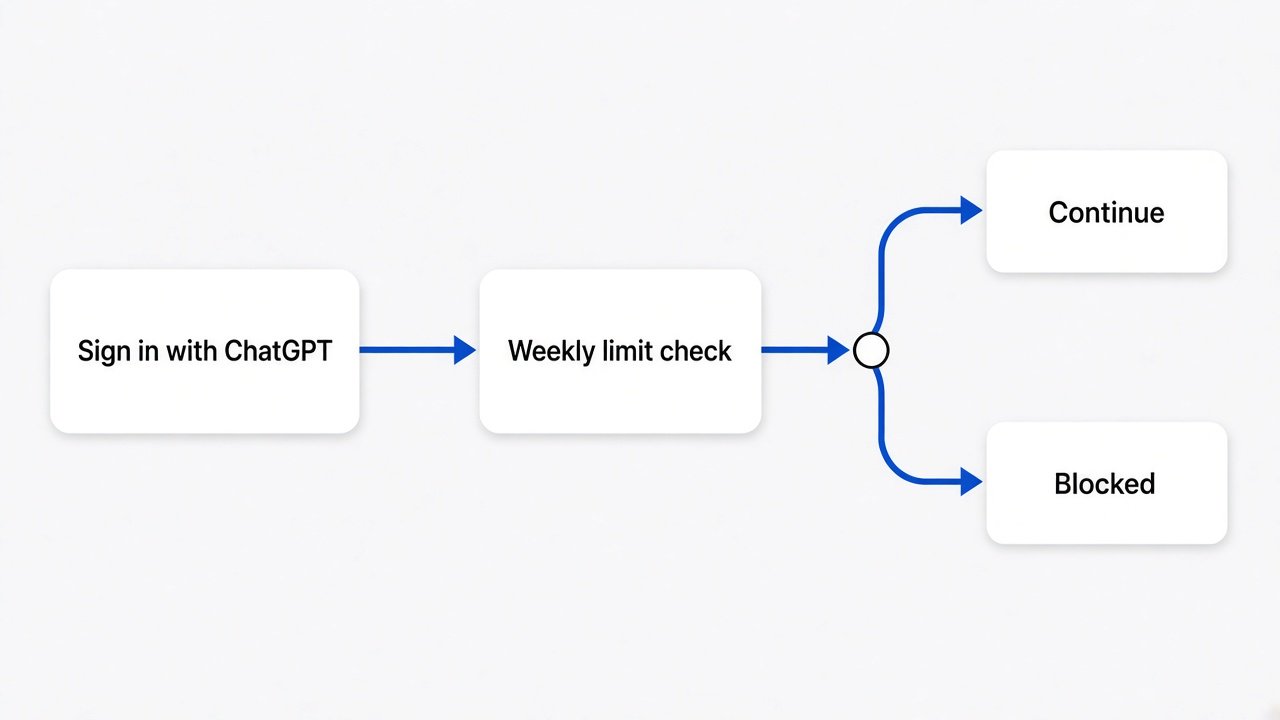
Think of it like paying with a card you already have. Many AI apps ask you to buy their plan or paste in an API key (a secret key that bills your own OpenAI account for every request). With Sign in with ChatGPT, participating apps can run their AI requests on your Plus or Pro plan instead. The usage counts toward the Work and Codex allowance that your plan already includes.
The first 16 partners include Cognition’s Devin, Notion, Vercel, T3, OpenClaw and Dactyl. In settings, you can set a weekly usage limit for each app, so one app cannot drain your whole allowance.
Two catches. The app can still charge for its own subscription or premium features. And every request it makes comes out of the same allowance you use in ChatGPT, so heavy use in other apps leaves less for you. Watching that meter matters, the same way it does when someone else is running up your AI bill.
What changes for ChatGPT Pro 200 users?
Your Work and Codex allowance halves, from 20 times Plus to 10 times Plus, and GPT-6 Pro messages drop from 200 to 100 a week.
This is the change that hits existing customers hardest. The price stays at $200 a month. If your Pro 200 subscription was active at the cutoff, or in the seven days before it, you keep your old allowance through October 29.
OpenAI is also giving existing subscribers a one-time grant of usage credits, valued at $2,500, that expires on December 31. Check your account for it and put it toward your biggest jobs before then. After the change, watch your usage for two weeks. If you rarely hit the new ceiling, Pro 100 may now be enough.
Is the $500 Pro plan worth it?
Only if waiting on AI costs you real money every day.
Pro 500 gives you 25 times the Plus allowance and access to Ultrafast, a premium speed tier. In Codex, Ultrafast generates up to 300 tokens per second, up to eight times faster than normal. A token is a small chunk of text, about four characters.
For most people, faster answers are nice to have. For a developer running coding agents all day on paid client work, the minutes saved can cover the cost. Be clear about which one you are before you pay $500.
Should you hand work to a dot?
Treat a dot like a new assistant on probation, not a replacement for any app yet.
A dot is an agent (an AI that takes actions, not just answers) that stays on all the time. Each dot works with its own cloud computer, its own browser and the apps you connect, and plugins link it to over 4,000 apps. Dots are rolling out to Pro and Business Premium users in eligible markets, and your first dot is included at no extra cost.
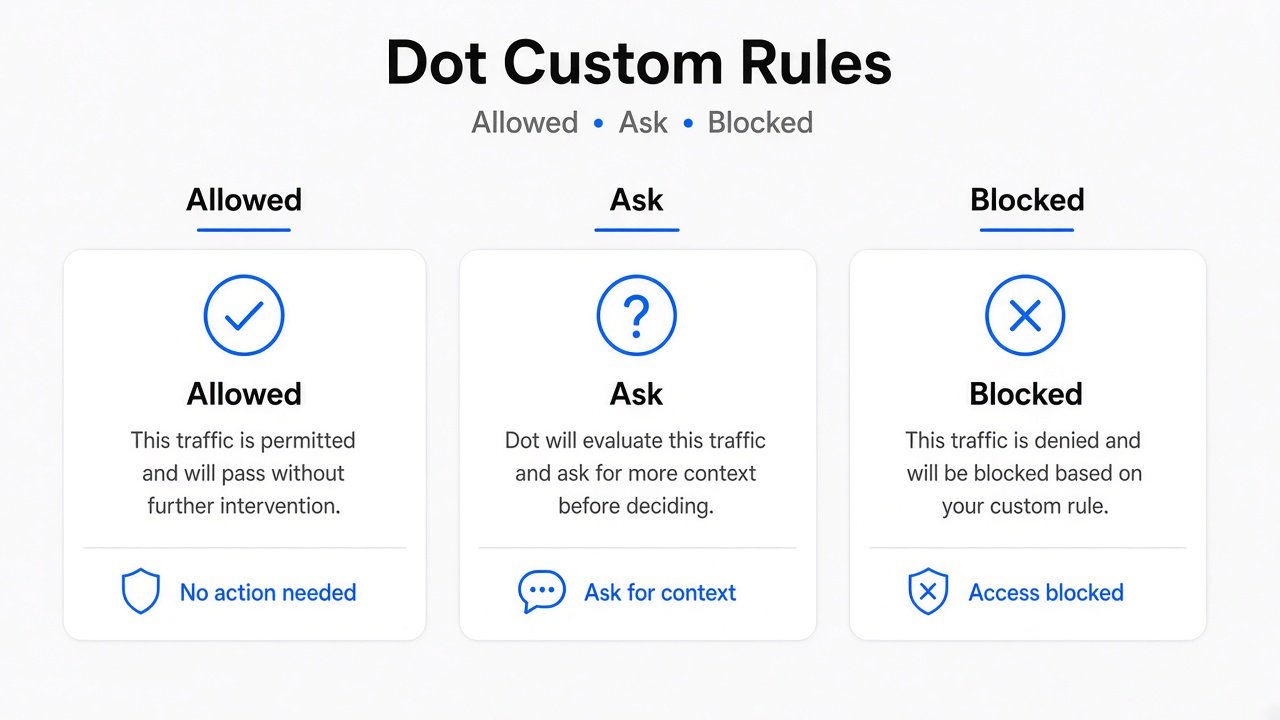
The safety control that matters is Custom Rules. You choose which actions a dot may take on its own, which need your approval, and which are blocked. Sensitive tasks such as changing a password always stay with you.
When you are not working with it, a dot does background research using read-only tools that cannot send messages or change anything. OpenAI itself says dots can still make mistakes, so review anything that matters. Start with read-only jobs like a daily summary, and add powers slowly. How much an AI model sticks to its limits is a real question, as the story of why OpenAI did not ship GPT-6.1 Astra shows.
What this guide checked, and what it did not
Every plan and price here was checked against the official plan pages and list prices. None of these features were tested hands-on yet, because they only just launched.
That means the verdicts are about access and cost, not quality. Whether Codex Code Review catches as much as your current bot, or whether the Meetings plugin handles your accent and your call setup, is something only your own test will show. That is why every “try it” above comes with a test first.
Your 10-minute checklist
Five steps, and you will not overpay this month.
- List every AI subscription on your card statement and what each one costs.
- If you pay for a pull-request review bot, run Codex Code Review next to it on your next three pull requests.
- Check which of your apps offer Sign in with ChatGPT, and set a weekly limit for each one you connect.
- On Pro 200, look for the credit grant and use it on real work before it expires.
- Keep your note-taker and slide apps until the ChatGPT versions reach your plan and survive two weeks of real use.
Official details: DevDay recap · Introducing dots · Using your ChatGPT plan in other apps
Common questions about OpenAI DevDay 2026
What did OpenAI announce at DevDay 2026?
More than 20 launches, including always-on agents called dots, GPT-6.1 Sol, a Pro 500 plan with Ultrafast speed, Codex Code Review, Pages, Collaborative Slides, a Meetings plugin and Sign in with ChatGPT.
What is changing for ChatGPT Pro 200?
Its Work and Codex usage drops from 20 times to 10 times the Plus allowance, and GPT-6 Pro messages drop from 200 to 100 a week. Eligible existing subscribers keep their old allowance through October 29.
Can ChatGPT replace my meeting note-taker?
Not for most people yet. The Meetings plugin is a beta in the ChatGPT desktop app on macOS for Pro and Business users.
What is Sign in with ChatGPT?
It lets participating apps use your Plus or Pro plan for their AI requests, and you can set a weekly usage limit for each app.