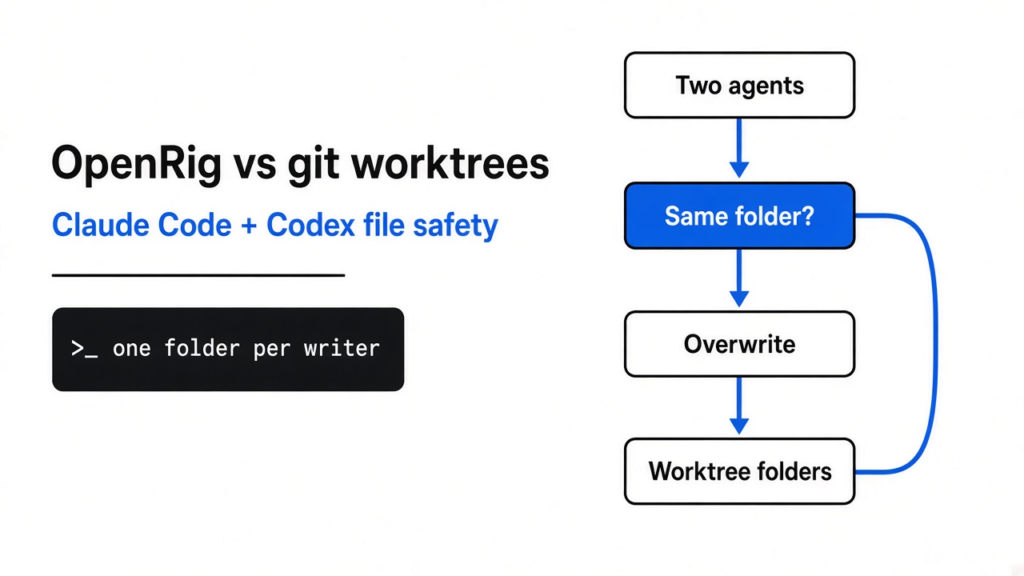
Two coding agents, one folder: use a git worktree to stop the overwrite. Use OpenRig only when you are tired of pasting the plan between them.
You already run a coding agent (a program that edits your repo with tools, not a chat box that only talks about code). Claude Code is Anthropic’s terminal app that does that job. Codex is OpenAI’s terminal app that does the same job with a different model. Put both in one folder and they can save over each other’s lines. This page is for you if you want both, and you want the files to survive.
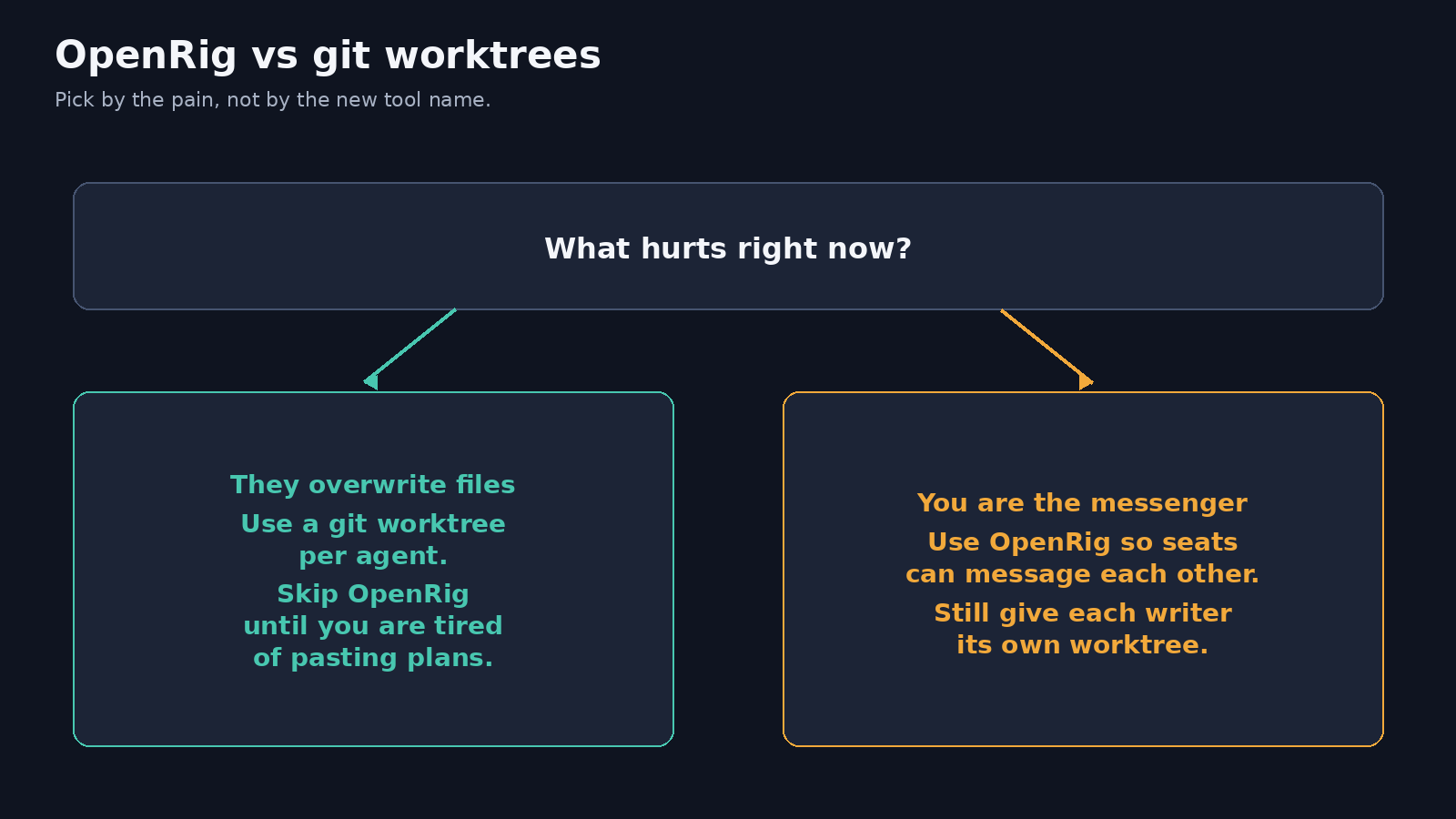
A git worktree (a second checkout of the same repo, in its own folder) stops the file fight. OpenRig (a local app that boots those agents as a named team) does not, at least not in the starter specs I opened. Use the worktree when the pain is overwritten files. Use OpenRig when the pain is you, copying a plan from one terminal into the other. If you use OpenRig, still give each writer its own folder.
Why Claude Code and Codex overwrite each other
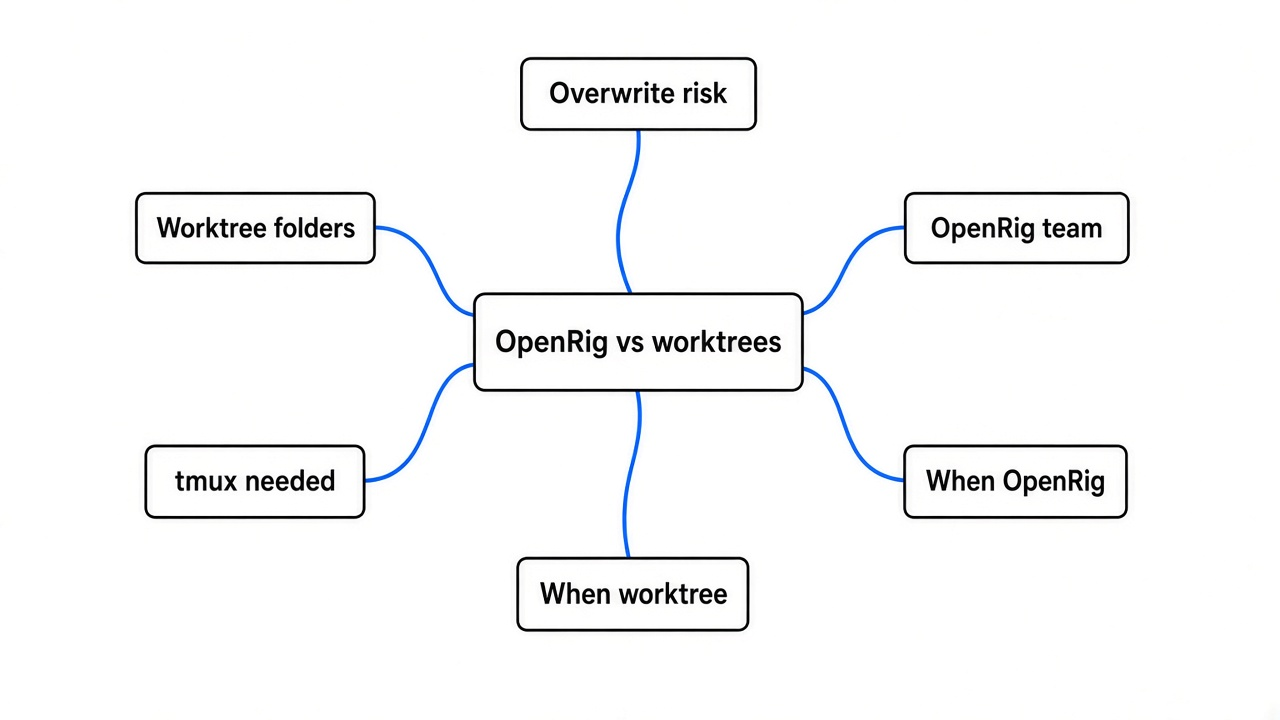
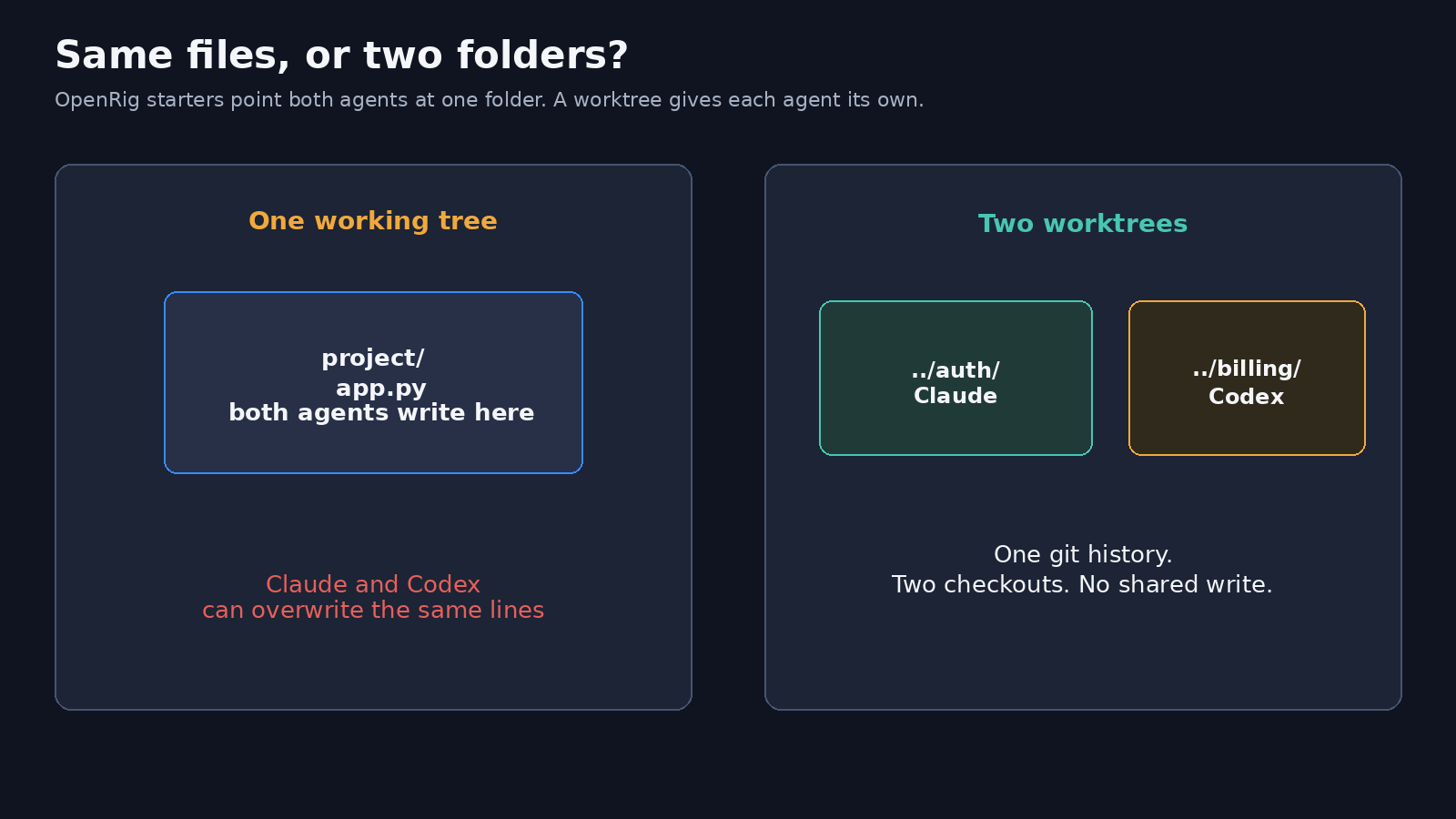
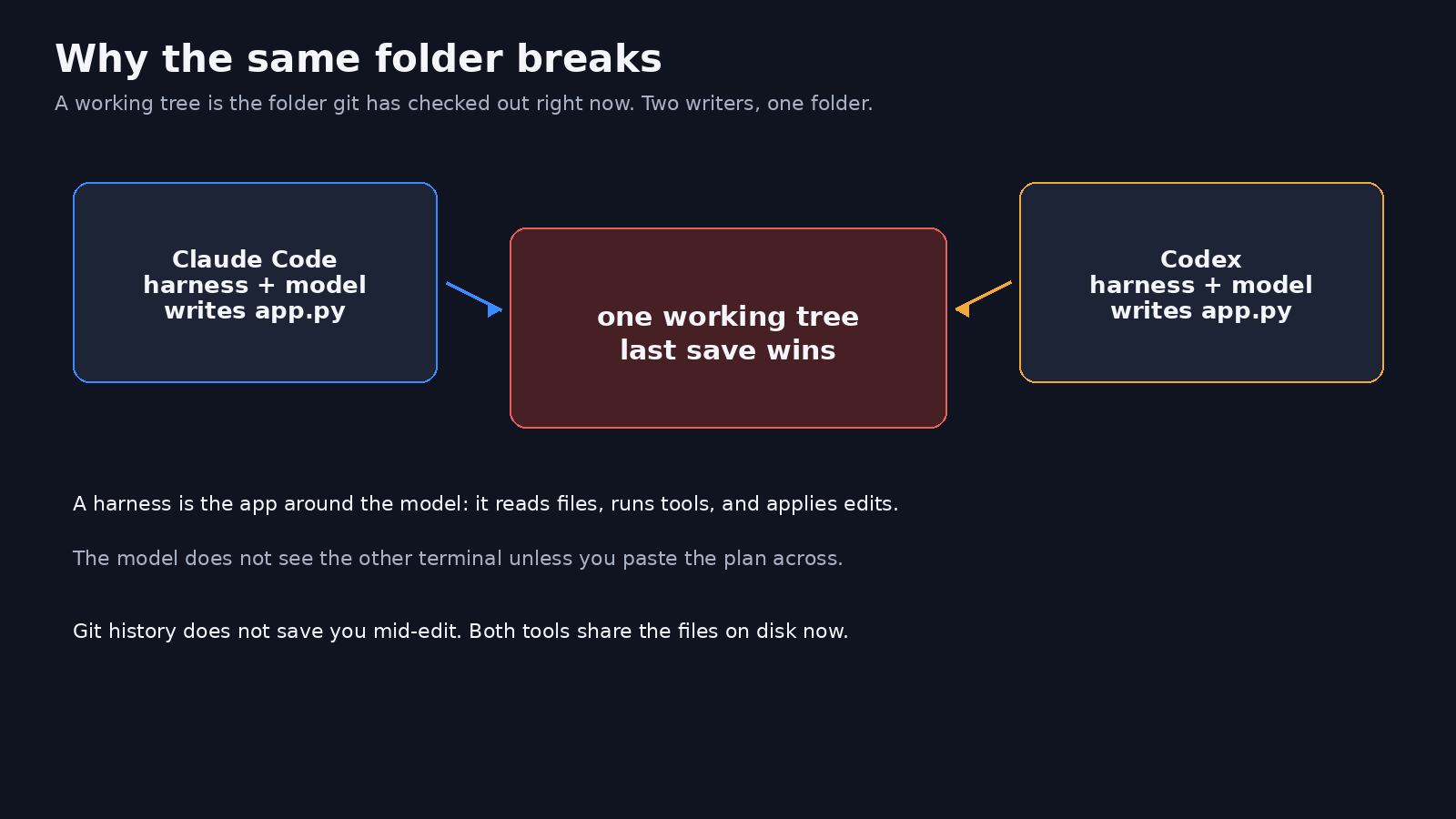
They overwrite each other because both write the same folder at the same time.
That folder is the working tree (the files git has checked out on disk right now). A coding agent does not edit “the chat.” It edits those files. Claude Code and Codex are each a harness (the app around the model: it reads files, runs commands, and applies the edit). The model proposes the change. The harness writes it. Two harnesses, one working tree, and the last save wins.
Git history does not save you mid-edit. History is the list of commits you already made. The fight is on the files that are not committed yet.
You are also the messenger. One terminal does not see the other unless you paste the plan across. That is a second problem. It feels like the same problem. It is not. File safety and message passing are two jobs.
If the agent then builds three extra files you did not ask for, that is a different bug: how to stop Claude Code from overengineering. A long session can also drop a rule you already wrote: why compaction drops your instructions.
What a git worktree is
A git worktree is a second folder that holds the same commits, so each agent can edit without touching the other folder.
Your main checkout stays where it is. git worktree add creates another folder and another branch, both pointed at the same repository history. Change a file in folder A. Folder B still has the old bytes until you merge.
I made a tiny repo with one file, app.py, that printed 1. I added two worktrees, then changed the file in only the first folder so it printed 2. The main folder and the second worktree still printed 1. That is the whole trick. Same history. Separate files on disk.
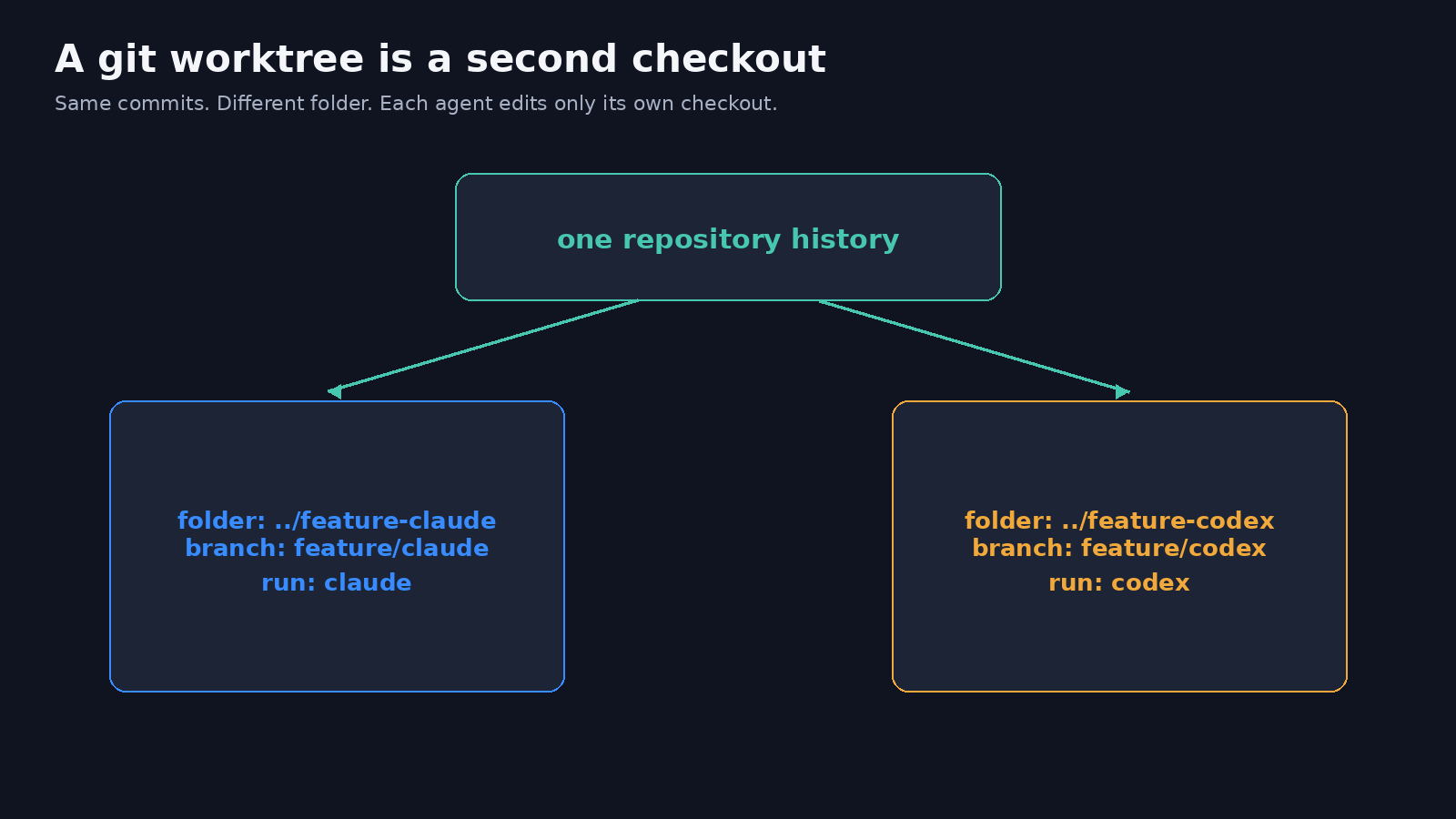
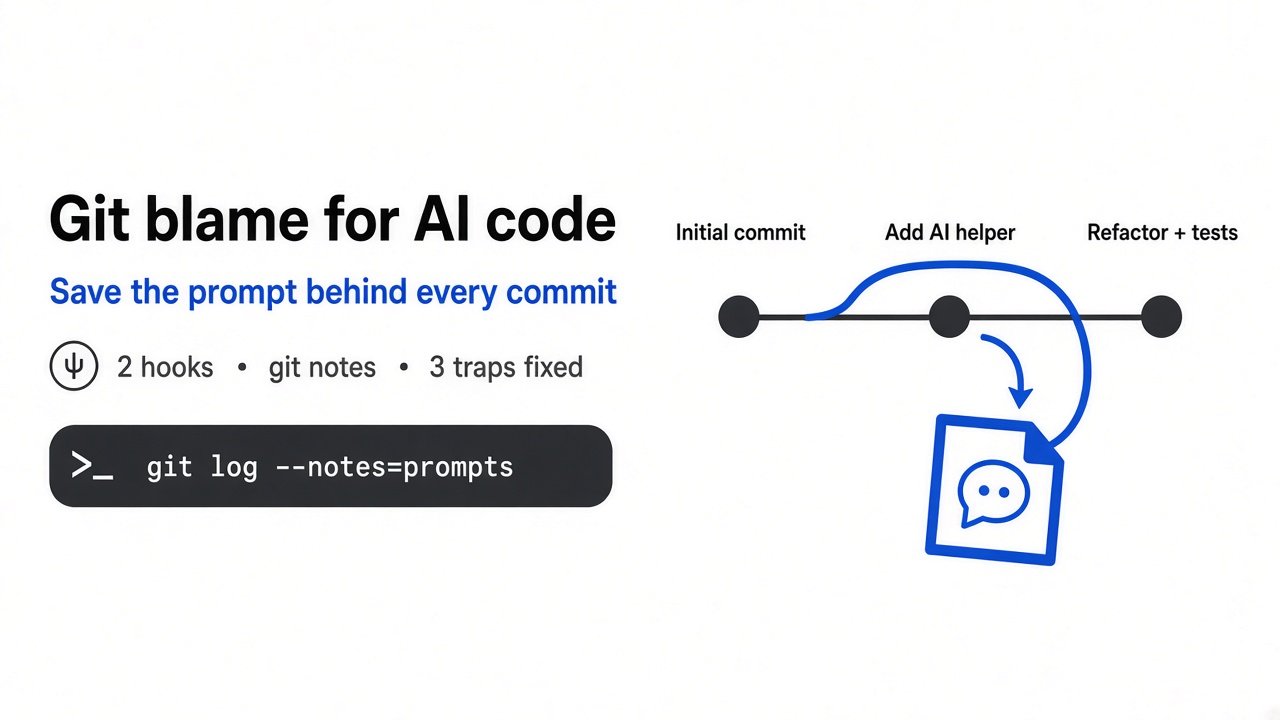
The same idea drawn as history: one line can split, and the splits do not share a single set of working files.
Commands you can copy:
git worktree add -b feature/claude ../feature-claude main
git worktree add -b feature/codex ../feature-codex main
Run claude in the first folder. Run codex in the second. Do not point both at the folder you already have open.
A worktree is not a sandbox (a box that blocks network, secrets, and the host). It only separates files. The agent in that folder can still read what you mounted, call the network, and use the login already on the machine. If you need a wall, that is a different tool: OpenShell can prove a policy stays inside a boundary. The worktree will not.
The official description of the command is in the git worktree manual.
What OpenRig adds on top of two terminals
OpenRig adds a named team and a way for one agent to type into the other’s terminal. It does not add a second folder.
A rig (the named team you boot with one command) is the unit. Inside it, a pod (a small group of seats) holds the agents. A seat (one running agent with a name, such as owner or check) is what you attach to. Under the seats, tmux (a terminal program that keeps sessions alive in panes) is what actually holds the process. If tmux is missing, nothing boots. I hit that on the first check.
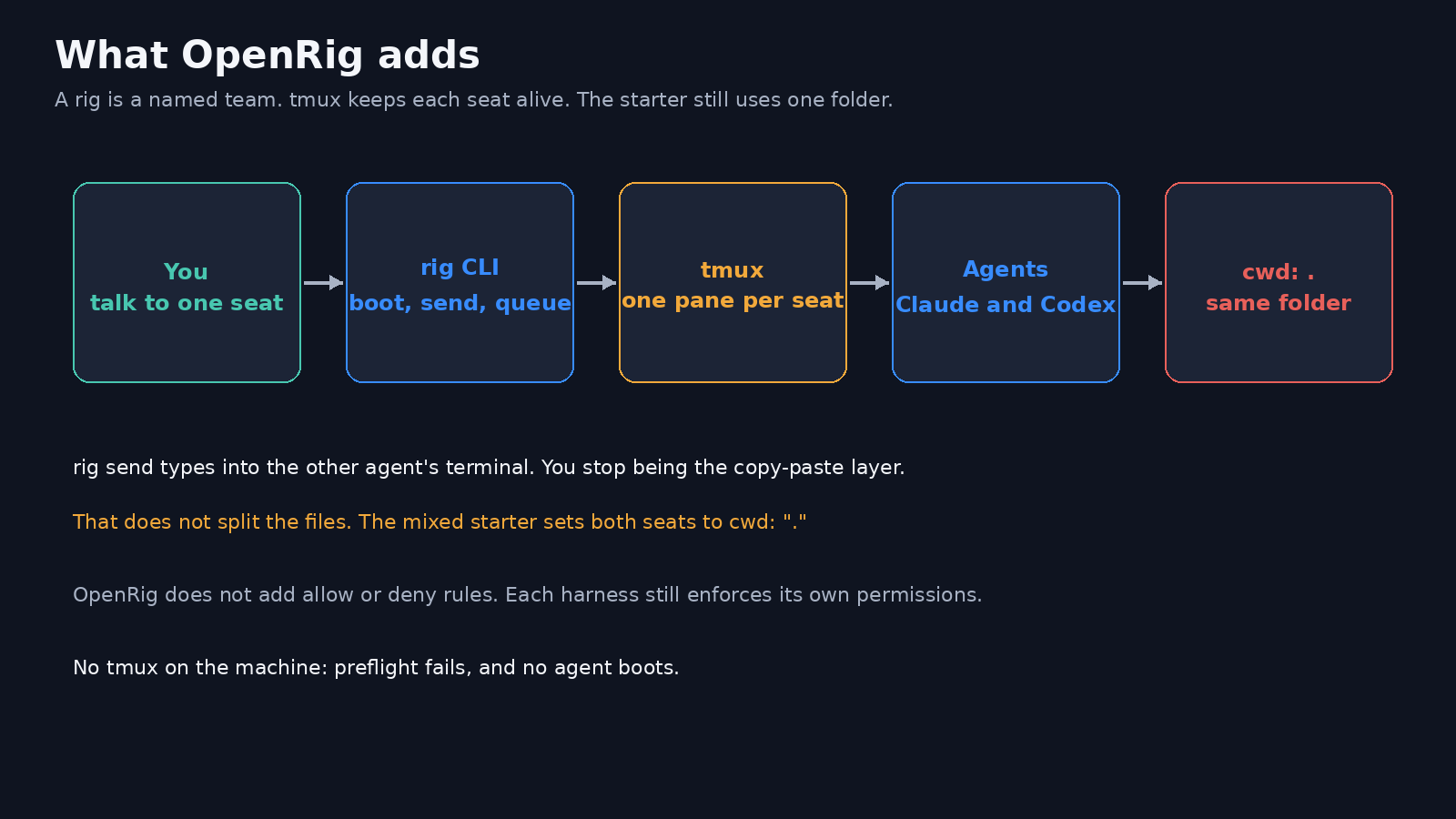
rig send types a message into another seat’s terminal. That is the part that replaces you as the copy-paste layer. rig queue gives a task an owner so it is still there after the chat moves on.
I opened three starter specs that ship inside the package:
first-project: two Codex seats, owner and check. Both setcwdto".".first-project-mixed: a Claude Code owner and a Codex checker. Both setcwdto".".implementation-pair: a Claude implementer and a Codex checker. Both setcwdto".".
Each one has a delegates_to edge from the writer to the checker. That edge is a message path. It is not a second checkout. If you boot the mixed starter in your repo, both agents start in the folder you passed. The overwrite problem is still yours.
OpenRig also does not invent permission rules. Its own help text says it bakes no allow, ask, or deny policy. The harness you already run still decides what a tool may do. OpenRig records the shape of the team. It does not become the sandbox.
You do not need a new API key for OpenRig itself. The seats use the Claude login and the Codex login you already have. The Codex-only starter needs only Codex. The mixed starter needs both.
The project lives at github.com/mvschwarz/openrig.
I ran OpenRig preflight. Here is what stopped
Preflight stopped on one missing program: tmux. No agent started.
I installed the package in a clean folder with npm install @openrig/cli. That pulled 110 packages. The CLI reported version 0.6.2. Then I ran rig preflight and rig doctor.
What passed:
- Node 22 was already installed.
- The home folder was writable, so OpenRig could store its own state.
- Port 7433 on this computer was free. That is the port the background daemon (the process that keeps the team running) wants.
What failed:
- tmux was not on the path. Preflight said OpenRig uses tmux to create and control agent sessions, and told me to install it.
rig doctorfailed the same check.
What was only a warning:
- cmux (an optional terminal layout app) was missing. The doctor said OpenRig can run without it.
What I could not do next:
rig specs lsandrig requirementsboth refused, because the daemon was not running.claudeandcodexwere not installed on that machine, so I did not boot a live seat. The file answer comes from the specs, not from a pretend session.
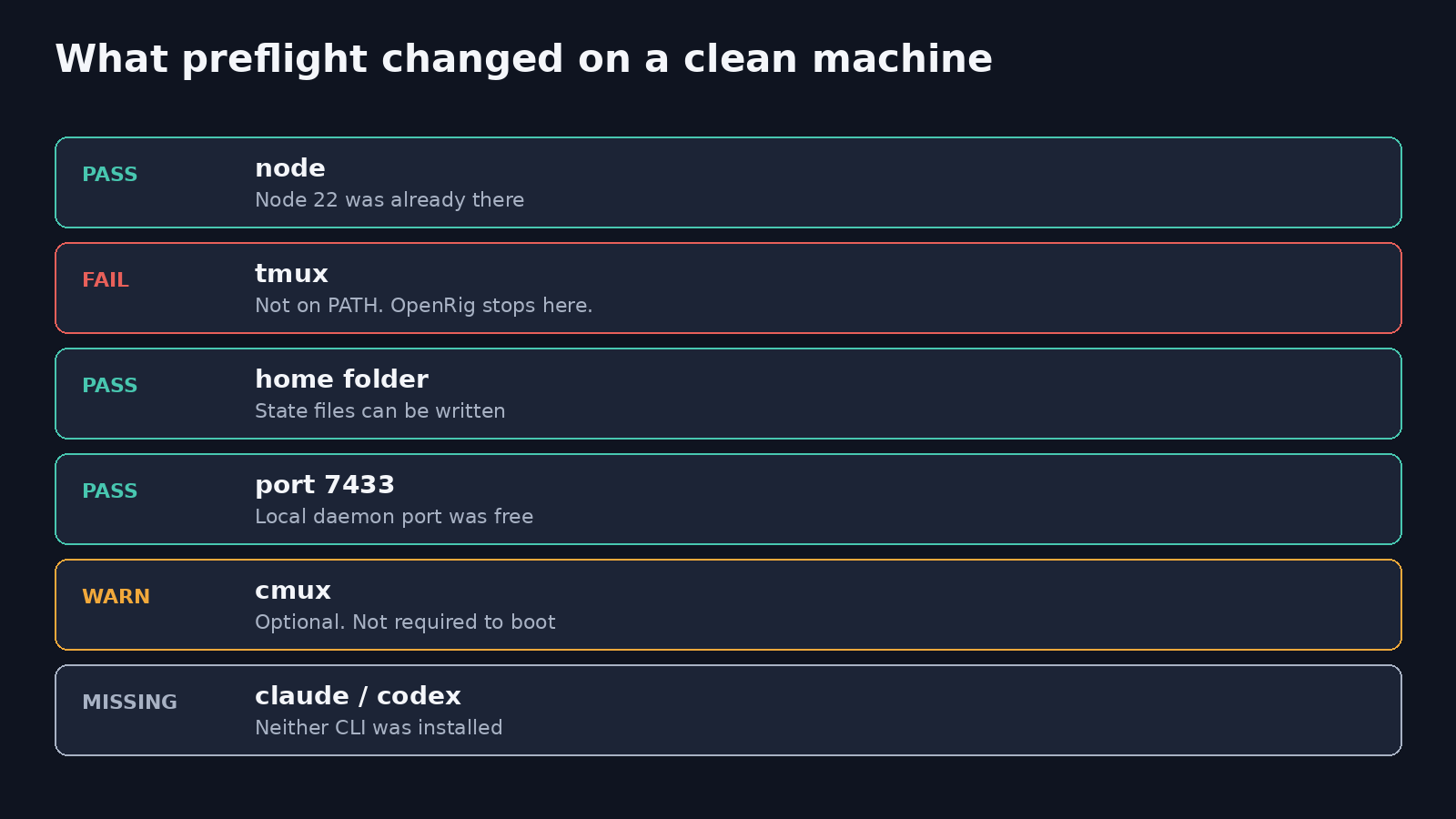
That is the useful failure. People install the team runner and assume the team is the safety layer. The first command tells you the truth: without tmux there is no team, and even with tmux the starter still shares one folder.
OpenRig vs git worktrees: when to use which
Use a git worktree when they would write the same files. Use OpenRig when you are the person relaying messages, and still give each writer a worktree.
| Question | Git worktree | OpenRig starter | Codex plugin in Claude Code |
|---|---|---|---|
| Stops two writers hitting one file | Yes. Each folder is its own checkout. | No. The three starters I opened set both seats to cwd: ".". | A review can be read-only. A transfer still moves work into Codex, so treat that as a second writer. |
| Lets one agent talk to the other | No. You paste. | Yes. rig send types into the other terminal. | Yes. Slash commands inside the Claude session. |
| Needs tmux | No. | Yes. Preflight stops without it. | No. |
| Needs a new subscription | No. You use the login of the agent you start. | No new key for OpenRig. Mixed starters need the logins you already have. | A Codex login or an OpenAI API key, plus the Claude session you are in. |
| Is a sandbox | No. | No. Permissions stay on the harness. | No. |
Skip OpenRig when you only have one repo, one task, and you can stand two folders. The worktree is smaller. You will finish the setup before OpenRig finishes asking for tmux.
Skip worktrees alone when the task is long, the plan keeps changing, and you are pasting the same context every hour. That is the job OpenRig is shaped for. Point each seat at its own worktree path instead of "." before you let both write.
If the second agent is only there to look for bugs in a diff you already have, you may not need either tool. Start with security-review or a full audit.
How do I run Claude Code and Codex together without a second subscription?
You do not buy a third product subscription. You use the Claude login, the Codex login, or both, and you pick the smallest setup that matches the pain.
Three setups, from small to large:
- Two folders, two commands. Add a worktree per agent. Start
claudein one andcodexin the other. You are the messenger. No OpenRig. - Review inside Claude Code. OpenAI ships a plugin, codex-plugin-cc, so Claude can ask your local Codex for a review. Inside Claude Code the install lines are
/plugin marketplace add openai/codex-plugin-cc, then/plugin install codex@openai-codex, then/reload-plugins, then/codex:setup. It needs the Codex CLI and a ChatGPT login or an OpenAI API key./codex:reviewis the read-only pass. I did not run this plugin. I read the install steps and stopped there. - A named team. Install OpenRig, pass preflight, and boot a starter. Do this when setups 1 and 2 are already too much pasting. Change
cwdso the writer and the checker do not share a folder.
Each tool also reads a different instructions file. Claude Code reads CLAUDE.md (the project rules it loads at session start). Codex reads AGENTS.md (the same job, different file name). Two copies drift. Keep one file as the source and make the other name point at it, then start each tool once and check that it still sees the rules.
Extra attached tools can spend tokens before either agent edits a line. That bill is a separate leak: which MCP server is wasting tokens. An MCP server (a small program that lends the agent one tool) is not what splits the folders.
Is OpenRig worth it if you already use git worktrees?
It is worth it only if the worktrees fixed the files and you are still the relay.
If git worktree list already shows one folder per agent, and you are fine pasting a short plan across, stop. OpenRig adds a daemon, tmux, a spec, and more commands. That is cost, not safety.
It is worth the install when all three are true:
- You already pay for Claude, Codex, or both, and you do not want a new meter.
- The work is long enough that a named seat should still be there after you close the laptop.
- You will edit the spec so each writing seat has its own
cwd, or you will pass a different folder when you boot.
It is not worth it when you wanted a sandbox, a cheaper model, or a guarantee the agents cannot see your keys. OpenRig will not do those. A worktree will not do those either.
Try this in 10 minutes
Run the file test first. It needs only git. Then run the OpenRig check. It should fail cleanly if tmux is missing, and that failure is the result.
mkdir /tmp/two-agents && cd /tmp/two-agents
git init
git checkout -b main
echo 'print(1)' > app.py
git add app.py && git commit -m 'init'
git worktree add -b feature/claude ../agent-claude main
git worktree add -b feature/codex ../agent-codex main
echo 'print(2)' > ../agent-claude/app.py
cat app.py ../agent-claude/app.py ../agent-codex/app.py
You want print(1), then print(2), then print(1). If the last file also says print(2), the folders are not split.
Then:
node --version
npm install -g @openrig/cli
rig preflight
If tmux fails, install tmux and run rig preflight again. Do not boot a starter in your real repo until preflight is clean and you have pointed the two writers at two folders.
Two coding agents, one folder: use a git worktree to stop the overwrite. Use OpenRig only when you are tired of pasting the plan between them.