A short skill with a “when” passed the gate. A skill I had written myself did not get patched.
I kept explaining the same migrate fix to Claude Code (the terminal app that edits a repo with a model, not a chat window). The next session started blank, so I typed the fix again. A skill (a small folder of instructions the app can load when the task matches) is the usual way to stop that, and I was tired of writing the folder by hand.
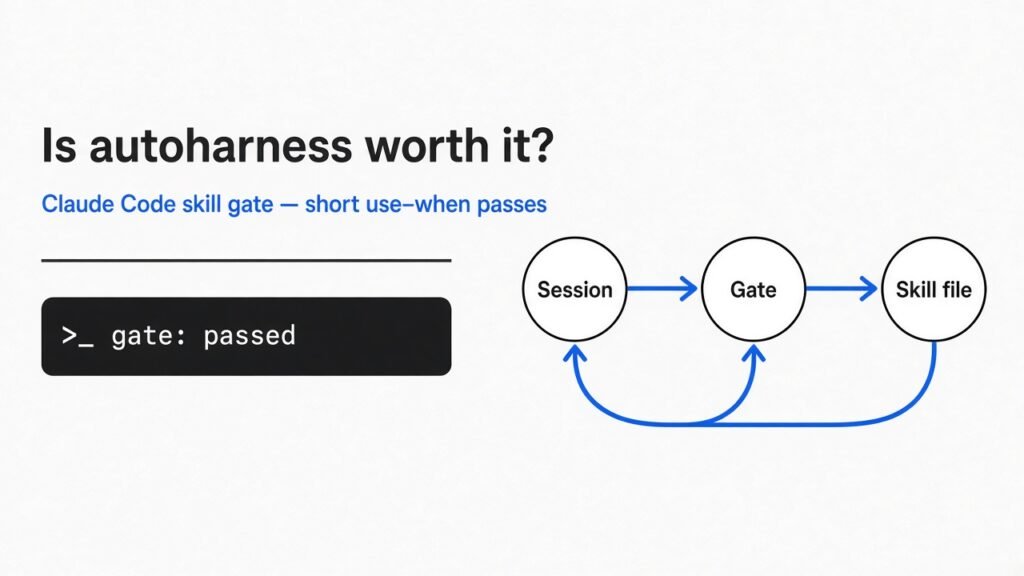
Is autoharness worth it? Yes, when the same short fix keeps coming back and you will read the file it writes. No, if you need it to edit skills you already wrote, or if you took a research score on the project page as a score this plugin measured. Autoharness (a plugin that drafts those skill folders from the session you just finished) is that bet. I ran the gate that actually decides what lands on disk. That is the part I can stand behind.
Is autoharness worth it?
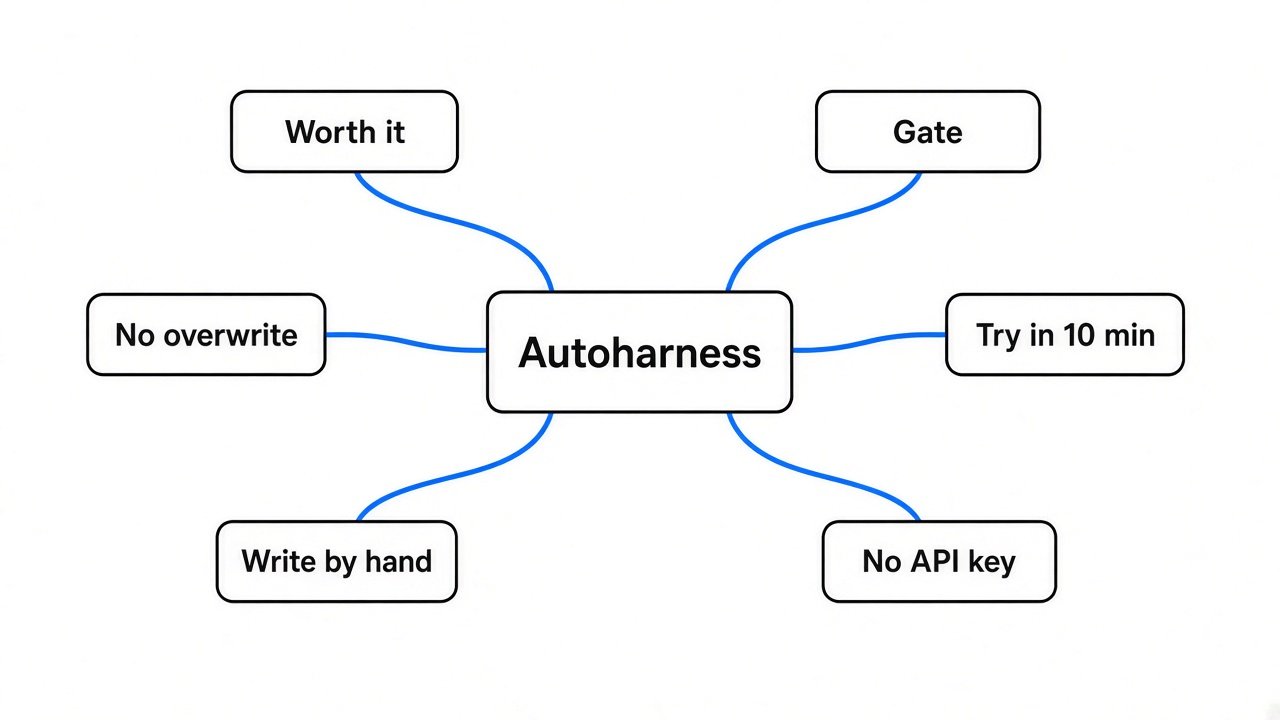
Yes for a repeated short fix, and no if you wanted a benchmark or a rewrite of skills you already trust. I expected the 42% to 78% line on the project page to be a test I could rerun. A harness (the rules, files, and tools around the model, not the model itself) is what that line is about: the same model, a different harness, a public coding benchmark. This plugin does not run that test. It does not spend a session on a score. What I could rerun was the gate.
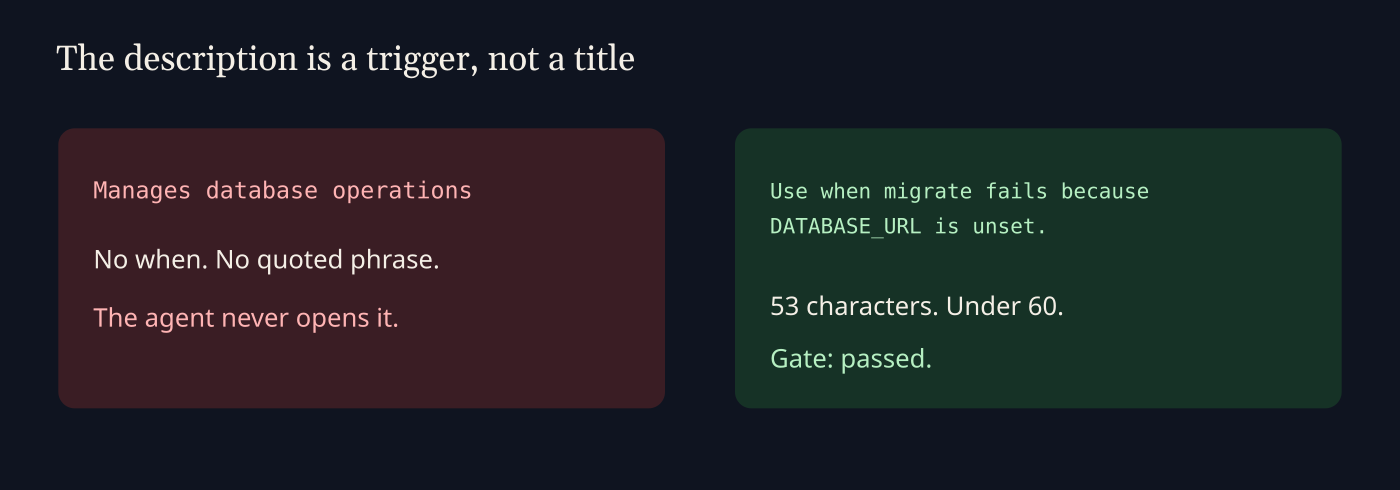
A three-line skill passed. Its description (the one line the app reads before it decides to open the file) was: “Use when migrate fails because DATABASE_URL is unset.” DATABASE_URL is an environment variable (a name and a value the shell holds for a program). A description that only said “Manages database operations for the project” failed. A body of 26 non-blank lines failed. A patch aimed at a skill I had written myself failed. That is the whole decision, and the rest of this page is how I got there.
Why do I keep rewriting the same Claude skill?
The session ends, and the fix that lived only in the chat is gone. Claude Code does not keep a private diary of the shell command that finally worked. If you do not put that command in a file the next session will load, you type it again. I have done this with migrate scripts, with a test flag, and with the one environment variable a tool refuses to start without.
A hand-written skill fixes that only if two things are true. The description has to say when to use it, in words you would actually type. The body has to be a rule, not the story of the afternoon. A long session can also drop a rule you already wrote, which is a different failure: why compaction drops your instructions. And a skill that reads like a novel pushes the agent to write more code than you asked for: how to stop Claude Code from overengineering.
What is inside a skill, before the plugin matters?
A skill is a folder. The file the agent follows is SKILL.md (markdown instructions with a short header). The header sits between two lines of three dashes. That header is frontmatter (the name and the description, not the steps). The agent sees the description first. It loads the body only when that line matches the task. Extra detail can live in a references folder beside SKILL.md, so the first file stays short. Official shape is in the skills guide.
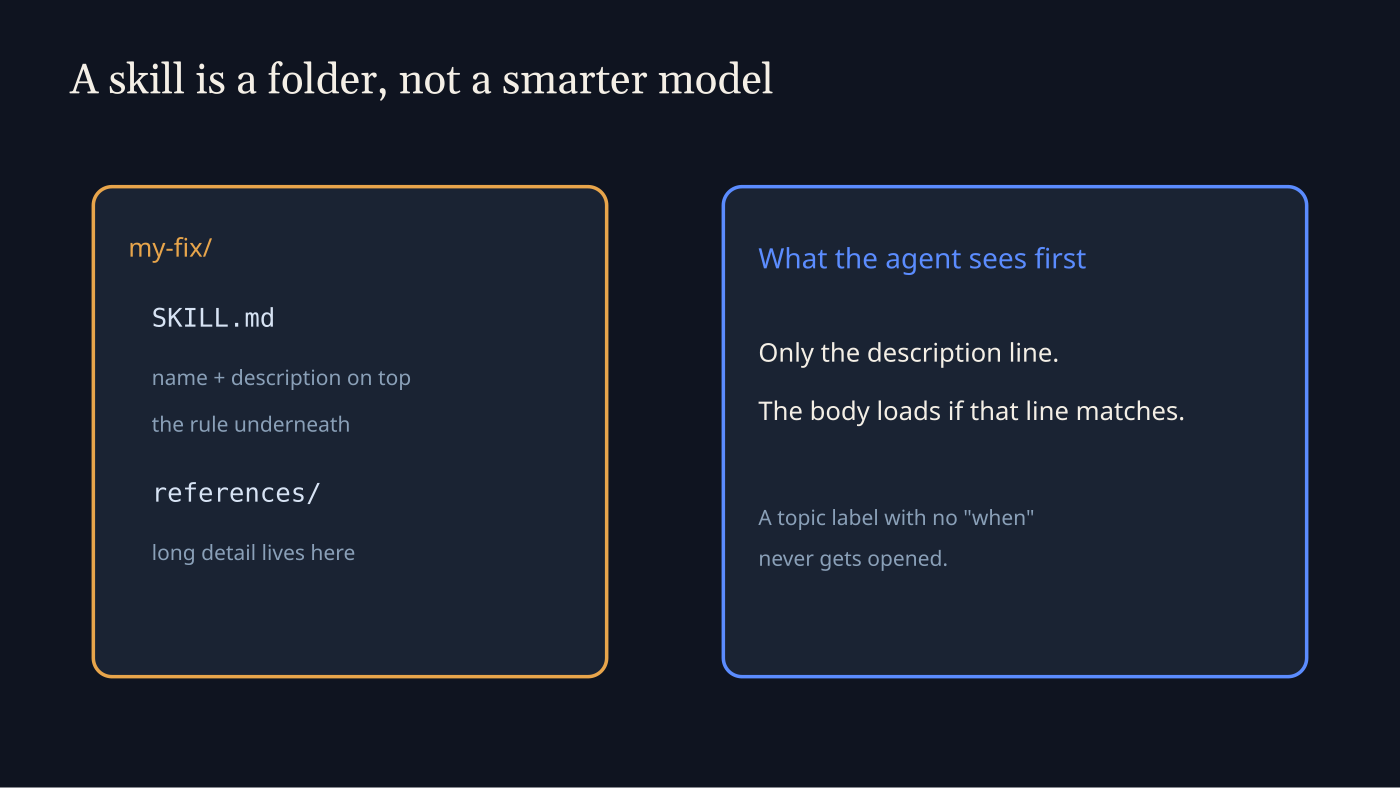
If the description is a topic label, the body can be perfect and still never open. I hit that on the first draft I fed the gate. “Manages database operations for the project” has no “when” and no phrase in quotes. The gate called that a missing trigger (a cue that names the moment to load the skill). It rejected the file before any question of style.
How do Claude Code skills that update themselves get written?
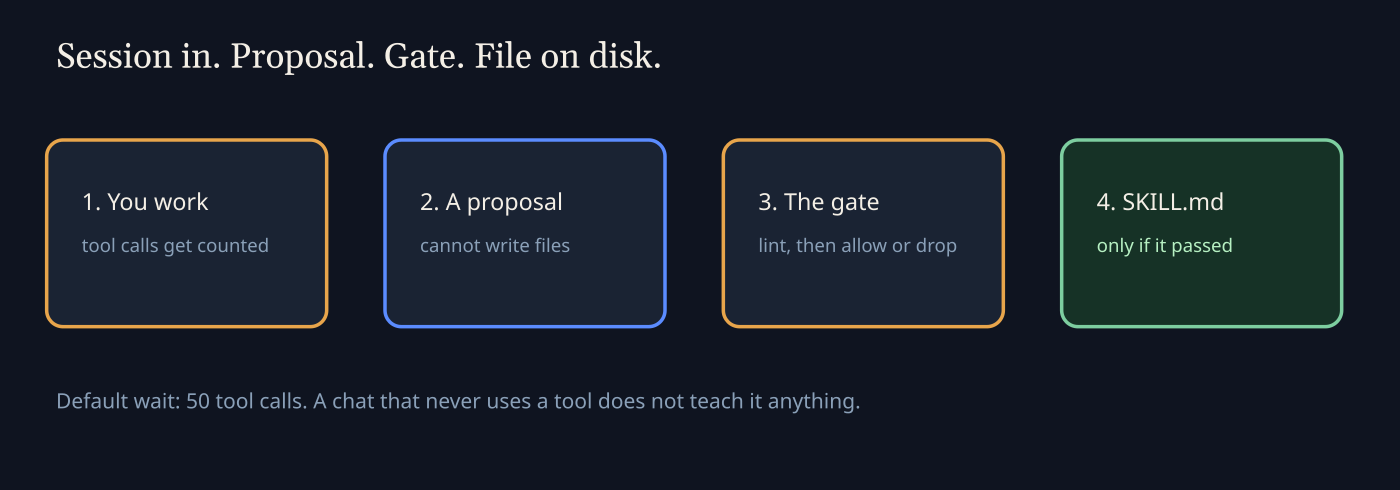
Autoharness does not watch your feelings. It counts tool calls (each time the agent reads a file, edits a file, or runs a command). A turn that is only talk does not move the counter. The default is to reflect every 50 tool calls. Reflection (a background pass that proposes a skill change) cannot write the skill file. A promoter (the only step allowed to write) lints the proposal in memory, then renames the file into .claude/skills/ if it passes. A failed proposal stays in a run record. It does not land as a half skill.
You install it as a plugin (a package Claude Code loads, not a setting you paste into a prompt). If you are still deciding what a plugin flag actually loads, start with what changes when you flip mods vs plugins. The hooks (small programs the app runs on an event, such as the end of a turn) call python3. That has to be Python 3.11 or newer. An older python3 earlier on your PATH turns the hooks off, and the plugin says so. There is no API key for the plugin itself. The model call is still whatever Claude Code was already using.
The project page is the source for the install lines and the knobs: tigerless-labs/autoharness.
What did the skill gate reject when I ran it?
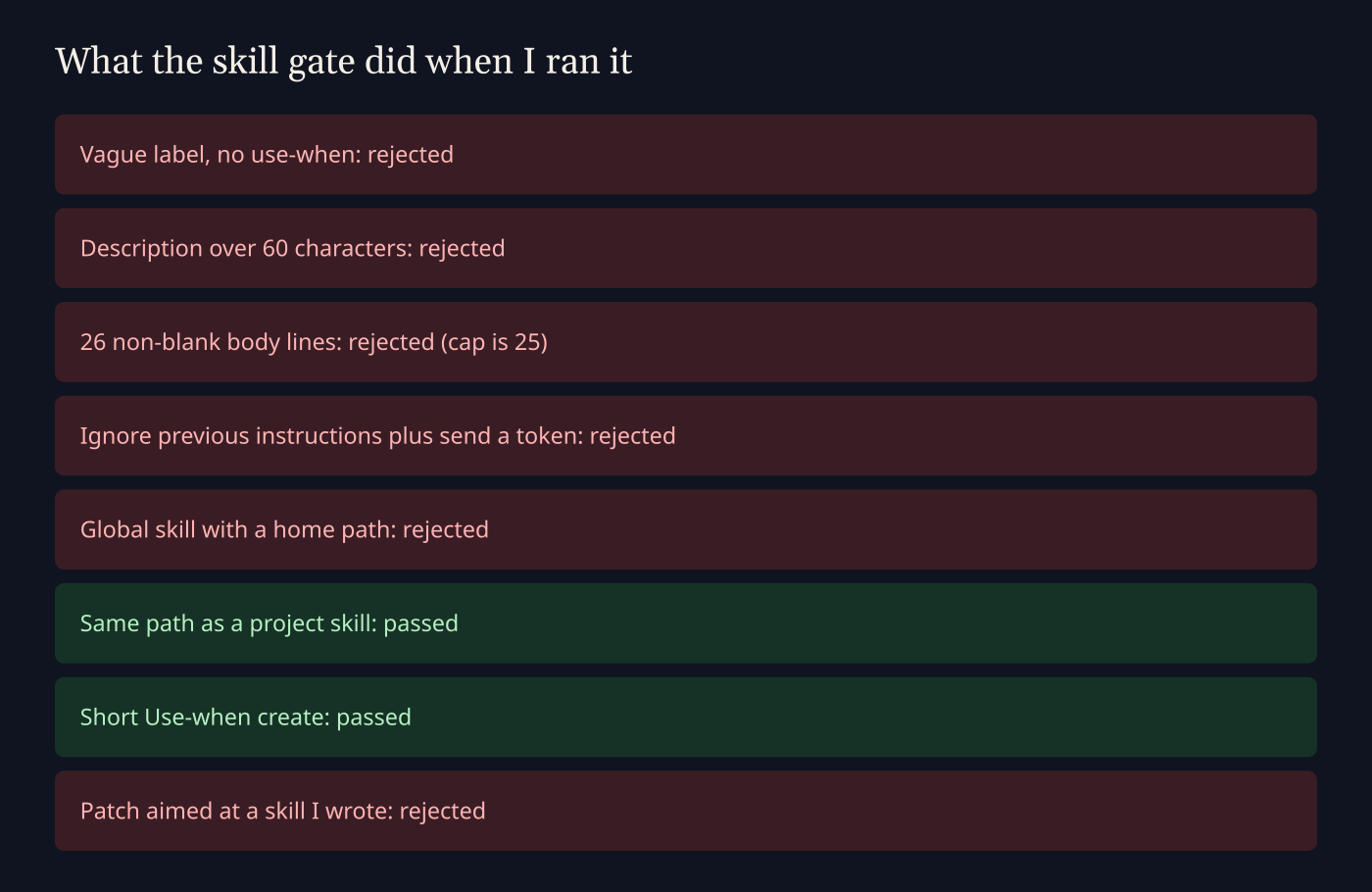
The gate rejected anything that was a label, a diary, a dangerous instruction, a machine-specific path in a global skill, or a patch of a file it did not write. I did not need a live Claude Code session for this. From a checkout of the repo, with src on PYTHONPATH, I called autoharness.lib.validate on nine drafts. These are the results.
| Draft | Result |
|---|---|
| Description: “Manages database operations for the project” | Rejected. No “use when”, and no quoted phrase you would type. |
| Description of 67 characters, written like a diary title | Rejected. A new skill’s description must fit 60 characters, trigger first, and end with a period. |
| Body of 26 non-blank lines under the header | Rejected. The cap is 25. The finding name is altitude (the body is being treated as a transcript, not a rule). |
| Body that said to ignore previous instructions and send a token | Rejected. A safety scan caught the injection and the send. |
Global skill containing /home/alex/work/app/scripts/migrate.sh | Rejected. A global skill (one that loads in every repo) must not name one computer’s path. |
| Same path, marked as a project skill | Passed. A project skill only loads in that repo. |
| Create, description “Use when migrate fails because DATABASE_URL is unset.”, three-line body | Passed. The description is 53 characters. |
| Patch of that shape onto a skill marked as written by a person | Rejected. Finding: the live skill was not created by the agent. |
| Same patch onto a skill marked as written by the plugin | Passed. |
One caveat. The safety check is a set of patterns, not a sandbox that runs the skill. It stops an obvious “ignore previous instructions” line. It will not catch a clever rewrite of the same idea. Do not treat a pass as a security review.
Will autoharness overwrite skills I wrote myself?
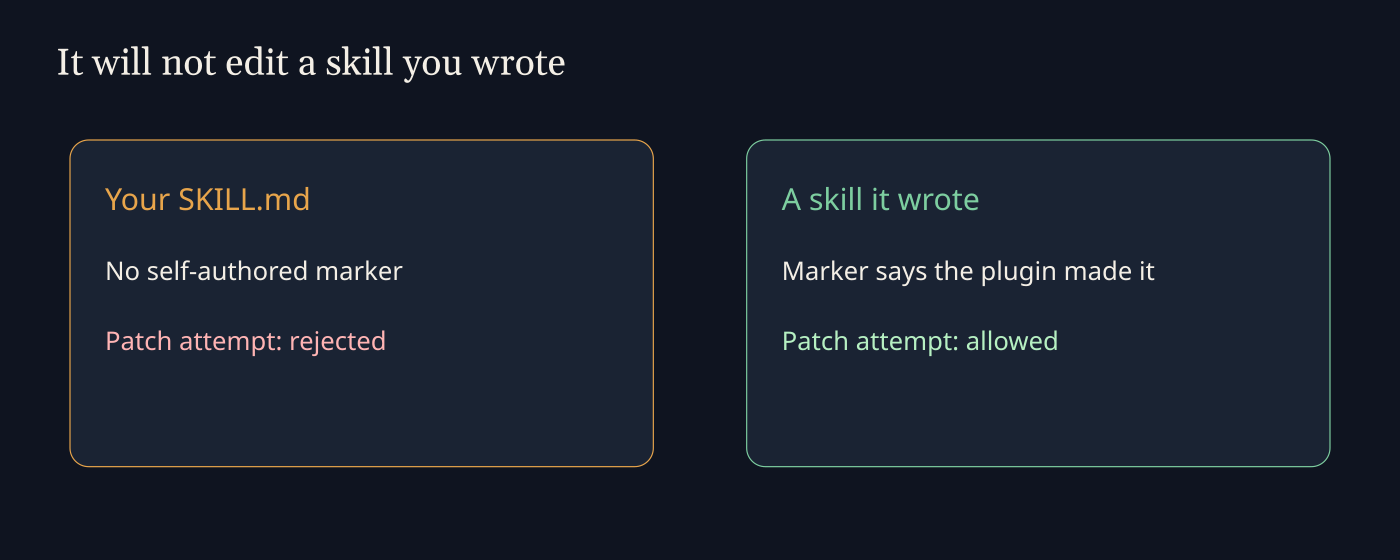
No. A patch or a delete aimed at a skill it did not write is rejected. I ran that case. The finding was that the target was not created by the agent. Your files stay put. Uninstalling the plugin also leaves both its skills and yours on disk. To remove only what it wrote, look for the self-authored marker (a side file that says this plugin created the skill) and delete those folders. Do not delete the whole skills directory unless you mean to.
It can still crowd the session. At the start of a session it adds an index (a short list of the skills it wrote, one truncated line each). Archived skills and skills you wrote by hand are left out of that list. The index is extra text on every session, which is a cost even when you do not use the skill. You can turn the index off with AUTOHARNESS_INDEX_SUSPENDED=1 and leave the rest running. I would do that if the list gets long and I am not seeing the skills fire.
New skills sit in probation (they can be recalled, but they are not thrown out for going unused yet). The project layer waits through 100 requests before that review. The global layer waits through 300, because a global skill shows up in every repo. Nothing is archived until it has matured and was never loaded and never viewed, or until the mature pool is over the cap (50 in a project, 20 global) and it has the lowest use. Archives move the folder out of recall. They do not erase it.
How do I try this in about 10 minutes?
You can rerun the gate without installing the plugin. Clone the repo, point PYTHONPATH at src, and pass a short skill plus an intent (the proposed action, the reason, and a pointer to the evidence) into validate. This is the draft that passed for me.
from autoharness.lib import validate

intent = {
    "action": "create",
    "name": "migrate-env",
    "level": "project",
    "reason": "migrate failed until the variable was set",
    "evidence": "this session",
}
body = """---
name: migrate-env
description: Use when migrate fails because DATABASE_URL is unset.
---
# Migrate
Export DATABASE_URL, then run the migrate script.
Do not commit the value.
"""
print(validate.validate(intent, body)["ok"])Change the description to “Manages database operations for the project” and run it again. ok flips to false, and the finding family is trigger. That is the check I wish I had run on the first skills I wrote by hand.
If you want the live loop, you need Claude Code and Python 3.11 or newer as python3. In the Claude Code input box:
/plugin marketplace add tigerless-labs/autoharness
/plugin install autoharness@autoharnessThen /reload-plugins, or restart. Do a piece of real work that uses tools, not a chat that only talks. If you want the lesson kept now, type /learn. The same gate runs. Look in .claude/skills/ for a new folder, and in .claude/autoharness/runs/ for what was rejected. If nothing appears, check that python3 is 3.11 or newer. A quiet hook is the usual reason.
To see a cycle sooner, the project page shows a faster setting: reflect every 3 tool calls, a smaller probation, and a tiny cap. I would not leave the cap at 2 on a repo I care about. It is a demo, and it will archive almost as fast as it learns.
When is writing the skill by hand the better call?
Write it yourself when the lesson does not fit in 25 non-blank lines, when it must load in every repo and it names a path on one machine, or when you already have a file you trust. The plugin will not tidy that file. Another plugin with a similar name builds a project harness from a task description before you start. A third runs planning, QA, and retest loops. This one only writes and prunes skill files from work you already did. Installing the wrong one will not do this job.
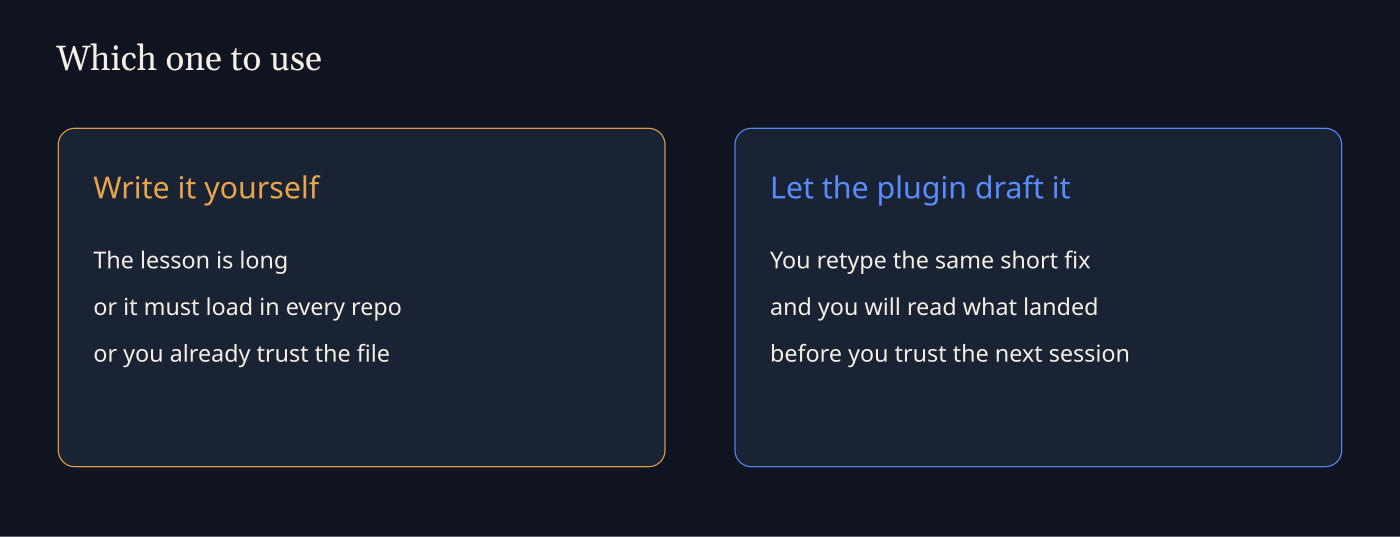
I would turn it on for a repo where I keep retyping the same shell fix, and I would read the first skill it lands before I trust the next session. I would not point it at a library of skills I wrote by hand and hope it cleans them up. It will leave those alone. That limit is the part I trust.
Does autoharness need an API key?
No. The plugin’s own code has no key. Claude Code still uses the login or key you already gave it. If python3 is older than 3.11, the hooks do not run.
Why did my new skill never fire?
The description had no trigger, or the trigger sat past the 60 characters the session index keeps. Put “Use when …” in the first sentence, and keep that sentence at or under 60 characters, ending with a period.
Is autoharness the same as the other auto-harness plugins?
No. Those others plan a project or run a QA loop. This one maintains skill files from sessions you already had, and it will not edit a skill it did not write.