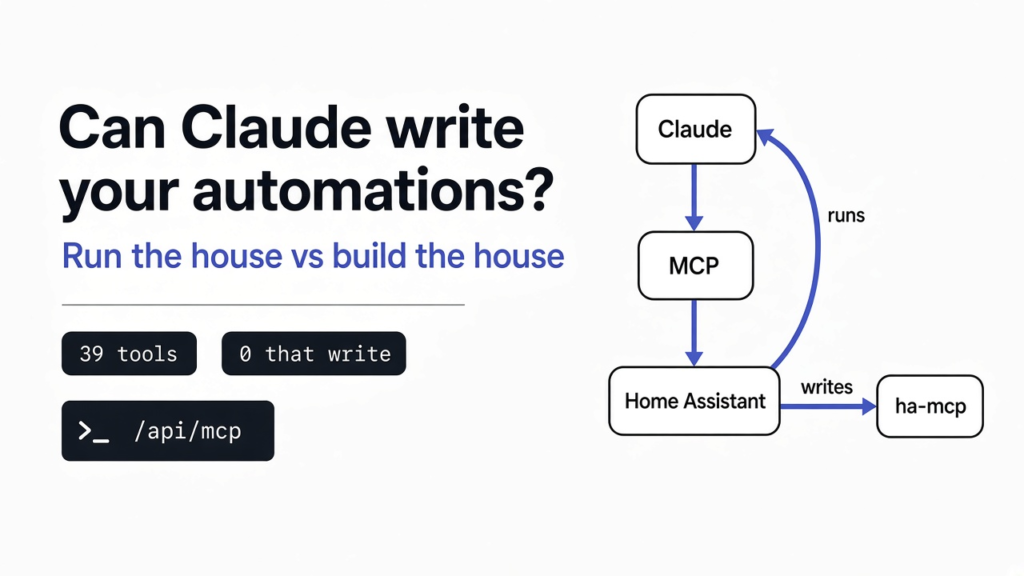
Short answer: Claude can create Home Assistant automations, but not through Home Assistant’s built-in MCP server. That server lets Claude turn devices on and off, read their state, and run automations you already have, but it has no tool that writes one. To let Claude create and edit automations, add the open-source ha-mcp server, give it its own admin account, and keep backups on.
You type “turn the kitchen lights on at sunset” into Claude. It answers with a neat block of YAML (the plain-text format Home Assistant uses for its settings) and tells you to paste it in yourself. That last step is the whole problem.
So the real question is not whether Claude understands your home. It does. The question is whether Claude is allowed to write to it, or only to press its buttons. That difference between running the house and building the house is what this post is about.
We set up a fresh Home Assistant (version 2026.11.1) on a test machine in November 2026, switched on the built-in connection, and counted what Claude can and cannot do through it. Then we wrote an automation the way a builder tool does and watched where it broke. Everything about ha-mcp below is from its own docs; we did not run it.
What has to exist before Claude can touch your home?
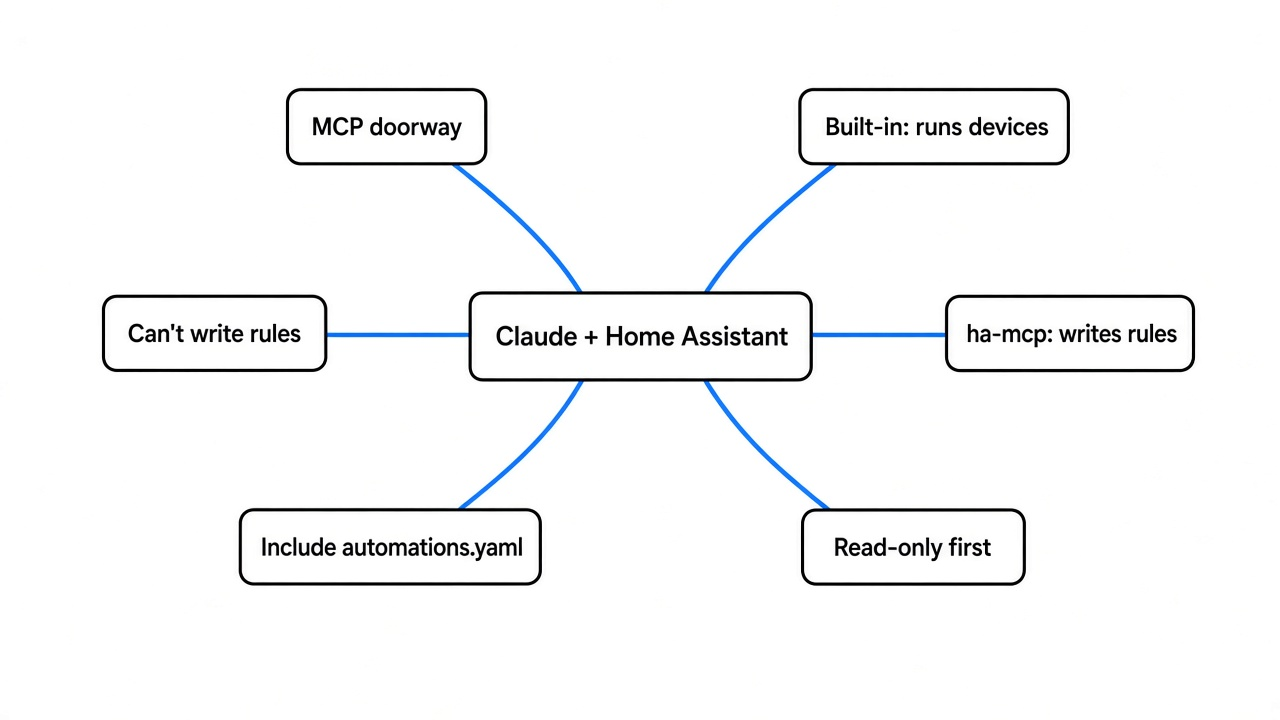
Claude needs a doorway into Home Assistant, and that doorway is called MCP.
Start with the base fact. Home Assistant is the hub that sits in your home and talks to every light, lock and sensor. Claude lives on a server somewhere else and only sees text. On its own, it cannot flip a switch.
So something has to sit between them. That something is MCP (Model Context Protocol, a shared plug that lets an AI app use outside tools). Think of a hotel key card: the card does not open every door, only the rooms the front desk loaded onto it.
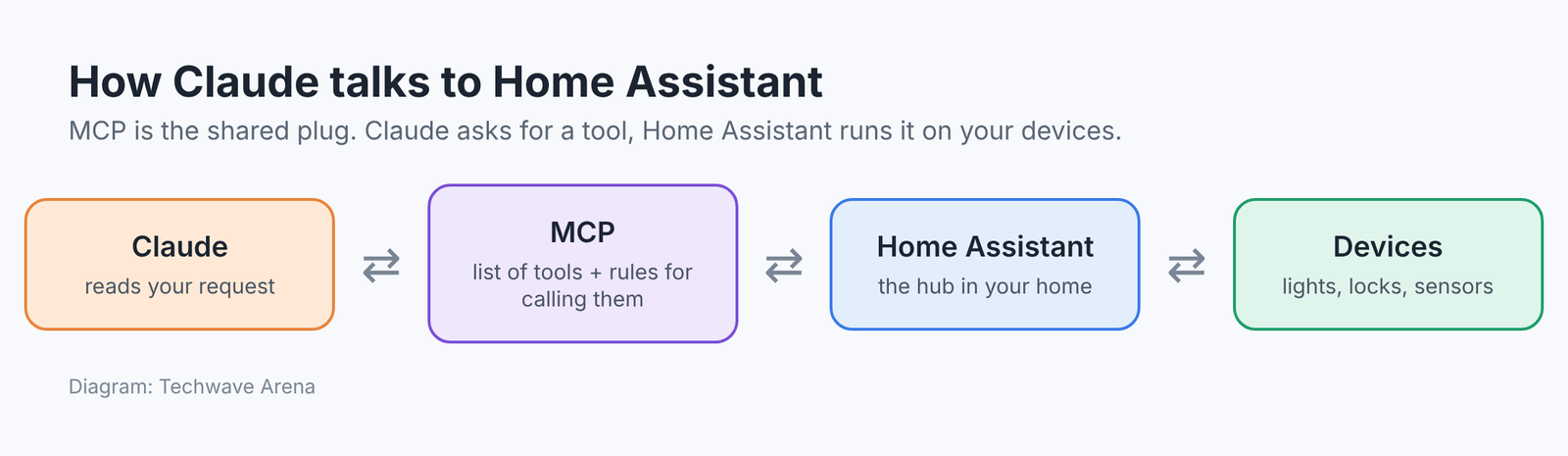
The MCP server is the front desk. It hands Claude a list of tools, each one a small named action like “turn on” or “search devices”. Claude can only call what is on that list. So the list decides everything.
What can Home Assistant’s built-in MCP server do?
It runs your home well, and it can see almost everything, but it cannot write rules.
Home Assistant ships its own MCP server integration (an add-on module you switch on under Devices and Services). You add it, point Claude at the address /api/mcp on your Home Assistant, sign in, and the tools appear.
The built-in server splits its tools into two sets. That split matters, because it decides how much of your home Claude can reach.
- Device control: the same tools your voice assistant uses, limited to devices you have exposed to voice assistants.
- Home Assistant: reads every device, history and logs, and can run any action. It needs an administrator account.
We counted both on our test install.
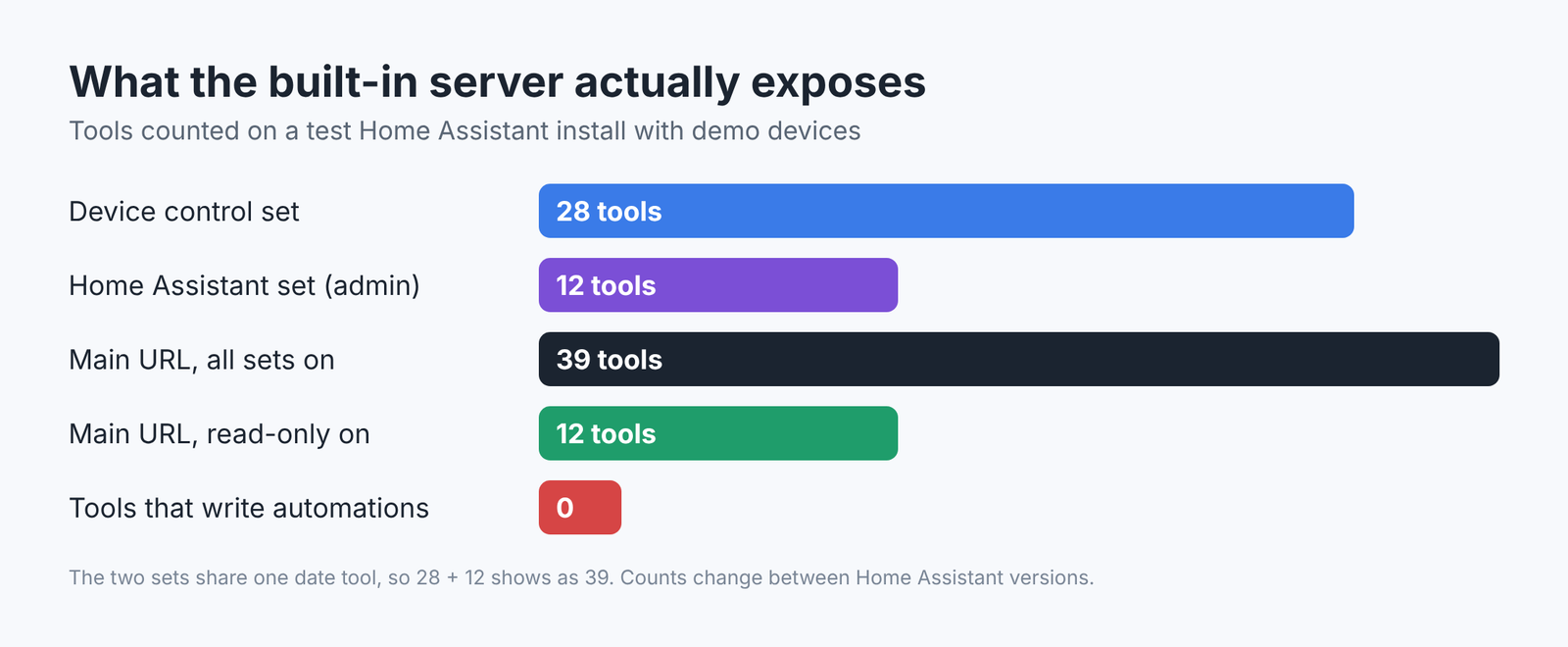
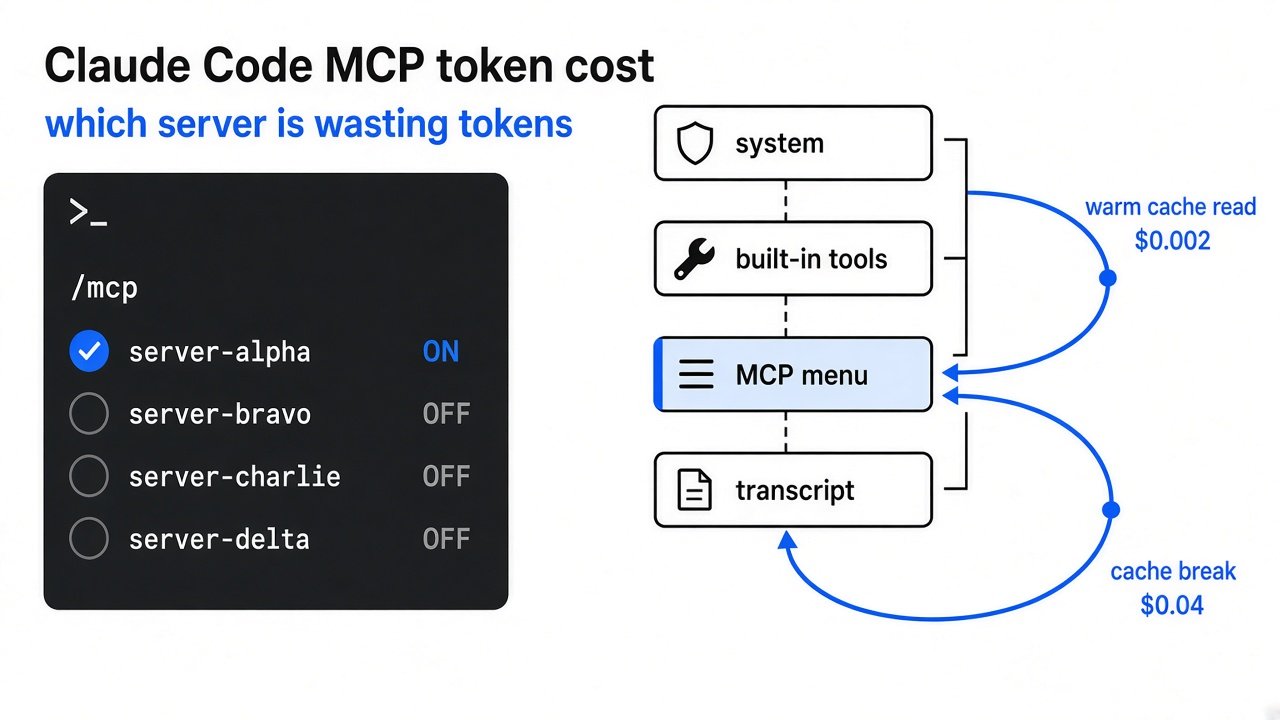
The Device control set had 28 tools: turn on, turn off, set brightness, set temperature, manage to-do lists, pause media. The Home Assistant set had 12: search everything, read history, read logs, check installed integrations, and one very broad tool called “call action” (it runs any action Home Assistant offers). The two sets share one data tool, so with both switched on the list came to 39, not 40.
Then we asked Claude’s side of the connection for anything that creates an automation. We searched the action list for “create automation” and “script create”. Both came back empty.
So what exactly can Claude do with automations through it?
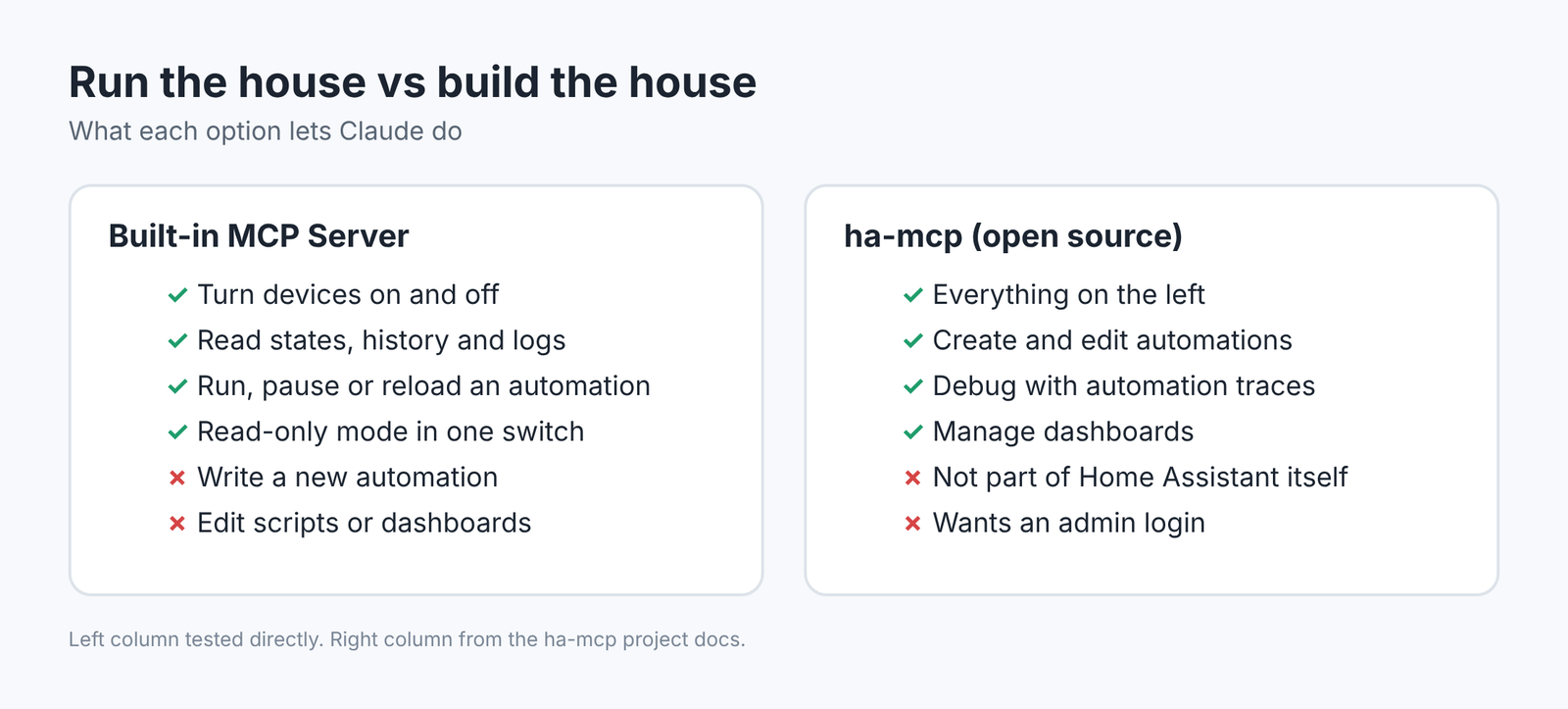
It can run, switch off and reload an automation. It cannot make one.
Here is the useful middle ground. Through “call action”, Claude can trigger an automation, toggle it on or off, and reload all of them after you change something. That covers a lot of day-to-day use.
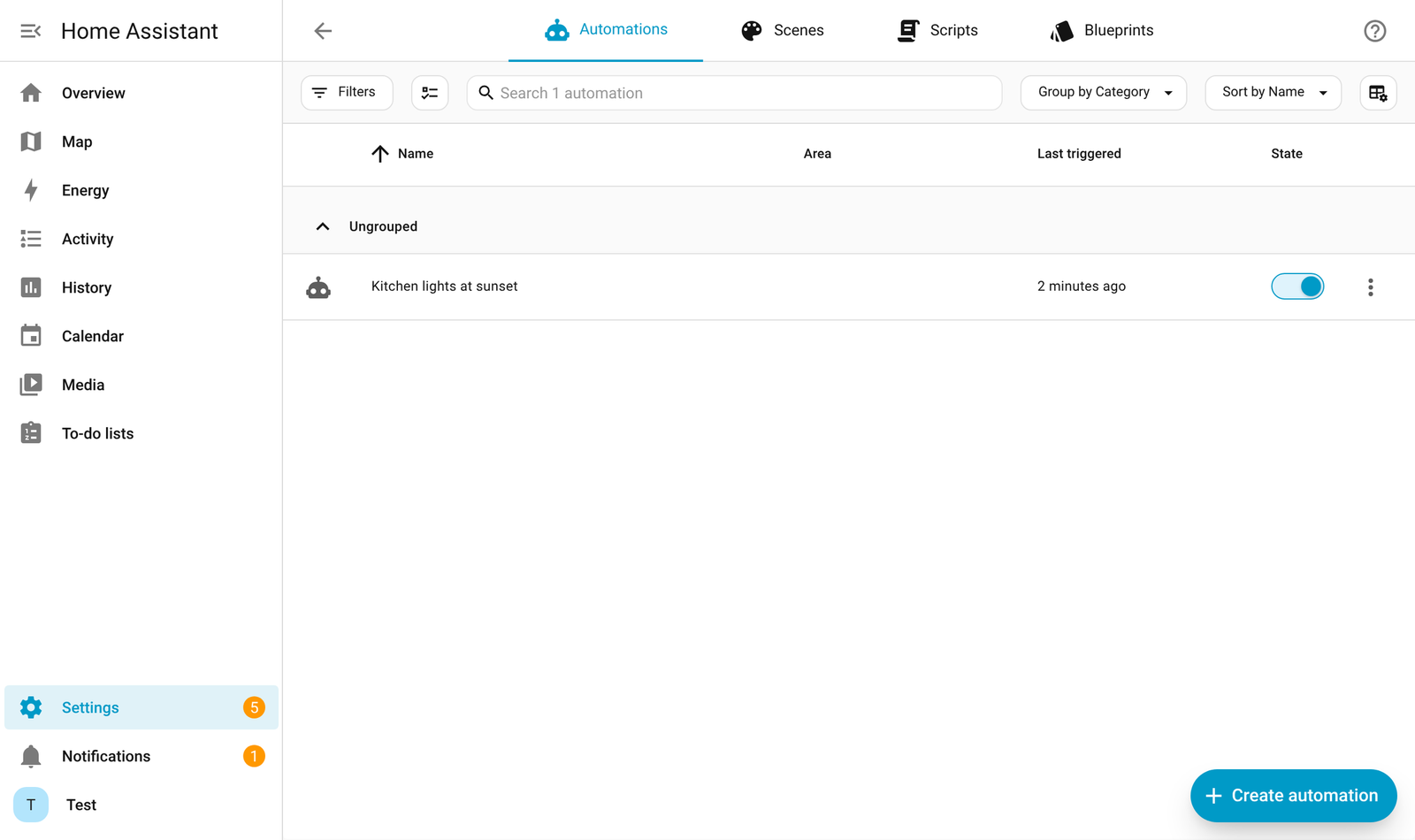
To check that this really works end to end, we wrote one rule by hand: kitchen lights on at 60 percent brightness at sunset. Then we turned the kitchen lights off through MCP, asked MCP to trigger that rule, and read the light state back.
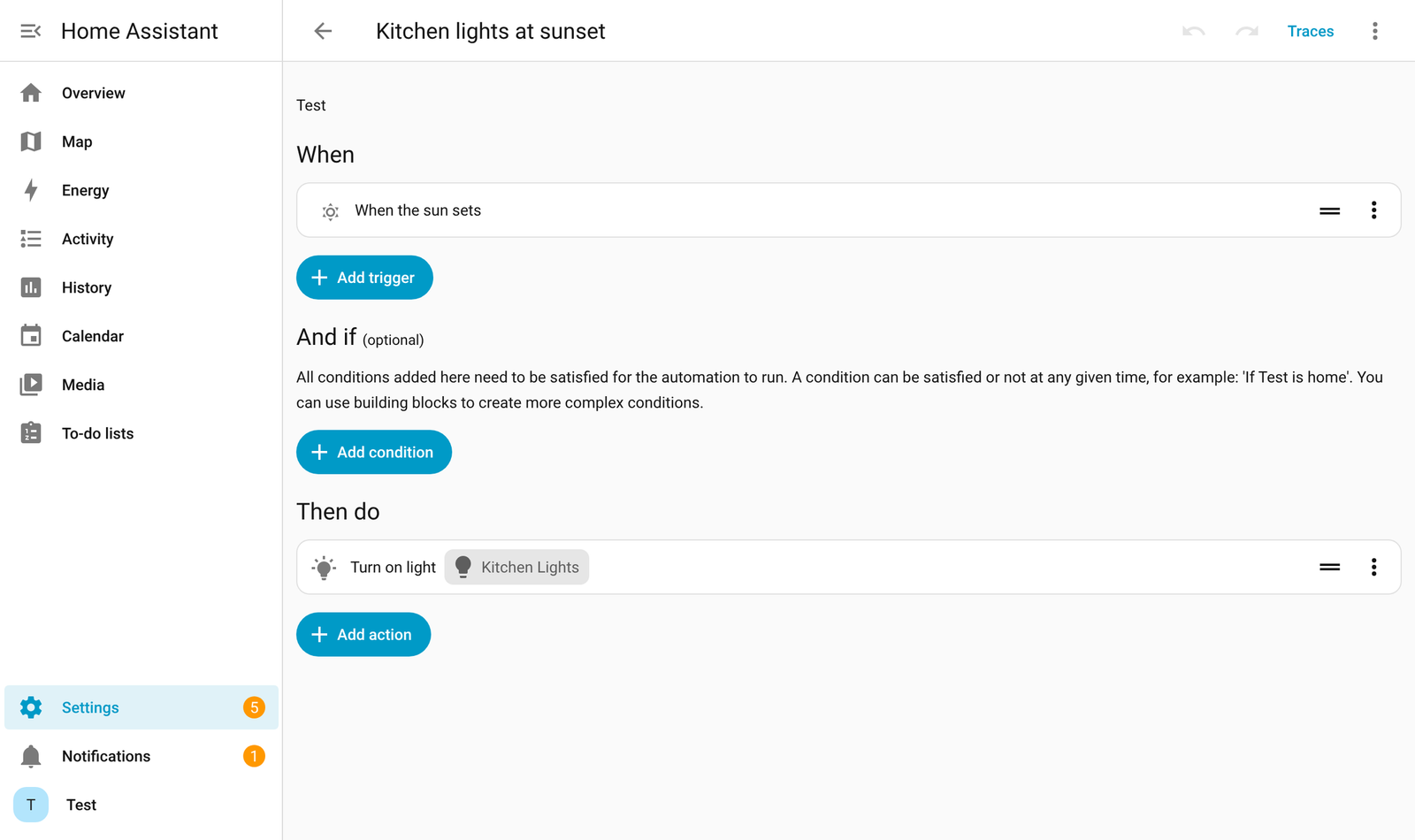
The light came back on at brightness 153 out of 255, which is 60 percent. So the built-in server can drive automations perfectly well. It only needs someone to hand it one first.
That is the line. Run the house: yes. Build the house: no.
Why can’t the built-in server write automations?
Because writing rules is a different kind of power, and the built-in server is designed around actions, not files.
Every automation in Home Assistant is a saved rule in a file called automations.yaml. Creating one means writing to that file through Home Assistant’s settings system, not pressing a device button. The built-in tools are all buttons and readers. None of them edits that file.
That is a reasonable choice. A tool that can write rules can also write a bad rule, like unlocking the front door every night at 3 AM. Keeping writes out of the default tool list keeps a confused AI from changing how your home behaves.
How do you let Claude create automations, then?
Add ha-mcp, an open-source MCP server built for editing Home Assistant, not only driving it.
ha-mcp is a separate project under the homeassistant-ai name on GitHub, released under the MIT license (free to use and change). Its docs describe it as the tool for administering Home Assistant, while the built-in server is for operating devices. It offers 87 tools, and the jobs listed include creating, editing and debugging automations, managing dashboards, and reading automation traces (step-by-step records of what a rule did when it ran).
The flow is simple once you see it. Claude decides what the rule should be. ha-mcp writes it into Home Assistant’s settings. Home Assistant saves it to automations.yaml and loads it as a live automation. From there, even the built-in server can run it.
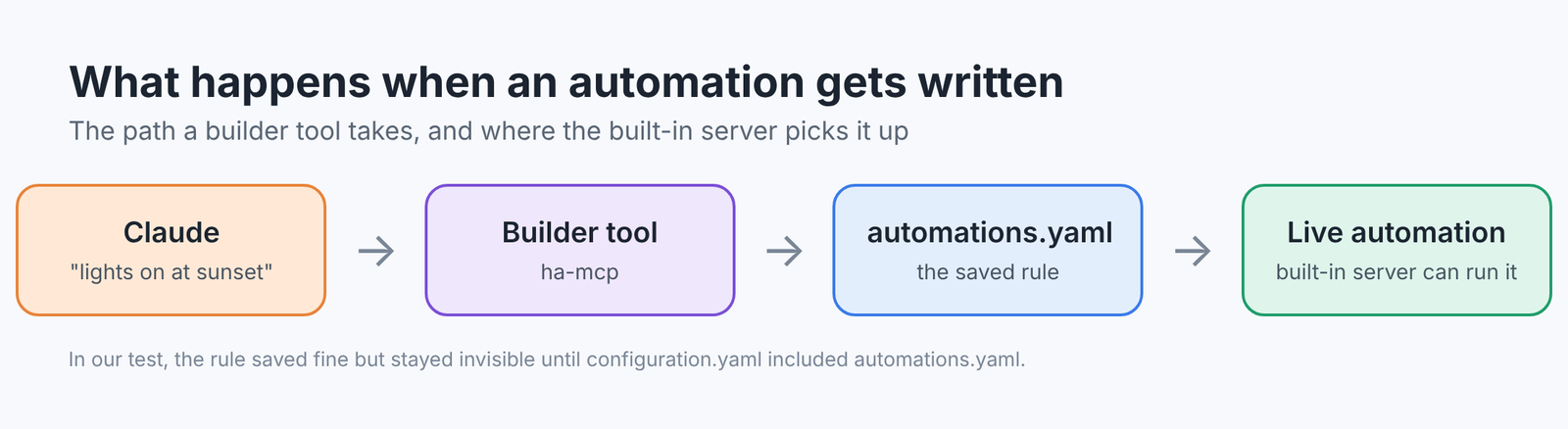
We did not run ha-mcp in this test. What we did test is the exact step it automates, and that step had a catch worth knowing.
What broke when we wrote the automation ourselves?
The rule saved, but Home Assistant ignored it until one line was added.
We wrote the rule through Home Assistant’s settings system, the same path a builder tool uses. Home Assistant replied “ok”, and the rule appeared in automations.yaml. But when Claude searched for it, nothing came back. Triggering it failed with “referenced entities are missing”.
The cause was our setup file. Home Assistant only loads that file when configuration.yaml (the main settings file) contains this line:
automation: !include automations.yamlInstalls made through the normal setup screens include it already. Hand-written setups often do not. We added the line, restarted, and the automation showed up and ran.
Why does this matter to you? If Claude ever says “done” and nothing happens, check this line before blaming the AI.
How do you connect Claude to Home Assistant safely?
Start with the least power that does the job, then add more only when you need it.
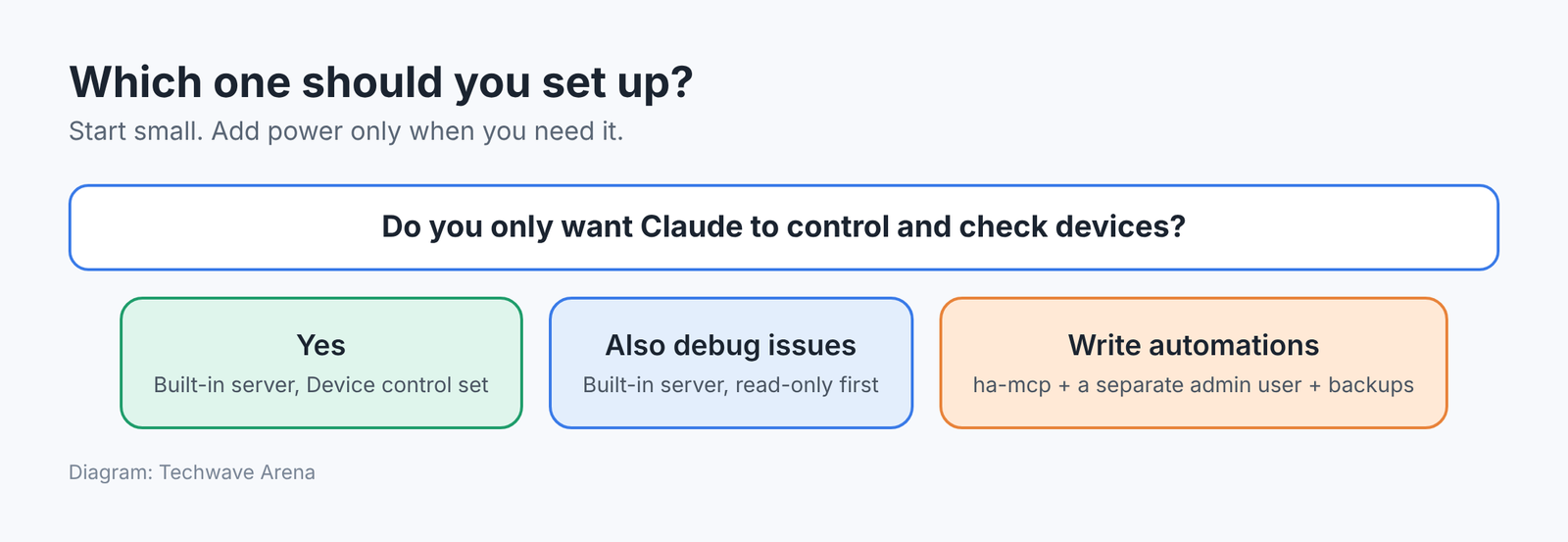
Here is the order we would follow, from safest to most powerful.
- Add the built-in MCP Server integration in Home Assistant.
- Turn on Read-only in its options first. On our install that cut the list from 39 tools to 12, all of them readers.
- In Claude Code, run
claude mcp add --transport http home-assistant YOUR_MCP_SERVER_URL, thenclaude mcp login home-assistant, and sign in. Claude Code only connects over HTTPS, so use your Home Assistant’s secure address. - Turn read-only off once you trust it with device control.
- Only if you want Claude to write automations, add ha-mcp with a separate admin user made only for it, and take a backup first. Before you hand any AI tool an admin login, it is worth the five minutes in did my coding agent send my API key.
Claude.ai and Claude Desktop connect through a custom connector instead, using the same URL. The catch: Claude.ai calls your home from the cloud, so Home Assistant must be reachable from the internet over HTTPS (the secure web address with the padlock). For many homes that means a tunnel or reverse proxy (a gateway that safely forwards outside traffic to your hub). If you open the hub to the internet, put a strong login in front of it; passkey login for self-hosted apps covers that step.
There is a fair case for skipping ha-mcp entirely. If Claude writes the YAML and you paste it in, you read every rule before it touches your home. For a few automations a month, that is enough. Once you are writing dozens and debugging traces, the copy and paste becomes the slow part, and that is when ha-mcp earns its admin account.
So the kitchen lights at sunset are one paste away either way. The only question is whose hands do the pasting. If you would rather talk to the house than type to it, the same hub powers the local voice setup in can I build my own Alexa that works offline.
Common questions about Claude and Home Assistant
Can Claude control Home Assistant without any add-ons?
Yes. Home Assistant’s built-in MCP Server integration lets Claude turn devices on and off, read states and history, and run existing automations.
Can the built-in Home Assistant MCP server create automations?
No. On our test install, none of its tools write automations, scripts or dashboards. It can trigger, toggle and reload automations that already exist.
What is the difference between ha-mcp and the Home Assistant MCP server?
The built-in server is for operating devices. ha-mcp is a separate open-source server for administering Home Assistant, including creating and editing automations and dashboards.
Is it safe to let Claude edit Home Assistant?
It is safer with a dedicated admin account for the AI, read-only mode while you test, and backups turned on before any edits.