You can post to multiple social media at once for free. Write the post once, share it on X, LinkedIn, Threads and the rest, and skip the monthly scheduler fee.
You finish a post. Then you paste it into X. Then LinkedIn. Then Threads, Bluesky, Facebook. Each site wants its own click, its own image upload, its own little edit. Ten minutes gone, every single time.
Paid schedulers fix this for a monthly fee. This guide shows the two free, open source ways to do the same job, how each one works under the hood, and which one fits you.
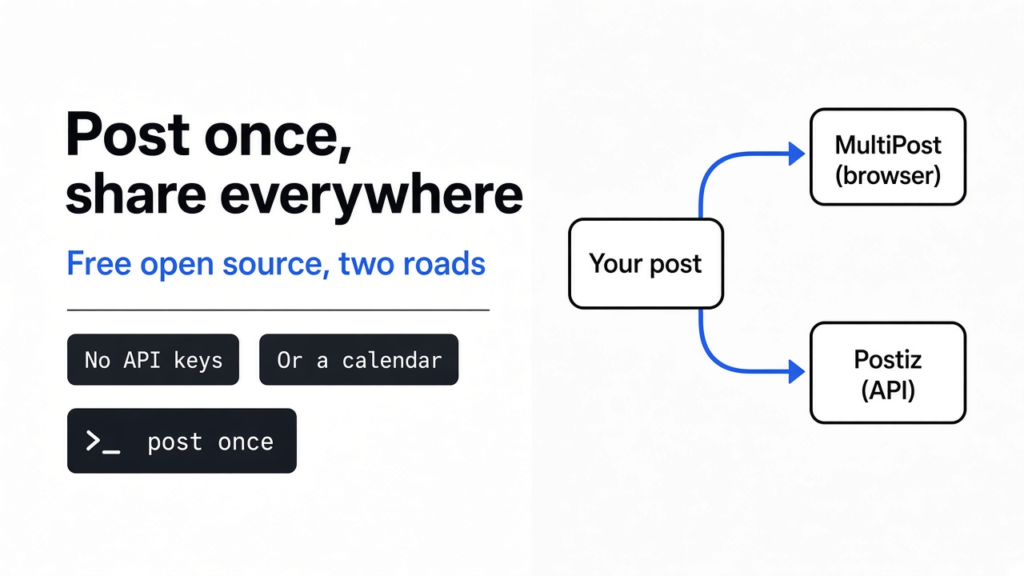
Quick answer: use MultiPost or Postiz. MultiPost is a browser extension that fills in every site for you, with no setup. Postiz is a self-hosted (installed on your own server) scheduler that posts on a calendar, even with your laptop off.
How do apps post to many sites at once?
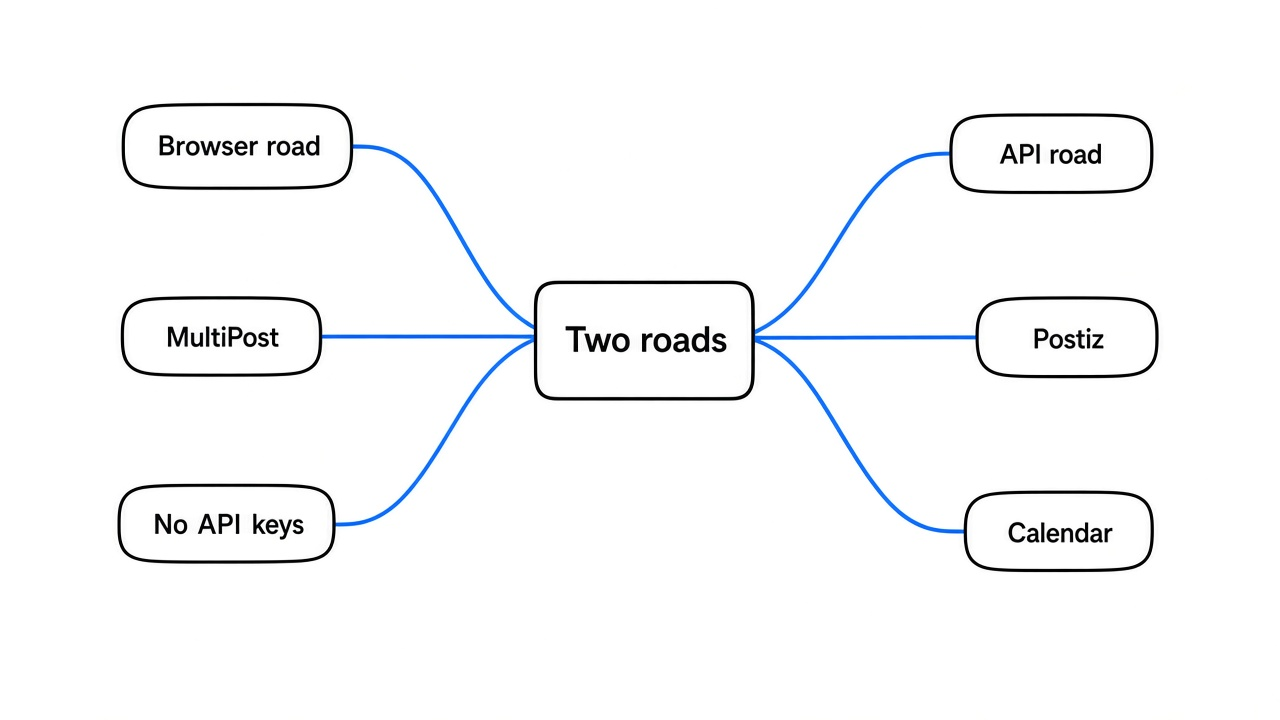
Before picking a tool, you need one idea. There are only two ways a program can put a post on X or LinkedIn for you, and every cross-posting app uses one of them.
The first way is the API (a side door the website opens for programs, so they can post without touching the web page). To use it, you register a “developer app” with each network and get a pair of keys, like a username and password for your program.
The second way is browser automation (a script that drives your normal web browser, typing and clicking on the real page the same way your hands would). No keys needed, because it uses the login you already have.
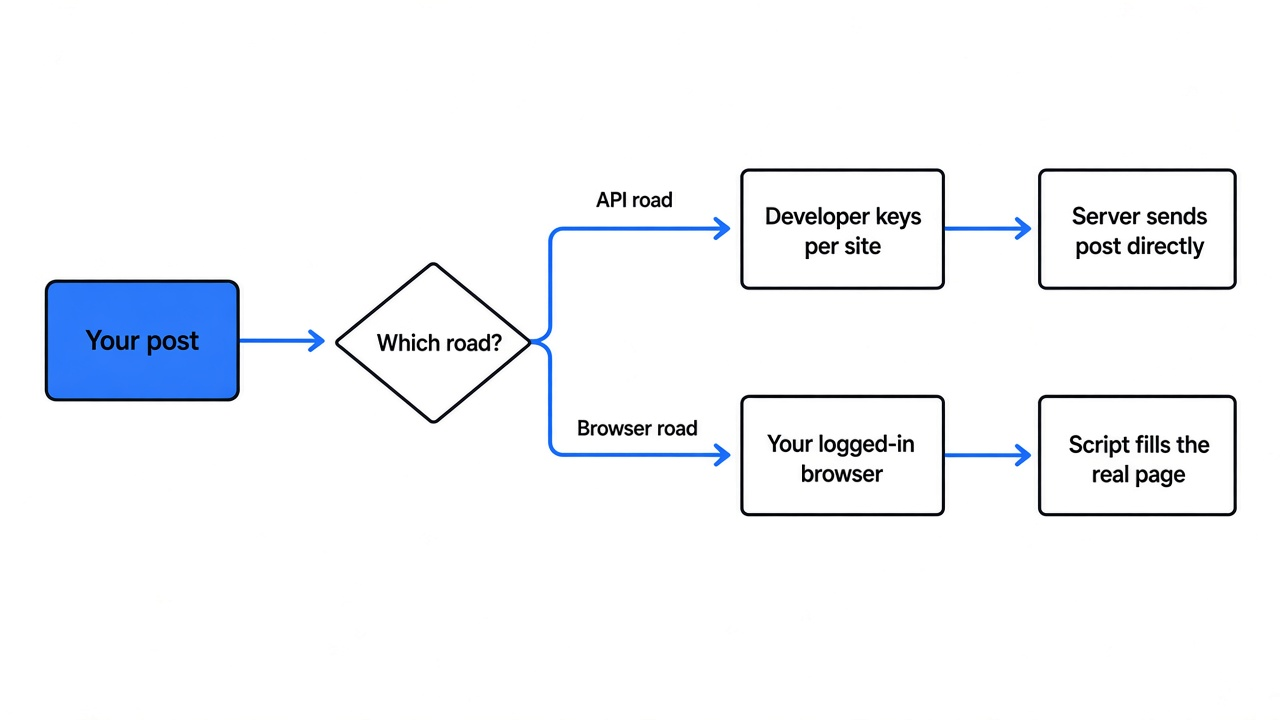
Hold on to this split. Everything else in this guide, the setup time, the risks and the features, falls straight out of which road a tool takes.
The browser road: MultiPost
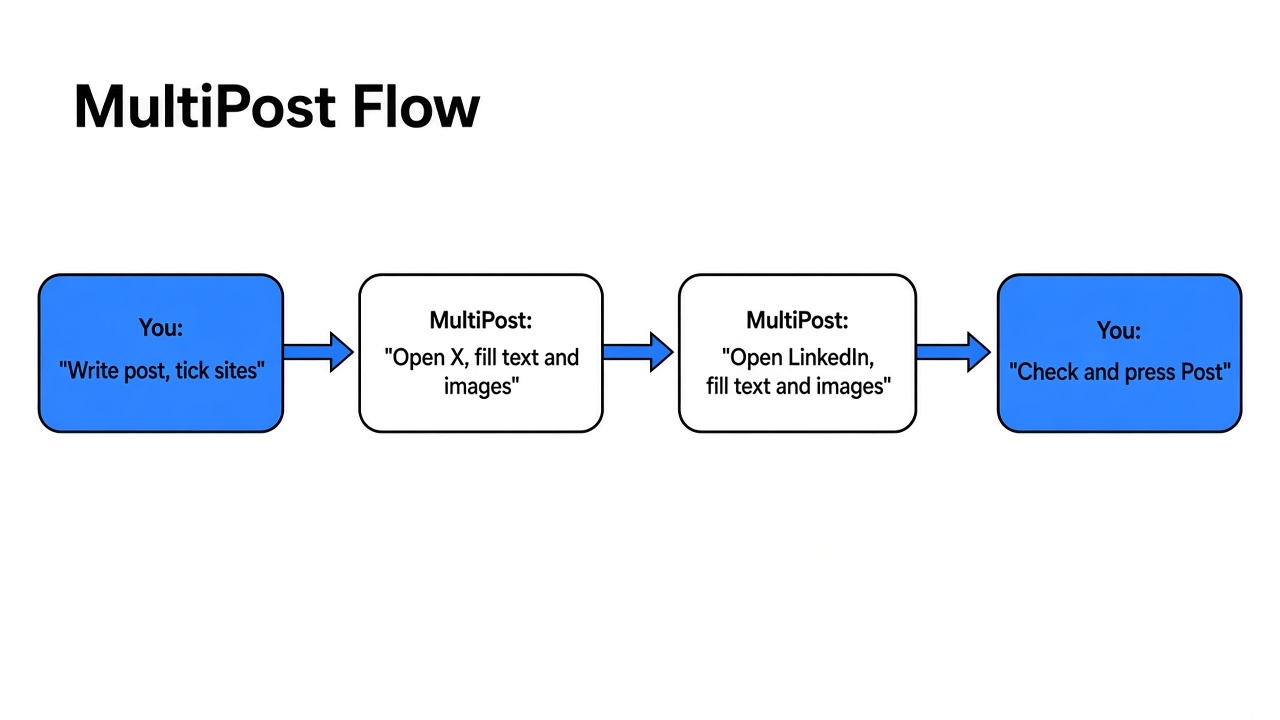
MultiPost is a free browser extension (a small add-on that lives inside Chrome or Edge) for people who just want the copy-paste chore gone. You write the post once in its side panel, tick the sites you want, and press publish.
What happens next is the browser road in action. MultiPost opens each site’s normal “new post” page in its own tab, then fills in your text and images by working the page itself. That is why it needs no sign-up and no API keys: it borrows the sessions (the “you are logged in” state your browser remembers) you already have.
Which sites does MultiPost cover?
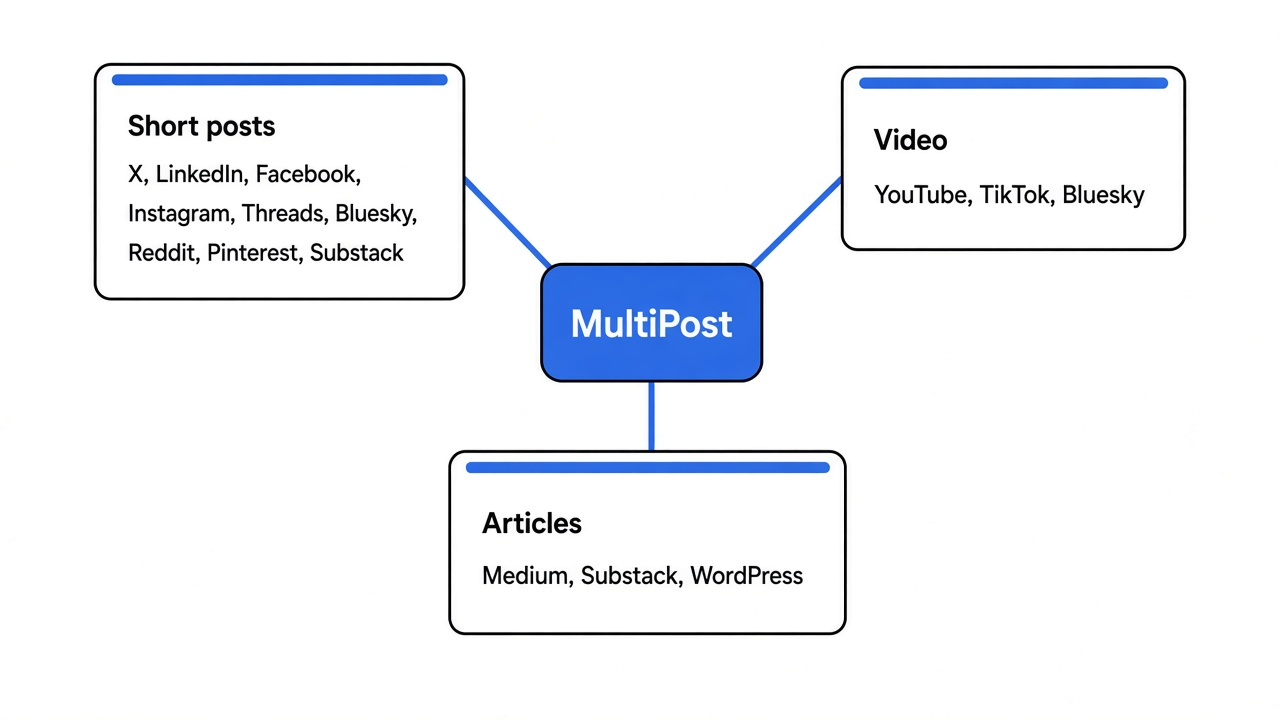
This matters because a cross-poster is only as good as its list. The public source ships a filler script for each of these sites.
For short posts with text and images, the English-language sites are X, LinkedIn, Facebook, Instagram, Threads, Bluesky, Reddit, Pinterest and Substack. For video it can fill YouTube Studio, TikTok and Bluesky. For long articles it covers Medium, Substack and WordPress. The rest of its list is a large set of Chinese platforms such as Weibo, Zhihu and Xiaohongshu (RedNote), which is rare in Western tools.
The safety detail most people miss
When it fills a page, MultiPost does not hit the Post button for you by default. In the source, the X script fills everything and then stops unless you switch on an “auto publish” toggle, and that toggle starts in the off position.
So the default flow is: it does the boring typing, you glance at each tab and press Post yourself. That one human click is a nice guard against a broken image or a cut-off caption going live on ten sites at once.
The catch with MultiPost
Here is the trade the browser road makes. Because it drives the real page, it is not a scheduler. There is no queue that fires at 9 AM while your laptop sleeps. Your browser has to be open, and you have to be there.
Second, when a site redesigns its post page, that site’s filler script can break until the extension is updated.
Third, the code on GitHub is only the Apache-2.0 licensed (a permissive license that lets anyone use and change the code) part. The Chrome and Edge store builds add a closed-source AI agent module. Worth knowing if “fully open source” is why you are here.
Get MultiPost on GitHub, or install it from the Chrome Web Store or Edge Add-ons.
The API road: Postiz
Postiz is for people who want the real Buffer experience: a calendar, a queue, posts that go out at set times, and a team that can share it. It is open source under AGPL-3.0 (a license that keeps the code free, and requires anyone who runs a changed version as a public service to share their changes).
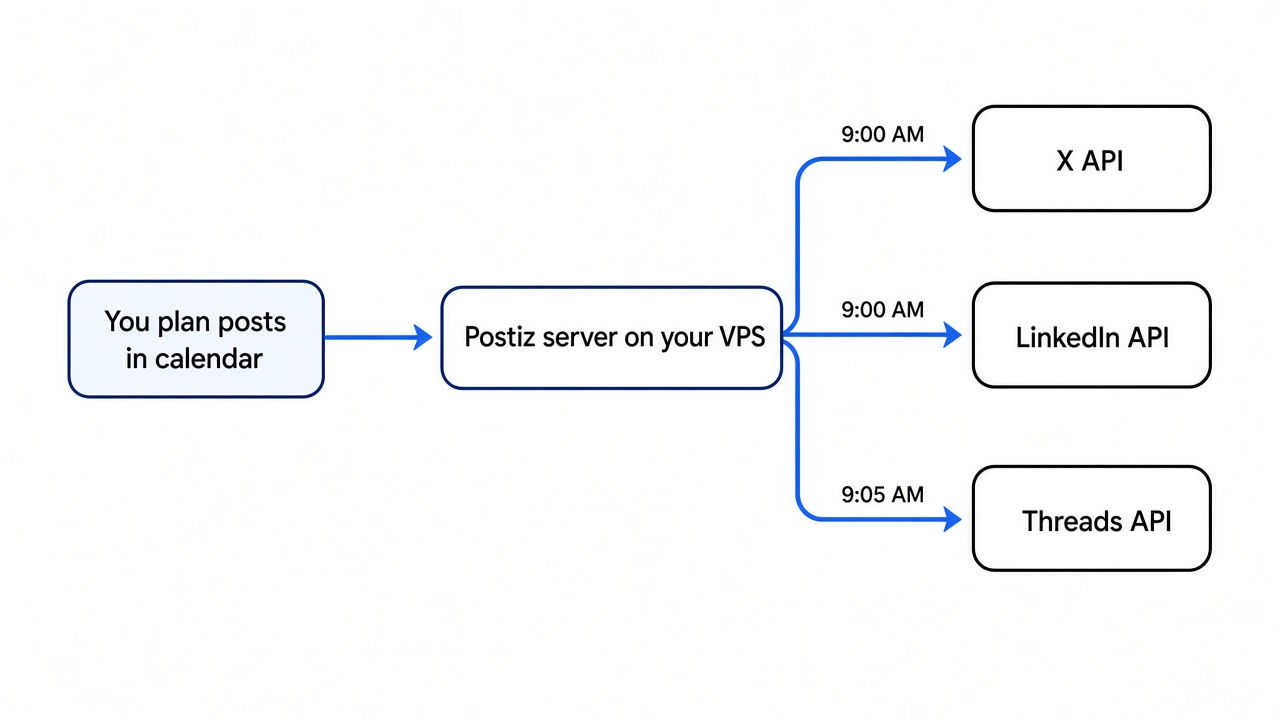
It takes the API road. You connect each network once through its official login screen, and from then on the Postiz server sends your posts straight through each network’s API on schedule. Your laptop can be closed. The list of networks is long: X, LinkedIn, Facebook, Instagram, Threads, Bluesky, Mastodon, Reddit, Pinterest, TikTok, YouTube, Discord, Slack, Telegram and more.
The catch with Postiz
The catch is setup, and it comes from the API road again. Each network wants its own developer app. Postiz’s settings file has a separate key slot per network, such as X_API_KEY, LINKEDIN_CLIENT_ID and THREADS_APP_ID. Each one means a trip to that network’s developer portal.
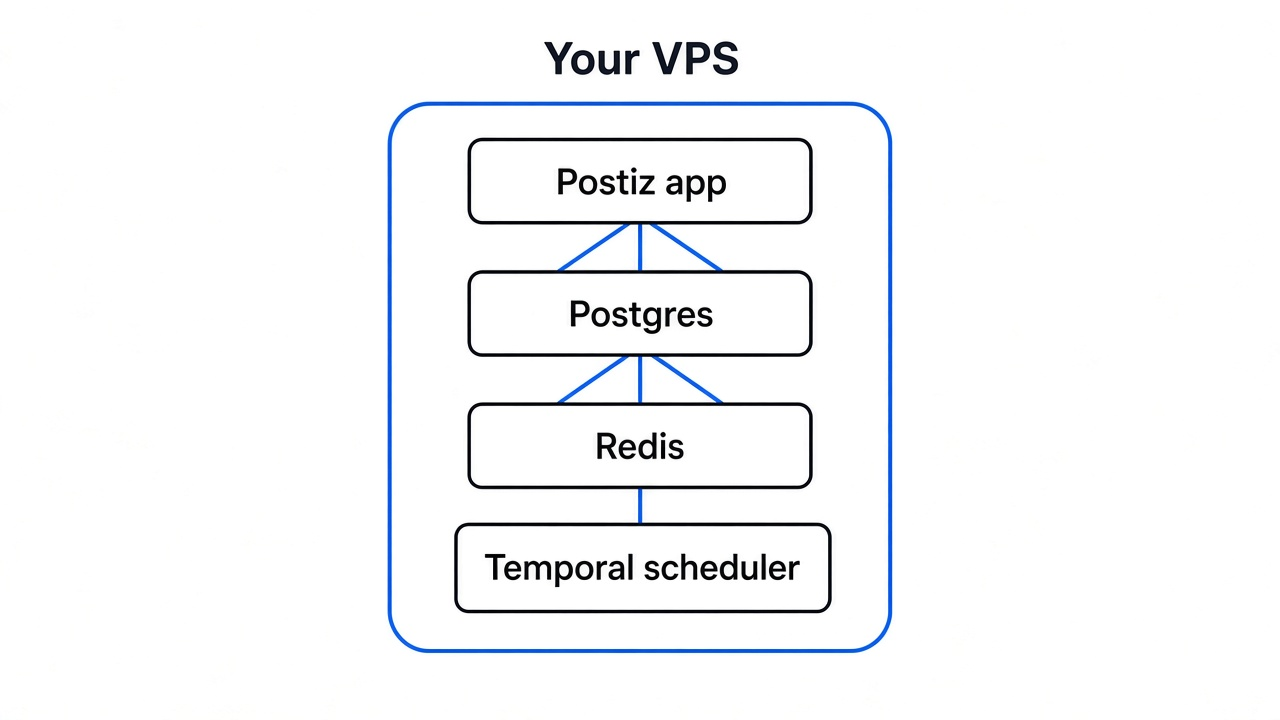
It also needs a server. Its default Docker Compose file (one file that starts a group of programs together, each in a sealed box called a container) starts nine containers.
The main ones are the Postiz app, Postgres (the database holding your posts and accounts), Redis (fast short-term memory for the job queue) and Temporal (the part that makes a scheduled post fire on time). That runs fine on a small VPS (a rented always-on computer in a data center). It is just not a two-minute job. If you already run something like a self-hosted Vercel alternative on a VPS, this is the same kind of install: Docker, a database, and a process that stays up when your laptop is shut. It is closer to running passkey login on your own apps than to installing a browser extension, because you own the server, the accounts, and the uptime.
If you do not want to run a server, Postiz also offers a managed cloud version, but then it stops being the self-hosted free option.
MultiPost vs Postiz: which one should you use?
Now the opening split pays off, because the choice is really “which road fits my day”. Here is how they line up.
| MultiPost | Postiz | |
|---|---|---|
| How it posts | Fills the real web page in your browser | Sends posts through each site’s API |
| Setup | Install an extension, done | Server, Docker, developer keys per network |
| Scheduling | No, posts when you press publish | Yes, calendar and queue |
| Works with laptop off | No | Yes |
| API keys needed | No | Yes, one set per network |
| Team use | One person, one browser | Multiple users |
| License | Apache-2.0 core, store build adds a closed module | AGPL-3.0 |
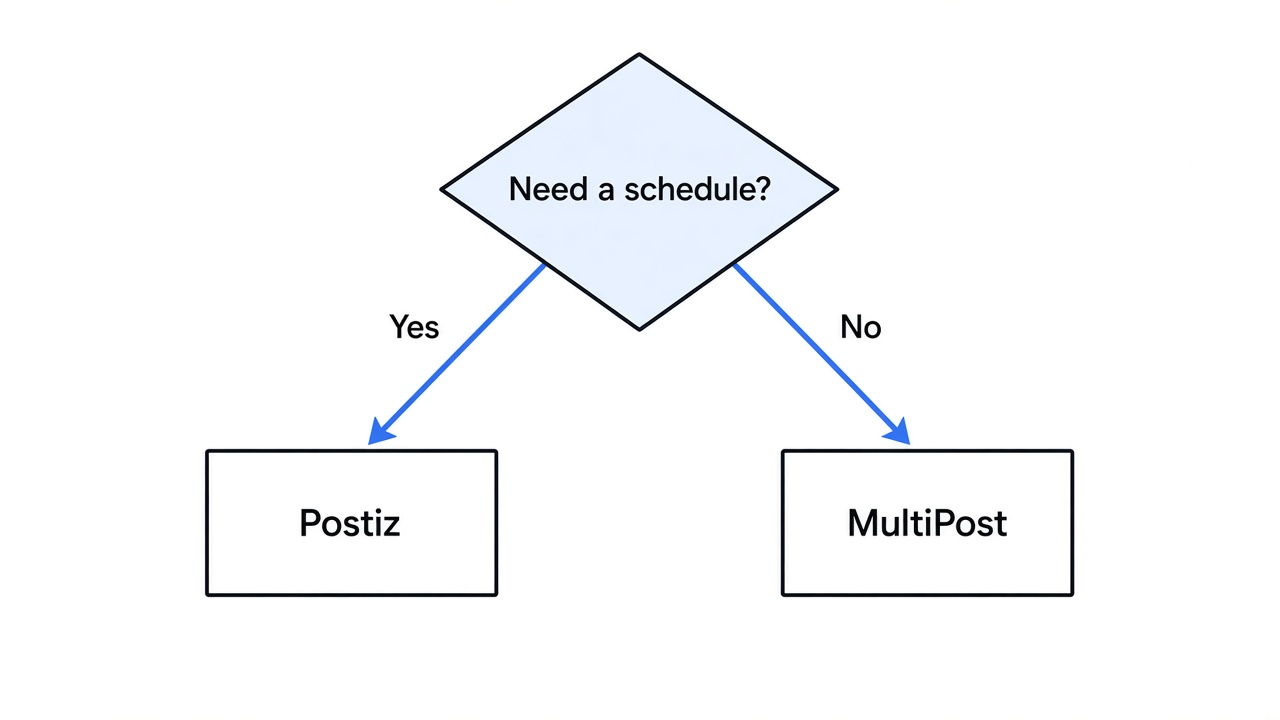
Pick MultiPost if you post a few times a week, by hand, and just want the copy-paste gone today. Pick Postiz if you plan content ahead, post daily, or work with a team, and you are fine spending an evening on setup.
Is browser cross-posting safe for my accounts?
People worry about this, and the worry is fair. A tool that types into your logged-in tabs can do anything you can do there. So install it only from the official store page, and keep auto publish off until you trust it.
The API road is the one each network officially supports for programs. The browser road is closer to you clicking quickly, and since MultiPost waits for your own click on Post by default, each post still goes out because you pressed the button. Neither road makes spammy posting safe: blasting the same link to ten sites every hour will get flagged either way.
A five-minute way to post to multiple social media at once for free
The fastest way to feel the difference is to try the zero-setup one first. I have not run this on my machine; the defaults below come from the source.
- Install MultiPost from the Chrome Web Store or Edge Add-ons page linked in its repo.
- Make sure you are already logged in to X, LinkedIn and Threads in that browser.
- Open the MultiPost side panel, write a short test post, add one image.
- Tick the three sites, leave auto publish off, press publish.
- Watch three tabs open and fill. Check each one, then press Post yourself, or close the tabs to cancel.
If that covers what you need, you are done. If you catch yourself wishing it could post at 9 AM tomorrow, that wish is your sign to set up Postiz.
Common questions about posting to multiple social media
Can I post to all social media at once for free?
Yes. MultiPost does it free as a browser extension with no keys, and Postiz does it free if you host it on your own server.
What is the best open source alternative to Buffer?
Postiz is the closest match, since it has the same calendar, queue and team features and you can self-host it.
Do I need API keys to cross-post?
Only on the API road. Postiz needs a developer app per network, while MultiPost uses your existing browser logins instead.
Can MultiPost schedule posts?
Not like Buffer. It has no calendar or queue of its own and posts when you press publish, so for timed posts use Postiz.
That copy-paste loop from the start, ten minutes and five tabs, is now one button. Pick the road that fits, and get those minutes back.