Yes. Coolify is a free, open source, self hosted alternative to Vercel. You install it on your own Linux server with one command, connect your GitHub repo, and every git push builds and deploys your app with automatic HTTPS. Self-hosted Coolify costs nothing. You only pay for the server it runs on.
You push code to GitHub, and a minute later your site is live with a padlock in the browser bar. That smooth feeling is what Vercel sells. Then the bill grows, or you read that the free plan is for personal, non-commercial use only, and you wonder if you could get the same feeling on a server you control.
Related self-host reads: Is There a Self Hosted Alternative to iLovePDF? and Is There a Discord Alternative I Can Host Myself?.
And you can. The thread of this whole post is simple: Vercel is a robot that does five jobs for you, and Coolify is the same robot living on your own server. Once you see the five jobs, the choice gets easy.
What Does Vercel Actually Do for You?
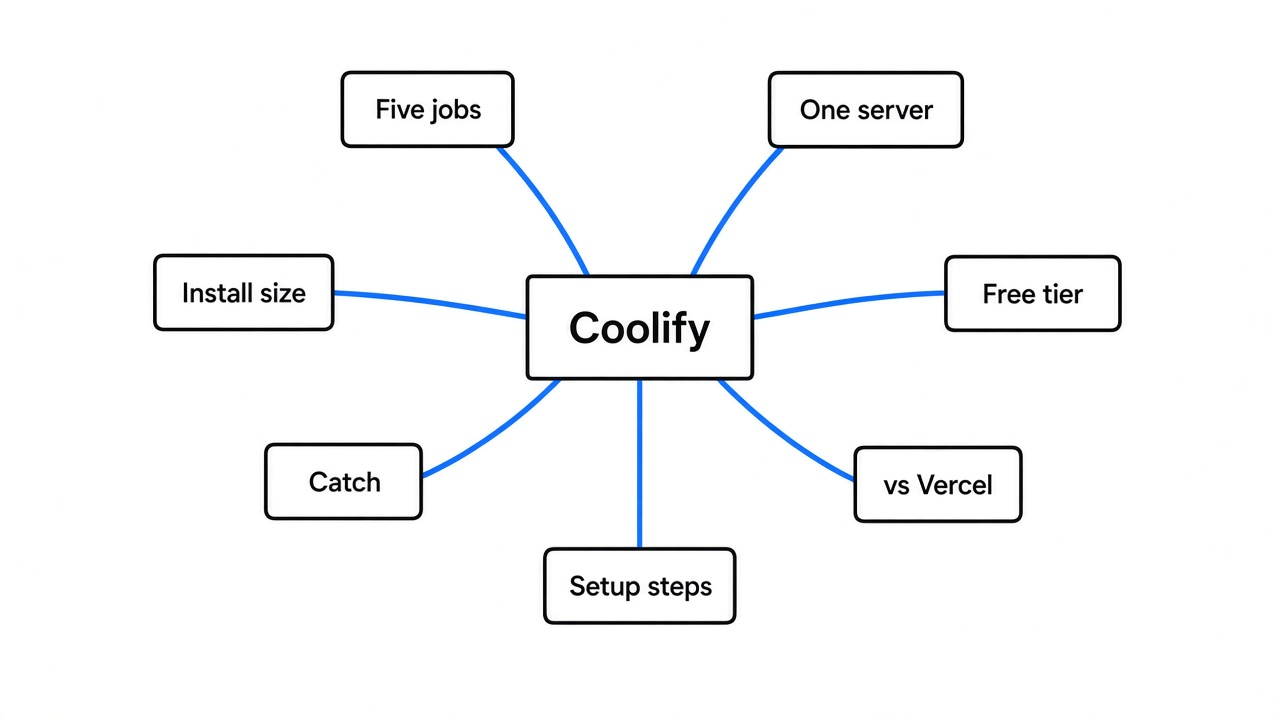
Before you can replace Vercel, you need to know what you are replacing. Most people only see “push and it is live”. Under that button, five separate jobs run in order.
So start from the base. Your code is only text files. A browser cannot run text files sitting on GitHub. Something has to turn them into a running program on a computer that is always on and reachable from the internet.
That “always on computer” is a server. You can rent one by the month from a company like Hetzner, DigitalOcean or AWS. A rented one is called a VPS (virtual private server: a slice of a big computer in a data center that acts like your own machine).

Now the five jobs Vercel does on its servers every time you push:
- Watch: it notices the push on GitHub through a webhook (a small “something changed” message one service sends another).
- Build: it installs your packages and runs your build command, like
npm run build. - Run: it starts your built app on a server and keeps it alive.
- Route: it points your domain at that app through a reverse proxy (a front-door program that receives every visitor and passes them to the right app).
- Secure: it gets an SSL certificate (the file that makes the browser show
httpsand the padlock) and renews it before it expires.
That sounds abstract, so picture a restaurant. Vercel is a full-service kitchen you rent: you hand over the recipe, they cook, serve and clean. Self-hosting means owning the kitchen. Coolify is the hired chef who runs that kitchen the same way.
How Does Coolify Copy Those Five Jobs on Your Own Server?
Coolify does the same five jobs, but on a server you rent or own. It is a PaaS (platform as a service: a dashboard that deploys and runs apps for you) that you install yourself, and it is open source under the Apache 2.0 license.
The trick that makes it work is Docker (a tool that packs an app and everything it needs into one sealed box called a container, so it runs the same on any machine). Coolify builds your code into a container, starts it, and keeps it running. One server can hold many containers side by side, like flats in one building.

Here is how each Vercel job maps over:
| Job | On Vercel | On Coolify |
|---|---|---|
| Watch for pushes | Built in | GitHub app or webhook you connect once |
| Build | Vercel build machines | Your server, using Nixpacks, Railpack, a Dockerfile or Docker Compose |
| Run | Vercel’s servers | Containers on your server |
| Route | Vercel’s network | Built-in reverse proxy on your server |
| Secure (HTTPS) | Automatic | Automatic certificates |
| Preview link per pull request | Yes | Yes, preview deployments per pull request |
| Databases | Through partner add-ons | PostgreSQL, MySQL, MariaDB, MongoDB, Redis and more, one click each |
That last row is the quiet win. Coolify lists more than 360 one-click services, so your database, your analytics tool and your app can live on the same box. Even a Discord alternative you can host yourself can sit next to your site.
What Showed Up in the Installer?
The official install script was read line by line, and its checksum was downloaded its core parts, so you know what lands on your server before you run anything. You should never pipe a script from the internet into your shell without knowing what it does.
The script is plain bash. In order, it:
- Checks your Linux version (Ubuntu, Debian, Fedora, Arch, Alpine and other common ones are supported).
- Checks disk space. It warns if the disk is under 30 GB total or has under 20 GB free, waits 5 seconds, then carries on anyway.
- Installs Docker if it is missing, and needs Docker 24 or newer.
- Creates a folder at
/data/coolifyfor everything it stores. - Writes random passwords and keys into its settings file, so no two installs share secrets.
- Makes an SSH key (a pair of matching keys that lets one computer log in to another without a password) so Coolify can control your server, including the server it runs on.
- Starts its own containers and opens the dashboard on port 8000.

Then I pulled the three containers the dashboard itself needs and weighed them:
| Container | What it does | Size on disk |
|---|---|---|
| Coolify | The dashboard and deploy engine | 935 MB |
| Postgres | Coolify’s own database | 417 MB |
| Redis | A fast memory store for its job queue | 58 MB |
That is about 1.4 GB before you deploy a single app of your own. Each app you build adds its own container on top.
So what does this mean for you? The docs ask for 2 CPU cores, 2 GB of RAM and 10 GB of disk at minimum. The installer’s own warning line is stricter at 30 GB. Plan for the installer’s number, because your builds and app containers fill disk fast.
How Do You Set It Up?
The whole setup is one command and a few clicks, as long as you start with a clean Linux server. A clean server matters because Coolify wants ports 80, 443 and 8000 for itself. After the box is up, sharing files over local WiFi without installing an app is a common next home-lab step.
- Rent a Linux server with at least 2 CPU cores and 2 GB of RAM, and log in to it over SSH. An old PC works too if you turn it into a Linux server.
- Run the install command as root:
curl -fsSL https://cdn.coollabs.io/coolify/install.sh | bash- Open
http://<your-server-ip>:8000and create the admin account straight away. Whoever signs up first becomes the admin, with root access to your server. - Connect GitHub from the dashboard, pick your repo, and press Deploy.
- Add your domain. At your domain seller, create an A record (the DNS line that says “this name points to this IP address”) pointing to your server’s IP. Coolify then fetches the HTTPS certificate on its own.
Then do one safety step after that. Once the dashboard works on your domain, close ports 8000, 6001 and 6002 to the public.
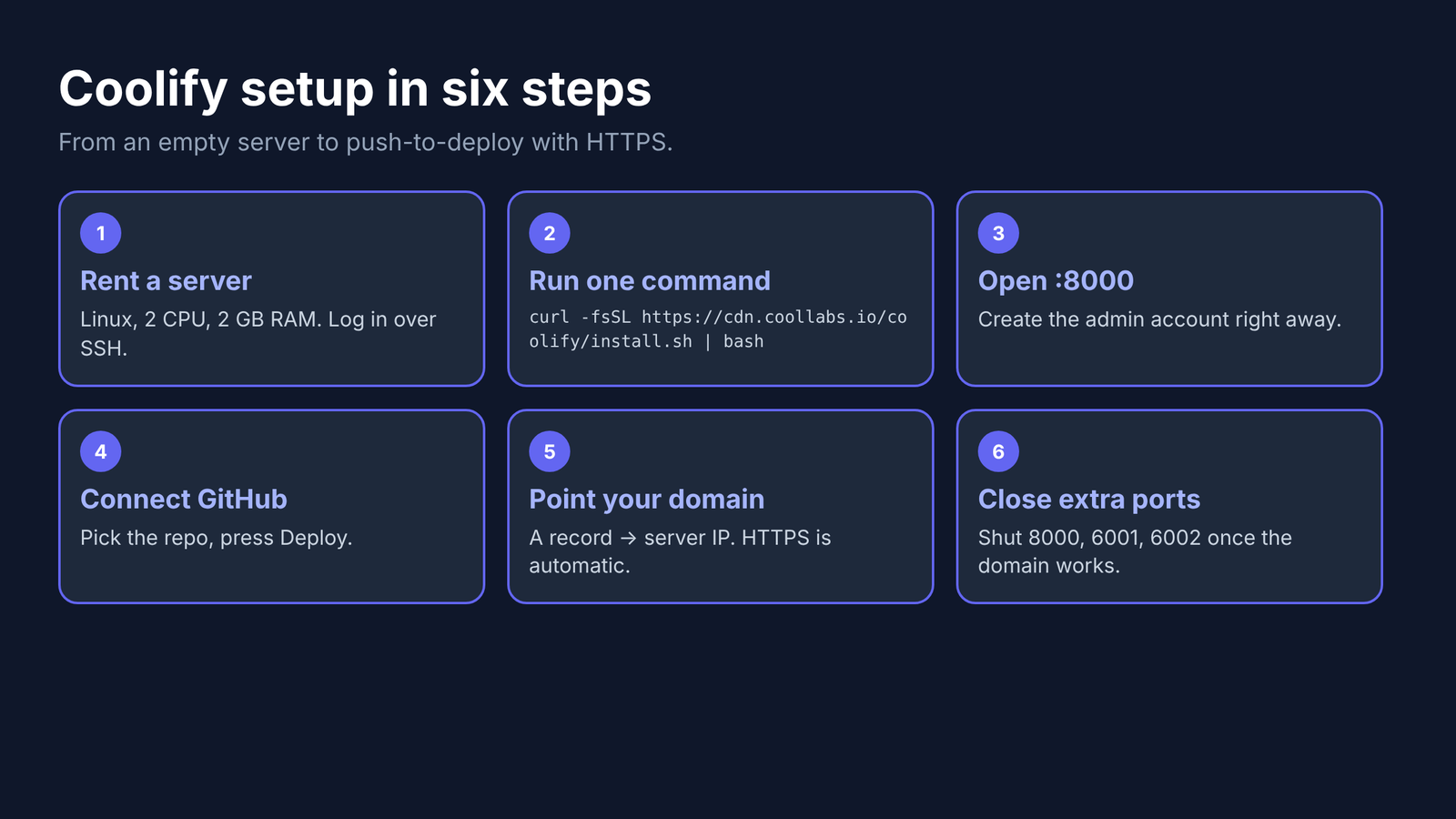
From here, every push to your chosen branch rebuilds and redeploys, the same feeling you had on Vercel.
Is Coolify Really Free?
Self-hosted Coolify is free forever with every feature, and you pay only for the server. There is no paid tier hiding features from the self-hosted version.
If you do not want to look after the Coolify dashboard itself, there is Coolify Cloud. It costs $5 a month for up to 2 servers, plus $3 a month for each extra server. Your apps still run on your own servers. They only look after the dashboard.
Compare that with Vercel. Its Hobby plan is free but limited to personal, non-commercial projects. The Pro plan charges $20 per developer seat each month, plus usage.
What Is the Catch?
The catch is that you become the person on call. Vercel’s price includes people who fix servers at 3 AM. With Coolify, that person is you.
So be honest with yourself about these four things:
- Updates and security: you patch the Linux server and keep it locked down.
- Backups: Coolify can back up databases on a schedule, but you must turn it on and test a restore.
- Global speed: Vercel serves your site from many cities through its CDN (a network of servers worldwide that keeps copies of your site close to visitors). One server sits in one city, so far-away visitors wait a little longer. You can put a free CDN like Cloudflare in front to close most of that gap.
- Vercel-only extras: features built for Vercel’s own network, like its edge functions and built-in analytics, do not come with you. Coolify runs normal long-running apps, which suits most projects but means a small rewrite if you lean on those extras.

Should You Switch from Vercel to Coolify?
Switch if you run several apps or databases, or have a commercial project the free plan does not allow. Stay if you want zero server work.
Still, there is a fair case for staying. If you have one small Next.js site and Vercel’s free plan covers it, Vercel is less work, and less work has real value.
But the moment you run three apps, a database and a side project for a client, the math flips. One server can hold all of it, and Coolify turns that server back into the push-and-it-is-live robot you liked in the first place.
Rent the smallest server that meets the requirements. Run the one command. Push once.
Common questions about a self hosted Vercel alternative
Is Coolify a good alternative to Vercel?
Yes, for most apps. It gives you push-to-deploy, preview links per pull request and automatic HTTPS on your own server, but you handle server updates and backups yourself.
How much does Coolify cost?
Self-hosted Coolify is free with every feature. Coolify Cloud costs $5 a month for 2 servers plus $3 per extra server, and in both cases you also pay for your own servers.
What are the minimum requirements for Coolify?
The docs list 2 CPU cores, 2 GB of RAM and 10 GB of disk on a 64-bit Linux server. The installer warns below 30 GB of total disk, so plan for that.
Can I deploy Next.js with Coolify?
Yes. Coolify builds Next.js and other Node apps from your GitHub repo, and you can use a Dockerfile when you need full control over the build.