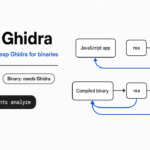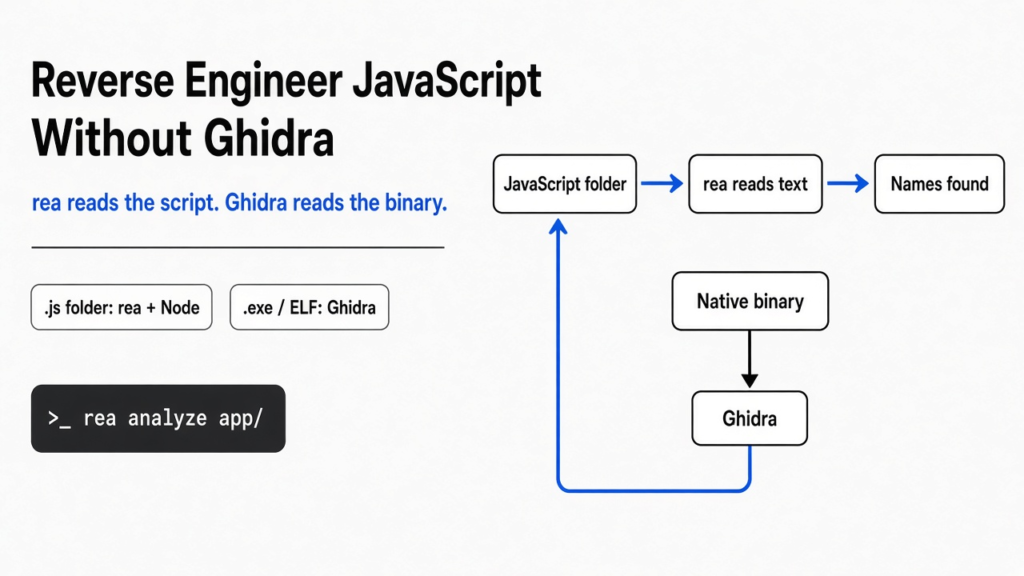
I had a three-file JavaScript shop on disk and no idea whether I needed a reverse-engineering suite to see how it was wired. The question was rea vs Ghidra. A program you can read is source (the text a person typed). A program the chip runs is a binary (the file of numbers the processor understands). Ghidra is the free tool that reads binaries. rea is a local helper that can ask Ghidra to do that, or, for JavaScript, skip Ghidra and read the files itself. rea does not replace Ghidra. I ran the JavaScript path, and it named the functions without ever starting Ghidra.
A processor does not read English, and it does not read JavaScript either. It reads a binary, one small instruction at a time: move this number, add that number, jump if the result is zero. Reverse engineering (reading how a program works when you do not have the original text, or when the text you have is not what actually runs) is the job of turning those numbers back into something a person can follow. If the files in front of you are still .js, you are not at that job yet. You are reading a program that is still words. That split is the whole rea vs Ghidra choice, and it is the reason a lot of “just open it in Ghidra” advice sends people into the wrong room.
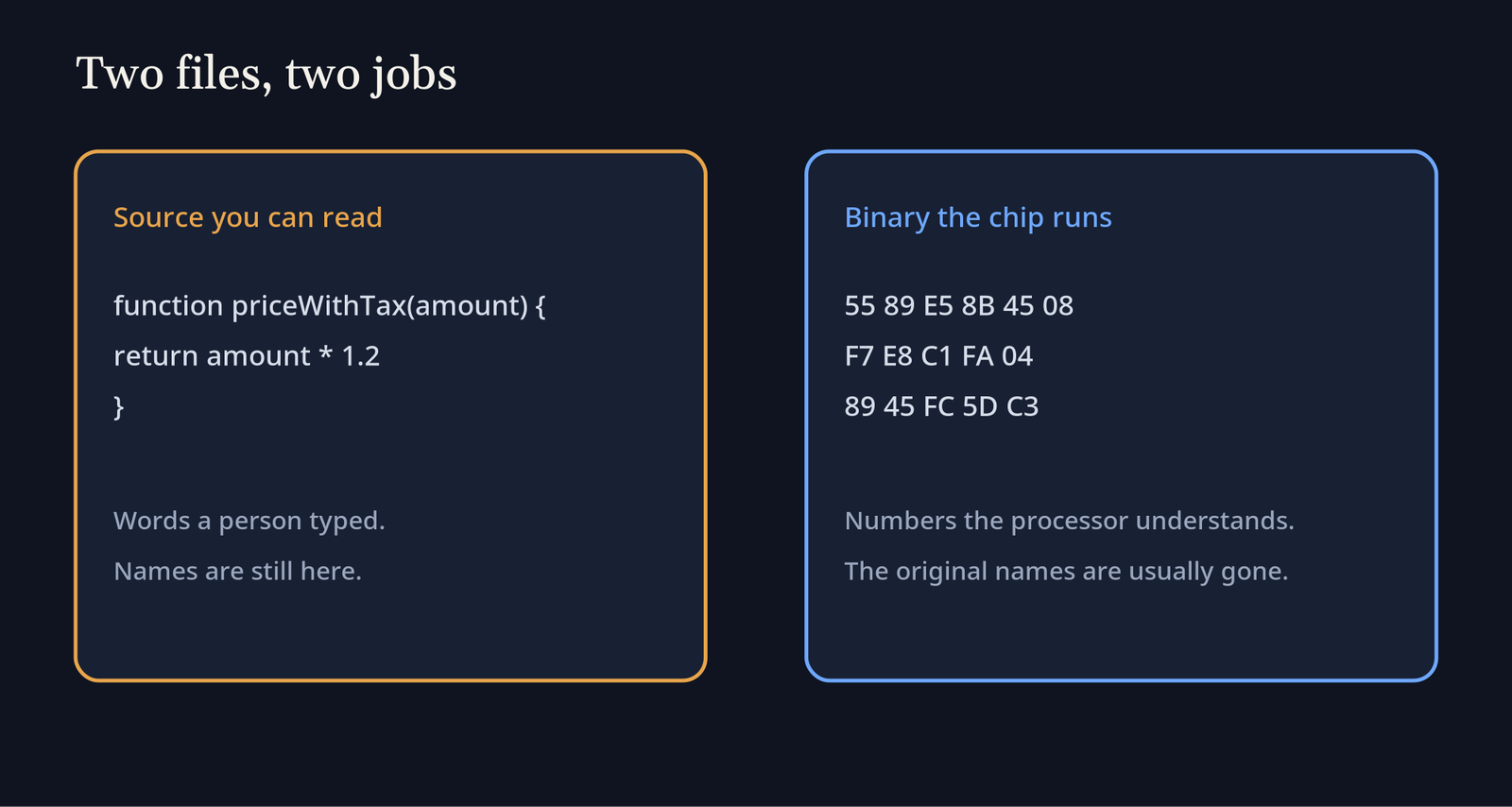
The left side of that picture is a source file. The names are still there, because nobody stripped them. The right side is what a native program looks like before any tool has tried to be helpful. Hex (base 16, so bytes print as pairs like 89 E5) is just a compact way to show those bytes. You can stare at it and learn almost nothing about a tax function. You need a tool that groups the bytes into instructions, and then, if you are lucky, into something that looks like code.
What is rea
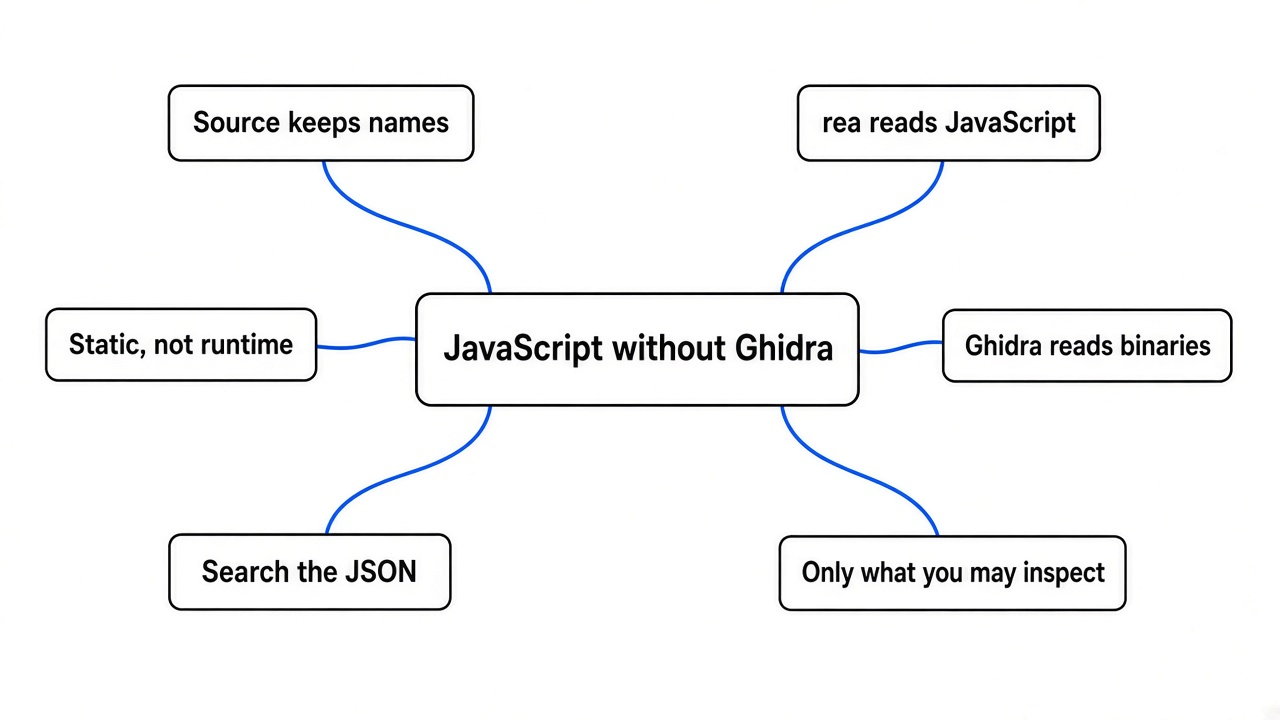
rea is a local tool that builds a map of a program you are allowed to inspect, then hands that map to you or to a coding agent. You can run the map from the terminal, with no agent in the loop at all. If you do want an agent, rea can register as MCP (a small local server the agent is allowed to call) so the agent asks rea instead of guessing from a file name. The analysis stays on your machine. rea does not upload the target, and it does not contain its own translator for machine code.
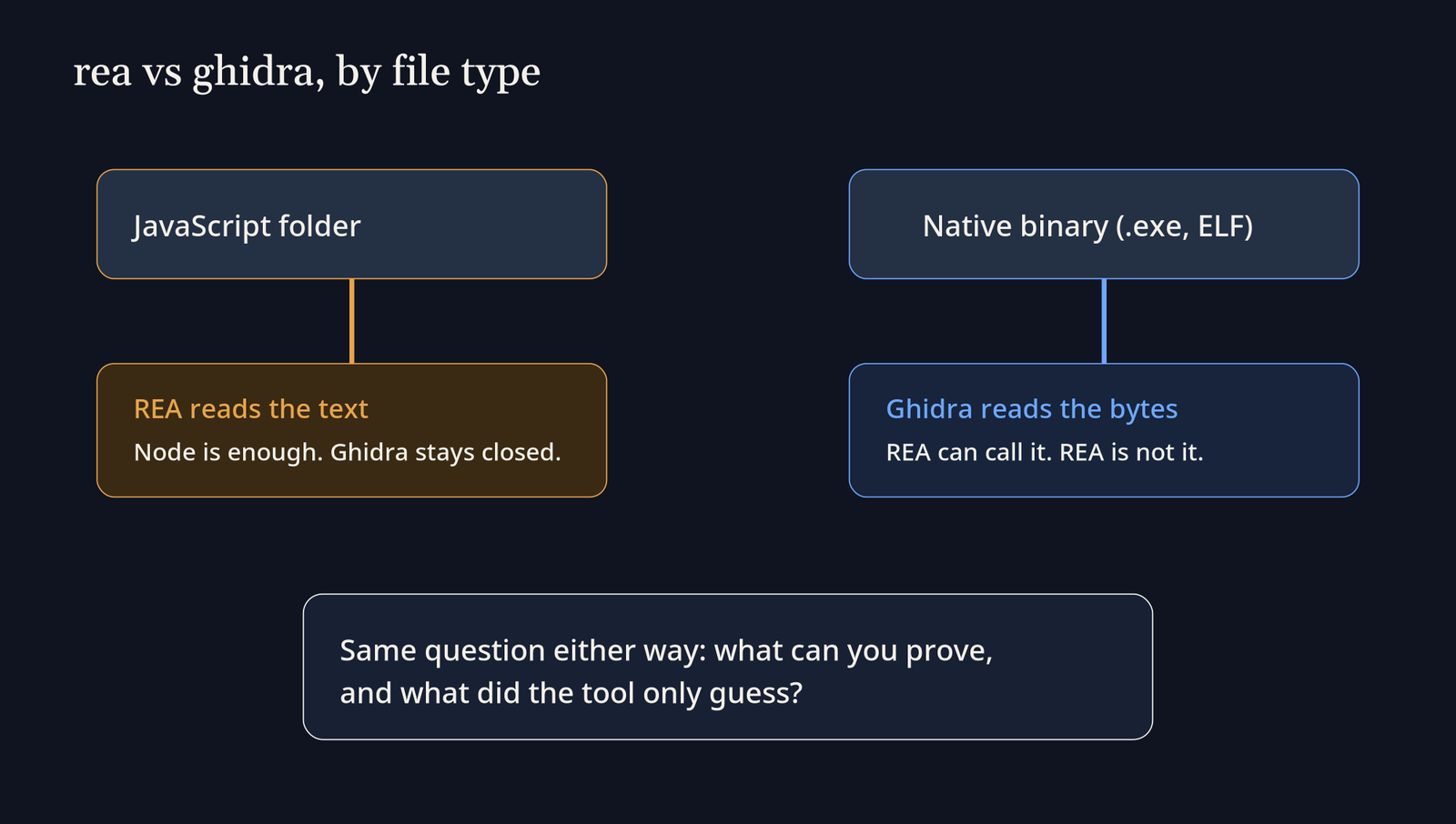
That last limit is the one I had wrong before I ran it. I thought a tool named for reverse engineering would bring its own reader for machine code. It does not. For a native binary it calls a program you already installed: Ghidra, Hopper, or IDA. For JavaScript it uses its own reader, and that reader only needs Node (the program that runs JavaScript outside a browser). The two paths are not a preference. They are different files.
What is Ghidra
Ghidra is a free desktop suite for native programs. Native means the file is machine code for a real processor, not JavaScript text. Open a binary there and you get two views of the same bytes. A disassembler (a listing of each raw instruction, such as MOV or CALL) stays close to what the chip would do. A decompiler (a pass that rewrites those instructions into code-like text) tries to show loops, ifs, and calls. The names in that text are often invented, like local_1c, because the original names were never stored in the binary. That text is a reading aid. It is not your source file, and it is not proof that the program “is” the function you hoped it was.
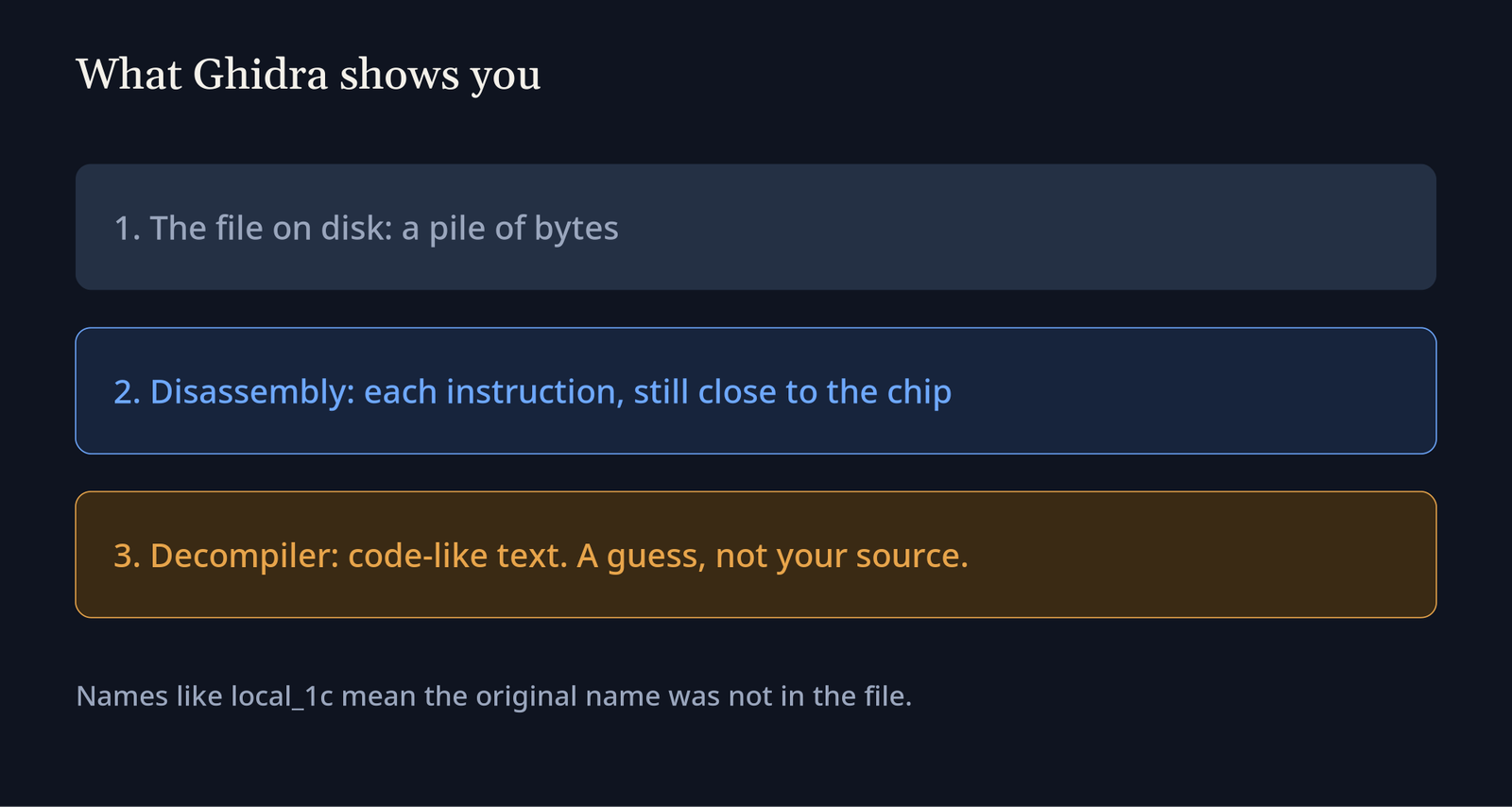
Ghidra’s code browser puts the instruction listing in one pane and the decompiler’s guess, written to look like C, in another. Both panes are about the same bytes. If your file is a .js script, that screen is the wrong tool: Ghidra is not a JavaScript parser, and forcing a script through it does not produce the module map you actually want. Install it when the file is an executable, a shared library, or firmware. Leave it closed when the file is still source.
The project lives at NationalSecurityAgency/ghidra. rea’s own project is morluto/rea. You do not need either repository open to run the JavaScript command below. You do need Ghidra installed, separately, before rea can say anything useful about a native binary.
rea vs Ghidra
rea does not replace Ghidra, and Ghidra does not read a JavaScript app the way rea does. They sit at different layers. Ghidra understands machine code. rea understands how to call a machine-code tool, and it also has its own reader for JavaScript. If the target is an .exe, a Mach-O (the usual macOS program file), or an ELF (the usual Linux program file), rea still needs Ghidra, Hopper, or IDA, because it will not decompile those bytes itself. If the target is a folder of JavaScript, or an Electron app that has been unpacked into those files, Node is enough. Ghidra was not installed for the test below. The JavaScript command still finished.
| Question | Ghidra | rea |
|---|---|---|
| Best file | Machine code | JavaScript directly. Machine code only through Ghidra, Hopper, or IDA |
| Is it the disassembler? | Yes | No. It calls one |
| Did my test run the program? | Ghidra reads bytes. It does not need to launch your app | The JavaScript command parsed text and did not launch the app |
| Original names | Usually gone | Kept, when the file is still readable JavaScript |
| Who drives it | You, in a desktop app | You, in a terminal, or an agent through a local server |
A code graph is a cousin of this choice, not the same choice. A graph of your own repository answers “where is this name defined,” which is a different page: does Claude Code need a code graph, or is grep enough. rea’s JavaScript map is closer to that than it is to Ghidra. It is a map of files you could have opened yourself. Ghidra is what you open when opening the file shows you numbers.
How do I reverse engineer a JavaScript app without Ghidra?
You point rea at the folder, and you do not install Ghidra. I made a tiny shop so I would know the right answer before the tool spoke. billing.js exported priceWithTax. admin.js exported adminToken, and that function returned one fixed string. index.js called priceWithTax every time, and it called adminToken only when an environment variable named DEBUG_ADMIN was set to 1. An environment variable (a named value the operating system hands a program when it starts) is not inside the function. It is a switch around the call. I did not start the shop. I only asked rea to read it.
The command runner is npx (a Node command that downloads a package and runs it, without a permanent install). Node 22 or newer is the prerequisite. From any directory:
npx -y rea-agents@latest analyze-javascript-application /absolute/path/to/the/folder --format json--format json asks for a structured result instead of a pretty page. The command is static, which means it builds a syntax tree (the nested shape of the code: calls, names, and branches) and never starts the app. If a step would only be true while the program is running, this command will not see it.
It parsed 3 JavaScript files plus package.json, 576 bytes of text, 103 syntax-tree nodes, and 7 findings, with no parse failures. It recovered the names priceWithTax, adminToken, and start, and it saw the check for DEBUG_ADMIN. It did not print the fixed string that adminToken returns. I searched the JSON for that string and it was not there. The output also called the package entry an Electron main process, because package.json has a main field. This shop is not Electron. That label is a hint to check, not a fact about the app.
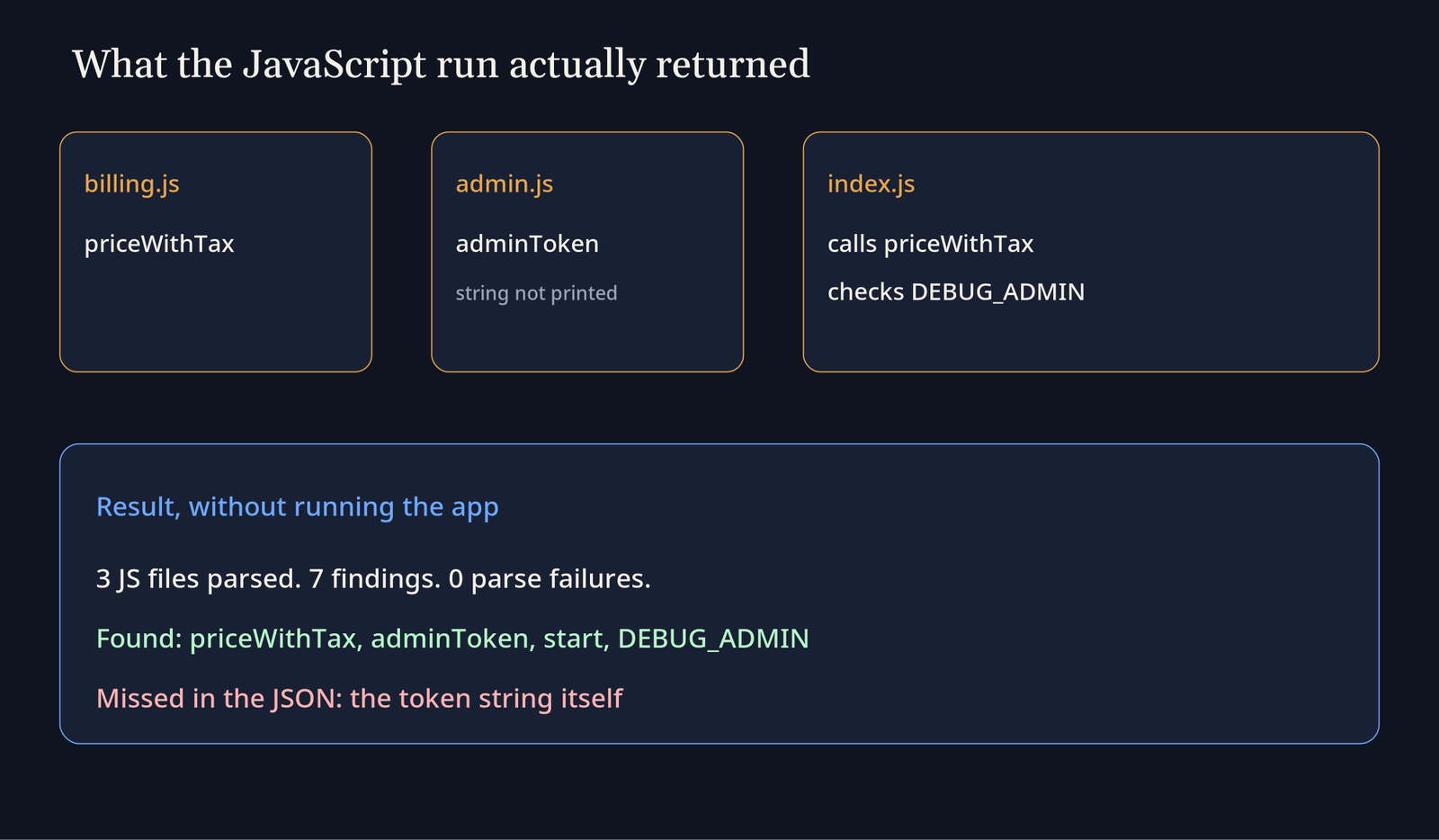
One caveat, and it is in the tool’s own limitation list, not just in my reading. The files were parsed as inert text. A path built with string concatenation, or a function picked from a variable, can stay unresolved. In my run, console.log was marked as an unknown object flow: the tool could see a read of the property log, on the line where the admin call would print, and it could not say which object that property belonged to. So the map is real, and it is not a running trace. If you need to know that the function actually returned the string, you still have to run the program, or open admin.js and read the one line.
This is in contrast to a long agent session, where the failure is that the tool forgets the question you already asked. That is a different page: why Claude Code compaction drops your instructions. Here the tool did not forget. It never claimed to execute.
How to use rea
For one look at a JavaScript tree, do not install anything global. Use the command above, with the real absolute path of a folder you are allowed to read. Then read three things before you trust a sentence about what the app “does”: the file paths, the recovered names, and the limitations list. If a name you know is missing, open that file. The map is an index, not a replacement for the source you already have.
If you want an agent to call the same workflows, the setup command is:
npx -y rea-agents@latest setupIt is supposed to show the files it plans to change and wait for approval. I skipped setup. The analyze command was enough to answer whether Ghidra was required, and I did not want a tool rewriting agent config on a machine where I was only checking a reader.
For a native binary, stop and install Ghidra first, then tell rea where that install lives. Without a decompiler, the JavaScript command will not magically explain an .exe. I don’t know a shorter honest path for machine code. Someone still has to run a disassembler. Hopper and IDA are the other two engines rea knows how to call. They are paid. Ghidra is the free one, which is why the comparison that matters for most people is rea vs Ghidra and not a three-way shopping list.
A related habit: before you pay an agent to re-read a tree you could have searched, look at what a tighter search actually saves. That bill is a different measurement, on does jevgrep cut coding agent cost. rea’s JavaScript pass is the same kind of move. It is a local read, so you are not spending a model call to rediscover priceWithTax.
Does rea replace Ghidra?
No. rea replaces the chore of clicking around Ghidra when you already have Ghidra, and it replaces Ghidra entirely only when the program is JavaScript it can parse. A stripped binary (a program file with the names removed) has no function names left to recover. Ghidra’s decompiler invents placeholders. rea cannot invent the original source of that binary, because the original source is not in the file. What you get from either tool, when it is being honest, is evidence: a call, a string, a range of lines, and a note about what it could not prove.
I expected the token string to show up next to adminToken, because it is a literal sitting in the file. What happened was the function name showed up and the string did not. If you need every literal, do not stop at the summary counts. Search the output, then open the file. A tool that prints “7 findings” has not promised you the one line you care about.
The same humility applies when the JavaScript is obfuscated (source that was deliberately made hard to read). rea will still parse what it can, and it will say when a path is dynamic. A thin graph is a result, not a failure you should paper over by asking an agent to “just explain the app.” If the bundle is packed into one unreadable line, you may learn the entry file and almost none of the behavior. That is the moment to stop, not the moment to install Ghidra and hope a script is a binary.
When should I still open Ghidra?
Open Ghidra when the file is machine code, when you need the instruction listing rather than a module graph, or when a firmware image is the thing on disk. Stay on the rea JavaScript command when you have the script files, an unpacked Electron tree, or an asar (Electron’s packed archive of those scripts) you can point the same command at. Use neither tool on a program you are not allowed to inspect.
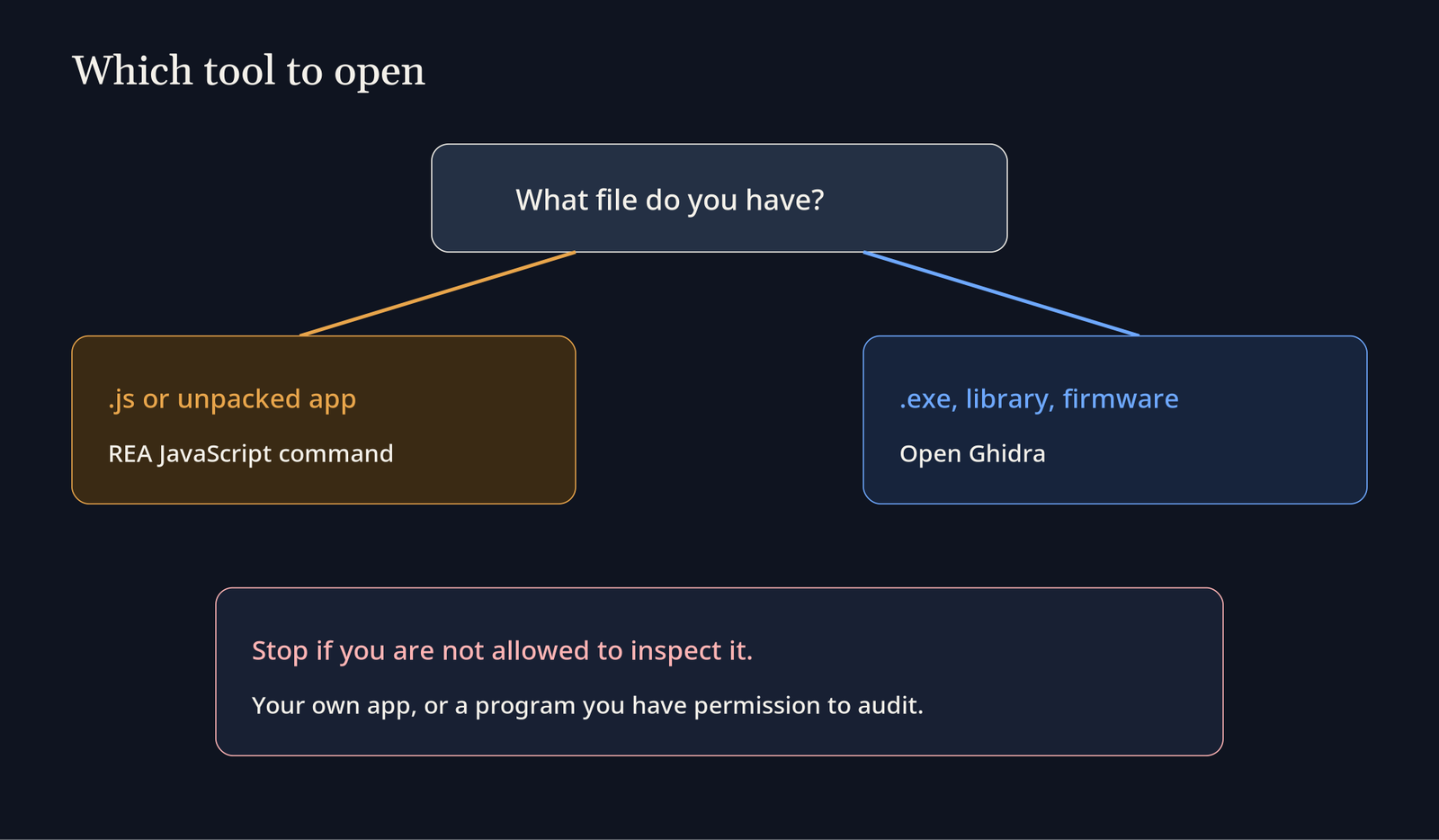
Reading your own app, a dependency you have a right to audit, or a sample in a lab you control is the safe use. Cracking a paid app, bypassing a license check, or attacking a system you do not own is a different job, and this page is not a guide for it. “It is on GitHub” is not permission to take a closed program apart.
If I had to pick one next step, I would run that JavaScript command on a folder I already understand, compare the names it prints with the files, and only then decide whether Ghidra is even the right program to install. On my shop, it was not.
Common questions about rea and Ghidra
Do I need Hopper or IDA to use rea?
No, not for JavaScript. Yes, you need one of Hopper, Ghidra, or IDA if you want rea to decompile a native binary. rea does not ship those engines. Ghidra is the one you can install without buying a license. Hopper is the one rea’s setup can offer to install, and you should read that prompt before you accept it, because it is a separate program with its own license.
Can rea recover the original source of a binary?
No. A decompiler writes a new, code-like view of the instructions. Comments, formatting, and the exact source are gone unless they were left behind as strings or as symbols (names the compiler kept in the file). rea does not change that fact by putting an agent in front of Ghidra. The agent can narrate the decompiler’s guess. The narration is only as good as the bytes.
Is it legal to reverse engineer an app?
Sometimes. The rule depends on the license and on where you live, and I am not your lawyer. Analyze software you wrote, own, or have permission to audit. Do not treat this page as a way around a license, a terms-of-service ban, or a criminal statute. If the honest answer is “I am not allowed to look,” close the file.
What does rea do if the JavaScript is obfuscated?
It parses what it can, and it records what it could not bind. In a clean file, like my shop, the unknown was small: console.log had no resolved object. In an obfuscated bundle, a lot more of the graph will look like that. Dynamic imports, computed property names, and strings built one character at a time stay unresolved on purpose, because guessing them would mean executing the program. If you need those, you are past this command. You are in a runtime trace, which is a different risk, because the program is now actually running.
Does rea upload my code?
No. The analysis stays on your machine, and rea does not upload the target. The JavaScript command parsed the files as inert text and never started the app.