Short answer: As of 9 October 2026, ChatGPT can answer with buttons, charts, forms, and small tools inside the chat. You do not type a special command. Four places still give you plain text, or nothing visual at all: the Pro reasoning setting, the Work tab, Voice, and the old desktop apps.
On 7 October 2026 OpenAI turned this on for paying ChatGPT plans. On 8 October it started reaching Free and Go. The name of the feature is Intelligent UI (a chat answer that can include a screen you tap, not only paragraphs). The name of the model (the program that writes the answer) underneath is GPT-6. This piece is a map of that screen, written so you can use it today and so you can see why it is built as a kit of parts.
A reply used to be a string of tokens
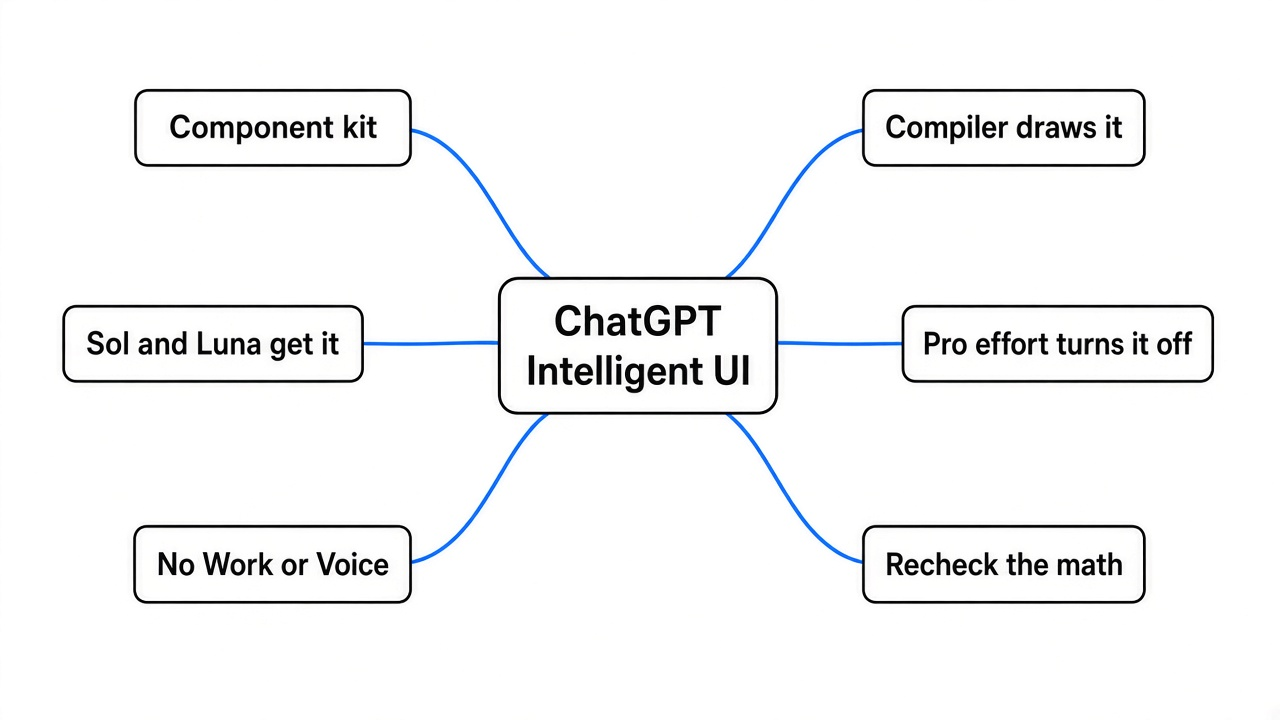
A token (a small piece of text, often part of a word, which is how these systems count length) is the old unit of an answer. The model guessed the next token, then the next, until the paragraph was done. A button is not a token. A button is a piece of a screen with a label and a job: change the guest count, highlight the brakes, split a bill.
So something new has to sit between the model and your eyes. OpenAI’s launch post, 7 October 2026, names the two pieces. A component library (a fixed box of ready-made screen parts, such as a chart, a form, or a tappable button). And a compiler (a program that turns the model’s description of those parts into the screen, while the answer is still arriving). GPT-6 was trained to pick the parts, and also trained to stay in plain text when plain text is the useful answer.
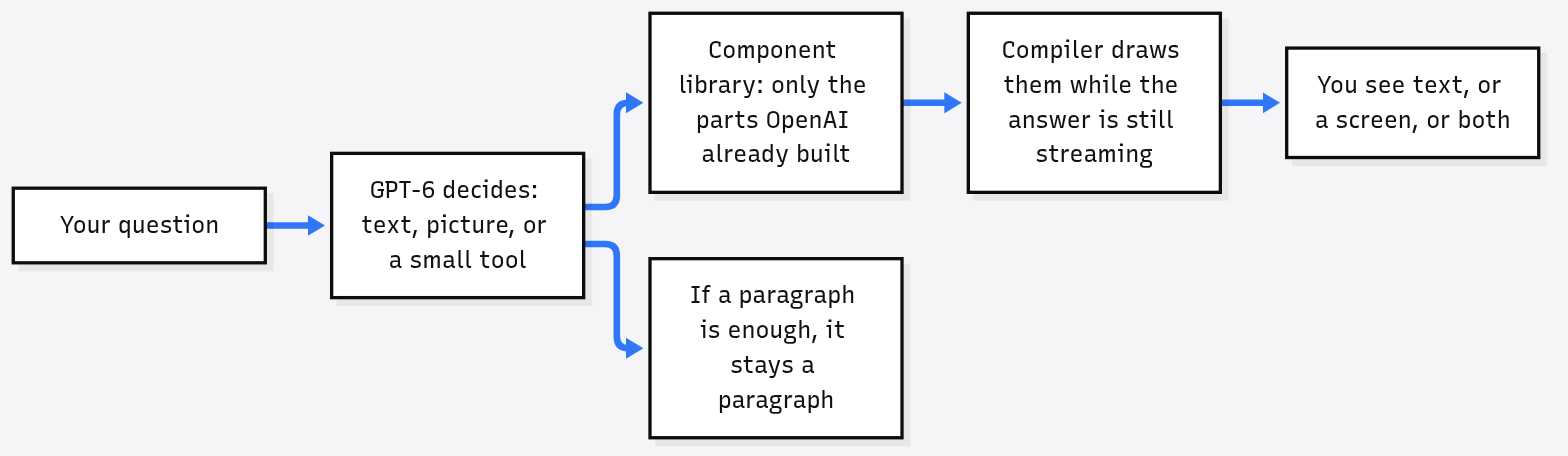
That limit is the part worth copying. The model does not get a blank web page. It does not type whatever HTML (the language browsers use to describe a page) it feels like. It chooses from a kit, and OpenAI’s software draws the kit. A kit can be checked. A blank page, written by a model inside a logged-in chat, is a website builder sitting in your account.
OpenAI has not published the full list of parts. The launch post and the help page name graphics, tappable buttons, forms, charts, and interactive experiences. The demos add a bicycle you can tap by section, a Sunday roast with a shopping list that changes with the guest count, a savings calculator, a bill splitter, and a small game. Do not assume a part exists because it would be nice. Ask, and see if a real control appears.
The bicycle is a picture of parts, not a riding simulator
OpenAI’s own example is a seven-speed bicycle, split into Frame, Wheels, Drivetrain, Brakes, and Cockpit (The Verge covered the same bicycle and Mahjong demos). A drivetrain (the chain, the gears, and the parts that move your pedaling into the wheel) is a real machine. The chat version is a labeled tour of that machine. Tapping Brakes should show the brakes. It should not be read as a physics model of how a derailleur (the mechanism that shoves the chain onto a different gear) shifts under load.
Use that standard on every pretty answer. A chart is a claim about numbers. A calculator is a claim about a formula. OpenAI has not published a way for you to see the formula behind a generated tool. In the first days there is no public audit that says these tools are arithmetically exact. A button that looks like a spreadsheet is not a spreadsheet. For money, tax, or medicine, read the figure, then check it in a calculator you trust.
Who is holding the pen
GPT-6 is a family name. The help page Intelligent UI in ChatGPT, updated 9 October 2026, splits it like this.
| Where you are | Model in the Chat tab | Intelligent UI |
|---|---|---|
| Plus, Pro, Business, Enterprise | GPT-6 Sol | Yes, from 7 October, as the rollout reaches the account |
| Free and Go | GPT-6 Luna | Yes, from 8 October, same gradual rollout |
| Pro reasoning, also called Pro effort | GPT-6 Astra | No. This setting does not support it |
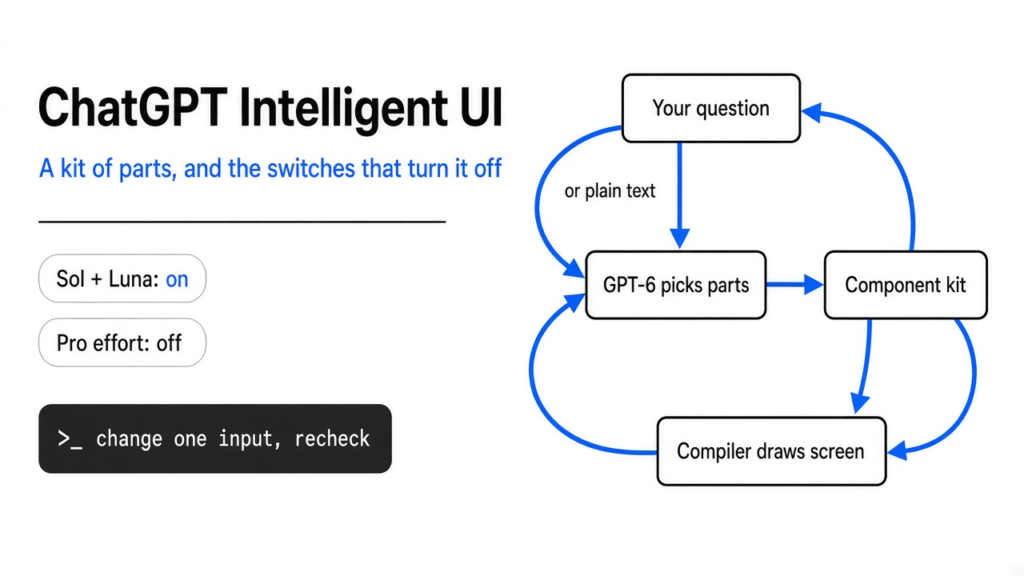
Sol and Luna are both described as tuned for everyday conversation. Astra is the heavier model. Paying more and sliding all the way to Pro effort is exactly how you lose the pictures. If the reply is a wall of text and you expected a tool, look at the reasoning control (the setting for how long the model may think) before you blame the feature. Instant through Extra High can draw the screen. Pro effort cannot.
A rollout (a release that reaches people in waves, not all at one second) is still a rollout. OpenAI’s own pages say you may not see GPT-6 in the model menu yet. Absence on your account on 9 October is not proof the feature was cancelled.
The switches that turn the screen off
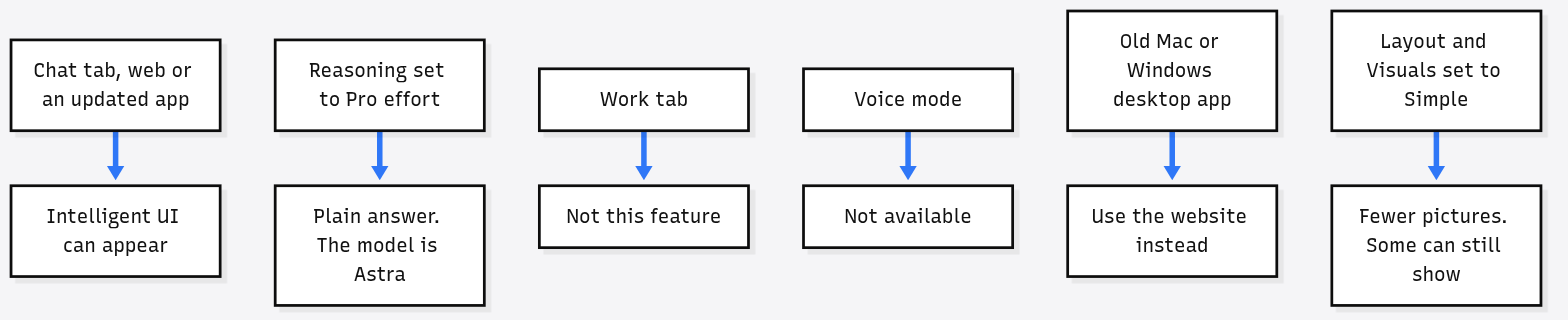
OpenAI’s help page is blunt on four of these, and useful on a fifth.
- Work tab (the separate ChatGPT area for project work, not the normal chat): Intelligent UI is not there.
- Voice (the mode where you speak and it speaks): not available.
- Older ChatGPT apps for macOS and Windows: they do not support these capabilities. Use the website, or update the mobile app. The models help page says this in the GPT-6 section.
- Pro effort: Astra, no Intelligent UI.
- You can calm it down without a full off switch. On the web: Personalization, then Layout and Visuals, then Simple. OpenAI says this reduces visual and interactive elements, though some may still appear.
Custom instructions (a standing note about how you want answers written) can say “use tables when comparing” or “keep answers concise.” They guide. They do not guarantee a layout.
Plugins you already connected, such as Gmail, Health, and Finance, keep working. This release does not replace them. It also does not change the models behind Work and Codex (OpenAI’s coding product). Those stayed put.
What is remembered, and what is not
State (the ticks, numbers, and choices already on the screen) is not a saved app. OpenAI says some parts, such as checklists, can keep their state when you refresh that same chat. State is not kept across chat threads (a thread is one conversation, as opposed to a new one). A bill splitter you built on Tuesday is not an app on your phone on Wednesday. If the chat is gone, the tool is gone.
There is no separate usage quota (a cap that counts only this feature) for Intelligent UI. The models help page says existing model, tool, and plan allowances still apply. What it does not say is whether a screen full of parts costs more of your allowance than a paragraph. Treat that as unknown, not as free.
The 44 percent line is about the first word, not a better search
OpenAI says that for questions which need a web search, GPT-6 Instant starts answering 44 percent sooner on average than GPT-5.6 Instant. Read the verb. Starts. This is an internal measurement of when tokens begin, not a claim that the finished answer is 44 percent more correct, shorter, or cheaper. A second internal line says GPT-6 Extra High can begin in about the same time as GPT-5.6 Medium and score better. Both numbers are OpenAI’s, on OpenAI’s tests. They are not an independent leaderboard. (For the wider GPT-6 launch, see what changed with GPT-6 Intelligent UI.)
The same post says GPT-6 builds on Astra’s safety work: harder to talk into ignoring the rules, especially across many turns (a turn is one back-and-forth in the chat), and trained to say when it lacks the information or the tool. The long write-up of those tests is the GPT-6 October system card, linked from the launch post. A system card (the lab’s own report of how a model failed its safety tests) is a primary source and still a source written by the maker.
Ask like a person who wants a control, not a poster
You do not need a magic phrase. The help page says the format follows the question. These are the shapes that match the parts they actually demoed.
| You want | A plain ask | Then check |
|---|---|---|
| A comparison you can scan | Compare these two options side by side, and use a table. | The rows match the real differences, not a tidy story. |
| A machine, explained | Show a bicycle drivetrain and let me tap each part. | Tapping changes the explanation. If it is only a drawing, say so to yourself. |
| A small tool | Bill for 6 people, tax 8 percent, tip I can change, starting at 18. | Change the tip. If the total does not move, it is a picture of a tool. |
| Just the words | Plain text only. No buttons. | Or set Layout and Visuals to Simple so you are not fighting it every time. |
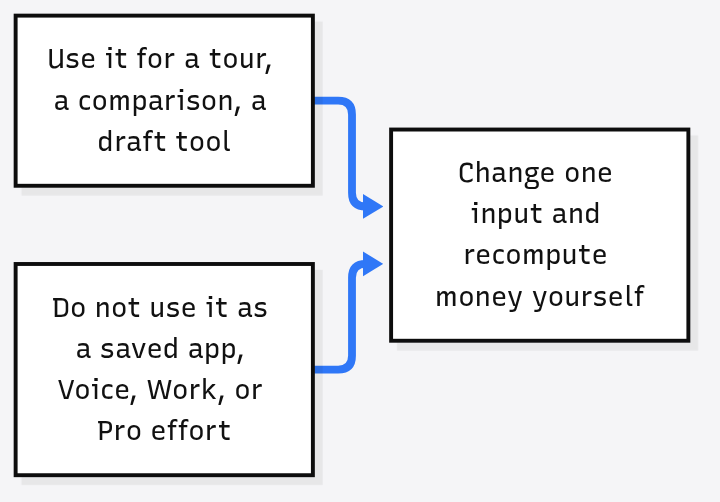
Change one input and watch the rest. That single gesture tells you whether you were given a tool or a poster. Posters are fine for learning the names of bicycle parts. They are a bad place to split a restaurant bill.
What to copy if you build this yourself
The transferable idea is not “make the chat prettier.” It is the split of jobs.
- The model chooses a layout and writes the words.
- Your software owns the parts, and refuses parts it does not know.
- A compiler draws the known parts immediately, so the person is not staring at a spinner until the whole answer exists.
- Plain text remains a legal answer. A model that must decorate every reply will decorate replies that should have been one sentence.
- The heavy thinking mode is allowed to skip the decoration. OpenAI did that with Astra. Speed and pictures are not the same product as the longest reasoning pass.
If your agent (a model looped so it can use tools and take actions, not only reply) can emit arbitrary page code into a session that is already logged in, you skipped step 2. That is the failure mode this design is avoiding.
What is still unproven
OpenAI says it scored the screens it generates for clarity, usefulness, and completeness. It has not published that test, the prompts, or the pass mark. The 44 percent figure is internal. The formula inside a generated calculator is not shown. Free accounts are on Luna, paid Chat is on Sol, and nobody outside OpenAI has published a clean comparison of the same visual task on both. Enterprise still depends on an admin allowing the model.
None of that makes the feature fake. It means the honest use this week is narrow: learn a thing by pointing at its parts, compare two options without a wall of prose, and draft a small arithmetic tool you will recheck. It is not yet a place to store a tool, run your job, or close a number you cannot recompute.
Common questions about ChatGPT Intelligent UI
How do I turn on ChatGPT Intelligent UI?
You do not type a special command. It rolled out to paid plans from 7 October 2026 and to Free and Go from 8 October, and the format follows the question. If it has not reached your account yet, GPT-6 may not show in the model menu.
How do I turn ChatGPT Intelligent UI off?
On the web, go to Personalization, then Layout and Visuals, and choose Simple. OpenAI says that reduces visual and interactive elements, though some may still appear. Asking for plain text only also works for a single reply.
Why do I get plain text instead of buttons?
Check where you are. Pro effort runs on GPT-6 Astra and does not support Intelligent UI. The Work tab and Voice do not have it, and older macOS and Windows desktop apps do not support it. Instant through Extra High in the Chat tab can draw the screen.
Which model draws the screen on my plan?
Plus, Pro, Business and Enterprise use GPT-6 Sol in the Chat tab. Free and Go use GPT-6 Luna. Both can show Intelligent UI.
Does a tool I build in chat stay saved?
No. Some parts, such as checklists, keep their state when you refresh the same chat, but state is not kept across chat threads. If the chat is gone, the tool is gone.
Can I trust the numbers in a generated calculator?
Not blindly. OpenAI has not published a way to see the formula behind a generated tool, and there is no public audit of their arithmetic. Change one input to see if it is a real tool, and recheck money, tax or medicine figures in a calculator you trust.