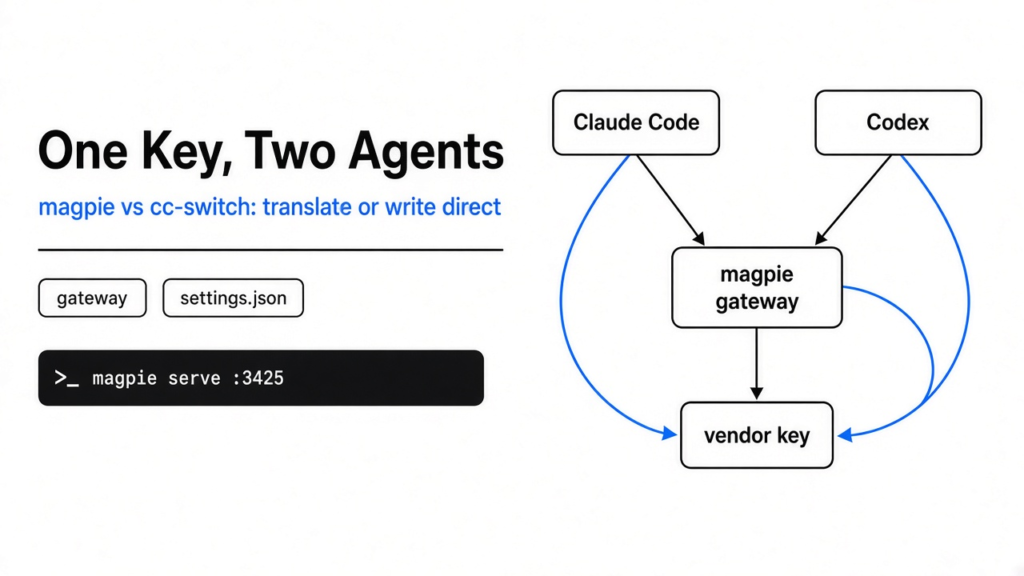
I had Claude Code in one terminal and Codex in another, and each one wanted its own key. Claude Code is the terminal program that edits a project by sending Anthropic’s request shape. Codex is the terminal program that edits a project by sending OpenAI’s request shape. A key is the secret string that lets a program spend your account. Those two shapes are not the same file format, so the key I pasted into one settings file did nothing in the other.
magpie vs cc-switch is a choice about where that key lives. magpie is a free local app that stores the key once and translates between the two shapes. cc-switch is a free desktop app that writes each vendor’s address into each tool’s own file, and does not translate. Use magpie when the tools do not speak the same shape. Use cc-switch when they already do.
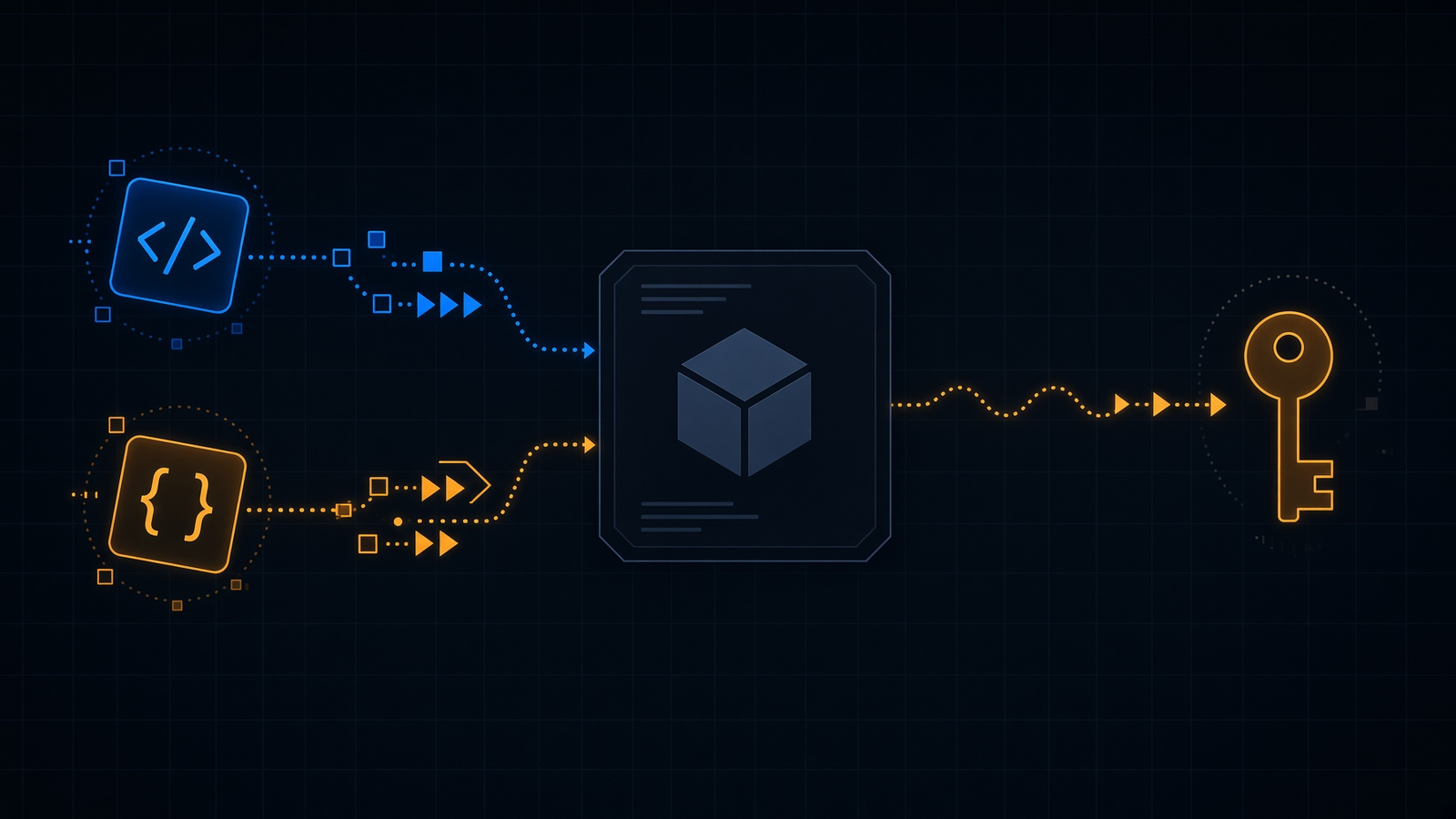
A request shape is just the order and the names of the fields a tool sends when it asks a model to continue. A model is the system that writes the next words. Both shapes can carry your instruction and a snippet of the file the tool just opened. The field names differ. If the names do not match, the model never sees the instruction, and the tool stops with an error that looks like a bad key. It is not a bad key. It is the wrong envelope.
That is the mess on the desk. Two tools, two envelopes, one bill I wanted to pay once.
magpie vs cc-switch
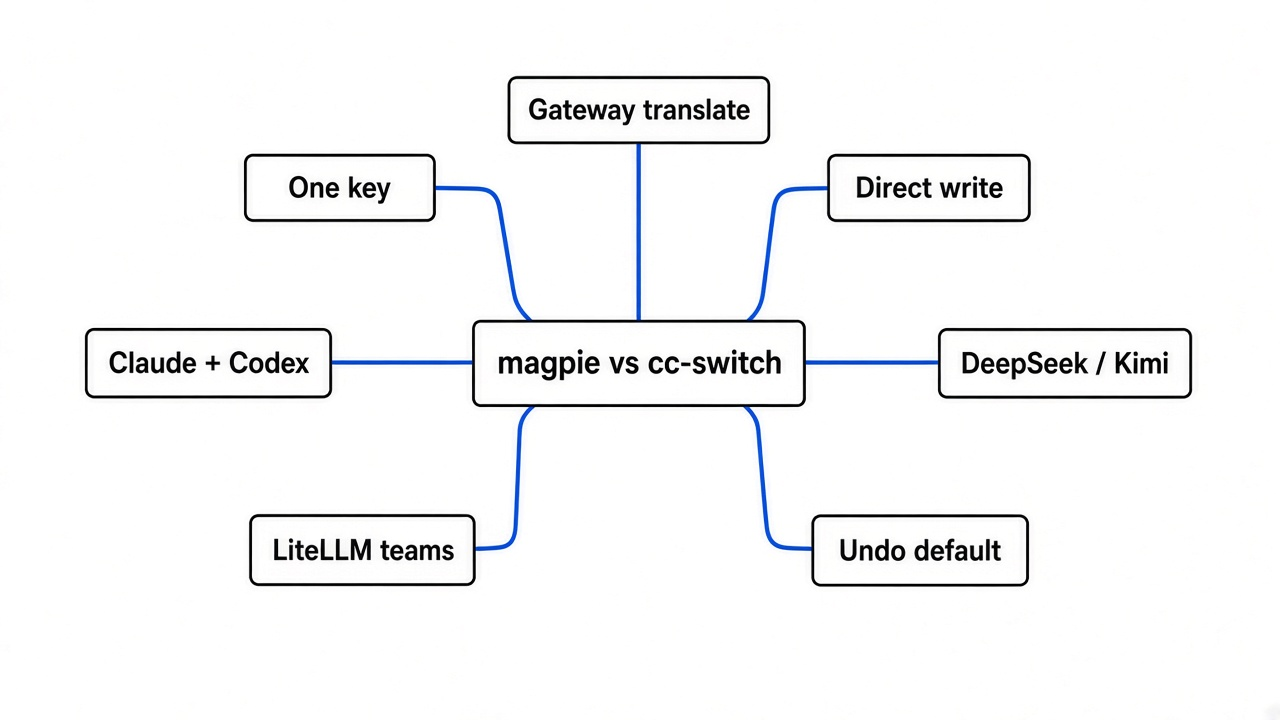
magpie keeps one key and translates the envelope. cc-switch writes the vendor’s own address into each tool, and the vendor has to accept that tool’s envelope as-is.
A gateway is a small program on your computer that other programs call, the way they would call a vendor. magpie’s gateway listens only on your machine, at 127.0.0.1:3425. The address 127.0.0.1 means this computer, not a server on the internet. I started it with magpie serve. The log named three doors: OpenAI’s chat path, OpenAI’s responses path, and Anthropic’s messages path. I then asked for /health. It did not pretend to have a health page. It answered with those real paths. That told me the process was the gateway, not a window that had failed to open.
cc-switch does the other job. It remembers your providers, then writes the one you picked into the tool. For Claude Code the file is ~/.claude/settings.json, and the address lands as ANTHROPIC_BASE_URL next to the key. For Codex the address lands in ~/.codex/config.toml. There is no step that renames fields. If the vendor does not speak that tool, the write succeeds and the next session fails.
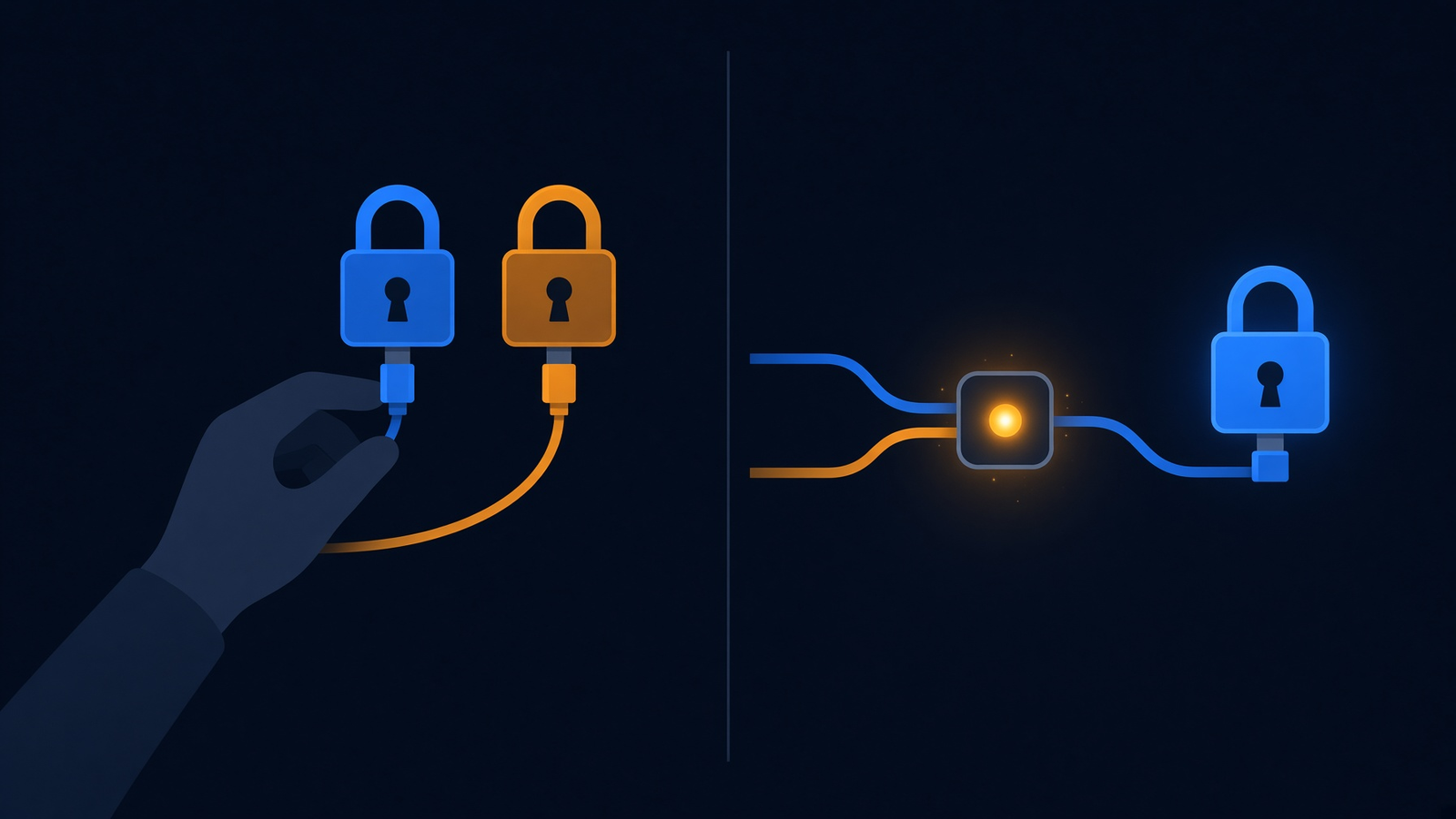
I expected magpie to be cc-switch with a menu bar. What I got was a switcher that is only worth running because of the gateway. If every vendor you use already speaks Anthropic’s shape, the gateway is extra machinery you have to leave open. If you want Codex, which speaks OpenAI’s shape, to spend a DeepSeek key, or Claude Code to spend a key that only speaks OpenAI’s shape, the machinery is the reason to install it.
how do i use one api key for claude code and codex
Add the key once, then set the same provider/model name on Claude Code and on Codex. Both tools call your machine, and magpie rewrites each request into the shape that vendor expects.
An API is the list of requests a program is allowed to make. The key is the proof that the request is yours. You do not paste it into Claude Code and again into Codex. You paste it once.
magpie provider add deepseek sk-…
magpie claude deepseek/deepseek-chat
magpie codex deepseek/deepseek-chatThe spelling provider/model is magpie’s name, not the vendor’s raw name. deepseek/deepseek-chat means the DeepSeek provider and that provider’s chat model. If the key is a Kimi key, the provider short name is moonshot. If it is an OpenAI key, the short name is openai. I ran magpie presets to see the short names. The first screen included Anthropic, OpenAI, Gemini, DeepSeek, xAI, Kimi, GLM, MiniMax, Qwen, Groq, OpenRouter, and a cloud preset for Ollama, which is a way to run a model on a machine you control.
A tool magpie does not know how to edit can still use the gateway. You point it yourself. The base URL is the address a tool sends requests to. Here that address is your own computer, not the vendor.
export OPENAI_BASE_URL=http://127.0.0.1:3425/v1
export OPENAI_API_KEY=magpie
export ANTHROPIC_BASE_URL=http://127.0.0.1:3425
export ANTHROPIC_API_KEY=magpieThe value magpie in those two key lines is not your vendor key. The gateway log said any string works for that local key, because the process only accepts connections from this computer. The real vendor key stays inside magpie.
Open a new session after the switch. A session that is already running keeps the model it started with. The change is on disk, and a program that already read the file will not notice until it starts again.
what magpie writes in settings.json
On my run, magpie claude deepseek/deepseek-chat wrote one field, and magpie claude default removed it.
Claude Code was not installed on the machine. magpie ls said no supported agents were found. magpie claude still printed the file it would touch, ~/.claude/settings.json, with the model shown as a dash. Before the set command, that file did not exist. After it, the file was this and nothing else.
{
  "model": "deepseek/deepseek-chat"
}magpie’s own record of the edit, ~/.config/magpie/applied.json, stored the same single field. No second key. No env block. No comment deleted, because there was no comment to keep. Then I ran magpie claude default. The settings file became {}. The model line was gone. That is the undo, and it is the command I would run first if a switch felt wrong: magpie claude default, and the same with codex in place of claude.
One caveat. I did not have a vendor key, so I did not send a real prompt through the gateway. The gateway started, printed that it had no models yet, and told me to add a provider. The file edit is something I can show you. A finished answer from the model is not, until you add a key you can revoke and open a new session.
when cc-switch is the better switch
cc-switch is the better switch when every provider already speaks the tool’s shape, and you do not want a process that must stay open.
That is the ordinary Claude Code case. Several vendors offer an address that already speaks Anthropic’s shape. cc-switch writes that address, and you can keep a different snapshot for each project. magpie can point at those vendors too, but the tools it rewired depend on its gateway. The terminal help says the gateway is served while magpie is open, and only if nothing else is already serving it. Quit the process and those tools have nothing local to call. A direct address does not die when you close a menu bar.
I would also pick cc-switch if I only use Claude Code. One tool, one shape, nothing to translate. The list of agents in magpie is long, and length is not a reason to run it.
is magpie worth it
Yes, if you already run two or more coding tools and you are tired of keeping two keys in sync. No, if you run one tool, or if the thing you want to share is a subscription login rather than a key you pay by the request.
The part that earned the install, for me, was the undo plus the translation. I watched one model line appear in the Claude file and then leave. The same command shape sets Codex. magpie codex moonshot/kimi-k2.5 is the form the help text teaches, and codex sits in the agent list next to claude. A routing group is a list of models that magpie presents as one choice, so a tool can move to the next model when the first is out of quota. routing=smart prefers the subscription that renews soonest. routing=order walks the list from the top. You do not need a group on day one. One provider line is enough until an account actually runs dry.
A cheaper model still writes too much code if you let it. Pointing Claude Code at a smaller model does not fix that habit. The check that stops the extra code is a separate rule, the one in stop Claude Code from overengineering.
The bill does not shrink just because the translator is local. You still pay the vendor who runs the model. If a smaller bill is the real goal, a cheaper model in the same kind of terminal is a different decision, which is the point of a DeepSeek terminal agent. A long session can also drop a rule you already wrote. That is a different failure, why compaction drops your instructions.
magpie vs litellm
magpie is for one person and the tools on that person’s machine. LiteLLM is for a team that needs one shared service, a limit on spend, and a log of every call.
LiteLLM is a gateway as well. You run it as a server, often inside Docker, which is a way to start a program with its own small filesystem so it does not depend on the rest of the computer. Many apps then call it with one OpenAI-shaped address. It can refuse a call that would cross a budget. That is the right tool when five people should share a key you can revoke from one screen. It is the wrong first install when you only want Claude Code and Codex to show the same model.
I would not run both in front of the same laptop key. Two translators means two places a request can sit and fail. Use LiteLLM when the key must keep working after you close the laptop. Use magpie when the key should never leave the machine.
can i share a claude subscription with codex
You can share a key you pay for. Do not assume a Claude subscription login is safe to reuse inside Codex.
magpie can notice a sign-in that Claude Code or Codex already stored, and it can offer that login to other tools as if it were a provider. That is convenient. It can also break the vendor’s rules. Those rules are the contract on the account, not a limit in the software. If the vendor says the subscription is only for their own app, sending it through a local translator can get the account closed. I did not try that path. magpie accounts lists those logins. Starting magpie with MAGPIE_NO_ACCOUNTS=1 stops it from reading them.
An API key is the clean share. You created it, you can delete it, and the vendor expects other programs to send it. Put that key in magpie. Leave the subscription login inside the official app.
how do i try magpie on my own machine
Install the command-line build, add one key you can revoke, set one model, and undo the edit if the file looks wrong.
On Linux the windowed app asked for libraries I did not have, and it would not start. The command-line build started. magpie version printed 0.1.1215. The help text begins “one place to pick every agent’s model,” then lists magpie ls, magpie <agent> <model>, and magpie serve.
- Install from the project site, or take the
magpie-clifile for your system from the magpie repo. - Run
magpie presetsand find your vendor’s short name. - Run
magpie provider add <that name> <your key>. - Run
magpie claude <name>/<model>andmagpie codex <name>/<model>. - Open
~/.claude/settings.json. The model field should be the name you typed, and the rest of the file should still be there. - Start a new Claude Code session and a new Codex session. Ask each a one-line question. If both answer, the key is shared.
- If the file looks wrong, run
magpie claude defaultandmagpie codex default.
While you test, run magpie serve in a second terminal if the menu bar app is not open. magpie healthcheck exits 0 when the gateway answers. Then quit magpie on purpose once. The tools you pointed at it will stop. That failure is better seen on a one-line question than halfway through a real edit.
If the gateway is more than you want, cc-switch is the direct writer, in the cc-switch repo. If the key has to serve a team, LiteLLM is the shared server, in the LiteLLM repo.
Common questions about magpie vs cc-switch
is magpie worth it if i only use claude code
No. One tool does not need a translator. Set the model in Claude Code, or use cc-switch if you swap Anthropic-shaped vendors often.
why does each coding agent need its own api key
It does not, once both tools send their requests to one gateway. They need separate keys only when each tool talks to the vendor directly, because each vendor account, and often each request shape, is set up on its own.
does the gateway keep my code on my machine
The translator stays on your machine. The prompt does not, unless the model itself is running on your machine. The vendor that writes the answer still receives the text you sent. Local means the switch is local. It does not mean the model is local. An Ollama-style preset is the case where the model is local too.
I put the model line in, I took it out, and the gateway was a process on this computer that stopped when I stopped it. If you have two tools and one key, magpie is the switch. If you have one tool, leave the file you already have.