
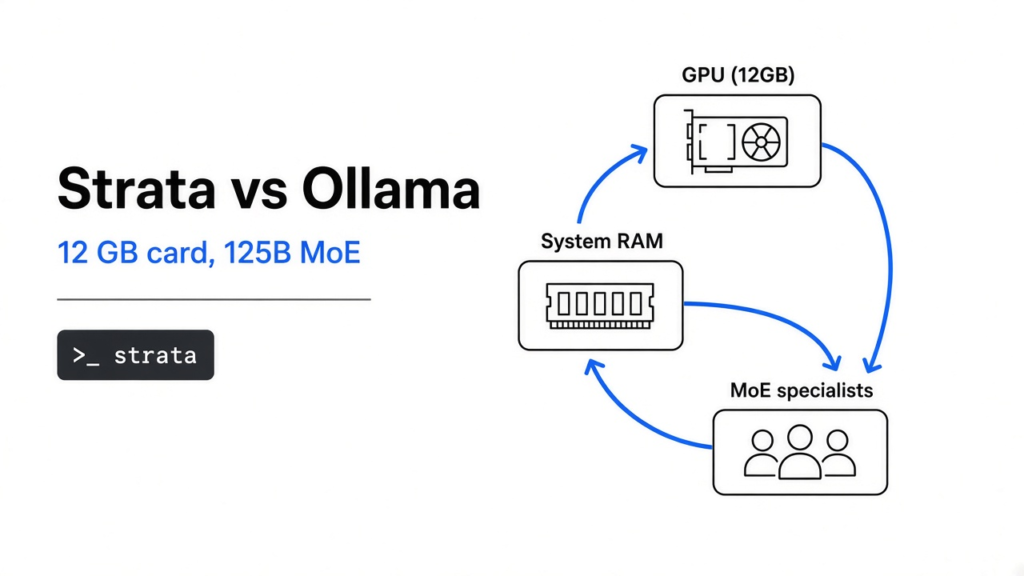
I already had a local chat model that fits on the graphics card. The graphics card is the board that draws the screen, and the memory soldered onto it is video memory (VRAM: memory that sits on the card, separate from the RAM sticks on the motherboard). The usual guides for that setup point at Ollama and a 27 billion parameter file. A parameter is one number the model stored while it was trained. Then a second claim showed up: a 125 billion parameter model on a 12 GB card. That program is Strata. It is not an Ollama tag, and it is not the same file. Use Ollama when the 27 billion model already fits on your card. Use Strata when you want Qwen3.8-Flash-Next, you have at least 12 GB of video memory, and you have 32 GB of normal RAM, 64 GB if you want the size the installer recommends.
What is Strata, in plain words
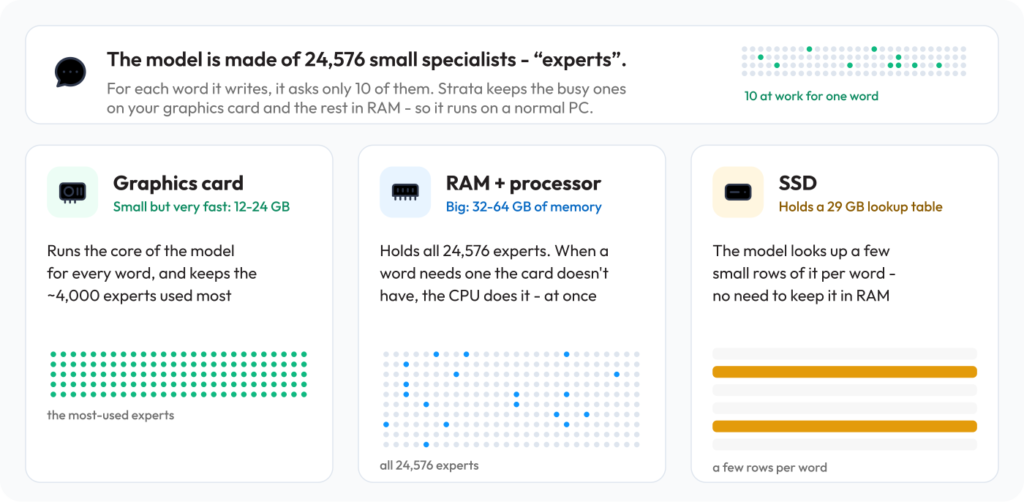
Strata is a free program that runs one model, Qwen3.8-Flash-Next, on a Windows or Linux gaming PC, and it keeps the chat on that PC. The model is a mixture of experts (a large model split into many small specialists, so only a few of them wake up for each word). This one has 24,576 specialists, and each word asks only 10 of them. That is why a 125 billion parameter model does not have to sit entirely inside 12 GB of video memory. The specialists you use most stay on the graphics card. All of them are held in normal RAM (the memory sticks on the motherboard, much larger than the card, a bit slower). A lookup table stays on the SSD (a fast solid-state disk, the one you want here, not an old spinning hard drive).
Nothing in that design sends the prompt off the machine. The trade is that your whole PC becomes the computer: card, RAM, and disk, at the same time. The first start can make the PC feel frozen for 1 to 3 minutes while it loads 35 to 55 GB and locks part of it for the card. That pause is the load, not a crash, unless it is still stuck after about 10 minutes.
Strata vs Ollama: which model are you actually running
Ollama, in the guides people hit first, is running a different Qwen: the dense 27 billion model, where every parameter is in play on every word. A 4-bit copy of that file is about 18 GB, so a 24 GB card can hold it. Those write-ups put it near 40 tokens a second on a 24 GB card. A token is a small piece of text, about three quarters of a word, so 40 a second is already faster than reading.
Strata is running Qwen3.8-Flash-Next. The stored size is 125 billion parameters, but only 10 specialists fire per word, so the active slice is far smaller than the file. On the project’s own measurement, an RTX 5070 with 12 GB of video memory, a Ryzen 5 7600, and 64 GB of RAM wrote short answers at 94 tokens a second on the Q2_0 size, and 79 on IQ2_XS. Those letters are compression levels (quantization: storing the same numbers with fewer bits so the file shrinks, and the answer gets a little less exact). IQ2_XS is the recommended middle. IQ3_S is slower and closer to the full model on the tests published with that size.
| Question | Ollama, usual 27B path | Strata |
|---|---|---|
| Which file | Dense 27 billion, every parameter used each word | Qwen3.8-Flash-Next, 125 billion stored, 10 specialists per word |
| Video memory | Comfortable at 24 GB | 12 GB or more |
| System RAM | Mostly unused by the model | 32 GB minimum, 64 GB for every size |
| Disk | About 18 GB for the common 4-bit 27B | About 80 GB free, download near 70 GB |
| Speed you can quote | Near 40 tokens/s on a 24 GB card, from the 27B write-ups | 94 tokens/s on Q2_0, project’s RTX 5070 + 64 GB RAM |
| Who can talk to it | Ollama’s own address | http://127.0.0.1:8080/v1 |
| Many chats at once | Depends how you start it | One request at a time |
| Mac | Yes, if memory is enough | Not in the install steps |
So “Strata vs Ollama” is not two engines racing the same file. If your job is the 27 billion model, stay on Ollama. If your job is this 125 billion mixture on a 12 GB card, Ollama’s usual tag is the wrong download.
Can I run a 125 billion parameter model on a 12 GB card?
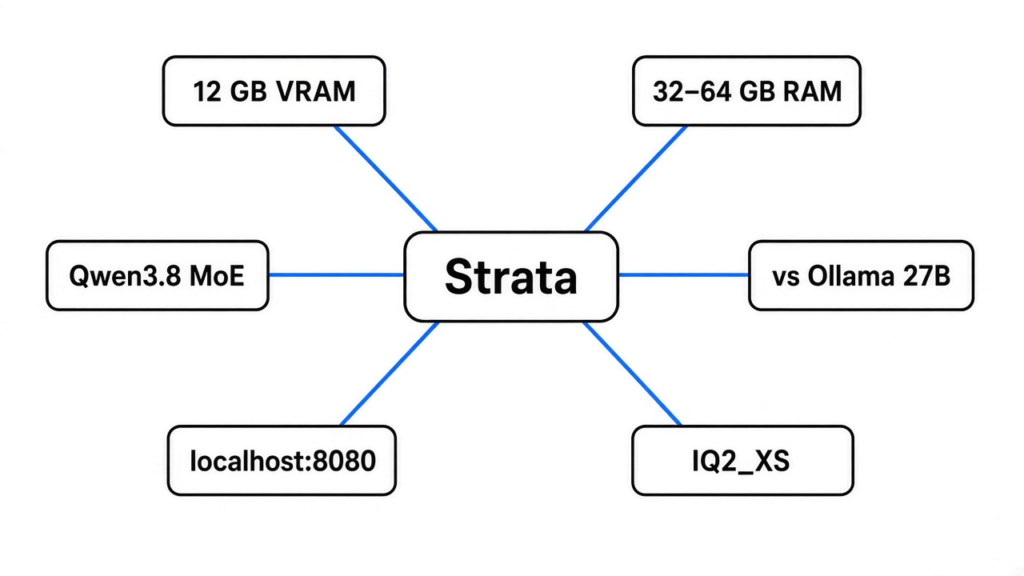
Yes, if the rest of the PC is big enough, and no, if you only counted the card. The card’s 12 GB holds the busy specialists and the working scratch space. The RAM has to hold the specialists themselves. The rule in the installer is simple: RAM must cover the first chunk of the model plus about 10 GB for Windows and your other programs. A bigger card makes it faster. It does not, by itself, lower the RAM you need, except in the low-RAM mode below.
I encoded those RAM rules in a small check and ran it. This is the fit test, not a token test. Here is what it printed:
16 GB RAM, 8 GB card: Stop. Strata wants 12 GB of video memory or more.
32 GB RAM, 12 GB card: Coder only. It fits 32 GB. Weaker outside code.
32 GB RAM, 24 GB card: Coder, or Q2_0 / IQ2_XS in low-RAM mode.
48 GB RAM, 12 GB card: IQ2_XS, or Q2_0 if you want the fastest replies.
64 GB RAM, 12 GB card: IQ2_XS. IQ3 if other apps are closed.
A 96 GB machine is the one line I would not take from the 64 GB result. At 96 GB the installer says take IQ3_S, or the experimental 4-bit file if you can live with 7 to 8.5 tokens a second, because most of that file is read from the SSD while it answers.
Low-RAM mode is the escape hatch when the sticks cannot hold the specialists beside the system. Setup then keeps in RAM only what the card does not already hold, and reads the rest from the model files. A 32 GB PC with a 24 GB card can run Q2_0 and IQ2_XS this way. A 32 GB PC with a 12 to 16 GB card should stay on Coder. With a small card, most specialists come off the SSD, and the installer will tell you it is much slower.
Which Strata size fits your RAM
Pressing Enter through the installer is the right move only if you know which answer Enter is choosing. Smaller size is faster. Larger size is a bit smarter. They are the same model, packed tighter or looser.
| Your RAM | Take this | Why |
|---|---|---|
| 32 GB | Coder | It fits. With a 24 GB card, Q2_0 and IQ2_XS also run, in low-RAM mode |
| 48 GB | IQ2_XS, or Q2_0 if you want speed | The larger sizes do not fit |
| 64 GB | IQ2_XS | Every size fits. IQ3_S is the best and the slowest, and it wants other apps closed |
| 96 GB or more | IQ3_S | Room for the largest size with other programs open |
On that same RTX 5070 with 64 GB of RAM, short replies landed at 94 tokens/s for Q2_0, 79 for IQ2_XS, 62 for IQ3_XXS, 53 for IQ3_S, and 55 for Coder. At a long 128K context (context: how much earlier text the model is still holding), Q2_0 fell to 76 and IQ2_XS to 63. A 24 GB card such as a 3090 is estimated around 100 to 140 tokens/s in the same notes, because more specialists fit on the card. An AMD RX 9070 XT with 16 GB and 47 GB of RAM wrote Q2_0 at 60 tokens/s. Treat those as that PC’s numbers, then run the calibrator on yours: START-HERE.bat --calibrate spends about 5 to 10 minutes and, on the reference PC, made Coder about 7% faster. NVIDIA only, for now.
Coder is not “the small friendly one.” It keeps 256 of each layer’s 512 specialists, chosen on code, and drops the rest. Its authors report 91% of the full model’s SWE-bench Verified score and 99% of LiveCodeBench. Outside code it is weaker, and Chinese and other CJK text can come out wrong or loop. If you write in those languages, take Q2_0, IQ2_XS, or IQ3_S, which keep every specialist.
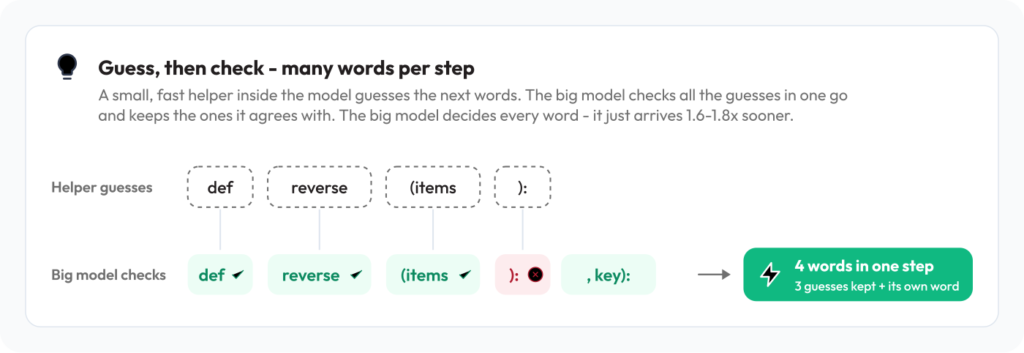
There is also Swift 1.5, a fine-tune that thinks for fewer steps before it answers, so the reply shows up sooner at about the same quality. The experimental 4-bit file is closer to the full model and much slower, 7 to 8.5 tokens/s on a 64 GB PC, because the SSD is in the hot path. I would not point a coding agent at that one.
How to install Strata on Windows or Linux
You install the graphics driver yourself. Strata installs the rest, including the engine and the model. You need a current NVIDIA driver, or the matching AMD driver. The card has to be an NVIDIA RTX 20, 30, 40, or 50 series, or a listed AMD card (RX 7900 XT or XTX, 7800 XT, 7700 XT, 9060 XT, 9070 or 9070 XT, Radeon AI PRO R9700, or RX 6800 or 6900), with 12 GB of video memory or more. Mac is not in the install path.
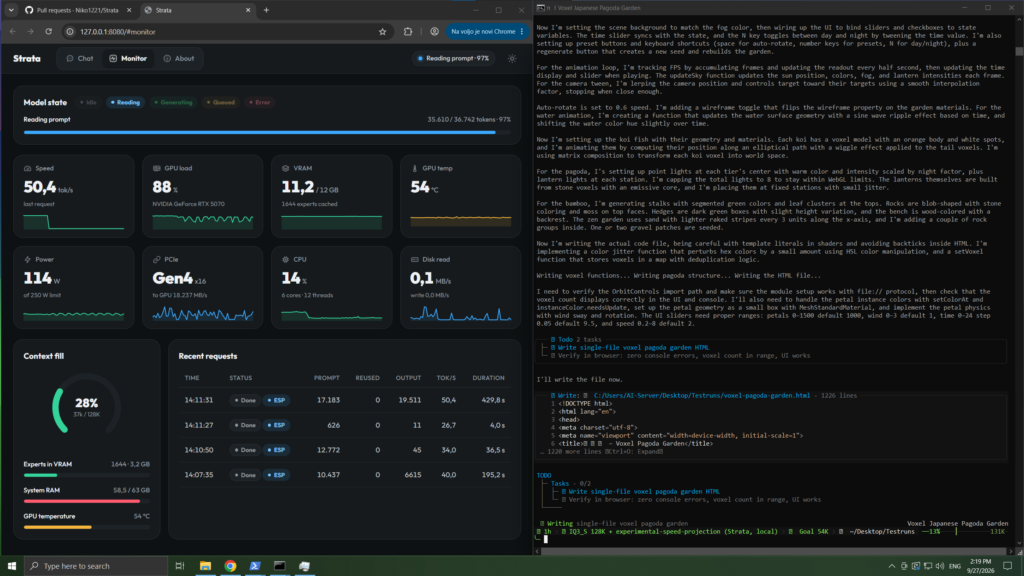
On Windows, download the project, unzip it onto the drive that has the free space, and double-click START-HERE.bat. On Linux, clone the repo and run ./setup.sh in that folder. It asks which model, which size, how much context, and whether it should read pictures. Enter each time is the recommended answer. The download is about 70 GB. If it stops, run the same file again and it continues. The browser then opens http://127.0.0.1:8080. That address means this computer, not the internet. 8080 is the door number.
Next time you only start it. Close the window to stop the model. UPDATE.bat on Windows, or ./update.sh on Linux, updates without starting. If the download dies halfway, or the engine stops and the disk light blinks, you are out of free RAM: close the browser, or pick Q2_0 or IQ2_XS. If it says port 8080 is already in use, Strata is already running. Look for its window instead of starting another copy.
Pictures are optional. Say yes in setup, then attach an image in the chat. AMD can do images on Linux, using the processor, and not on Windows yet.
Is Strata worth it for coding agents?
It is worth it when the agent should talk to a model on this PC, and this PC matches the table above. Apps that already speak the OpenAI shape (a base address, a key, and a model name, the same pattern most coding tools already have) use base URL http://127.0.0.1:8080/v1, any key, and any model name. Apps on Anthropic’s shape, including Claude Code, use http://127.0.0.1:8080/v1/messages, or set ANTHROPIC_BASE_URL=http://127.0.0.1:8080.
Two limits decide whether that is a good idea. It answers one request at a time, so a chat tab and an agent on the same box will queue. The first message of a chat is read in full, about one minute per 30,000 tokens, and later messages start in seconds. A long repo pasted in every turn will feel slow even when a short chat looks fast. A local model changes the price of that rereading, not the habit. The habit is a separate fix: the full bill on a coding-agent search.
On 32 GB of RAM the honest coding pick is Coder, with the language limit above. On 48 GB or more, IQ2_XS is the one I would point an agent at. Turn thinking to off or low for mechanical edits, and high only for the hard question. Off is the fastest. High is the one that spends extra steps before the first word.
If you only needed a cheaper remote model, not a model that never leaves the PC, you do not need this download. A local base URL and a remote gateway look similar in the setting screen and they are not the same privacy story.
Pointing the agent at a huge local context also does not stop a long session from dropping a rule you already wrote. That failure is why Claude Code compaction drops your instructions. And if the job is a pile of PDFs rather than code, the model size is the wrong argument: PageIndex vs a vector database is the split that matters there.
From another PC or your phone, start with a key or do not start at all: START-HERE.bat --setup --host 0.0.0.0 --api-key <secret>. 0.0.0.0 means “listen on the network,” which is a different promise from “nothing leaves this PC.”
The repo and the model card, if you want the files themselves: Niko1221/Strata and Qwen3.8-Flash-Next.
When not to use Strata
Do not install it on a Mac. Do not install it for an 8 GB card, or for 16 GB of system RAM. Do not install it to replace an Ollama 27B that already answers well, unless you specifically want this larger mixture and you have the RAM. Do not install the experimental 4-bit file for daily agent work. Do not expect a shared server: one request at a time will not feed a team. Do not expect AMD image input on Windows.
If the PC freezes on the first start, wait. If it is still frozen after 10 minutes, restart, close other programs, and pick a smaller size. If answers crawl and the disk light never rests, the specialists are coming from the SSD. That is the low-RAM path telling on itself. Move up a size of RAM, or down a size of model.
Common questions about Strata vs Ollama
Can I run a 125 billion parameter model on a 12 GB graphics card?
Yes, with Strata, if the card is a supported NVIDIA or AMD model with 12 GB or more and the PC has at least 32 GB of RAM. The card does not hold the whole file. On 32 GB and a 12 GB card, take Coder. On 64 GB, take IQ2_XS.
Is Strata worth it if I already use Ollama?
Only if Ollama is running the 27 billion model and you now want Qwen3.8-Flash-Next. They are different files. If the 27 billion model is good enough, Strata is a 70 GB download you do not need.
How do I connect Claude Code to Strata?
Set ANTHROPIC_BASE_URL=http://127.0.0.1:8080 after Strata is running. Other tools use http://127.0.0.1:8080/v1 as an OpenAI-compatible base URL, with any key and any model name. Only one of those calls is served at a time.
Why did my PC freeze when Strata started?
It is loading 35 to 55 GB into RAM. Wait 1 to 3 minutes and do not close the window. Still frozen after 10 minutes: restart, close other programs, or pick a smaller size.
I would install Strata on a 64 GB PC with a 12 GB NVIDIA card, choose IQ2_XS, and point one coding agent at 127.0.0.1:8080. I would leave Ollama alone on a machine where the 27 billion model already fits and nobody is asking for the larger file.
2 comments