The cursor was already in the message box, and my hands were done. Wispr Flow is the dictation app people name when they want to talk instead of type: hold a key, speak, and the words land where the cursor already is. Its own site lists Mac, Windows, iPhone, and Android. Linux is not on that list.
No. Does wispr flow work on linux? It does not. Wispr Flow ships no official Linux app. Hex is the free app that listens on your own computer, and the Linux build The download was would not start on a machine with glibc 2.36.

Does Wispr Flow work on Linux?
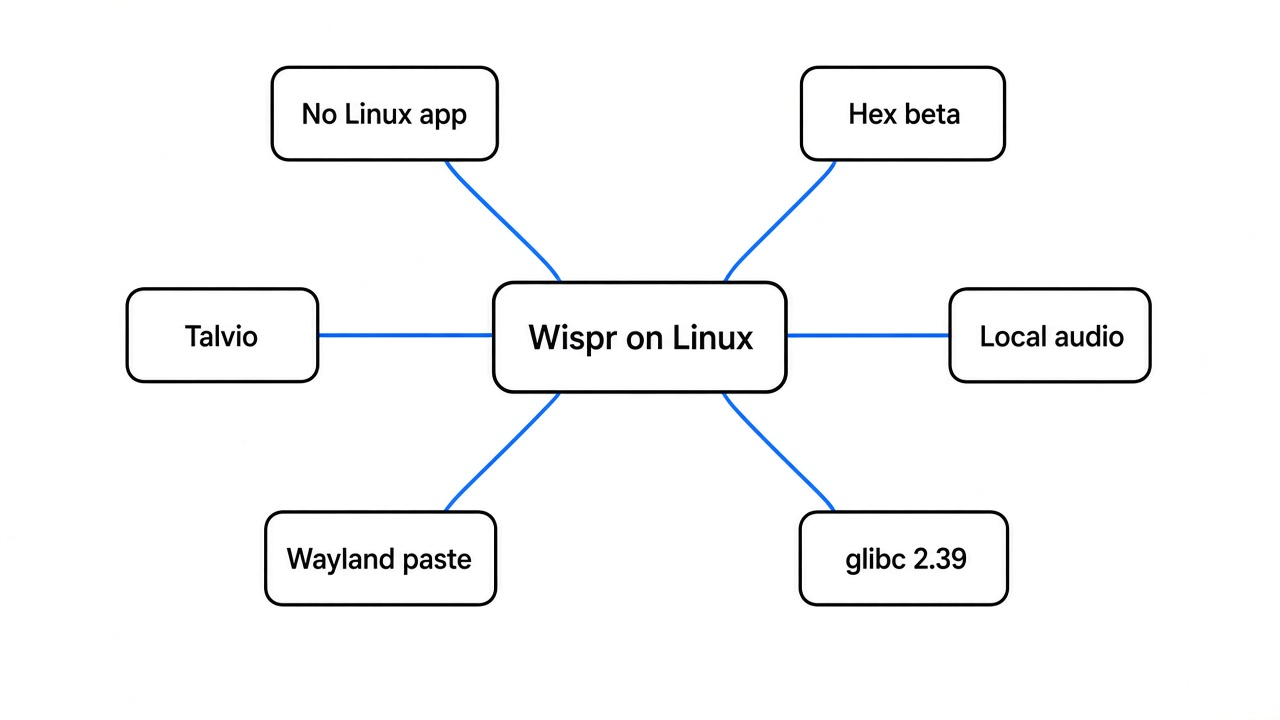
No. The download list on Wispr Flow’s site is Mac, Windows, iPhone, and Android, and Linux is not one of them.
Dictation here is not a voice that talks back. You are already in a document, a chat, or a terminal. You hold a shortcut, say the sentence, let go, and the sentence is pasted at the cursor. People use Wispr Flow because that paste is fast and the words come back cleaned up, not as a raw transcript. I opened the site to see if a Linux build was hiding under a different name. It was not.
That missing build is the whole problem. If there is no Linux app, there is nothing to install, nothing to point at a microphone, and nothing that can keep the recording on the machine. Hex is the app that tries to fill that hole. It is free, the license is MIT, and the stable place to run it is a Mac with Apple silicon. Linux and Windows are betas. I tried the Linux beta, because that was the computer in front of me.
What is local dictation?
You speak, a speech model on your own computer turns the sound into text, and that text is pasted into the app that already has the cursor.
A speech model is a file of numbers that maps sound to words. Local means the file runs on this computer, so the recording does not have to be uploaded before the sentence can appear. Hex is built that way. Talvio, a second free app that ships Linux packages, is built that way too, and it can also call a cloud model if you add your own key. Leave that key empty if the reason you are on Linux is that you do not want the audio to leave.
The gesture is the same shape on both. Hold the shortcut, speak, release. On Linux, Hex uses Alt-Space. The paste is Ctrl-V in most apps. A terminal can take a different chord if you turn that on.


Put the cursor where the words should go before you hold the key. Then:
- Hold the shortcut and talk.
- Release the key.
- If nothing appears, the transcript is still on the clipboard. Press Ctrl-V.
One caveat on Linux Hex: there is no cancel. Escape does not throw the sentence away. The dictation finishes and pastes. If the line is wrong, you delete it after.
Hex vs Wispr Flow
Use Wispr Flow when you are on a Mac, a Windows PC, or a phone and you want their app. Use Hex when you want the listening to happen on the machine, and only when that machine is new enough to start the Linux build.

| Wispr Flow | Hex | Talvio | |
|---|---|---|---|
| Official Linux app | No | Yes, a beta | Yes, an AppImage and a deb |
| Where the listening happens | Not on Linux, because there is no Linux app | On the computer | On the computer, unless you add a cloud key |
| Where it is actually finished | Mac, Windows, iPhone, Android | Mac with Apple silicon | A Linux desktop |
| Meeting notes | Separate from this question | Mac only | The desktop app includes them |
The Linux fact is smaller and solid: there is no Linux app on their list, so there is no Linux app that can keep the audio at home.
How do I install Hex on Linux?
Check the C library first. If it is older than 2.39, do not install Hex.
glibc (the shared library Linux uses to start most programs) is the version gate. A program built for a newer glibc does not crash halfway through. The loader refuses to start it. Run this before any download:
getconf GNU_LIBC_VERSIONHex’s Linux notes say published builds need glibc 2.39 or later. They name Ubuntu 24.04, Debian 13, Fedora 40, current Arch, or anything newer. The original test machine printed 2.36. This prep box prints 2.41 (getconf on 9 November 2026), which clears the floor, but the article keeps the failing run as the lesson. That was the end of the road, and it should be the end of yours too if you see 2.36 or anything lower.
If the number is high enough, install as your normal desktop user, not as root. The install script also refuses to continue unless curl is 8.4 or newer. The curl on this box was 7.88, so the script would have stopped there even if I had been the right user.
curl -fsSL https://anoma.ly/hex/files/install-linux.sh | shYou still need a desktop session, a microphone, and a Vulkan driver. Vulkan (the graphics layer the Hex window asks for) is required even when the speech itself runs on the processor. A small loader package with no actual driver is not enough.
The repo is Hex on GitHub. The Linux notes are docs/linux.md.
Why did Hex not start on Linux?
The file would not start. The loader wanted glibc 2.38, and this system has 2.36.
The download was the stable Linux build for a normal 64-bit PC from Hex’s release host. It was 69,773,256 bytes. The SHA-256 was 4e9e92b2236a63ad0705c1a0c351e9fe15b78ead7b3853c252178a8de959cb05, and that matched the manifest, so the file was complete.
Then I ran it. This was the whole output:
A library check said the same thing in two lines. GLIBC_2.38 was required and missing. GLIBC_2.39 was a weaker requirement and also missing. I never got a version line. I never got a help screen. I never held Alt-Space, and I never saw a pasted sentence. That is the limit of the test. On Ubuntu 24.04 or Debian 13 the file can get past this gate. On a machine with glibc 2.36 it will not.

If you already have the file and you only want to confirm it is the same one I ran:
sha256sum hexThe matching line is 4e9e92b2236a63ad0705c1a0c351e9fe15b78ead7b3853c252178a8de959cb05.
Why did the paste miss on Linux?
If Hex does start, a missed paste usually means the desktop could not type for you, and the words are sitting on the clipboard.
Linux Hex does not have one paste path. On X11 it can grab the shortcut and send Ctrl-V. On Wayland, which is the newer display system most current desktops use, it needs either a small tool called wtype or the desktop’s remote-control portal. With neither, Hex copies the text and stops, and you press Ctrl-V yourself. GNOME uses that portal, and the desktop shows a remote-control indicator while it pastes. On Hyprland, if Alt is still down from Alt-Space, the paste chord can turn into Ctrl-Alt-V and land in the wrong place. Let the key up fully before you expect the text.
There is a second limit I would want to know before I trusted it with a chat I cannot edit. The Linux notes say dictation has no cancel. The sentence finishes and pastes. If you were thinking out loud and the result is nonsense, delete it. Do not expect Escape to save you.
How do I dictate on Linux without sending my voice away?
Check glibc, then pick Hex only if the number is 2.39 or newer. Otherwise use a Linux app such as Talvio and do not add a cloud key.
Talvio is free, the license is MIT, and Linux is not an afterthought. The install is an AppImage or a deb, and there are ARM builds. Speech runs on the machine unless you opt into a cloud model. The flags, including talvio --toggle-transcription, only control an app that is already open. They will not transcribe a recording you already saved, and they will not replace a microphone.
So the choice is short. If getconf prints 2.39 or higher and you have a desktop, start with Hex. If the number is older, Hex is the wrong file, and Talvio is the package shaped like a Linux app. Both still need a microphone and a session you can type into. A server with only a shell is the wrong machine for either.
The repo is Talvio.
When should I not use Hex?
Do not use Hex on an old glibc, on a server with no screen, or when the notes you want are from a meeting on Linux.
Skip it when any of these is true:
getconf GNU_LIBC_VERSIONis older than 2.39- you have a shell and no desktop session
- you need meeting notes, which the Linux notes say are Mac-only
- you need to throw a sentence away while you are still talking, because the Linux build finishes and pastes
- the job is a voice that reads a script back to you, which is a different tool: can I clone my own voice locally
Hex also does not answer questions. It types what you said. If you wanted a model that replies and stays on the PC, that is Strata vs Ollama. If the worry is a folder of recordings sitting on disk, dictation history is a text log, not a vault. For the folder itself, gocryptfs vs Cryptomator is the split. On a Mac, system dictation is separate from the big on-device feature pack: removing Apple Intelligence does not remove dictation.
I expected a beta called a Linux build to at least print its version. What I got was a library refusal, which is more useful than a crash ten minutes later. If your glibc is new enough, you are in the group that build was made for. If it is not, the one-line check is the whole task.
Common questions about Wispr Flow on Linux
Does Wispr Flow have a Linux version?
No. The site lists Mac, Windows, iPhone, and Android.
Can Hex run on Ubuntu 22.04?
No. Ubuntu 22.04 is older than the glibc 2.39 floor in Hex’s Linux notes. Ubuntu 24.04 is the Ubuntu line they name.
Does Hex send my voice to a server?
Hex is built to recognize speech on the machine. I could not run a dictation here, so If you later turn on a cloud cleanup step, that choice sends audio out. Leave it off if the point was to stay home.