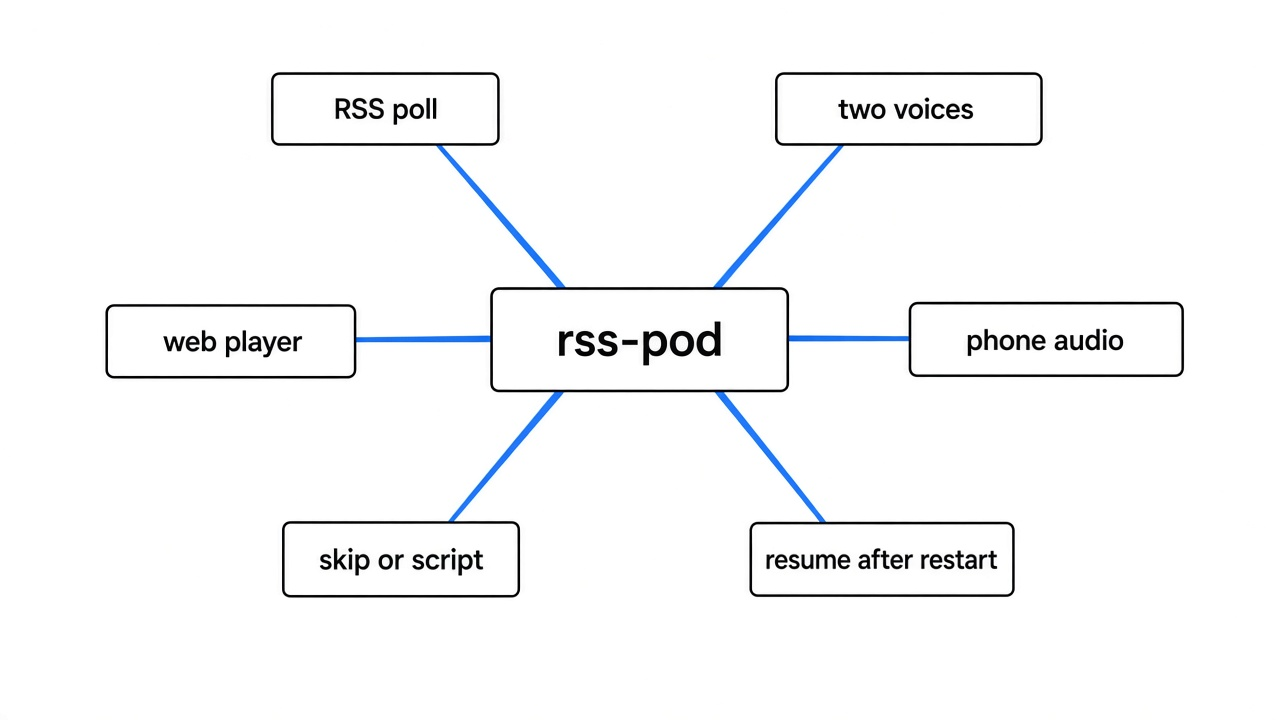
how do i turn an rss feed into a podcast: rss-pod polls a feed, scripts two voices, and drops audio you can play.
The article is still open in a tab, and the train has already left. That tab came from an RSS feed (a short file a site updates with a title and a link each time it publishes). rss-pod is a program you run on a computer you control. It can turn an rss feed into a podcast: a spoken episode in its web player, two people talking instead of one voice reading the page. A normal podcast app on your phone is a harder fit. The opt in file is real, and the program keeps it on a port it will not open to the network.
Checked November 2026 against the rss-pod project docs. Install and first-poll steps below follow that README shape.

What is an RSS feed
An RSS feed is a list, not the article. A site writes a small file. Each entry has a title, a link, and sometimes a summary or the full text. A reader checks that file later and learns what is new without opening the whole site.
A podcast uses the same shape for sound. The app checks a file, sees a new item, and downloads an mp3 (a compressed sound file a phone can play). The app does not care how the sound was made. It cares that each item points at audio the phone can actually download.
That is where home setups fail. If the audio address is [localhost](localhost) (a name that means only this computer), the show plays on the server and nowhere else.
How do I turn an RSS feed into a podcast
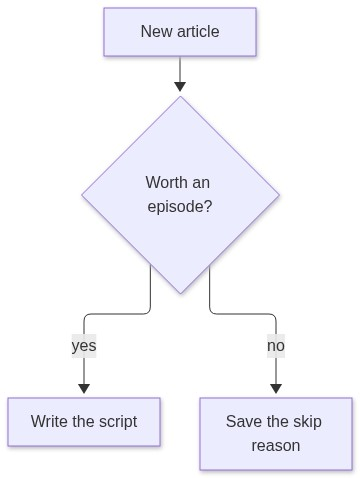
rss-pod does the job in four moves. It reads the new feed item. It can skip a thin or promotional post. A text model writes a conversation for a fixed cast. A voice program reads each line. You then press play in the web player.
A one-voice tool speaks the words already on the page. rss-pod spends a model call first, so the episode can sound like two people pulling the piece apart. A smooth line can show up that the article never said. The example roles tell the speakers to stay inside the source and not to state a guess as a fact. Listen once before you trust an episode about something you have not read.
If the feed already contains the text, that is enough. A page fetcher is only for a feed that holds a headline and hides the body. Every sample source starts disabled. You turn one on and paste your own address.

What does rss-pod need before the first episode
Four things have to be up, or the first poll has nothing to talk to. You need PostgreSQL (a database of rows, so a restart can see which step finished). You need an S3-style store (a file bucket that hands files out at a web address): one private bucket, one media bucket. You need one chat endpoint that speaks the same request shape as OpenAI’s chat calls. You need a voice. Edge asked me for no key. Azure Speech asks for a key.
Copy the example config and the example env file. Fill the database, the buckets, and one chat endpoint. Create the buckets named rsspod-private and rsspod-media. The media bucket has to be readable at the public address you set, or the player has a script and no sound.
Use a database account that is not a superuser. Inside Docker, 127.0.0.1 is the container, not your machine. The sample host values fail until the container can reach the real database and the real bucket. Build the image from the same checkout as that config, or run a published image with the matching config. Then check, then migrate, then run. The example publishes the player only on 127.0.0.1 port 8080. Leave that bind until HTTPS is in front of it.
The example also stops a run at five feed items. A busy feed will not narrate its archive on the first poll. Each item can still cost a model call plus the speech that follows.
How do I make two voices from one script
A dialogue profile is the cast. Each speaker has an id, a name, a job the model must follow, and a voice. An Edge voice is written as edge: plus the voice name.
The shipped cast is two Chinese speakers, 小雅 and 老王. One profile uses edge:zh-CN-XiaoxiaoNeural and edge:zh-CN-YunjianNeural. The profile on the sample Zhihu source uses edge:zh-CN-YunxiaNeural for the host and the same second voice. A third profile uses Azure, one voice split across two talkers, and it needs a speech key. Edge does not.
If your articles are English, replace the names, the job text, and the voice ids. en-US-GuyNeural and en-US-AriaNeural are ordinary Edge voices. The browser language changes the player chrome. It does not change the cast.
I did run the Edge voice step, with no key.
The host line used en-US-GuyNeural: “I saved twelve articles this week and I read none of them on the train.” The file was 26,784 bytes and 4.46 seconds, at 24 kHz, one channel, 48 kbps.
The guest line used en-US-AriaNeural: “Then we should turn the feed into a short conversation, and listen to that instead.” The file was 32,400 bytes and 5.40 seconds, same shape.

Those two files only prove the voice service answers. From the command line the same tool is edge-tts, with –voice, –text, and –write-media. I called the Python package.
Edge will not copy your voice from a sample. For that, use a local cloner: Can I clone my own voice locally for free?
If the articles are private, point the chat address at a machine you control. Strata vs Ollama is about keeping a model on hardware you already have. A big file on a small graphics card is slower than the ads suggest: Can I run a 70B model on a 4GB GPU?.
Where do I press play
Open the player on port 8080. A new install stays empty until a poll finishes. Episodes are grouped by the day the task belonged to, not by the hour the audio finished. The example timezone is Asia/Shanghai. Change it, or an evening job shows up on the wrong day.
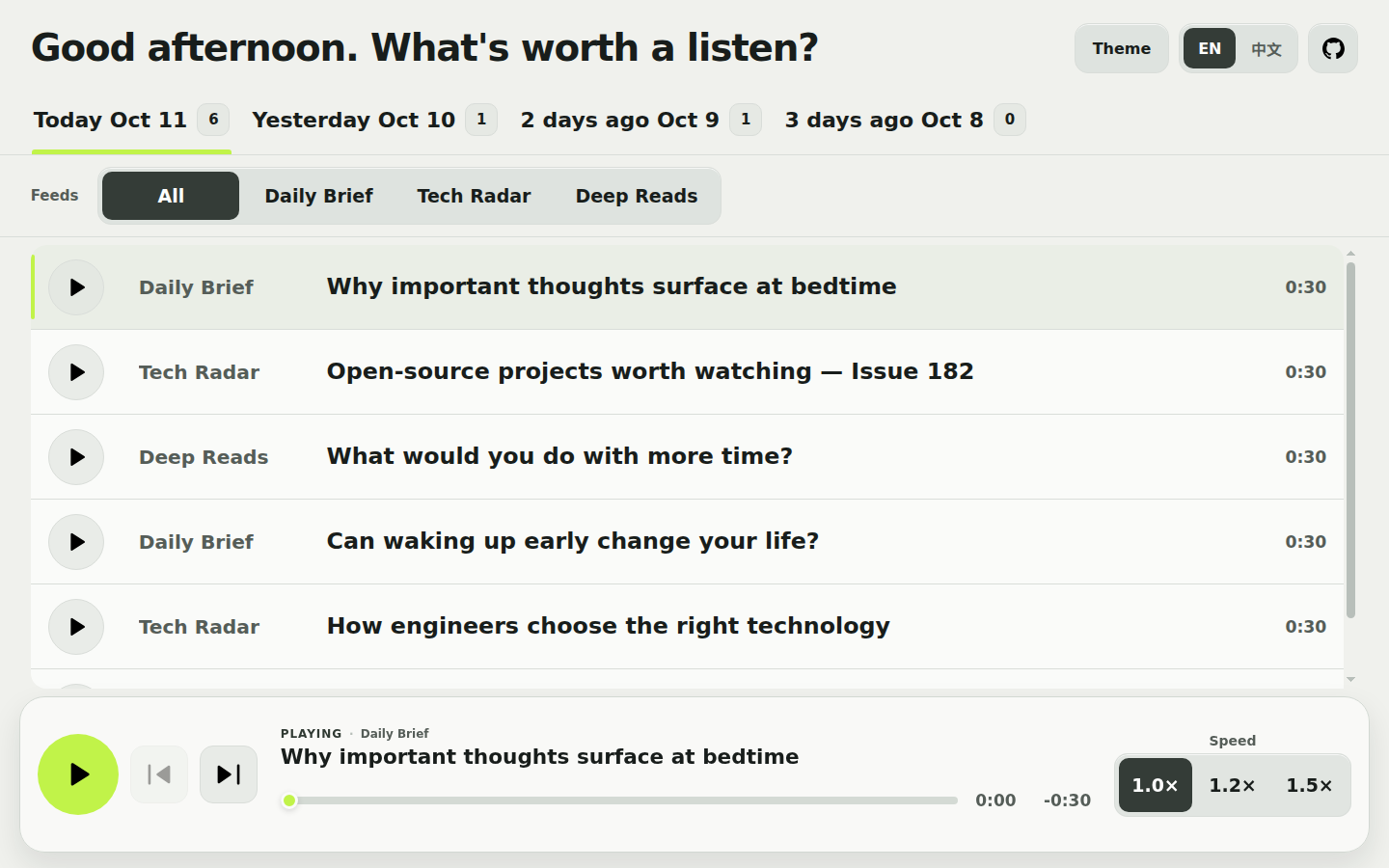
I expected the opt in link on that player. It is not there. The file is /api/v1/sources/, then the source id, then /podcast.xml. The player is built so that path is not found. The file is served on the management server, which defaults to 127.0.0.1 port 8081 and is rejected if you try to bind it to the open network. Do not expose that listener, and do not put a proxy in front of it.
A phone app on another device cannot refresh this show unless you break that rule. I would not. Listen in the browser. If you publish port 8080, put HTTPS in front of it and keep 8081 at home. The audio address on each episode still has to be a URL the browser can fetch. [localhost](localhost) in that address works on the server and fails on the phone.

On that machine the feed only lists episodes that are published, not hidden, and inside the window. The default window is 72 hours. Changing it changes the list, not the database rows. The channel title is the source name. The blurb after that name is a fixed Chinese phrase in the current code, and each item’s text is the title. The audio is mp3. Even a local podcast app would only see about three days.
rss-pod vs reading the article out loud
Read the page out loud when you want the article, not a conversation, and you do not want a database.
| rss-pod | a one-voice reader | a show builder such as BYOP | |
|---|---|---|---|
| What you hear | two or more speakers, from a script | one voice reading the page | a multi-speaker episode |
| Who writes the words | a text model, then the next if the call fails | nobody | a text model |
| Voice | Edge with no key, or Azure if you add one | Piper, on your machine | a hosted voice key, or a local voice |
| If it stops | finished steps stay in the database | a state file, so an item is not spoken twice | you approve the episode before it goes out |
| What you run | database, two buckets, one chat endpoint, the app | the app and a speech server | Docker, a chat endpoint, a voice |
| Phone app | the opt in file is on a locked port | a normal public feed | its own feed |
nbr23/rss2podcast is the one-voice shape. It pulls the entry, extracts the body, sends that text to Piper, writes an mp3, and updates a feed. No conversation step, no database. That is the right size when the pile only needs a voice.
BYOP is the nearer cousin: feeds become a multi-speaker show you approve before publish, and it expects Docker plus a voice provider. Pick that when you want the approval step. Pick rss-pod when you want Edge with no key, a resume after a crash, and you will listen in the browser.
The chat list is ordered. A timeout, a rate limit, or a server error tries the next name. A bad configuration stops. Put one working endpoint in the list before you debug voices.
How do I run the first poll
Do this once the four services answer.
- Clone the project from rss-pod. Copy the example config and the example env file. Do not commit the filled-in copies.
- Set the database, both buckets, the public media address, and one chat endpoint. Create the buckets first.
- Enable one source. Paste your feed URL. Point it at an Edge profile unless you already have an Azure key. Leave every other source off.
- Run check, then migrate, then run. Keep port 8081 on the machine. Bind the player to [localhost](localhost) until HTTPS exists.
- Poll that source with a limit of 1. Watch the logs. Refresh the player when they go quiet.
- If the machine dies in the middle, poll again with resume-incomplete. Saved text, saved script, and finished audio stay. Published episodes and skipped items are not queued again.
Missed scheduled polls from the last hour are caught up and keep their original day. Older misses wait. Change the sample clock and the timezone together.
Screening is off, which means no extra model call before the script. Turn it on only when you want a model to refuse filler before you pay for speech. A skip stores a reason and writes no mp3. The admin page can show those skips for the past week, and the page stays disabled until you set a secret.
That secret is a base32 string you also add to an authenticator app: time-based SHA-1, six digits, 30 seconds. Login is the current code, not a password, and the session lasts 30 minutes. Generate the string on the server. Hiding an episode removes it from the player and from the feed. It does not delete the audio, and it does not revoke a link a client already saved.

Use a real poll as the test that the stack works. The two files above only prove the voice.
When should I not use rss-pod
Skip it when one reading voice is enough. A database and two buckets are a lot of machinery for a step you do not want.
Skip it when the opt in button in a phone podcast app is the whole point. The feed exists, and the program hides it on a port it will not open to the network. The browser player is the path that matches the design.
Skip it for a private feed you will not send to a hosted model, unless the chat address points at a machine you control.
Do not open port 8081, or the admin routes, to the internet. Poll and retry live there too.
If the unread pile is the problem and a browser is an acceptable player, this is the setup that turns the pile into a conversation and can continue after a crash. If the pile only needs a voice in an app you already use, skip the conversation and skip the database.
Common questions about turning an RSS feed into a podcast
common questions
can i add the show to a podcast app
Not with the player URL. The opt in file is /api/v1/sources/YOUR-ID/podcast.xml on 127.0.0.1 port 8081. Port 8080 does not serve it. Use the web player. Do not publish the second port to chase a opt in button.
does the voice step need a key
Edge does not. The two files above were made with no key. Azure Speech needs a key and a region. The Azure cast will not speak until that key is set.
what if the computer restarts halfway
Finished stages stay in PostgreSQL. Poll again with resume-incomplete and the run continues from what was saved. It does not rewrite a script that already exists, and it does not republish an episode that already went out.
is the admin page safe on the public internet
No. Leave it off, or reach it only from the machine. The login is the rotating code and nothing else. Sessions last 30 minutes. Hiding an episode is a display switch, not a delete, so a public audio URL still plays for anyone who saved it.