
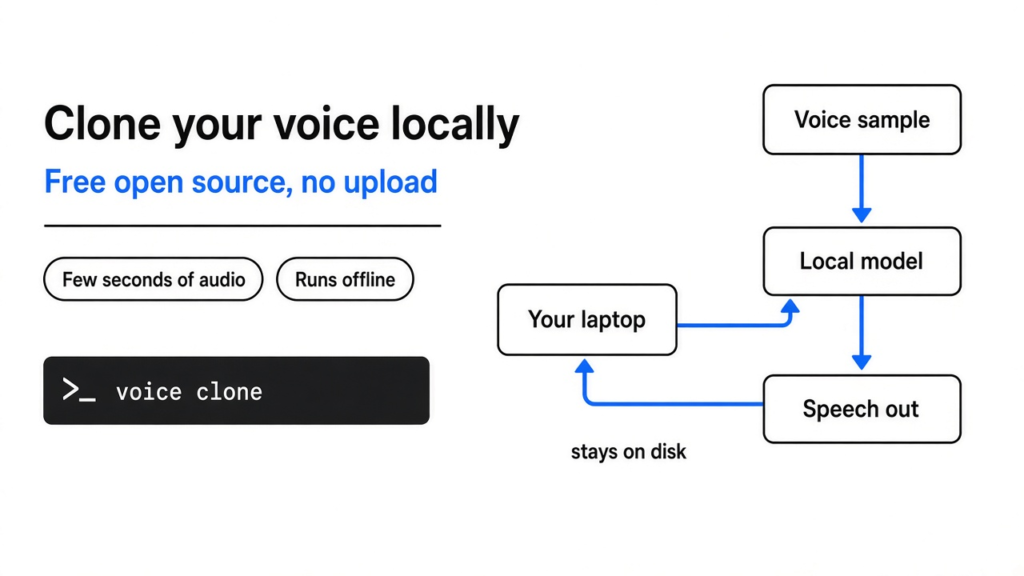
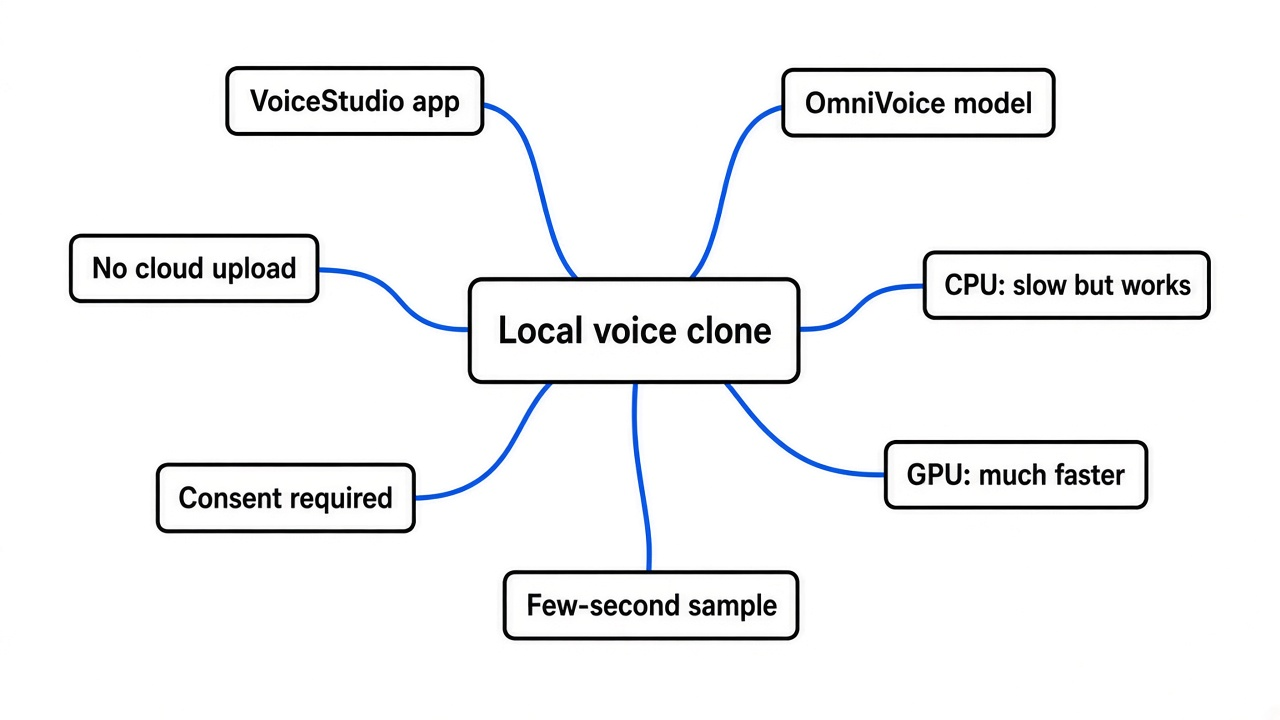
Yes. Free open source tools can copy your voice from a few seconds of audio and read any text in it, entirely on your own computer. VoiceStudio gives you a desktop app for it, and OmniVoice (the speech model inside it) runs from one pip install. A graphics card makes it fast. Without one, it still works, just slowly.
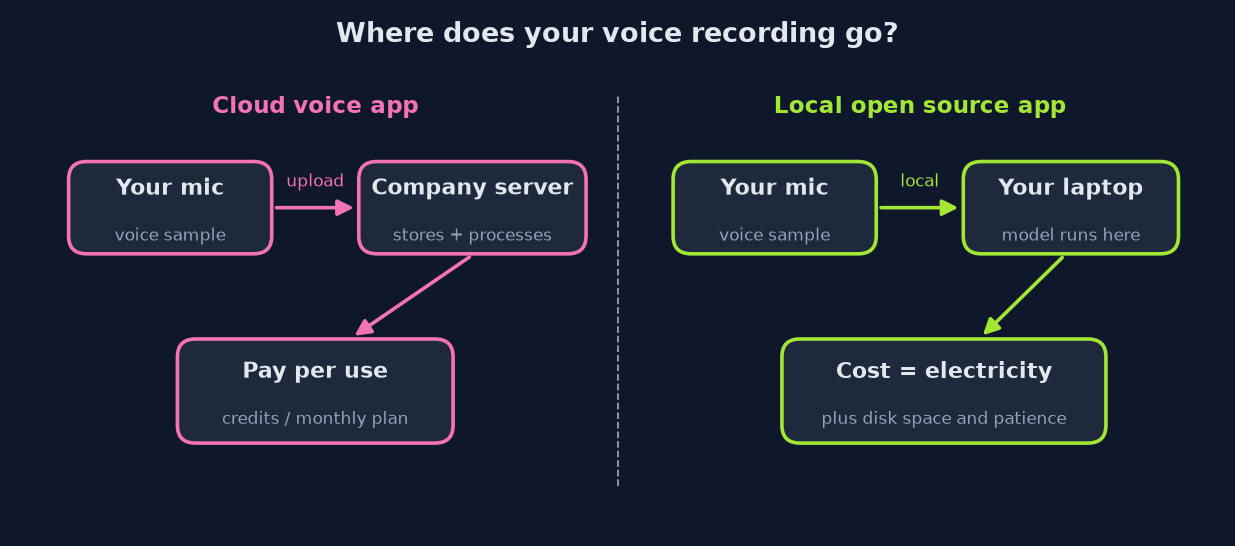
You record ten seconds of yourself, upload it to a voice website, and a minute later a robot says things in your voice. It feels like magic. Then the bill arrives, and you remember that a copy of your voice sits on someone else’s server.
That second part is the real problem. Your voice is the one file you never want to upload. This post shows you how to keep it on your own disk, what it costs in time and hardware, and the catch nobody mentions up front.
What does voice cloning actually mean?
Voice cloning is text-to-speech that copies one specific voice from a short sample. To get there, start with the plain version.
Text-to-speech (software that reads text out loud) has been around for decades. Old versions glued recorded sounds together, which is why they sounded choppy. Modern ones use an AI model trained on thousands of hours of people talking, so they learn how speech flows, not just how letters sound.
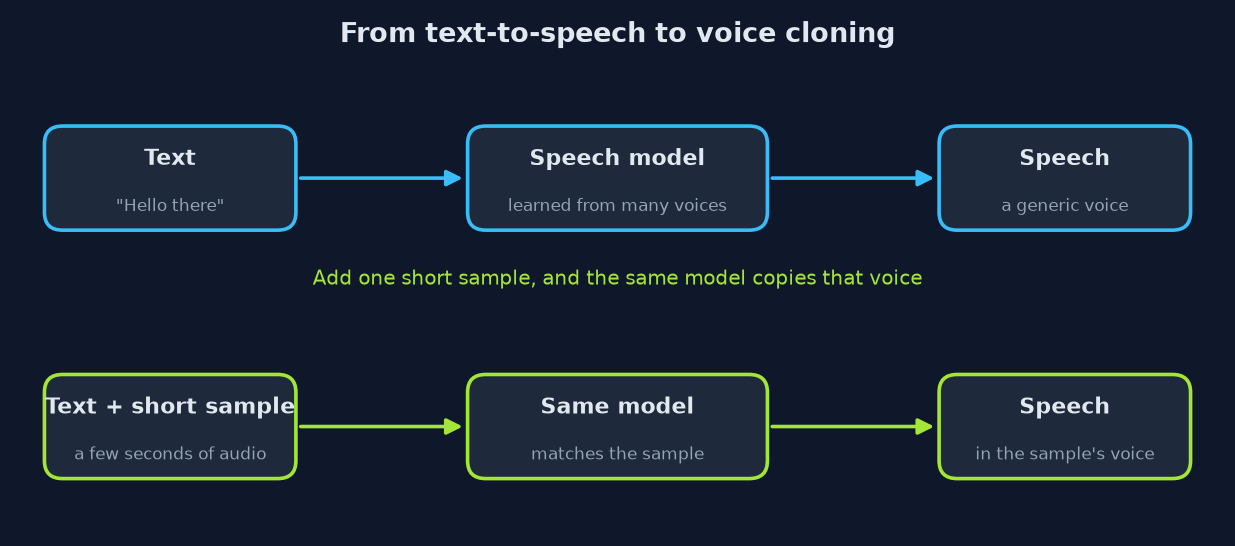
So here is the jump. If a model has heard thousands of voices, it has learned what makes voices different: pitch, speed, accent, the little rasp at the end of a word. Give it a few seconds of one person, and it can aim for that person’s version of speech. That is cloning.
The fancy name for doing this with no extra training is zero-shot (the model copies a voice it has never been trained on, on the first try). Think of a good impressionist who hears you say one sentence and then does your voice for a whole story.
How does the model turn a voice into speech?
It turns sound into numbers, predicts the next numbers, then turns them back into sound. That is the whole trick, and it is the same trick chatbots use with words.
A sound wave is just air pressure going up and down very fast. A computer stores it as a long list of numbers, thousands per second. That list is far too long for an AI model to reason about directly.
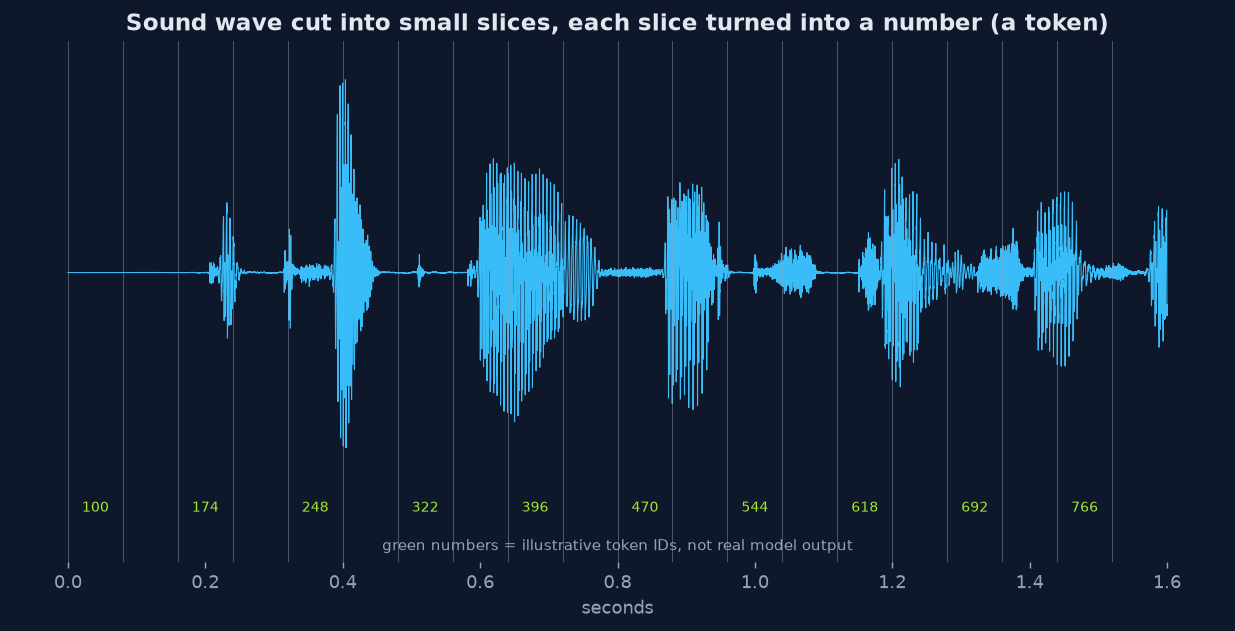
So the model first chops the audio into tiny slices and squeezes each slice into one code number, called a token (a small chunk the model reads, like a word piece for audio). Your ten-second sample becomes a short row of tokens that captures how you sound.
Then it does what a chatbot does with text. It reads your text plus your voice tokens and predicts the speech tokens that should come next, in your style. A decoder (the part that turns codes back into a wave) rebuilds those tokens into audio you can play.
That is why a clean sample matters so much. If your sample has a fan humming in the background, the model faithfully learns the hum as part of “your voice.”
Is there a free open source alternative to ElevenLabs?
Yes: VoiceStudio for a click-and-go app, or OmniVoice if you like the terminal. Both run on your machine, so nothing gets uploaded.
ElevenLabs is the best-known paid voice service. Its free plan lets you generate speech, but voice cloning starts on a paid plan. You also pay in credits, so long audiobooks get expensive.
VoiceStudio is an open source desktop app for cloning, designing a voice from a description, dubbing videos, dictation, transcription and audiobooks. It covers 646 languages and runs on your own hardware. Remote services are optional, and usage analytics only turn on if you agree.
Under the hood, its default engine is built on OmniVoice, an open source speech model that supports over 600 languages. OmniVoice can clone a voice from a short reference clip, or design a voice from words like “female, low pitch, British accent.” It even understands tags like [laughter].
Here is how the three compare on what matters day to day:
| ElevenLabs | VoiceStudio | OmniVoice | |
|---|---|---|---|
| Where it runs | Their servers | Your computer | Your computer |
| Voice cloning on free tier | No | Yes | Yes |
| Interface | Website | Desktop app | Terminal or Python |
| Setup effort | None | Installer plus model download | pip install plus model download |
| Speed without a GPU | Not your problem | Slow | Slow |
Does local voice cloning really work? My test
It worked on the first try, on a plain two-core computer with no graphics card. It was also very slow, which is the honest catch.
I wanted proof without using anyone’s real voice. So I used OmniVoice’s voice design mode to invent a voice from a description, saved that as my sample, then asked the model to clone it saying a sentence it had never heard.
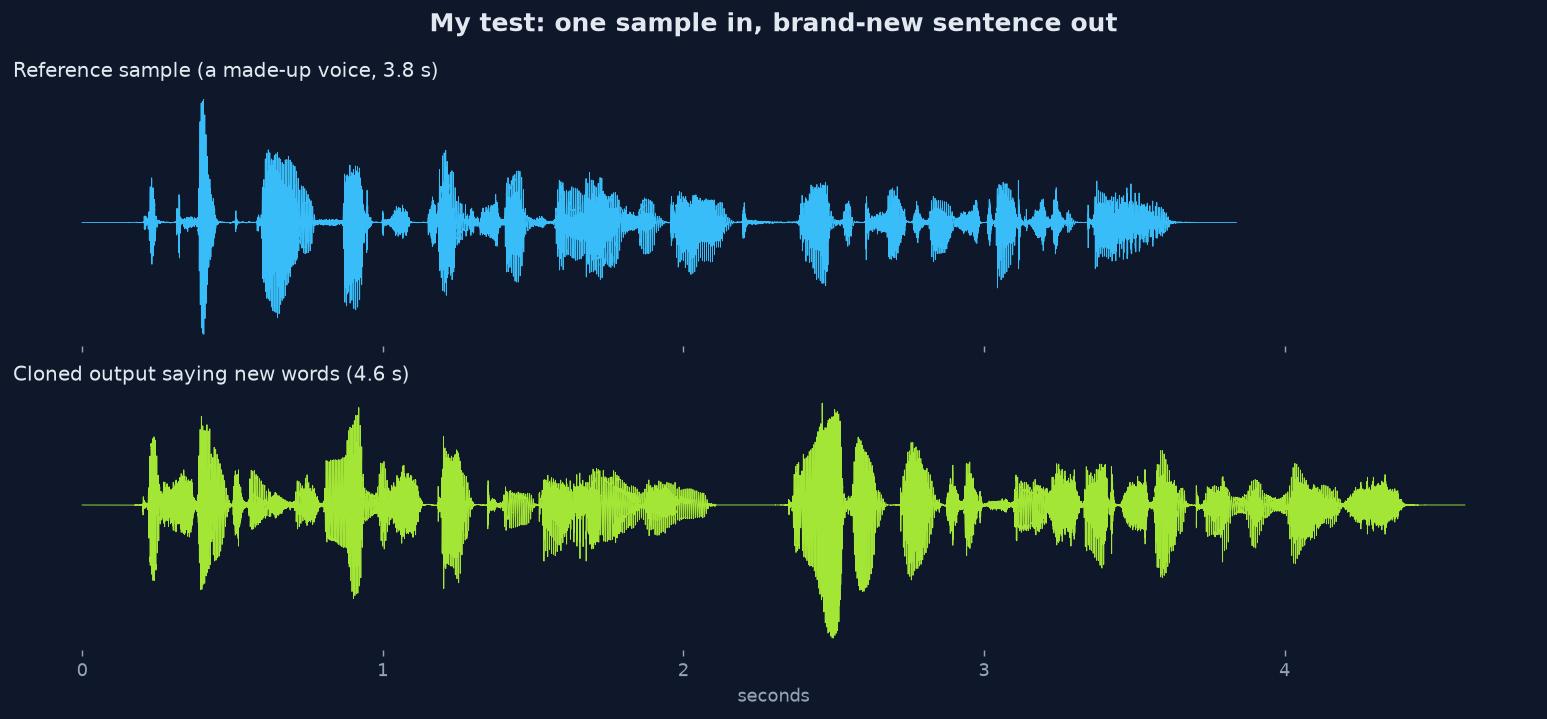
Here is what happened, step by step:
- The question: can a normal laptop-class machine clone a voice with no GPU?
- The setup: a cloud computer with 2 CPU cores and 7 GB of RAM, CPU-only PyTorch, OmniVoice installed with pip.
- The model download was 3.3 GB and took 16 seconds to load.
- Cloning a 4.6-second sentence took 78 seconds. That is about 17 seconds of waiting per second of speech.
- Peak memory use was about 3.7 GB of RAM.
- To check it was real speech, I ran both clips through Whisper (a speech-to-text model). It transcribed the cloned sentence back word for word.
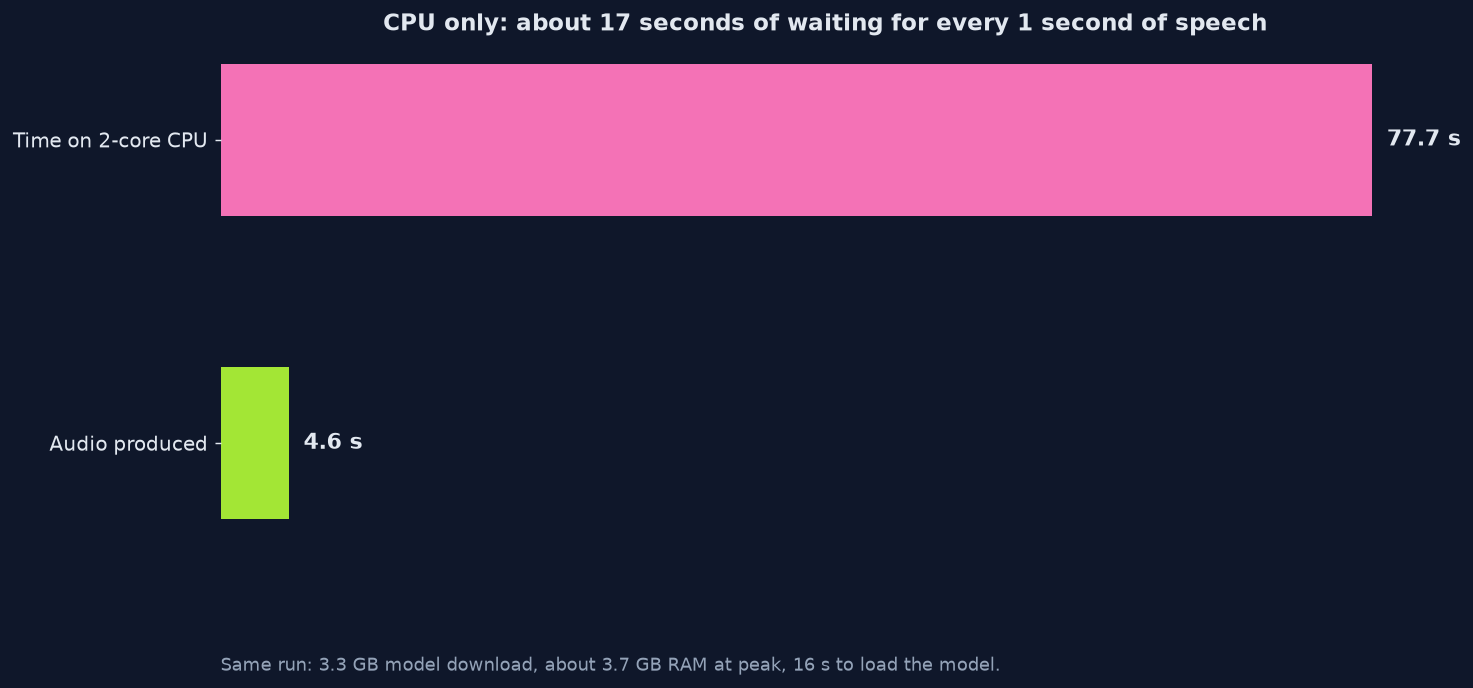
What does that mean for you? On a CPU, local cloning is fine for a short voiceover or a few lines, and painful for a whole audiobook. The model is built to run up to 40 times faster than real time on fast hardware, so a graphics card changes the experience completely.
The catch from my test: only the CPU path was measured. Treat the GPU speed as the makers’ design target, not a number from this run.
How do I set it up on my computer?
Pick the path that matches your hardware, then follow four steps. The hardware decides speed more than the software does.
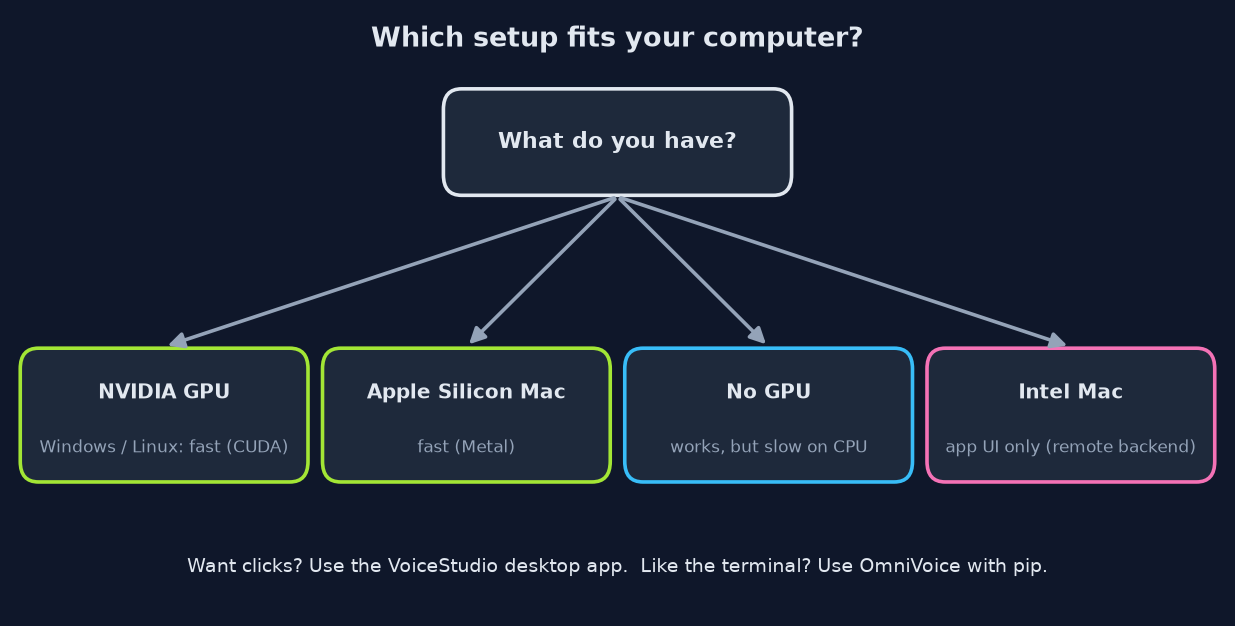
First, check what you have. An NVIDIA graphics card on Windows or Linux gets CUDA (NVIDIA’s system that lets AI run on the graphics card). An Apple Silicon Mac gets Metal (Apple’s version of the same idea). Anything else falls back to the CPU and works slowly. Intel Macs can only run the VoiceStudio app window and need the heavy part on another machine.
Path A: the desktop app
- Download the installer for your system from the VoiceStudio releases page on GitHub (.dmg for Mac, .exe for Windows, .AppImage or .deb for Linux).
- Open the app and go to Voice cloning.
- Add a clean recording of your own voice, type your text, and generate.
- Approve the model download when it asks. Plan for about 5 GB of free disk on a CPU-only setup.
Path B: OmniVoice in the terminal
Make a fresh virtual environment (an isolated Python folder so packages do not clash), then install PyTorch for your hardware and OmniVoice:
python3 -m venv ov && source ov/bin/activate
pip install torch==2.8.0 torchaudio==2.8.0 --index-url https://download.pytorch.org/whl/cpu
pip install omnivoice
That PyTorch line is the CPU build. On an NVIDIA card or a Mac, use the PyTorch install command for your hardware from the OmniVoice README instead.
Then clone. --ref_audio is your sample, and --ref_text is exactly what you said in it:
omnivoice-infer --text "Hello from a voice that lives on my own laptop." \
  --ref_audio my_voice.wav \
  --ref_text "Exactly what I said in the recording." \
  --language English --device cpu --output hello.wav
On my CPU machine that whole command, model loading included, finished in about a minute. Prefer a browser window? Run omnivoice-demo and it opens a local web page with the same controls.
How do I get a clone that sounds like me?
Feed it a clean, honest sample, because the model copies everything it hears. Remember the fan hum from earlier. The same rule applies to every flaw in your recording.
Record in a quiet room, close to the mic, in your normal speaking voice. Use a sample of roughly 5 to 15 seconds of continuous talking. Type the transcript exactly as spoken, including “um” if you said it, because a mismatch confuses the model about which sound is which word.
Set the language when you know it, because results come out slightly better that way. If one result sounds off, generate again: each run varies a little, like a person reading the same line twice.
Is it legal and safe to clone a voice?
Cloning your own voice is fine. Cloning someone else’s without permission is where people get hurt. VoiceStudio itself asks you to clone voices only with permission.
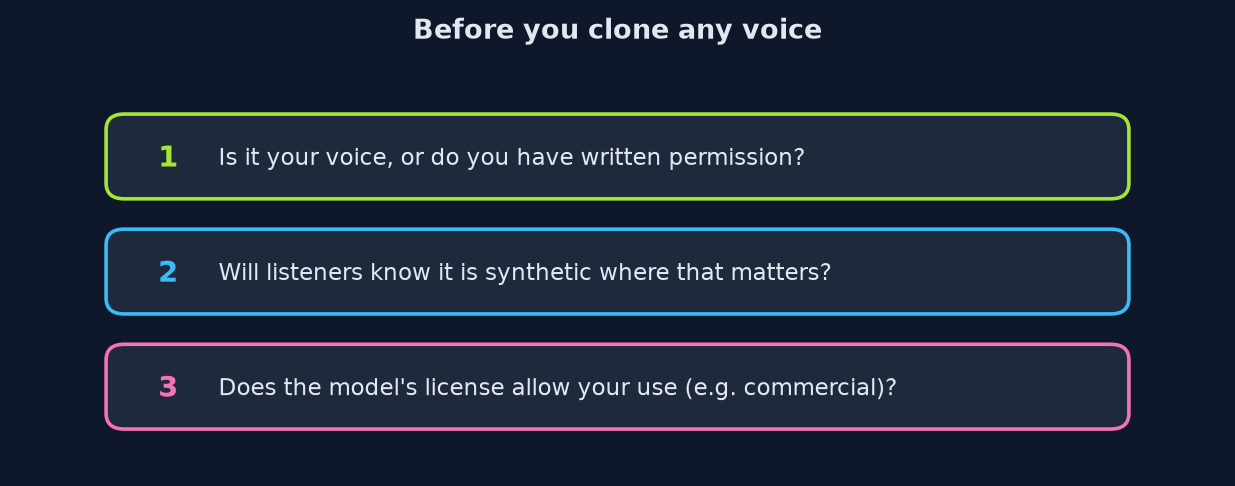
A cloned voice can fool a parent on the phone or a bank’s voice check. So treat a voice like a signature. Only clone your own, or one where the person gave clear permission, ideally in writing.
There is also a licensing layer. VoiceStudio’s app code uses the AGPL-3.0 license (a free license that requires sharing your changes if you offer the app to others), while model weights and generated audio have their own separate terms.
If you plan to sell anything you make, read the model license in the app’s Model Manager first. I am not a lawyer, so check the terms for your own use.
Should you use a local clone or a paid service?
Use local if privacy or volume matters to you. Use a paid service if you need instant results and have no GPU.
The paid service has a real point in its favor. It is instant, needs no setup, and your weak laptop is not the bottleneck. For one quick voiceover on a CPU-only machine, that convenience is worth something.
But a paid service charges per use, and it keeps a copy of your sample. A local setup costs disk space and patience once, then runs as many times as you like with nothing leaving your machine.
Want more private, local tools? See how to run big AI models on small graphics cards. For files, here is how to convert them without uploading, and how Strata compares to Ollama.
So record ten clean seconds. Keep that file on your own disk.
Common questions about cloning your voice locally
Can I clone my voice for free without uploading it?
Yes. VoiceStudio and OmniVoice are free and open source, and both run on your own computer, so the sample never leaves your disk.
Do I need a GPU for local voice cloning?
No, but it helps a lot. On a two-core CPU it took about 17 seconds to make each second of speech, while fast hardware is built to run faster than real time.
How long should my voice sample be?
A short clip works. Roughly 5 to 15 seconds of continuous talking in a quiet room gives the model a clear picture.
Is VoiceStudio a good ElevenLabs alternative?
For privacy and unlimited local use, yes. It lacks the instant cloud speed of a paid service, so on a machine without a GPU expect to wait.
5 comments