Does Orkas run on Linux? Yes from source on glibc with Node 22.12+, with no packaged installer.
I had a Linux machine and a download page that only offered a Mac file and a Windows file. Orkas is a desktop app that takes one goal and hands pieces of it to a small team, including a coding agent you may already run. The useful question is not what the app promises. It is whether Linux is a real path or a footnote.
Yes. Orkas runs on Linux from source when the machine uses glibc (the C library Ubuntu and Debian ship) 2.34 or newer, the processor is x64 or arm64, and Node is 22.12 or newer. There is no installer. On my machine the host check passed, the downloads landed, and the window never opened because the desktop shell could not find [libgtk-3.so](libgtk-3.so).0.
That split is the whole story. Mac and Windows get a file you double-click. Linux gets a source folder and a script. If the host check fails, no amount of waiting on downloads will open a window.
Does Orkas run on Linux?
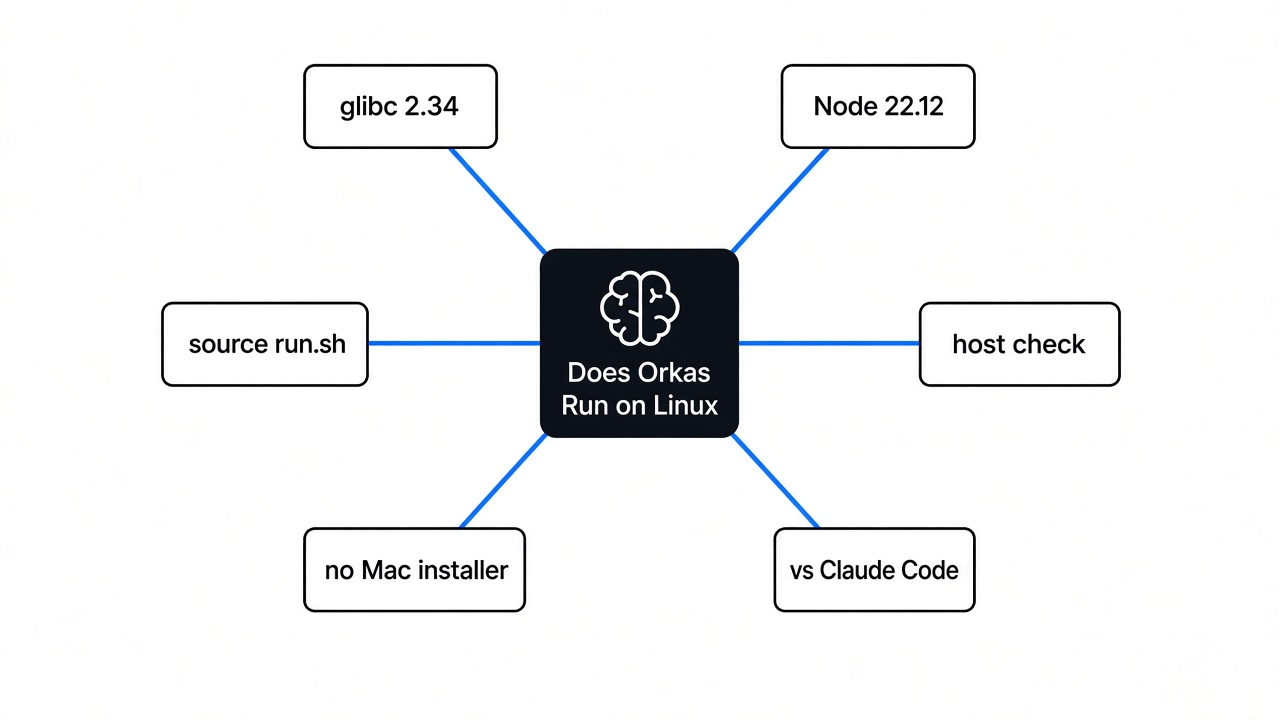
Yes, if you run it from source on a normal desktop Linux, not on a tiny container and not on Alpine. The packaged downloads are Mac and Windows only. Linux is a source run. Alpine is refused because it uses musl (a smaller C library) instead of glibc, and the speech runtime the app prepares will not start there.
The claim was checked on this box. The source was cloned and the Linux host assert the launcher uses was run. It printed one line and returned cleanly:
[linux-deps] verified host:linux-x64, host:node-24, host:glibc-2.41This machine was Node 24.22.1, past the 22.12 floor in the project’s engines field. glibc was 2.41, past the 2.34 floor that same checker enforces. The host assert printed verified host:linux-x64, host:node-24, host:glibc-2.41 (Asia/Calcutta, 9 Nov 2026). The processor was x64, one of the two shapes it allows. The other is arm64. Anything else stops before a download.

So the first answer is a yes with a fence around it. The fence is the C library, the Node version, and the processor. A download button is not part of the Linux path. You can see the same fence yourself in one command, before you clone anything:
node -p "process.versions.node + ' ' + process.report.getReport().header.glibcVersionRuntime"If that prints a Node older than 22.12, or a glibc older than 2.34, or it errors because there is no glibc at all, stop. Orkas on Linux is not going to open.
How do I install Orkas on Linux?
You do not install a package. You clone the source and run the launcher. The source is the Orkas repository. The download page is still only the packaged apps.
git clone https://github.com/Orkas-AI/Orkas.git
cd Orkas
./run.shThe script checks Node before it does anything else. If Node is missing, or older than 22.12, it tells you to install Node and run it again. On Linux it then runs the host check I ran. Only after that does it install the locked dependency tree and try to open the window.
I expected a long first launch. The package install was the fast part. It added 495 packages in 16 seconds, noticed the desktop shell binary was missing, repaired that, and downloaded a 90.4 MB file the app uses to search your own notes on the machine. After that step, node_modules was 1.3 GB. The desktop shell binary alone was 211 MB. That is the cost of a source run. A Mac user never sees it.
Keep Python 3 and a C build toolchain installed. They are only needed when a native package has no ready-made Linux binary and has to be compiled on your machine. On my run the package install itself did not need a compile. The later check, the one that loads a database library inside the desktop shell, is where the window died.
What does the first Linux launch download?
The first launch is not one file. After the packages, the setup pulled three more tools I could measure, then stopped on a fourth.
A helper that reads office files came down as a 33.6 MB Linux binary and verified. ffmpeg, the program that reads and writes video, landed at 79.8 MB, and its probe tool at 78.9 MB. The notes-search file was already on disk at 90.4 MB. The resources folder ended at 319 MB.
The speech runtime did not finish. The downloader started the Ubuntu x64 speech archive and died with EINVAL: invalid argument, fchown. That call tries to change who owns a file. This machine’s filesystem refused it. A normal home directory on Ubuntu usually allows that, so I will not tell you the speech step is broken for every Linux user. I also will not tell you it worked. The speech folder was empty when I looked.

The stop that will hit a machine without a desktop is the next one. The setup tried to load a database library inside the desktop shell, and the shell itself would not start:
error while loading shared libraries: libgtk-3.so.0: cannot open shared object file: No such file or directory[libgtk-3.so](libgtk-3.so).0 is the library that draws ordinary windows on Linux. A laptop that already runs a full desktop almost certainly has it. A server, a container, or a minimal cloud box often does not. This prep machine already has libgtk-3.so.0 on disk. A minimal cloud box often will not. The result to stand behind is the missing-library error when GTK is absent, not a screenshot of the app window.
Can I use Orkas without an account?
On the Linux source build, yes. The launcher I ran never asks you to sign in. After the checks it installs dependencies and goes straight at the window. The packaged Mac and Windows app is the one that asks you to sign in, and that sign-in is how the built-in model is offered. The source build expects your own key, or a local model endpoint you already run for other tools.

That is a trade, not a gift. You skip the account. You also skip the built-in model, shared projects, and cloud sync, which live in the packaged app. I never reached a settings screen, so This run did not type a key and This run did not watch a task finish. If your question is “will my key produce an answer,” you still have to open the window on a machine that has the desktop library. What I can tell you is that the source path does not put a login wall in front of that window.
Offline follows the same split. Pointed at a local model endpoint, the source build can stay on the machine. A cloud model still needs the network. Nothing keeps running after you shut the computer off. This is an app on your desk, not a server in a closet.
Orkas vs Claude Code
They are not the same job, and Linux does not change that. Claude Code is one coding agent in the terminal, and it is the right tool when the work is the repository in front of you. Orkas is a desktop window. A lead inside it splits a bigger goal, and it can start Claude Code, Codex, OpenCode, OpenClaw, and Hermes as local programs beside its own helpers.
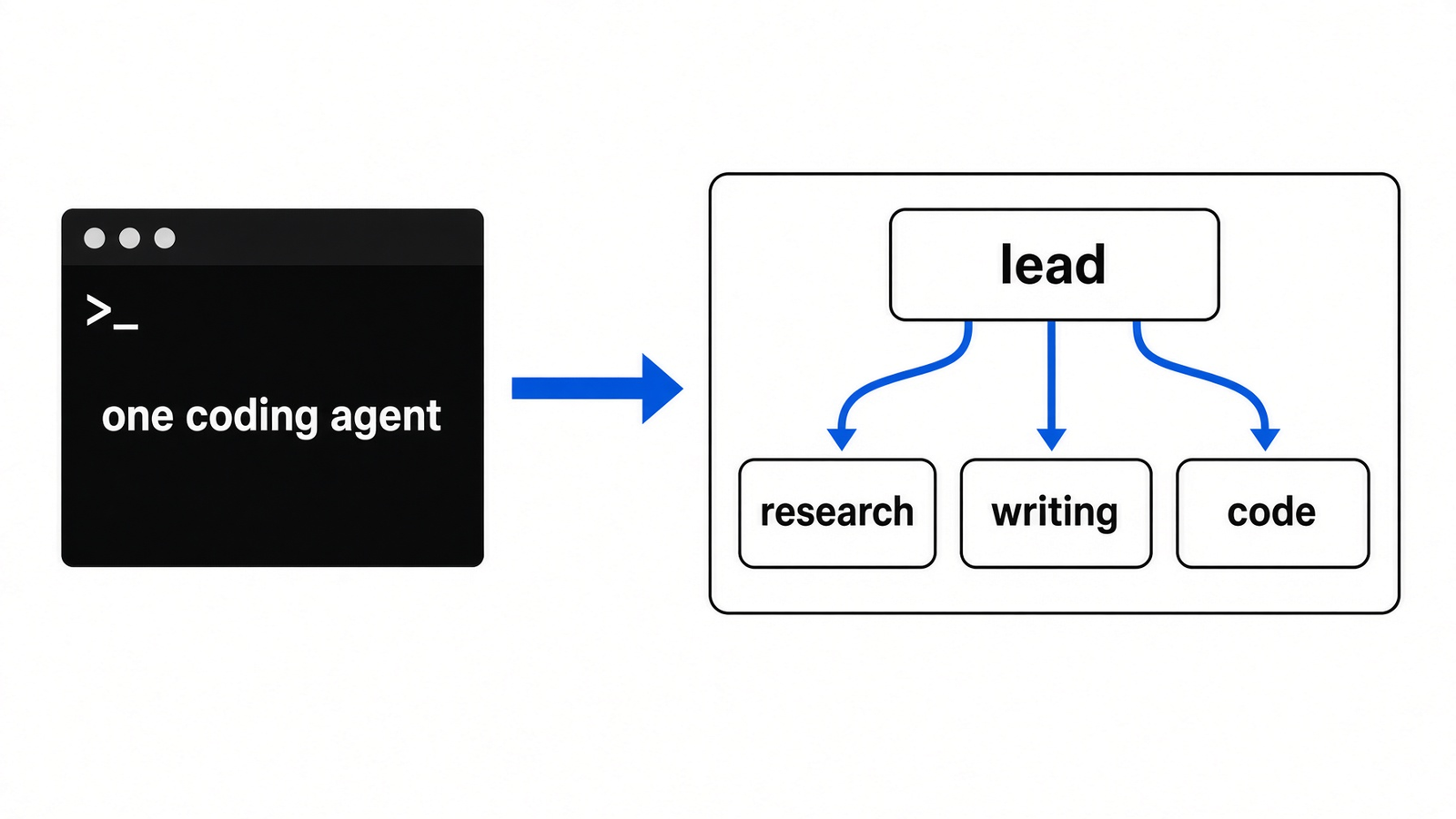
I would not uninstall Claude Code to try this. The checkout treats Claude Code as one worker, not as a rival. If all you wanted was a second terminal, you do not need a 1.3 GB desktop shell to get it. If you are tired of being the person who copies a research note into the coding agent and then copies the result into a doc, that is the job this window is for.
On Linux the practical difference is sharper. Claude Code is a command you already run. Orkas is a window you have to build, and on my machine the window did not appear. Use Claude Code today. Add Orkas when you have a desktop session and a key, and you want one place that can call the coding agent instead of replacing it.
| Mac or Windows package | Linux source | |
|---|---|---|
| How you get it | An installer | ./run.sh after a clone |
| Account | Sign in | No sign-in step in the launcher |
| Model | The built-in one, or your key | Your key, or a local endpoint |
| What I saw | This run did not run those installers | Host check passed, window did not open |
A second folder is not a wall, if the fear is the agent touching the wrong files. OpenRig versus git worktrees keeps two writers from saving over each other. It does not keep them off your keys. A disposable machine does more of that, which is the point of coop. The policy cage is a third thing, in which cage your agent is actually in and in why that cage is not Docker. Orkas is none of those. It is a desk for the work, not a lock on the work.
Why did the window not open?
The launcher’s last step starts Electron (the program that turns a web page into a desktop window) on the source folder. That binary was on disk. It still would not load. The missing piece was [libgtk-3.so](libgtk-3.so).0, not Node, not glibc, and not the 495 packages.

If you are on a normal desktop and ./run.sh dies with that same missing-library line, install the GTK 3 library from your distro and run the script again. The error string is the diagnosis. If you are on a server with no screen, stop. There is no headless mode in the launcher. It ends by opening the window. A virtual screen might get the process further along. It will not give you the chat This run did not get.
The speech download dying on fchown is a separate problem. Fix the window first. Speech is optional for the question of whether Orkas runs.
When should I skip Orkas on Linux?
Skip it when any of these is true.
- The machine is Alpine, or any other musl system. The checker rejects it before the downloads.
- You have no desktop libraries and no plan to install them. The window cannot open.
- You only want a coding agent. Claude Code already does that job, and it does not ask you to build a desktop shell.
- You want the built-in model and the one-click file. That path is Mac or Windows.
Use the Linux source path when you already live on glibc, you have Node 22.12 or newer, you have your own key or a local model, and you want the team window rather than another terminal.
If you want the same proof, from a desktop session:
node -p "process.versions.node + ' ' + process.report.getReport().header.glibcVersionRuntime"
git clone https://github.com/Orkas-AI/Orkas.git
cd Orkas
node scripts/verify-linux-source-dependencies.cjs --host-only
./run.shThe first line should show Node at or above 22.12 and glibc at or above 2.34. The host check should print host:linux-x64 or host:linux-arm64, plus your Node major and your glibc. Then ./run.sh either opens the window or prints the missing library. That printout is the answer.
Common questions about orkas on linux
does orkas run on alpine linux
No. Alpine uses musl, and the Linux checker requires glibc 2.34 or newer. It stops before it downloads the speech runtime, because that runtime will not start on musl. If process.report cannot see a glibc version, you are already outside the fence.
do i need a model key for the linux source build
Yes, if you want an answer. The source launcher has no account and no built-in model. You bring a key, or you point the app at a local model endpoint. This run did not get a window, so This run did not complete that step, and I will not invent a reply.
is there an orkas linux installer
No. Mac and Windows have packaged installers. Linux runs from ./run.sh after you clone the source and you already have Node 22.12 or newer. The download page does not change that.
can orkas run claude code on linux
The app is built to start Claude Code as a local program from the same window, next to Codex, OpenCode, OpenClaw, and Hermes. That only matters after the window opens. On a machine missing [libgtk-3.so](libgtk-3.so).0, you never get far enough to start Claude Code from inside it. Run Claude Code on its own until the window is up.
I would run the host check before I gave this app an afternoon. If the check fails, it was never going to open. If the check passes and the window opens, bring your own key. The Linux path is real. It is just not the file the download page is selling.