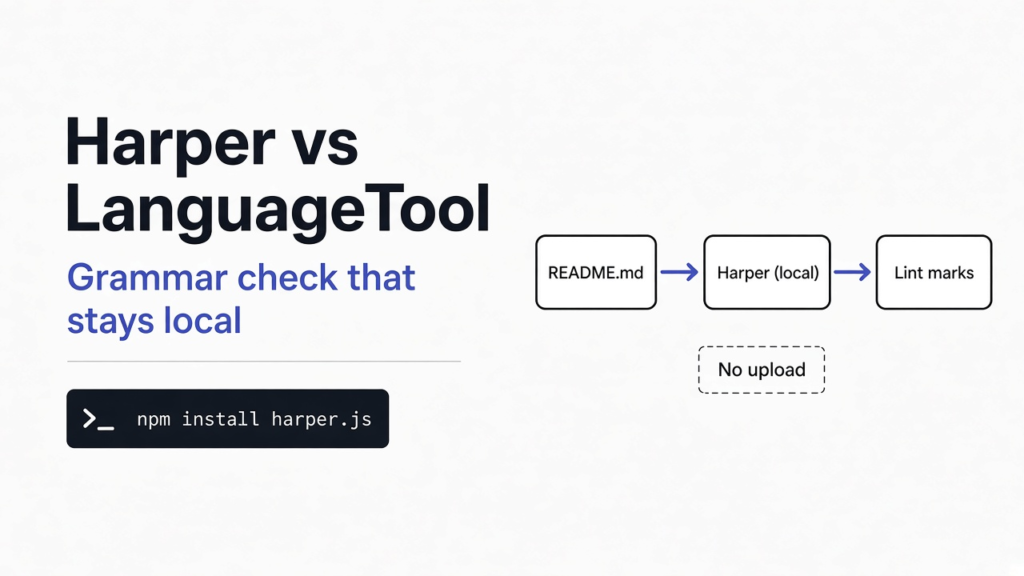
I had a short README with two misspelled words, and one sentence that used it’s where it meant ownership. A grammar checker (a program that reads writing and marks the words that look wrong) can do that job in two rooms. Harper did it inside the program I was already running, and the sentence never left. LanguageTool is the checker most people already know, and the public one has to receive the sentence before it can mark it. For an English note I want to keep on this machine, I would use Harper. For a language Harper does not speak, I would not.
Harper checks English on your computer and keeps the sentence there. LanguageTool is the one to open when the paragraph is not English. I ran Harper. I did not run LanguageTool, so I will not borrow a speed number for it.
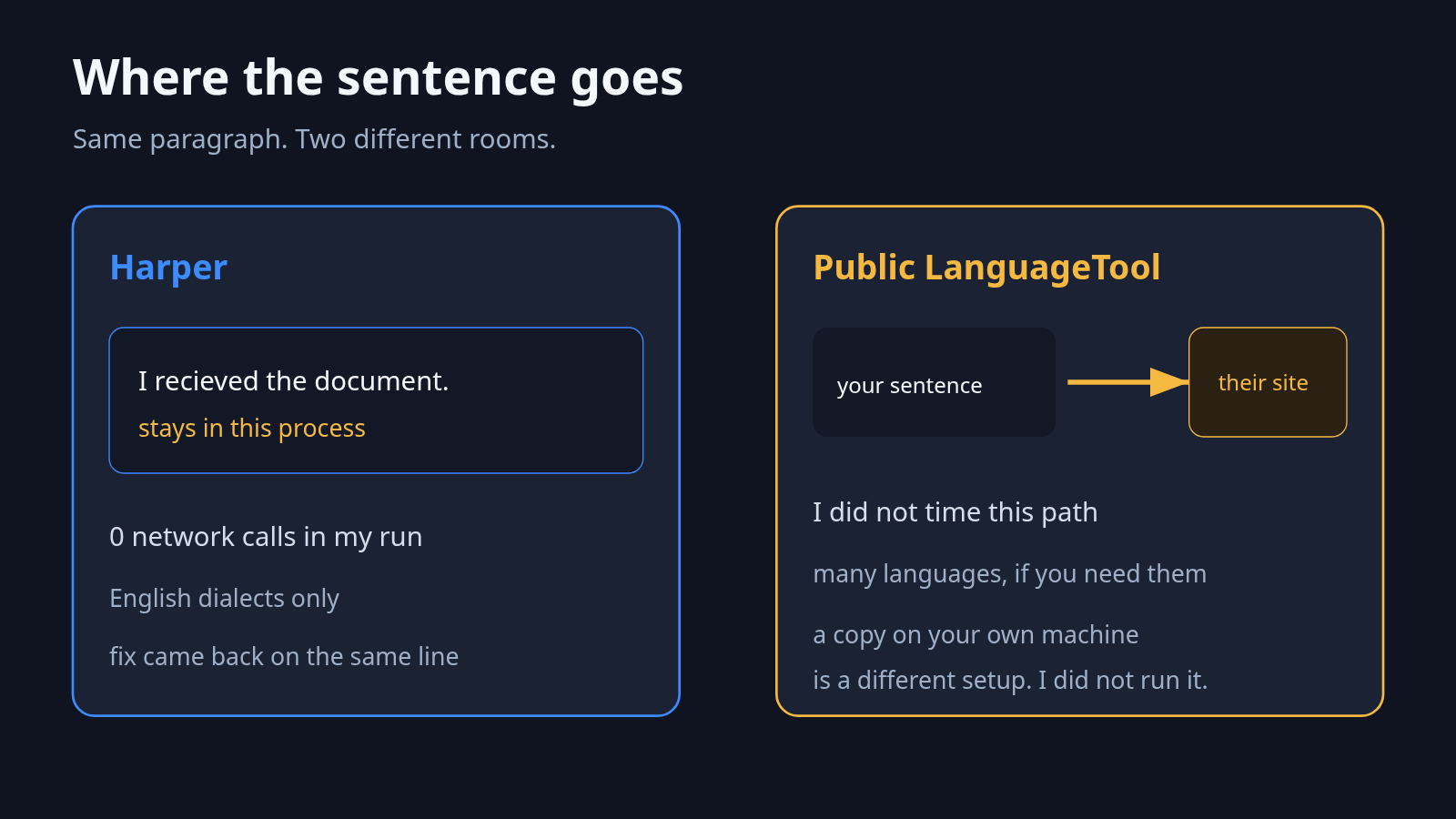
What is the difference between Harper and LanguageTool?
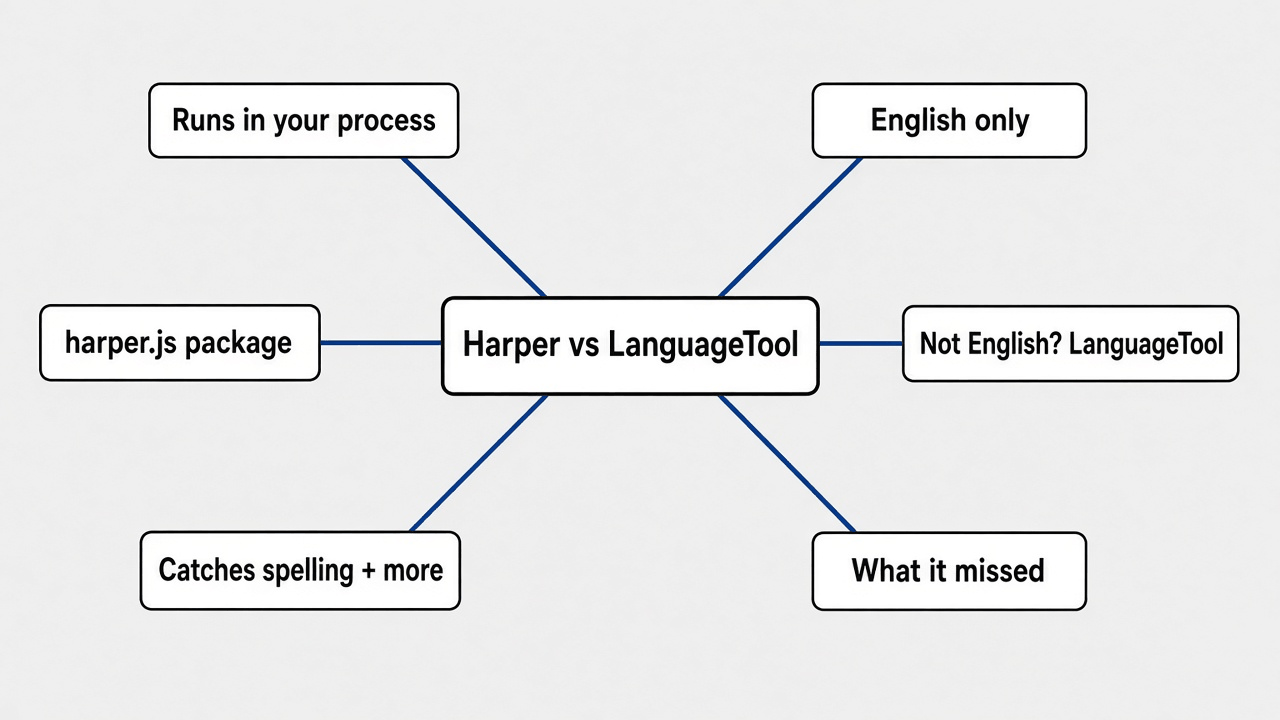
Harper kept the sentence in the same process and marked English only. The public LanguageTool site is a different room: the sentence has to arrive there before anyone can mark it.
A process (the running copy of a program, the room the work happens in) is where this check lived. I loaded Harper from the harper.js package. That package is a wrapper (a thin layer that lets Node start another program) around a WebAssembly file (a program packed so JavaScript can run it in place, with no separate app to install). Before the check I blocked ordinary web requests. The check made zero of them. The first load took 1.78 seconds. A two-typo sentence, on the second try, came back in 0.84 milliseconds.
The dialect list I could set was five kinds of English: American, British, Australian, Canadian, and Indian. A dialect (which country’s spelling counts as correct) is not a language switch. There was no Spanish setting. That is the gap in one line. Harper is an English checker that stayed here. LanguageTool is built for many languages, and the copy people usually click lives on their website. You can also run LanguageTool on a machine you control. I did not install that copy, so I will not describe its setup as if I had.
A window on your desk is not the same thing as a sentence that stays put. A tool can look local and still send the file. The same split is the point of does ZCode still upload your code and of JetBrains Air: the window is not proof. Harper’s proof, in this run, was the blocked request count staying at zero.
How do I check a file with Harper?
Install the package, point it at the sentence, and read the lints. A lint (one marked problem, with the bad slice of text and a suggested replacement) is the only thing that comes back.
I used Node and the harper.js package. The project file had to say the script is a module, which is the setting that makes import work. Then this:
npm install harper.jsimport { LocalLinter, Dialect } from "harper.js";
import { binary } from "harper.js/binary";
const linter = new LocalLinter({ binary, dialect: Dialect.American });
await linter.setup();
const text = "I recieved the documnet yesterday and it looked fine.";
const lints = await linter.lint(text, { language: "plaintext" });
for (const lint of lints) {
const fix = lint.suggestions()[0];
console.log(lint.get_problem_text(), "->", fix.get_replacement_text());
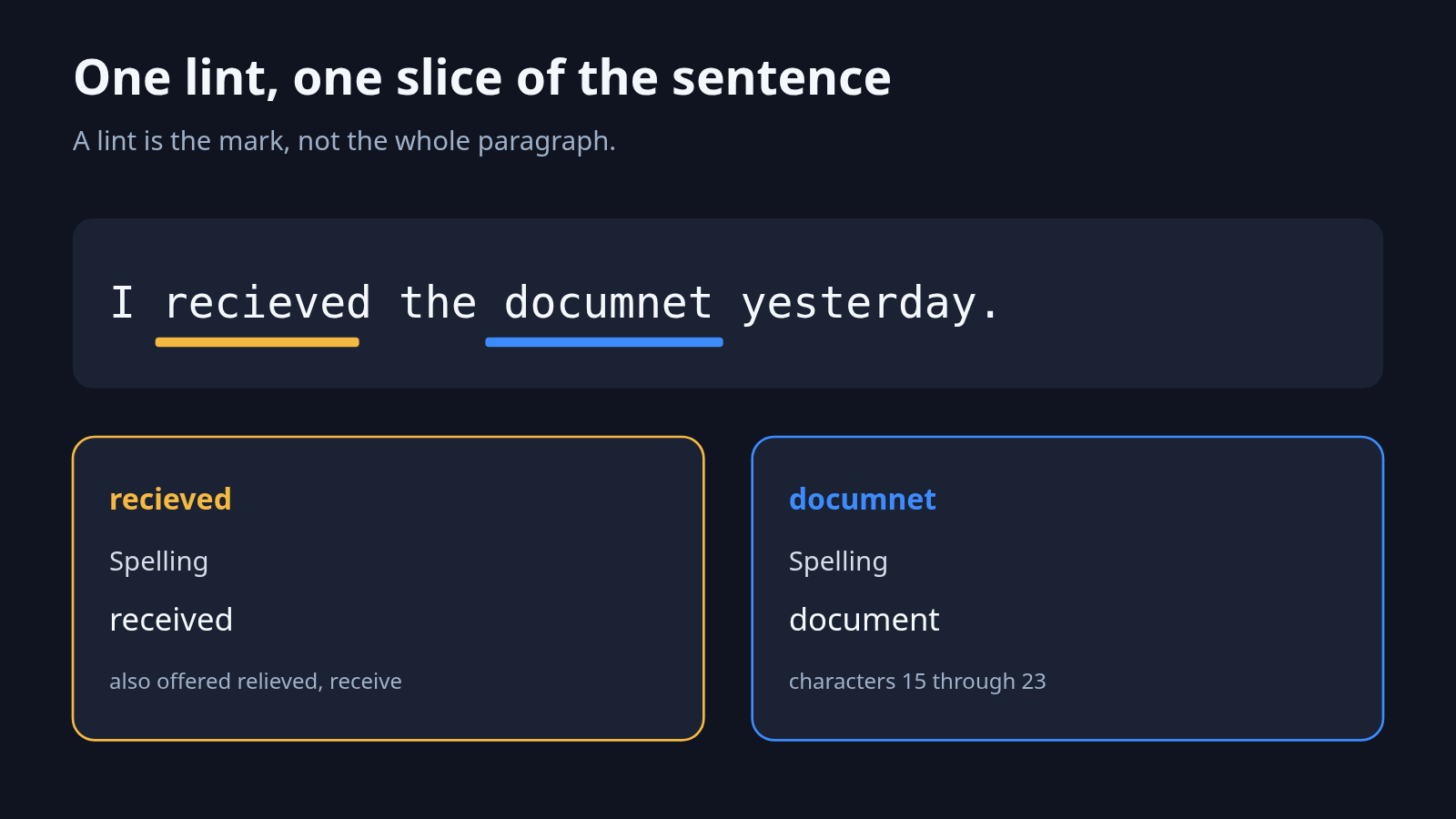
}On that sentence Harper returned two spelling lints. recieved sat on characters 2 through 10, and the first replacement was received. It also offered relieved and receive, which are real words and the wrong fix. documnet sat on characters 15 through 23, and the first replacement was document. Applying only the first lint produced I received the documnet yesterday and it looked fine. The second typo was still there. You apply one suggestion, then you look again.
The package listed 917 rule descriptions. I did not read all 917. I only counted the names it was willing to describe. After the checker had loaded, the Node process sat at 314 MB of resident memory. That number is the whole process, not Harper by itself.
The project is Harper. The site is writewithharper.com. I did not click through an editor plugin. The script above is the check I ran.
Does Harper catch grammar or only spelling?
It catches both, and it misses a normal agreement error.
Spelling was the easy part. These were the other marks.
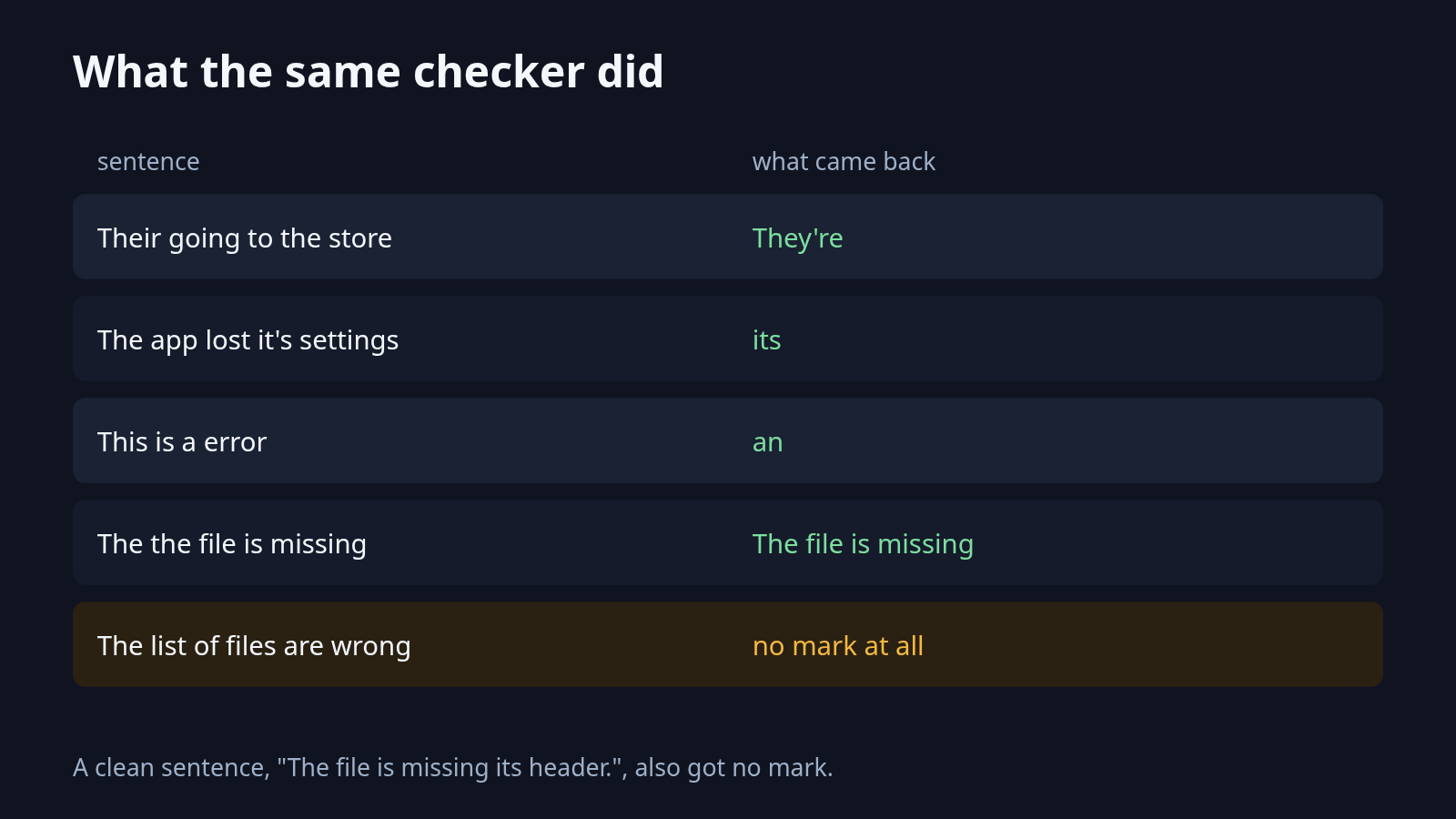
Their going to the store over their. Harper called the first Their a grammar error and offered They're. It did not mark the second their. That one should have been there. One end of the sentence moved. The other end stayed wrong.
The app lost it's settings when the window closed. Harper called this agreement and said to use its. A possessive (the form that shows ownership, with no apostrophe) is its. A contraction (two words squeezed into one, with an apostrophe) is it's, short for it is or it has. The replacement was its.
This is a error in the file. It marked the small word and replaced a with an.
The the file is missing. It marked the repeated word and collapsed it to The file is missing.
Lets ship the patch. It offered Let's or Let us.
The file is missing its header. No lint. That sentence was already fine, and Harper left it alone.
Then the miss. The list of files are wrong. No lint. The group of developers who wrote the parser are ready. No lint either. The verb (the action word, here are) does not match the real subject (the list, or the group). Harper did not say so. If you already know that sentence is wrong, Harper will not be the thing that tells you.
What did Harper miss?
The quiet sentences matter, and so does a fix that stops halfway.
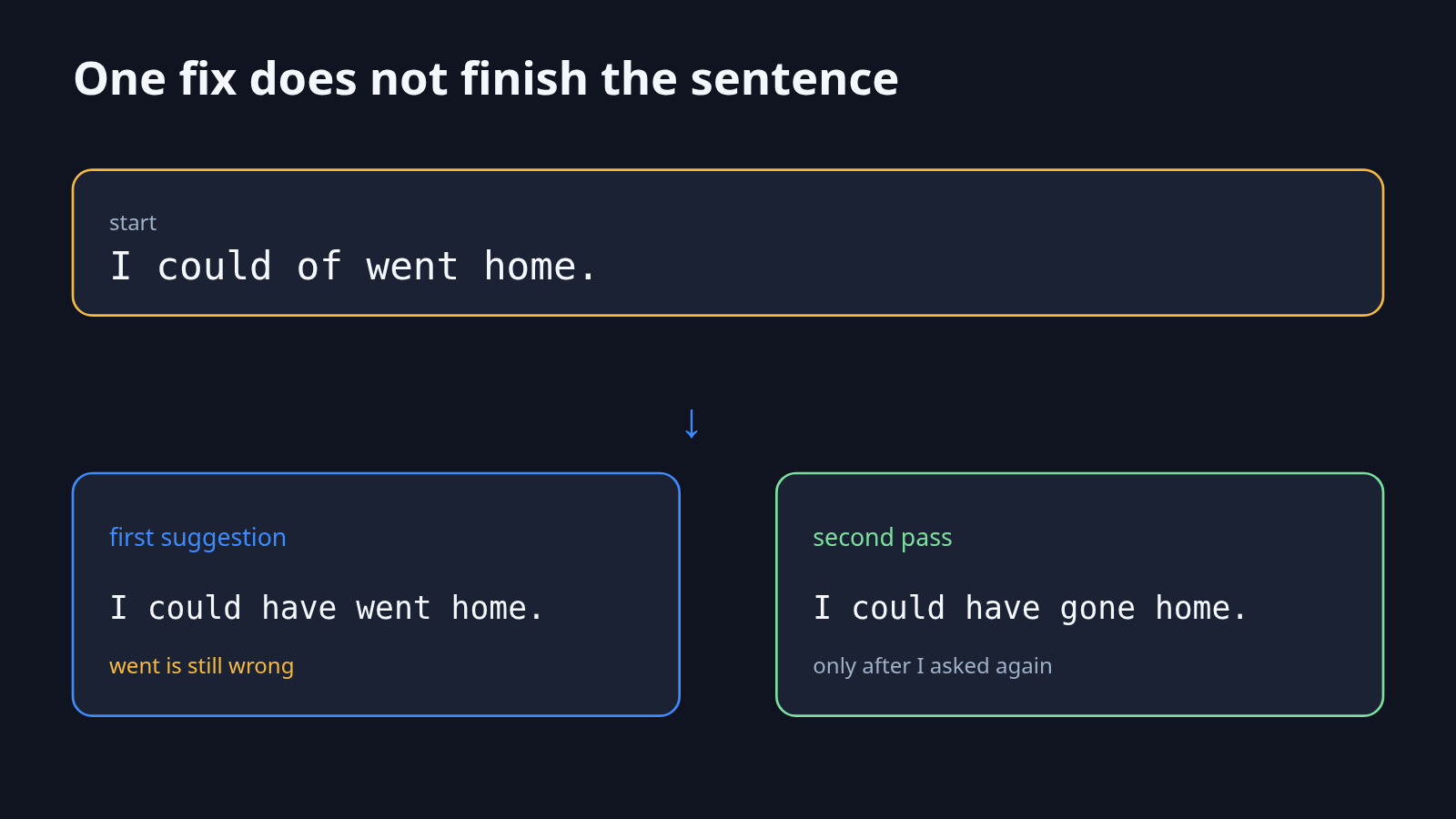
I could of went home. The first suggestion replaced could of with could have and left the rest. The line became I could have went home. I ran that new line by itself. Only then did Harper mark went and offer gone. One click does not finish a sentence that has two errors. Accept the fix, then run the checker again.
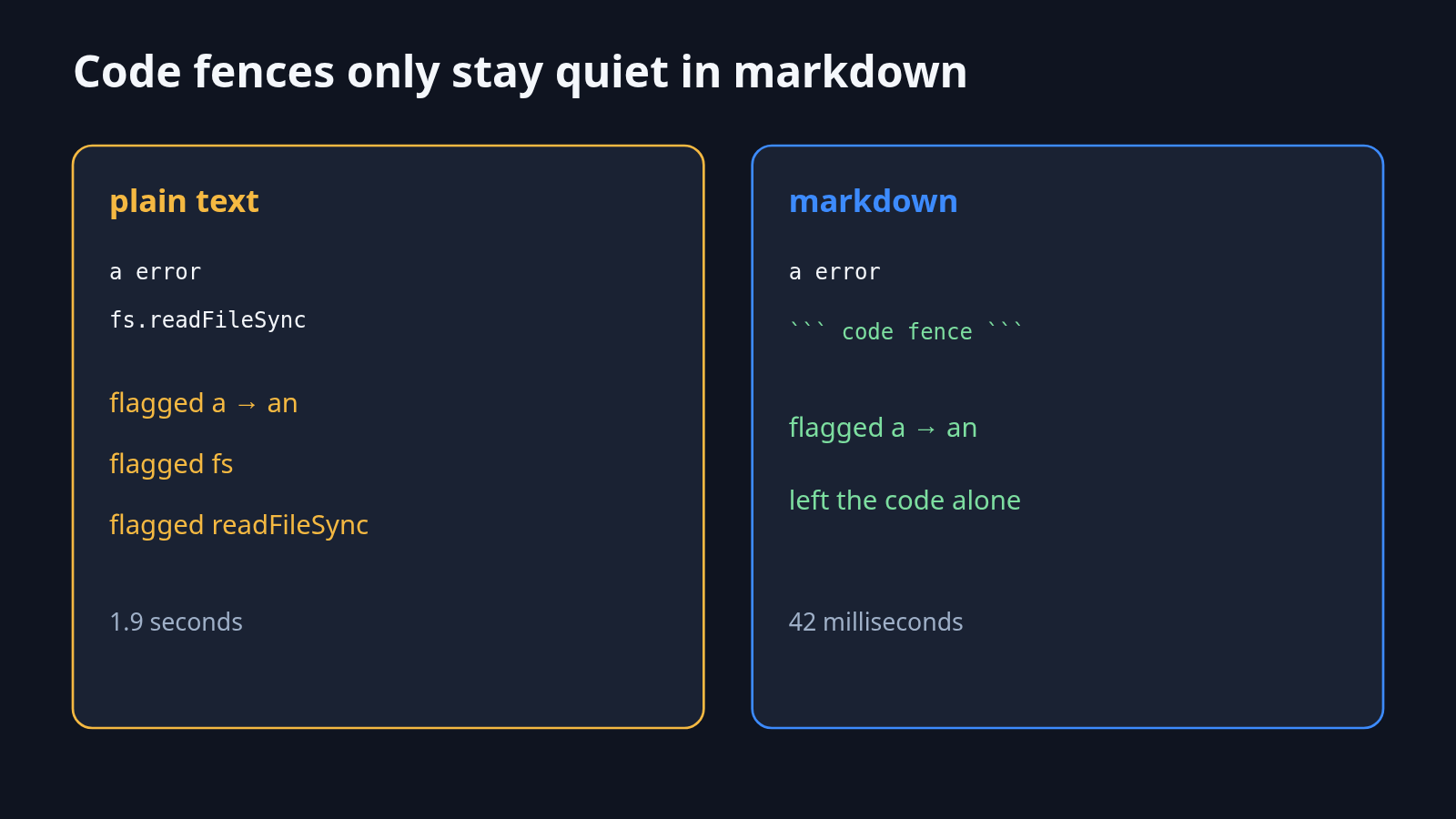
A code sample is the next miss, and it is a setting, not a mystery in the words. Markdown (plain text plus small marks, where a fence of backticks means this part is code) is the language Harper expects unless you say otherwise. I passed one note twice. The note said The function returns a error, then a fenced block with const file = fs.readFileSync('a');.
As plain text, Harper flagged a, and it also flagged fs and readFileSync. That pass took 1.9 seconds. Those code names are not English typos. As markdown, the same note took 42 milliseconds, flagged only a into an, and left the fenced code alone. If you check a README, say markdown. If you check a commit message with no fences, plain text is fine. If you check a source file as plain text, Harper will try to spell-check the names in the code.
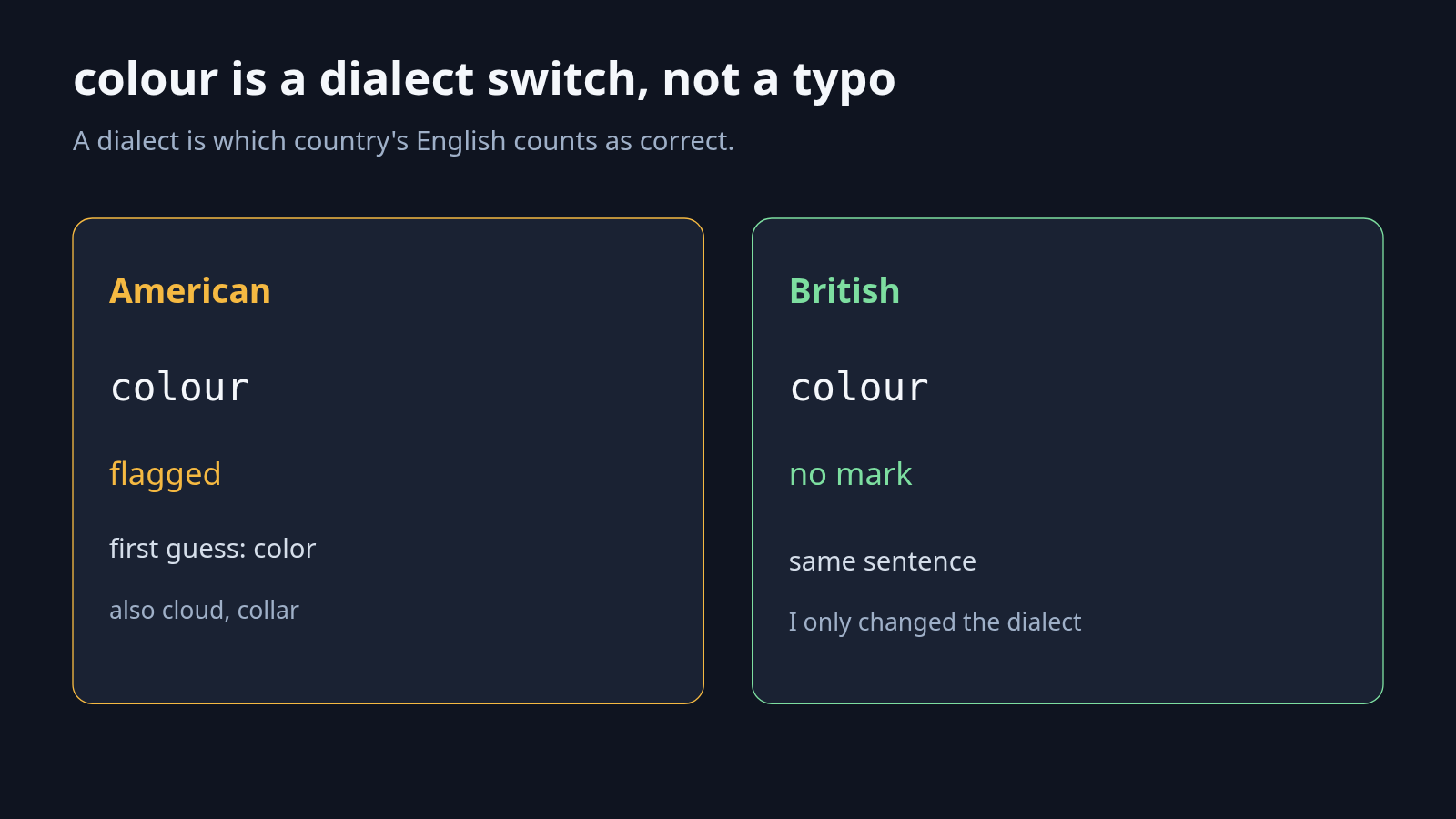
colour is the same kind of surprise. On American English, The colour of the button is wrong was a spelling lint. The first guess was color. Later guesses were cloud and collar. Ignore those. I changed only the dialect to British and ran the same sentence. No lint. Set the dialect before you trust a spelling mark on a word that is correct in another country.
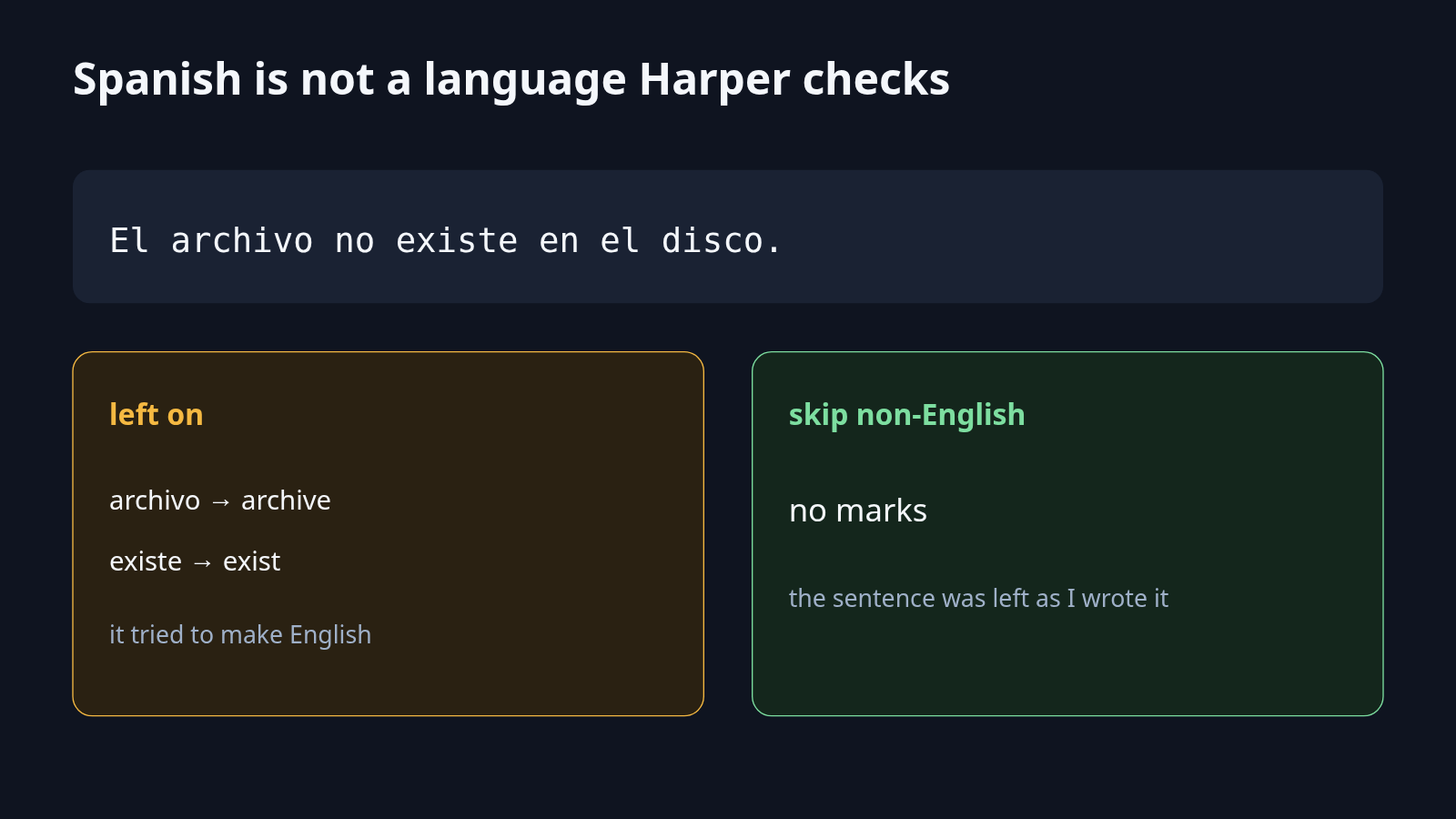
Spanish sits outside the checker, and Harper will still speak if you let it. The sentence was El archivo no existe en el disco. A separate question, is this likely English, came back false. The lint, with the default settings, still tried to repair it: archivo toward archive, existe toward exist. That is not a translation. It is an English spell-check chewing on another language. When I turned on the option to skip text that is unlikely to be English, the same sentence came back with no marks. If a file mixes languages, turn that skip on. Otherwise Harper will “fix” the parts that are not English.
Should I use Harper instead of Grammarly?
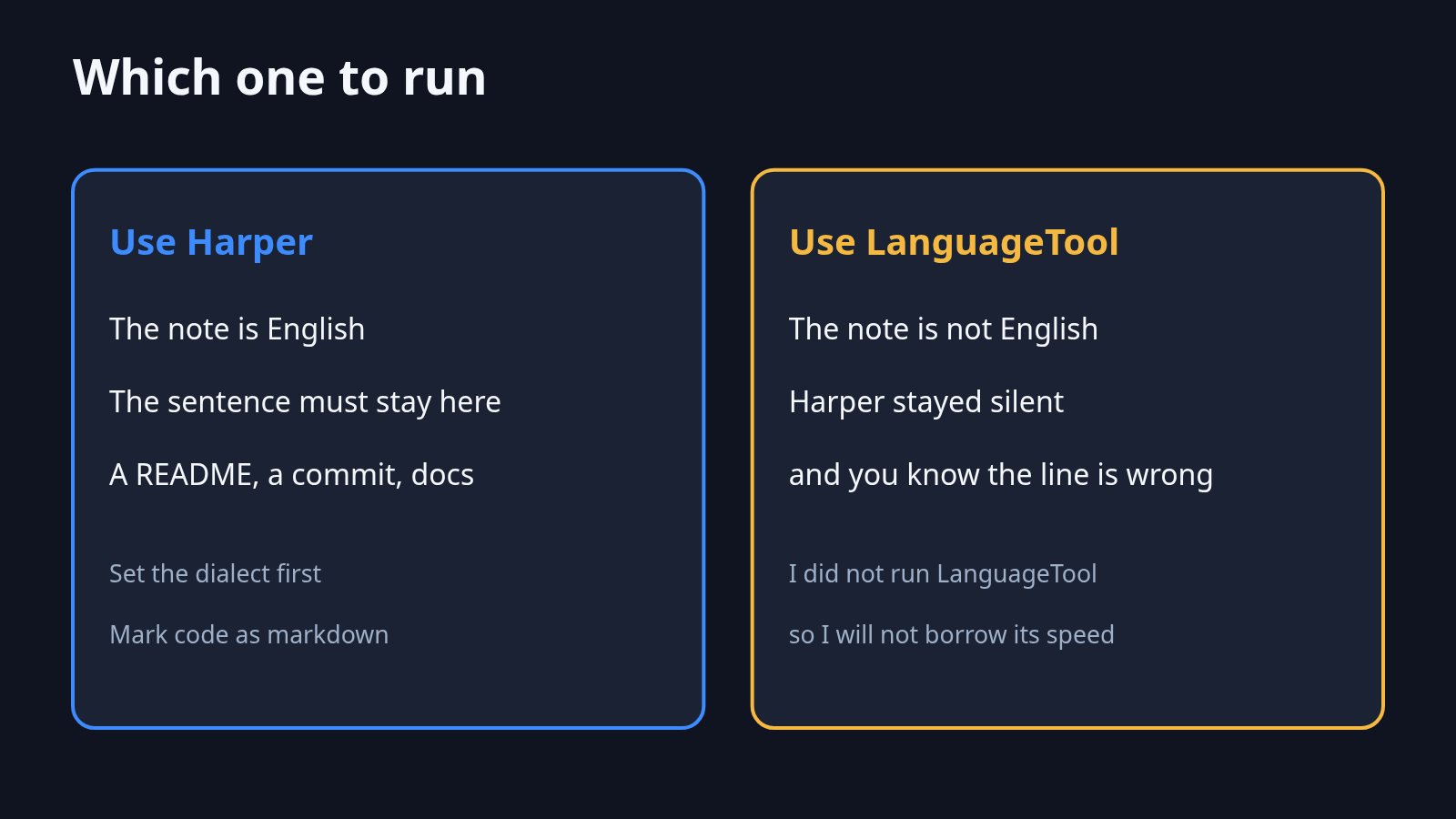
Use Harper when the sentence is English and it must not leave the machine. Do not switch because you want tone notes, another language, or a sentence Harper already failed to mark.
I did not run Grammarly. A checker you can only reach by sending the paragraph to their site cannot mark a sentence it never received. Harper, in this run, never made that trip. That is the reason to switch, and it is the only reason I measured. I did not compare how often each one is right. On the sentences above, Harper was right about the typos, the small word a, the repeated word, and it’s versus its. It was wrong to stay silent on The list of files are wrong. A hosted checker might catch that line. I do not know, because I did not send it anywhere.
If the job is the Word file itself, the bold words and the page breaks, that is a different tool. WordCraft versus LibreOffice is about the file. Harper is about the sentence inside it.
When LanguageTool is the better pick
Use LanguageTool when the paragraph is not English, or when Harper stays silent on a line you already know is wrong.
I did not time LanguageTool, and I did not install a private copy. Harper’s dialect list was English only, and a Spanish sentence was either chewed into fake English or skipped. If you write in more than one language, Harper is the wrong primary checker. If you already run LanguageTool on your own machine, the privacy story is closer to Harper’s, and you should keep that setup. I am not telling you to rip it out.
Common questions about Harper vs LanguageTool
Does Harper send my writing to a server?
Not in the run I did. I blocked web requests, then linted. The counter stayed at zero. That is this package, on this machine, for these sentences. It is not a promise about an editor plugin I did not install.
Can Harper check a language other than English?
No. The dialects I could set were American, British, Australian, Canadian, and Indian. A Spanish sentence was not checked as Spanish. It was treated as bad English, or it was skipped when I asked the checker to ignore text that did not look like English.
Why did Harper flag colour?
Because the dialect was American. The same sentence, with the dialect set to British, got no mark. The first American suggestion was color. Later suggestions included cloud and collar. Take the first one only if it is the word you meant.
Can I use Harper and LanguageTool together?
Yes. Run Harper on the English README so the draft stays on the machine. When Harper is silent and you are sure the line is wrong, or when the paragraph is not English, open LanguageTool. Do not treat one clean pass as proof the paragraph is finished. I could of went home needed two passes.
I would put Harper on the English notes I do not want to upload, with the dialect set, and with markdown turned on for any file that contains code. I would leave LanguageTool in place for every other language, and for the agreement errors Harper did not see. The mark on recieved is the reason to try it. The silence on The list of files are wrong is the reason not to trust it alone.