I asked a coding agent to fix one error in one file. It edited page.tsx, ran the test, got the same TypeError, and edited page.tsx again. A coding agent is the program that opens your project and runs commands for you. Claude Code is one of those programs. Each edit or command is a tool call, and every new tool call sends the earlier calls again, so the tenth try costs more than the first. How do I stop Claude Code from looping? Watch for the same failure, redirect once, and stop the turn only if the next stretch is still that failure. On a fake session, TokenEconomizer redirected at tool call 20 and stopped the turn at tool call 40. A session whose errors were actually different was left alone.

Why Does Claude Code Keep Trying the Same Fix?
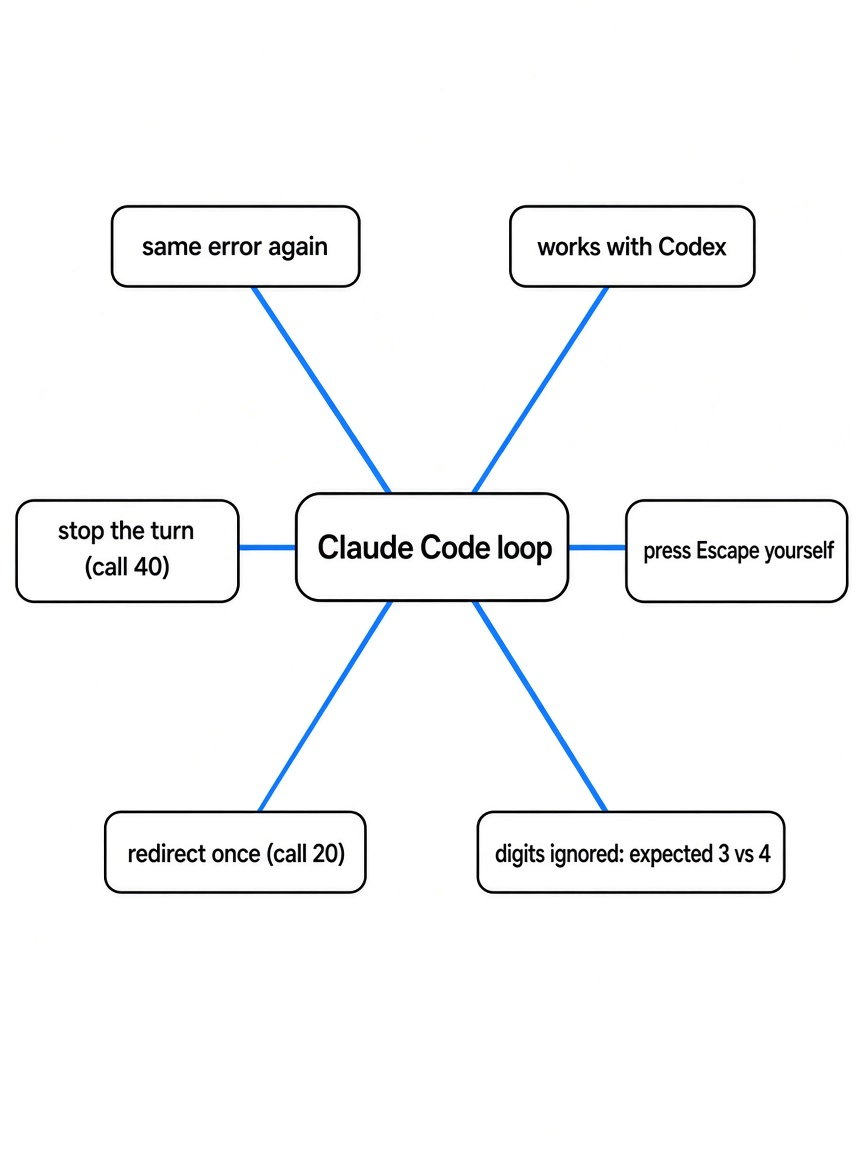
Claude Code keeps trying the same fix because a failed test is still an open job, and the next step can only see the error it just printed plus the file it just changed.
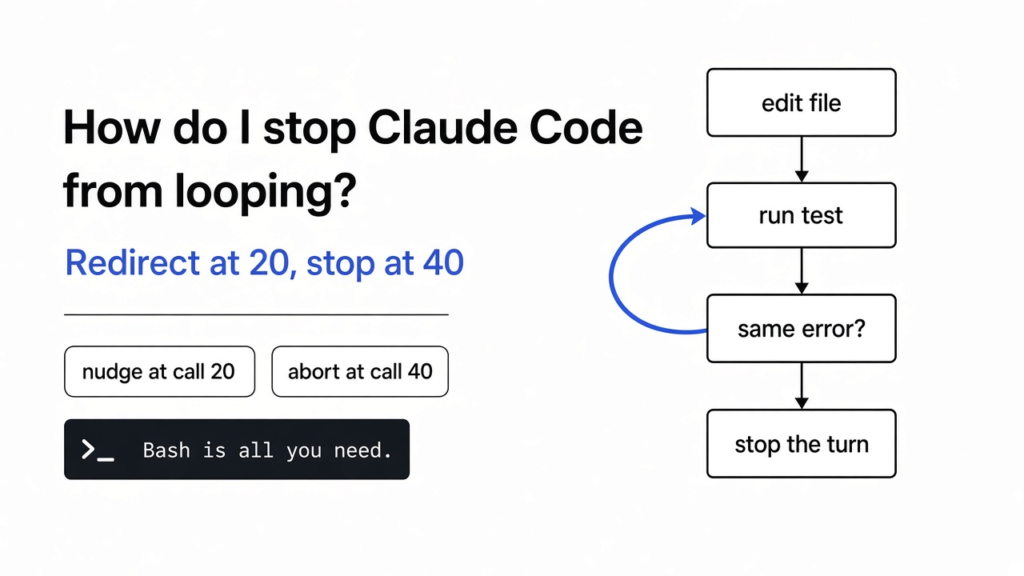
A loop, in the plain sense, is a path that returns to its start while a condition stays true. A while loop in a program does this on purpose: check a condition, do the work, go back, check again. The coding version is the same shape with worse stakes. The condition is “the test still fails.” The work is “edit the file and run the test again.”
The diagram at the top is that path. The condition is the same error. The work is another edit of the same file.
You pay for text, in and out. Those billed pieces are tokens. The agent has no memory of its own between steps, so the harness sends the whole conversation again: the instructions, your request, every edit, and every test log. Think of rereading a notebook from the first page every time you add one sentence. A loop is expensive because the notebook gets longer on a path that is not moving.
Pressing Escape, or Ctrl+C, cuts the current moment. It does not remember that this error already lost. The next prompt can walk the same circle. A line in the prompt that says “stop after 5 tries” works only if that line is still in the prompt, and it cannot tell a hard problem from a stuck one.
How Do I Stop Claude Code From Looping?
Stop the live run if you are watching it, then add a guard that treats a repeated failure as a signal, not as another chance to edit the same line.
TokenEconomizer is that guard. It is an add-on for Claude Code, Codex, the GitHub Copilot CLI, and Pi. It does not replace the model, and it does not ask for a key of its own. It uses the login you already have. After a session in a repo, it can change what the next session in that same repo starts with. A repo here just means the project folder you keep coming back to.
Three things it can change:
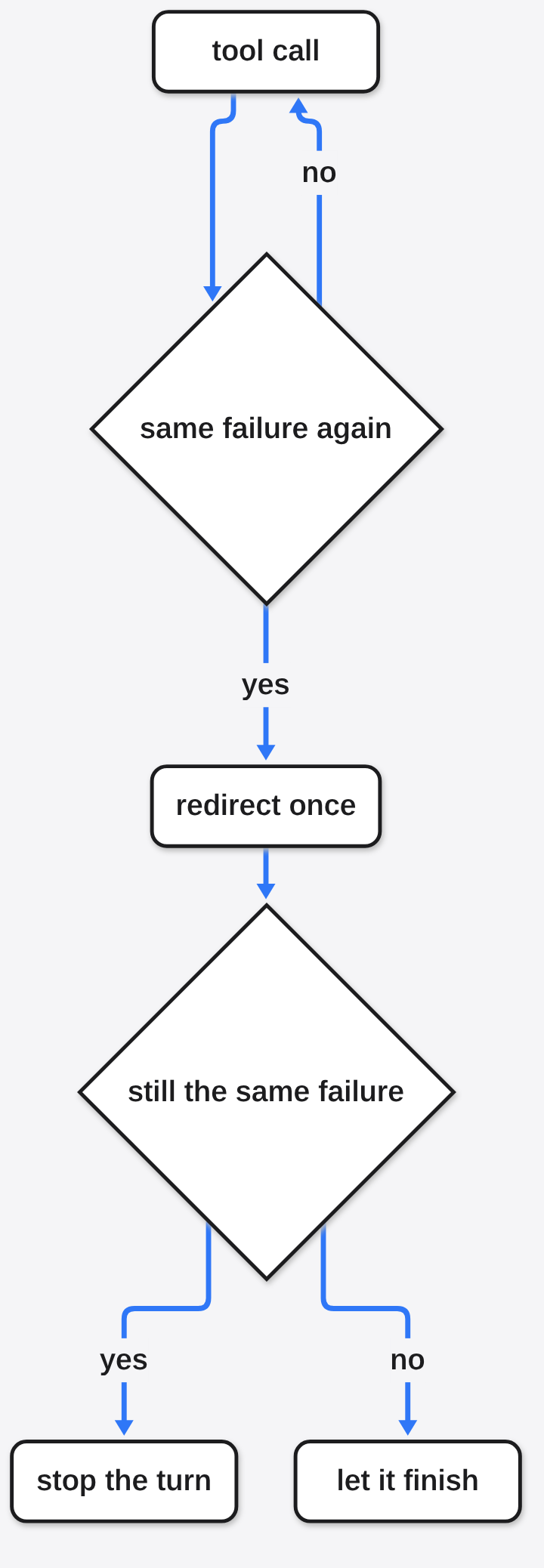
- If the same failure keeps coming back, it sends a redirect. The redirect tells the agent not to stop, and to try a different idea.
- If the next stretch is still that same failure, it stops the turn.
- It can remember a fact this repo keeps forcing the agent to look up again, and it can leave out tools this repo never uses, so those tool instructions are not billed on every later message.
The redirect comes before the stop. That order surprised me. I expected a hard kill on the first repeat. What I got was one warning, then a stop only if the warning did not change the pattern.
The project says its own coding benchmark got cheaper, on the order of a fifth to a third, and that most of the setups also finished slightly more tasks. That benchmark needs paid agent runs and a large disk, so the check below is the part you can run on a laptop with no key.
What Happened on a Fake Stuck Session?
On a repeated TypeError against one file, the guard redirected at tool call 20 and stopped the turn at tool call 40. On 16 different errors, it did not stop.
I cloned the project and called the loop guard directly. This was not a live Claude Code session. I fed it events the way a hook would, and I set the envelope to 8. The envelope is the guard’s memory of how long a finished task in this repo usually is. I told it “about 8 tool calls,” which is a short task, so the stop would be reachable in a test.
The stuck script edited /repo/src/page.tsx and then ran npx vitest run page.test.ts. The test output was always:
The exit code was 1, so the guard was allowed to treat that text as a failure. I did this pair 30 times, which is 60 tool calls if nothing stops it.
At tool call 20 the guard returned a nudge, not a stop. A nudge is the redirect. The text it built was:
> Process check (automated): so far you’ve made 10 edits across 1 file(s) (most to page.tsx) and run 10 verification(s), and the same failure has recurred 9 time(s) without the tests going green. This looks like a repetitive loop. Do NOT stop. Instead step back and try a MATERIALLY DIFFERENT hypothesis.
I then let the same pattern continue, which is what an agent does if it ignores the redirect. At tool call 40 the guard aborted. The summary was 40 tool calls, 20 edits, 20 test runs, 1 nudge, and aborted true. It did not count the task as resolved.
The other run was the control. Sixteen tool-call pairs, each edit a new file (f0.ts through f15.ts), each failure a different sentence: missing handler A, then B, and so on. That was 32 tool calls. Repeats of an earlier failure: 0. The guard did not nudge and did not abort.
So the useful line is narrow. Same failure, same file, short envelope: redirect, then stop. Genuinely different failures: leave it alone.
One caveat, and it is the one I would not have guessed from the name. The guard builds a signature of the first error line and strips digits before it compares. I checked two lines:
Those hashed to the same signature, 7e920ae5fb. A test that is actually moving, where only the number changed, can look like no progress. TypeError: x is not a function did not match that signature. Kind of error matters. The number does not.
A passing Playwright log that contains the words “Assertion failed” was not counted as an error when the summary said the tests passed. Four green runs, zero error outputs. The word “failed” in a noisy success line is not enough. The exit has to look like a failure, or the summary has to say the tests failed.
How Do I Install TokenEconomizer?
Install it by cloning the repo and pointing your agent at that folder. You need Python 3.10 or newer on your PATH. You do not need a new API key.
Leave the clone where it is. Claude Code, Codex, and the Copilot CLI load the add-on from that folder. If you delete the folder, the add-on breaks.
Claude Code, from the folder where you want the clone to live:
git clone https://github.com/microsoft/TokenEconomizer.git
claude plugin marketplace add "$PWD/TokenEconomizer"
claude plugin install tokeneconomizer@tokeneconomizerStart Claude Code in a repo you actually work in, trust the folder, and run:
Once per machine, and again after you update Claude Code, run:
That refresh is the step that lets it know which tools exist, so it can later leave out the ones this repo never calls.
Codex is the same clone, then:
codex plugin marketplace add "$PWD/TokenEconomizer"
codex plugin add tokeneconomizer@tokeneconomizerInside Codex the status command is $tokeneconomizer:status.
The project only supports a current band of each agent. Older builds are not supported. If status complains, update the agent and run the catalog refresh again. I would not paste a version pin into a note you will still read next year. The status command is the check.
Pi can install from git:
pi install git:github.com/microsoft/TokenEconomizerThe piece that leaves unused tools out is not available on Pi. The loop redirect still is.
TokenEconomizer vs Pressing Escape
Press Escape when you can see the repeat. Use TokenEconomizer for the stretch you are not watching. They are not substitutes.
| Escape or Ctrl+C | “stop after 5 tries” in the prompt | TokenEconomizer | |
|---|---|---|---|
| What it stops | The moment you are staring at | The current prompt, if you remembered the line | A turn whose failure signature repeats |
| Memory next task | None | Only if the line is still in the prompt | Per repo, on the machine |
| Different errors | You decide | It may cut a hard task | Left alone in my check |
| Only the number changed | You can see that | You can see that | Treated as the same failure |
| Needs a key of its own | No | No | No |
Two other bills get confused with this one. RTK and Caveman shrink text the agent reads or writes. They do not notice that the error line came back. A cheaper model, which is the job magpie does for Claude Code, makes each lap cost less. It does not end the lap. A prompt that says “verify twice” adds laps on purpose. The Opus prompt audit is the pass that finds those lines. Two agents saving over the same folder is a different mess. Give each one a git worktree. A security pass over the whole repo is a different job again. That is the security audit skill, not a loop guard.
When Should I Skip TokenEconomizer?
Skip it when the task is supposed to be long and the errors are actually changing, and do not expect a hard stop on the first day in a brand new repo.
The hard stop uses the envelope. In my test I set that number myself, to 8, so the backstop was reachable. On a repo with no finished tasks yet, the guard can say a turn looks stuck and still refuse to abort, because it does not yet know how long a good task is. The redirect can still fire. The stop waits.
Skip it if you wanted a kill on the first repeat. The text it sends says “Do NOT stop.” You get one redirect. The abort comes later, after the agent has had a stretch to try something else and has gone back to the same failure. If you need the turn dead immediately, Escape is the honest tool.
Skip the unused-tool piece on Pi. And do not treat the guard as a judge of test quality. Because it deletes digits before comparing, a moving assertion can look frozen. If your tests fail with expected 3 and then expected 4, read the line yourself before you trust the stop.
How Do I Try the Loop Check Myself?
Clone the repo and run the script below. It needs Python and no API key. Ten minutes is enough.
git clone https://github.com/microsoft/TokenEconomizer.git
cd TokenEconomizerSave this as check_loop.py inside that folder and run PYTHONPATH=. python3 check_loop.py.
from tokeneconomizer.loopguard.turn import TurnGuard

ERR = "TypeError: cannot read property 'id' of undefined"
g = TurnGuard()
for _ in range(30):
    g.fold("Edit", {"file_path": "/repo/src/page.tsx"}, "ok", envelope=8)
    result = g.fold(
        "Bash",
        {"command": "npx vitest run page.test.ts"},
        ERR,
        1,
        envelope=8,
    )
    if not result:
        continue
    kind, reason = result
    if kind == "nudge":
        print("nudge at", g.cum_turns, reason)
        print(g.nudge_body())
        g.after_nudge()
    elif kind == "abort":
        print("abort at", g.cum_turns, reason)
        break
print(g.summary())You should see a nudge at 20 and an abort at 40. If those numbers move, the thresholds moved, and the page you are reading is describing an older guard. The shape to check is still the same: one redirect, then a stop, and only for a repeated failure.
Common questions about the Claude Code loop guard
Does TokenEconomizer Stop the Agent or Only Warn It?
It warns once, then stops the turn if the same failure continues. In my run the warning was tool call 20 and the stop was tool call 40. The warning text tells the agent not to stop, and to try a different file or a different cause.
Will a Changing Assertion Still Count as the Same Error?
Yes, if only the digits changed. expected 3 to equal 9 and expected 4 to equal 10 produced one signature. A different kind of error, such as TypeError: x is not a function, did not match it.
Can I Use TokenEconomizer With Codex?
Yes. Clone the same repo, add it as a Codex marketplace, and add the plugin. Status inside Codex is $tokeneconomizer:status. The loop check I ran does not care which agent produced the events. It only cares that the events look like edits and failed commands.
Does the First Task in a Repo Get Any Savings?
Not the hard stop. The stop waits until the guard knows how long a finished task usually is, or until you are past a backstop it can compute. Remembered facts and unused tools also need earlier sessions in that repo. The first afternoon is the wrong day to judge it.
I would install it on a repo I already open every day, and I would still press Escape when I can see the same line with my own eyes. The guard is for the stretch I am not watching. I would not let it decide that a test is frozen when the only change is the number in the assertion. That part it throws away before it compares.