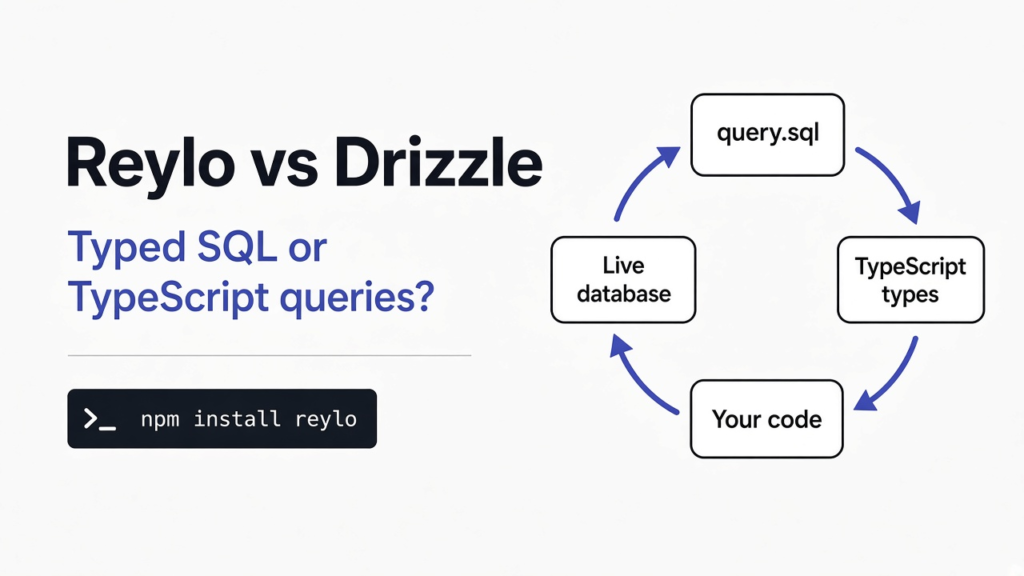
I had one small database file on disk and a TypeScript file that wanted a single user back. A database (a file or a server that stores rows) does not read TypeScript. It reads SQL (the text you send it, such as “give me the name where the id is 1”). TypeScript (JavaScript plus a note on every value, saying number, text, or empty) does not read that SQL file by itself. Reylo is the bridge: you import the .sql file, and the notes are taken from the real database. Drizzle is the other bridge: you write the table shape in TypeScript, then build the query with functions. Use Reylo when the SQL file should be checked against the database you already have. Use Drizzle when you want that shape written in TypeScript and you do not want a database connected while the notes are checked.
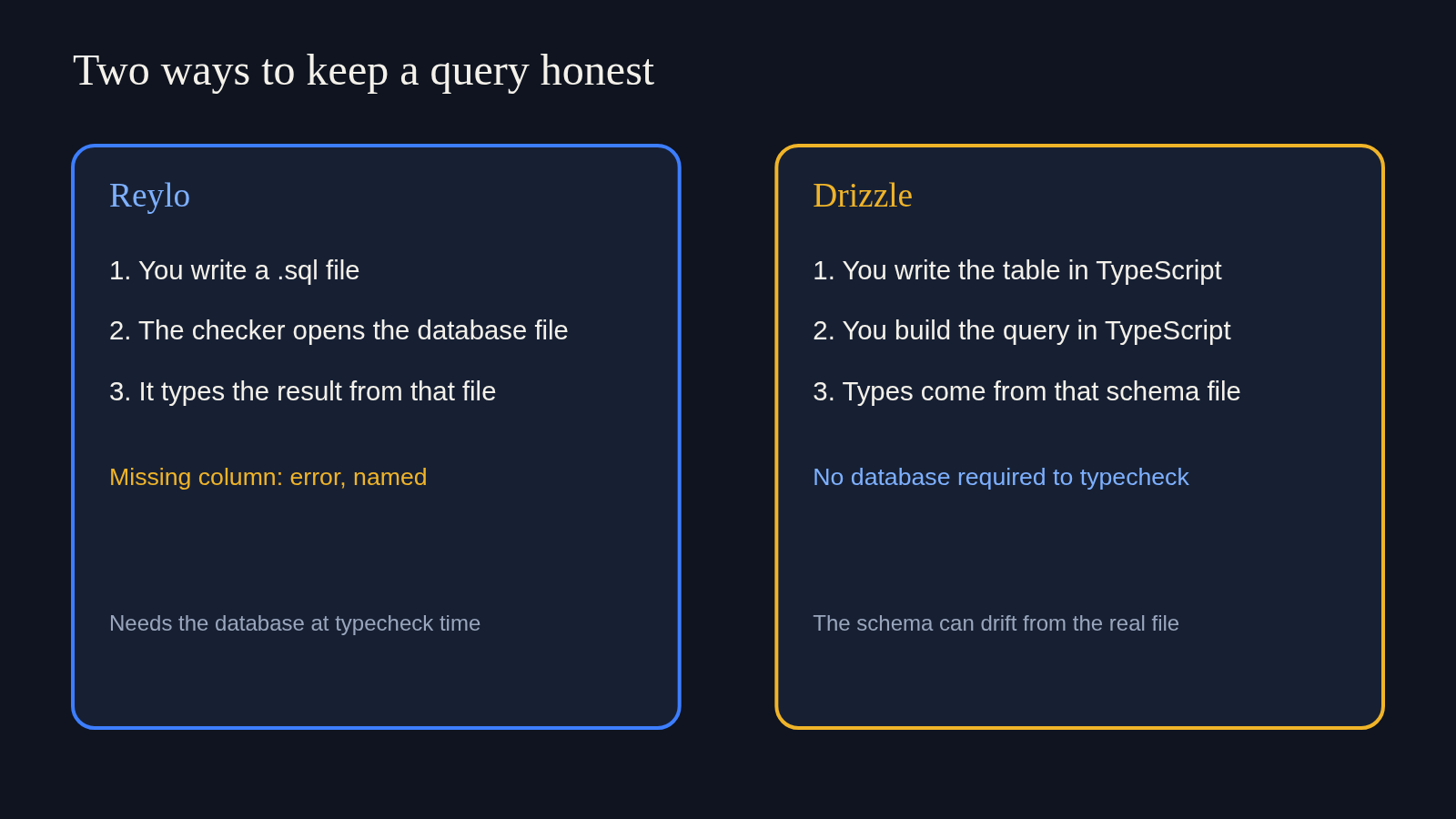
The mess is an old one. You write the question in SQL because the database is picky and the question is easier in its own language. Then the rest of the program is TypeScript, so you also write, by hand, what you think the answer looks like. Those two texts drift. A column gets renamed in the database. The note in TypeScript still says the old name. The program compiles. It fails later, when a real row shows up.
What is the difference between Reylo and Drizzle?
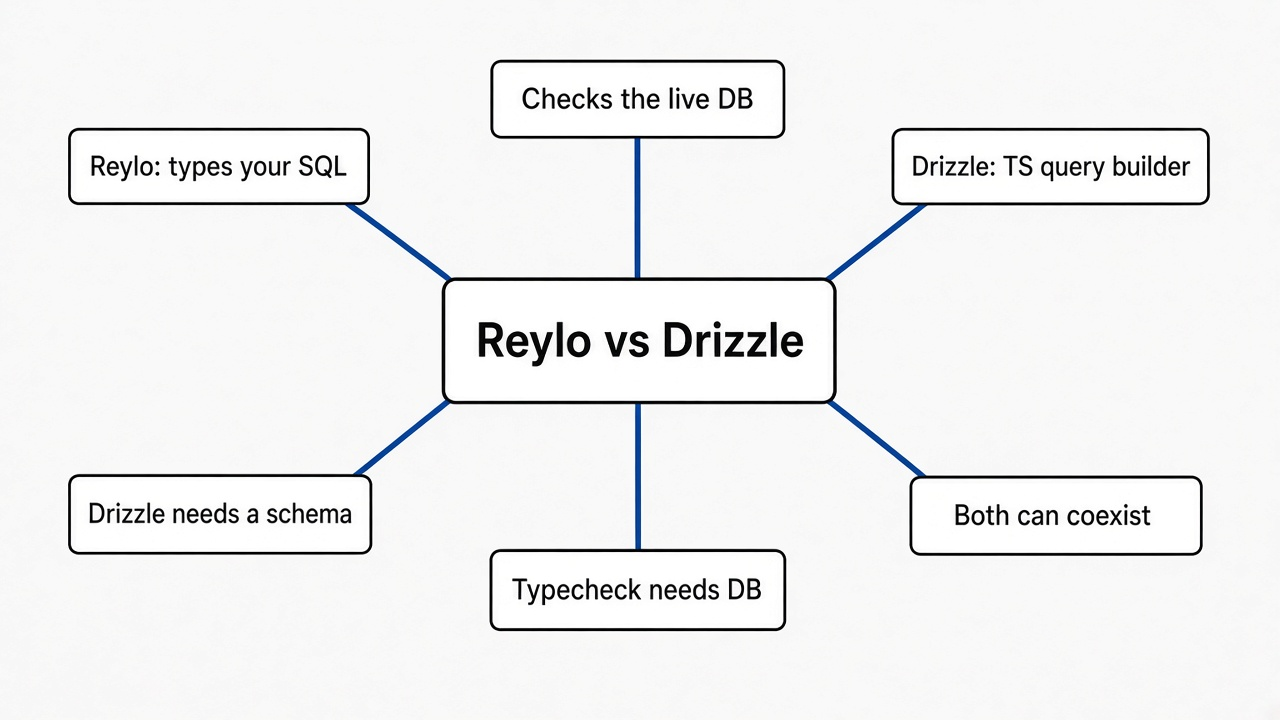
Reylo types the SQL you wrote, using the live database. Drizzle types a query you build in TypeScript, using a schema you also wrote in TypeScript.
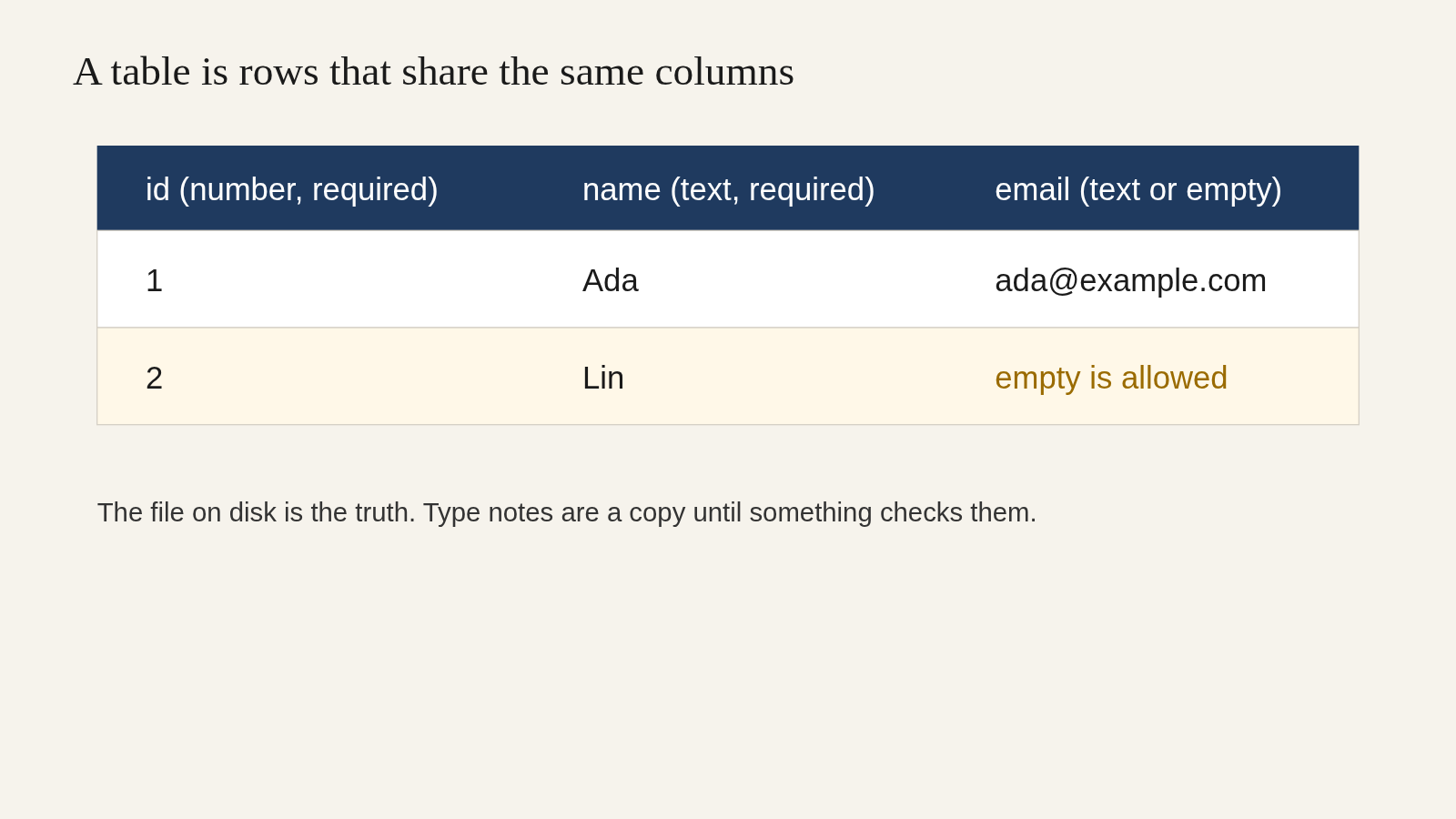
Start with the table, because both tools are trying to protect the same thing. A table is a grid. Each column has a name and a kind of value. Each row is one record. In my file the table was users, with id as a whole number that must be present, name as text that must be present, and email as text that is allowed to be empty. Empty here means null (a missing cell, not the letters n-u-l-l).
A type (the note attached to a name in TypeScript) is how the rest of the program remembers that shape. A type checker (the program that reads those notes and refuses to finish if the code disagrees) is tsc. It does not open your database unless something tells it to.
Drizzle is an ORM (a library whose job is to talk to the database for you) built as a query builder (functions in TypeScript that look a little like SQL). You declare the table once, in TypeScript. Then you write db.select().from(users).where(...). The checker compares that call with the declaration. It never has to see the database file. That is the comfort, and it is also the gap: if the declaration is wrong, the notes are wrong, and the checker will happily agree with the lie.
Reylo takes the opposite side. The .sql file is the query. There is no second schema file to keep in step. When the checker meets import getUser from "./get_user.sql", it hands the file to Reylo. Reylo opens the database, asks the database to prepare the statement (check it and describe the columns, without running it), and hands the notes back. A content mapper (the hook that lets the checker ask another program about a file that is not TypeScript) is the name of that hook. It ships in the TypeScript build you install as typescript@beta. The stable checker, the one most projects still run, does not have this hook, so a plain tsc cannot see the SQL file.
I did not time Drizzle on this database. The difference above is the shape of the two tools, and the rest of this page is what Reylo actually did when I pointed it at a sqlite file I created.
| Reylo | Drizzle | |
|---|---|---|
| What you write | a .sql file | TypeScript that builds the query |
| Where the notes come from | the database, at check time | the schema file you wrote |
| Extra generated types file | no | only if you ask a pull command to write one |
| Database required while checking | yes | no |
| A column the database does not have | the check fails and names it | the check fails only if your schema file also lacks it |
| You do not want to write SQL | poor fit | this is the point of it |
Codegen (a step that writes a second file full of types, which you then commit or regenerate) is the older way to get here. Tools in that family read the database, emit a .ts file, and leave you to run them again when the table changes. Reylo’s claim is that the checker asks the database itself, so there is no second file to forget. That claim held in my test: after a successful check, the only new cache was a hidden folder the tool tells you not to commit. I did not have a generated get_user.ts sitting next to the SQL.
How do I import a SQL file into TypeScript?
Install Reylo, the sqlite engine, and the TypeScript build that knows about content mappers, point DATABASE_URL at a real database file, and import the .sql file. The import stays invisible to the checker until you add --runExternalCode.
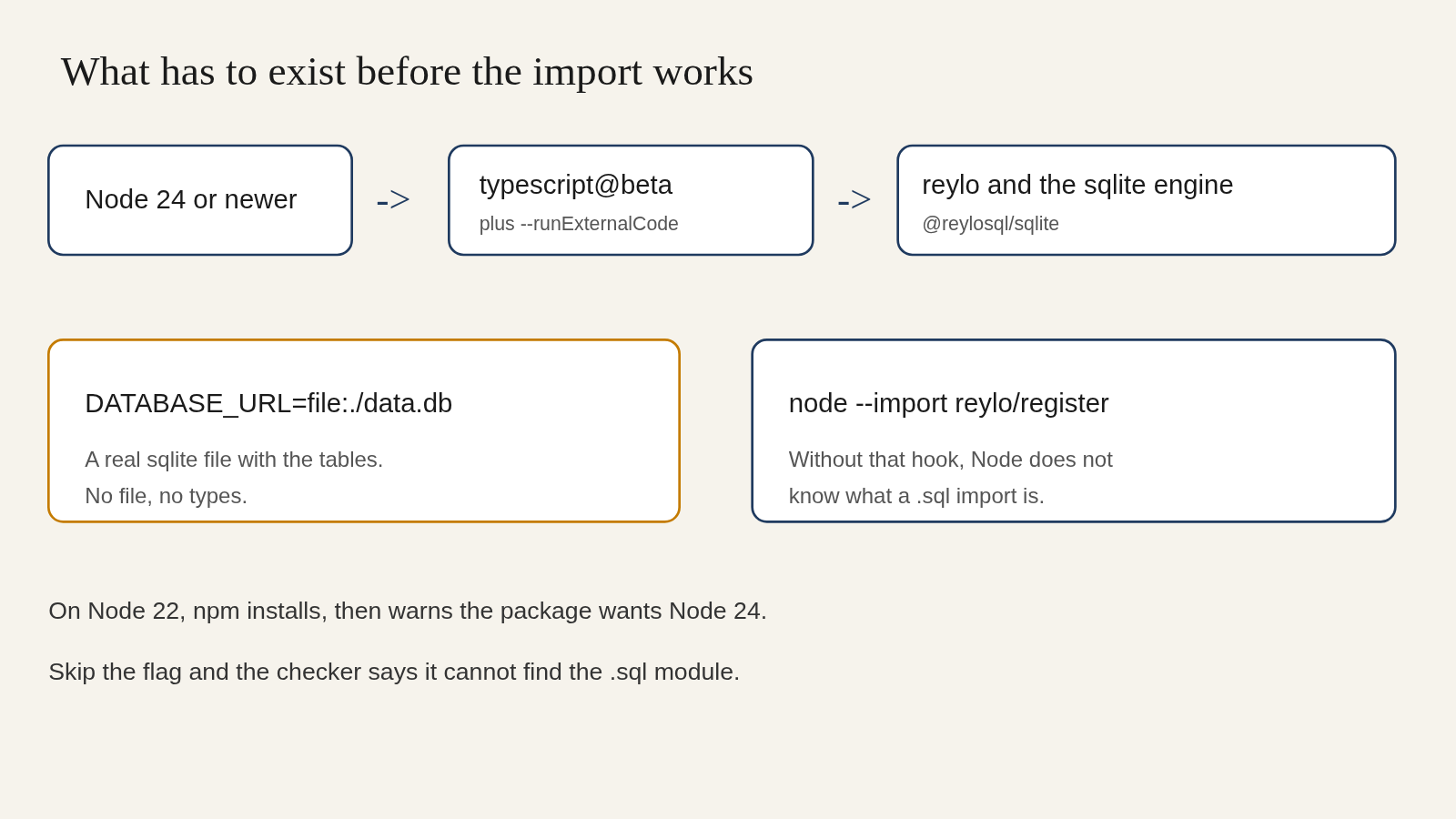
You need four things before the import means anything. Node (the program that runs JavaScript outside a browser) has to be version 24 or newer. On Node 22, npm install reylo still downloads the package, then warns that the package wants Node 24. I switched to Node 24 for the check and the run. You need the TypeScript build from typescript@beta, not the stable one. You need the sqlite engine package beside Reylo, because Reylo does not carry every database inside itself. And you need a database file that already has the tables. Reylo does not create them. It does not run migrations (the scripts that build or change tables). Bring your own, even if “your own” is three lines of SQL.
npm install reylo
npm install -D @reylosql/sqlite typescript@beta
The sqlite file was one table and one row:
create table users (
  id integer primary key,
  name text not null,
  email text
);
insert into users (name, email) values ('Ada', 'ada@example.com');
The query file was get_user.sql. The :id::int is Reylo’s way of saying “a parameter named id, and it is an integer.” SQLite’s own spelling is different. Reylo accepts this spelling and checks it with its own sqlite, then again with the driver you actually run.
select id, name, email from users where id = :id::inttsconfig.json has to name Reylo as the mapper for .sql files, and for the optional .reylo.yaml config file:
{
  "compilerOptions": {
    "target": "ES2022",
    "module": "NodeNext",
    "moduleResolution": "NodeNext",
    "strict": true,
    "noEmit": true
  },
  "contentMappers": [
    { "package": "reylo", "extensions": [".sql", ".reylo.yaml", ".reylo.yml"] }
  ]
}
The environment line is what tells Reylo which engine to use. A file: address means sqlite. A postgres: address would mean Postgres, and then you would install the postgres engine instead of the sqlite one.
DATABASE_URL=file:./data.dbThen the TypeScript side is an import, the same shape as importing any other local file:
import { DatabaseSync } from "node:sqlite";
import getUser from "./get_user.sql";

const db = new DatabaseSync("data.db");
const user = await getUser.run(db, { id: 1 });
I ran the checker two ways. With --runExternalCode, the good file got past the SQL import. Without that flag, the checker stopped before Reylo could speak. It said it could not find the module ./bad_user.sql, and it added a second line: content mappers require --runExternalCode. If you only remember one flag, remember that one. A project script should be tsc --noEmit --runExternalCode, not a bare tsc.
One more install note from the same run. Importing node:sqlite without the Node type package produced TS2591, “cannot find name node:sqlite.” That error is not about your query. npm install -D @types/node clears it. The SQL notes were already being checked beside it.
If you only wanted to look at rows, not to type a query inside an app, a small database client is a different job. dbx is the one I would open for that. If the thing you need is a picture of the tables, an ER diagram from a Prisma schema is the other page, not this one.
Does Reylo check the query against the database?
Yes. I asked for a column the table does not have, and the checker replied bad_user.sql(1,12): error reylo6: no such column: nickname.
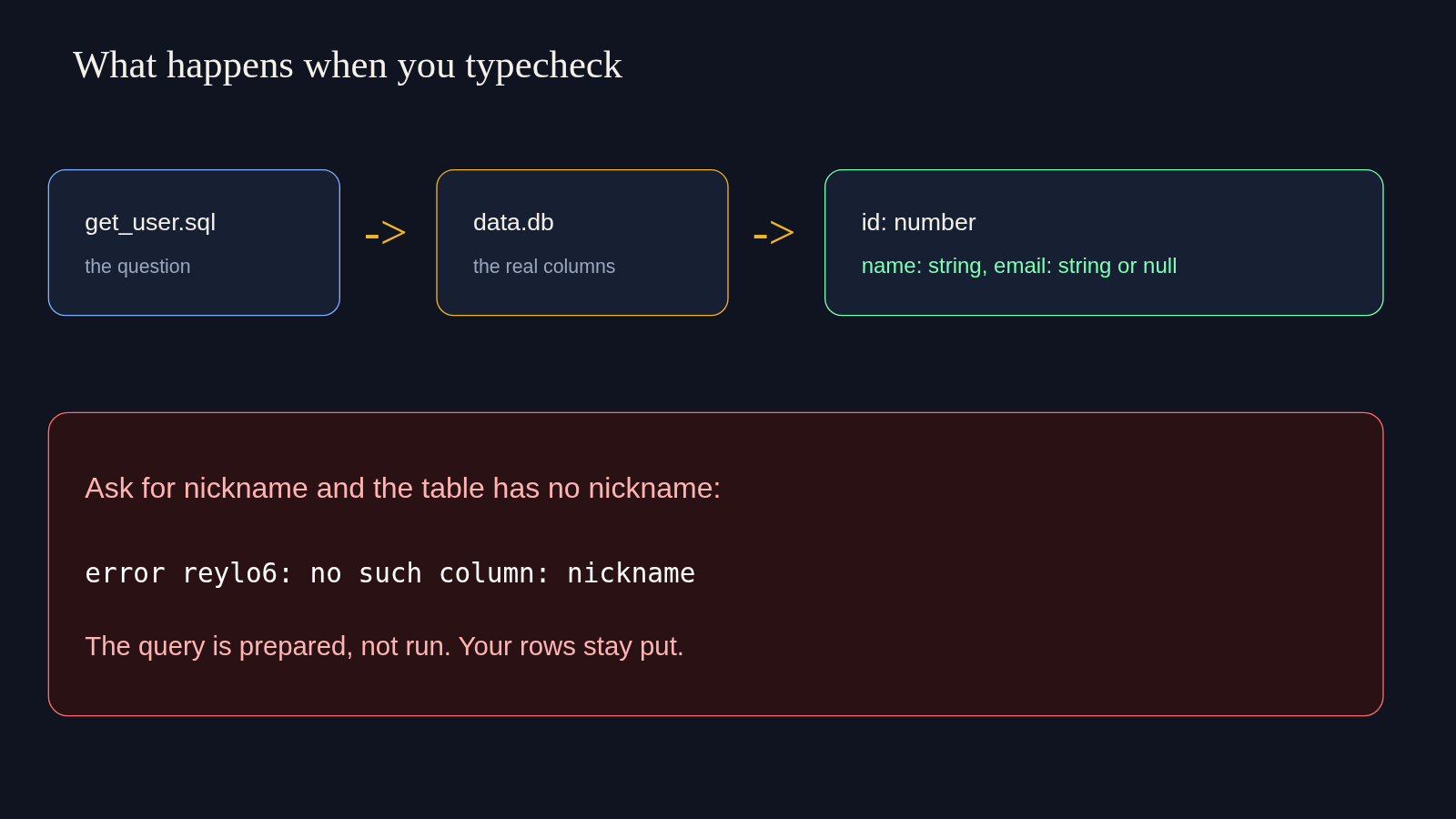
The bad file was one line:
select id, nickname from users where id = :id::intNothing in my TypeScript mentioned nickname. The only place that word existed was the SQL file. The checker could not have invented that error from a schema I wrote, because I did not write one. It got the column list from data.db.
The bad check failed, and the row for Ada was still the only row in the file afterward. Preparing means the database parses the statement and describes the result. It does not insert, update, or delete.
I then lied in the other direction, in TypeScript rather than in SQL. The parameter id was declared as an integer in the SQL file. This assignment failed, with Type 'string' is not assignable to type 'number':
const bad = { id: "nope" };So the notes run both ways. The database constrains the SQL. The SQL constrains the values you are allowed to pass in.
Null traveled through too. email is text that may be empty, so the note was string | null, not string. I tried to store it in a plain string. The checker refused, because null is not a string. name went the other way: I tried to store it in a number, and the checker said a string is not a number. Those two failures are the whole product, in miniature. The SQL file plus the database file produced notes I did not write by hand, and those notes were strict enough to fail a wrong assignment.
A required column would not have picked up the null. I left email nullable on purpose so I could see the difference. If you mark a column not null in the table, do not expect Reylo to keep treating it as optional. The table is in charge.
How do I run the typed SQL file?
Load Reylo’s register hook, then call .run with the database and the parameters. My call returned Ada’s row as JSON: {"id":1,"name":"Ada","email":"ada@example.com"}.
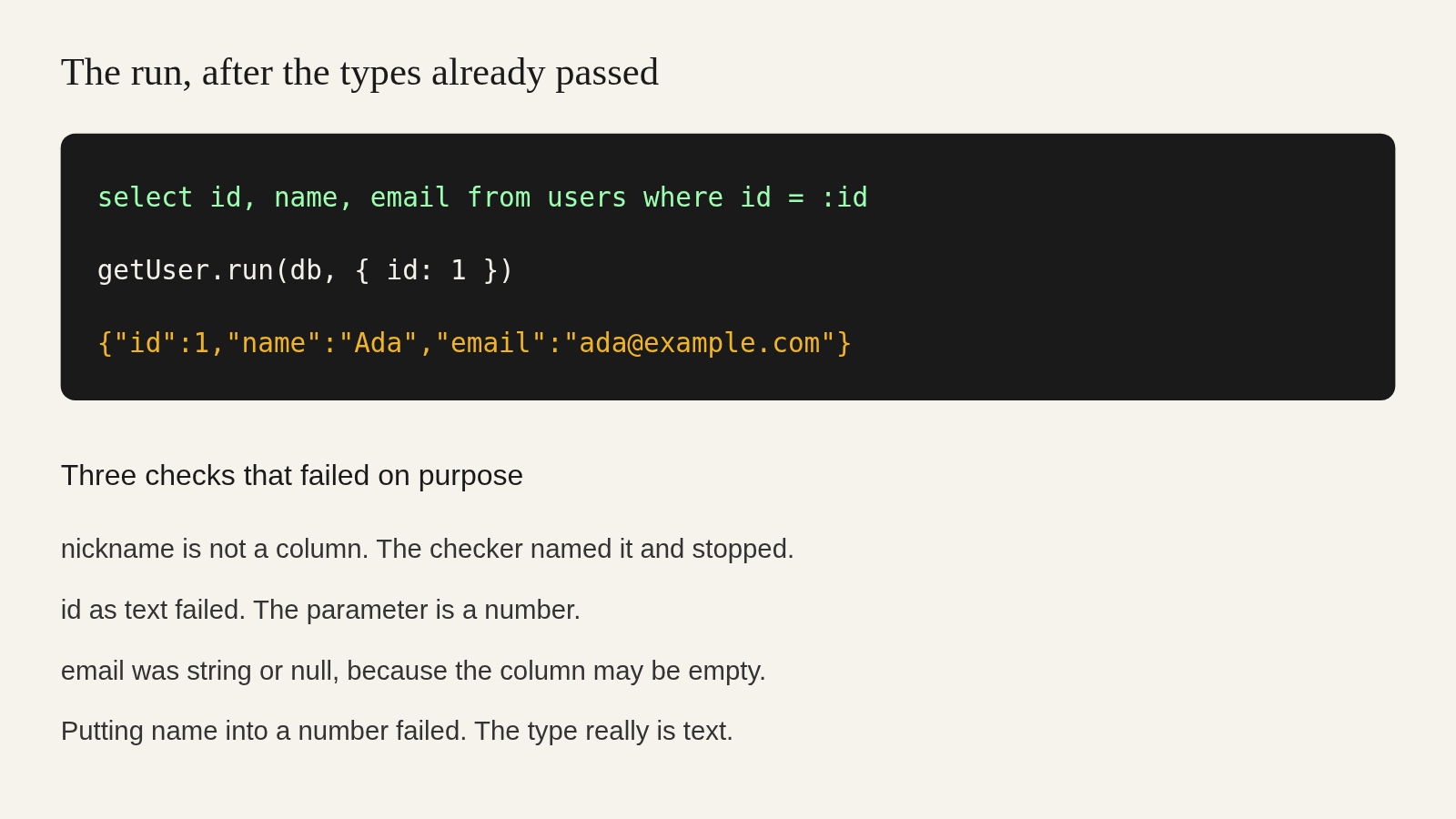
Checking and running are separate. The checker never executed the select. To execute it I started Node like this, from the folder that held data.db and main.ts:
DATABASE_URL=file:./data.db node --experimental-strip-types --import reylo/register main.ts--import reylo/register is the piece that teaches Node what a .sql import is. Skip it and Node treats the SQL file as something it cannot load. --experimental-strip-types was only there so Node would run the .ts file directly. If your app is already bundled, or you compile first, you do not need that flag. You still need the register hook, or the bundler plugin for Vite, webpack, Next, or esbuild. I used the Node hook only.
The driver was node:sqlite, which is built into Node. Reylo also accepts better-sqlite3 and several hosted sqlite drivers. I did not install a native addon. The built-in driver was enough to return the row.
The result was one object, not a list, because the query looks up a single id. If the id is missing, the same call comes back as null rather than throwing. I only ran the id that exists. The null case is the type I already saw, not a second run.
Parameters are not string pasting. { id: 1 } is a value the driver binds. That matters if this query ever sits behind a form. Building SQL by gluing text together is how an injection happens. Binding a value is the normal fix, and it is what .run does. You can still write a dangerous statement on purpose. The tool will not stop a delete you typed yourself.
Should I use Reylo instead of Drizzle?
Use Reylo if you already write SQL and a dev database can be present whenever you typecheck. Stay with Drizzle if the team does not want SQL, or if the check has to pass on a machine with no database file.
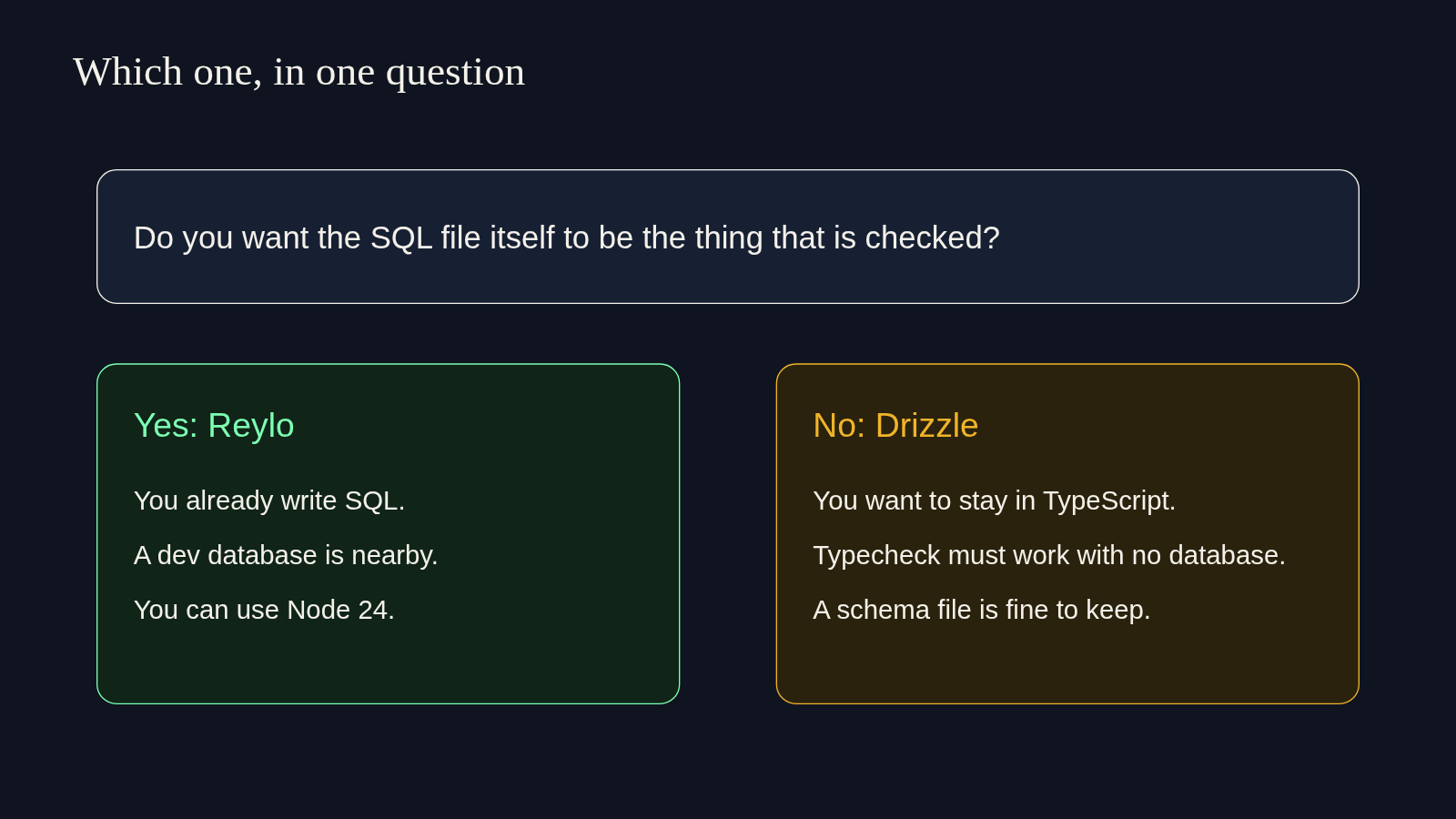
I expected the annoying part to be the SQL dialect. The annoying part was the toolchain around it. Node 24, a beta TypeScript, a flag most tsc scripts do not pass, a DATABASE_URL, and a separate engine package. Once those were in place, the import itself was boring, which is what you want. The failure on nickname was specific. The failure on a string id was specific. The row came back with the types the checker had described.
That is enough for me to use it on a service that already keeps its queries in .sql files, if that service can spare Node 24 and a database during tsc. It is not enough for me to throw out a Drizzle app that is already typed, tested, and understood by the whole team. Moving is a new toolchain, not a rename.
Reylo can sit next to Drizzle rather than replace it. .run can take a Drizzle client, including inside a Drizzle transaction. I did not run that combination. If you try it, treat the SQL file as the source of the notes, and the Drizzle client as only the connection. Do not expect the Drizzle schema to override a column Reylo already read from the database. Two sources of truth is how the drift comes back.
There is a sharper limit, and it matches the design. You cannot typecheck with no database. There is no committed snapshot of column types that stands in for the file. A laptop with no data.db, and a CI job that never creates one, cannot run this check. Drizzle can. Its notes live in the repo.
When Drizzle is the better pick
Drizzle is the better pick when the query should stay in TypeScript, when typecheck must work with no database, or when you do not want a beta checker in the build.
Three cases, from the run I did and from the shape of the other tool.
You do not like writing SQL. Then Reylo has nothing to import. The whole point is that the .sql file is the query. Drizzle, Prisma, or a query builder you already know will meet you in TypeScript. A person who picked an ORM so they would not write SQL will not be happier here. I agree with that objection. It is not a flaw in Reylo. It is a different job.
Your check runs in a place with no database. A pull request bot that only has the git checkout cannot open file:./data.db if that file is not created in the job. Reylo will not guess. You would add a step that builds the sqlite file, or that starts Postgres, before tsc. If you will not add that step, Drizzle is the honest tool. Its risk, schema drift, is the thing you accept in trade.
You cannot move the project to Node 24 and typescript@beta yet. I hit the Node 24 warning on purpose by installing on Node 22. The package downloaded. The engine requirement did not go away. A beta checker also means editor support and framework scripts may not pass --runExternalCode for you. Next has its own typecheck that does not use that flag, so you run tsc again yourself afterward. That is real work. Do it when the SQL files are the pain. Do not do it for one query.
Drizzle’s failure mode is the one Reylo is built to avoid. You rename email to mail in the database and forget the TypeScript schema. Drizzle still believes email exists. Reylo, pointed at the renamed file, would fail the SQL that still says email. I did not perform that rename on a Drizzle project. The nickname error is the same mechanism, seen from the Reylo side.
What if the database is not there at typecheck time
The check stops. Reylo will not invent columns. I always had data.db beside the project, so I will not invent the error text for a missing file. The address in DATABASE_URL is the schema. Point it at the wrong file and you will typecheck the wrong tables, cleanly, with no warning that you meant a different database. That is the sharpest footgun. A local sqlite file named data.db and a shared Postgres that has drifted are not the same schema. The checker will trust whichever one you handed it.
Keep the dev database close to the migrations you just applied. If you use Prisma, Drizzle Kit, or a pile of .sql migration files, run those first, then Reylo. The order is the whole habit. Reylo types whatever is there now. It does not remember what you meant to migrate.
SQLite made this easy because the database is one file. Postgres would be the same idea with a server that has to be up. I did not stand up Postgres. If your production database is Postgres, repeat this test against that engine before you trust the sqlite afternoon. Parameter spelling and integer width can differ. A 64-bit integer is meant to come back as bigint, and a date as text rather than a Date object. My columns were a small integer and two strings, so I did not see those two. Do not assume a timestamp column will arrive as a Date. Read it as text until you have checked a row.
Common questions about Reylo vs Drizzle
Does the type check run my query?
No. It prepares the statement so the database can describe the columns and the parameters. My nickname error happened with the original row still in the file. The select ran only later, when I called .run, and then it returned Ada.
Can I use Reylo with Drizzle?
.run can take a Drizzle client. I did not try that pairing. If you do, let the SQL file and the live database decide the types, and let Drizzle be the connection. Two schemas will drift.
Do I still need a schema file for Reylo?
Not a TypeScript one. You need the real tables, created by whatever you already use for migrations. Reylo reads them. It does not write them.
Why was email a string or null?
Because the column allows an empty cell. name is not null, so its note was a string. email has no such mark, so null was part of the note, and assigning it to a plain string failed.
I would reach for Reylo on the next service where the SQL files are already the real queries and a database is already part of the build. I would leave Drizzle in place where the team thinks in TypeScript and the checker has to run on a checkout with no database. The nickname error is the reason to switch. The Node 24 flag, and a check that cannot run offline, are the reasons to wait.