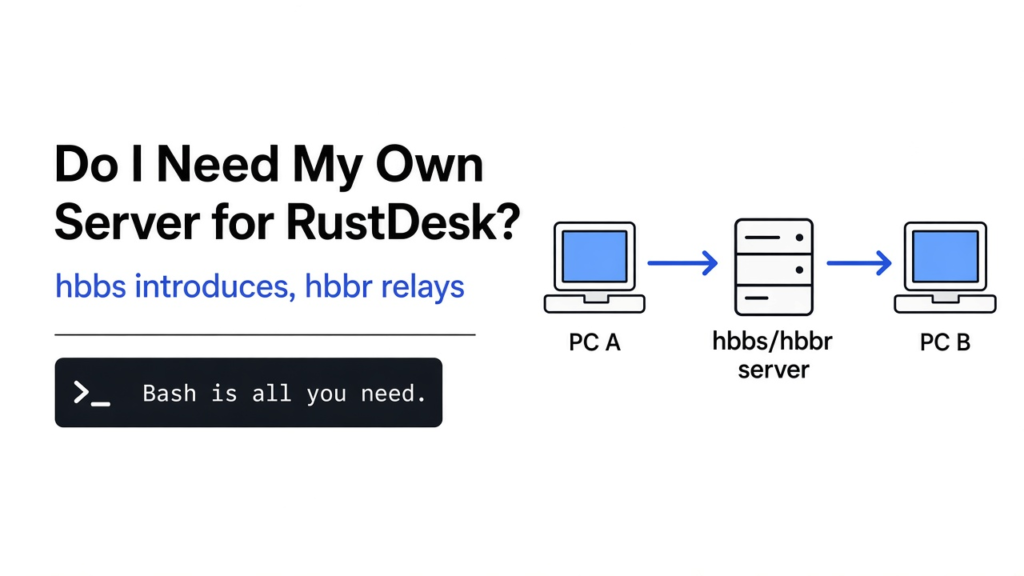
Short answer: no, RustDesk works without one, because it uses free public servers by default. You want your own server when connections feel slow, when you help many computers, or when you want every connection to pass only through a machine you control. To self host a RustDesk server, you run two small free programs on a cheap cloud machine: one introduces computers, one carries traffic.
You install RustDesk to help a friend fix their laptop. It connects, it works, and then a small line at the bottom says: “For faster connection, please set up your own server.”
So do you need one? That line makes it sound urgent. It isn’t. But to decide, you need to know what that server actually does, and it turns out to be two very different jobs: a phone book and a postman.
Why can’t two computers just connect to each other?
Because most home computers have no public address that strangers can reach. Every remote desktop app has to solve this before it can show you a single pixel.
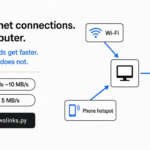
That gate problem starts with addresses. Every device on the internet needs an IP address (a number that says where to deliver data), like a house needs a street address. Your phone, laptop and TV at home do not each get a public one.
Instead, your Wi-Fi router gets one public address and shares it. This sharing is called NAT (network address translation, the router’s trick for letting many devices use one public address). The router remembers which device asked for what, and passes replies back to the right one.

But that sharing has a side effect. A router happily lets replies in, but it blocks a stranger who knocks first. So if you try to reach your friend’s laptop directly, their router has no idea which device you mean and drops you. Both sides are behind a locked gate, and each gate only opens from the inside.
What do the two RustDesk servers do?
One is a phone book that introduces the two computers. The other is a postman that carries everything when the introduction fails. RustDesk names them hbbs and hbbr.
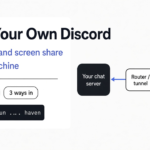
That locked gate is why a middle server exists. Both computers can reach out to a server on the public internet, because reaching out is allowed. The server sees them both, so it can play matchmaker.
hbbs is the phone book. It is the ID server (it keeps a list of which RustDesk ID is online and where it is). When you type your friend’s RustDesk ID, hbbs tells each computer how to reach the other.
Then both try to connect straight to each other at the same moment. This trick is called hole punching (both sides knock outward at once, so each router thinks the other side’s packets are replies).
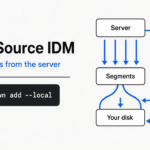
hbbr is the postman. It is the relay server (a middle machine that receives the screen from one side and forwards it to the other). Some routers are too strict for hole punching to work. When that happens, every frame of the screen goes through hbbr instead.
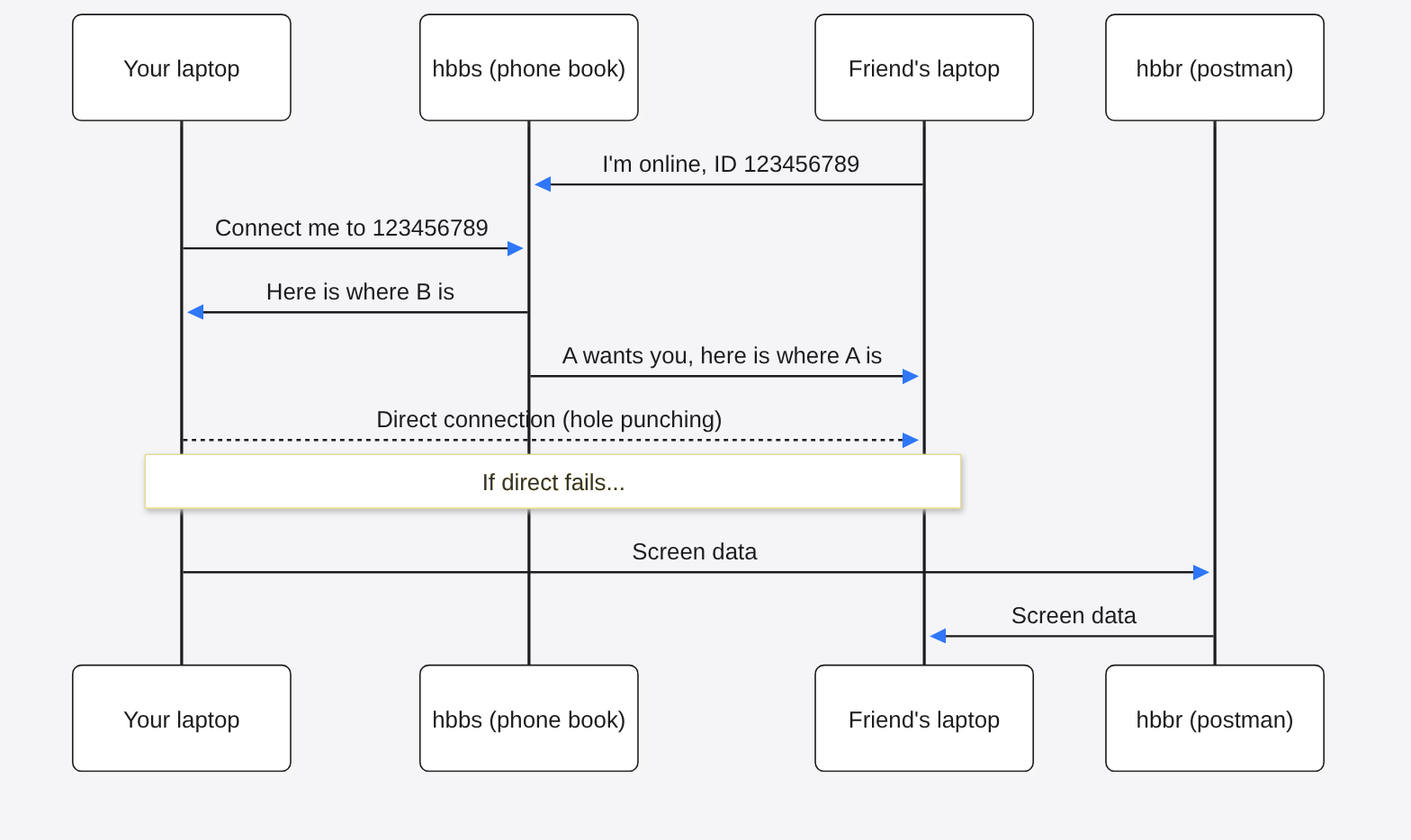
Think of it like a wedding. The phone book introduces two guests and walks away. The postman has to stand between them and repeat every sentence.
Why does the relay matter so much?
Because the phone book handles a few bytes, and the postman handles your whole screen. That difference decides whether the public server feels fast or slow.
That gap is easy to say and hard to picture. I wanted to see it with my own eyes, so I wrote a tiny model of both jobs in plain Python. One computer sends 2 MB of fake screen data to another. First with only an introduction, then through a relay. The script counts every byte that touches the server.
python3 rendezvous_demo.pydirect screen bytes delivered: 2,000,000 bytes that passed through the server: 35
relay screen bytes delivered: 2,000,000 bytes that passed through the server: 2,000,000That output is the whole lesson in two lines:
| Path | Screen data delivered | Bytes through the server |
|---|---|---|
| Direct (phone book only) | 2,000,000 | 35 |
| Relay (postman) | 2,000,000 | 2,000,000 |
Those 35 bytes are just two short messages: “I’m online” and “connect me”. In relay mode, the server carried every single byte. The catch: my model runs on one machine with no real routers, so it shows who carries the data, not real speeds.
Real numbers back this up. A relayed 1080p screen uses between about 30 KB and 3 MB per second, and plain office work sits near 100 KB per second. That is roughly a third of a gigabyte for one hour of help, and on a shared public relay, your traffic waits in line with everyone else’s.
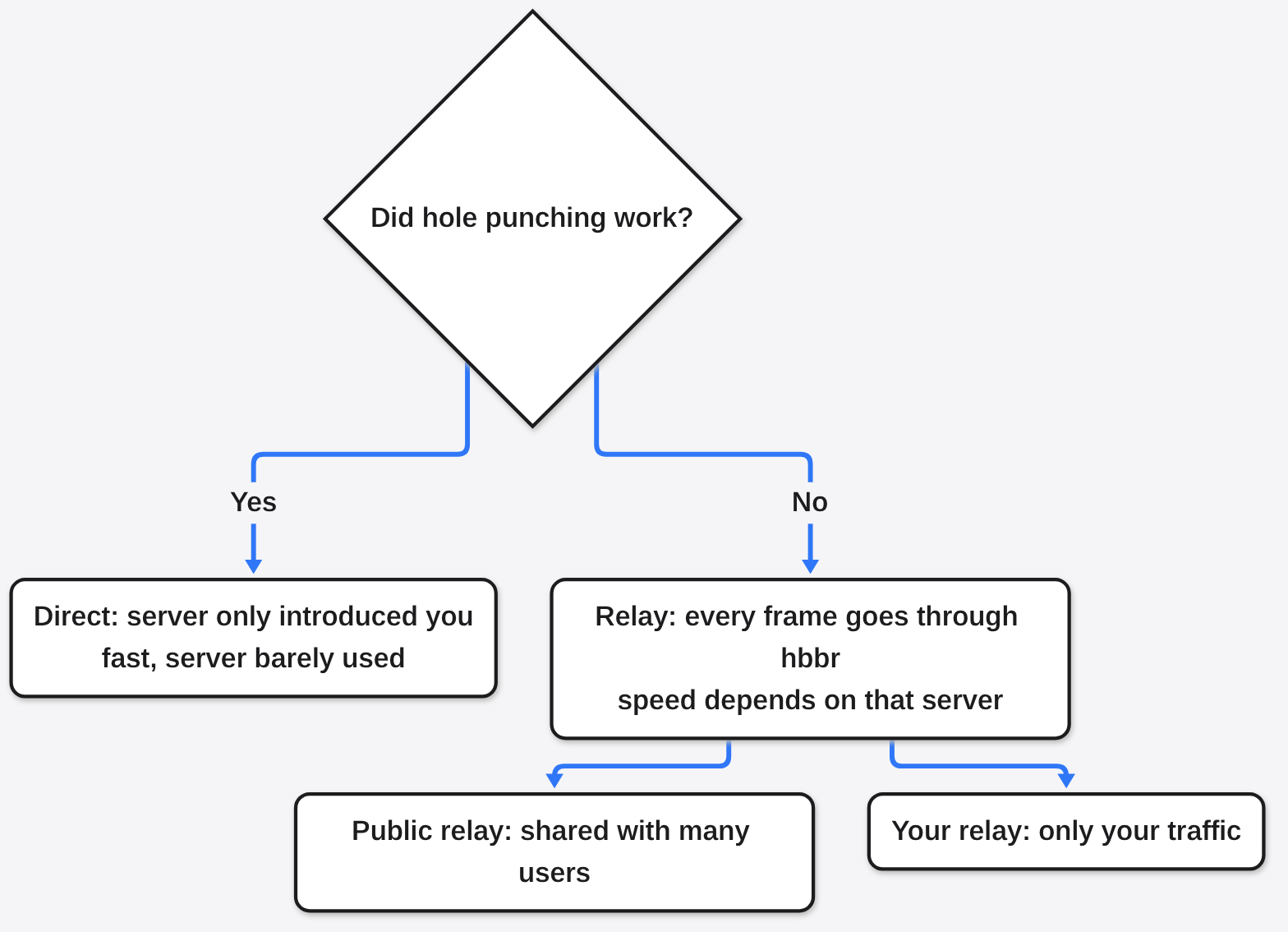
So the “faster connection” message is mostly about the postman. If your connections usually go direct, your own server changes little. If they often fall back to relay, your own server changes a lot.
Is the free public server good enough?
For helping family now and then, yes. For work, many devices or private data, run your own. The public server is a fine default, not a trap.
There are good reasons to stay on the public server. It costs you nothing, needs no setup, and if hole punching works, the server barely touches your session anyway.
Still, your own server wins in four cases:
- Speed. Your relay carries only your traffic, so relayed sessions stop waiting behind strangers.
- Control. IDs, introductions and relayed screens pass only through a machine you own.
- Lock-out. Your server can refuse every RustDesk app that does not have your key (more on that below).
- Many machines. If you support an office or clients, you stop depending on someone else’s free service.
And it stays free. The open source server needs no license to self host. It uses the AGPL-3.0 license (a copyleft license: change the code and offer it as a service, and you must share your changes).
A paid Pro version exists for companies that want a web console, single sign-on, LDAP login and access control. One person or a small team does not need it.
How do I self host a RustDesk server?
Rent the smallest cloud server you can find, open a few ports, and start two containers. The whole setup takes about ten minutes once you have a server.
That machine needs a public IP address that stays online, because both computers must reach it from outside. A small VPS (a rented virtual computer in a data center) is the usual choice. The hardware needs are very low: the smallest basic cloud server is enough. The official RustDesk self-hosting docs and the rustdesk-server repository list the same ports.
Step 1: open the ports. Each port is a numbered door on the server, and each RustDesk job uses its own door:
| Port | Type | Job |
|---|---|---|
| 21115 | TCP | NAT type test |
| 21116 | TCP and UDP | ID registration and hole punching (the phone book) |
| 21117 | TCP | Relay traffic (the postman) |
| 21118 | TCP | Web client, phone book side |
| 21119 | TCP | Web client, relay side |
So on Ubuntu with the ufw firewall, that is:
sudo ufw allow 21115:21119/tcp
sudo ufw allow 21116/udp
sudo ufw enableThose first three ports, 21115 to 21117, are the minimum. If you never use the RustDesk web client, keep 21118 and 21119 closed. If your cloud provider has its own firewall page, open the same ports there too.
Step 2: start the two servers with Docker. Docker (a tool that runs an app in a sealed box with everything it needs) keeps this to one file. Save this as compose.yml, and change rustdesk.example.com to your server’s IP address or domain:
services:
  hbbs:
    container_name: hbbs
    ports:
      - 21115:21115
      - 21116:21116
      - 21116:21116/udp
      - 21118:21118
    image: rustdesk/rustdesk-server:latest
    command: hbbs -r rustdesk.example.com:21117
    volumes:
      - ./data:/root
    depends_on:
      - hbbr
    restart: unless-stopped

  hbbr:
    container_name: hbbr
    ports:
      - 21117:21117
      - 21119:21119
    image: rustdesk/rustdesk-server:latest
    command: hbbr
    volumes:
      - ./data:/root
restart: unless-stoppedThat -r part tells the phone book where the postman lives, so it can send computers there when a direct link fails. On an ARM server, use the latest-arm64v8 image tag instead of latest. Then start it:
sudo docker compose up -dStep 3: copy your key. On first start, the server makes a key pair (two matching codes: a secret one it keeps, and a public one you share). The public one is your key:
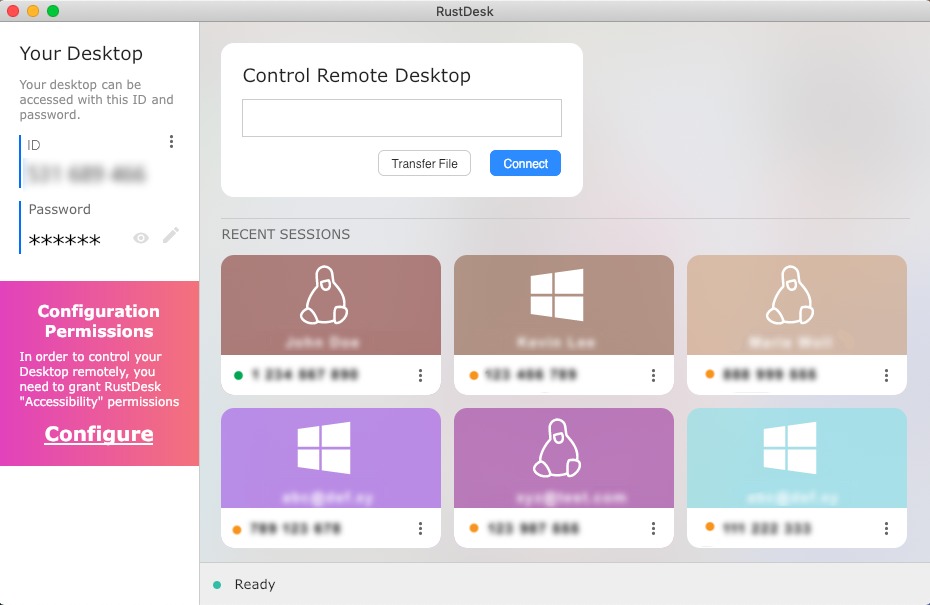
cat ./data/id_ed25519.pubStep 4: point each RustDesk app at your server. Open Settings, then Network, then Unlock network settings. Put your server’s address in ID Server, the same address in Relay Server, and paste the key into Key. Do this on both computers.

If you already run a few self-hosted apps, the same server can host this too. The self-hosted passkey login guide covers locking down the login side of those apps.
Is a self-hosted RustDesk server safe?
Safer than most people expect, if you keep the key private and the extra ports closed. The key does two jobs, and both protect you.
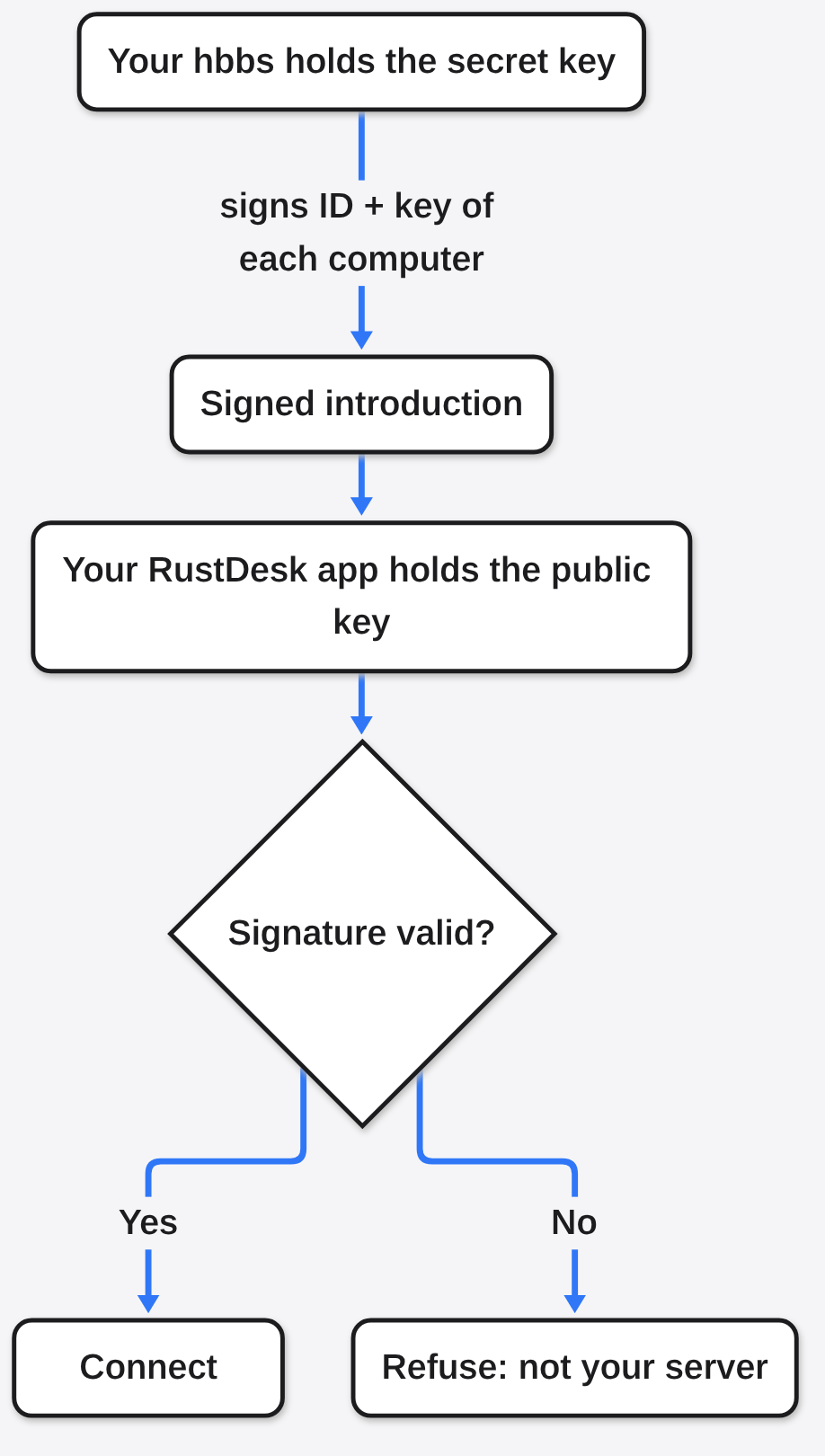
First, the key is a lock on your phone book. The server code shows this. By default, when hbbs starts, it makes the key pair and then refuses any connection request whose key does not match. A RustDesk app without your key gets turned away with a key mismatch error.
Second, the key is a seal of trust. When your phone book introduces two computers, it signs each computer’s ID and public key with its secret half. Your RustDesk app checks that signature using the public key you pasted. A fake server pretending to be yours cannot make a valid signature, so your app can spot it.
Three habits keep it that way:
- Share the key only with people you help. Anyone with your address and key can use your server.
- Keep ports 21118 and 21119 closed unless you use the web client.
- Update the containers now and then with
sudo docker compose pullandsudo docker compose up -d.
How do I check the relay works too?
Force one session through the relay on purpose. Otherwise you may only ever test the phone book and never notice the postman is broken.
Most test connections go direct, so a broken relay hides until the day you really need it. RustDesk has a built-in switch for this: add /r to the end of the remote ID when you connect, like 123456789/r. That tells RustDesk to skip the direct attempt and use the relay.
If the normal connection works but the /r one fails, port 21117 is blocked somewhere, or the -r address in your compose file is wrong. Fix that before you rely on it.
And if you want to try the phone-book-versus-postman idea on your own computer first, it fits in one file. Save the script below as rendezvous_demo.py and run it with Python 3. Nothing to install.
import socket, threading, time

HOST, CHUNK, PACKETS = "127.0.0.1", 1000, 2000   # 2 MB of fake screen

def udp():
    s = socket.socket(socket.AF_INET, socket.SOCK_DGRAM)
    s.bind((HOST, 0)); s.settimeout(3); return s

def id_server(sock, count, stop):          # the phone book
    online = {}
    while not stop.is_set():
        try: data, addr = sock.recvfrom(4096)
        except socket.timeout: continue
        count["bytes"] += len(data); msg = data.decode()
        if msg.startswith("REGISTER "): online[msg.split()[1]] = addr
        elif msg.startswith("CONNECT "):
            t = online[msg.split()[1]]
            sock.sendto(f"PEER {t[0]} {t[1]}".encode(), addr)
            sock.sendto(f"PEER {addr[0]} {addr[1]}".encode(), t)

def relay(sock, count, stop, pair):        # the postman
    while not stop.is_set():
        try: data, addr = sock.recvfrom(4096)
        except socket.timeout: continue
        count["bytes"] += len(data)
        sock.sendto(data, pair[1] if addr == pair[0] else pair[0])

def run(mode):
    count, stop, server, a, b = {"bytes": 0}, threading.Event(), udp(), udp(), udp()
    got = {"bytes": 0}
    if mode == "direct":
        threading.Thread(target=id_server, args=(server, count, stop), daemon=True).start()
        b.sendto(b"REGISTER 123456789", server.getsockname()); time.sleep(0.1)
        a.sendto(b"CONNECT 123456789", server.getsockname()); a.recvfrom(4096)
        p = b.recvfrom(4096)[0].decode().split(); dest = (p[1], int(p[2]))
    else:
        threading.Thread(target=relay, daemon=True,
            args=(server, count, stop, (b.getsockname(), a.getsockname()))).start()
        dest = server.getsockname()
    def receive():
        try:
            while got["bytes"] < CHUNK * PACKETS: got["bytes"] += len(a.recvfrom(4096)[0])
        except socket.timeout: pass
    t = threading.Thread(target=receive); t.start()
    for _ in range(PACKETS):
        b.sendto(b"x" * CHUNK, dest); time.sleep(0.0002)
    t.join(); stop.set()
    return count["bytes"], got["bytes"]

for mode in ("direct", "relay"):
    through, delivered = run(mode)
    print(f"{mode:6}  screen bytes delivered: {delivered:>9,}   "
f"bytes that passed through the server: {through:>9,}")That same direct-first idea shows up elsewhere. The WiFi file sharing guide moves files between your own devices with no cloud in the middle.
Common questions about self hosting RustDesk
Is RustDesk free to self host?
Yes. The open source server is free with no license needed. The paid Pro version adds company features like a web console and single sign-on.
What ports does RustDesk need open?
At minimum TCP 21115, 21116 and 21117, plus UDP 21116. Open TCP 21118 and 21119 only if you use the web client.
Do both computers need my server settings?
Yes. Both RustDesk apps need your ID server address and key, or they will look for each other on different phone books.
Why is RustDesk slow on the public server?
Often because the session fell back to the shared public relay. Your own relay carries only your traffic, so relayed sessions stop competing with other users.
So check how your sessions connect before you rent anything. If the phone book is enough, keep the free one. If the postman keeps showing up, give him your own address.