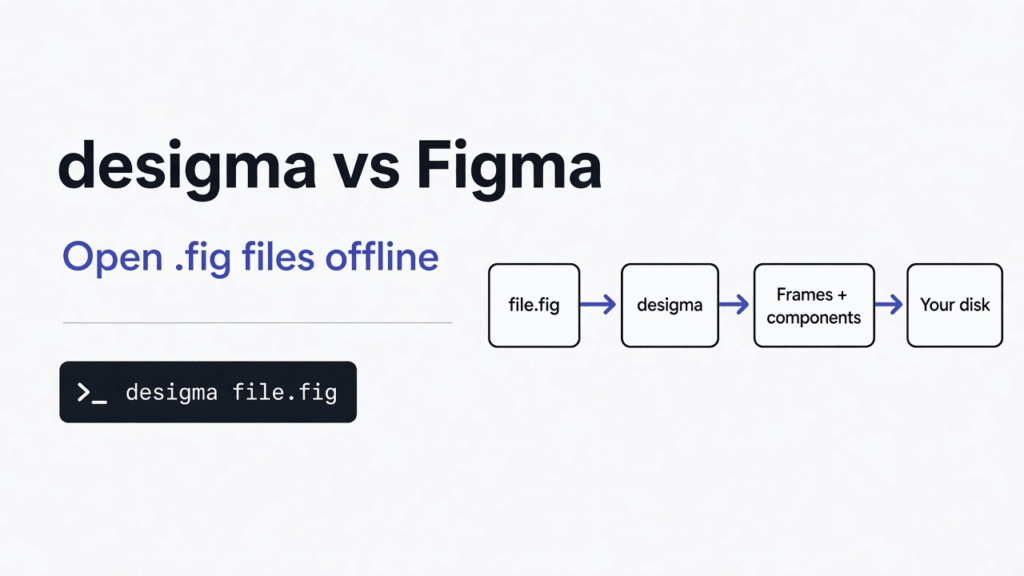
I had a design file on my disk and no seat that would open it without a sign-in. The file was a .fig, the container Figma writes when you choose Save local copy. desigma is a free desktop design app that tries to open that container on your own computer, with no account. Use desigma when you are one person and the file has to stay offline. Stay on Figma when several people have to edit the same file at the same time.
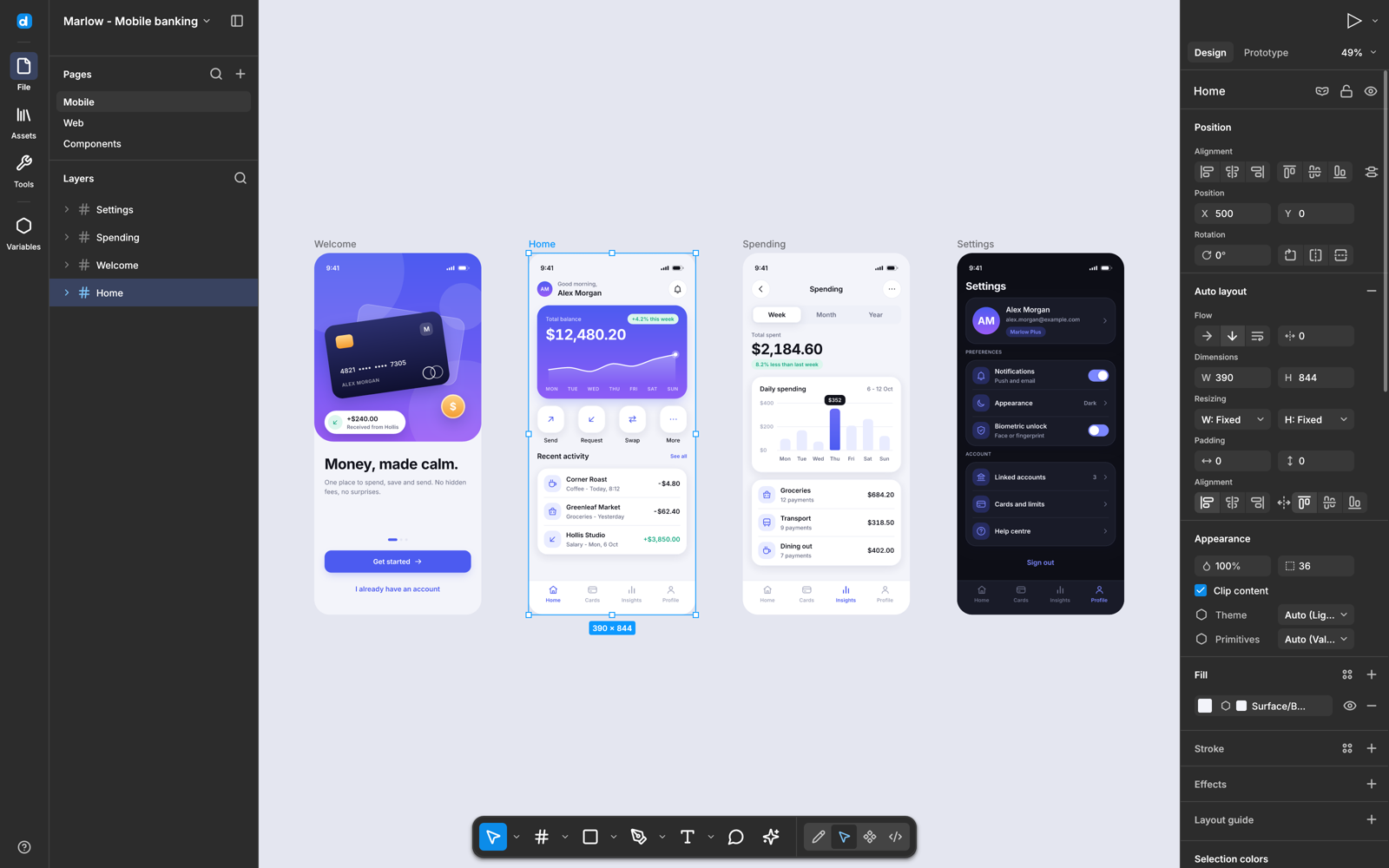
A design file is not a picture. It is a tree of frames, text, and components, plus the rules for how those pieces resize. Figma keeps that tree in the browser and lets other people into the same tree. desigma keeps a copy on the machine you are sitting at. That one difference decides most of the rest of this page.
What is desigma?
desigma is a native design app for interface screens, written in Rust, that runs on Windows, macOS, and Linux and does not send the file anywhere. You draw frames, turn on auto layout, make a component, wire a prototype, and edit vectors. Inter ships inside the program. Other open fonts are fetched once and cached. A font you are not allowed to redistribute is mapped to a stand-in so line breaks stay close.
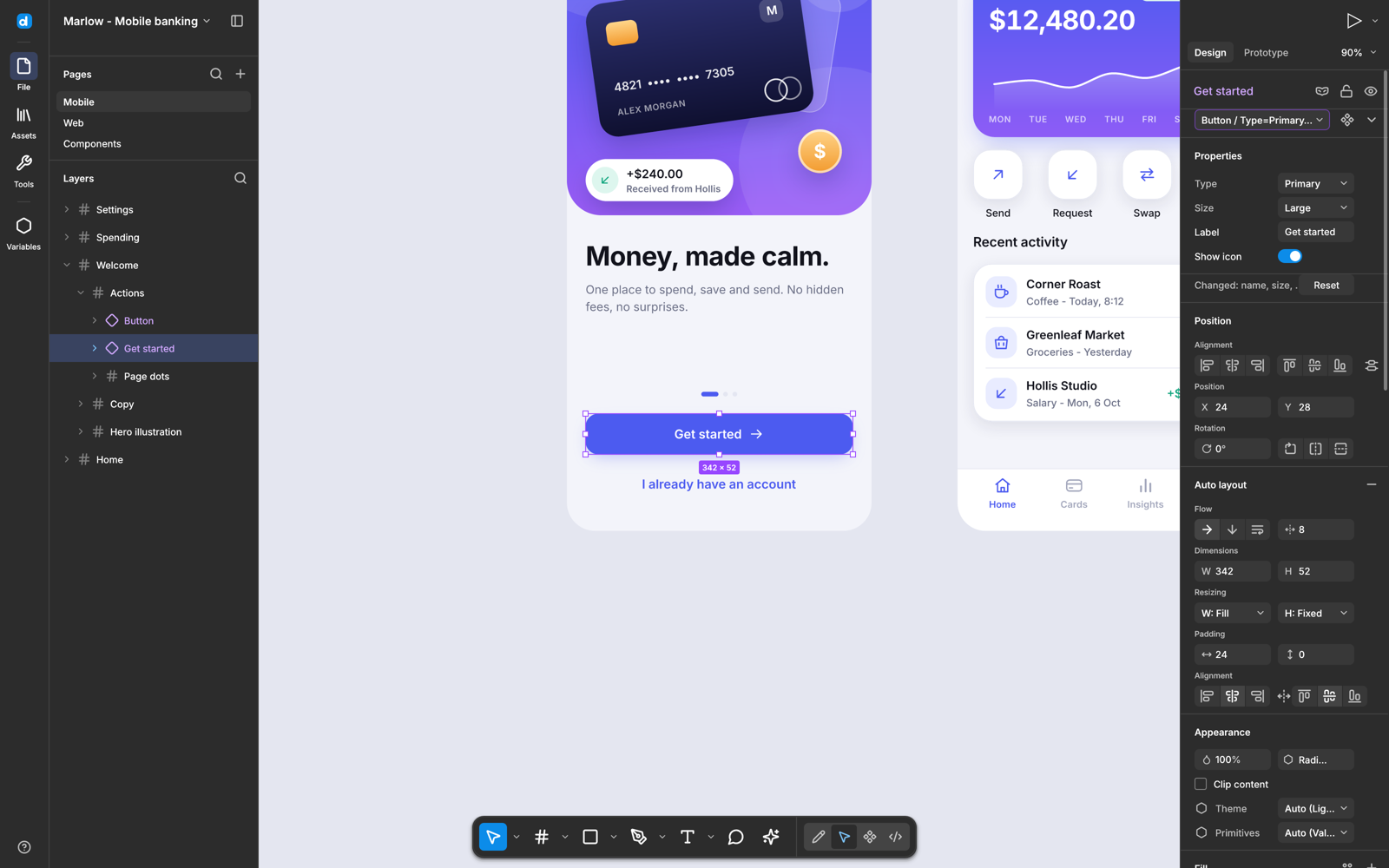
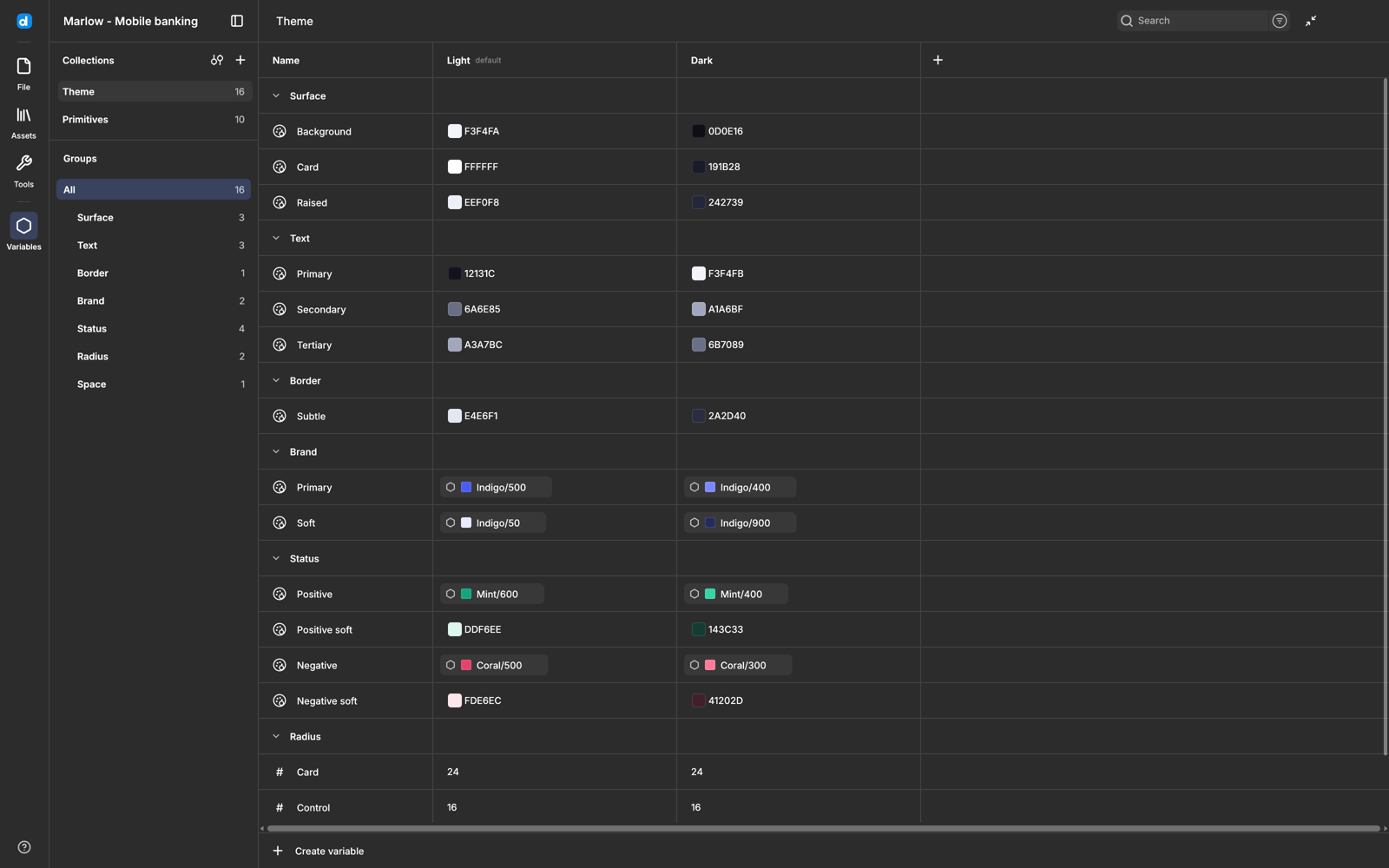
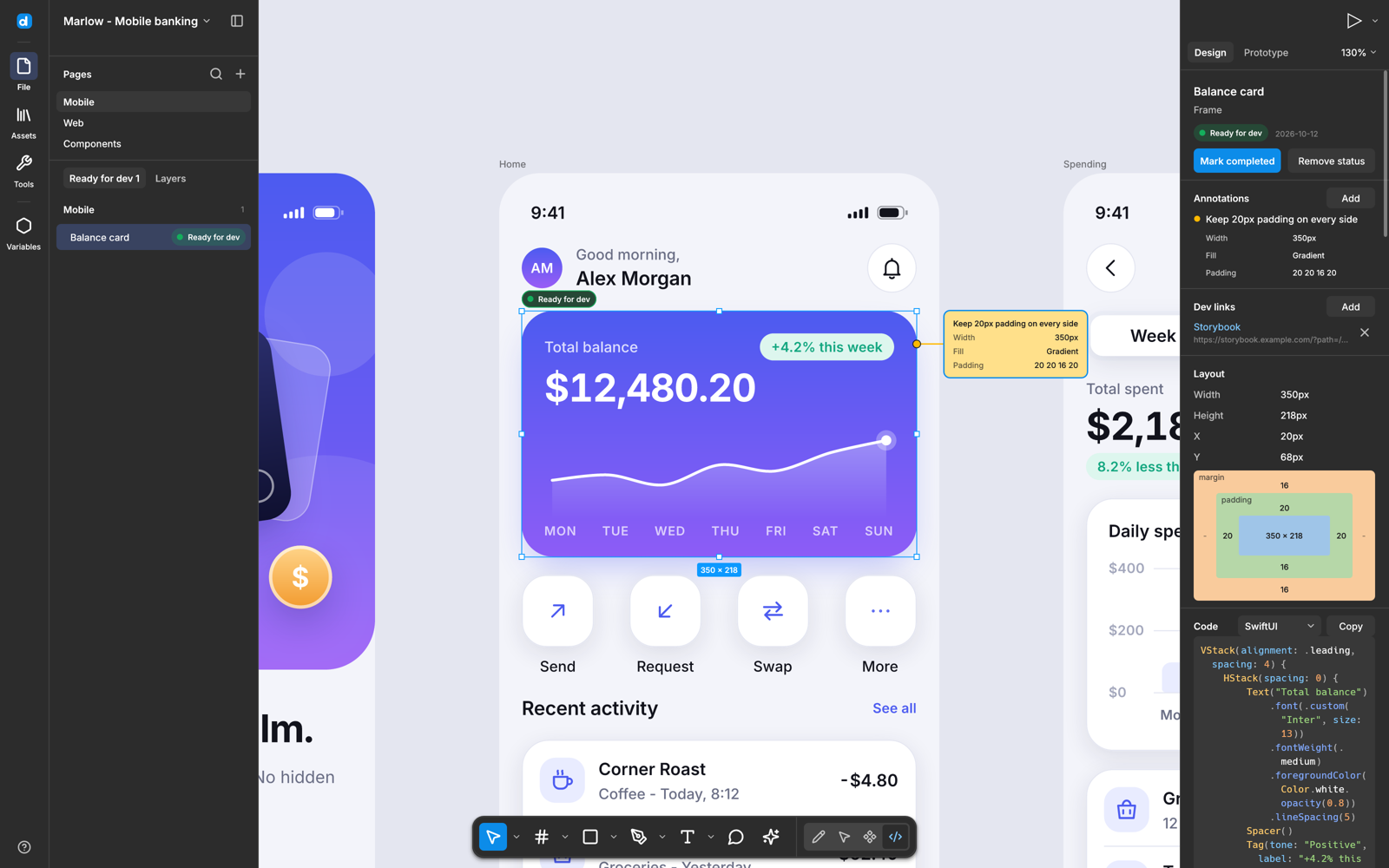
I expected a thin sketch of Figma. What is in the box is a daily editor that is still missing the room other people stand in. Components update their copies in the same undo and keep overrides. Variables hold color, number, string, and boolean values, with modes such as Light and Dark. Prototype links can set a variable or branch. Dev mode measures a layer and writes CSS, Tailwind, SwiftUI, Jetpack Compose, or React. There are also boards for stickies, and decks of 16:9 slides with speaker notes.
The limit is in the project’s own status line, and I am not going to sand it off. This is not yet a replacement for professional daily work. The gaps that matter are live collaboration, plugins, parts of real .fig files the decoder has not seen, and release builds that are not code-signed. PDF export of a deck paints each slide as a picture, so you cannot select the text in that PDF.
desigma vs Figma
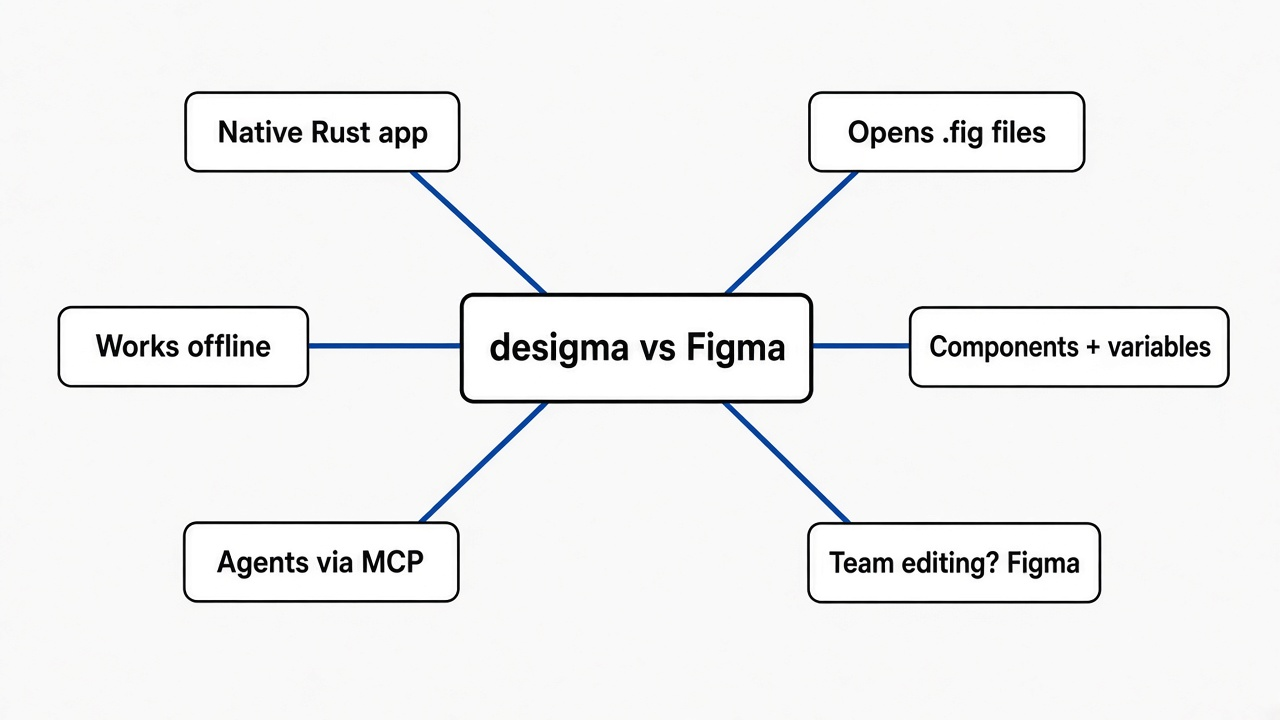
desigma wins when the file is already on disk and you do not want an account. Figma wins when the work is a shared room.
Figma is a design app in the browser. Several people can be in one file, comment, and publish a library other files subscribe to. Plugins fill the gaps the core app does not. Your file lives on their servers unless you also save a local copy. A free plan exists, and paid seats show up as soon as the team needs history, libraries, or more than drafts.
desigma is the opposite shape. The editor is a program, not a web view. Panning is drawn on the CPU with a tile cache, and the project claims a 5,000-layer page stays smooth. I did not time a 5,000-layer file, so I am not repeating that as my measurement. What I did run is the importer. I cloned the project and ran cargo test -p desigma-fig --test fig_import. Four checks passed in under a second. The importer built a small file, read it back, and the page had four objects: Card, Pie, Star, and Note. Inside the card were a title, an image rectangle, a triangle, a button component, and a copy of that button. The title came back as the text it started as, including an emoji, and the emoji sat in a heavier underlined run. The card’s auto layout was vertical, with padding, a drop shadow, and a clipped frame.
That file is one the project builds for the check. It is not a file I exported from a live Figma account. The decoder follows community notes on a format Figma does not document, and the project says real files still have gaps. My run shows the synthetic path is intact. It does not show that your production file will come across whole.
| desigma | Figma | |
|---|---|---|
| Where it runs | A program on your computer | The browser, plus desktop companions |
| Account | None | Required to use the product |
| Several people in one file | No | Yes |
Opens a .fig from Save local copy | Tries, with gaps | Yes, it wrote the file |
| Plugins | No | Yes |
| Code handoff | CSS, Tailwind, React, SwiftUI, Compose | Dev Mode, plus plugins |
| Price | Free, MIT or Apache-2.0 | Free plan, then paid seats |
| Honest catch | Early, no live room, unsigned builds | The file lives in their cloud unless you export |
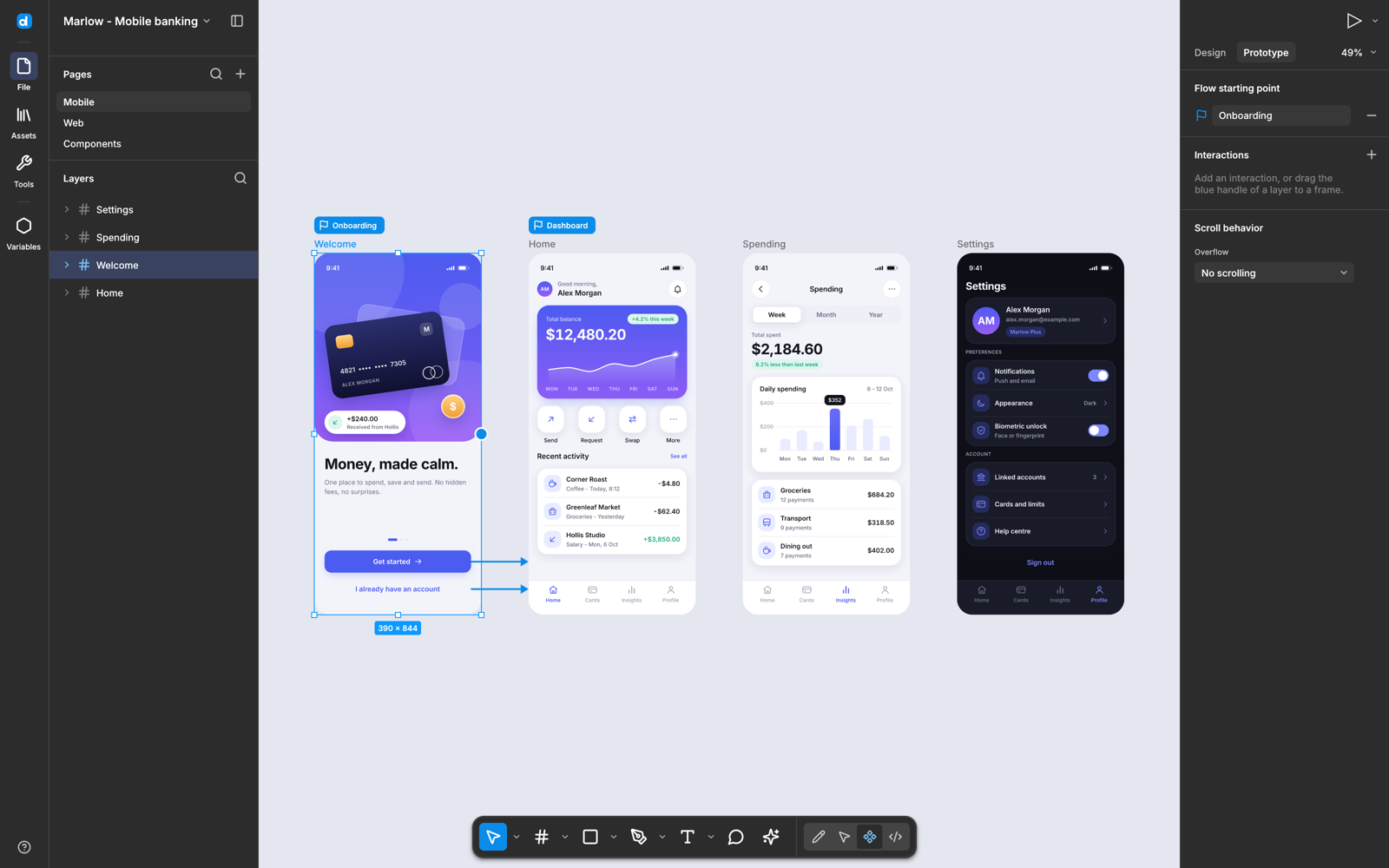
If the job is a poster or a social card, neither of these is the first tool I would open. That question is answered in is there a free open source alternative to Canva. desigma is for screens, components, and the file a developer has to build.
desigma vs Penpot
Pick Penpot when more than one person has to be in the file. Pick desigma when the artifact you already have is a .fig on disk.
Penpot is the open source design app most teams already mean when they say they left Figma. It runs in the browser, you can host it yourself, and more than one person can edit. Its usual file is its own format. Getting a Figma file into it is often a plugin export, not opening the container Figma saved. desigma’s bet is the other way around: read that container, and skip the server.
How do I open a Figma file in desigma?
Save a local copy in Figma, install desigma for your system, then use File, Open, or pass the path to the program. Do not expect a double-click on macOS to reach a window that is already open.

In Figma the menu is File, then Save local copy. That writes a .fig. desigma also accepts Figma’s REST JSON, the shape you get from their file API, and its own .desigma files. Images inside a .fig are already in the container. Images in a REST JSON file are references, and something still has to fetch them.
Download the archive for your system from the project’s releases. Check the checksum file that sits next to it before you open anything. The builds are not code-signed.
- Windows: unzip, run
desigma.exe. The first launch says Windows protected your PC. More info, then Run anyway. That is the missing publisher signature, not a separate warning about what the app does. - macOS: one disk image covers Apple Silicon and Intel, on macOS 11 or newer. Drag the app to Applications. The first open is blocked. System Settings, Privacy and Security, Open Anyway. Or, once,
xattr -dr com.apple.quarantine /Applications/desigma.app. - Linux: unpack the archive and run the
desigmaprogram inside it. There is no signature warning. Most desktops already have the libraries it needs.
On a Mac, Finder will list desigma under Open With, but a double-click does not hand the file to a copy that is already running. Use File, Open, drag the file onto the window, or:
/Applications/desigma.app/Contents/MacOS/desigma path/to/file.figIf you are building from source instead of using a release, the same open is:
cargo run --release -p desigma-app -- file.figThe check I ran does not need the window. From a clone:
cargo test -p desigma-fig --test fig_importYou should see four tests pass. If a real file opens with a missing layer, that matches the documented gap. Compare that screen in Figma before you blame the layout.
Does desigma work offline?
Yes. The desktop app does not need an account, and a file you already have does not need the network to open.
The first launch can still touch the network if a file names an open font that is not bundled. Inter is inside the binary, so a file that only uses Inter stays quiet. After a missing open font is cached, later opens of that file do not need to fetch it again. I did not find a switch that sends the document out. The file is meant to stay on the machine.
This is in contrast to Figma, where the file’s home is the account even if you also use their desktop shell. Close the laptop lid and desigma still has the document. Figma still has the comments a teammate left after you left.
Can a coding agent edit a desigma file?
Yes, through a local server, and no, not by grabbing the window you are looking at.
The server is MCP (a small local program the agent is allowed to run). You build it from the same project:
cargo build --locked -p desigma-mcpPoint your agent at that binary and pass --workspace with a folder that already exists. The server speaks on standard input and output. It does not open a port, and it does not need a Figma token. The agent opens a file with desigma_open_file, lists layers, and calls desigma_generate_code with css, tailwind, react, swiftui, compose, or svg. It can create, update, or delete a layer, then undo. desigma_save_file requires a new .desigma name. Overwriting an existing file is refused.
I want to say the agent is now inside the editor, but that would be a half-truth. This server keeps its own copy of the document in memory. It does not see your selection, and it does not move layers in an editor window that is already open. Edits stay in memory until you save. Restarting the server drops unsaved work. Layer edits do not run the desktop app’s auto layout, text measurement, or component sync. Resizing a frame here does not rearrange its children, and editing a main component does not update every copy. Import stops at 64 MiB, 100,000 layers, or 256 levels of nesting.
So the useful loop is narrow, and it is a good narrow. Open the .fig, ask for React for one node, save a new .desigma, then open that file in the desktop app and keep drawing. If what you wanted was a web page from a prompt, with no design file at all, that is a different job: how do I make Claude Code websites not look AI generated. If what you wanted was a diagram rather than a screen, how do I make Claude Code draw real diagrams instead of ASCII is shorter, and diagram design vs mermaid is the page for a picture someone is meant to judge as a design. A slide deck from a doc, rather than from frames you drew, is how do I make a PowerPoint with Claude Code.
Is desigma worth it?
Worth it if you already have a .fig and you want it on a machine with no account. Not worth it if your team lives in one shared Figma file tomorrow morning.
I would install it to open a local copy without putting that file into another account, to copy CSS or React from a layer while offline, or to let an agent write a new .desigma beside the original. I would not make it the only design tool for a team that comments in the file every day. That team should stay where the comments already are.
The unsigned build is a real cost on the first open, and then it is not. Windows and macOS ask once. After that the app opens like any other. If your company blocks unsigned programs, you are stuck until you build it yourself or your policy changes. I don’t know how your IT desk will treat that, and a blog post should not pretend to.
When should I stay on Figma?
Stay on Figma when the file is a place, not a document. Shared cursors, plugins, and a library other people publish into while you work are the place. desigma has local libraries, with a review step when a new version lands, and that is not the same as a live room.
Stay if your .fig uses something the decoder has not mapped. My check passed on a synthetic card. Yours might be a design system with remote components or odd text. Open one screen you know. If a component copy is empty, that is the gap, not your layout.
Stay if you need a PDF someone can copy text out of. Deck export makes a picture of each slide. Speaker notes are not in that PDF, and there is no presenter display yet.
And stay if the name you searched was Desygner. That is the next section, and it is the mistake the search results are set up to cause.
Common questions about desigma
Is desigma the same as Desygner?
No. Desygner is a different product, a paid template tool for social graphics, with an extra y.
Search results for this comparison are full of Desygner versus Figma pages. Those pages are about a website where you start from a poster template. desigma is one word, with an i, and it is a local app for interface files. If a pricing table talks about AI credits per user and a template library, you are on the wrong site. Close it. The project you want is the desktop app that opens .fig.
Can desigma replace Figma?
Not for a team that shares one file. Yes for a person who needs that file offline.
Plugins will not come with you, and neither will comments. A teammate cannot join your canvas. What can come with you is the tree of frames, if the decoder understands your file. The shortcuts you already know still work: F for a frame, Shift+A for auto layout. Design with other people in Figma, save a local copy, and open that copy here when the account should not be in the loop.
Does desigma need an account?
No. There is no sign-in in the desktop app, and the local server does not want a token either.
You do need a Figma account if the only copy of the work still lives in Figma, because that is where Save local copy happens. Once the .fig is on disk, desigma never asks who you are. If someone sends you the file, you do not need a seat of your own.
How do I import a fig file?
Use Save local copy in Figma, then File, Open in desigma, or pass the path on the command line. A REST JSON export is the other door, and it does not carry images inside the JSON.
If you are checking the importer before you trust a client file, run the four checks I ran:
git clone https://github.com/deepfounder-ai/desigma
cd desigma
cargo test -p desigma-fig --test fig_import
Four passing checks mean the synthetic card, its button, and the copy of that button survived a round trip. They do not mean your file will. Open yours next, on one screen you can recognize, and only then decide.
I am keeping Figma for anything a second person has to touch. I am keeping desigma for the file that should never have needed an account in the first place.