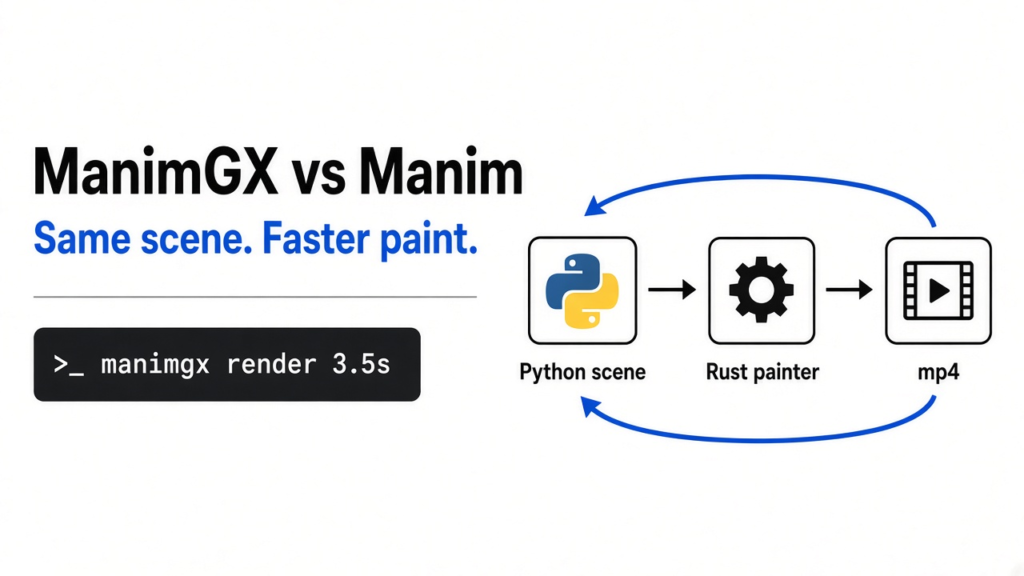
I asked for a three second clip of a blue square turning into a pink circle. Manim (the Python library people use to build those math videos, one shape at a time) is the usual way to ask for that. ManimGX (a newer program that reads almost the same Python and draws the pictures in Rust) is what you open when the drawing takes longer than the clip. I installed it, rendered that square at 1280 by 720 and 30 frames a second, and got a real mp4. The draw took 3.5 seconds. That is not ninety times faster. On a two-core machine with no graphics chip, it was about as long as the video.
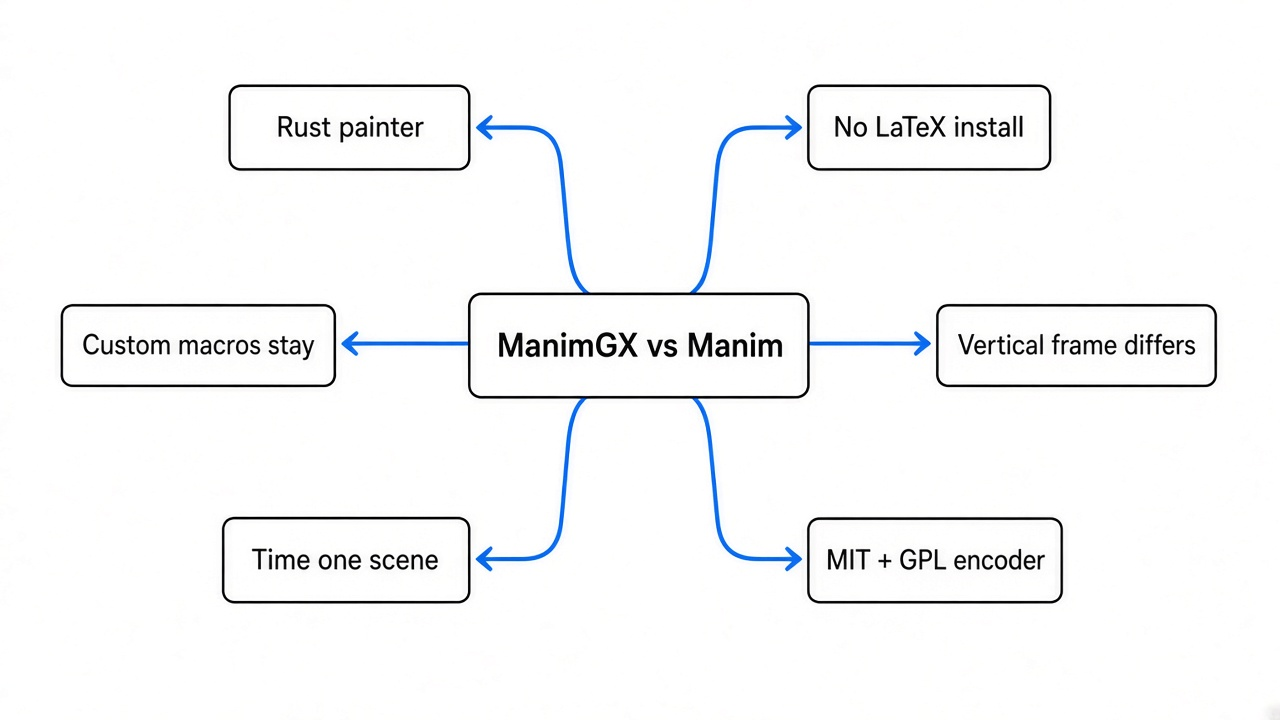
ManimGX is the one to try when the wait is the problem, and the one to skip when your file depends on custom math macros or a tall frame you already measured.
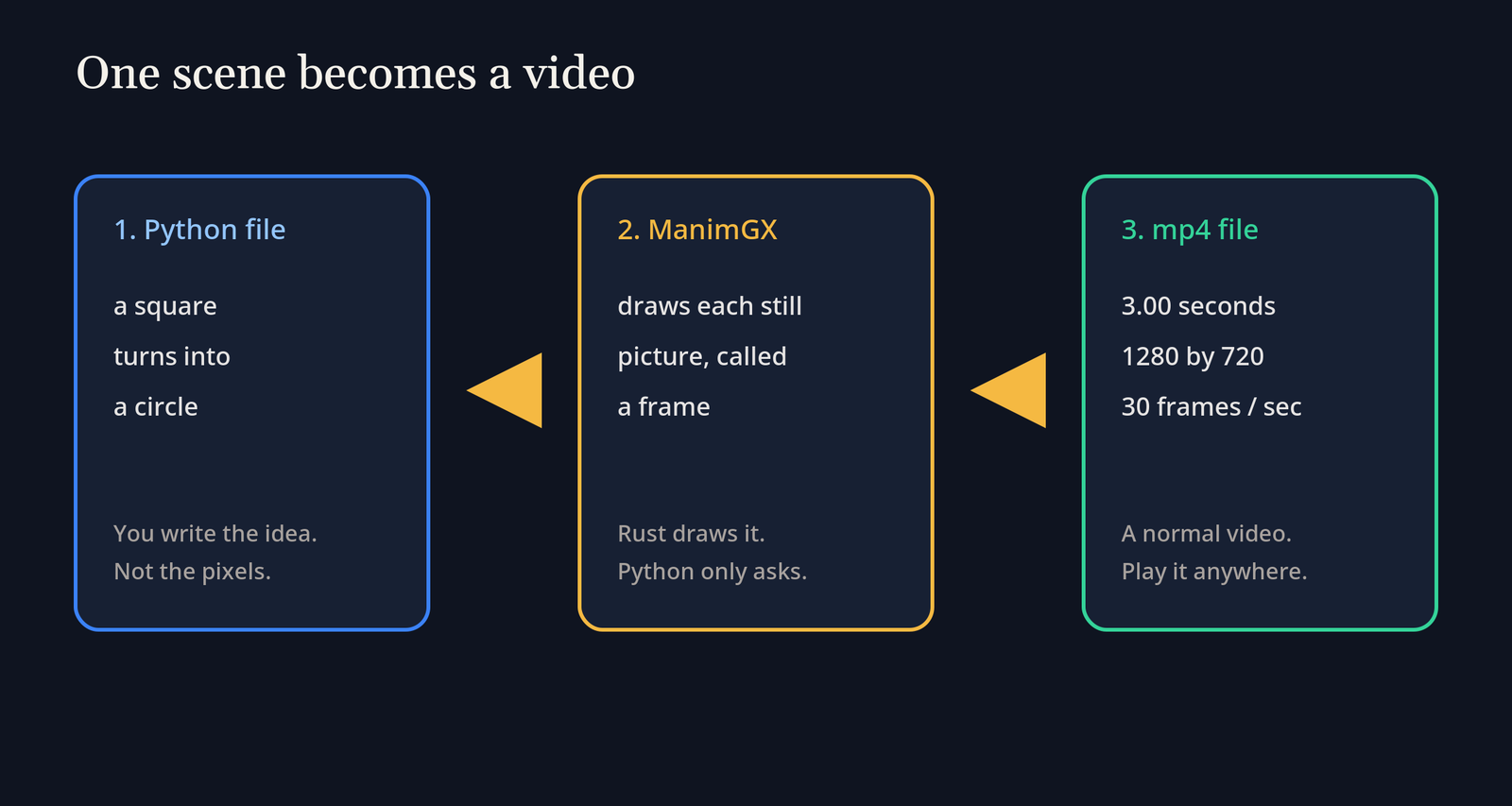
A video is not one picture. It is a stack of still pictures, played fast enough that your eye calls it motion. Someone still has to paint every still. That is the whole fight between these two tools.
What is Manim
Manim is a Python library that turns a short script into a math video. You do not drag clips on a timeline. You describe what should be on screen, and in what order, and the library paints it.
The unit of that description is a scene (one class in the file, and that class is the whole clip). Inside the scene, each shape is a mobject (a thing that can sit on screen and move, such as a square, a circle, or a formula). An animation is the order you give that thing: appear, move, or turn into something else. The frame (the rectangle the viewer actually sees) is whatever those orders leave behind.
Frames per second (how many still pictures are packed into one second) is why a smooth change costs time. At 30 frames a second, a three second clip is already 90 pictures. Each picture lays out every shape again. A long three dimensional scene multiplies that work, which is why people go and make tea.
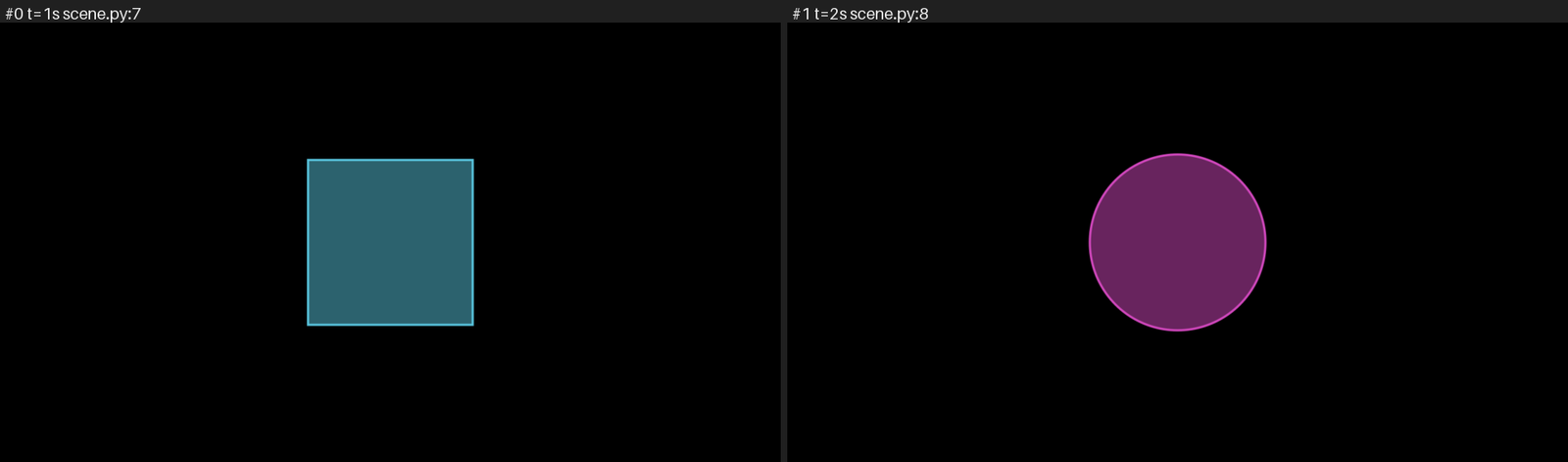
The storyboard from the file I rendered. Left, the blue square is created. Right, it has become the pink circle. The check between them reported no layout problems.
What is ManimGX
ManimGX takes that same kind of scene and paints it with a Rust core. The Python you type is the request. Rust is the hand that fills the pixels. You are not learning a new timeline. You are swapping the painter.
Under that painter is wgpu (the layer that talks to a GPU, the chip that draws pictures, or to a software stand-in when the machine has no such chip). This computer had no graphics device. ls on the graphics folder was empty, and there were two CPU cores. ManimGX still wrote the file. The encoder name stored inside the mp4 was manimgx, and the pictures were h264 (the usual compression inside an mp4).
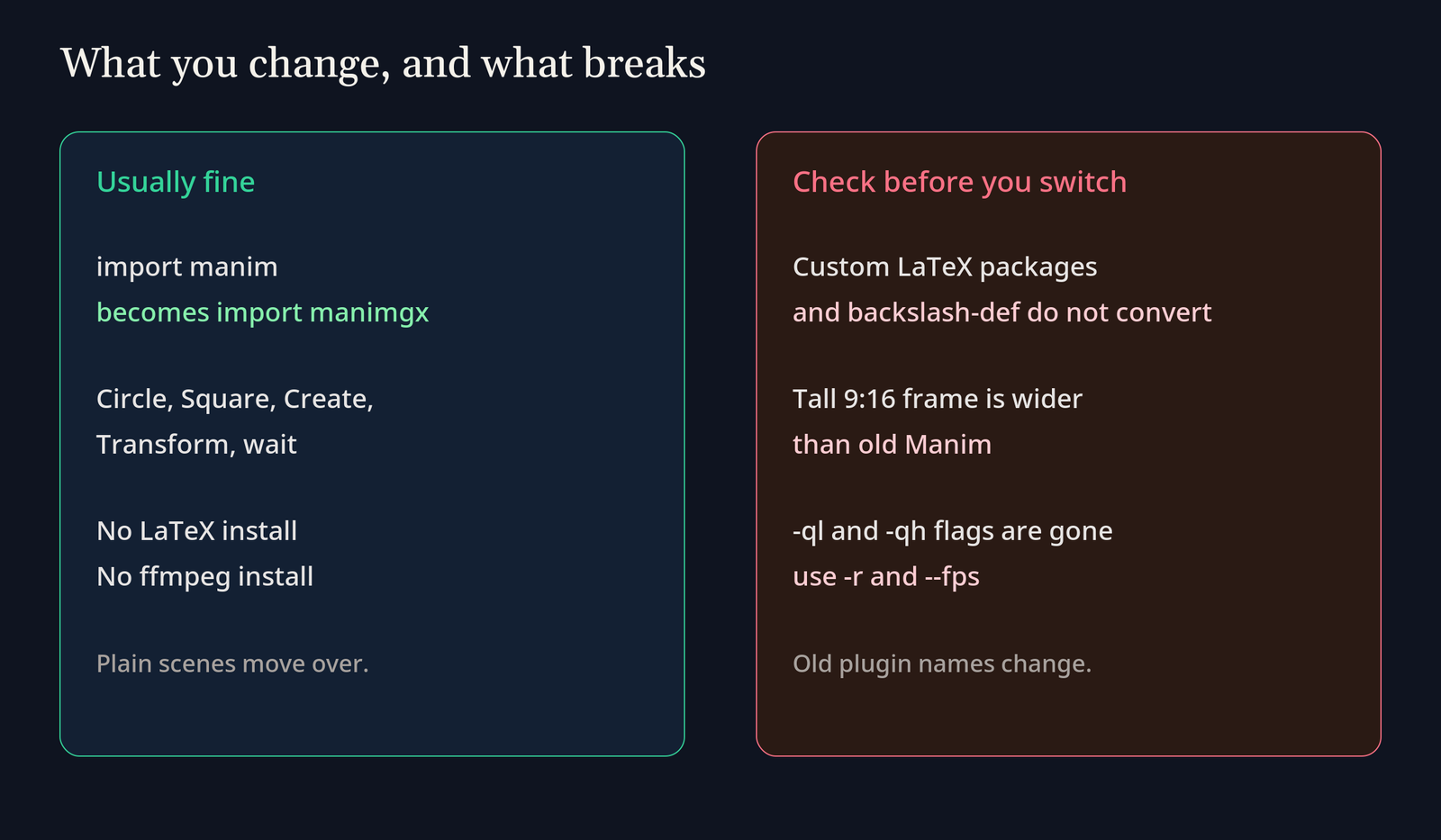
The install also carried the fonts, the math typesetting, and that encoder. I did not set up LaTeX (the old system for typesetting math) and I did not set up ffmpeg (the usual tool that stitches pictures into a video). For a plain scene, that is the install.
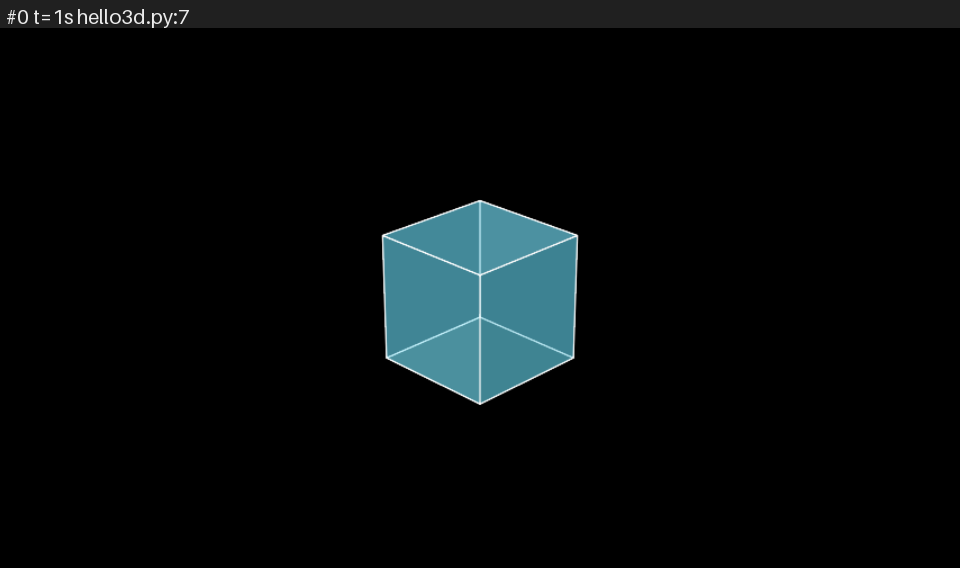
A two second cube, drawn as a 3D scene. The storyboard shows the wireframe. Layout checks are skipped for 3D, which the tool said outright.
Is ManimGX faster than Manim
On my scene, no large multiple showed up. The clip is 3.00 seconds, 1280 by 720, 30 frames a second. The first render reported 3.5 seconds. The clock around the whole command was 3.8 seconds. I ran it again. The tool reported 3.2 seconds, and the clock was 3.5 seconds. Both files were 23,408 bytes and played as 3.03 seconds.
A cube was slower than its own length. Two seconds of 3D, at 854 by 480 and 24 frames a second, reported 4.8 seconds. The clock around it was 5.0 seconds. The file was 8,857 bytes. A short scene on a weak CPU was roughly real time, and the 3D one was a bit worse than real time.
The ninety times number is a different test, and it is not a lie. Their published suite is 36.2 seconds of harder 3D, five scenes, at 1080p and 60 frames a second, timed on an Apple M4 Pro. In that suite ManimGX finished in 3.08 seconds. The older Manim community build took 278.8 seconds. ManimGL took 35.3 seconds. Blender’s Workbench took 57.6 seconds. I did not re-run those five scenes here. If your clip is a short flat morph on a small CPU, expect a number like my 3.5 seconds. If your clip is a long 3D scene on a fast chip, their suite is the closer story.
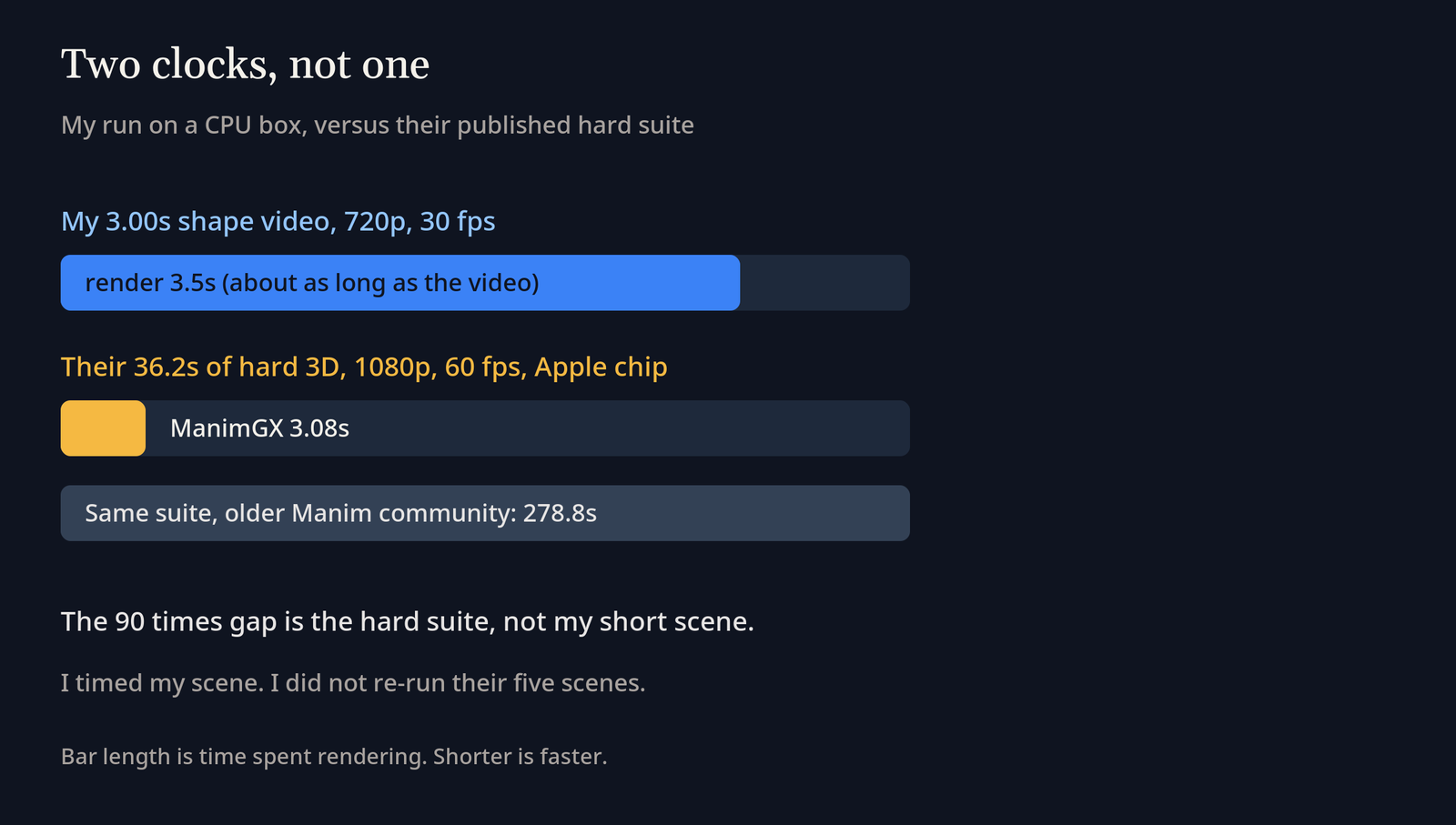
| What I compared | Manim community | ManimGX |
|---|---|---|
| My 3 second square, 720p, two CPU cores | I did not reinstall it for this | 3.5 seconds, then 3.2 seconds |
| My 2 second cube, small frame | not run | 4.8 seconds |
| Their 36.2 second 3D suite, 1080p60, Apple chip | 278.8 seconds | 3.08 seconds |
| What you install for a plain scene | Python, and usually LaTeX plus ffmpeg | Python 3.13 or newer, one pip |
| An old scene file | runs as written | the import changes, custom LaTeX does not |
| A vertical phone frame | the narrow old frame | the short side is 8 units |
How do I install ManimGX
You need Python 3.13 or newer. The interpreter I had first was 3.10, and that is too old, so the install has to be the newer one. Then:
pip install manimgx
manimgx --version
The version line I got was manimgx 0.1.1.
This is the file I rendered. Save it as scene.py.
import manimgx as m

class SquareToCircle(m.Scene):
    def construct(self) -> None:
        square = m.Square(side_length=3, color=m.BLUE, fill_opacity=0.5)
        circle = m.Circle(radius=1.6, color=m.PINK, fill_opacity=0.5)
        self.play(m.Create(square))
        self.play(m.Transform(square, circle))
        self.wait()
Then:
manimgx render scene.py SquareToCircle -o square.mp4 -r 1280x720 --fps 30
-r is the pixel size of the frame. --fps is how many stills go into each second. The old quality flags, -ql and -qh, are not this command. If the file has more than one scene, name the class, the way SquareToCircle is named above.
Before you pay for the full video, ask for a contact sheet:
manimgx inspect scene.py SquareToCircle
Mine listed three plays: Create from 0 to 1 second, Transform from 1 to 2, and a wait from 2 to 3. It said the layout had no problems in three samples. That check is for flat scenes. The cube run said the layout was not checked, because the scene was 3D. Believe that line. A pretty wireframe is not the same as a passed layout check.
The project and the switch notes live here: manimgx on GitHub and coming from Manim. The older library’s own manual is Manim Community.
Can I use my Manim code in ManimGX
Most of a normal scene moves if you change import manim to import manimgx. Circle, Square, Create, Transform, and wait kept those names in the file above. Do not import from manim.utils. The names come off the manimgx package.
Math text is the sharp edge. Tex and MathTex still accept a lot of LaTeX looking markup, but ManimGX turns it into Typst (a newer typesetting language) instead of calling LaTeX. A package you installed for LaTeX, and a \def you wrote yourself, do not come across. If the scene is a pile of personal macros, stay on Manim community until those lines are rewritten. Guessing that they will “basically work” is how an afternoon disappears.
A wide frame matches the old one: 8 units tall, about 14.2 wide. A tall 9:16 frame does not. ManimGX makes the short side 8 units, so a vertical video is about 8 wide and 14.2 tall. Old Manim made that vertical frame about 4.5 wide. Captions you already placed for the narrow frame will not land in the same spot. The command for a phone shaped file is:
manimgx render scene.py SquareToCircle -r 1080x1920 --fps 30
Voice and slides are built in. self.say places a spoken line, and manimgx present turns sections into slides. You do not add the old voice plugin or the old slides plugin. A few old names are retired, including MovingCameraScene and ApplyMethod. If a name errors, the switch notes list the replacement. I did not port a large old project. I rendered two short scenes. Treat a real port as a file at a time.
If a coding agent is writing the scene, tell it to stop once the clip plays. Extra classes do not make the square rounder. That same habit shows up in ordinary edits: how to stop Claude Code from overengineering.
If you want the agent to look at a storyboard instead of pasting every frame into the chat, keep the big file out of the prompt: context mode vs compact. A long render log can also shove your instructions out of the window: why compaction drops them.
If the spoken line should be a voice you cloned on your own machine, that is a separate job from the renderer: clone your voice locally.
When should I stay on Manim
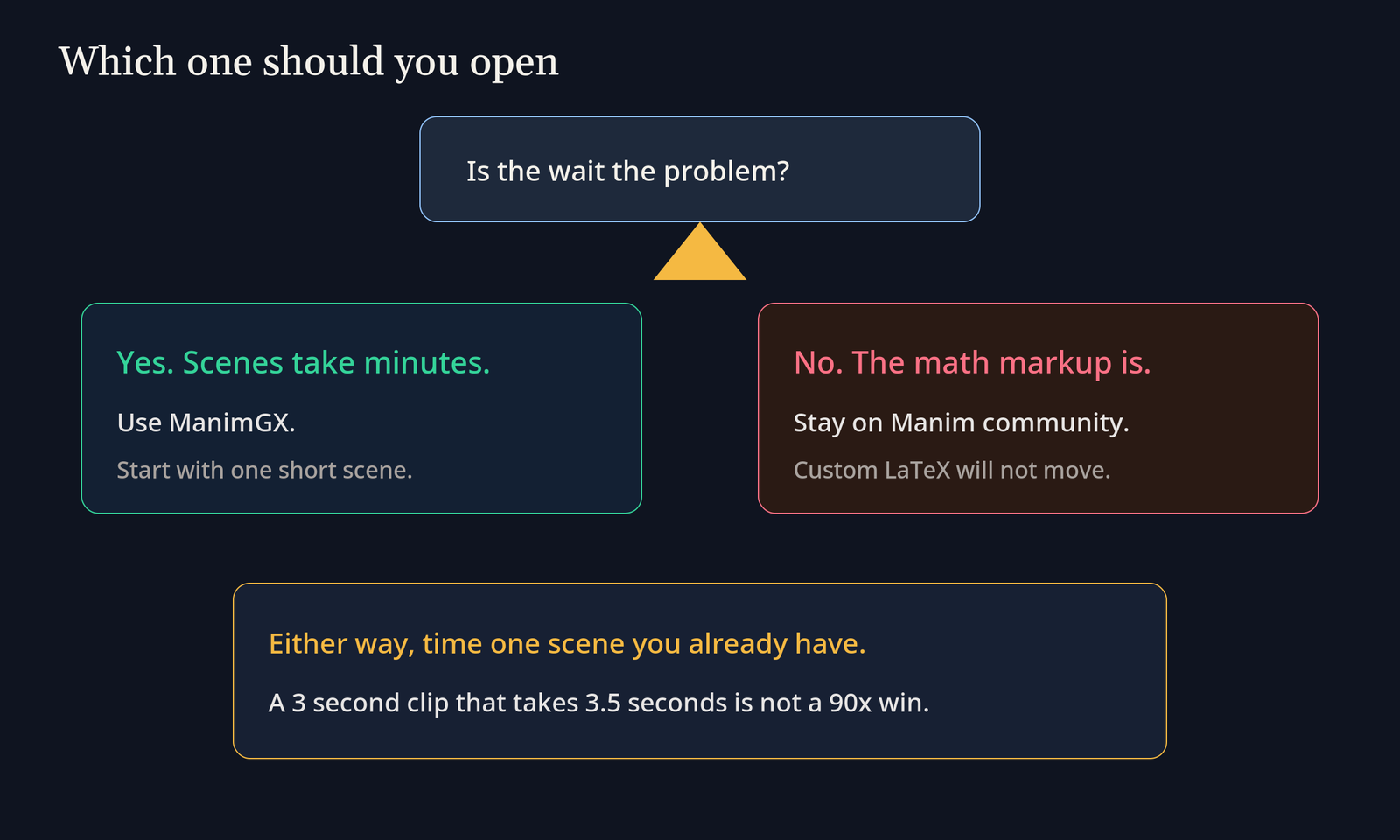
Stay when the scene needs LaTeX packages, a \def, or a tall frame you already measured. Stay when a plugin you rely on has no ManimGX name yet. Stay when the clip is short, flat, and already fast, because a new install would take longer than the render you hope to save.
Manim community is also where years of examples match the old flags one for one. The community manual is the place to check a flag ManimGX renamed. ManimGX is where the wait itself is the problem: long 3D, many retries, an agent looping on a preview. I would not delete a working Manim setup only because a suite on another chip was ninety times faster.
Is ManimGX worth it
Yes, if you already lose afternoons to renders, and your scenes are ordinary shapes, cameras, and math that does not need custom LaTeX. Install it beside Manim. Move one scene. Time it. If the new time is close to the length of the clip, the way mine was, this machine will not hand you the published suite. If a long 3D scene drops from minutes to a few seconds, keep the new painter.
No, if the first error is a missing LaTeX package or a vertical layout that jumped. Fixing that markup can cost more than the render you wanted to skip. A fast engine that cannot set your macros is a different tool, not a faster one.
One license split is easy to miss. The Python and Rust sources are MIT (you can reuse them with few duties). The video encoder is x264, which is GPL (if you ship that program, you share your changes under the same rules). The ready made wheels that include the encoder are GPL because of it. If you bundle the wheel in a product, read that before you assume the MIT line covers the download.
I would keep both installed. I would reach for ManimGX the next time a 3D scene is what blocks the edit. I would not walk into a meeting and quote ninety times for a two-core laptop.
Does ManimGX need LaTeX or ffmpeg
No separate install. The package I used carried typesetting and the h264 encoder. Custom LaTeX packages still will not run, because the math is converted to Typst. It is not sent to LaTeX.
Does ManimGX work without a GPU
Yes, on this Linux install. There was no graphics device, and both scenes still wrote mp4 files. Expect the speed to look like my 3.5 seconds for a short clip, not like the Apple chip suite. No graphics chip does not mean no video. It means you do not get to borrow someone else’s benchmark.
How do I make a vertical video in ManimGX
Pass -r 1080x1920. Then check the frame, not only the pixel size. The short side is 8 units, so coordinates from an old vertical Manim scene will not match until you move them.
Is ManimGX free
Yes. You can install it and render with no account. The wheel that encodes video is under GPL because of the encoder, even though the engine source is MIT. Free to run is not the same promise as free to ship inside a closed product.