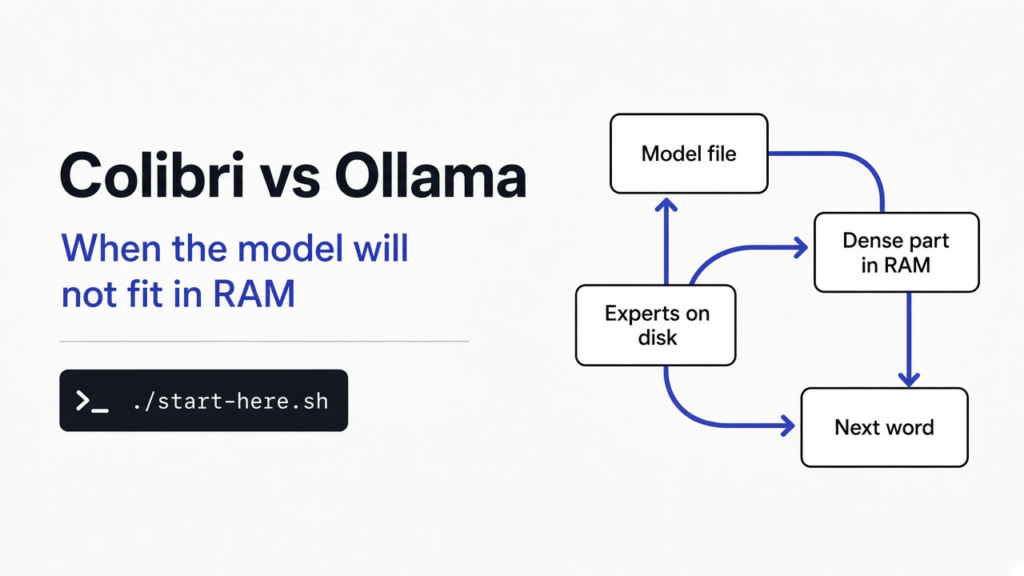
I had a laptop with 16 GB of fast memory and no spare graphics card, and a model file that would not fit. Ollama is the usual way to run a model on your own machine: it keeps the whole file ready in memory. colibri is the other way. It leaves most of that file on the disk and reads only the specialists the model asks for. Use ollama when the whole model fits and you want a normal chat. Use colibri when it does not fit, and you can wait.
The name is the bird. A hummingbird is tiny, it stays in one place in the air, and it visits many flowers. The engine is making the same bet: a small program, a huge model, and a lot of short trips to the disk.
Before any of the names help, three objects have to be separate in your head. A model is a file of numbers. A parameter is one of those numbers, stored while the model was trained. Memory, the sticks people call RAM, is the fast place the computer can touch in a flash. The disk is the big, slower place. A graphics card, the chip people call a GPU, is a second board that is good at the same multiplication over and over. colibri does not need that board. Ollama is happiest when the model file already fits in RAM or on that board.
What is colibri?
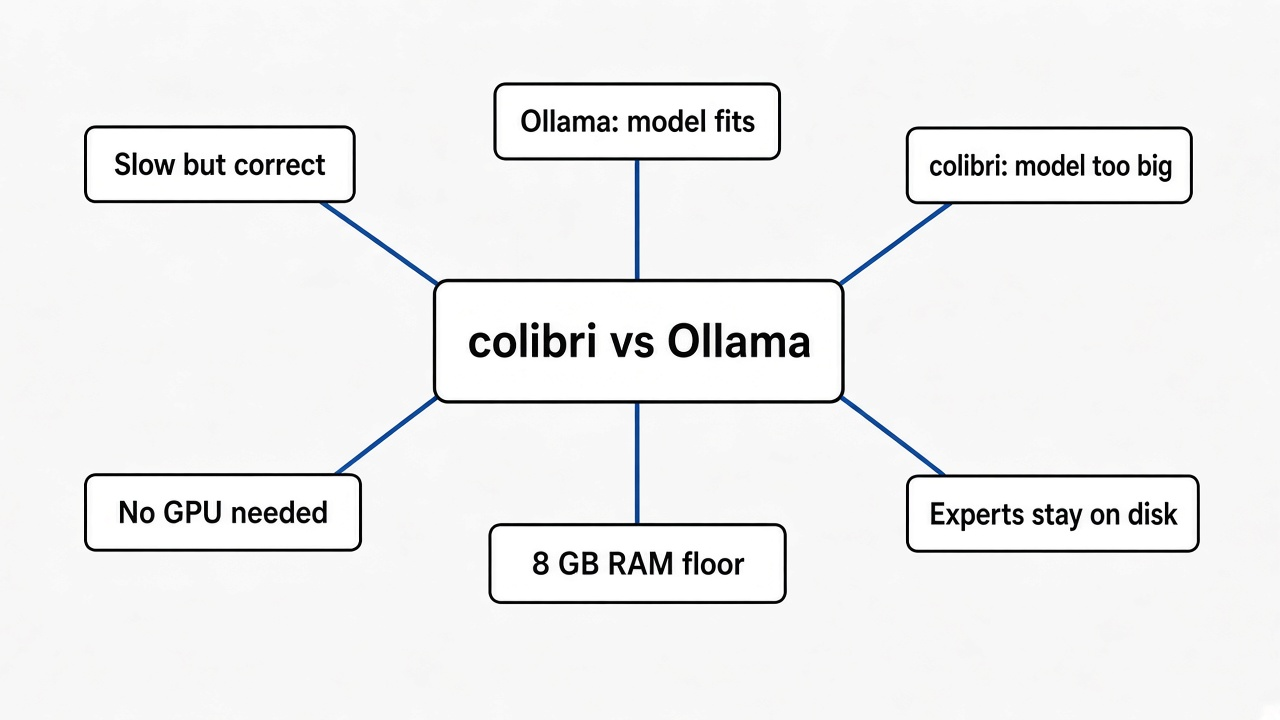
colibri is a small program, written in plain C, that runs very large mixture-of-experts models on a computer you already own.
A mixture of experts is a model that is huge on disk and small in the moment. Most of the file is a crowd of specialists. For each next piece of text, a small picker inside the model, the router, wakes only a few of them. The rest sit still. GLM-5.2, the model’s own reference file, holds 744 billion parameters and uses about 40 billion of them for each piece of text. Only about 11 GB of that slice changes from one piece to the next. That changing slice is the routed experts.
So the file does not have to fit in fast memory. It has to be placed. The dense part is the part that runs every time: attention, shared experts, and the tables that turn letters into numbers. That part stays in RAM. The specialists stay on the disk until the router names them. A cache learns which specialists your work keeps asking for, and those ones get to stay closer. If a graphics card is present, the hottest specialists can sit on it. Where a number lives changes the speed. It does not change which specialist was chosen, and it does not quietly change the numbers.
The license on the engine is Apache-2.0. Each model keeps the license its authors gave it. The picture model Qwen-Image-2.1 is not for commercial use. If you want pictures you can sell, do not start there.
What is Ollama doing instead?
Ollama downloads a model that fits, keeps it ready, and answers through a simple command and a local address other apps can call.
That is the right job when the file is smaller than your memory. You type one run command, the model is there, and a chat feels like a chat. Ollama’s own project is built around that path. It is not built around leaving hundreds of gigabytes of specialists on the disk and fetching eight of them for the next word.
This is in contrast to the page about a 12 GB graphics card. Strata vs Ollama is the choice when you do have a card, you want one specific large Qwen file, and you can give it 12 GB of video memory plus a lot of ordinary RAM. A 70B model on a 4 GB card and a 125B model on a 12 GB card are the same family of question: the card is small, and the file is squeezed until it fits. colibri vs ollama is the question you ask when there is no card to squeeze onto, or when the file is so large that squeezing is the wrong idea.
One more neighbor, so the downloads do not get mixed up. DeepSeek’s DeepInfer is an engine for a data-center shape of one DeepSeek model. It is not the program that puts GLM-5.2 on a laptop. If the download you wanted was “the thing DeepSeek runs in its own building,” that other page is the one.
Colibri vs Ollama
Colibri vs Ollama comes down to where the file lives while you wait for the next word.
| ollama | colibri | |
|---|---|---|
| What you want | A model that fits, and a normal chat | A model that does not fit, and an answer you can wait for |
| Where the numbers sit | In memory, or on the graphics card | Dense part in memory, specialists on the disk until asked |
| Graphics card | The easy path wants one, or a model small enough for RAM | Optional. The CPU path is a full path |
| Smallest serious start | Whatever model fits your machine | 8 GB of RAM, and 22 GB free on disk for the smallest model the one-step setup offers |
| A chat-sized example | A model you already run | Qwen3.6-35B-A3B: 23 GB download, starts at 10 GB RAM, measured 6 pieces of text a second on CPU |
| A giant example | It will not start if the file does not fit | GLM-5.2: 429 GB download, 16 GB RAM to start, 24 GB for the measured run |
| Speed on that giant, from the project’s own timings | Not this tool’s job | About 0.05 to 0.1 pieces of text a second, cold, on a 25 GB laptop |
| How other apps talk to it | Its local API | OpenAI-style and Anthropic-style addresses on port 8000 |
I expected the giant line to feel like a win you could chat with. What the project’s own table says is the opposite. On the laptop where the work started, GLM-5.2 is correct and very slow. The same engine on a 128 GB machine, CPU only, was timed at 1.83 pieces of text a second once warm. Six RTX 5090 cards, with the specialists resident, were timed at 9.0 to 9.2. The program did not get smarter. The specialists moved closer to the chip.
Why does the disk work at all?
The disk works because the model does not read most of itself.
Picture a shelf of 64 folders. You need a fact. A clerk points at 8 folders. You can walk to all 64, or you can walk to those 8. The answer is the same if the clerk is right. The walk is not. A mixture-of-experts model is that shelf. The router is the clerk. colibri is the person who refuses to carry the whole shelf into the small room.
Each layer, for each piece of text, does five things. It routes: the picker names the specialists. It unions: the same specialist is not read twice for one batch. It places: some specialists are already in the graphics card, some in RAM, some still on the disk. It overlaps: while one specialist is being used, the next missing one is already coming off the disk. It learns: the specialists you keep hitting get pinned closer, in a small record of your own use. The next chat on the same kind of work is faster than the first, which is the reverse of what people expect from a file this large.
One caveat. The first answer can be the slow one, because the cache is cold and the disk is doing the walking. A fast solid-state drive matters more here than a famous brand of processor. Two drives, on two separate controllers, were measured 37.5 percent faster at producing the next piece of text, because the reads could happen at once. A drive that is actually a Windows folder seen from inside a Linux subsystem is the wrong shelf: the project tells you to keep the model on the Linux disk, not under /mnt/c.
How to use colibri
Install the compiler tools, clone the project, and run the one-step script. It looks at your machine and recommends a model that fits.
You need 8 GB of RAM at the very least. 16 GB is the better floor. You need 22 GB free for the smallest model that script will offer, plus an internet connection for the download. A graphics card is optional.
On Ubuntu or Debian:
sudo apt install git python3 build-essential
git clone https://github.com/JustVugg/colibri
cd colibri
./start-here.sh
On a Mac, after the Xcode command-line tools and Homebrew’s libomp, git, and python, the same ./start-here.sh is the step. On Windows you unzip the project and double-click START-HERE.bat. If Python is missing, the script offers to install it.
You answer one question, which model. Pressing Enter takes the recommendation. Then the script checks RAM, free disk, the processor, and any graphics card. It builds the engine, or downloads a prebuilt one if there is no compiler. It downloads the model and can resume if you stop it. It opens a page at http://127.0.0.1:8000/ and prints two addresses other programs can use: an OpenAI-style base at http://127.0.0.1:8000/v1, and an Anthropic-style base at http://127.0.0.1:8000.
Next time, run the same script again. It should start with no new download. c/coli status tells you what is installed. c/coli stop stops it. ./start-here.sh --list shows every model against your machine, and why one does not fit. ./start-here.sh --no-gpu forces the CPU. ./start-here.sh --dir /some/bigger/disk puts the files somewhere else. The default folder is ~/colibri-models.
The RAM column in the project’s table is two numbers. Below the first, the model does not start. From the second, it runs the way they measured. Qwen3.6-35B-A3B is the chat model I would pick first if I had 20 GB of RAM and 23 GB of disk: it thinks, it can call tools, and the CPU timing is 6 pieces of text a second. The coder sibling, qwen3-coder-30b, is a 19 GB download and will start at 8 GB of RAM, with no thinking mode. GLM-5.2 is the file people mean by “the huge one”: 429 GB on disk, 16 GB to start, 24 GB for the measured run. Kimi K3 is the largest in the table, a 1.56 TB download, and it wants 32 GB before it will even try.
If the download stops, run the same command again. It continues from the bytes already on disk. If it says the GPU build needs a package, install that package and run the setup again. It does not download the model a second time.
Claude Code, and anything else that speaks the Anthropic or OpenAI local API, can point at those addresses. The model id is whatever c/coli status prints. The key can be any non-empty string. Tool calling works on the chat engines except Inkling and OLMoE. That is the useful part if you already have a coding tool and you want it on your own machine.
Can colibri run without a GPU?
Yes. None of the engines require a graphics card, and the CPU path is a complete path.
A card only changes speed. On a separate graphics card the setup will try to use it. On a card that shares ordinary RAM, the setup uses it only for the models that were actually faster that way: Qwen3.6, Qwen3-Coder, and Qwen3.8-Flash-Next. For a model whose specialists already sit in RAM, that shared card can be slower. OLMoE, the small learning model, was faster on the CPU in their table (about 23 pieces of text a second, warm) than on that shared card.
Read those timings as placement, not as a promise about your laptop. Cold, on 25 GB of RAM, the giant model creeps. Warm, with room to keep specialists in memory, it becomes a slow conversation. With a stack of large cards and every specialist resident, the disk drops out of the path and the speed jumps. If your machine is the first rung, do not download 429 GB expecting a chat you can think against. Download the 19 or 23 GB model, or do not download yet and run the test below.
Is colibri worth it?
colibri is worth it when the model you want does not fit, and a slow correct answer is more useful than no answer.
It is not worth it when you want the feeling of ChatGPT on a Tuesday afternoon. Six pieces of text a second, on the 23 GB Qwen, is a patient chat. A tenth of a piece of text a second, on the giant model and a small laptop, is a batch job. Leave it running, go do something else, and read the result. Do not sit and watch the cursor.
Use ollama instead when a model you like already fits. Use Strata, from the other page, when you have 12 GB of video memory and you want that one Qwen file to go fast. Use colibri when the sentence in your head is “I do not have the card, and I still want to see what this large open model does on my own machine.”
I don’t know how fast your drive is. The project is honest that a DRAM-less, cheap solid-state drive can fail to produce a usable number at all on the giant model. If ./start-here.sh --list says a model does not fit, believe it. Do not override the check to prove a point.
How do I test the idea in ten minutes?
You can see the clerk-and-shelf idea without downloading a model. I did.
I wrote 64 files, 512 KB each, 32 MB in all. Then I timed two reads. Reading every file took 2.6 milliseconds at the median. Reading 8 files, the way a router would point, took 0.3 milliseconds. Same machine, same disk, about 8.7 times less waiting, because it touched 4 MB instead of 32 MB.
That test does not make GLM-5.2 fast. A 429 GB file on a laptop drive is a different walk. The test only shows the reason a program is allowed to start: the answer does not require the whole shelf.
Save this as eight_of_sixtyfour.py and run python3 eight_of_sixtyfour.py.
import os, random, time
from pathlib import Path

root = Path("moe-toy")
root.mkdir(exist_ok=True)
n, size = 64, 512 * 1024
for i in range(n):
    p = root / f"expert_{i:03d}.bin"
    if not p.exists() or p.stat().st_size != size:
        p.write_bytes(os.urandom(size))

def read_ids(ids):
    t = time.perf_counter()
    total = 0
    for i in ids:
        total += (root / f"expert_{i:03d}.bin").read_bytes()[0]
    return time.perf_counter() - t

read_ids(range(n))  # one warm pass
all_times = sorted(read_ids(range(n)) for _ in range(7))
few_times = sorted(read_ids(random.sample(range(n), 8)) for _ in range(7))
all_ms = all_times[len(all_times)//2] * 1000
few_ms = few_times[len(few_times)//2] * 1000
print(f"all {all_ms:.1f} ms, eight {few_ms:.1f} ms, ratio {all_ms/few_ms:.1f}")
print(f"bytes all {n*size}, bytes eight {8*size}")
Your milliseconds will not match mine. The ratio should. If the eight-file read is not clearly cheaper, the disk cache swallowed the test: make the files larger, or read them in a fresh folder, and run it again.
If the model fits, stay with ollama and talk. If it does not, and the answer can arrive slowly, colibri is the engine that will still start.
Common questions about colibri and Ollama
Does colibri replace Ollama?
No. Keep ollama for models that fit and for a chat you want to hold a conversation with. Add colibri when the file is bigger than memory and you can wait.
How much RAM does colibri need?
8 GB is the floor the setup names, and 16 GB is the better start. The model table is stricter than the slogan: Qwen3.6 does not start under 10 GB, and it was measured from 20 GB. GLM-5.2 starts at 16 GB and was measured from 24 GB. Below the first number, do not download it.
Can I point Claude Code at colibri?
Yes, if the engine you picked supports tool calling. Point the base URL at http://127.0.0.1:8000 for the Anthropic-style path, or at http://127.0.0.1:8000/v1 for the OpenAI-style path, and use the model id from c/coli status.
What if I only have a small disk?
Run ./start-here.sh --list before any download. The coder model is 19 GB. The chat Qwen is 23 GB. The giant GLM-5.2 is 429 GB. If the script says the download does not fit, give it --dir on a bigger disk or pick a smaller id. Stopping halfway is safe: the next run resumes.