
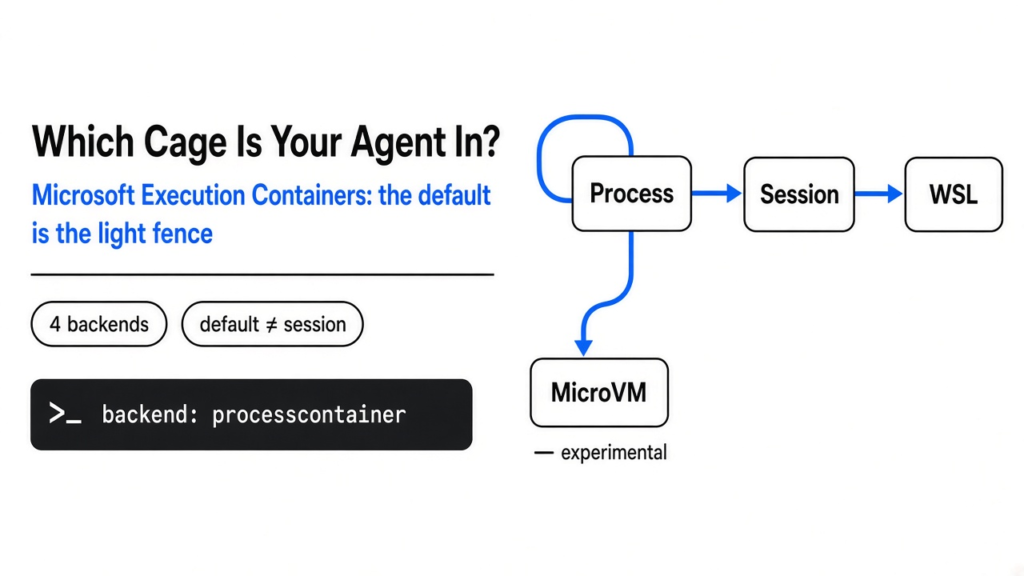
Microsoft said the cages are ready. The cage you get by default is the light one.
On 7 October 2026 Microsoft called Microsoft Execution Containers generally available. That is a fence, enforced by the operating system, around an AI agent (a model that can do things on a computer, not only reply in a chat box). GitHub Copilot and OpenAI Codex are on the list of tools that already use it. Claude Code is on the later list. The useful part is not the announcement. It is that the product name hides four different fences, and the one your computer picks for you is not the separate desktop from the demo.
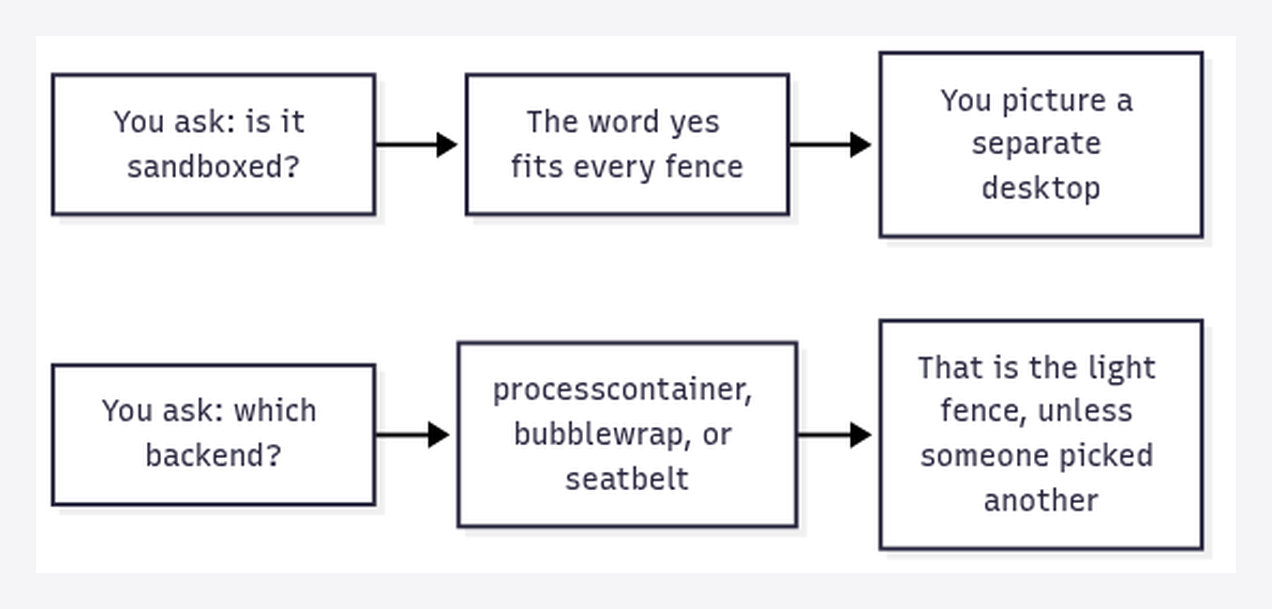
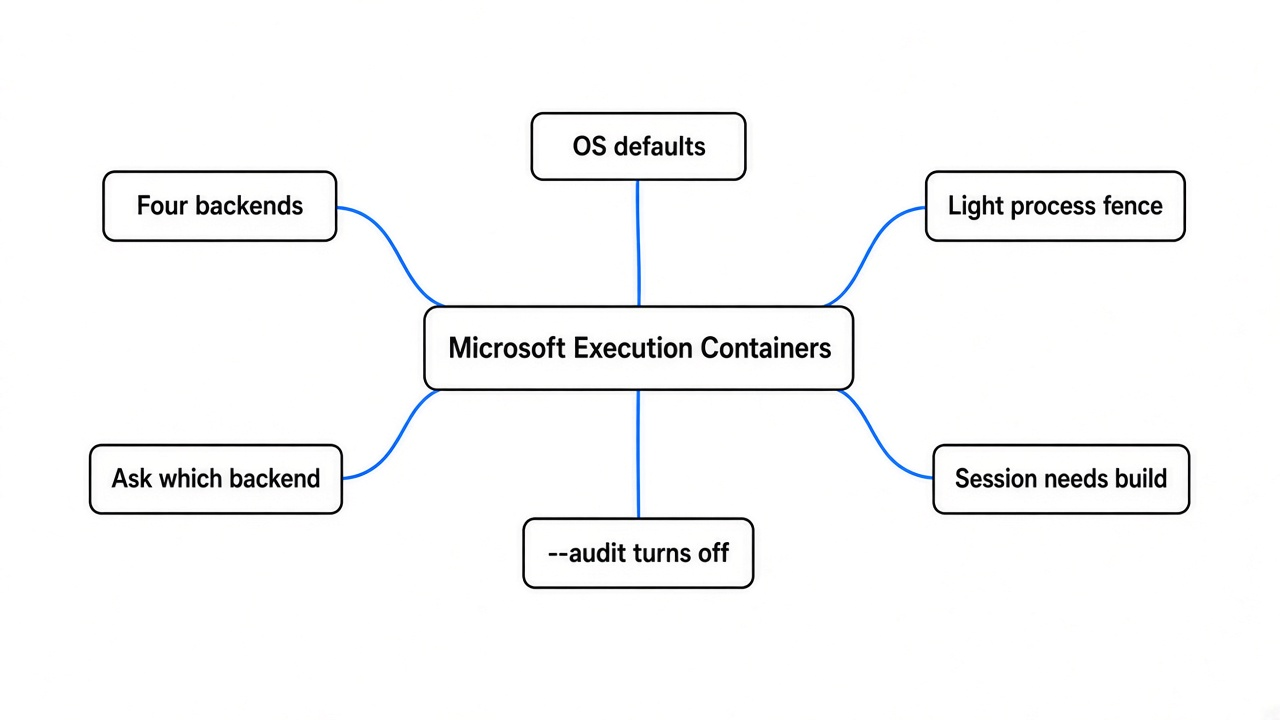
Short answer: ask which backend (the specific fence the software actually turns on), not whether the agent is “sandboxed.” On Windows 11 the default is a process container (a restricted program sharing your operating system). On Linux the default is Bubblewrap (a Linux tool that starts a program with a narrowed view of the machine). On a Mac the only backend the public README lists is Seatbelt (macOS’s built-in rules for limiting one app). The session container, the one with its own desktop, clipboard, and keyboard, is Windows-only, and it is not the default. MicroVM (a tiny virtual computer, a stronger wall) is experimental. And a flag called --audit turns the fence off on purpose.
What is actually running when I say my agent?
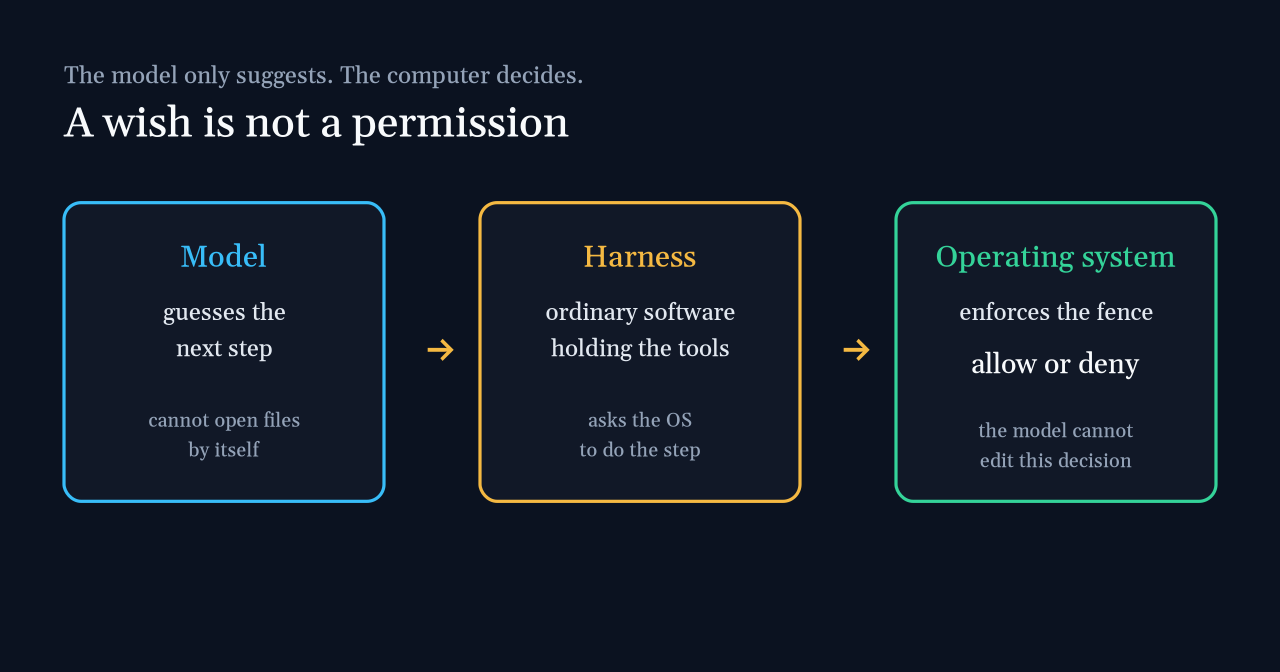
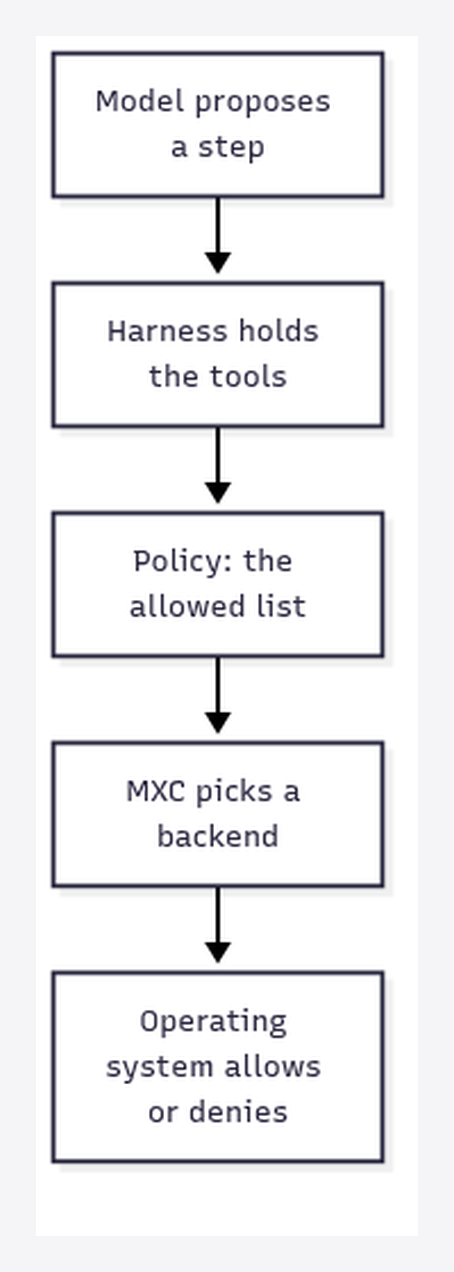
Start one step earlier than the product. A model (the trained system that guesses the next word) cannot open a folder. It has no hands. Something else has to turn a guess into a click, a file write, or a web request. That something is a harness (ordinary software wrapped around the model: it holds the tools and decides which requests are even possible).
The harness then asks the operating system (the program that owns the files, the network, and the screen, often shortened to OS) to do the work. MXC sits in that ask. You write a policy (a written list of what is allowed). MXC maps that list onto a backend, and the operating system enforces it. The model can wish for your Documents folder. If the policy does not grant it, the wish stops at the OS.
That is the whole idea Logan Iyer, Microsoft’s corporate vice president for Windows Platform and Developer, put in the 7 October post: developers and IT administrators define the files and network destinations an agent can use, and MXC uses a container to enforce those policies at runtime. A container here is not a shipping box and not automatically a virtual machine. It is the chosen fence.
What is a kernel, and why does the light cage share yours?
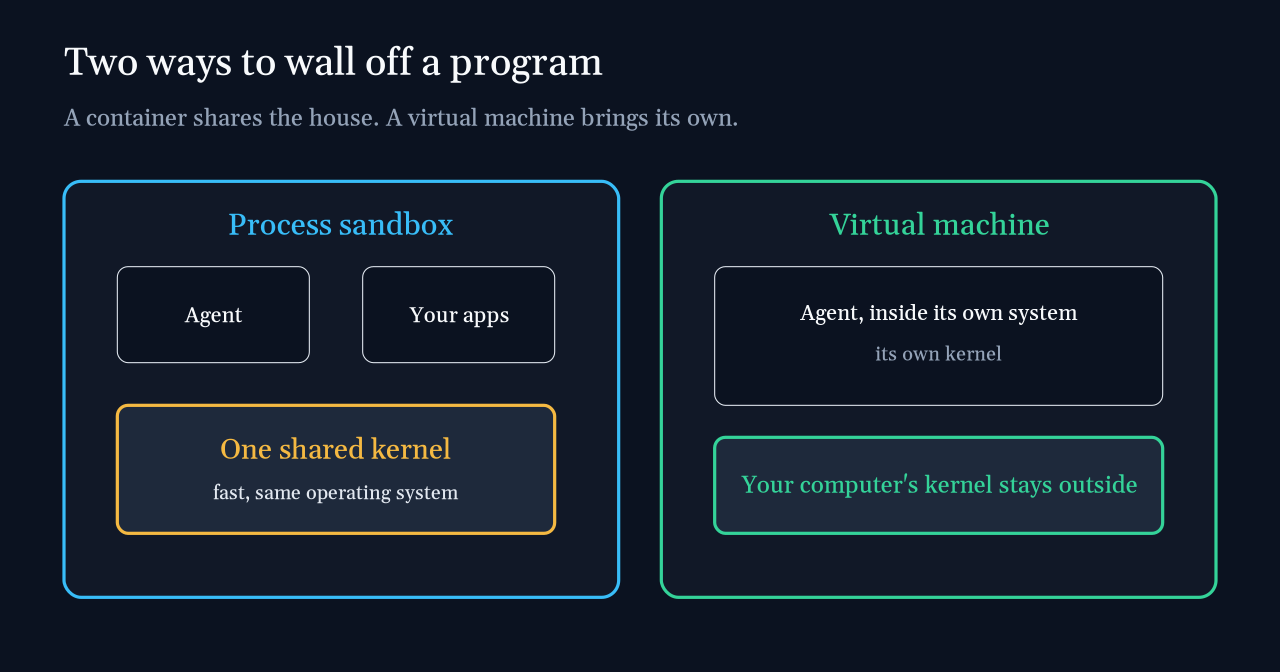
Before the four product names, one picture. Every program on your computer asks a kernel (the core of the operating system, the part that actually opens files and talks to the hardware) to do the dangerous work. Your browser, your editor, and a coding agent all ask the same kernel unless you give the agent a second computer.
A process sandbox (a set of rules on one program: which folders, which network, sometimes which screen) does not build that second computer. The agent and your other apps still share the kernel. It is fast, which is why it is the default. It is also a lighter wall. A bug in the shared kernel is a bug on both sides of the fence.
A virtual machine (a pretend computer, with its own operating system, running on top of yours) does bring a second kernel. Breaking out means crossing a hardware-backed wall, not just a list of denied folders. That is slower to start and heavier to run. MXC can aim at that kind of wall. It does not start you there.
The weekend before this shipped, the argument was that the stop button has to live outside the model. That write-up is here: the brake you can copy. MXC is Microsoft’s attempt to make that outside layer a product. The product is only as strong as the backend you actually turned on.
What are the four cages in the announcement?
The 7 October post describes four containment backends. A backend is the operating-system feature that does the fencing, not the policy document.
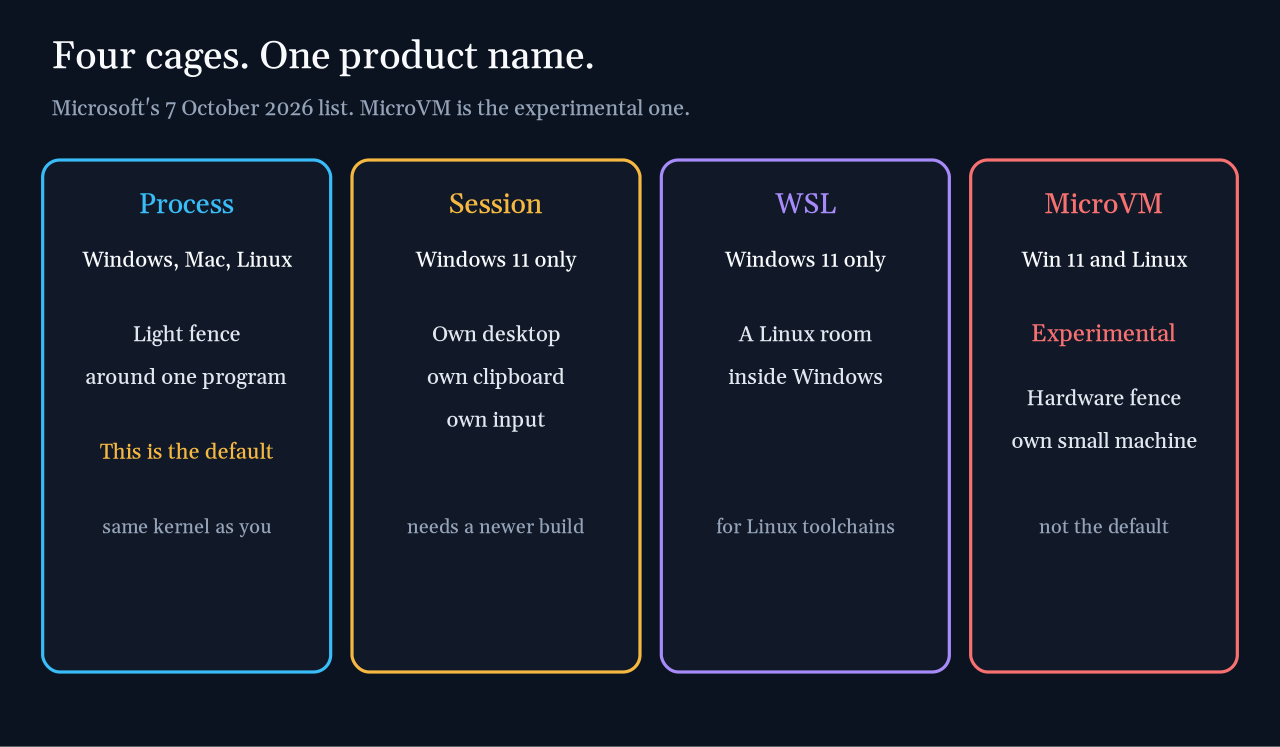
| Cage | Where | What it is for | Status in the post |
|---|---|---|---|
| Process container | Windows 11, macOS, Linux | The light fence for responsive work: generated code and tool calls | Part of the generally available product |
| Session container | Windows 11 only | A separate Windows session: its own desktop, clipboard, UI, and input, plus a local agent identity | Described as a real Windows option, not as the default |
| WSL container | Windows 11 only | A Linux environment through WSL (Windows Subsystem for Linux: a Linux room inside Windows) for Linux toolchains | Part of the generally available story |
| MicroVM | Windows 11 and Linux | A hardware-enforced virtual machine for higher-risk work | Experimental |
Read the session row twice. Microsoft’s sentence is specific: only Windows supports a session container, and that is the one with an isolated desktop, clipboard, UI, and input. If your agent is in the process container, do not assume the clipboard is walled off. The README does list a UI policy (controls for clipboard, display, and the graphical interface) as a feature of MXC. The product post still reserves the separate desktop for the session container. Different backends, different walls. The post says each backend has distinct security properties, and that you should judge the workload against the backend.
The coding example in that same post is the policy worth copying in words, even before you touch a config file. A coding agent updating a website can have read and write on the repository, and access to tools such as Git. It can be blocked from personal places such as the Documents folder, from inbound and outbound network connections, and from the interactive desktop. Read access to a production server’s configuration, so the agent can understand a deploy, is a different grant from permission to change that configuration. The fence is supposed to hold the second one shut even if the model asks.
Which cage do I get if nobody picks?
The public README at github.com/microsoft/mxc, read on 12 October 2026, is more specific than the blog post, and it disagrees with the picture most people will form from the headline.
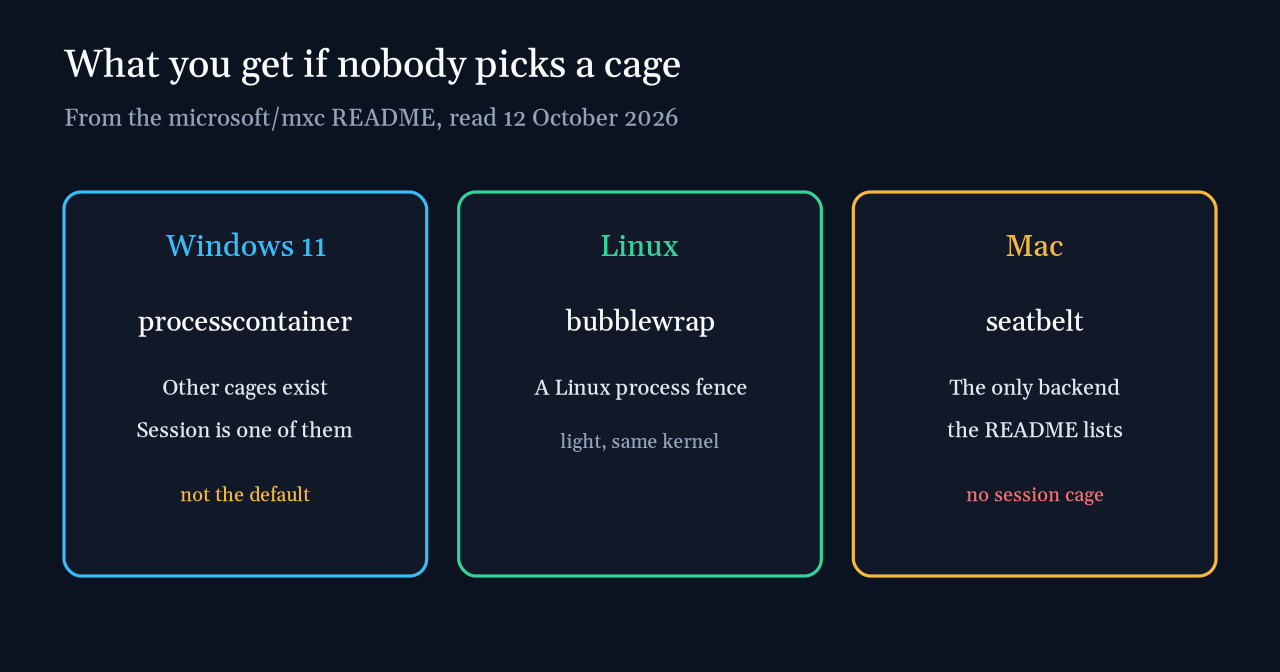
| Your computer | Default backend | Other backends the README lists |
|---|---|---|
| Windows 11, x64 or ARM64 | processcontainer | windows_sandbox (experimental), wslc, microvm (experimental), hyperlight (experimental), isolation_session |
| Linux, x64 or ARM64 | bubblewrap | lxc, microvm, hyperlight |
| macOS, ARM64 or x64 | seatbelt | None. The cell is empty. |
The star in the README means experimental. On the Windows row, that star sits on Windows Sandbox, MicroVM, and Hyperlight (a small Microsoft isolation runtime, not one of the four names in the blog post). It does not sit on isolation_session. So the repo and the blog agree that the separate session exists, and they agree the default is the light process fence. They do not agree in naming. The blog’s four are a product summary. The repo’s table is the menu your SDK actually sees, and that menu has more rows, including experimental ones.
A Mac user should stop at the empty cell. There is no session cage and no MicroVM in that row. Seatbelt is the cage. It can still be a real policy, with denied folders and a closed network. It is not a second desktop.
On Windows, “Windows 11” is not specific enough either. The repo’s OS-support table gives minimum builds for the two Windows fences people will confuse:
| Windows 11 release | Process isolation, minimum build | Session isolation, minimum build |
|---|---|---|
| 24H2 | 26100.9278 | 26100.9550 |
| 25H2 | 26200.9278 | 26200.9550 |
| 26H2 | 26300.9550 | 26300.9550 |
| 26H1 | 28000.2804 | 28000.3086 |
Those numbers are the README’s, and the README points them at Microsoft servicing pages. On 24H2 and 25H2, session isolation asks for a later build than process isolation. A machine that can run the light fence may still be too old for the separate desktop. Check the build before you believe a screenshot of an isolated clipboard.
What does a real policy look like?
MXC is an SDK (a library you build into an app, not a switch in the Windows Settings app). The README lists three: a Rust crate, Microsoft.Mxc.Sdk on NuGet, and @microsoft/mxc-sdk on npm. The npm package’s 1.0.0 tag is dated 6 October 2026. The blog post that says “generally available” is dated 7 October. You do not clone the repo to use it. The app that launches the agent does.
The smallest sample in the README is also the most important habit. Outbound network starts closed.
import { spawn, type ContainerRequest } from '@microsoft/mxc-sdk/v1';

const request: ContainerRequest = {
  command: 'node -e "console.log(\'hello from container\')"',
  network: { egress: { default: 'deny' } },
  timeoutMs: 30_000,
};

const child = await spawn(request);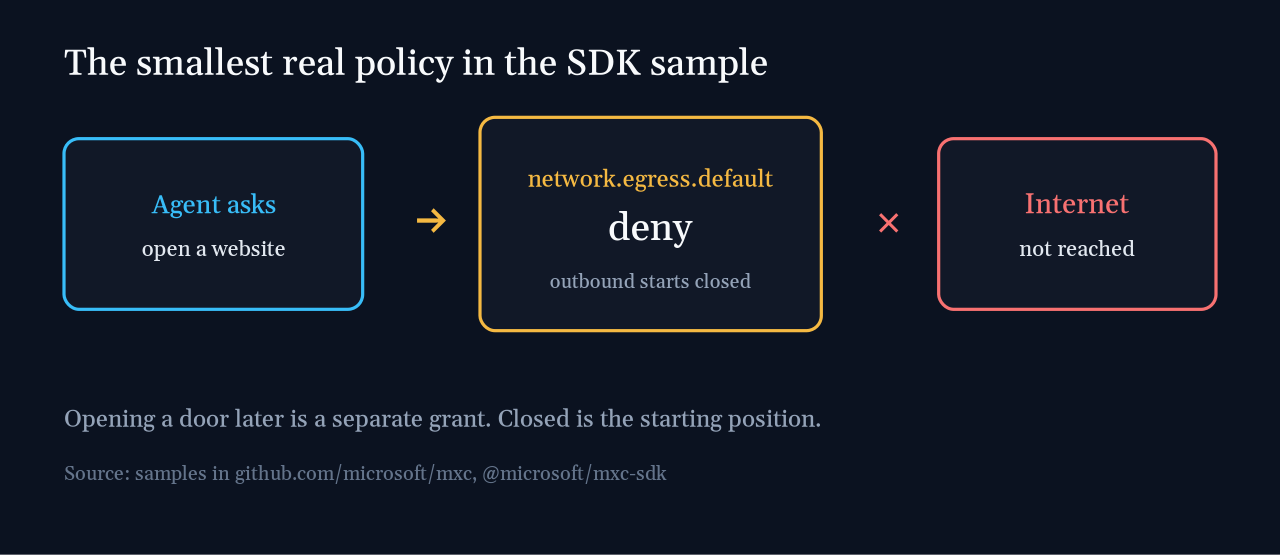
Egress (traffic leaving the machine) defaults to deny. The agent can still be granted a host later. Closed is the starting position, not an extra hardening step. That matches the website example: no inbound, no outbound, until someone adds a reason.
The same README is honest about the first run. Your program will hit access errors until you tune the rules. That is the fence working. The temptation is to loosen it until the errors stop, and then forget you loosened it.
Who can use this today?
Microsoft’s post names the agents and frameworks that already support MXC: GitHub Copilot, OpenClaw, OpenAI Codex, Replit, LM Studio, and Unsloth AI. It then names a later group that “will be releasing support”: Anthropic Claude Code, Box, Egnyte, Heidi Health, Hermes Agent by Nous Research, Manus, Perplexity, Raycast, and Simular, among others.
If you live in Claude Code, “Microsoft shipped agent containers” does not yet mean your session is inside one. The support is announced, not listed as shipping. Until that release note is real, the controls that exist are still the ones in the harness: which folders, which commands, which network. The 11 October piece walks that list.
NVIDIA, in the same Microsoft post, has integrated OpenShell into MXC: policy controls for files and inference services (the servers that run a model), network controls, credential management, and, for enterprises, OCSF auditing (Open Cybersecurity Schema Framework: a shared format for security logs, so one company’s events can be read by another’s tools). A policy engine that can prove a rule is no looser than another rule is a different question, and this site has already separated those. A proof about the policy does not pick the backend for you.
Two things the post says are coming, not here: Windows will soon let Microsoft Entra (Microsoft’s identity system: the directory that knows which account did a thing) tell an agent’s activity apart from a person’s, and Microsoft Agent 365 controls are planned to cover local agents so IT can manage containers and policies. Intune policy for MXC process containers on Windows 11 is also described as coming soon. Do not audit last week’s agent actions as if those identity features already exist.
Windows 365 support is the piece that is not “soon.” The post says agents can run on Cloud PCs with MXC generally available there too. A Cloud PC is still a Windows machine. The default backend question does not go away because the computer is rented.
Which switch looks like safety and is not?
The blog post names three operating modes.
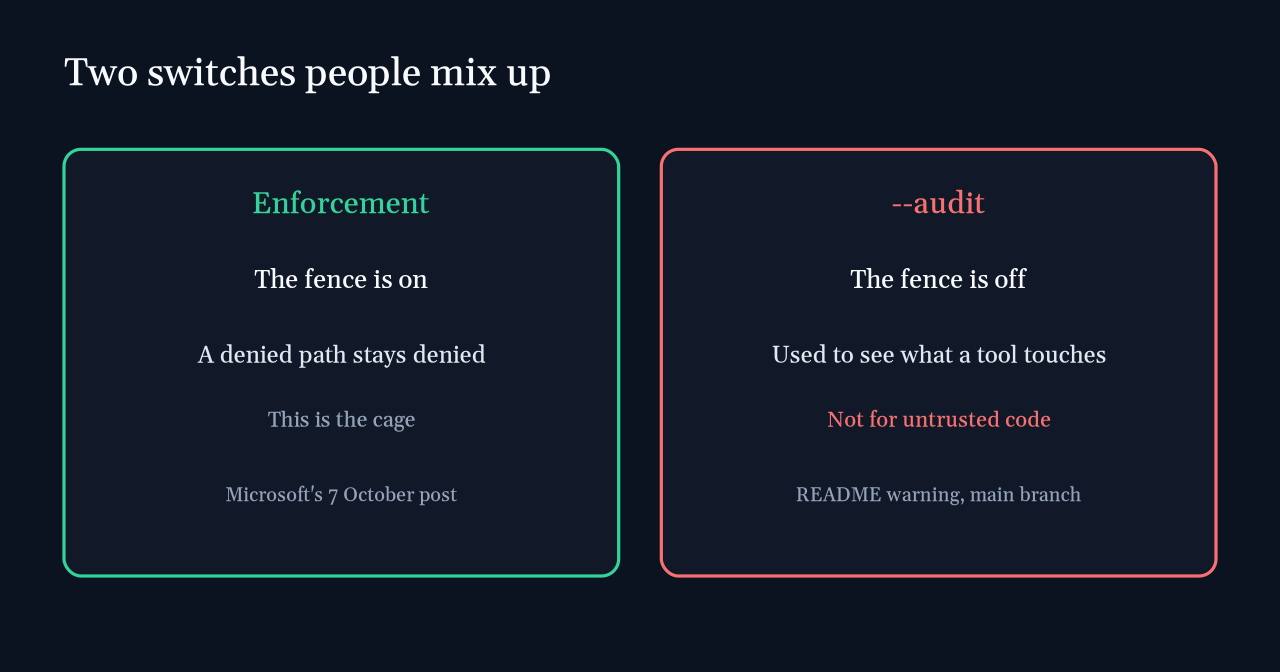
Enforcement applies the policy. In the post’s wording, it does that without an activity report. Learning still enforces the boundary you configured. Permissive records access the policy would have denied, and then allows the operation to continue. Permissive is a measuring tape. It is not a lock.
The README has a sharper switch, and it is easy to mix up with those modes. Audit mode.
The warning is in the README, not in a footnote I added:
> Warning: --audit turns off all sandbox security for the workload being analyzed. Never use it to run untrusted code.
Audit mode is for a policy author who wants to see what a trusted tool tried to touch, so they can write a tighter allow list. On supported Windows releases the executor is wxc-exec.exe --audit policy.json. The moment the workload is model output, a plugin, or any agent you do not fully trust, that flag is the opposite of containment. An activity report, which the post says Windows process containers can produce, is the version that watches while the fence stays up. Use that habit. Do not use --audit as a synonym for it.
One more quiet line from the README, because “local” gets used as a moral word. Official Microsoft builds can send optional diagnostic telemetry to Microsoft. It stays off unless the run opts in, the Windows user has consented, administrative policy allows it, and the application enables it. An administrator can block it and still cannot consent for the user. Local open-source builds are not wired to that route, and telemetry is a no-op (it does nothing) on non-Windows platforms. Containment of the agent’s tools is not the same promise as silence toward Microsoft.
What should I check before I trust the word contained?
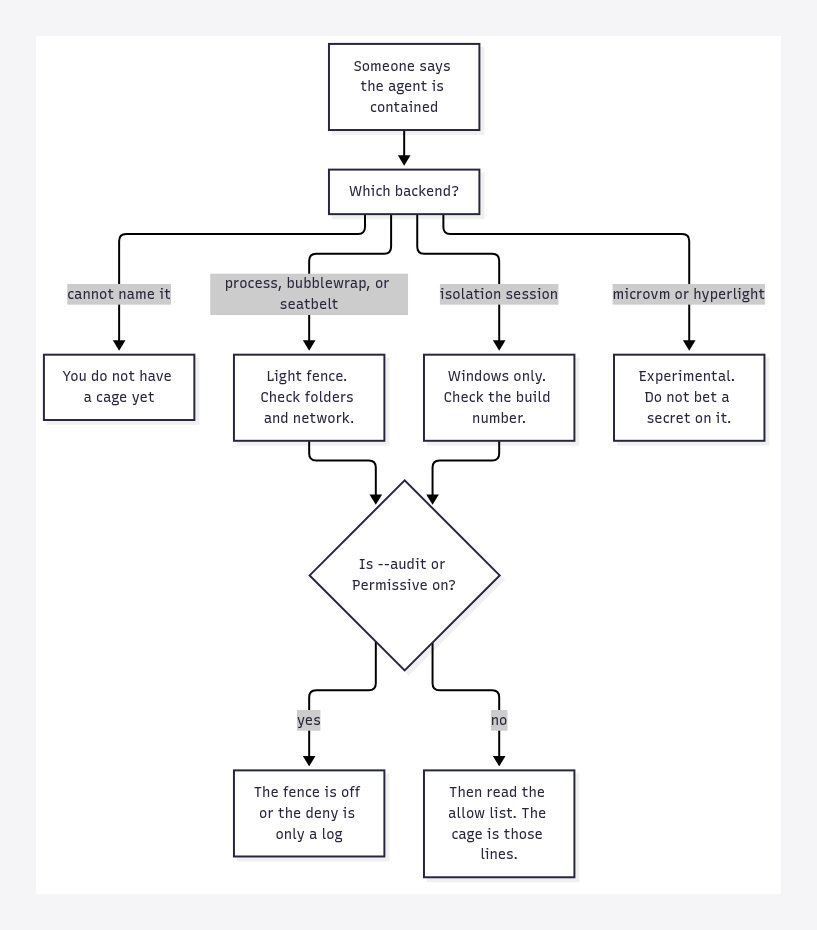
- Name the backend out loud.
processcontainer,bubblewrap,seatbelt,isolation_session,wslc, or an experimental one. “MXC” is not a backend. - If the name is the default, assume the light fence. Do not describe it to a teammate as a separate desktop.
- On Windows, compare your build with the session row before you claim clipboard and input isolation. 24H2 needs 26100.9550 for session isolation, and only 26100.9278 for the process fence.
- Start from deny on the network. Add hosts. Do not start from the open internet and try to remember a block list.
- Write the repository. Do not write Documents, and do not write production configuration, unless that grant is its own line and you meant it.
- Confirm the mode is Enforcement, or Learning if you have read what your build still blocks. Permissive and
--auditare for authoring a policy, not for a coding agent with tools. - If you are on Claude Code this week, check the release note before you tell someone MXC is wrapping it. Microsoft’s today list does not include it.
What this does not fix
A fence does not make the model careful. It makes some actions impossible. The model can still propose a bad edit inside the repository you opened on purpose. It can still be wrong about the code. MXC does not review the diff.
A process sandbox shares the kernel. Treat it as a permission list, not as a second computer. If the work is hostile, or the files are secrets the agent does not need, the experimental MicroVM is the shape Microsoft points at, and the post still calls that shape experimental. Wait, or pick a virtual machine you already know how to operate. Do not relabel the default backend as that virtual machine.
And a vendor list is not your policy. Copilot or Codex “supporting MXC” means the product can be launched inside this system. It does not tell you which folders your particular install can write. Open the policy. If you cannot find one, you are not looking at a cage. You are looking at a press sentence.
If the only answer you can get is “it is sandboxed,” you do not yet know whether the clipboard is shared, whether the network is open, or whether --audit has the fence turned off.
Common questions about Microsoft Execution Containers
Are Microsoft Execution Containers a virtual machine?
Not by default. The default is a process sandbox: processcontainer on Windows 11, Bubblewrap on Linux, Seatbelt on macOS. MicroVM is the virtual-machine option, and Microsoft marks it experimental.
Does this isolate the clipboard from a coding agent?
The 7 October post gives that property to the Windows session container: its own desktop, clipboard, UI, and input. That container is not the default, and it is not available on Mac or Linux in the README’s table.
Can I use this with Claude Code today?
Microsoft’s post lists Claude Code among the products that will release support. It is not in the list of agents that already support MXC. Copilot, Codex, OpenClaw, Replit, LM Studio, and Unsloth AI are.
What is the safest setting to avoid while writing a policy?
--audit. The README says it turns off all sandbox security for the workload being analyzed, and says never to use it to run untrusted code. Permissive mode, from the blog post, records a denial and then allows the action. Neither one is the cage.
Do I have to clone the GitHub repo?
No. Install the SDK: the Rust crate mxc-sdk, the NuGet package Microsoft.Mxc.Sdk, or the npm package @microsoft/mxc-sdk. The repo is where the backend table and the warnings live. Read those even if you never build from source.
2 comments