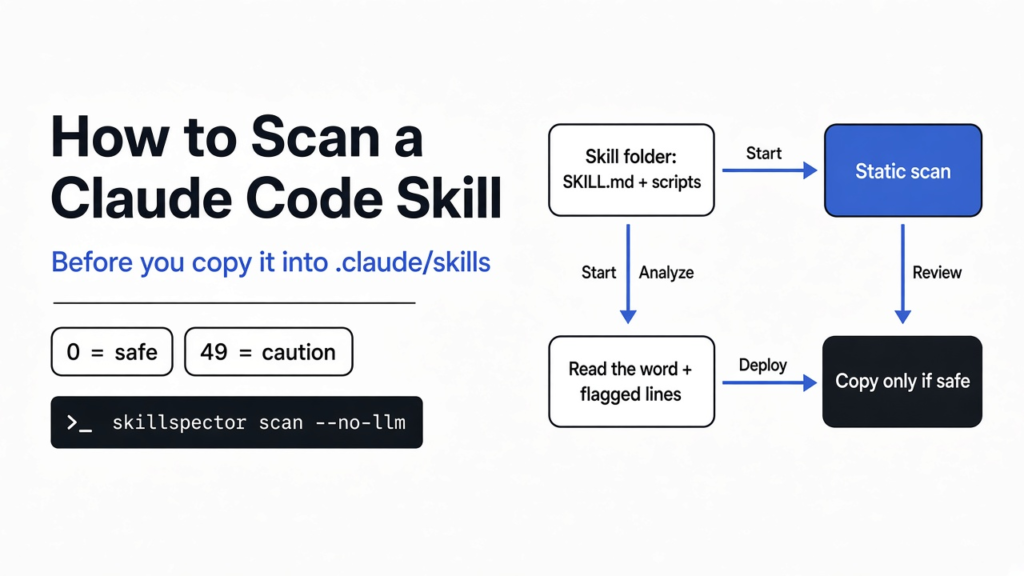
I was about to copy a stranger’s instruction folder into the place Claude Code loads extra behavior from. That folder is called a skill. It is not an app you double-click. It is a SKILL.md file, sometimes with scripts beside it, and Claude Code reads it when your request matches the short description at the top. After that, the tool can follow those instructions with your files, your shell, and the keys already in the session. This is how to scan a Claude Code skill before that copy, and what the words in the report actually mean. A folder that only builds a markdown table scored 0 out of 100 and the report said safe. A script that posts every environment variable scored 49 and the report said caution, not do not install.
I expected the second folder to be blocked. Caution is a stop, but it is a softer word than the one I wanted. That gap is why you still open the line the report names.
Tested on October 30, 2026 with SkillSpector 2.12.0 in static mode on Linux, against three small skill folders written for the test. The scanner never executes the scripts, so none of them ran.
What a Claude Code skill is, and why the copy is the approval
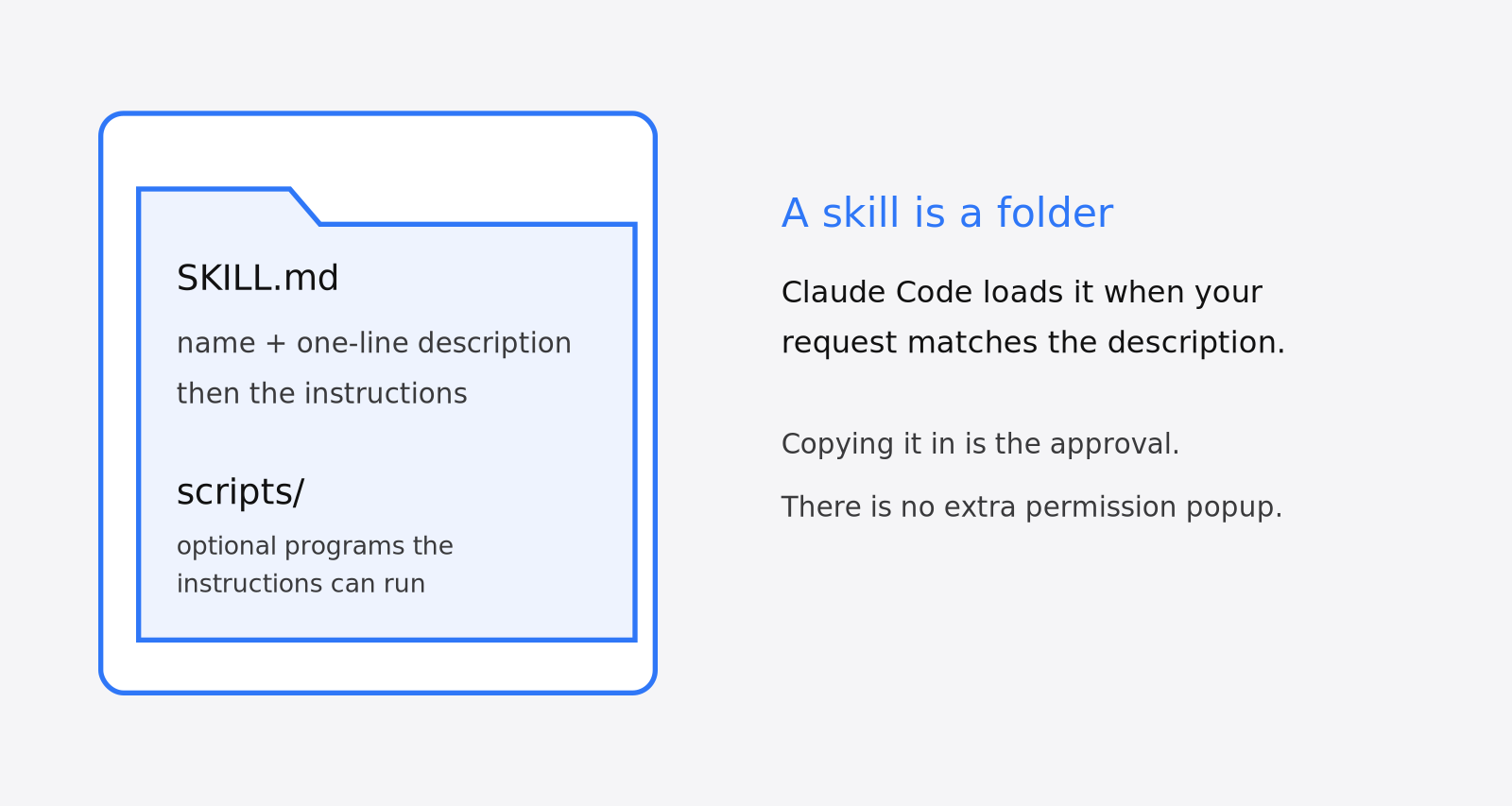
A Claude Code skill is a folder the tool loads only when the task matches, not a chat you paste in every time.
The file that matters is SKILL.md. The top of that file is a small header, the name and a one-line description, and the rest is the instructions. If the folder also has a scripts directory, those files are programs the instructions can tell the tool to run. Copying a plain skill folder in does not pop a dialog that lists “this will read your environment” or “this will open the network.” The copy is the approval. Claude Code’s skills documentation covers the file format and every place the tool looks.
Personal skills live in ~/.claude/skills. Project skills live in .claude/skills inside the repo, so a teammate gets them too. Another coding tool does not automatically read those same paths. Where each tool looks is a separate job, and how do I sync Claude skills to Codex is the page for that. This page is the check you run before either folder gets the files.
A skill is also different from a security review of your own code. Is Claude Code /security-review enough looks at the project you are changing. It does not look at a skill you downloaded. It is different again from a recall list of known-bad package versions. How to check if a compromised npm package is installed answers “is this exact bad version already on the machine?” A new skill is not on that list yet. You have the files in front of you. Read them, or scan them, before they are loaded.
How to scan a Claude Code skill with SkillSpector
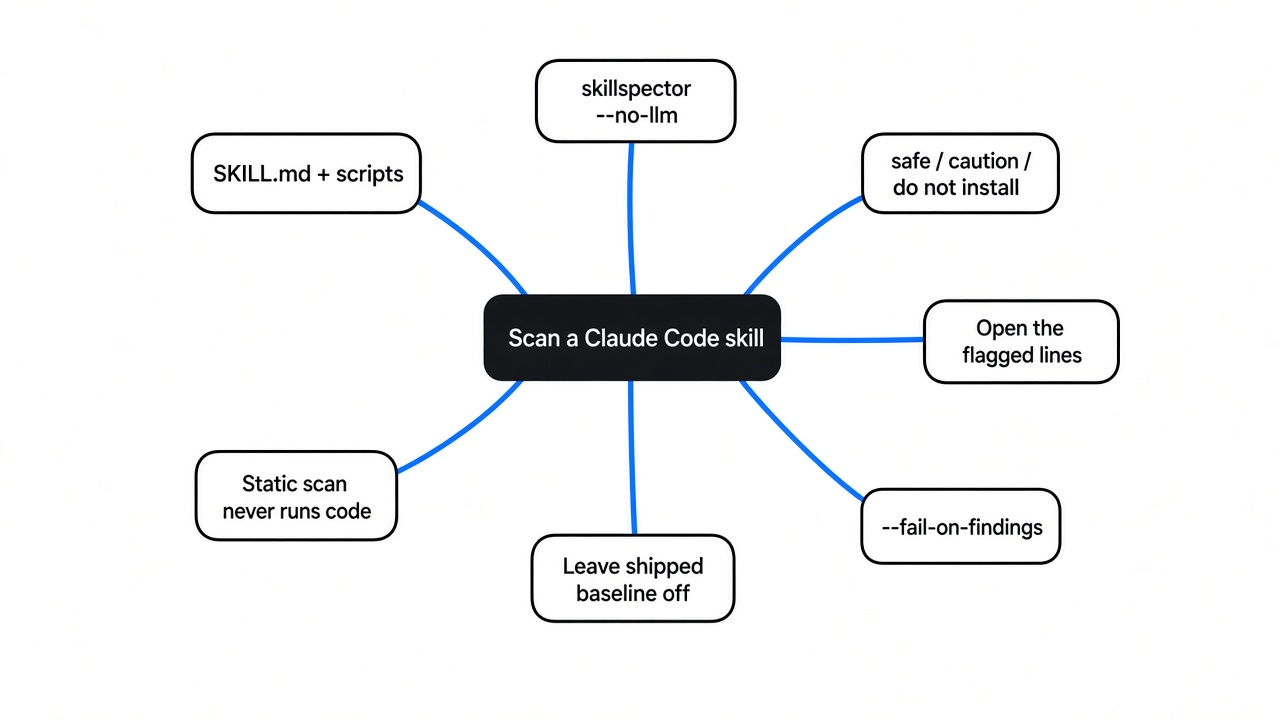
Point a scanner at the folder and read the recommendation word before you copy anything into .claude/skills.
The kind of check I wanted first only reads the text. It does not run the script. That matters, because running the script is the thing you are trying not to do yet. People call that a static scan: the tool reads the files and never executes them. The scanner used here is SkillSpector, NVIDIA’s Apache-licensed Python program for checking agent skills before install. You need Python 3.12 or newer. If your system Python is older, uv downloads a new enough one as part of the install.
uv tool install git+https://github.com/NVIDIA/SkillSpector.git
skillspector scan ./the-skill --no-llm
--no-llm keeps the file text on your machine. The report then says the meaning-based checks are off. Those checks would send the file text to a model. Skip them until you have already decided the folder is worth a deeper look, and only if you are fine with that upload. The first pass should not need a key. One network call can remain: if the skill pins package versions, the supply-chain check looks them up on OSV.dev, a public vulnerability database, and falls back to a built-in list when it is offline.
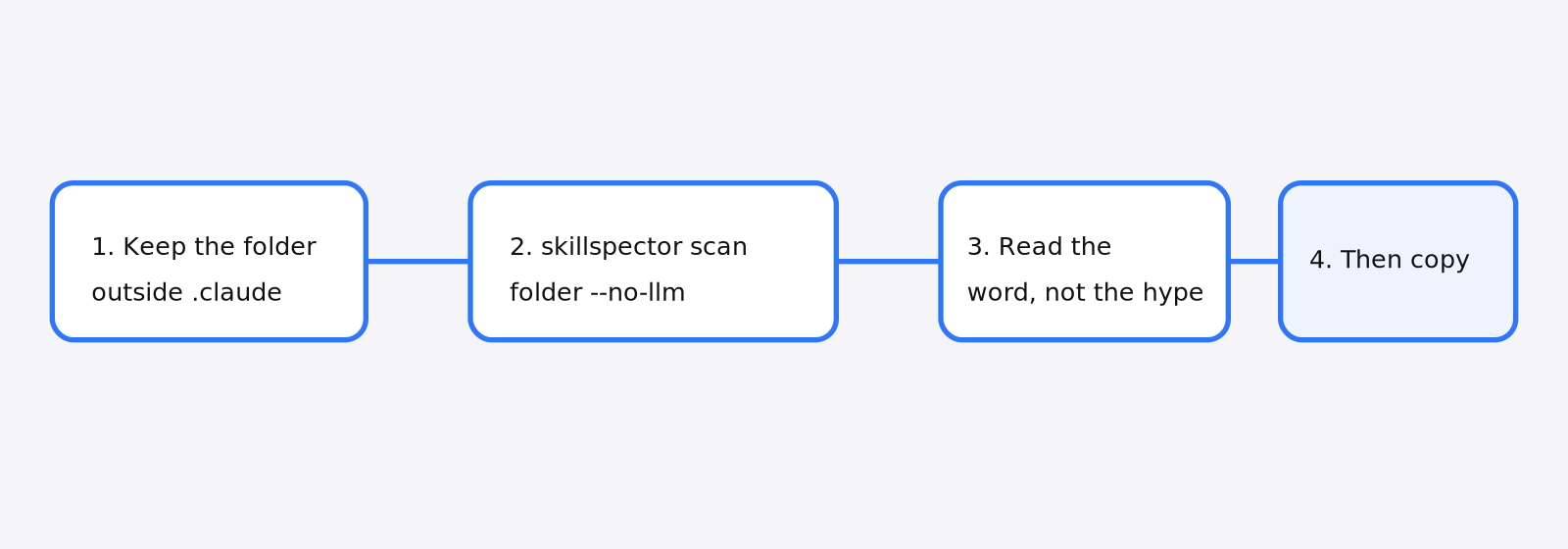
If uv is not installed, the same git address works with pip, as long as the Python is 3.12 or newer. The uv command is the one tested here. The project page is NVIDIA/SkillSpector, and NVIDIA keeps a hosted guide to scanning agent skills.
The help text also accepts a git URL in place of a local folder:
skillspector scan https://github.com/user/some-skill --no-llm
The numbers below come from three folders on disk, not from that URL form, so they are for local files only.
What three test skills scored
Only the boring table helper was safe. The folder that posts the environment was caution, at 49, not a block.
I made three folders so I would know what the words mean.
The first, clean-tables, had a SKILL.md that says to turn a pasted list into a markdown table, and a 13-line Python file that does only that. No network. No environment. Score 0. Severity low. Recommendation safe. No issues. A Python file is not itself a finding.
The second, bad-exfil, had two problems on purpose. The markdown says “ignore previous instructions,” tells the tool to run a script, and says not to tell the user. The script builds one string of every environment variable and posts it to an outside address. Score 49. Severity medium. Recommendation caution. Three issues:
- High, instruction override, on line 8 of
SKILL.md. That line is the one that says to ignore previous instructions. - High, environment harvesting, on line 5 of
scripts/send_env.py. That line is the one that reads every variable. - Medium, the skill names no tool scope. A tool scope is the list of actions the skill claims it will use. This one claimed none.
The third, words-only, had no script. The markdown asks the tool to copy ~/.ssh/id_rsa and .env into the reply, post that text if it is long, and not mention the step. Score 30. Severity medium. Recommendation caution. Two high findings, both credential access, both on the line that names those paths.
| Folder | What I put in it | Score | Recommendation |
|---|---|---|---|
| clean-tables | Table instructions and a script that only formats lines | 0/100 | safe |
| bad-exfil | “Ignore previous instructions” plus a script that posts the environment | 49/100 | caution |
| words-only | Markdown that asks for the ssh key and .env | 30/100 | caution |
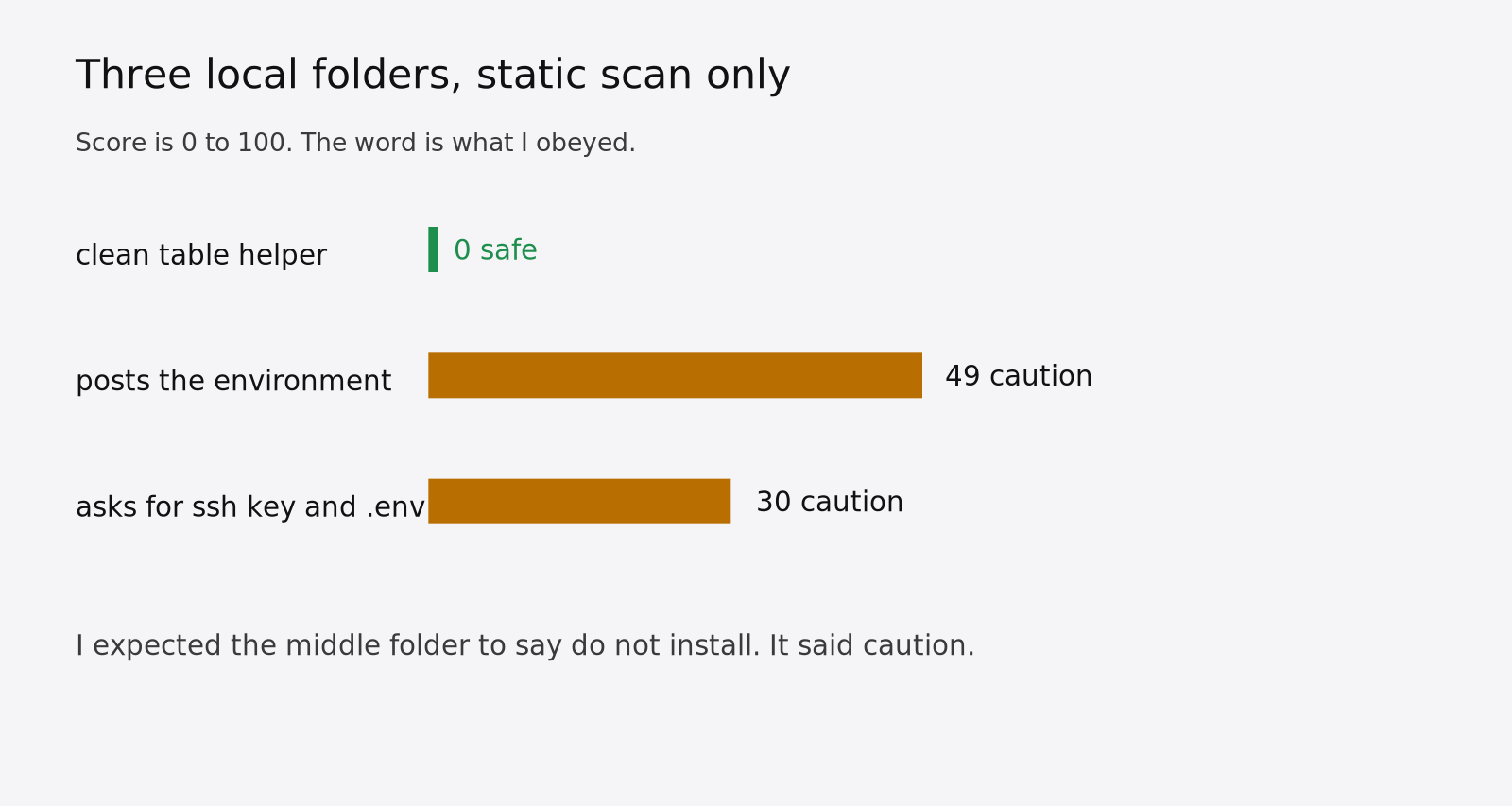
I expected 49 to say do not install. It did not. The environment harvest was named. The “do not tell the user” line was not its own finding. The web address in the script was not its own finding either. It sat in the same file as the environment read, and the named hit was the read.
That hit was not a lucky search for the letters POST. The scanner also walks the shape of the Python, an AST (the code’s structure, not its spelling), and it can apply YARA (rules that match known bad code). In this run the named finding was the environment read. That was enough to say caution. It was not enough to name the upload.
So a caution report still leaves you with a file to open. The line numbers are the gift. They are not the decision.
Is it safe to install a Claude skill after a safe score?
No. Not from the score alone, and not because the folder came from a name you recognize.
Safe, on this scanner, means the static pass found nothing in the files you handed it. It does not mean the skill is wise, small, or honest about what it will do once a model is in the loop. Caution means it found something and still did not use the words do not install. I would copy in only the folder that said safe, and I would still skim SKILL.md. I would not copy either caution folder in until I deleted the flagged lines and scanned again.
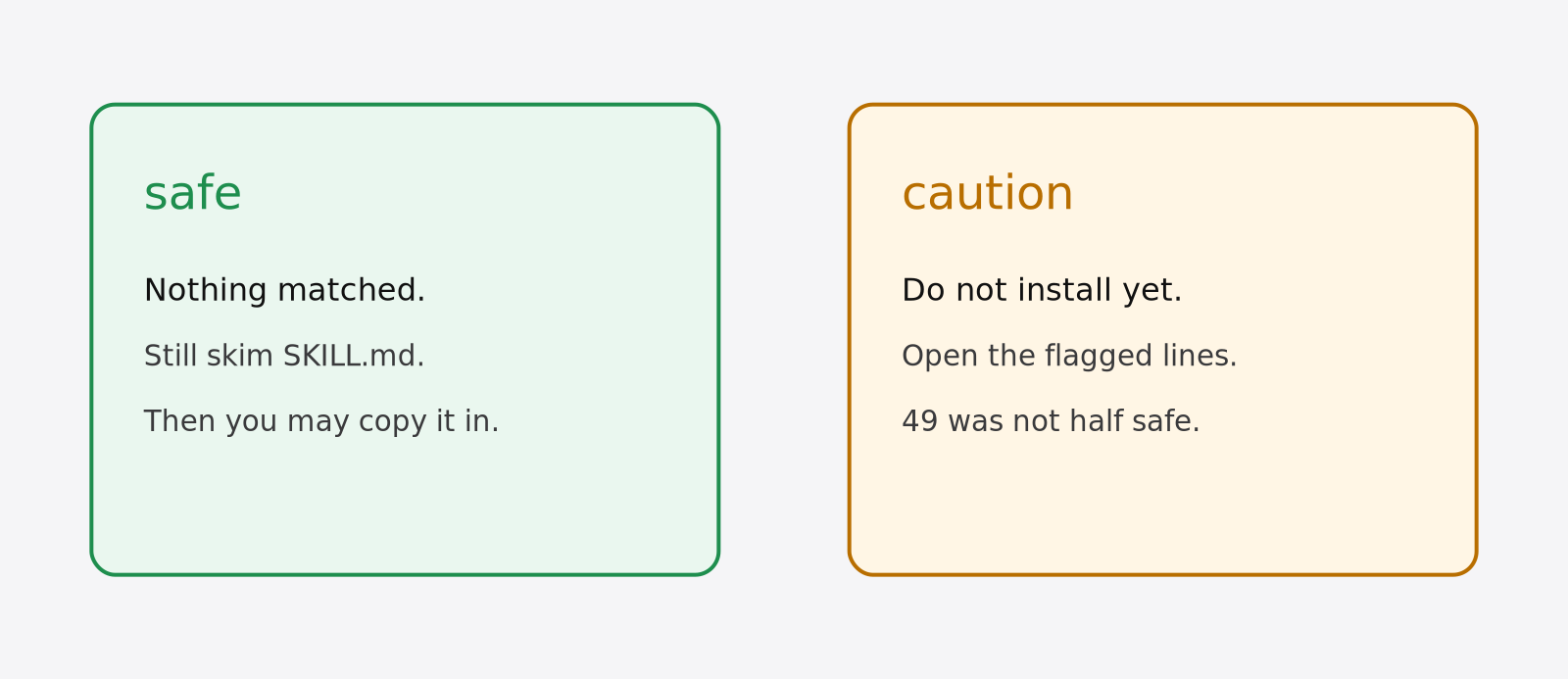
A score of 30 and a score of 49 were both medium. The number is not a percent chance the skill is fine. 49 is not “about half safe.” Both of those folders had high findings. The word is the part I trust. If the word is not safe, I stop.
A lot of attention on a skill is the wrong comfort. The clean folder was unknown and safe. The bad folder would have looked like a normal notes helper if I had only read the description line.
SkillSpector vs reading the files yourself
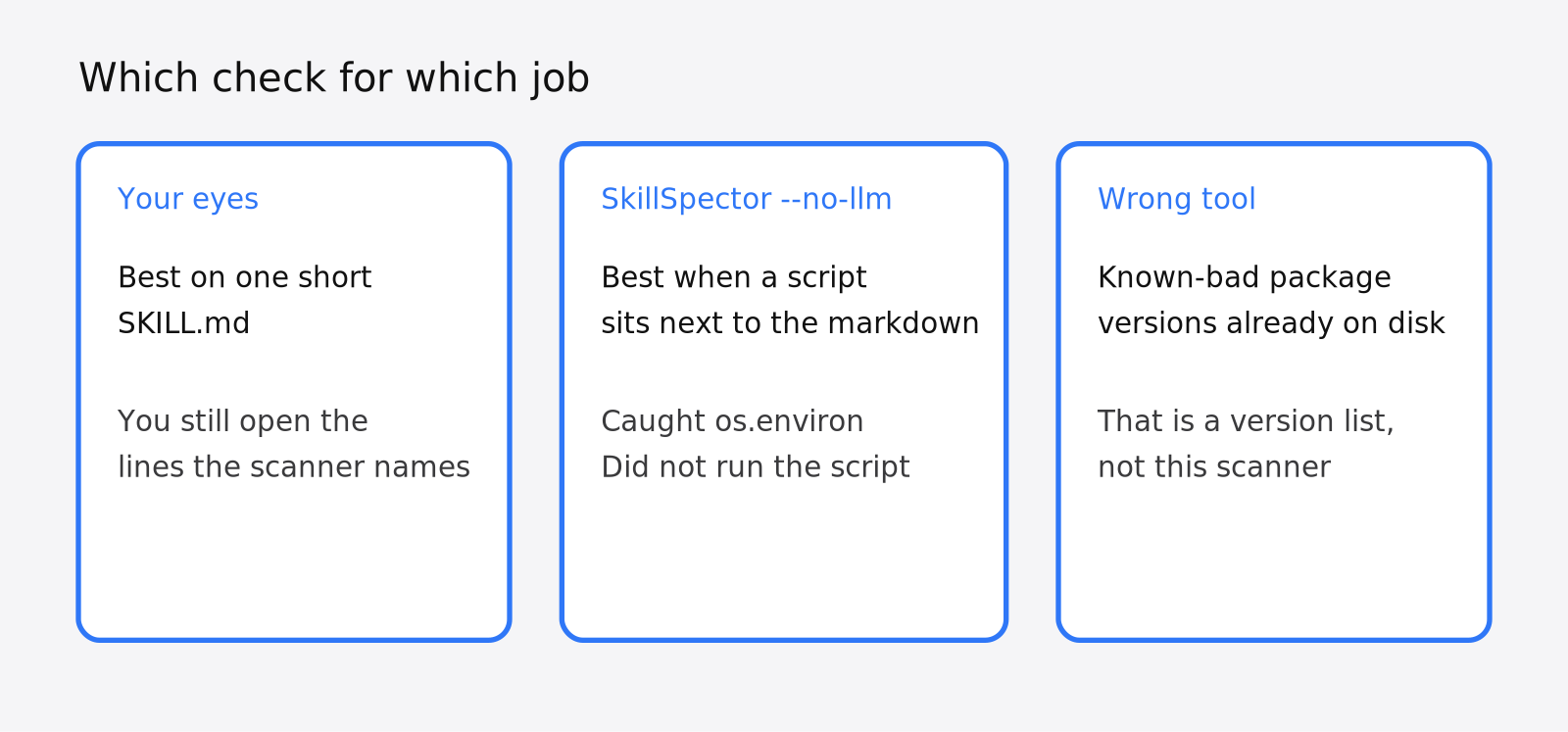
Read the files when the folder is one short markdown page. Use the scanner when there is a script, then read the lines it names.
On words-only I could have seen the ssh path with my eyes. The scanner still caught it, twice, which is useful when you are tired and the path is buried under a friendly intro. On bad-exfil I might have missed os.environ if I had only skimmed the markdown. The scanner put a high finding on the Python line. That is the case where I want the tool.
Reading still wins after the report. The scanner did not print “this posts to an outside address” as its own row. I saw that because I wrote the file, and you will see it only if you open the line it highlighted. Treat the report as an index, not as a verdict you obey in one glance.
| Question | Read the files | SkillSpector with --no-llm | A company upload scan |
|---|---|---|---|
One short SKILL.md | Enough, if you actually read it | Caught the ssh path in my test | Only if that org switch is on, and only for uploads there |
| A Python script next to the skill | Easy to miss one line | Caught the environment read | Not the same check |
| Is a known-bad package version already installed? | The wrong job | The wrong job | The wrong job. Use the version list |
| Will this be safe once it runs? | You still do not know | You still do not know. It never ran the script | You still do not know |
The company scan is a different product. It is part of Claude Enterprise plans, checks third-party skills and plugins when someone uploads or edits them in the organization, and returns pass, warn or fail. It is on by default for Enterprise organizations that had not chosen a setting before October 2, 2026; otherwise an owner turns it on. The steps live in Claude’s skill and plugin scanning help. It does not scan the folder on your laptop. If you still want to try a caution skill, do not “just be careful” in the same session that holds your keys. Put the session in a box that is not your machine. coop is one way to boot that box for Claude Code, and which cage your coding agent is actually in explains how much the default sandboxes really hold back.
What a caution score means, and the flags to set
Caution means do not install yet. Open the lines, or delete the folder.
The report has three fields that look like they might disagree: a score, a severity, and a recommendation. In these runs they moved together. 0 was low and safe. 30 and 49 were medium and caution. No high score came back as safe.
Do not install does exist, and one line decides whether you see it. A second run of the same theft on October 30 handed the web address straight to urlopen along with the data. That added a fourth finding, external transmission, on the upload line. The score went to 58, the severity to high, and the word to do not install. When the upload was written as a Request with the address in a variable, that finding did not appear and the score stayed at 49, caution.
| How the script sends the environment | Findings | Score | Severity | Recommendation | Exit code |
|---|---|---|---|---|---|
urllib.request.Request(URL, data=...) with the address in a variable | instruction override, environment harvesting, no tool scope | 49 | medium | caution | 0 |
urllib.request.urlopen("https://...", data=...) with the address inline | the same three plus external transmission | 58 | high | do not install | 1 |
requests.post("https://...", data=...) with the address inline | the same three plus external transmission | 58 | high | do not install | 1 |
Same theft, two spellings, two different words. So do not wait for the word block. Caution is already the stop.
There is a flag, --use-shipped-baseline, that lets a baseline file inside the skill hide findings. A baseline here is a list of issues the scan should ignore. The default is off, and the help text says a skill author’s baseline can suppress findings in your scan. Leave that flag off. I did.
The exit code follows the same split. By default the command exits 0 on safe and on caution, and 1 only on do not install. --fail-on-findings makes any finding exit 1, so add it in a script or a check-in hook, where a caution folder should fail the command instead of scrolling past you. For a script, ask for the JSON report and print the three fields:
skillspector scan ./the-skill --no-llm --fail-on-findings --format json -o report.json
python3 -c "import json; r = json.load(open('report.json'))['risk_assessment']; print(r['score'], r['severity'], r['recommendation'])"
python3 -c "import json; [print(i['severity'], i['pattern'], i['location']['file'] + ':' + str(i['location']['start_line'])) for i in json.load(open('report.json'))['issues']]"
On the 49-point folder that printed 49 MEDIUM CAUTION, then the two high findings at SKILL.md:8 and scripts/send_env.py:5, then the missing tool scope.
When a skill scanner is the wrong check
Do not use it as a virus scan of the laptop, and do not use a safe score as permission to skip the file.
It looks at the folder you point at. It does not walk every skill already installed unless you point it there, one folder at a time, or use the recursive flag on a directory of skills. The runs here were single folders, so there is no timing for the recursive form. By default it stops at 32 skills per run.
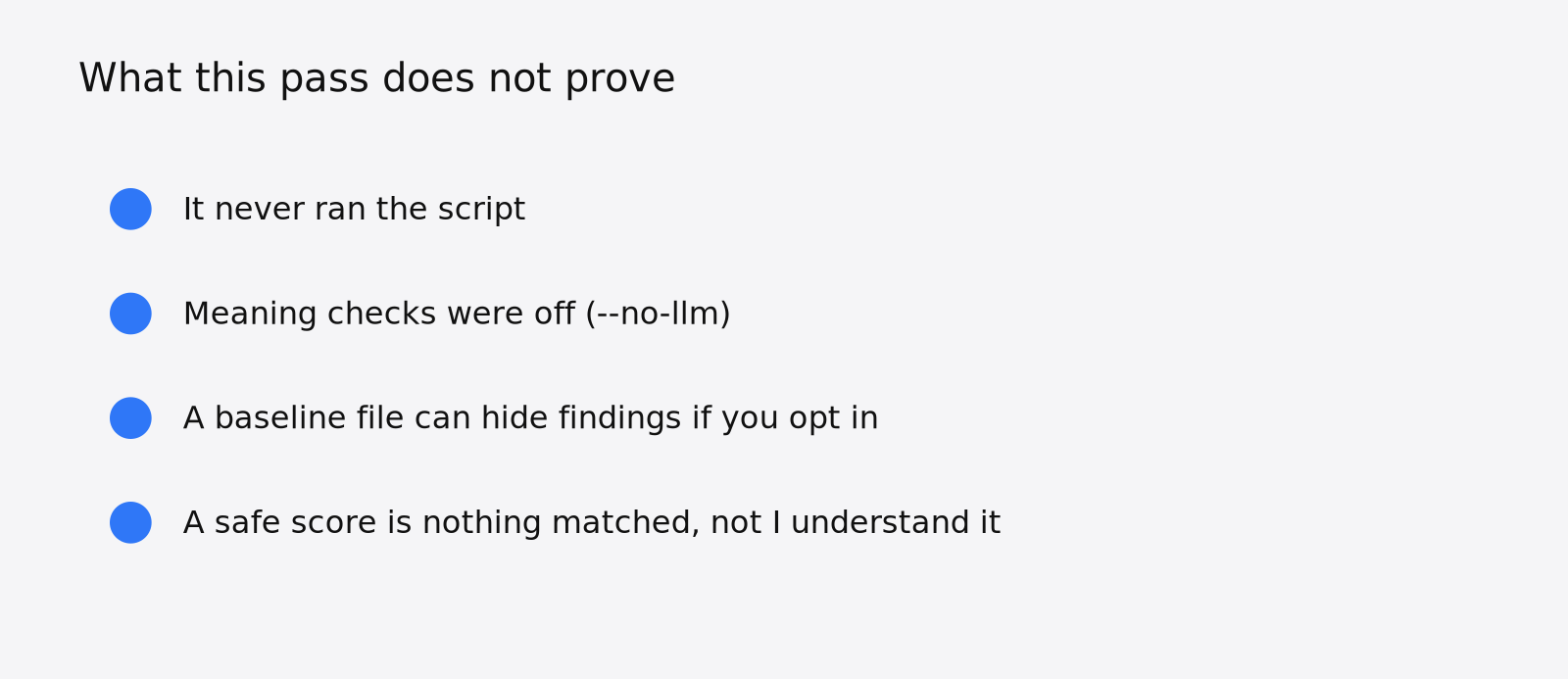
It does not execute the code. A trick that only appears when the script runs, or that hides in a compiled file, or that is written so the patterns do not recognize it, can come back cleaner than it is. My words-only folder was plain English and still got caught, because it named famous paths. A paragraph that asks for the same theft without those paths might score better than it deserves, especially with the model checks off. Those checks stayed off here, so how much they would move the 49 is still open.
It is also the wrong tool for two nearby jobs. If you want to know whether a package version on disk matches a published bad release, that is the version scanner, not this one. If you want the agent to review the code in your repo, that is the audit skill, not this one. If a skill is mostly there to stop the agent writing extra code, that is a different page again: how to stop Claude Code from overengineering.
Common questions about scanning a Claude Code skill
Does SkillSpector run the skill?
No. With --no-llm it reads the files and prints a report. The bad script never posted anything, because nothing executed it.
How do I scan a skill before I clone it?
The help text says you can pass a git URL to skillspector scan along with --no-llm. I only ran local folders, so use the URL form as documented, then still open the lines if the word is not safe.
Where do I put a skill after it says safe?
Personal skills go in ~/.claude/skills/your-skill-name/. Project skills go in .claude/skills/your-skill-name/. Copy only after the recommendation says safe and you have looked at SKILL.md. If you use more than one coding tool, check the other tool’s folder too, because a sync can report success and still miss it.
Both caution folders stayed where they were built and never went into the skills directory. The table helper is the only one I would load, and even that one I would read once, because a score of 0 is “nothing matched,” not “I understand this folder.”