
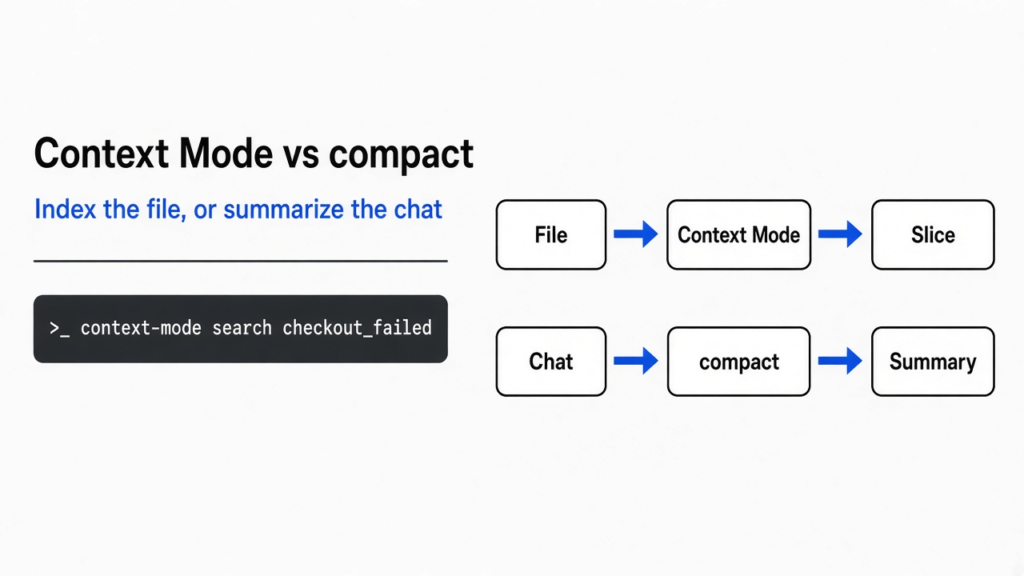
I had a coding agent look for one failed checkout in a log of 700 lines. The log was 69,585 bytes. The agent’s habit is to pull the whole file into the chat, and the chat is the only text the model can see on this turn. That pile of text is the context window. Fill it with the log and the question gets pushed out. Context mode vs compact is the choice between storing the file and handing back a slice, or throwing the old chat away and keeping a summary. Use Context Mode before a big file enters the chat. Use compact when the chat is already long.
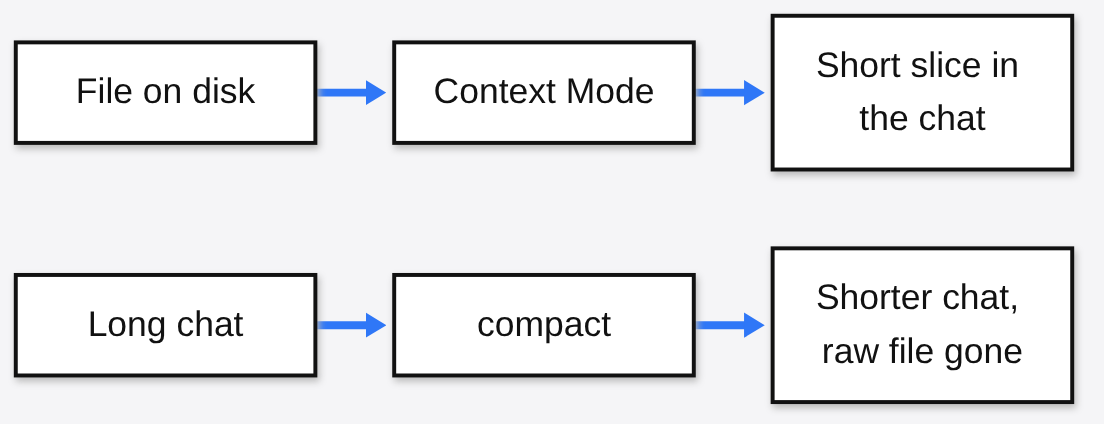
A model does not remember your repo the way you remember a folder. Each turn it is shown a fresh pile of text: your words, the project instructions, and every tool result so far. That pile is the context window. A token is one small piece of that text, often a word or part of a word, and the window is a hard count of those pieces. When the count is used up, the next tool result cannot fit unless something already in the pile is removed.
Context Mode vs compact
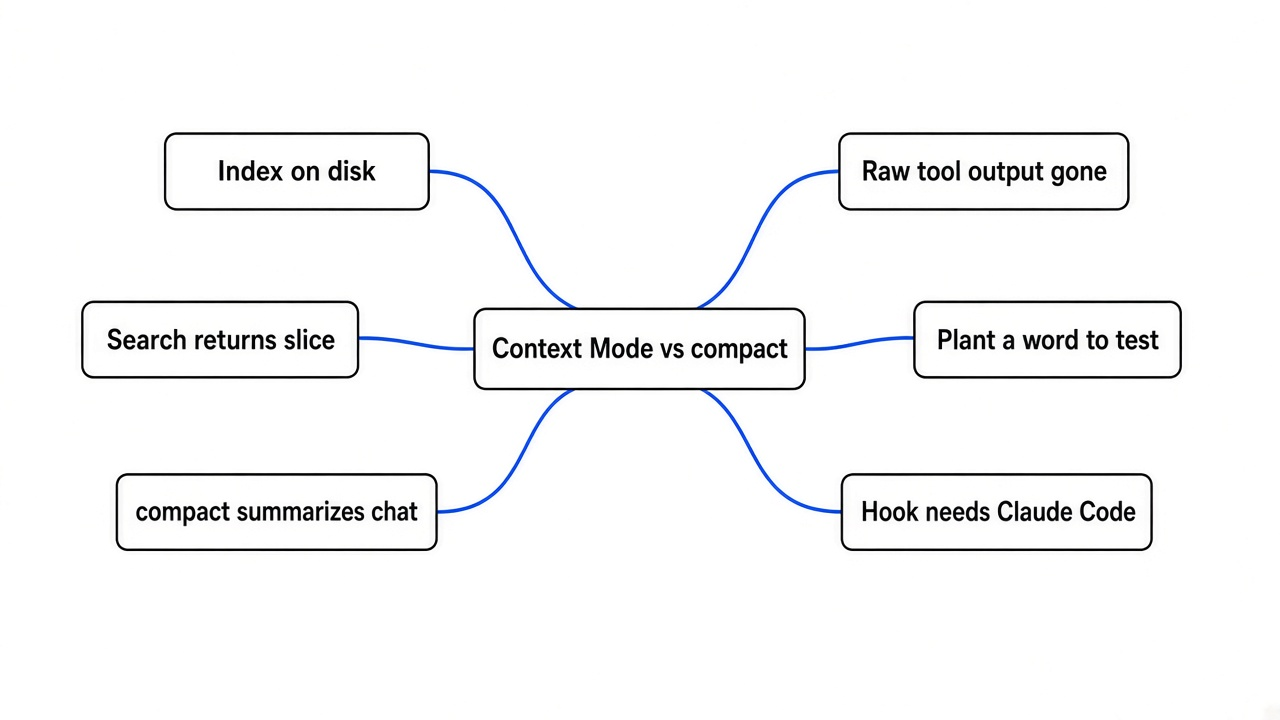
Context Mode leaves the file on disk and returns a short search hit. Compact replaces the conversation with a summary and does not keep the raw tool output.
Compact is a command inside Claude Code. You run it when the chat itself is crowded. Claude Code asks the model to write a shorter version of what you have already said, then continues on that shorter version. The old tool output is not sitting in a drawer. It is gone, except for whatever the summary happened to keep. The project instructions are read again from disk, which is why a summary can feel like it still knows the repo even after the log disappears.
Context Mode is a separate program. You point it at a file. It stores that file in a local database you can search. A later question returns a small piece, not the whole file. The model did not write that piece. A search did. That is the split. Compact is a lossy rewrite of the chat you already had. Context Mode is a way to avoid putting the next file into the chat at all.
| Context Mode | compact | |
|---|---|---|
| Where the file ends up | On disk, in a local database | The chat copy is replaced |
| Who writes the short text | A search | The model |
| Use it when | The next read is a big file | The chat is already long |
| Can it miss the line you need | Yes, if the file is one giant chunk | Yes, if the summary drops it |
I expected these two to be two sizes of the same idea. They are not. One of them never sees the file. The other never shortens a chat you already filled.
How do I keep a log out of Claude Code?
You keep the log out by indexing it and searching it, instead of pasting it into the chat.
I installed the command and pointed it at a log I wrote myself, so I would know which line was the real error. The log was 700 ordinary access lines, plus two checkout failures buried in the middle. One of those lines contained the words checkout_failed, payment_timeout, and order 88421. If a search is honest, that is the line that should come back.
npm install -g context-mode
context-mode doctor
context-mode index logs/access.log --project . --source access-log
context-mode search checkout_failed --project . --limit 5doctor is the check that says whether the program can start. On this machine it did start. JavaScript, Python, shell, Rust, and Perl were available. Six other languages it knows about were not installed, and that did not stop the server test. The hook that would block a raw paste was missing, because there was no Claude Code settings file. A hook here is just a small script that runs before a tool is allowed to dump text into the chat. Without that script, installing the command does not stop Claude from reading the file the old way. You still have to call index and search, or install the plugin inside Claude Code so the hook exists.

The same limit shows up if you only wanted fewer words in the answer, not a smaller file. How to stop Claude Code from overengineering is that other problem: the agent adds code you did not ask for. A huge log makes that worse, because the model has more junk to get creative with. Shrinking the read does not replace those checks. It just gives them less to chew on.
What Context Mode actually returned
The log search printed 551 bytes from the top of the file, and those bytes did not contain checkout_failed.
I had expected the failed checkout. What came back were the first successful page loads, cut off with an ellipsis. The index report said it had stored one section. A file with no headings was treated as one block, and the printed hit was the start of that block. A short reply can still be the wrong reply.
The line was not deleted. I opened the database the index had just written and searched it directly. The stored text did contain checkout_failed next to payment_timeout and order 88421. So the index worked, and the preview lied by omission. If you only read the command’s printout, you would think the error was not in the file.
A search for a phrase that was not in the log, database migration deadlock, correctly said there were no matches. The tool can say no. The failure mode is the confident wrong slice, not a crash.
I then tried the shape the index likes. A 213-byte note with three headings, Auth, Billing, and Health. The index stored three sections. The same search returned only the Billing heading, 128 bytes, and the sentence that named checkout_failed and order 88421.
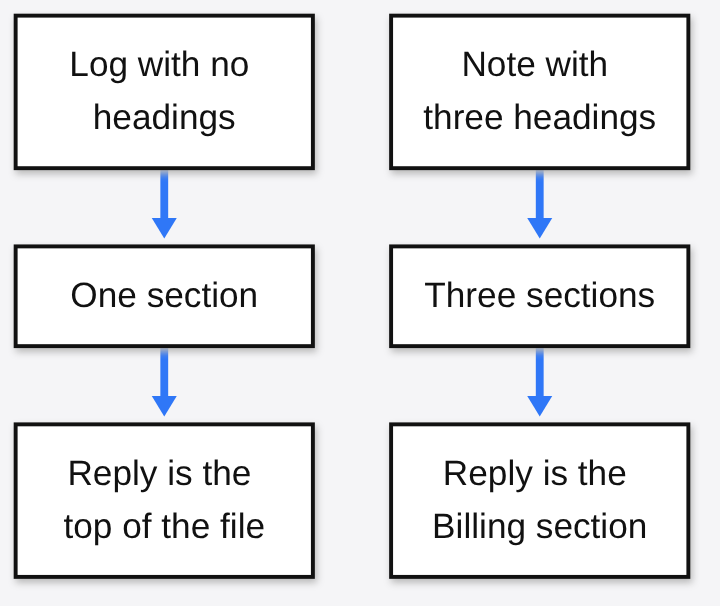
The database file for the log was 352,256 bytes. That is larger than the 69,585-byte log. You do not save disk. You save space in the chat, and only if the slice is the right slice. The note’s reply was smaller than the note, and it was the right section, because the headings gave the index somewhere to cut.
When should I still run compact?
Run compact when the conversation is what filled the window, not the next file.
Compact reads the chat and writes a shorter chat. It is the right move in the middle of a task, when the decisions so far matter and the old tool output does not. It is the wrong move if the only copy of the error lived inside a tool result you already pasted. After compact, you cannot search that result. Context Mode cannot help either, unless you indexed the file before the paste.
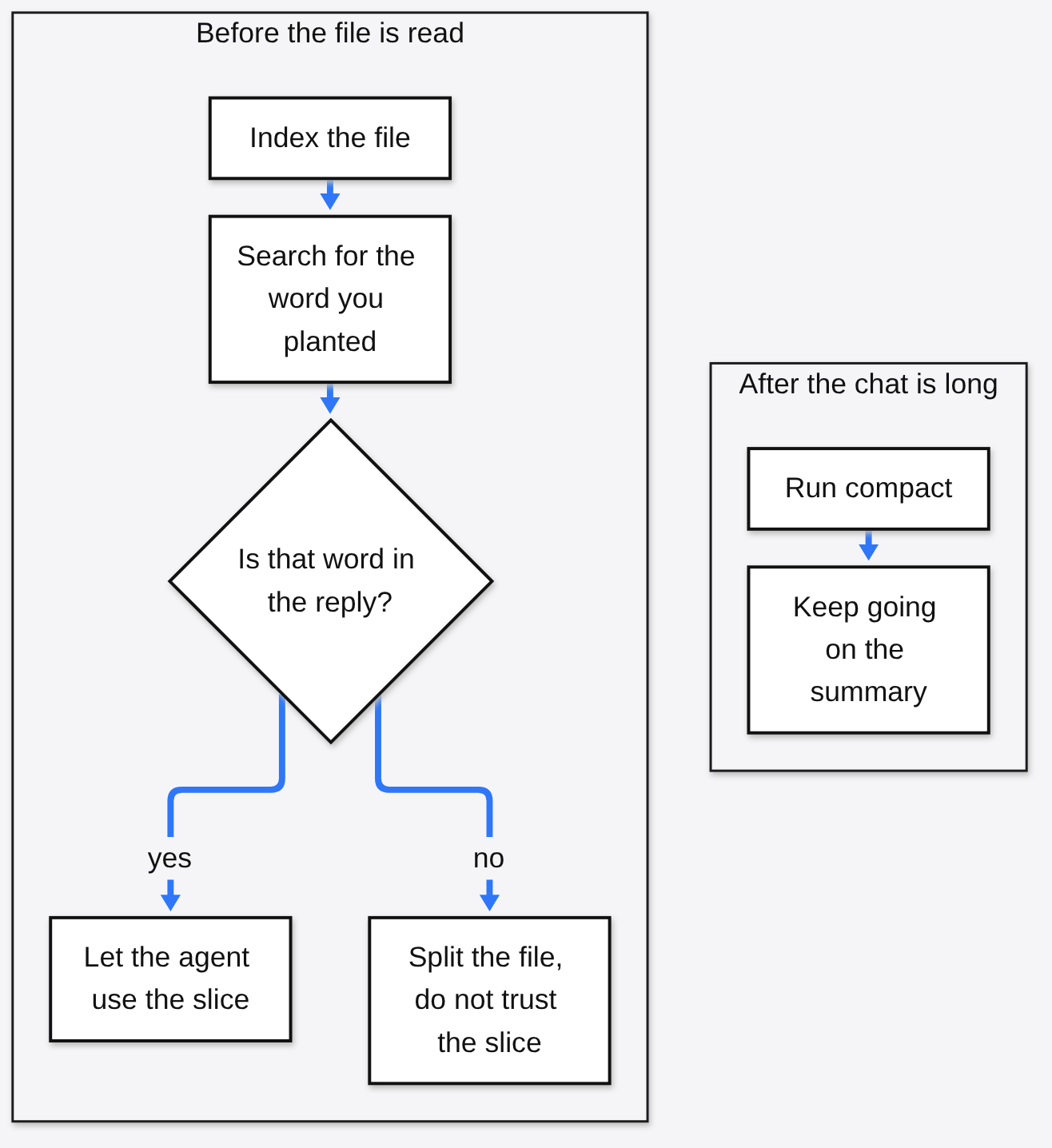
The order that matches the two jobs is: index the big file, search for a word you know is in it, and only then compact if the chat is still long. Compacting instead of indexing throws away the evidence. Indexing instead of compacting leaves a long argument about the design sitting in the window.
Official notes on what compact keeps and drops are in the Claude Code context window docs. A walk through the same idea, built as a small program rather than a product, is in how Claude Code compresses a long chat. Why a summary can also lose your standing instructions is covered in why Claude Code compaction drops your instructions. None of those is Context Mode. They describe the summary. This page is about the file you have not read yet.
One caveat. A cage around the agent is a third job. It decides which files and commands the agent may touch. Context Mode does not do that. If the worry is “can it delete my home folder,” you want a cage, not a search index.
How do I install Context Mode?
Install the command, run doctor, then index one file you already understand and search for a word you planted.
npm install -g context-mode
context-mode doctorInside Claude Code, the notes that ship in the package use these two lines:
/plugin marketplace add mksglu/context-mode
/plugin install context-mode@context-modeThose two plugin lines were not part of this test. This machine had no Claude Code settings file, and doctor already said the pre-tool hook could not be read for that reason. If you stop after npm install, you have index and search in the terminal. You do not have a hook that refuses a raw file read. The package calls that check /context-mode:ctx-doctor after a restart. I would not trust the hook until that check passes on your machine.
The source is public, and the license on the package I installed is Elastic License 2.0. You can read it, run it, and change it. You cannot turn around and sell it as a hosted service for other people. That is narrower than a license that lets you do anything. Read the license file in the package before you put this inside a product you charge for. The project page is github.com/mksglu/context-mode.
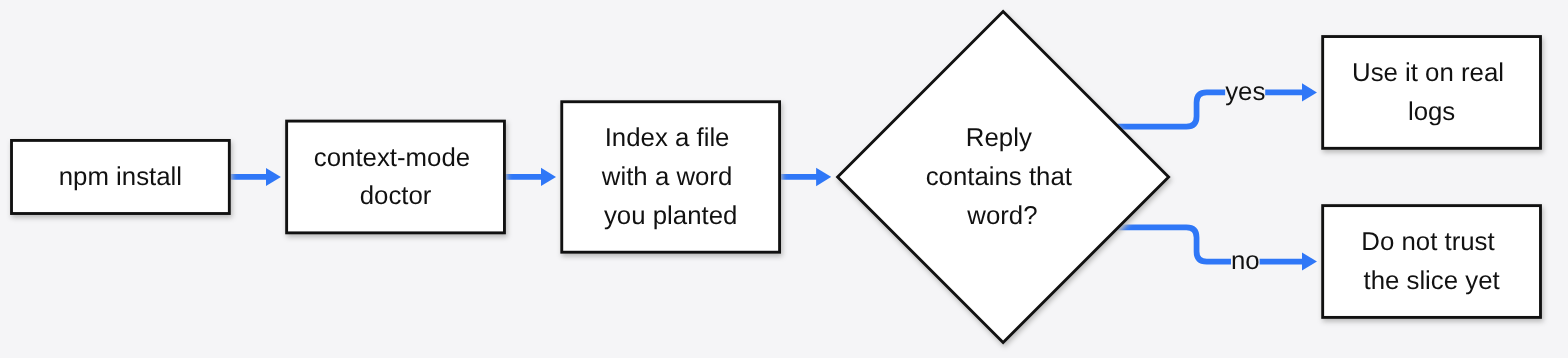
You can do the index and the search with no Claude Code at all. The part that changes Claude’s behavior is the plugin, and its hook only counts once /context-mode:ctx-doctor passes on your own setup.
Does compact keep the raw tool output?
No. Compact replaces the conversation with a summary, so the raw tool output is not kept as text you can search later.
What usually survives is the kind of thing Claude Code reloads from disk: the project instructions, and a short memory of files it touched. That is not the same as the log. If you need the line after you compact, the line has to live somewhere else first. That somewhere else can be the file on disk, which you still have, or an index you built before the compact. The summary is a story about the chat. Stories drop details, and a payment timeout is a detail.
Why did the search miss the error line?
The log had no headings, so it was stored as one section, and the printed result was the start of that section.
The start was full of successful page loads. The error was in the middle. The printout stopped before it got there. The database still had the error, which I checked with a direct lookup, but the command you would actually run did not show it. Headings fixed it. Three headings became three sections, and the search returned the one heading that held the word.
So the practical test is not “did the reply get smaller.” The test is “did the reply contain the word I hid.” If it did not, split the file. Do not paste the short wrong slice into the chat and call it a save. A wrong slice is worse than the long file, because you stop looking.
Is Context Mode worth it?
It is worth it when the file is bigger than the question, and a search for a word you planted comes back with that word.
It is not worth it for a file that already fits on one screen. My 213-byte note came back as 128 bytes. That is a smaller reply, and it is also an extra command. I would paste the note. It is not a replacement for compact. Compact is the only one of the two that shortens a chat you already had. And it is not installed, in any useful sense, until doctor’s hook check passes. Mine did not, because Claude Code was not configured here.
I would use it on a repo where agents keep opening logs, test output, or generated data. I would index, search a planted word, and read the reply before I let the agent treat that reply as the file. I would still run compact when the conversation, not the file, is what filled the window.
I will keep both. I will not trust a short reply that does not contain the word I was looking for.

1 comment