I put a little person on a page and the feet skated. The body stepped forward. The shoes went with it, as if the ground were a moving walkway. That is the usual mess when a line art animation (a drawing made of thin ink lines, not filled color) is just one picture sliding sideways. So how do I make a line art animation in SVG that does not skate?
SVG (a picture made of shapes, not pixels, so it stays sharp when you zoom) does not fix the skate by itself. A sharp sliding foot is still a sliding foot. The picture can be perfect and the walk can still be wrong.
You make a line art animation in SVG by drawing the body as ink shapes and letting a gait solver move the joints. The planted foot has to travel backward, inside the figure, at the same speed the body travels forward. I ran that solver. Over a tenth of a second the planted ankle moved back 3.871 figure units and the body travel was 3.871. The difference was 0.
What is a line art animation?
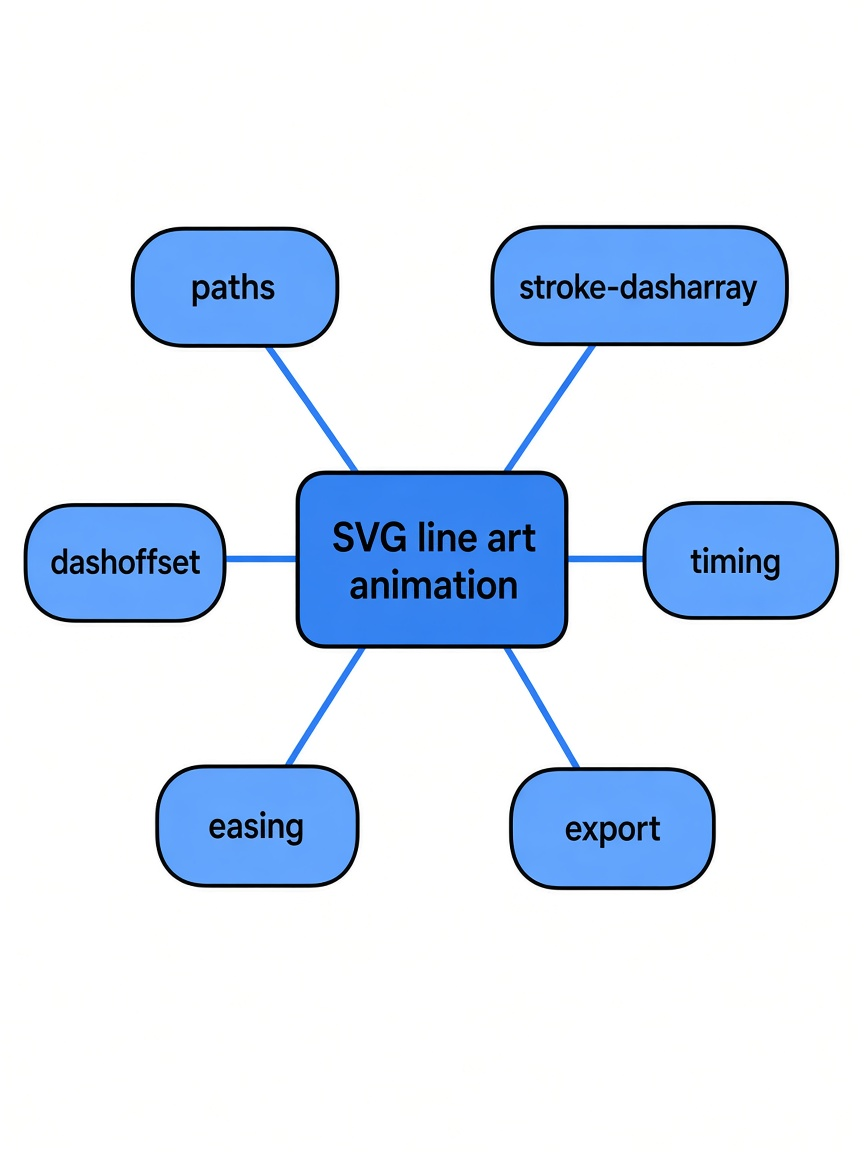
A line art animation is a moving drawing made of strokes. It is not a photo, and it is not a painted cartoon with flat color filling the body.
Each stroke is a path (a list of points the pen visits). Because those points are shapes, the line stays a line when the page gets bigger. A GIF (a stack of pixel pictures played in a loop) does the opposite. Make it larger and the ink turns soft.
The drawing tools for this live in four TypeScript files, and those files do not pull in other packages. The ink strokes are 189 lines. The gait solver is 128. The springs and wind are 80. The day and night colors are 67. You copy the files next to your page. You do not open a design app to get the first step.
How does a walk cycle stay on the ground?
A walk cycle (the loop of one left step and one right step) stays on the ground because one foot is planted while the other swings, and for a short overlap both feet are down.
Phase (how far through that loop you are, from 0 to 1) is the only clock the solver needs. Duty (the fraction of the cycle a foot stays on the ground) says how long that plant lasts. On the walk preset (a ready-made set of numbers for one kind of step) the duty is 0.62, so each foot is down for a bit more than half the loop. Two feet each down more than half the time must overlap. That overlap is double support (both feet touching at once).
I asked the walk for five phases. At 0, both feet were planted and the bob (how much the hip has risen) was 1.621. At 0.2, only the first foot was planted. At 0.31 the bob was 0, both ankles sat at x = 40, and still only one foot was planted. At 0.5 both feet were planted again, swapped from where they were at 0.
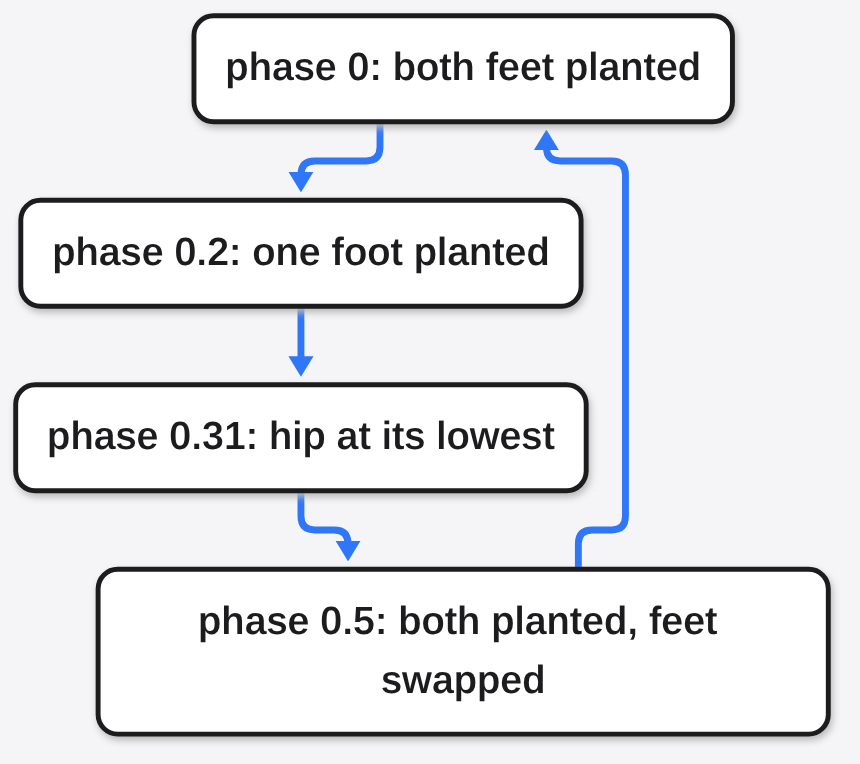
How do I make a line art animation in SVG?
Draw two legs as ink, ask the gait (the solved leg motion, not a hand-drawn list of frames) for a pose, and move the whole figure forward at the speed that pose already assumes.
The figure has its own ruler. Feet sit on y = 120. The hip sits above x = 40. Those numbers are figure units (the drawing’s own measure, not screen pixels). A later scale turns them into the size you see. The sample window, the viewBox (the coordinate window the picture is drawn inside), is 0 0 480 240.
This is the legs loop from the project. Put it in a page next to the two files it imports. The examples want Node 22.18 or newer.
import { el, limb, shoe, place, inkDefs, run } from './lib/ink.ts';
import { gait } from './lib/gait.ts';

const svg = el('svg', { viewBox: '0 0 480 240' });
document.body.append(svg);
const fig = el('g', { filter: inkDefs(svg).filter }, svg);
const legs = [limb(fig, 4.2), limb(fig, 4.2)];
const shoes = [el('path', {}, fig), el('path', {}, fig)];

const walk = gait({ kind: 'walk' });
let phase = 0, x = 60;
run((t, dt) => {
  phase += dt / walk.period;
  x += walk.speed * 1.25 * dt;
  place(fig, x % 520 - 20, 196, 1, 1.25);
  const p = walk.pose(phase);
  p.feet.forEach((foot, i) => {
    legs[i].draw([p.hip, foot.knee, foot.ankle]);
    shoe(shoes[i], foot.ankle, foot.pitch);
  });
});The walk I ran uses a period (the seconds for one left step plus one right step) of 1.0, a duty of 0.62, a stride (how far the planted foot travels under the body) of 24, and a lift of 3.4. Speed is stride divided by duty times period: 24 / 0.62 = 38.71 figure units per second. The loop adds that speed, times 1.25, onto x. The 1.25 is the same scale place uses on the figure. Change one and not the other, and the shoe skates even though the solver is right.
Why does my SVG character look like it is sliding?
It slides when the body moves and the planted foot moves with it. From the ground, that foot should stay put. From the body, the ground is going backward, so the ankle in figure space has to go backward too.
I took a slice of 0.1 seconds while the first foot stayed planted. The ankle moved back 3.871. Body travel over that same slice was 3.871. The difference was 0. That match is the whole trick. If your character skates, compare those two numbers before you redraw the shoe.
The swinging foot is a different job. It follows a minimum-jerk path (a smooth curve that starts and stops gently, instead of a jump). The heel peels up first and the foot pivots on the toe. The knee is solved so it bends forward, not backward. Hip height comes from what the planted legs can reach, thigh 23 and shin 23 on the walk, so the body rises over a step and dips when the feet pass. The bob I measured ran from 0 to 1.621. Nobody added a bounce on top. If you add one, the hip floats off the legs and the walk looks like a puppet.
What changes between a walk, a shuffle, and a run?
A walk keeps a foot down most of the time. A shuffle shortens the step and barely lifts the foot. A run spends less of the cycle on the ground, lifts higher, and has a beat where neither foot is down.
| Period | Duty | Stride | Lift | Speed | |
|---|---|---|---|---|---|
| Walk | 1.0 s | 0.62 | 24 | 3.4 | 38.71 |
| Shuffle | 0.9 s | 0.64 | 18 | 2.4 | 31.25 |
| Run | 0.5 s | 0.36 | 16 | 12 | 88.889 |
I sampled the run at 21 points across one cycle. Both feet were never planted together. The walk was planted on both feet at phase 0 and again at phase 0.5. That is the picture: a walker has a shared step, a runner has a flight. The run also kicks the heel back before the foot comes through. The walk leaves that kick at 0. If you want a slower, shorter step, start from the shuffle numbers instead of hand-editing the walk until it looks shy.
Can I make a line art animation in SVG without a coding agent?
Yes. The four files are ordinary code. You can paste the legs loop into a page and never open a coding agent (a program that edits files with tools, not a chat box).
The same project also ships a skill (a markdown file a coding agent loads only when the task matches). That file tells the agent to show one figure first, wait, then build the rest, and to check the motion before it stops. Use it for a whole street. Skip it for two legs. Extra instructions are how a small drawing becomes a pile of files, which is the same failure mode as trying to stop Claude Code from overengineering. If you do keep skills loaded, they are not free on every message, which is why it is worth knowing which Claude Code plugins are worth installing.
The finished small example is a man with a briefcase. The file is 109 lines. A click starts a hat tip. Moving the pointer feeds a spring (a number that chases a target and can swing past it) on the scarf, so the cloth trails. The number I checked is the feet, not the hat.
When is CSS enough for a line drawing?
CSS is enough when nothing has to walk. A stroke that draws itself, a lamp that fades, or a shape that turns does not need a solved leg.
| Job | CSS on a stroke | A GIF | This solver |
|---|---|---|---|
| An icon that does not walk | Yes | Fine, and it blurs when zoomed | More code than the icon |
| A person whose foot must stay planted | The foot skates unless you pose every frame | Can look right, goes soft when large | Planted foot matches body speed |
| A click, or wind on a scarf | You can fake a hover | A GIF does not take a click | The walker file already has both |
| A longer or shorter step later | You redraw the frames | You redraw the frames | You change duty, stride, or lift |
If the idea is a machine and not a person, a diagram that moves is the closer tool. That split is what is the anatomy skill worth it is about: motion you have to see, versus boxes and arrows. If you need a filmed page and nobody is walking, Huashu Motion versus CapCut is the other choice. If you need a math clip instead of ink, ManimGX versus Manim is the pair to read.
When should I not use a gait solver?
Do not use it for a logo, one static icon, or a photo. Those are not walks. A solver will only get in the way.
A video file is a second job. A capture script drives Chrome, writes one still per frame, and ffmpeg (the program that stitches still pictures into a video) joins them. The page itself does not need that. If the figure only has to live on the site, stop at the SVG.
The large scene is a street: tea house, bath house, canal, people on schedules, a cat, birds, a boat, windows that light after dark. Dragging the sun changes the time. That is a scene to open after the legs make sense, not the first file to copy. The project is line-art-animation.
Use the solver when a person has to walk and the foot has to stay put. Use CSS when nothing walks. The check is the one above: the planted foot and the body should cover the same distance, in opposite directions.
Common questions about SVG line art animation
Can I animate a walking figure without After Effects?
Yes. The legs example is a short script in the page. You do not need a timeline, a drawing desk, or a stack of exported frames. You need the two files and a loop that asks for the next pose.
Do I need a coding agent to make a line art animation in SVG?
No. Call the solver yourself. The skill is only for handing the same files to an agent when the scene is bigger than two legs.