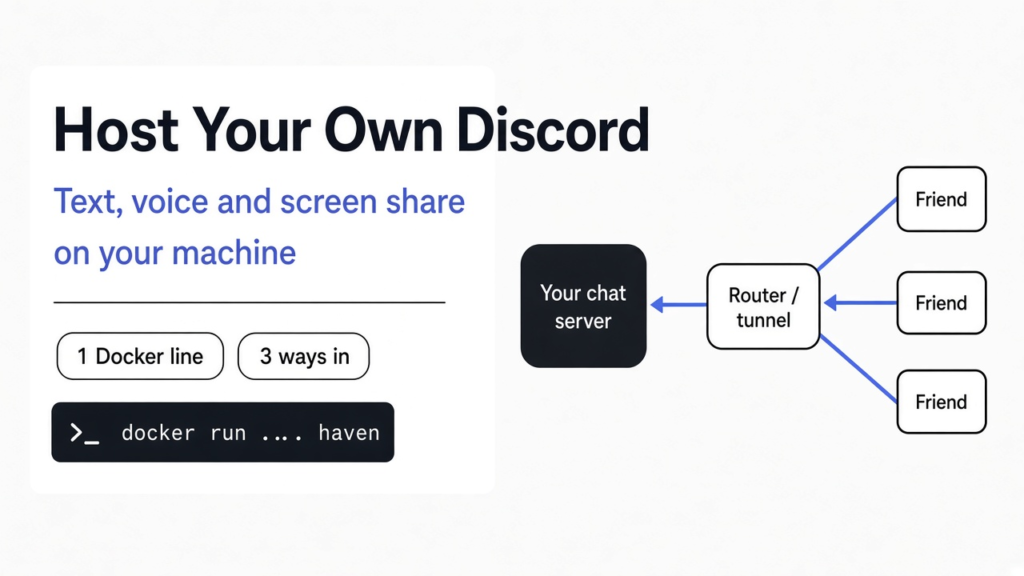
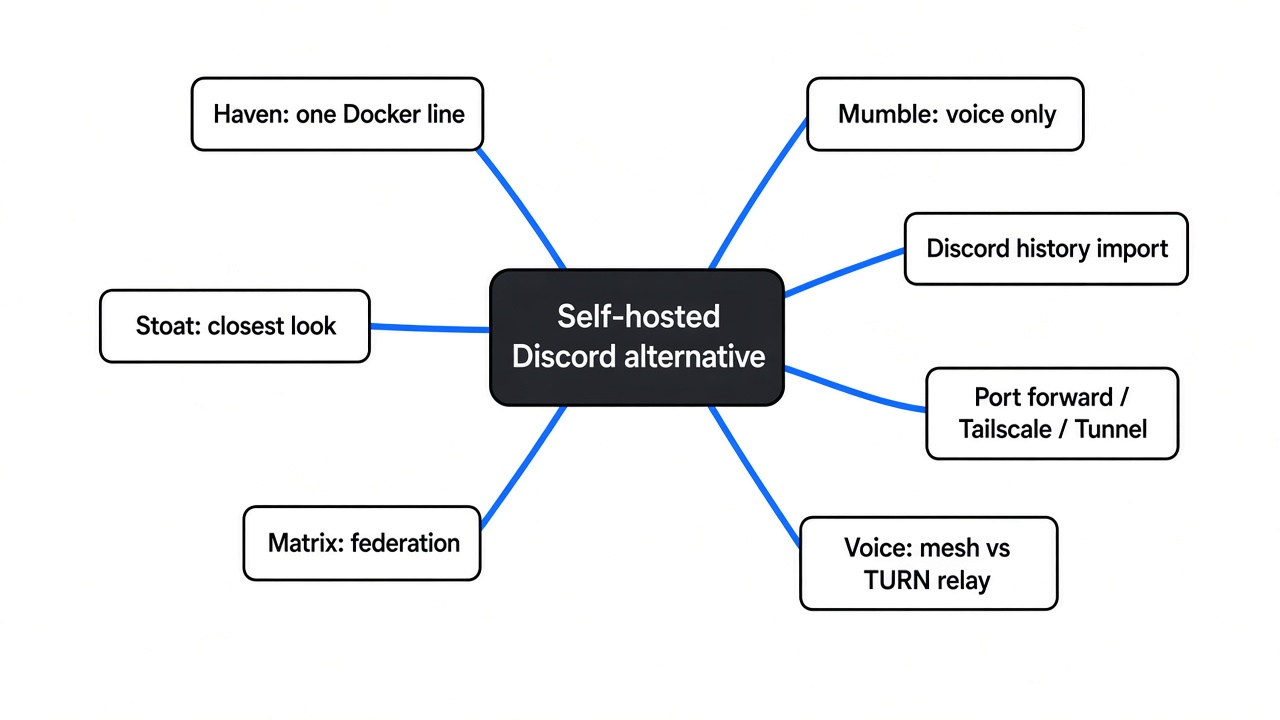
Short answer: Yes. The closest self-hosted Discord alternative is Haven: free, open source, one Docker command, with text, voice, screen sharing and a Discord history import. Stoat feels the most like Discord but needs a real server and a domain. Matrix suits big or linked communities. Mumble is best if you only want voice.
Your friends live in a Discord server. It works, until Discord starts asking some people for a face scan or an ID to prove their age, or changes a rule you never agreed to. Then you wonder if your group could run its own.
It can. The chat app is the easy part. The hard part is the road between your friends and your computer, and that road is what this post is really about.
Checked against the Haven (v4.27.1), Stoat, Matrix and Mumble docs on October 31, 2026.
What does “host it myself” actually mean?
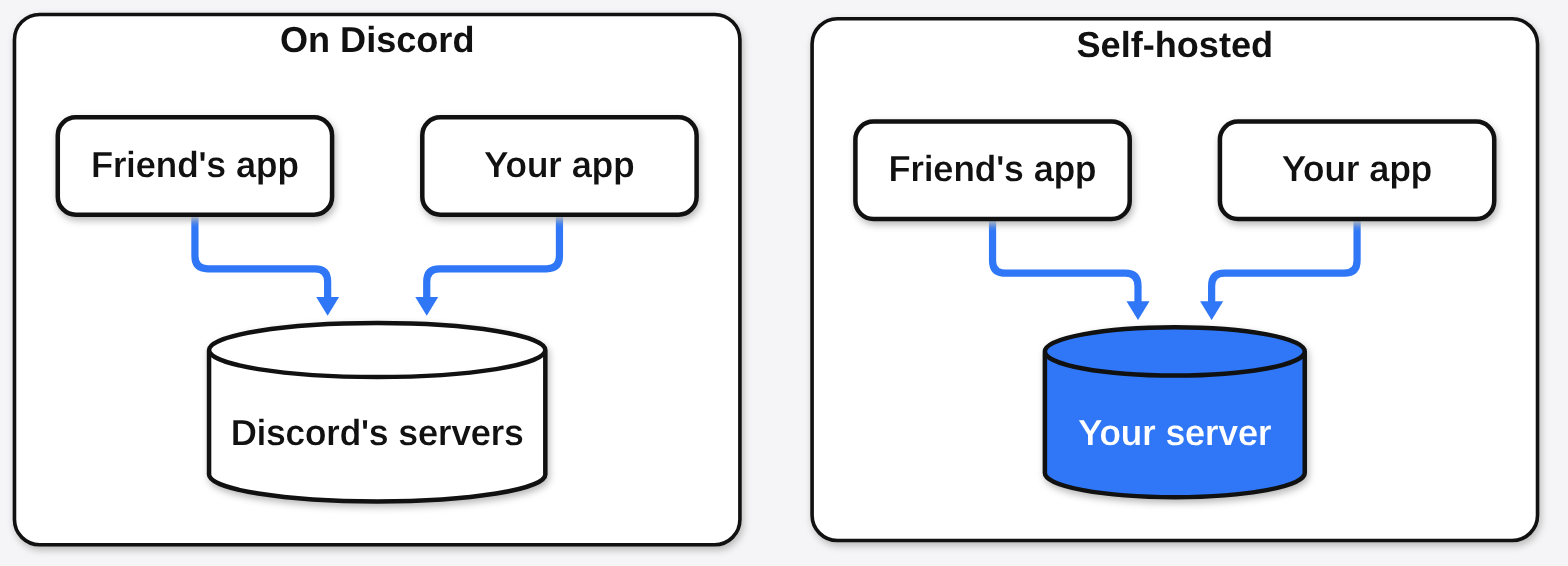
It means the server that stores your messages is a computer you control. That matters because whoever runs the server sets the rules.
Start with the base fact. Every chat app has two halves: the app on your phone or laptop, and a server that receives each message and passes it on. On Discord, that server belongs to Discord.
Self-hosting (running that server yourself, at home or on a rented machine) moves the second half to you. Think of it like a house party instead of a bar: same friends, same music, but you hold the keys and nobody checks IDs at the door.
Which self-hosted Discord alternatives are worth trying?
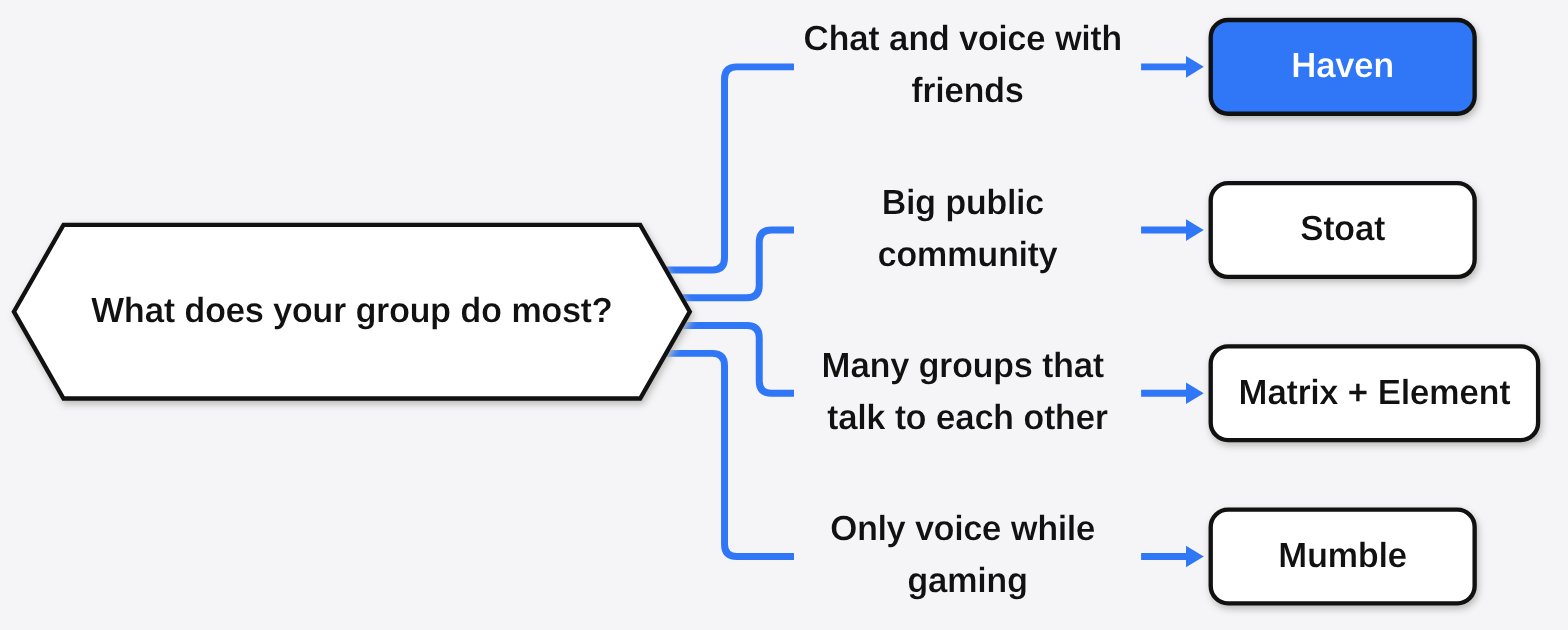
Four are worth your time, and each one wins a different job. Pick by what your group does most, not by feature lists.
| Haven | Stoat | Matrix + Element | Mumble | |
|---|---|---|---|---|
| Feels like Discord | Close | Closest | Partly | No, voice only |
| Text, voice, screen share | All three | All three | All three | Voice |
| Setup | One Docker command, or a double-click on Windows | A rented server, a domain, several containers | Heavier, many moving parts | Light |
| Open source license | AGPL | AGPL | Open standard, open apps | BSD-style |
| Best for | Friend groups | Public communities with a real server | Large groups, linked communities | Gaming voice |
AGPL (an open source license that makes anyone who runs a changed version share their changes) covers both Haven and Stoat. So code that has been released stays open, even if the people behind it change course later.
Why is Haven the easiest one to start with?
Because one person can run it on the computer they already own. That removes the biggest blocker, which is renting and managing a server.
Haven’s setup guide and its package file spell out what it needs. It is a Node.js app (Node 22 or newer if you skip Docker) that keeps everything in SQLite (a single database file on your disk). With Docker (a tool that runs an app in a sealed box with everything it needs), the whole install is one line:
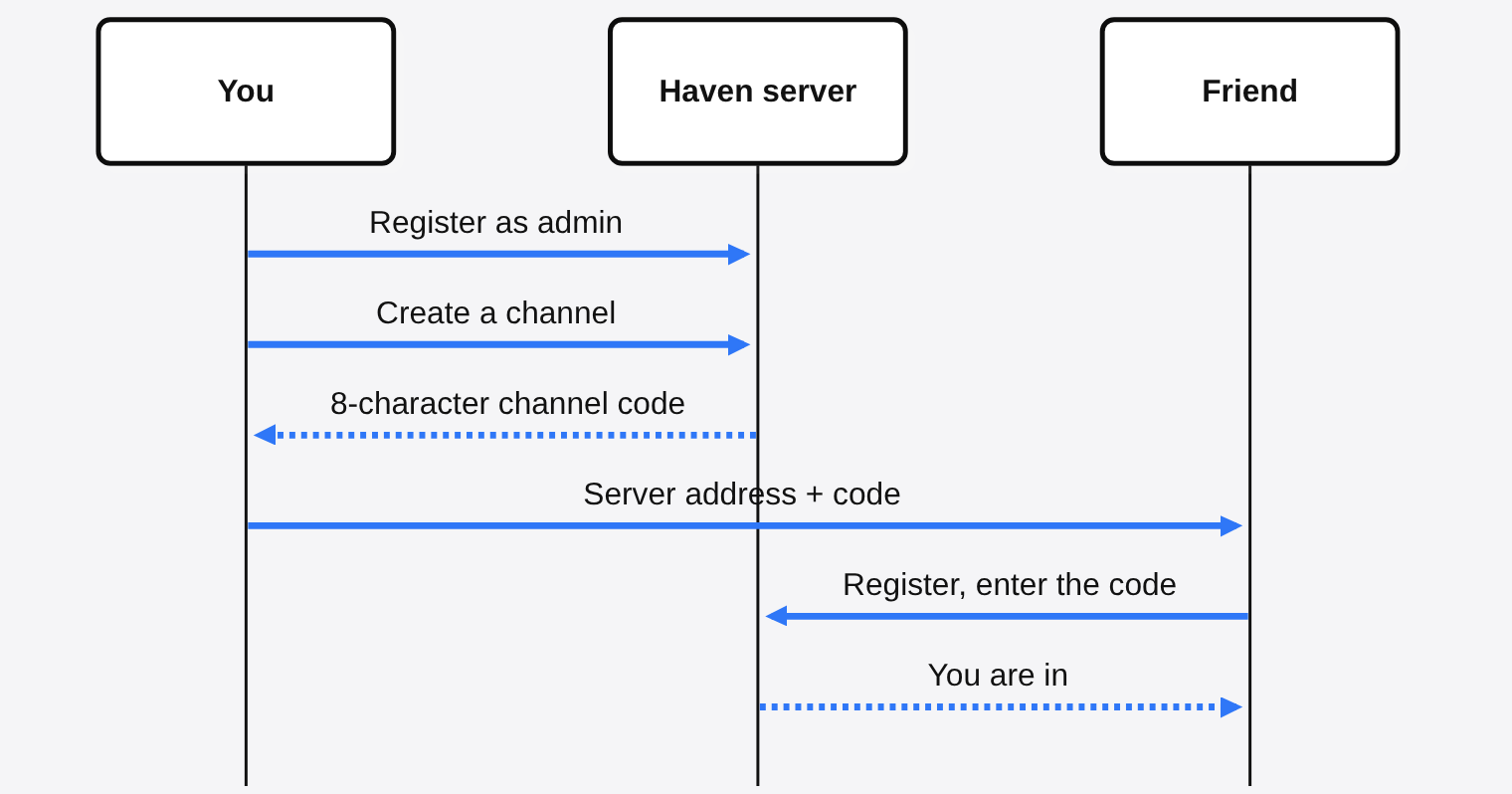
docker run -d -p 3000:3000 -v haven_data:/data ghcr.io/ancsemi/haven:latestOn Windows without Docker, you unzip the download and double-click Start Haven.bat; on Linux or macOS it is ./start.sh. Then you open https://localhost:3000, register with the username admin, and make a channel. Haven gives each channel an 8-character code, and that code is the only way in.
The browser will warn you about the certificate on first load. That is expected: Haven makes its own self-signed certificate (a security pass it signs for itself, not one from a trusted company), because voice only works over a secure connection. Click Advanced, then Proceed.
One thing to weigh before you move a whole group: Haven is a young project, and its README says most of the code, server logic included, was written with AI coding tools under the author’s direction, backed by a test suite of more than 650 tests. That is unusually honest, and it is worth knowing before you put your friends’ messages on it.
Can I bring my Discord server’s history with me?
Yes, with Haven, and that is the part that makes a switch feel safe. Nobody wants to lose years of messages and pinned links.
Haven has an import screen (Settings, then Import Discord History) that copies messages, replies, embeds, reactions, pins and links to attachments from a Discord server. The recommended way uses a Discord bot you create and add to your server, so it only copies channels the bot is allowed to read. Private channels show up greyed out until you give the bot’s role access to them. Don’t give the bot Administrator to skip that step: anyone who got its token would control your whole Discord server.
If you would rather not set up a bot, you can upload the data download Discord gives you, but that file only holds your own messages, not everyone’s. Two limits either way: imported messages keep the original Discord names but are stored under the admin account and marked as imported, and the import is history only. Roles, permissions, bots and webhooks do not come across.
That bot is Haven’s bridge, Ferry (it copies messages both ways between a Haven channel and a Discord channel, under each person’s name). Friends who are not ready to leave can stay on Discord and still talk to the ones who moved.
How do my friends reach a server running at home?
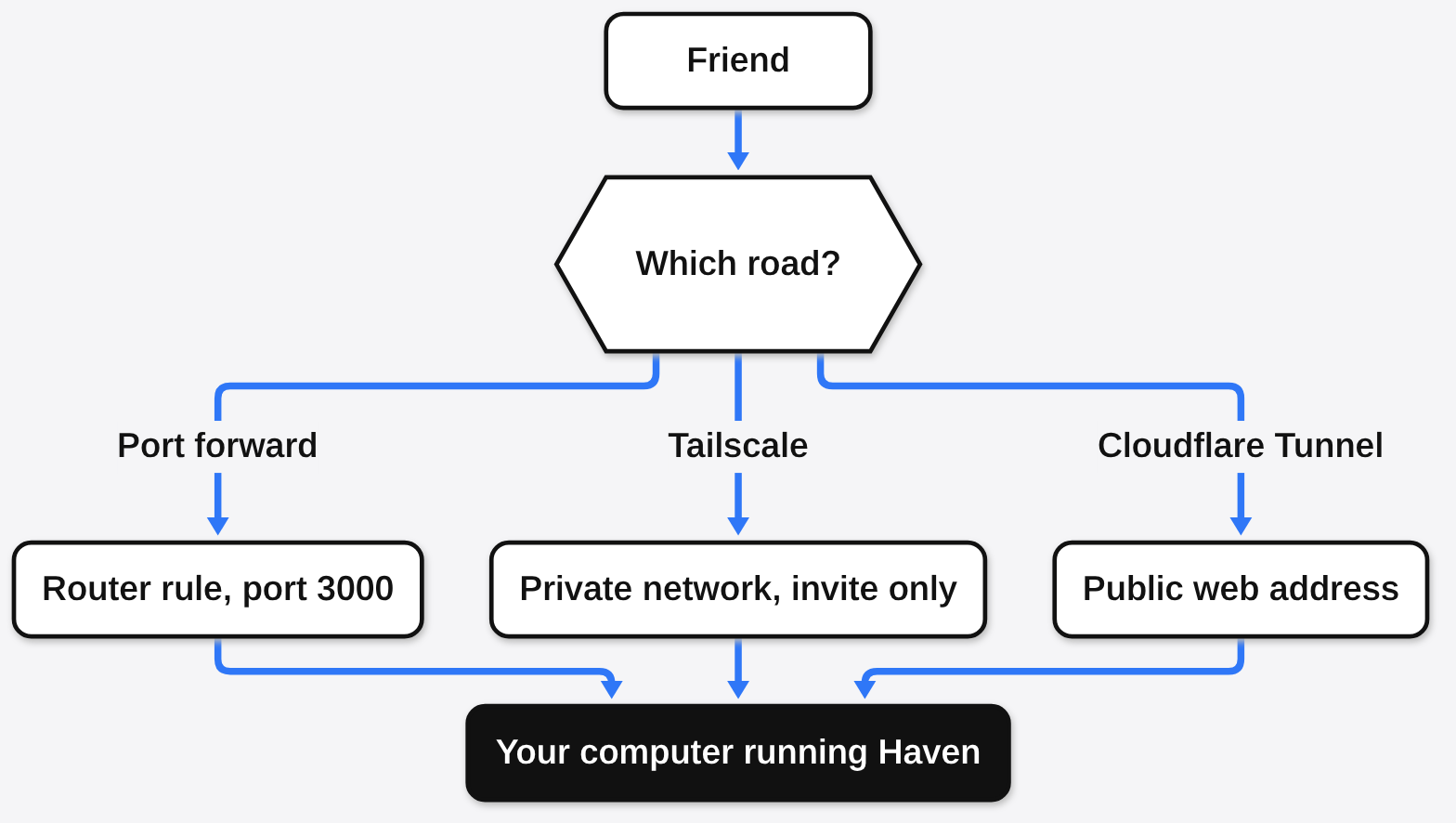
This is the real work, and you have three roads to pick from. Get this right and everything else is easy.
First, the prerequisite. Your home router gives every device inside the house a private address, and the outside world only sees the router. It is like an apartment building: mail reaches the front desk, not your door, unless someone tells the desk which flat to send it to.
That is why a friend typing your home address reaches the router and stops. Here are the three ways past the front desk:
- Port forwarding (a router rule that sends outside traffic on one door number to your computer). Simplest, but your login page faces the whole internet.
- Tailscale (a free private network that links only the devices you invite). Safest, nothing is public, but each friend installs it.
- Cloudflare Tunnel (an outgoing link that gives you a public web address without opening your router). No router changes, and your home address stays hidden. Haven can start one for you from Settings, Admin, Tunnel, but a quick tunnel gets a new address every restart, so you re-send the link.
If you port forward, give the server computer a fixed address on your router first. Otherwise a restart can hand its old address to another device, and your rule points at the wrong machine. Haven limits sign-in attempts to 20 per 15 minutes per address, but use a password you don’t use anywhere else and turn on two-factor login anyway.
Why does voice chat break when text works fine?
Because text goes through the server, but voice goes straight between people. This one idea explains most “I can hear them, they can’t hear me” problems.
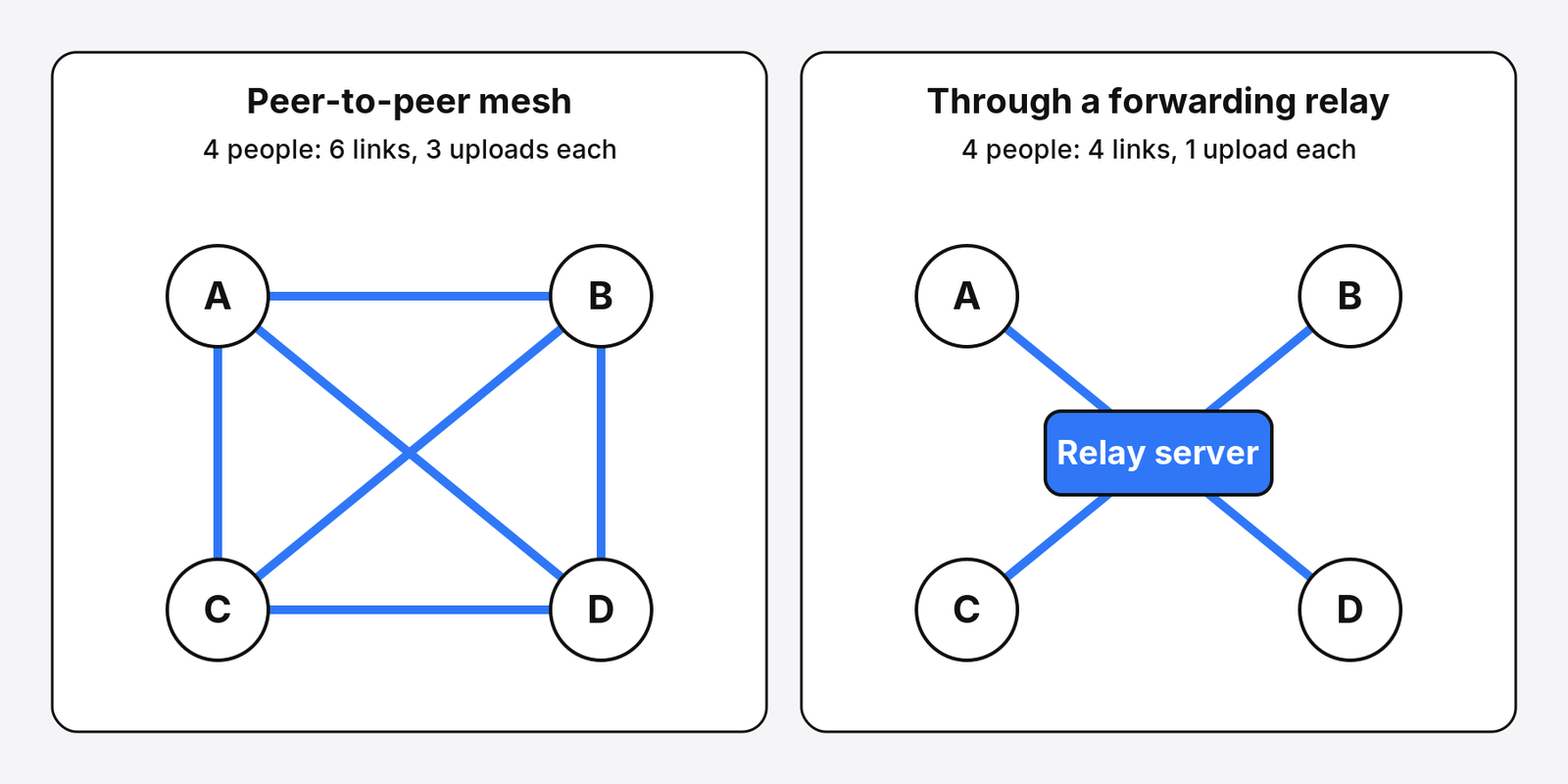
Haven sends voice peer-to-peer (each person’s app sends audio directly to every other person, skipping the server). That keeps your server light.
But it means everyone in a call needs a working path to everyone else, not just to you.
Here is what that “everyone to everyone” mesh costs as a call grows (total links = n × (n − 1) ÷ 2 for n people):
| People in the call | Streams each person uploads | Connections in total |
|---|---|---|
| 3 | 2 | 3 |
| 5 | 4 | 10 |
| 8 | 7 | 28 |
| 12 | 11 | 66 |
Each person uploads one copy of their voice per listener, and home internet usually uploads far slower than it downloads. So small calls fly, and big calls strain the weakest connection in the room.
Tailscale has a trap here. If you share only the Haven computer with friends, which is the safer setup, they can reach you but not each other. Text works, and the classic symptom is one-way audio: everyone hears the host, and the host hears nobody.
The fix for broken paths is a TURN server (a middle computer that passes audio along when two people cannot connect directly). It rescues friends on mobile data, strict networks or a shared Tailscale device. In Haven you add it under Settings, Admin, Voice & Connectivity; the free coturn server is the usual choice.
TURN fixes the path, not the upload count. For that you need a forwarding relay, a server that takes each voice once and sends it on to everyone else, so each person uploads a single stream. Haven has an optional voice relay for big servers (Settings, Large Server Setup). Stoat and Element Call are built around a forwarding relay (LiveKit) from the start, which is part of why they need a beefier machine.
Is Stoat better if I want it to look exactly like Discord?
It looks the most like Discord, but it asks more from you. That trade matters before you rent anything.
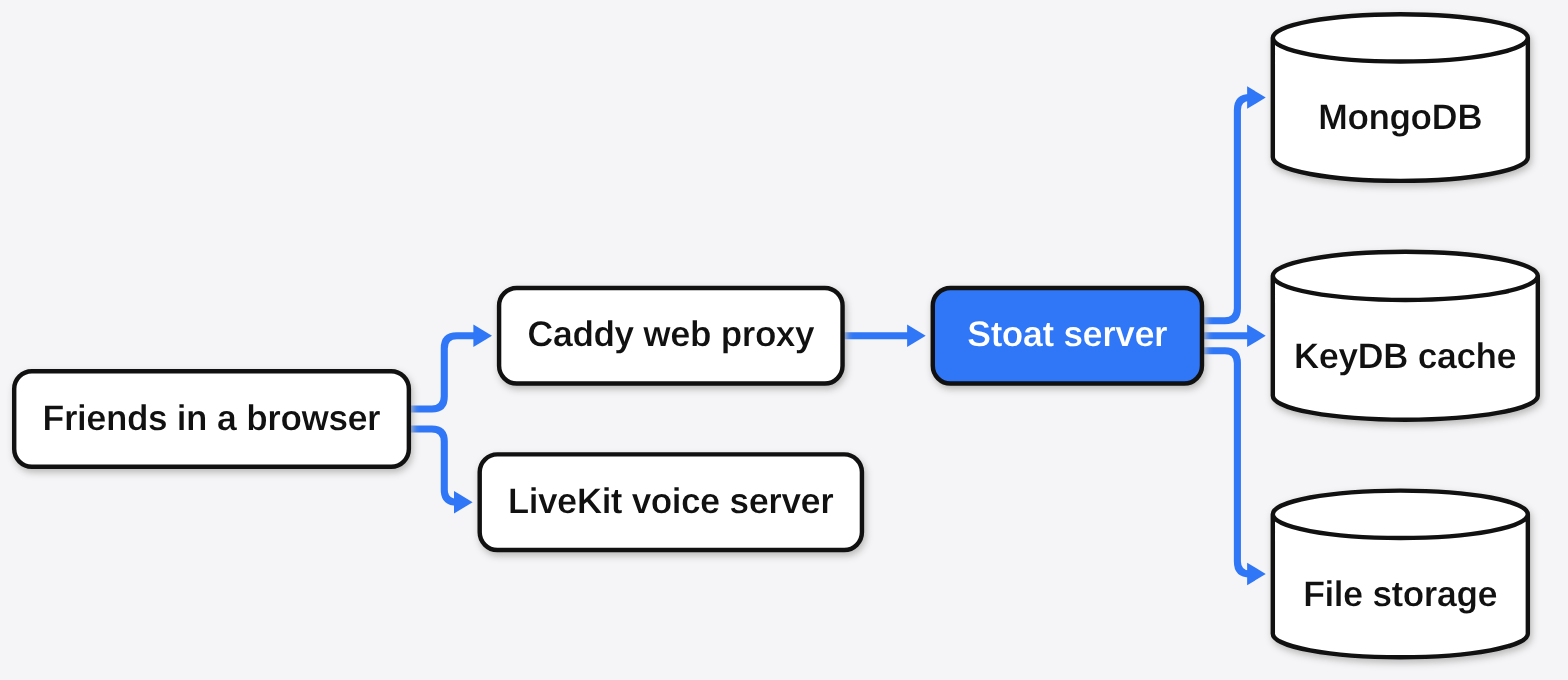
Stoat is the project that used to be called Revolt. Its server is written in Rust under the AGPL, and its self-hosting guide recommends at least 2 virtual CPUs and 2 GB of memory, a domain name pointing at the server, and ports 80, 443, 7881 and UDP 50000 to 50100 open, the last two for voice.
Under the hood it runs several containers at once: a MongoDB database, a KeyDB cache, file storage, a Caddy web proxy, a message queue and a LiveKit voice server. And here is the catch its own guide states plainly: most official Stoat apps do not support self-hosted servers, so your friends will mostly use the web app, which they can install to the home screen.
When does Matrix make more sense?
When your group is big, or needs to talk to other groups. Matrix is not one app, it is a shared language many apps speak.
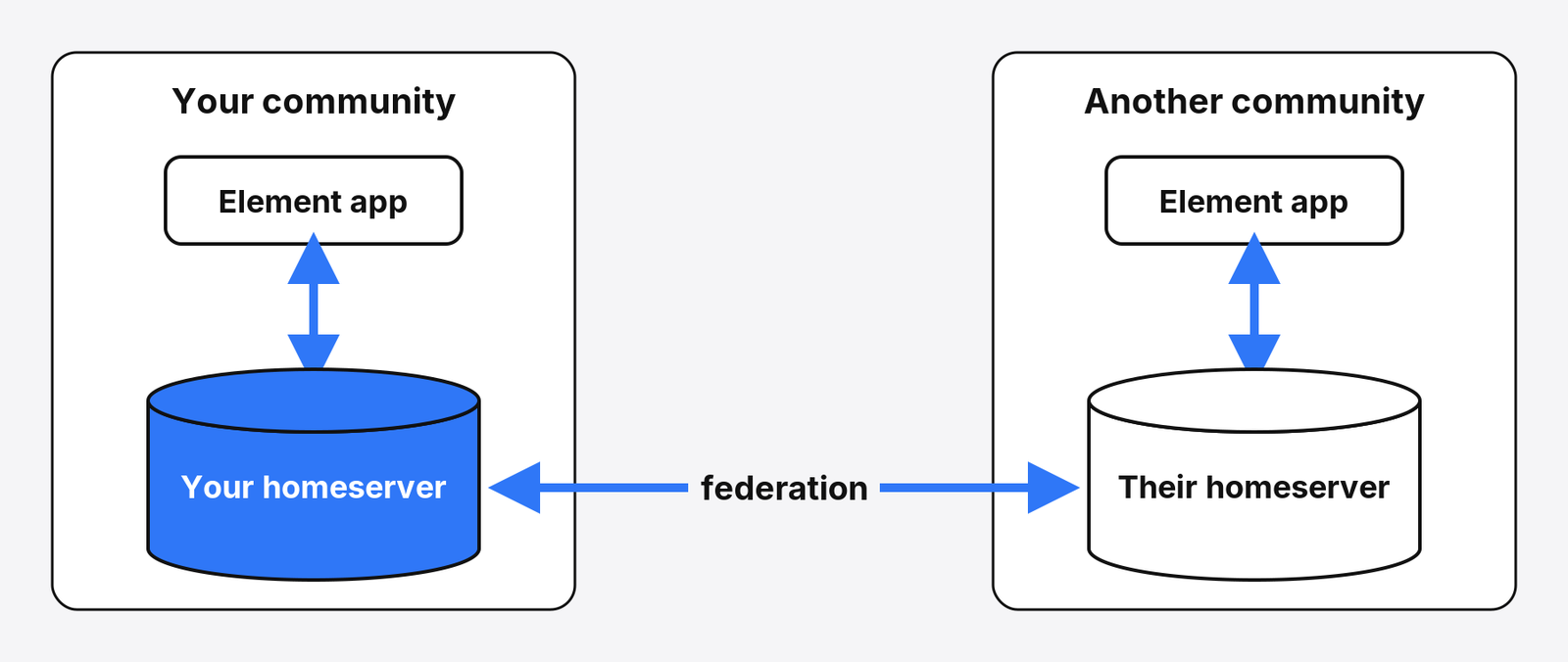
Matrix is an open standard (a public rulebook any app can follow) for chat. Its servers use federation (separate servers that pass messages to each other, like email providers do). So someone on your server can join a room hosted on another one.
Element is the best-known Matrix app, and Element Call adds group voice and video through a relay that handles large meetings. The cost is setup: you run a homeserver (your own Matrix server, usually Synapse) plus the call pieces, which is far more than one Docker line.
Which self-hosted Discord alternative should your group pick?
For most friend groups, Haven. The road is the hard part, and Haven makes the road easy. Its guide covers all three ways in, and its admin screen can start a tunnel for you.
There are good reasons to go elsewhere. If you run a public community with hundreds of members and you are happy renting a server, Stoat feels more familiar. If you only ever talk while gaming, Mumble, a free, low-latency voice app under a BSD-style license, does that one job with far less to set up.
Try it on one laptop first. Run the Docker line, make one channel, and send the code to one friend on the same Wi-Fi.
Shared files over your own network before? Then you have done half of this already. Here is how to share files over Wi-Fi without an app. The same “keep it on your own machine” idea works for notes and even a voice assistant.
Get it here: Haven on GitHub. Docs: Haven setup guide.
Once one friend gets in from outside your house, the hard part is done. The chat was always the easy part. The road was the work.
Common questions about self-hosted Discord alternatives
Is Haven completely free?
Yes. Haven is open source under the AGPL license, with no paid tier and no account outside your own server.
Can I self host Discord itself?
No. Discord’s server code is not public. You need an alternative such as Haven, Stoat or Matrix.
Do my friends need to install an app to join a self-hosted server?
Not with Haven. They can join from any browser using your server address and the channel code. Haven also has desktop and Android apps, and an iOS app in TestFlight testing, for anyone who prefers one.
Why can my friends hear me but I cannot hear them?
Voice in peer-to-peer apps needs a path between every pair of people. Adding a TURN server relays the audio and usually fixes one-way sound.