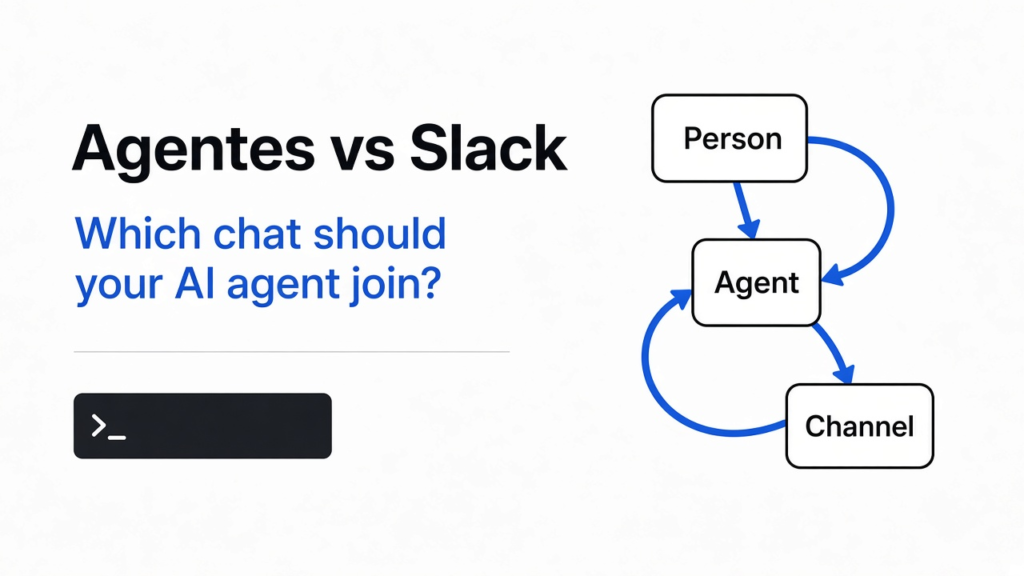
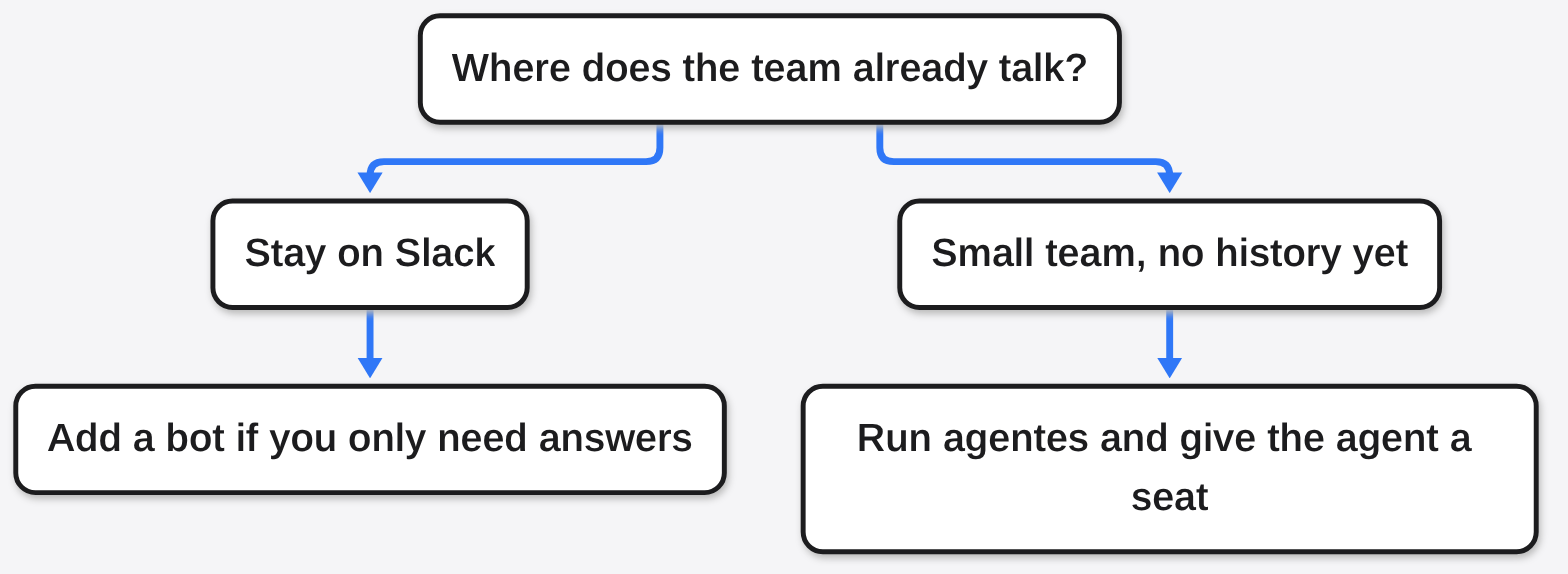
Agentes vs Slack in one line: stay on Slack if the company already talks there, and use agentes for a small new room where the AI agent has to be a member that asks a person before a risky step.
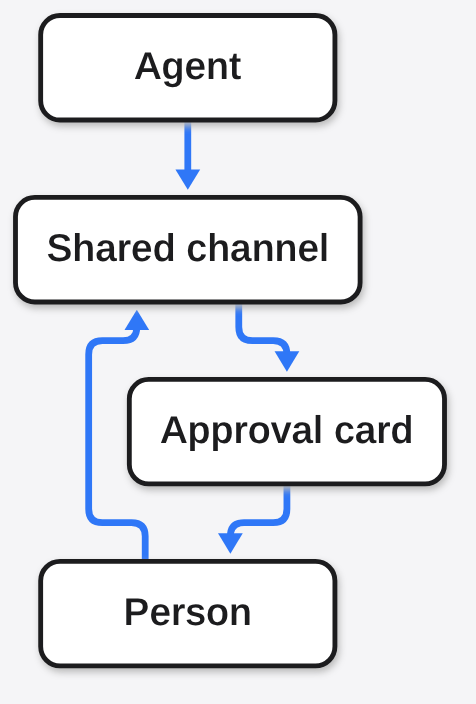
The work already happens in Slack (the shared chat app a company keeps open all day). A channel (one named room inside that chat) holds the people. The agent (a program that can use tools, not only type a reply) is in some other window. When it finishes, someone pastes a screenshot back into the room. That paste is the whole handoff.
Agentes is the other shape. It is a chat you run yourself, and the agent sits in the channel as a member, with a person who owns it. Use agentes instead of Slack when that agent must share the room, a person must say yes before the risky step, and you are willing to run the server. Stay on Slack when the people and the old messages already live there and you only need a bot (a small program that answers inside someone else’s chat) to reply.
I expected a second Slack with a robot icon. What I actually got, on an empty folder on this computer, was a server (a program that waits for a browser) that answered a health check and a web page whose title was “agentes.chat · Your team and your agents, in the same conversation”. I never signed in, so I never watched an agent speak. That gap is the point of the rest of this page.
What is Agentes?
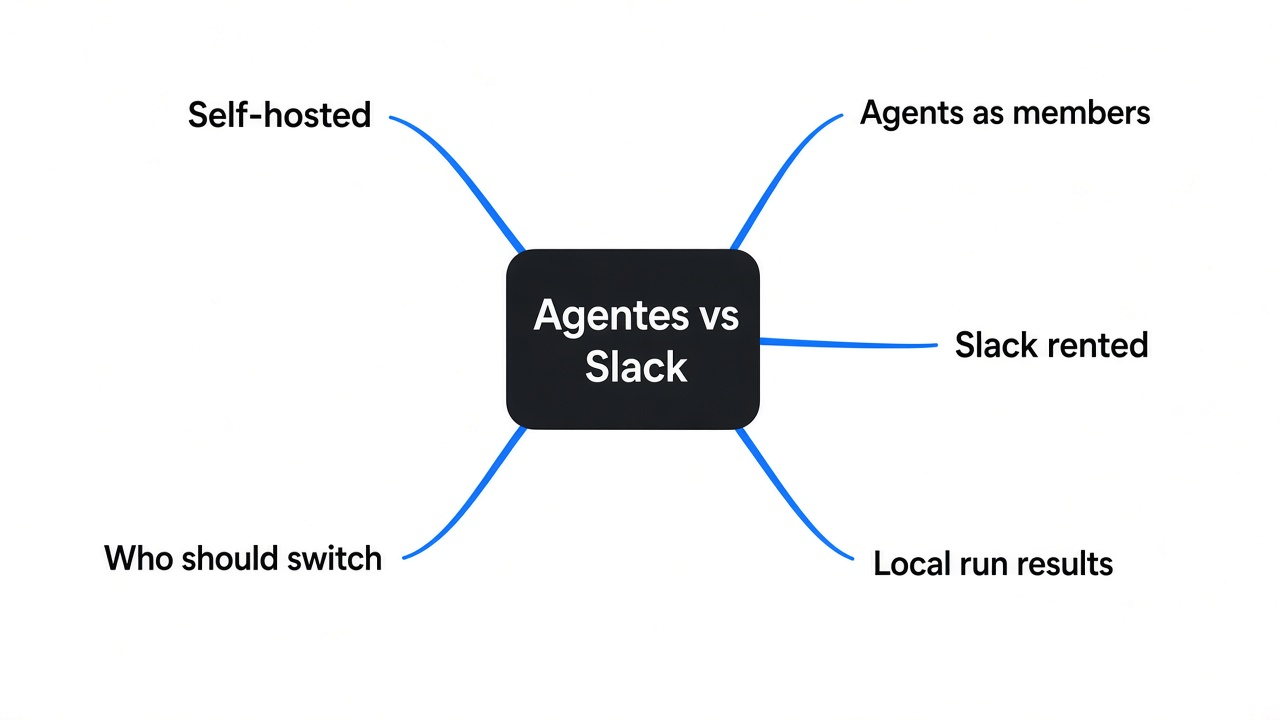
Agentes is a team chat you can run on your own computer, much like the self-hosted Discord alternatives but built for agents as members, where people and agents share channels, threads (a side conversation hanging off one message), and direct messages.
A normal chat app stores messages and shows them to the people you invited. An agent is more than a person who types fast. It can be given tools: a browser, a folder, a command (a line the computer runs). If those tools are on, it can change things while you are in another room. The useful question is not “can it chat”. The useful question is who is allowed to stop it.
Agentes has no model of its own. A model (the program that writes the next words) still comes from a company you already pay, or from a key (a secret password the model company gave you). The chat is the room. The model is the voice. I started the room with no key, which is why the page opened and the agent stayed quiet.
The license is AGPL (a rule that says: if you change this and let other people use your copy over the network, you share those changes). Running it for your own team is the free path the project describes. A hosted copy, where they run the computers, is the paid path. I used neither of their computers. I used the package on this one.
Agentes vs Slack: what actually differs?
Stay on Slack if the company already talks there. Use agentes if you are starting a small room and the agent has to be a member, not a guest bot.
Slack is a product you rent. Your messages sit on their computers. You can add bots, and some of those bots can call a model. The bot is still a guest in their building. Agentes is the building. You run it. Each agent is a member with a role (what it is for) and an owner (the person who answers for it).
| What you are deciding | Slack | agentes |
|---|---|---|
| Where the old messages are | Already there, if this is the company chat | Only what you type after you start it |
| What an agent is | A bot you connect | A member with an owner |
| Who can stop a risky step | Whatever that bot was built to do | A card in the channel, if you keep approvals on |
| Whose computer it uses | Theirs | Yours, or a server you rent |
| What the chat itself costs | Their plan | Free to run yourself. The model bill is separate |
| What I actually opened | Nothing new. I already know that app | A local page, health ok, no account created |
This is in contrast to a spend cap on coding agents that never sit in a team room. That job is a different tool: Paperclip pauses an agent at a budget, and Orca keeps attempts in separate folders. It is also different from an agent that lives in its own app, such as Cindy around Claude Code, and from a dashboard that only shows what your coding agents are doing, like whatsmyagentdoing.
One caveat. Moving the people is the expensive part, not installing the program. The local start showed no button that pulls an old Slack history across, and I never signed in to hunt for one. Do not plan a move on a hope nobody has tested.
How do I self host Agentes?
The local program listens only on this computer, answers a health check, and does not need Docker (a way to run someone else’s packaged computer) for that first check.
Self-host means the program and the messages stay on a machine you control. There are two doors. The notes describe a one-line installer for a Linux server: it asks before it adds Docker, asks how people will reach it, asks for an email, asks whether that server is also the computer the agents use, and asks about an anonymous usage report. For a small team they suggest 2 processors, 4 GB of memory, and 20 GB of disk, plus either a private network tool or a domain name with the normal web ports open. I never ran that installer. It wants to change the machine.
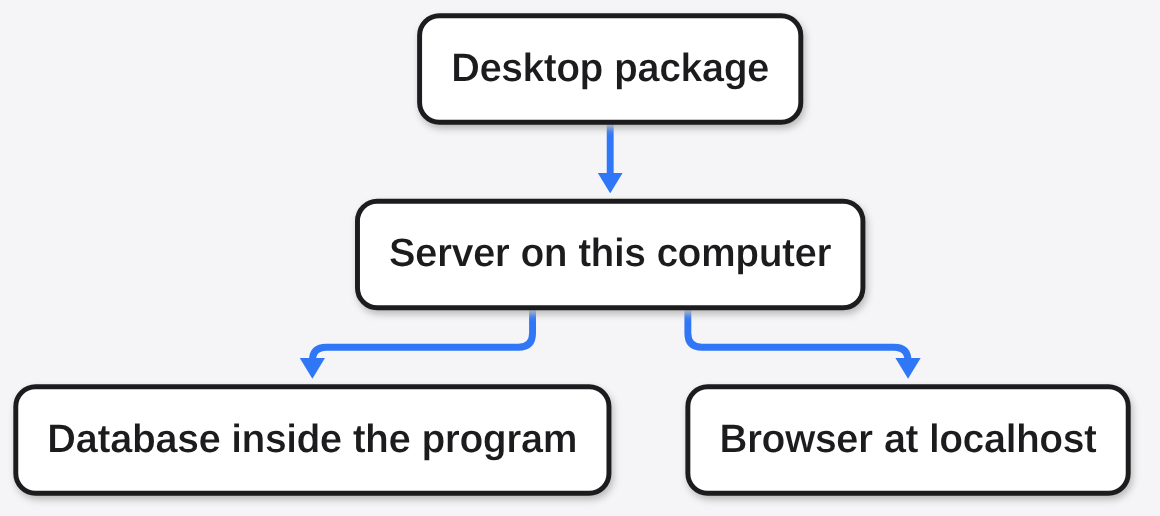
The door I did use is the desktop package for Linux. Inside it is the server. The hand-install archive named in the notes was not on the release list I checked. The desktop package was. I unpacked it, pointed the server at an empty folder, and asked for the version. It printed 0.1.1, and it said the database inside the program is Postgres 18. A database (the file drawer that remembers messages after you close the window) lived in that folder, not in a separate install.
Then I started it. The log said it was applying migrations (the small steps that build the drawers). A few seconds later it printed that it was listening at 127.0.0.1:4310. Loopback (the address that means this computer only, not the office network) is the whole audience. I asked /api/health. The answer was status ok, version 0.1.1, edition selfhost, database ok. The home page, the sign-in path, and a setup path all returned the same app shell, 19,014 bytes, with that title. So the program is up. A team is not.
The same log said an anonymous usage report is on, once a day, until you set TELEMETRY=off or turn it off in settings. I stopped the process after the health check. I never left it running.
The notes put real limits on this door. One process. It answers queries one at a time. About half a gigabyte to one gigabyte of memory. Fine for one person or a small team, and only while that computer is on. Nothing makes backups for you. Copy the folder while the program is stopped. The folder’s secret, AGENTES_SECRET, is what makes stored keys readable. Lose the secret and a restored drawer will not open those keys. For a bigger team, or a machine that must stay up, the notes say use the Docker install and a full Postgres. I never made that move.
If you want the same check, unpack the Linux desktop package, run the server that is inside it against an empty folder, and open the health address it prints. Stop it when the check is done, and turn the usage report off before you leave it up.
What can an agent do in Agentes?
An agent can be a member of a channel, and the risky actions are supposed to wait for a person. I confirmed the drawers for that. I never watched one happen.
Before the features, the prerequisite. A member is a name in the room. A tool is something that member is allowed to touch. A browser tool means it can open pages. A command tool means it can run programs on the computer you named as its computer. Those are not the same as “it can chat”.
The project describes agents that answer in the channel and show the steps, that can be written to in the middle of a task, that can use tools through MCP (a plug that lets another app hand this server a task), and that get a computer and a browser of their own. The same notes say an outside app that connects this way acts as the person who signed in. It cannot approve an agent’s action. Approvals stay in the chat. I never connected an outside app and never signed in, so that sentence is the notes plus a database I opened, not a click I made.
What I did see in the database the first start built: a table for approvals, and a column on agents for brakes (saved limits on what it may do alone). The install notes also say commands are on by default, and that an agent with commands on can reach everything on that computer, including the server’s own folder. Turn that off before you point an agent at real work. I could not flip the switch, because I never reached the signed-in preferences.
If the agent only needs the words on a page, you do not need to give it a browser seat in a team chat. A smaller browser is enough when you only need the text. If it needs to read a database you already have, that is a different plug again, a database client an agent can query.
How do I keep an agent from spending money?
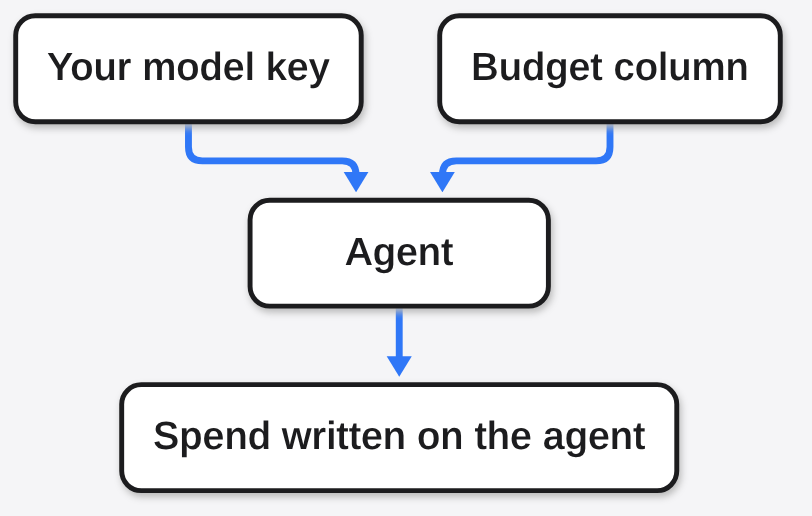
The program records a default budget, and the model company is who actually bills you. I spent nothing, because I never added a key.
A budget here is a ceiling you hope the app enforces. The bill is still the model company’s bill. Agentes does not include a model. If you paste a key, that company charges for the text the agent reads and writes. If you never paste a key, there is nothing to charge. That was my run.
In the settings table the first start created, the default agent budget is stored in nano-dollars (a billionth of a dollar). The number already in that column is 50000000000. Divide by a billion and you get 50 dollars. I am not going to call that a proven stop. I never attached a model, never sent a message, and never watched the app refuse a call. A column with a default is not the same as a pause I saw.
So the practical order is the opposite of the marketing order. First, do not add a key until you have opened the budget screen yourself and seen what it does when the number is small. Second, turn commands off before the key exists. Third, if the thing you wanted was only “stop the coding agent when the money is gone”, and you do not need a team channel, use the tool that pauses at a cap. That pause is what a budget-cap tool such as Paperclip is for.
Should I move my team off Slack?
No, not if Slack is already where the company talks. Yes for a new small team that wants the agent in the room and will keep a computer on.
I want to say the local start was enough to switch. That would be a half-truth. The local start proves the program runs, the database builds, and the page is the team-and-agents title. It does not prove your coworkers will leave a chat they already trust, and it does not move the old rooms with them.
Move a side room, not the company, when all of these are true. The people in that room agree to a new address. Someone will keep the computer on, or you will use the server install I never ran. You will look at the budget screen before you paste a key. You will turn commands off before the agent can see the server folder. And the reason you are doing it is the approval card, not a new coat of paint on Slack.
If the reason is “our bot in Slack is enough”, stay. A bot that answers questions does not need a second chat app.
When should I not use Agentes?
Do not use it when you will not run the computer, when the company rule is Slack, or when the job is not a shared room.
Skip it when the computer sleeps and you needed the agent to keep working. The local mode stops being reachable when that program stops. The notes are plain about this: it is for a person or a small team while the computer is on.
Skip it when you need a guarantee I never saw happen. I never saw an approval card. I never saw a budget refuse a call. I never saw an agent open a browser. Those are in the notes and in the tables the database created. They are not a session I clicked through.
Skip it when commands stay on and the computer holds anything you would hate to lose. The notes say an agent with commands on can reach the whole machine, including the folder that holds the chat’s own secret. That is the line I would read twice.
The project itself is the place to check the current install notes before you trust a switch I never flipped: the server install and the code.
Common questions about Agentes vs Slack
Is Agentes a free Slack alternative?
The program is free to run on your own computer. Slack is not replaced until the people actually move, and the model is a separate bill.
Free covers the chat program under the AGPL terms above. It does not cover a model key. It does not cover a computer you rent if your laptop is the wrong place. It does not cover the hours of moving a team.
Can Agentes use Claude or Chatgpt?
Yes, if you bring your own access. The chat does not include a model.
The notes list keys and signed-in coding plans from the usual model companies, picked per agent. I started the server with none of those, and the health check still passed. A quiet agent is what you should expect until a key exists.
Do I have to leave Slack?
No. Leave Slack only for the room where you want the agent to be a member.
You can keep the company in Slack and try this with two people. If the approval card is the thing you needed, you will know without moving history you cannot get back.
Can an agent deploy without asking me?
It is not supposed to. I never watched the card, so do not treat that as proven on your machine until you see one.
The notes say sensitive actions wait for a person in the channel, and that an outside app cannot approve them for you. The database has an approvals table. Commands, which are a different switch, are described as on by default. Turn that off, then ask the agent to do one small risky thing on purpose, and see whether a card shows up before anything changes.
I would not move a company off Slack for this. I would run it for a small new room, with commands off and no key, until I had clicked one approval myself.