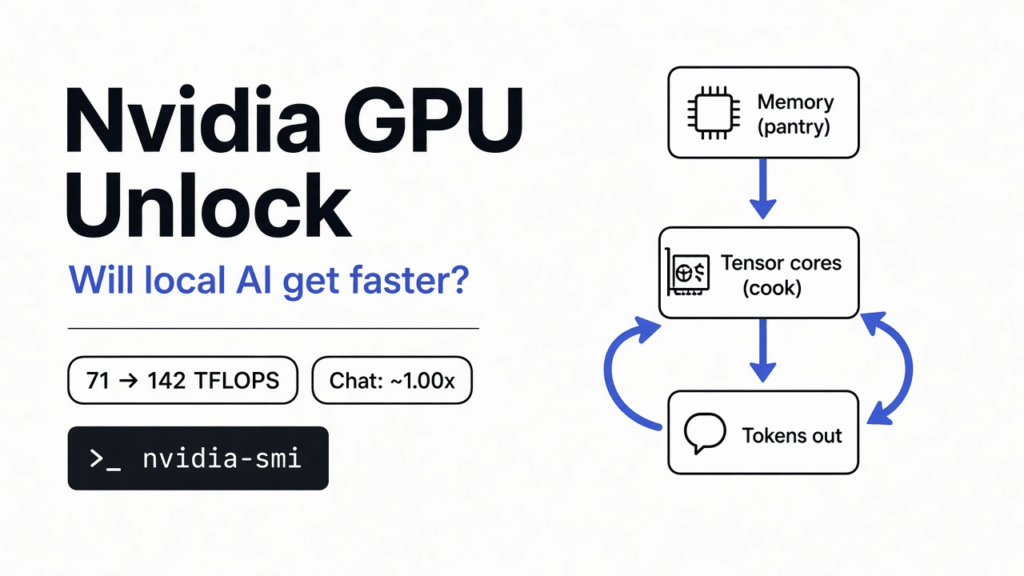
You run a model at home with Ollama. Replies come out at a steady crawl, word by word. Then you see a tool that promises your GeForce card runs AI “at half speed” and a free fix doubles it. Your finger hovers over the install command.
Stop for one minute first. The fix is real. But for the most common home job, chatting with a local model, it changes almost nothing. To see why, you only need one picture: a fast cook and a slow pantry door.
The short answer
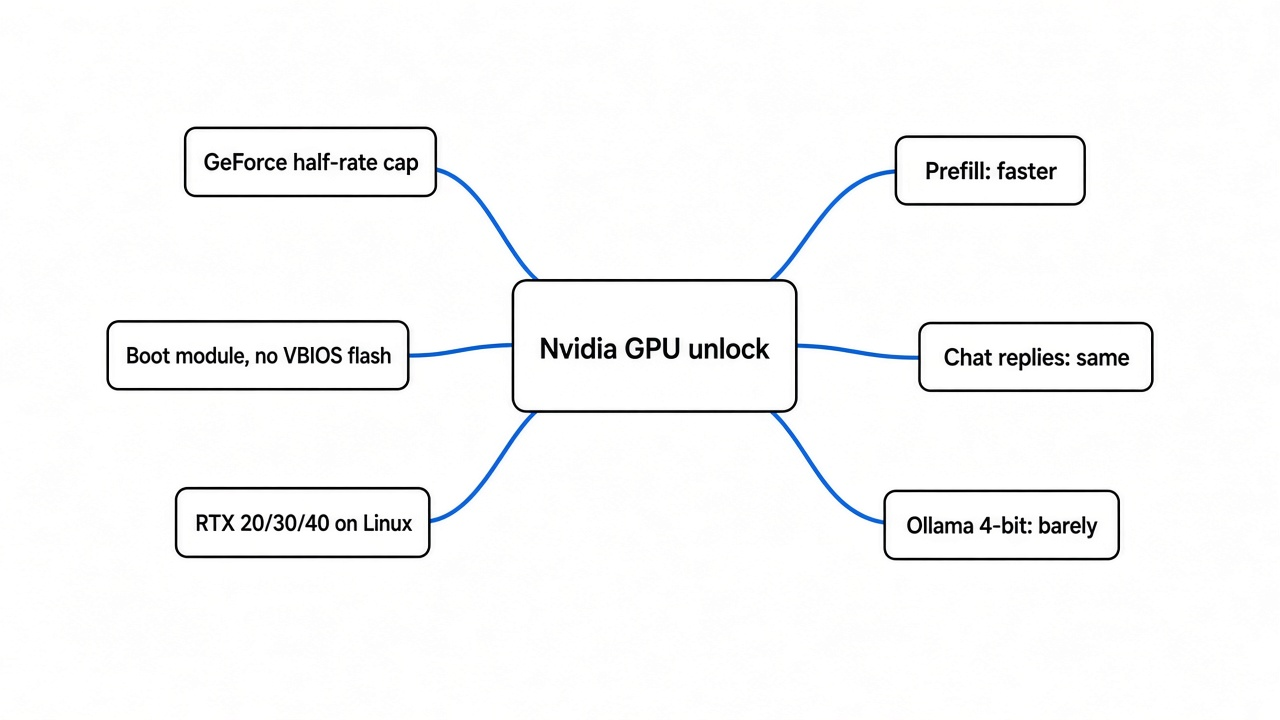
Unlocking speeds up work where the GPU is busy doing math, and leaves work where it is busy fetching data untouched.
Reading a long prompt, generating images and fine-tuning get faster, from about 10% up to around 50% depending on the job, the engine and the card. Writing the reply word by word does not, and most 4-bit models in llama.cpp or Ollama barely move.
It works on RTX 20, 30 and 40 cards under Linux, not on RTX 50.
The rest of this post builds that answer from zero, so you can predict your own result.
What does a GPU do when it runs AI?
Start with the base idea. An AI model is a giant table of numbers called weights (the numbers the model learned during training). Running the model means multiplying your input by those weights, again and again.
That multiplying is matrix multiplication (multiplying two grids of numbers, where each answer cell is a row times a column, added up). A chatbot reply is mostly this one operation, repeated billions of times.
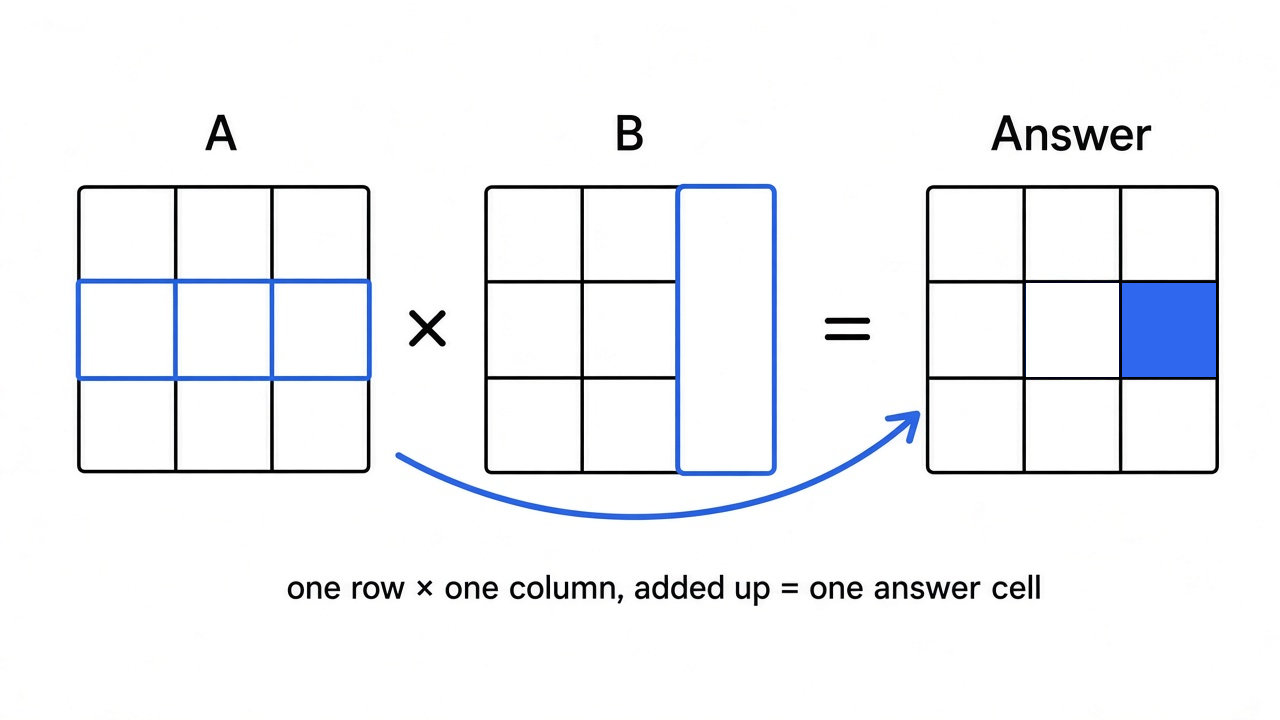
A normal processor does these sums a few at a time. A GPU has thousands of small cores doing them side by side. Nvidia cards also have tensor cores (special circuits inside the GPU built to multiply small grids of numbers in one step). Tensor cores are why a gaming card can run AI at all.
So the question “is my GPU fast?” really means “how fast can its tensor cores multiply grids?” That speed is measured in TFLOPS (trillions of math operations per second).
Why does my GeForce card run some of it at half speed?
To see the cap, you need one more idea: precision (how many digits each number keeps). AI usually stores numbers in FP16 or BF16 (two compact 16-bit number formats that trade some detail for speed and memory). Small numbers are fast, but adding thousands of them can drift.
So the hardware keeps the running total in a bigger format, FP32 (a 32-bit number with more detail). This running total is called the accumulator (the box where the sum of all the row-times-column products collects). “BF16 with FP32 accumulate” means: multiply in small numbers, add up in big ones. Almost all AI training and full-quality inference works this way.
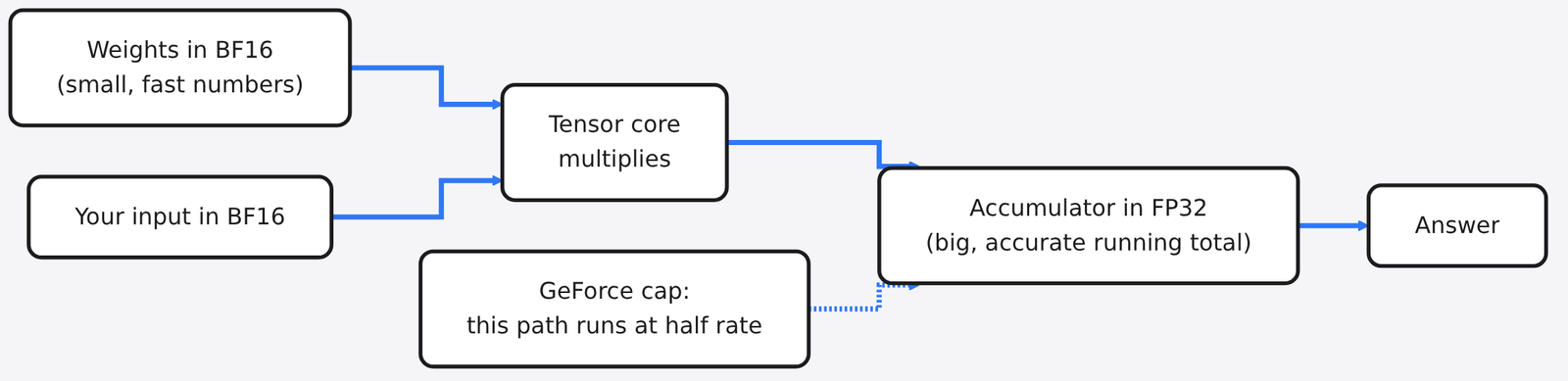
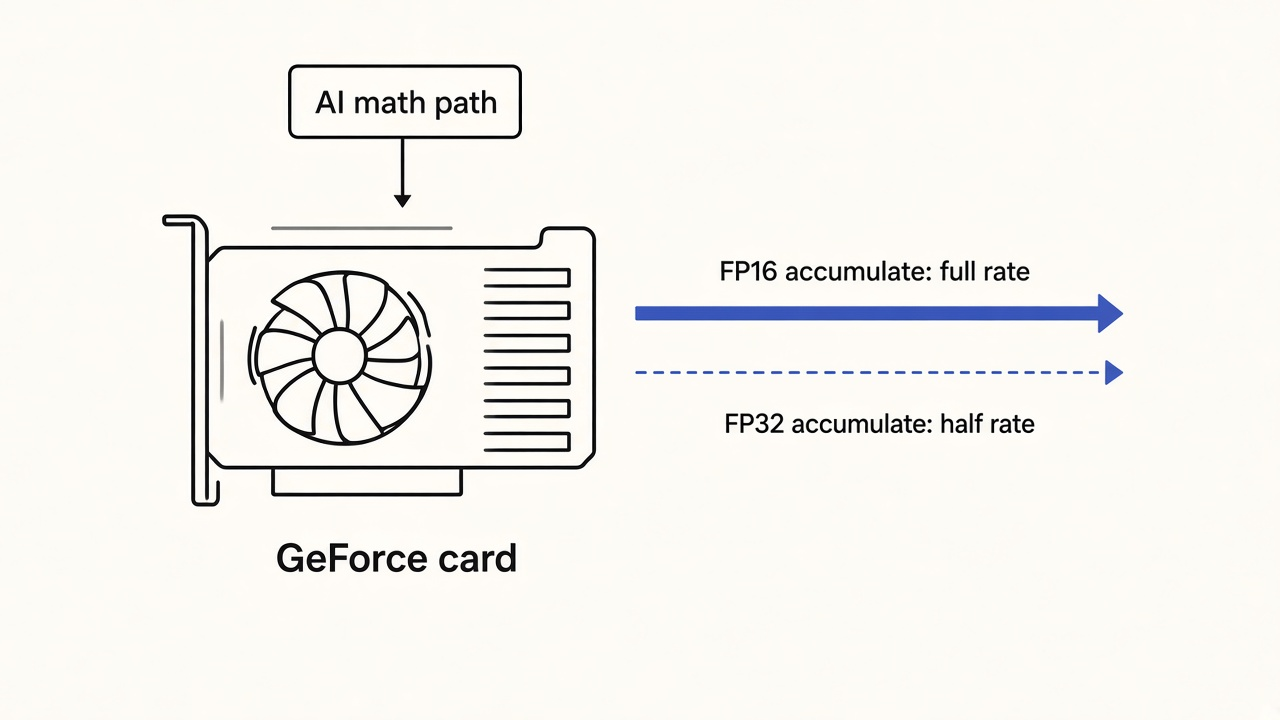
Here is the cap. On GeForce cards, Nvidia runs the “add up in FP32” path at half the rate of the “add up in FP16” path. Nvidia’s own spec sheet for the chip inside the RTX 3090 lists it plainly:
| Tensor math on the GA102 chip | RTX 3090 (GeForce) | RTX A6000 (workstation) |
|---|---|---|
| FP16 multiply, FP16 accumulate | 142 TFLOPS | 154.8 TFLOPS |
| FP16 multiply, FP32 accumulate | 71 TFLOPS | 154.8 TFLOPS |
| BF16 multiply, FP32 accumulate | 71 TFLOPS | 154.8 TFLOPS |
| Memory speed | 936 GB/s | 768 GB/s |
Same family of silicon. The workstation card runs every row at full rate. The GeForce card halves exactly the path AI uses most. The reason is market segmentation (selling the same hardware at different prices by switching features off): businesses that need full-rate AI math pay much more for the workstation version.
What does a GPU unlock actually do?
The tool is an open-source Linux kernel module (a small program that plugs into the core of the operating system and can talk to hardware directly). It loads at boot, before Nvidia’s driver. It writes two speed settings inside the GPU, resets the card, and then hands it to the normal Nvidia driver as if nothing happened.
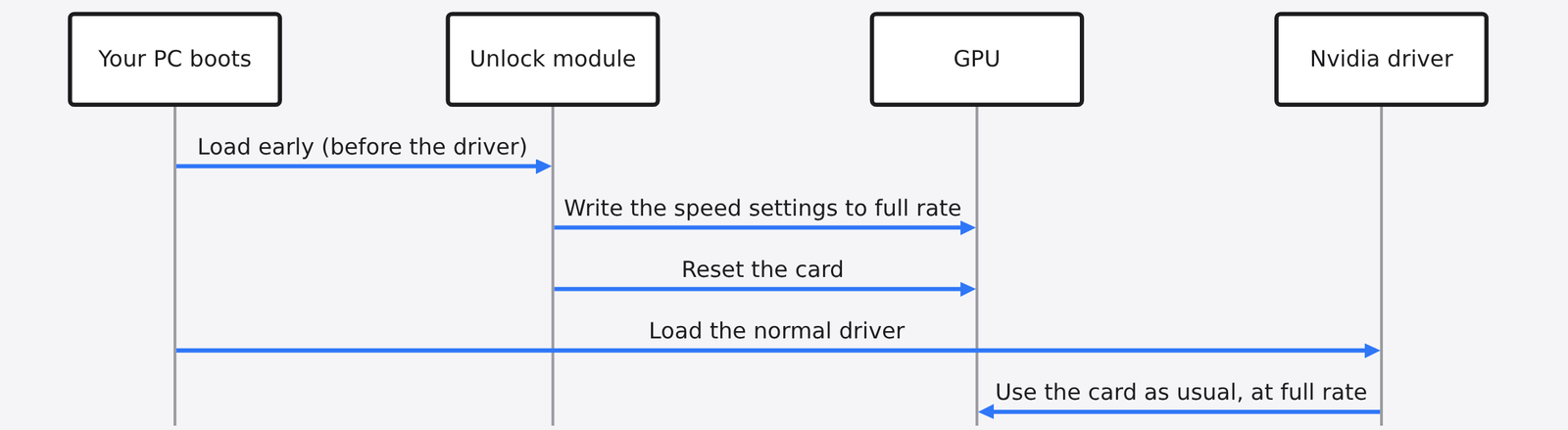
Two things make this safer than older hacks. It does not flash the VBIOS (the permanent firmware stored on the card itself), and it does not patch Nvidia’s driver. Remove one boot option and the next boot is stock again.
The answers also stay the same: tests that hashed the full output of dozens of matrix jobs before and after found every result bit-identical (exactly equal, down to the last binary digit).
Supported cards: RTX 30 is the stable target. RTX 40 and RTX 20 are experimental. RTX 50 is not supported. RTX 20 cards have no BF16 hardware, so only the FP16 and TF32 paths apply there.
The fast cook and the slow pantry door
This is the one picture that predicts your result. Think of your GPU as a kitchen.
The tensor cores are the cook. The unlock makes the cook’s hands twice as fast. The graphics card’s memory is the pantry, and memory bandwidth (how many gigabytes per second the card can move from memory to the cores) is the width of the pantry door.
To answer you, the cook must carry ingredients out of the pantry, then chop. If the cook spends most of the time walking to the pantry, faster hands do nothing. If the cook spends most of the time chopping, faster hands help a lot.
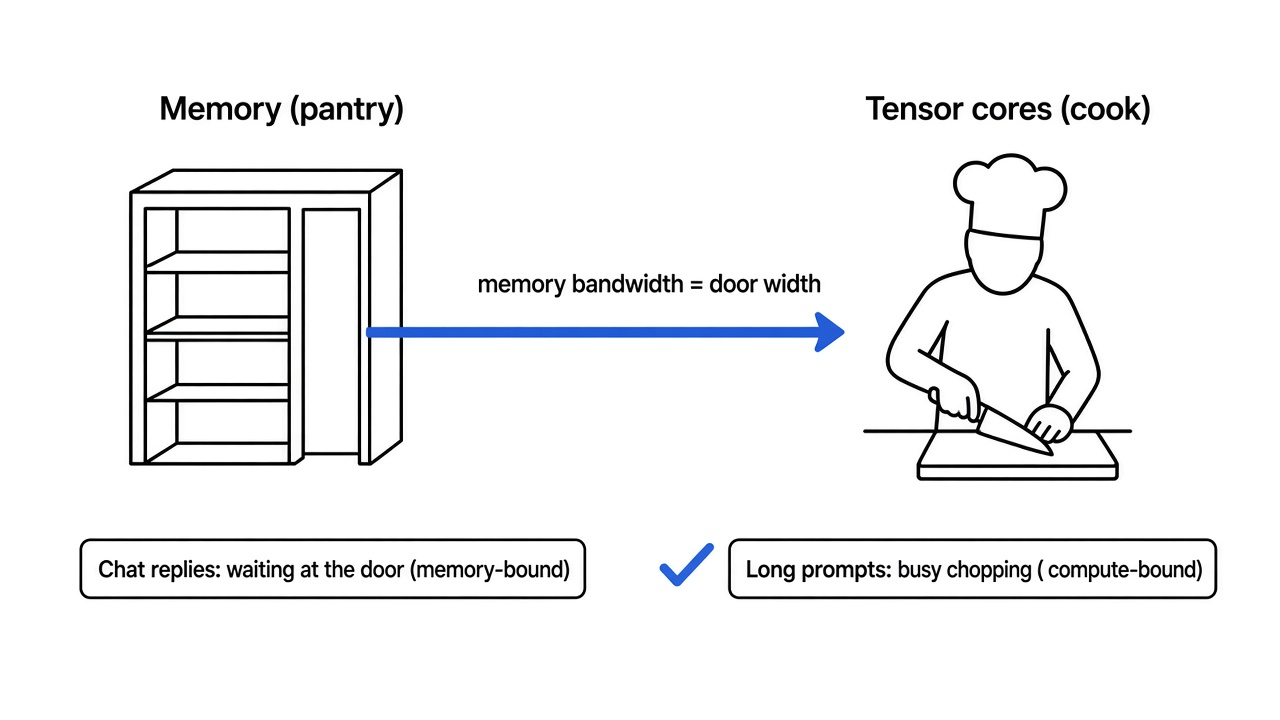
Engineers call this the roofline model (a chart showing whether a job is limited by memory speed or by math speed). A job limited by fetching is memory-bound. A job limited by math is compute-bound. The unlock only helps compute-bound work.
Why chatting with a local model barely changes
Apply the kitchen to a chatbot. A model writes its reply one token (a word or piece of a word) at a time. This phase is called decode. To make each token, the GPU must read every weight in the model once. That is a full trip to the pantry for every single word.
I ran the numbers for an 8-billion-parameter model in BF16 on an RTX 3090, using the card’s official specs. The script is below so you can plug in your own card.
decode (writing 1 token):
  memory time 17.09 ms | math time 0.23 ms -> MEMORY-bound
  best case before 17.09 ms, after unlock 17.09 ms, speedup 1.00x

prefill (reading a 2,000-token prompt):
  memory time 17.09 ms | math time 450.70 ms -> MATH-bound
  best case before 450.70 ms, after unlock 225.35 ms, speedup 2.00x
Look at decode. Fetching takes 17 ms. Math takes a quarter of a millisecond. Doubling the cook’s speed saves a fraction of that quarter millisecond. Real tests agree: on an unlocked RTX 4080, token generation moved by 0.1% in llama.cpp and 0.9% in another engine.
Prefill (the phase where the model reads your whole prompt before answering) is the opposite. All 2,000 prompt tokens share one trip to the pantry, so the math piles up. That phase is compute-bound, and that is where the unlock earns its keep.
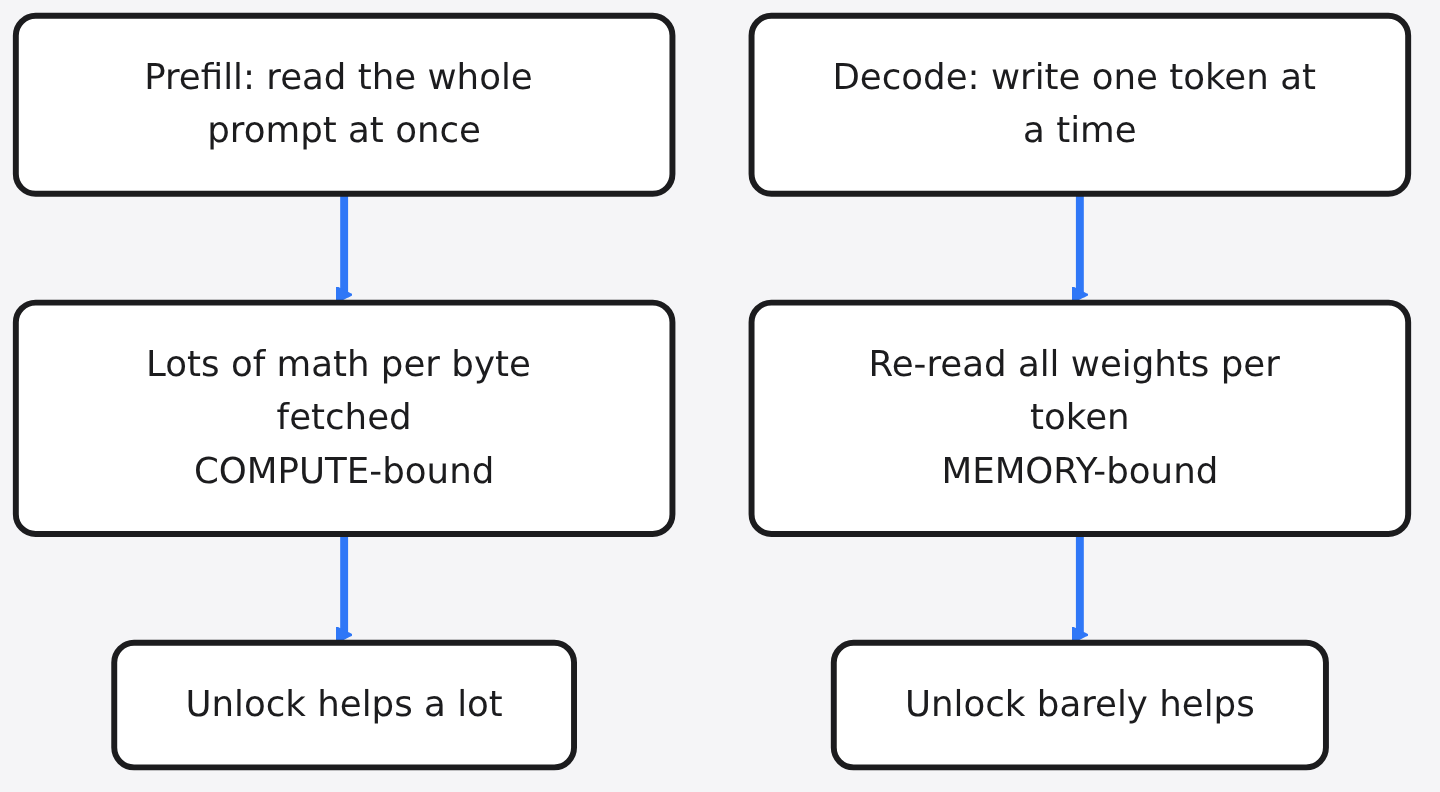
One more catch for Ollama users. Most home models are quantized (squeezed into 4-bit or 8-bit numbers so they fit in less memory). llama.cpp (and Ollama, which is built on the same GGML library) often does that math on the INT8 path (whole-number 8-bit math), which was never capped.
So even its prefill barely moves: about half a percent in that same RTX 4080 test, while BF16 engines gained 9 to 12% on long prompts.
Which jobs actually get faster?
Here is the pattern, from the tool’s own reports plus independent tests. Treat the ranges as typical, not promised.
| Job | Typical result after unlock | Why |
|---|---|---|
| Reading long prompts (BF16/FP16 engines like vLLM, PyTorch) | about 10 to 55% faster, depending on engine and card | Compute-bound |
| Fine-tuning and LoRA in BF16 | about 25 to 50% faster | Compute-bound |
| Image generation in FP16/BF16 (ComfyUI, SDXL) | about 30 to 55% faster | Compute-bound |
| Video generation in BF16 | about 15 to 20% faster | Partly compute-bound |
| Chat replies, word by word | no real change | Memory-bound |
| 4-bit GGUF in llama.cpp or Ollama | 0 to 15%, mostly at long context | Uses uncapped INT8 math |
| INT8, FP8 or INT4 models, gaming | no change | Never capped |
Notice that raw matrix speed jumps far more than real jobs do. A real job also does attention, data shuffling and other steps the cap never touched. And big cards like the RTX 4090 hit their power limit before they reach the higher math limit, so their real gains land well under double.
Is it safe to unlock my GPU?
Here is the honest version. The card’s own heat and power protection stay on, and the change disappears when you remove the boot option. Hardware damage is considered unlikely.
Still, the sister project for RTX 20 cards warns that full-load tensor work draws a lot of power and may damage hardware. The warning on one Windows port lists boot failure, lost display and data corruption as possible risks. Treat it as experimental.
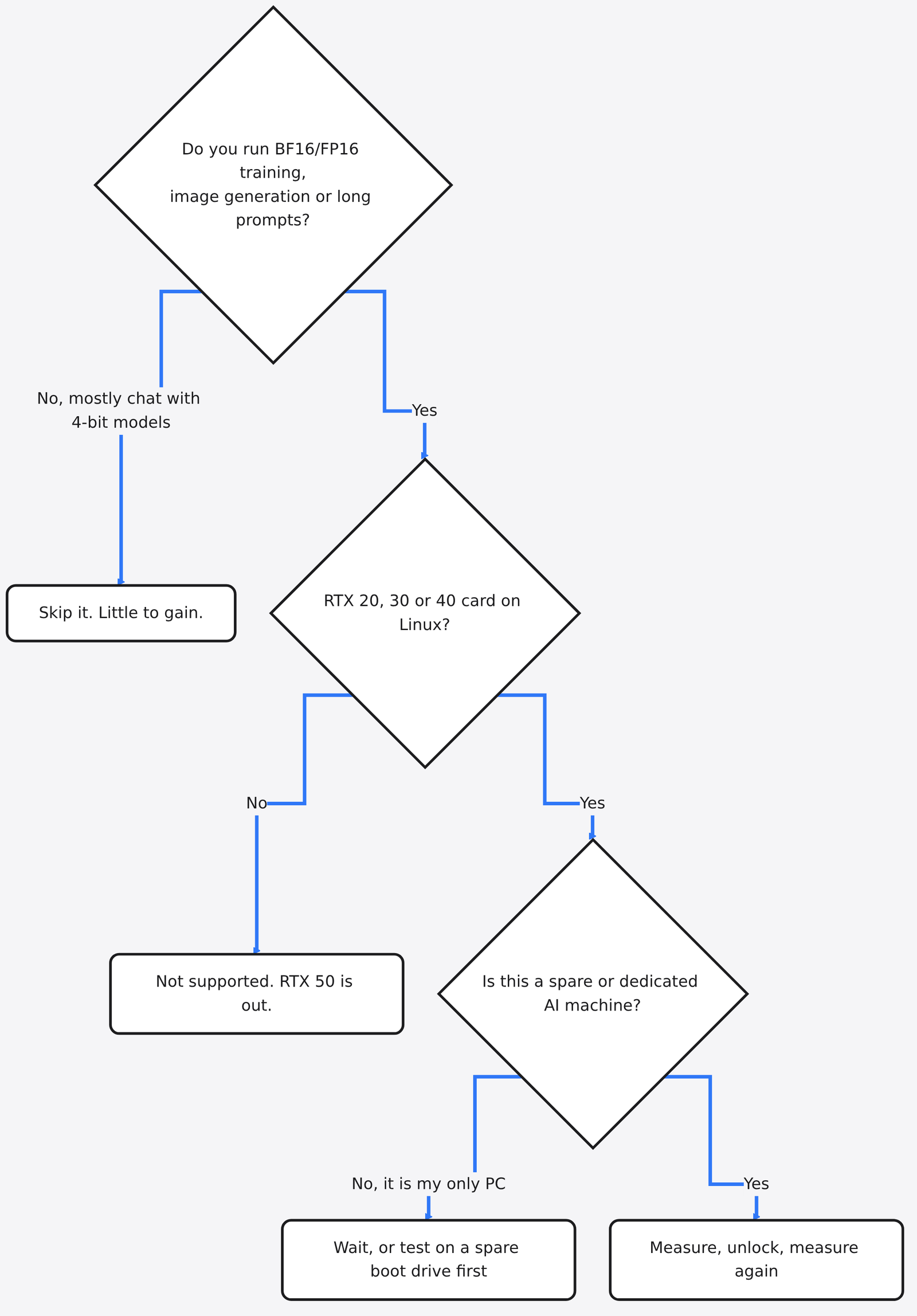
Three practical traps to know first:
- Windows is not official. The original is Linux only. Community Windows ports exist and have been shown working on specific machines. Downloadable “installers” floating around are a classic place for malware to hide, so only build from source you can read.
- Laptops lose it. Many laptops power down the GPU when idle, which silently resets the speed settings.
- Sleep and hibernate. After sleep, the module re-applies the unlock automatically. Hibernation is not covered.
How to test it on your own card
Measure before you believe anyone, including me. This takes about five minutes.
Step 1. Predict. Save this as will_unlock_help.py, change the four numbers at the top to your card and model, and run it. If it says MEMORY-bound for the job you care about, stop here.
# Will a tensor-core unlock speed up my AI job? A back-of-envelope roofline check.
BANDWIDTH_GBS = 936      # your card's memory bandwidth in GB/s (RTX 3090 = 936)
STOCK_TFLOPS  = 71       # BF16 tensor speed with FP32 accumulate (RTX 3090 = 71)
UNLOCK_TFLOPS = 142      # double the stock number: the rate the unlock aims for
PARAMS_B      = 8        # model size in billions of parameters
BYTES_PER_W   = 2        # 2 = FP16/BF16 weights, about 0.56 = 4-bit GGUF

def step_ms(tokens, tflops):
    weights_gb = PARAMS_B * BYTES_PER_W            # read every weight once per step
    mem_ms = weights_gb / BANDWIDTH_GBS * 1000
    flops = 2 * PARAMS_B * 1e9 * tokens            # about 2 operations per weight per token
    math_ms = flops / (tflops * 1e12) * 1000
    return mem_ms, math_ms, max(mem_ms, math_ms)    # the slower side sets the pace

for label, tokens in [("decode (writing 1 token)", 1), ("prefill (a 2,000-token prompt)", 2000)]:
    m, c, before = step_ms(tokens, STOCK_TFLOPS)
    _, c2, after = step_ms(tokens, UNLOCK_TFLOPS)
    bound = "MEMORY" if m > c else "MATH"
    print(f"{label}: memory {m:.2f} ms, math {c:.2f} ms -> {bound}-bound, "
          f"best-case speedup {before/after:.2f}x")
This is a best-case model. It ignores attention and other overheads, so real gains land below its number, never above.
Step 2. Measure the stock speed. With PyTorch installed, run this once and write down the number.
import time, torch
dev = "cuda" if torch.cuda.is_available() else "cpu"
n = 8192 if dev == "cuda" else 1024
a = torch.randn(n, n, device=dev, dtype=torch.bfloat16)
b = torch.randn(n, n, device=dev, dtype=torch.bfloat16)
for _ in range(3): a @ b                                  # warm-up
if dev == "cuda": torch.cuda.synchronize()
runs = 20 if dev == "cuda" else 3
t = time.perf_counter()
for _ in range(runs): c = a @ b
if dev == "cuda": torch.cuda.synchronize()
sec = (time.perf_counter() - t) / runs
print(f"{dev}: {2 * n**3 / sec / 1e12:.1f} TFLOPS (BF16 matmul, {n}x{n})")
Step 3. Unlock, then measure again. Follow the install steps in the project’s README, which add one option to your boot settings. After reboot, check the log with journalctl -k -b | grep gpu_unlock, then rerun Step 2. Then time the job you actually care about, because that number is the only one that matters.
Step 4. Undo if you want. Remove the gpu_unlock.targets= option from your boot settings and reboot. The card is stock again.
So is it worth it for you?
If you train, fine-tune, generate images or feed long documents into a BF16 model, yes, it is one of the rare free speedups left in consumer hardware. Test it on a machine you can afford to have misbehave.
If you mostly chat with a 4-bit model in Ollama, it is not. Your bottleneck was never the cook. It was the pantry door, and no software unlock makes that door wider.
Common questions about the Nvidia GPU unlock
Does a GPU unlock make Ollama faster?
Barely. Writing replies is limited by memory speed, and 4-bit models mostly use INT8 math that was never capped, so expect 0 to 15% at best, mostly on long prompts.
Does unlocking change the model’s answers?
No. Tests that hashed full outputs before and after found them bit-identical. Only the speed changes.
Does it work on RTX 5090 or other RTX 50 cards?
No. RTX 50 cards are not supported, and support is described as unlikely.
Will it improve gaming FPS?
No. Games run on regular FP32 cores and do not use the capped tensor path.