
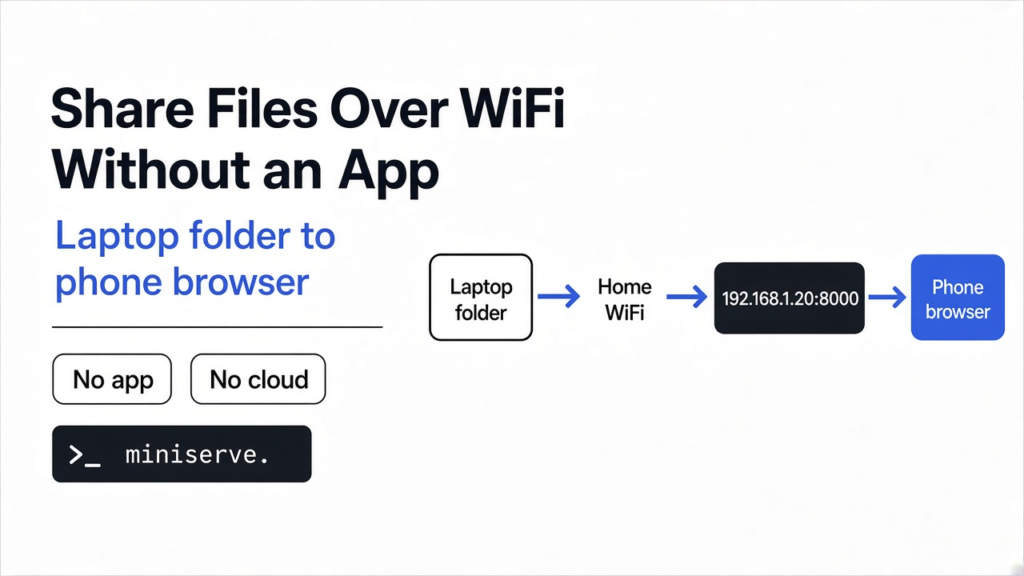
Short answer: here is how to share files over a local network with no app: open a terminal in the folder you want to share and run python3 -m http.server 8000. Any phone or laptop on the same WiFi can open http://YOUR-IP:8000 in a browser and download the files. Need uploads, a password or a QR code? Use miniserve, a free single-file tool that adds all three.
You need a 2 GB video on your phone, and the USB cable is somewhere else. Uploading it to a cloud drive just to download it again a meter away feels silly. It is slow, and your file passes through someone else’s server for no reason.
There is a simpler path. Your laptop and your phone already sit on the same WiFi, so they can talk to each other directly. All you need is one program on the laptop that hands out files, and the browser your phone already has.
That is the whole idea of this post: the other device only needs a browser. Everything below is about doing that safely.
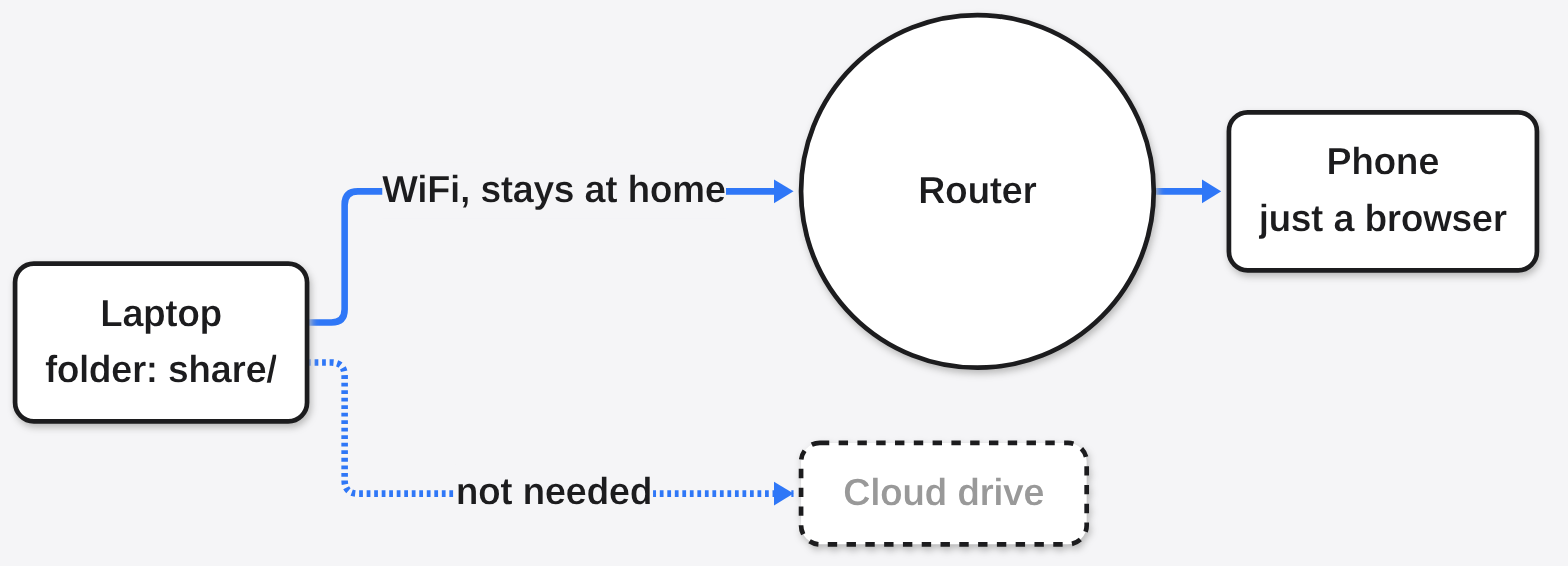
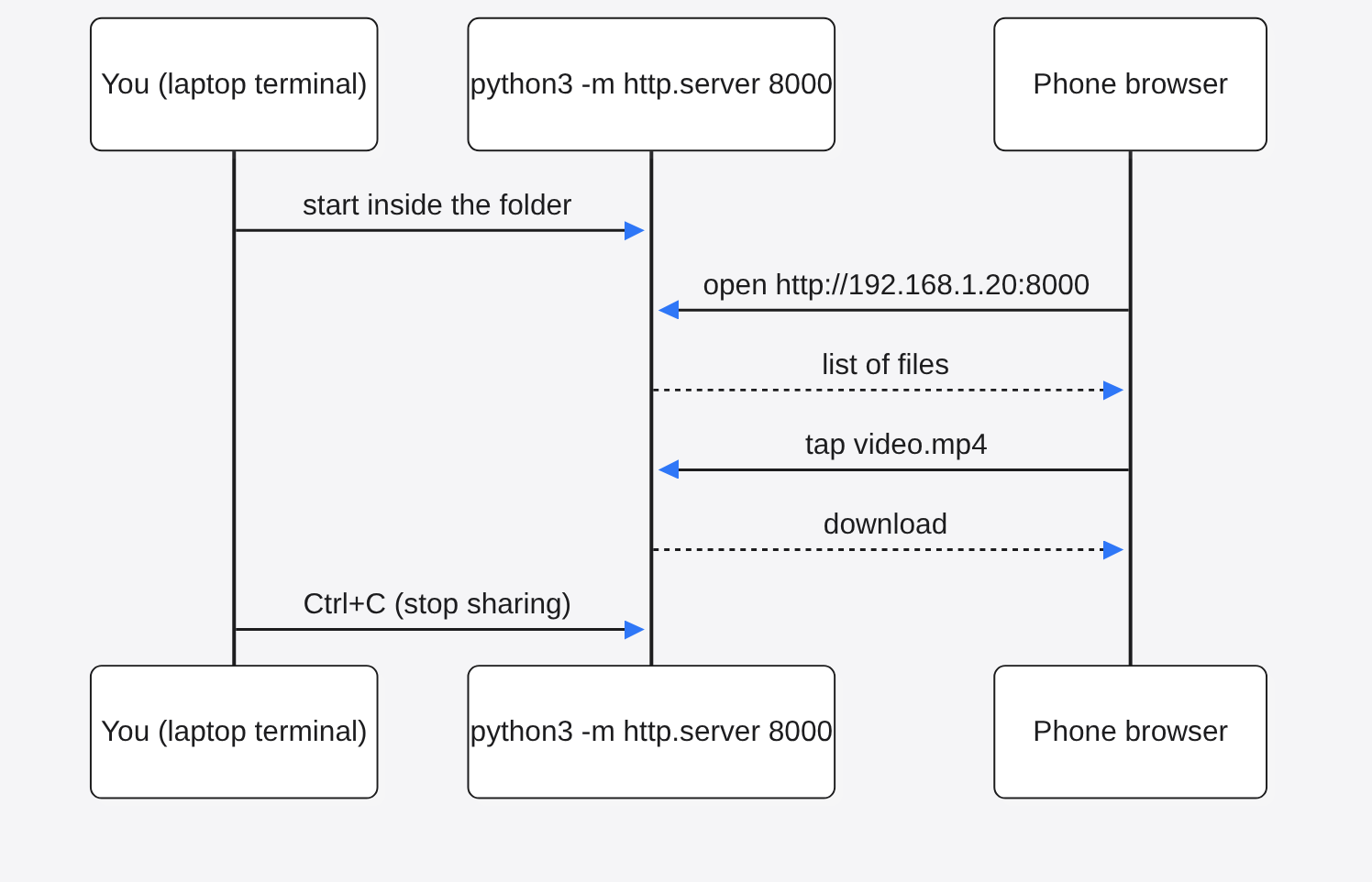
Laptop to router to phone. The cloud is skipped entirely.
How can my phone download files straight from my laptop?
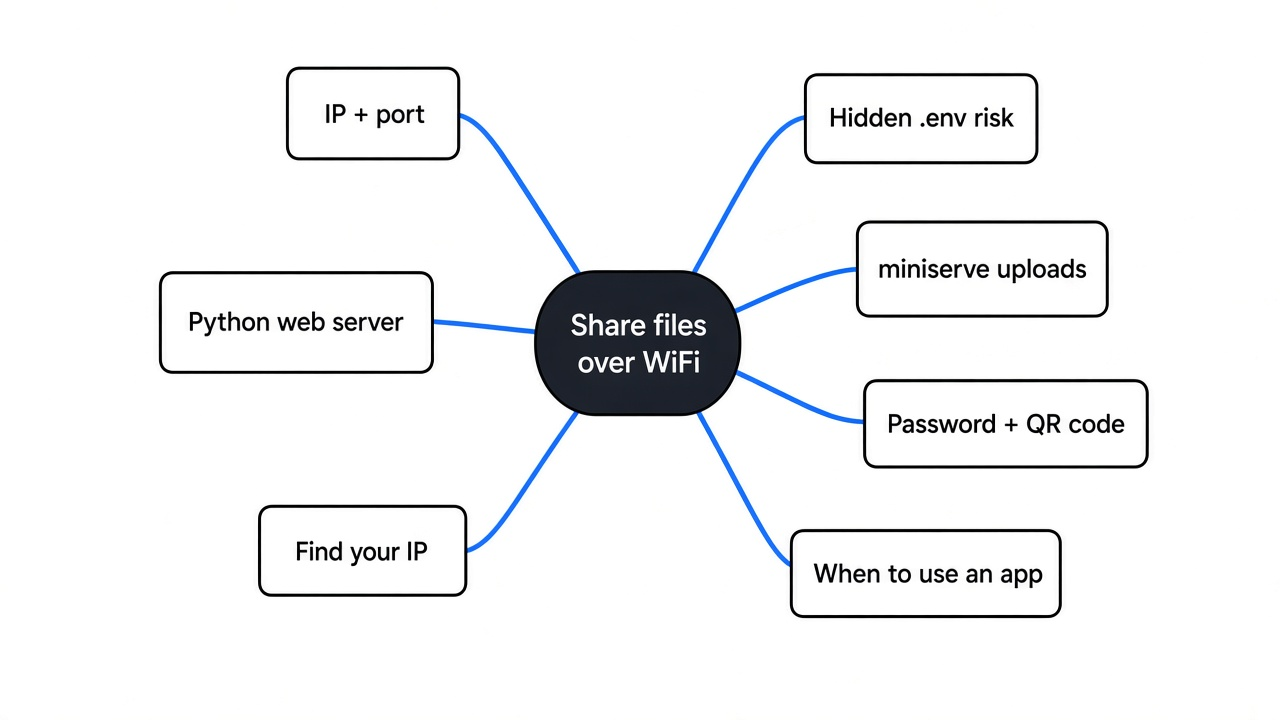
Your WiFi router already connects every device at home, so one device can serve files to another.
Start with the base fact. Every device on your WiFi gets an IP address (a number like 192.168.1.20 that works like a house number on your street). Devices on the same network can reach each other by that number.
Now build on it. A program can wait on a port (a numbered door on that address, like apartment 8000) and answer anyone who knocks. When a browser knocks, the program replies with a list of files. That program is called a web server, and it does not have to be big.
So your laptop becomes a tiny website for ten minutes. Your phone visits it, taps a file, and the download goes laptop to router to phone. Nothing leaves your home.
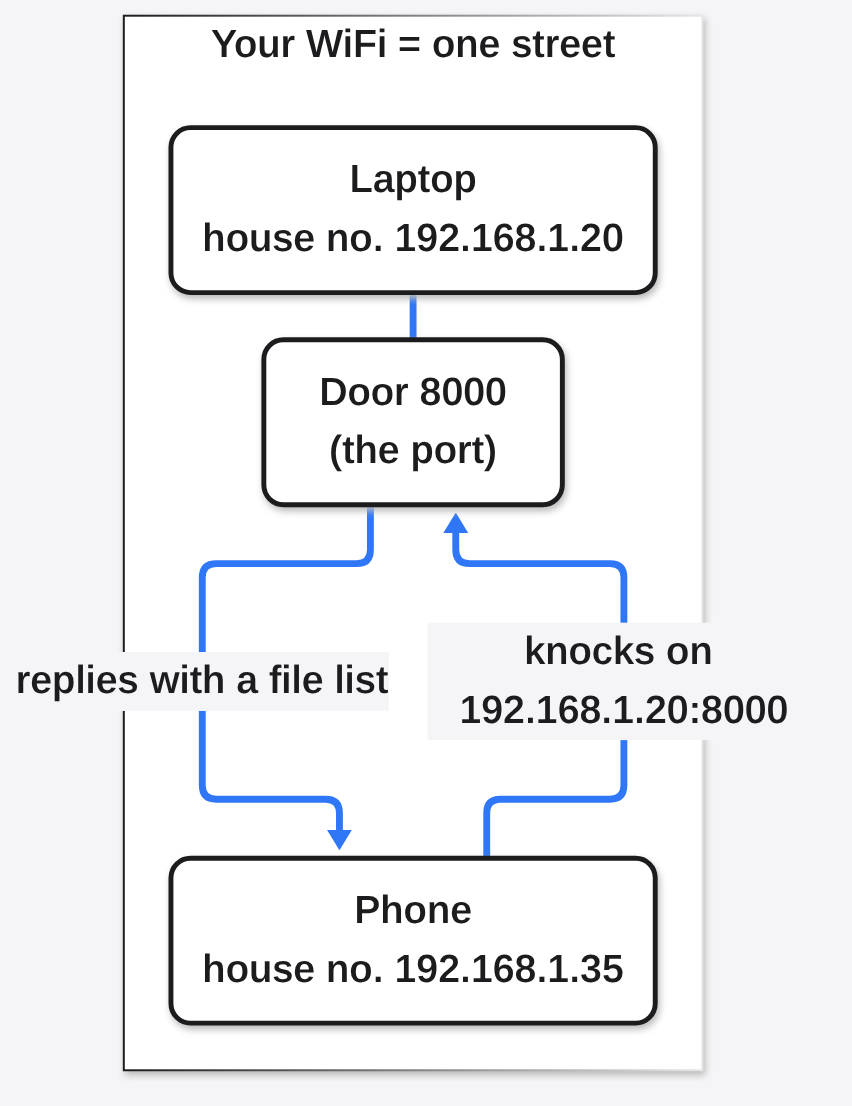
IP address = house number. Port = the door. The server answers whoever knocks on that door.
What is the fastest way to start?
If Python is on your computer, you already have a file server built in.
Most Linux systems ship with Python. On a Mac, the first python3 may offer to install Apple’s developer tools; say yes and run it again. On Windows, install Python once from python.org, then type py instead of python3.
- Open a terminal in the folder you want to share.
- Run
python3 -m http.server 8000 - Find your laptop’s IP address (next section).
- On your phone, open the browser and type
http://192.168.1.20:8000with your own IP. - Tap a file to download it. Press Ctrl+C on the laptop when you are done.
I ran exactly this to test it. The browser showed a plain list of files and folders, and a 5 MB test file came through in full on the first try. On Windows, a firewall box may pop up the first time. Allow it on private networks only.
How do I find my computer’s IP address?
You need the local address, the one that usually starts with 192.168 or 10.
That number is what you type on the phone, so it has to be the address inside your home network, not your public internet address.
- Windows: run
ipconfigand look for “IPv4 Address”. - Mac: run
ipconfig getifaddr en0(en0 is usually the WiFi card). - Linux: run
hostname -Iand take the first number.
If the phone cannot open the page, check that both devices are on the same WiFi. Some guest networks block devices from seeing each other on purpose, so the page will never load there.
Is Python’s file server safe to use?
It is fine for a few minutes at home, but it shares more than you think.
Here is what my test turned up, and why each one matters to you.
| What I checked | What happened | Why you care |
|---|---|---|
A hidden .env file in the folder | Listed and downloadable | Hidden files (names starting with a dot, often holding passwords or keys) are not hidden from visitors |
| Who can connect | Every network the laptop is on | On a cafe or office WiFi, strangers can browse the folder too |
| Uploading a file to it | Refused (error 501) | It is download only |
| Resuming a big download | Not supported, sends the whole file again | A dropped 2 GB transfer starts over from zero |
| Asking for a file outside the folder | Blocked (404) | The basic folder fence works |
The .env result is the one to remember. That file is where many projects keep secret keys, and a single tap on a phone would have downloaded it. If you are worried a key already leaked from a project folder, the same habit applies as when you check for a malicious npm package: look before you trust. Python’s own documentation also warns that this server only does basic security checks and is not meant for real use online.
So the rule is simple: share a folder that holds only the files you want to share. Never run it from your project folder or your home folder.
Want it reachable from your own machine only, for testing? Add --bind 127.0.0.1. I tried that too: the laptop could still open the page, and the network address stopped answering.
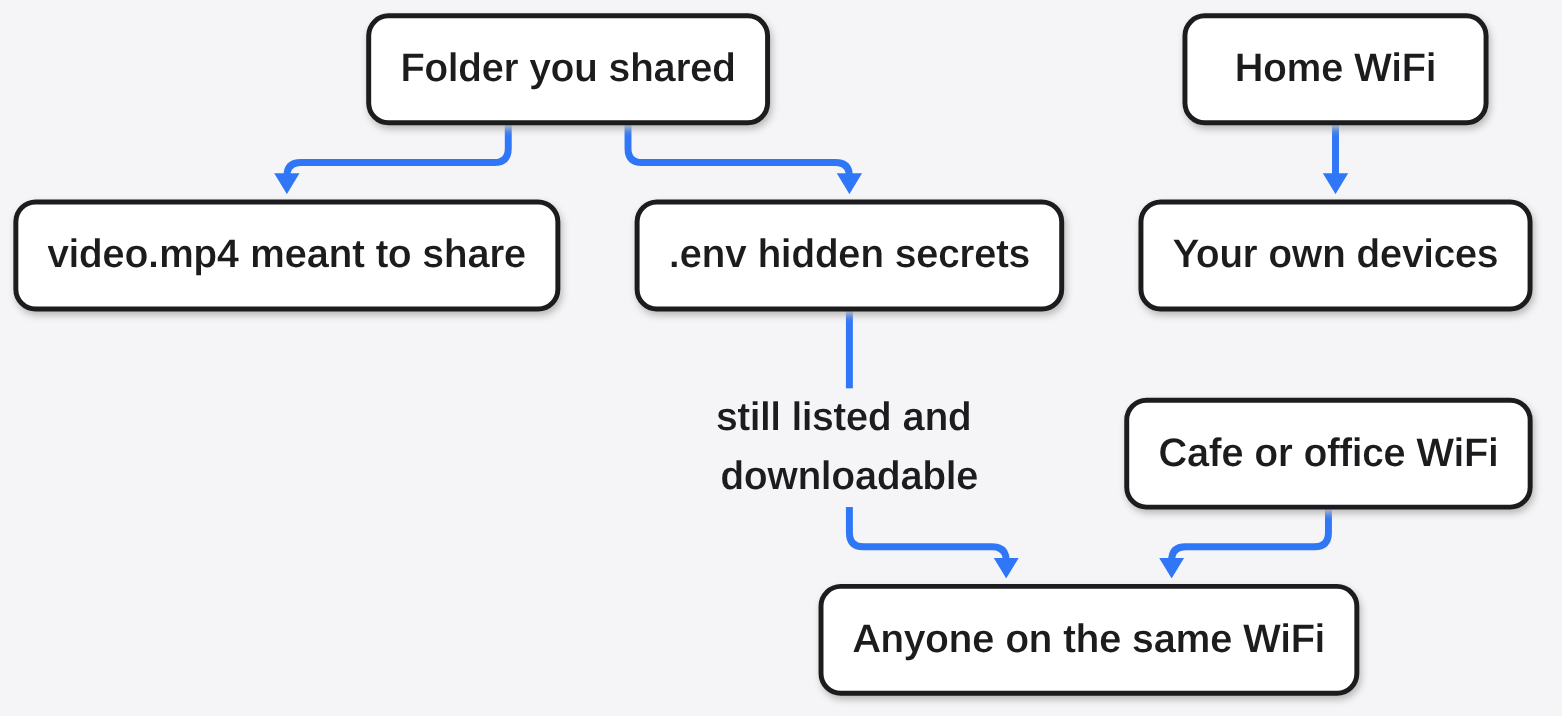
Python’s server hides nothing and talks to every network the laptop is on. Share an empty folder with only the files you mean to send.
What if I want uploads, a password or a QR code?
miniserve does everything Python’s server does, plus the parts it is missing.
miniserve is a free, open source file server that comes as one small program (a single binary, meaning one file with nothing else to install). You point it at a folder, same as before, and it opens a cleaner page in the browser.
The extras that matter for phone sharing:
miniserve -q ./shareprints a QR code in the terminal, so you scan instead of typing an IP.miniserve -u -- ./sharelets the phone upload files back to the laptop.miniserve --auth me:secret123 ./shareasks for a username and password first.- Hidden files stay out of the list unless you add
-H. - Downloads can resume after a drop, because it supports range requests (asking for just the missing part of a file).
- Whole folders can download as one archive with
-z(zip) or-g(tar.gz).
Install it with brew install miniserve on Mac, scoop install miniserve on Windows, or cargo install --locked miniserve if you have Rust. There are also ready-made downloads for Linux, Mac and Windows on its GitHub page. It uses port 8080 by default, so the phone address ends in :8080.
One warning from its own help text: zipping a very large folder happens in memory and can run the laptop out of RAM. For huge folders, share the files instead of the zip.
miniserve was not run for this post: the behavior above comes from its documentation and help text, checked in October 2026. The Python results are from a hands-on test.
Python or miniserve: which should I use?
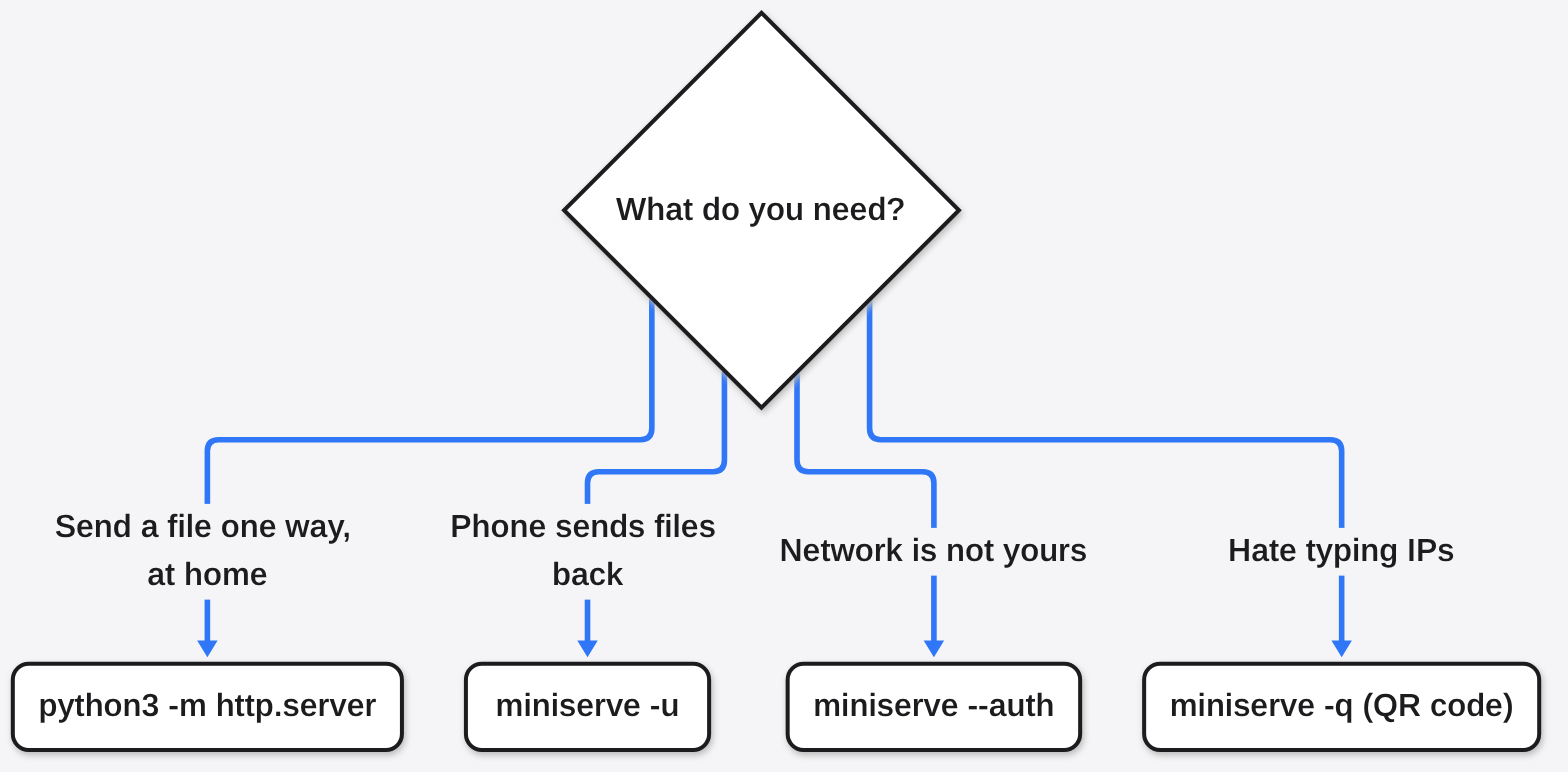
Use Python for a quick one-way share. Use miniserve when the phone needs to send files back or the network is not yours.
| You need to… | Python http.server | miniserve |
|---|---|---|
| Send files to a phone, once | Yes, nothing to install | Yes |
| Get files back from the phone | No | Yes, with -u |
| Lock it with a password | No | Yes, with --auth |
| Skip typing the IP | No | Yes, QR code with -q |
| Resume a broken big download | No | Yes |
| Hide dot files by default | No | Yes |
There is a fair case for never installing anything. Python is already there, and most shares are one file, one direction, at home. That is real. But the first time you need a photo going the other way, or you are on hotel WiFi, the second tool earns its few megabytes.
Either way, the pattern stays the same, which is why it will keep working on any computer you own: one server, one folder, one browser.
When should I use something else?
This trick is for devices in the same room, on the same network, for a few minutes.
If you need to send a file to a friend across the city, a server on your laptop is the wrong tool, because their phone cannot reach your home network. If you share the same folders every day, a proper sync app saves you the typing.
And if you only need to change a file’s format, you do not need to move it at all; see how to convert a file without uploading it or Filee vs CloudConvert.
For one big video, right now, from the laptop to the phone on the couch, the browser is enough.
Make an empty folder. Drop the video in. Run one command.
Common questions about sharing files over a local network
Can I share files between two laptops this way?
Yes. Any device with a browser on the same network works, laptop, phone or tablet. The other laptop just opens the same address.
Does it work without internet?
Yes, as long as both devices are connected to the same router or hotspot. The files never go out to the internet.
Why can my phone not open the page?
Usually the devices are on different networks, a guest WiFi blocks device-to-device traffic, or the laptop’s firewall blocked the port. Check all three in that order.
Is it faster than uploading to the cloud?
Usually, yes. The file only travels across your home network once, instead of up to a server and back down again.



1 comment