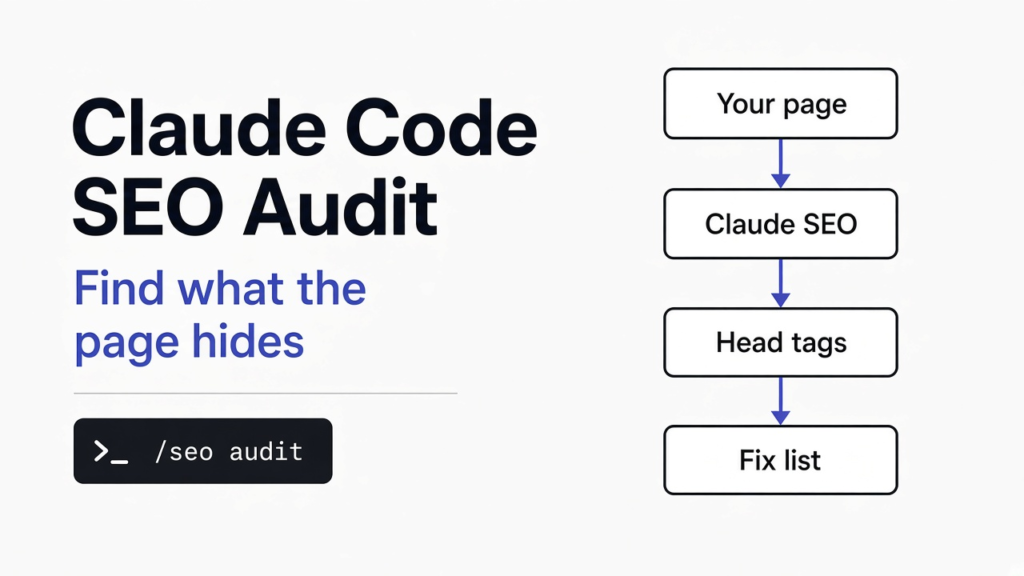
Your site can look fine and still hide the problem that keeps it off page one.
Short answer: Yes. Claude Code can run a full SEO audit (a health check of how easily Google can find, read and show your pages). Add an SEO skill such as the free, open source Claude SEO plugin. It checks titles, descriptions, schema, speed and AI search readiness, then gives you a fix list. You still decide which fixes matter.
[IMAGE 1]
Why does a page that looks fine still rank badly?
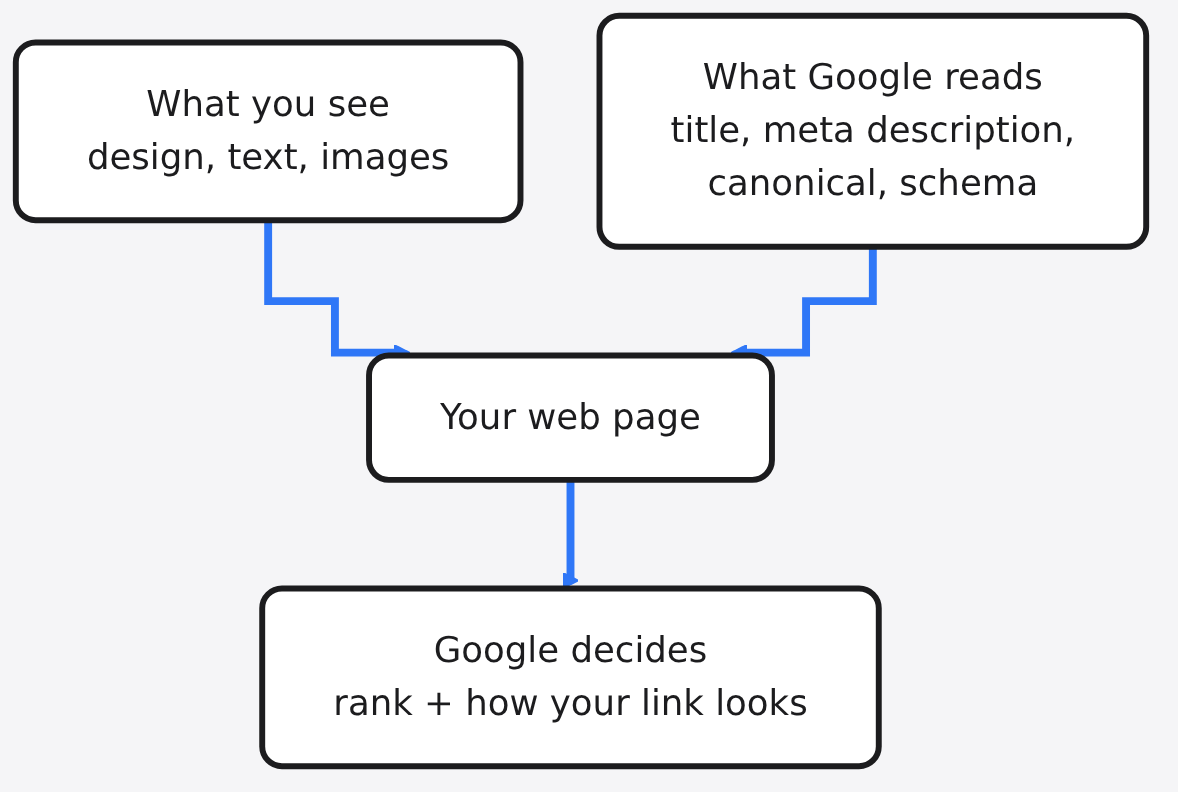
Google does not see your page the way you do. You see the design. Google reads the hidden code under it.
That hidden part is called the HTML head (the top section of a page’s code that visitors never see). It holds the title, the description Google may show under your link, and labels that tell Google what the page is about. If those parts are broken, the page can look perfect and still lose clicks.
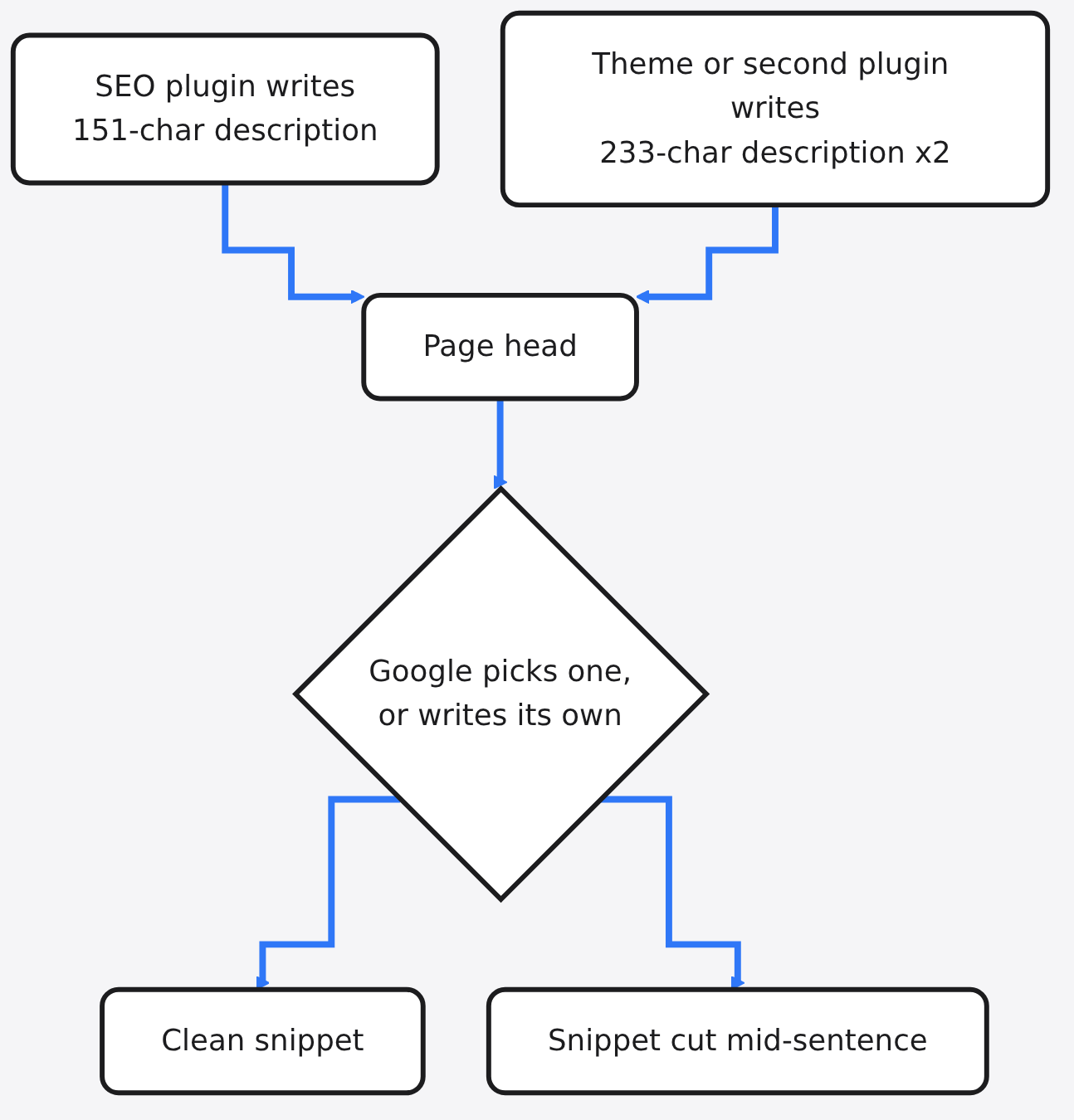
So I ran a simple check on one article on this very site, the one about whether AI can predict stock prices. On screen it looked clean. Underneath, it had three meta description tags (the short summary Google may show under your link) instead of one.
Two were 233 characters long. The good one, a tidy 151 characters, was stuck in the middle. That is the whole point of this post in one picture: a tool can find the problems fast, but only you can decide which ones matter.
What is an SEO audit, from zero?
An SEO audit is a checklist run against your site, the same way a mechanic checks a car. Before we get to Claude Code, here are the parts it checks, one at a time.
Start with how Google works. First it crawls (a robot program visits your page and downloads it). Then it indexes (stores the page in its giant library). Then it ranks (picks the order pages show up for a search). An audit looks for anything that breaks one of those three steps.
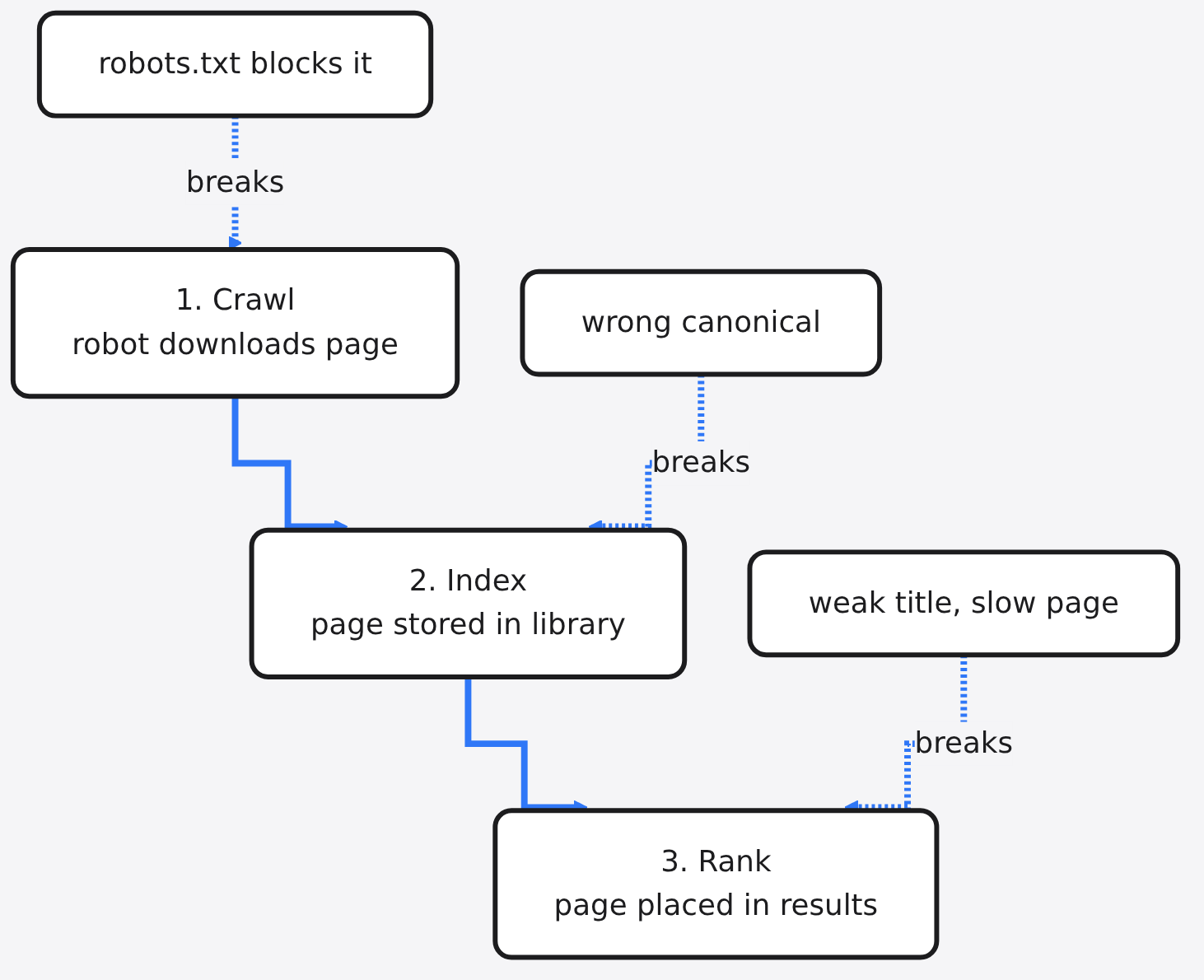
Each step has a few files or tags that control it:
| Part | What it is in plain words | Breaks which step |
|---|---|---|
| robots.txt | A note at your site’s front door telling robots where they may go | Crawl |
| Sitemap | A list of every page you want found | Crawl |
| Canonical tag | A label saying “this is the main copy of this page” | Index |
| Title tag | The blue clickable line in Google results | Rank and clicks |
| Meta description | The grey summary under that blue line | Clicks |
| Schema | Hidden labels that say “this is an article, this is the author” | How the result looks |
| Core Web Vitals | Google’s speed and stability scores for a page | Rank |
Now the hard one. E-E-A-T stands for Experience, Expertise, Authoritativeness and Trustworthiness. It is how Google’s guidelines describe content a reader can rely on. You cannot fix it with a tag. It comes from real tests, real authors and real proof on the page.
What does Claude Code add to an SEO audit?
Claude Code turns a pile of warnings into a plan you can act on. Here is the base you need first.
Claude Code is an AI coding assistant that runs in your terminal. It can open files, run commands and read web pages for you. A skill (a folder of instructions that teaches Claude a specific job) tells it how to do one task well. A plugin (a bundle of skills you install in one step) packs many skills together.
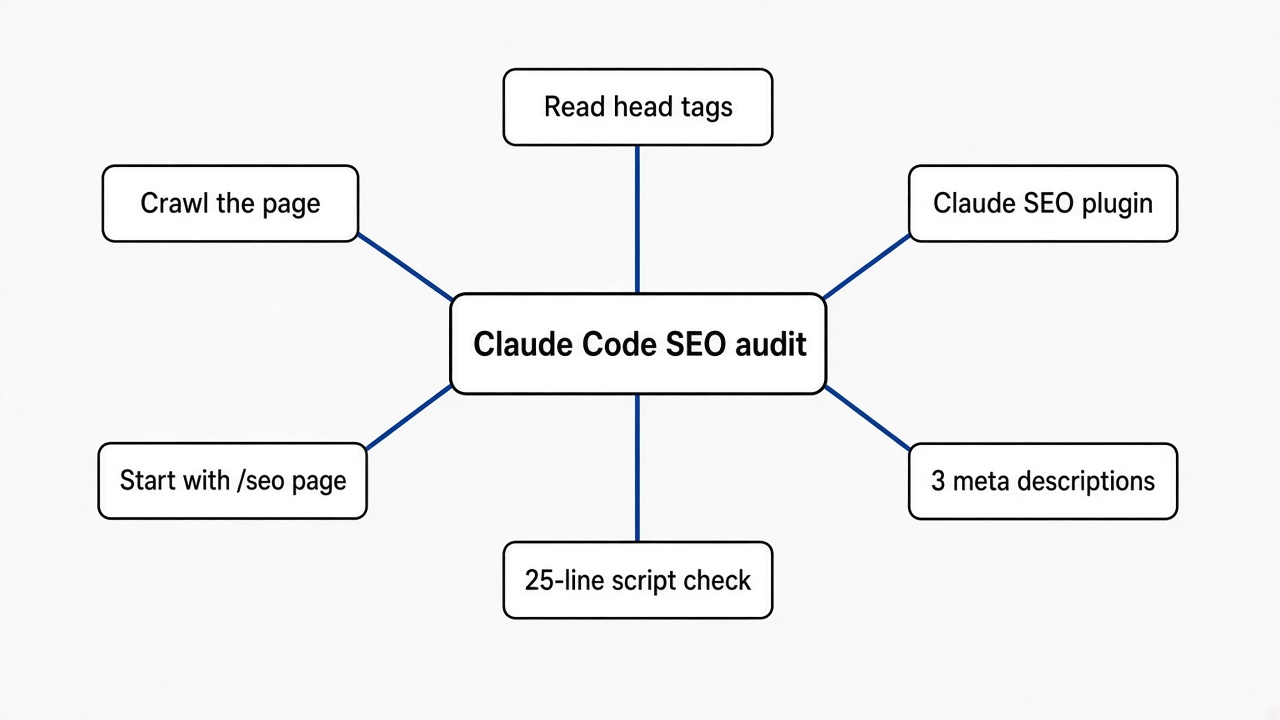
Claude SEO is one such plugin. It adds a /seo command with separate skills for technical checks, content, schema, sitemaps, images, local SEO and AI search. It also uses subagents (smaller helper copies of Claude, each given one job) so several checks can run side by side.
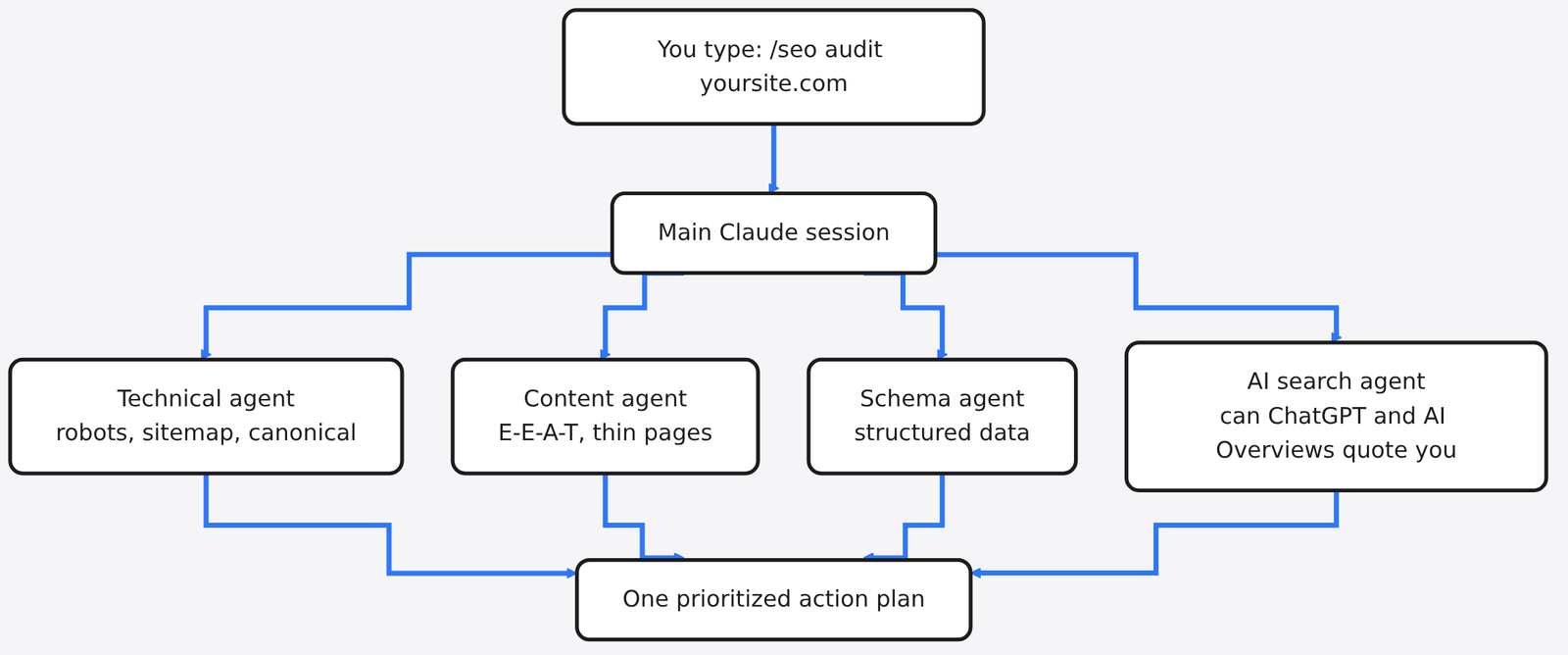
[IMAGE 2: the Claude SEO audit demo, showing the agents fanning out across a site]
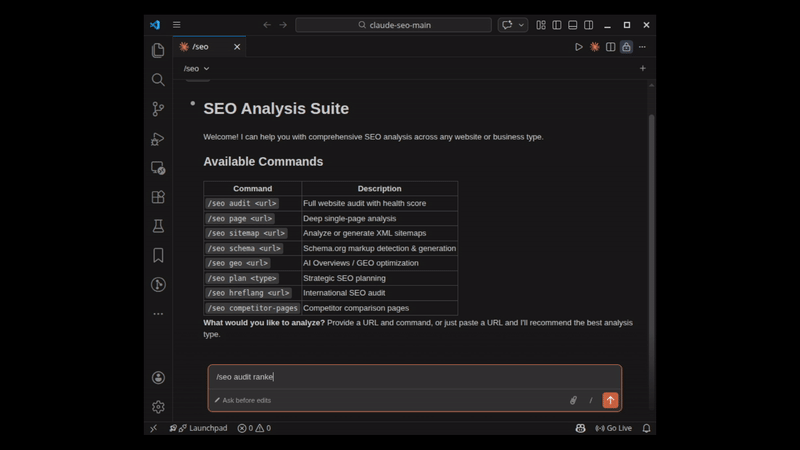
Why does that matter? A classic SEO tool hands you 300 yellow warnings. Claude SEO is built to explain each finding, sort it by impact, and say how you will know the fix worked. You can also ask follow-up questions in plain English, like “which of these hurts clicks the most?”
How do you install Claude SEO in Claude Code?
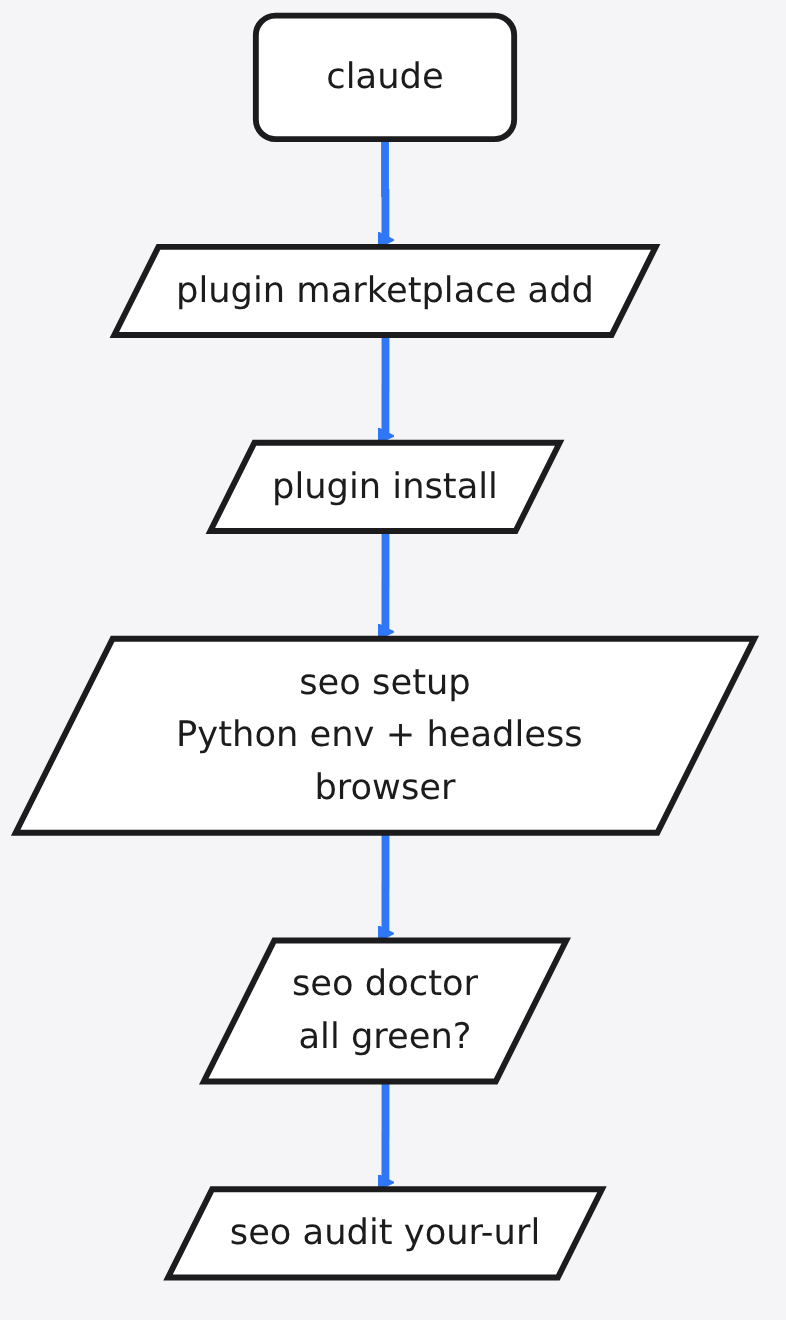
It takes a few commands inside Claude Code. You need Claude Code itself installed and a working Claude plan.
- Start Claude Code in your terminal by typing
claude. - Add the plugin’s source:
/plugin marketplace add AgriciDaniel/claude-seo - Install it:
/plugin install claude-seo@agricidaniel-claude-seo - Prepare its tools:
/seo setup - Check everything is ready:
/seo doctor
The setup step builds its own Python environment (a private box for the Python tools it needs) and a headless browser (a web browser with no window, so it can load pages that need JavaScript). It does not touch the rest of your system.
Before installing any plugin, read it. A plugin can run commands on your machine. Our guide on Claude Code mods vs plugins explains what that permission really means.
Which Claude SEO command should you run first?
Start with one page, not the whole site. A single-page check is faster, cheaper in tokens (the small pieces of text an AI model reads and bills for), and easier to understand.
| Command | What it does | Use it when |
|---|---|---|
/seo page <url> | Deep check of one page | You want to fix one post |
/seo audit <url> | Whole-site audit with all agents | You want the big picture |
/seo schema <url> | Finds, checks and writes schema | Your results look plain |
/seo geo <url> | AI search readiness | You want ChatGPT or AI Overviews to quote you |
/seo technical <url> | Crawl and index checks only | Pages are not showing in Google |
GEO means Generative Engine Optimization (making your page easy for AI answer tools to quote). It sounds like a separate skill, but Google’s own guidance says optimizing for its AI features is still SEO. The same clean basics win both.

Each audit saves its report as Markdown files on your machine, so you can keep a history and compare later.
Can you check the basics without any plugin?
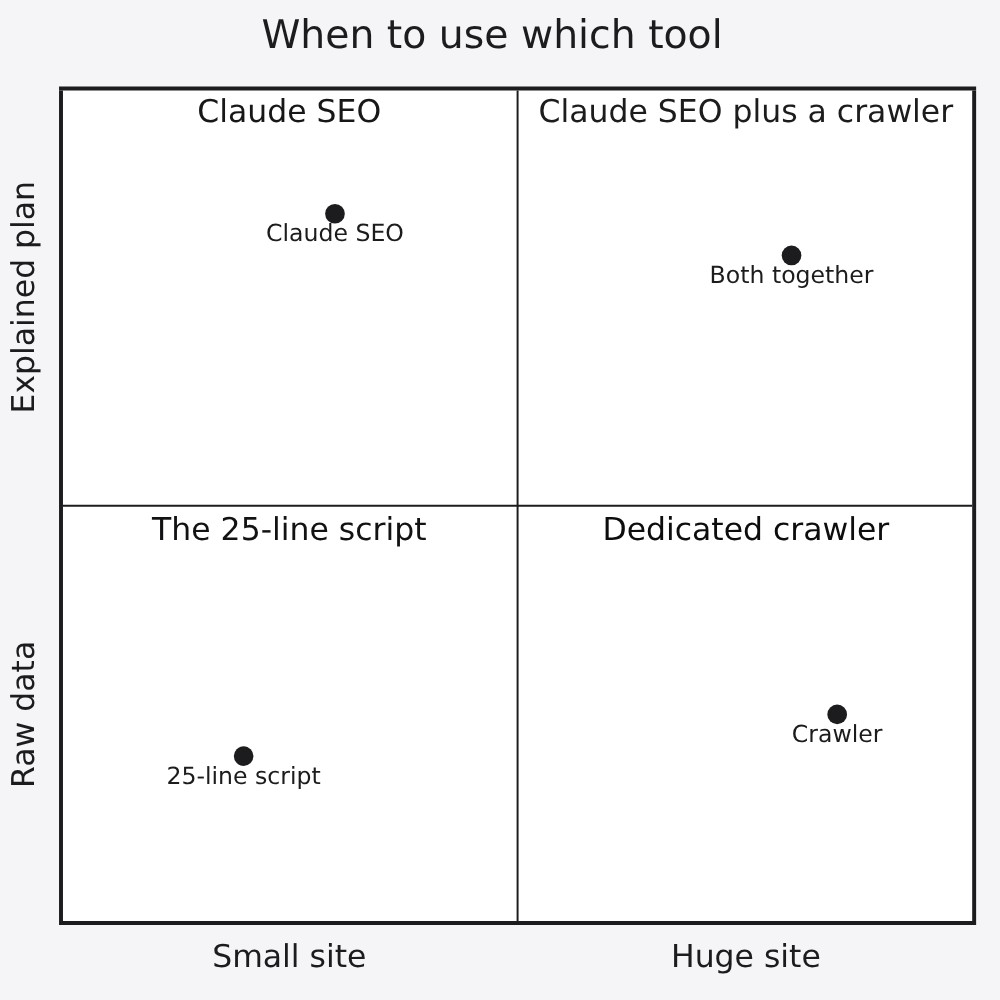
Yes, and doing it once by hand teaches you what the plugin is doing. This 25-line Python script checks the same head tags a page audit starts with.
You need Python plus two libraries: requests (downloads a web page) and beautifulsoup4 (reads the HTML so you can search it). Install them with pip install requests beautifulsoup4.
import sys, json, requests
from bs4 import BeautifulSoup

url = sys.argv[1]
page = requests.get(url, timeout=30, headers={"User-Agent": "seo-check"})
soup = BeautifulSoup(page.text, "html.parser")

def meta(**attrs):
    return [m.get("content", "") for m in soup.find_all("meta", attrs=attrs)]

title = soup.title.get_text(strip=True) if soup.title else ""
desc = meta(name="description")
canonical = soup.find("link", rel="canonical")
schema = []
for tag in soup.find_all("script", type="application/ld+json"):
    data = json.loads(tag.string or "{}")
    for item in data.get("@graph", [data]) if isinstance(data, dict) else data:
        schema.append(item.get("@type"))

print("Status:", page.status_code)
print("Title:", len(title), "chars ->", title)
print("Meta descriptions:", len(desc), "| length:", [len(d) for d in desc])
print("og:description tags:", len(meta(property="og:description")))
print("H1 tags:", [h.get_text(strip=True) for h in soup.find_all("h1")])
print("Canonical:", canonical["href"] if canonical else "MISSING")
print("Images without alt:", sum(1 for i in soup.find_all("img") if not i.get("alt")))
print("Schema types:", schema)
Save it as seo_check.py and run python seo_check.py https://yoursite.com/your-post/. On the stock prediction article it finished in about half a second and printed this:
Status: 200
Title: 53 chars -> Can AI Predict Stock Prices? I Tested Kronos 30 Times
Meta descriptions: 3 | length: [233, 151, 233]
og:description tags: 3
H1 tags: ['Can AI really predict stock prices?']
Canonical: https://techwavearena.com/can-ai-predict-stock-prices/
Images without alt: 0
Schema types: ['Organization', 'BlogPosting', 'BreadcrumbList', 'TechArticle']
[IMAGE 3: terminal screenshot of this exact output]
What did the check find, and what actually matters?
Five checks passed. Three flagged the same kind of problem. Here is how to read it like an auditor.
The good news first. The status is 200 (the page loaded fine) and the title is 53 characters. There is exactly one H1 (the main heading on the page). The canonical points to itself. Every image has alt text (a short written description of an image for screen readers and Google).
Now the problems. Three meta descriptions means two different tools are each writing their own. Google’s documentation says there is no length limit, but it cuts snippets to fit the screen, so a 233-character summary gets chopped mid-sentence. And with three to choose from, you cannot be sure which one Google picks.
The schema line shows a smaller version of the same story: both BlogPosting and TechArticle describe one article. That is two labels for one thing. It rarely breaks anything, but it is a sign two tools are fighting over the same job.
The fix: keep one tool in charge of the head. Turn off the description and schema output in the theme or extra plugin, keep your main SEO plugin, then run the check again until it says Meta descriptions: 1.
That is the kind of judgement a plugin cannot make for you. It can say “duplicate tags found”. You have to know which tool wrote which tag, and which one to keep.
Is Claude SEO free, and what are the limits?
The plugin is free and MIT licensed (a license that lets anyone use, change and share the code). Claude Code is not. You pay for your Claude plan, and a full audit with many agents uses far more tokens than one page check.
Three limits worth knowing before you rely on it:
- Your pages go to Claude. The pages it audits are sent to Anthropic’s model, like anything else you open in Claude Code. Reports stay on your machine.
- It is not a crawler at heart. Dedicated crawlers such as Screaming Frog go faster and deeper on huge sites. The two work well side by side.
- No keyword or backlink data by default. Search volumes and backlinks (links from other sites to yours) need optional paid or free API connections you set up yourself.
If you want a security pass on your code, not your search setup, that is a different job. Our post on whether Claude Code’s /security-review is enough covers it.
Common questions about SEO audits with Claude Code
Can Claude Code do SEO without a plugin?
Yes. It can fetch a page and read its HTML if you ask, but a plugin gives it a fixed checklist so the audit is the same every time.
Do I need API keys for Claude SEO?
No. It works without them. Free Google APIs such as Search Console and PageSpeed Insights add real traffic and speed data if you connect them.
How long should a meta description be?
Google sets no hard limit but trims snippets to fit the screen. Around 150 to 160 characters is the common target for a summary that shows in full.
Does an SEO audit help with ChatGPT and AI Overviews?
Yes. AI answer tools lean on the same basics: a page they can crawl, read quickly and quote clearly.
[IMAGE 4]
Run the 25-line check on your best post. If it prints one title, one description and one H1, you are ahead of a lot of sites, including, until the fix, this one.
Your site can look fine and still hide the problem that keeps it off page one.