I had three amounts and a script that was supposed to add them. The lines were 100.25, a refund of 20.10, and 5.00. The script printed 105.25. It had thrown the refund away because the number was negative. I wanted to know if harness2, the open source project that edits the files around a model, could repair that script. The question I typed was does harness2 need an api key.
It does not, for the local demo. That demo never calls a model. It still runs real Python, and the fixed script printed 85.15.

Does harness2 need an API key?
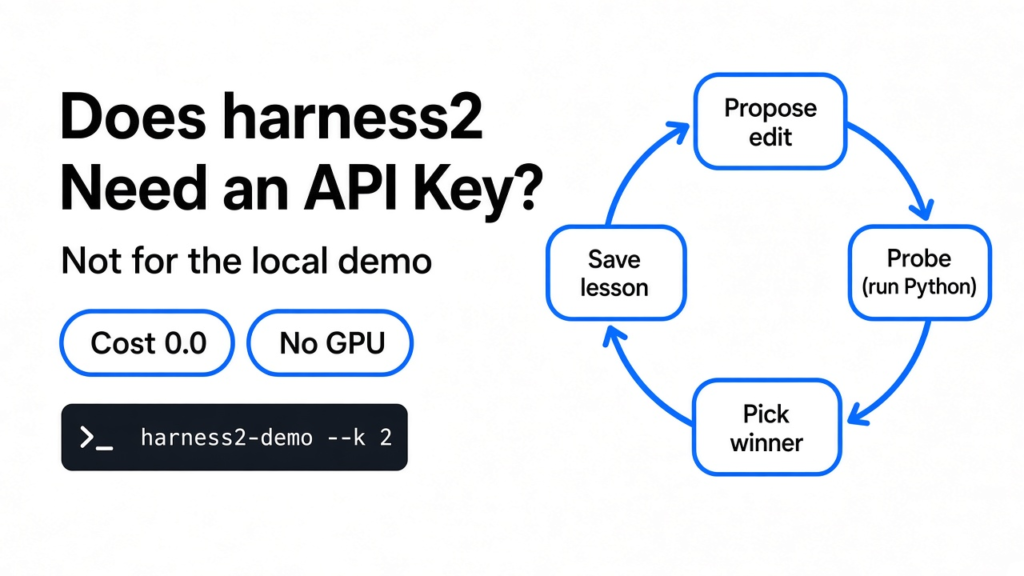
No. The local demo finishes with no key, no cloud login, and a cost field of 0.0.
A model is the part that writes the next words. An API key is the secret a program sends so a company will run that model for you. The demo skips both. What it runs instead is the same folder loop the real project uses, with a stand-in that already knows the one edit to make.
I expected a system that looked at the wrong total and thought its way to a better rule. What happened was smaller, and more useful to see. The stand-in deleted the condition that kept only positive numbers. Then a picker added the column itself and kept the run whose print matched that sum.
So the answer has two halves. You can try the loop with no key. You cannot treat that try as proof that a model got smarter.

What is the harness around a model?
The harness is the files around the model, not the model.
If you already use a coding agent, you have met these files. A coding agent is the loop that reads your project and runs commands. The model decides the next step. The harness is everything you can change without retraining that model: the instructions, the rules about what it must not do, the notes it keeps, the list of tools, the helper agents, the skills, the scripts, and the plugins. Those eight are the parts harness2 is allowed to rewrite.
This is in contrast to swapping the model. Pointing the same agent at a cheaper brain is a different job, and it is the one in how to run Claude Code on DeepSeek or Kimi. harness2 leaves the brain frozen and rewrites the folder. The screen you click to start an agent is a third thing again. JetBrains Air is not a new model is about that screen. This page is about the files the loop reads.
The demo starts with a tiny version of that folder. The instruction file is one sentence: reconcile the ledger using the script scripts/summarize.py. The script is seven lines. The other files are empty. A ledger here is just a list of amounts, some of them refunds.
What changed in the ledger script
The only change that mattered was one filter in the sum.
The first list was a plain text table, one amount per line:
amount
100.25
-20.10
5.00The base script kept a number only when it was greater than zero. 100.25 plus 5.00 is 105.25. The refund never entered the total. I ran that file with Python. The print was Total: 105.25.
The edited script drops the filter and adds every row. 100.25 minus 20.10 plus 5.00 is 85.15. Every probe after the edit printed Total: 85.15. Probe means a real run of the script, saved to a file, not a guess in a paragraph. The instruction sentence did not change. The memory file stayed empty. A later note said the same thing in words: include both signs when summing.
The second list was 35.50, minus 10.25, minus 5.00. The base script printed 35.50. The edited script printed 20.25. Same one-line fix, same shape of mistake.
The demo said 2 tasks completed and 0 failed. Behind that line were 28 Python runs and 32 editor calls. The note that picked a winner stored the cost as 0.0.
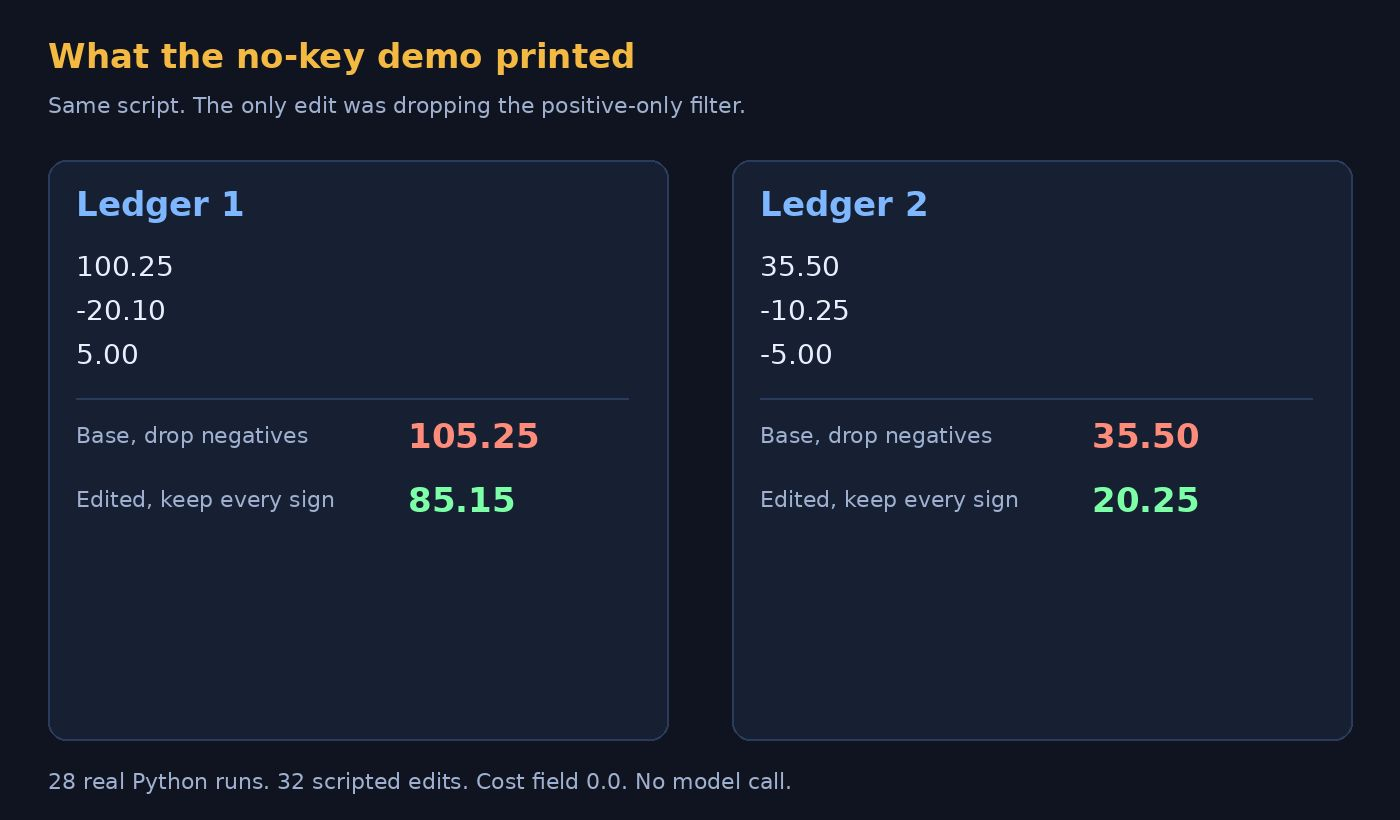
Those prints are the answer files on disk. I opened them. They match the arithmetic. If your demo prints different numbers, stop and read the script before you trust the summary line.
How the loop picks a winner
The loop has three moves, and the demo makes all three without a model.
First it proposes an edit. In the demo that proposal is not a guess. The stand-in looks for the text if amount > 0 and deletes it. Every time. If your bug is a different line, this demo will not find it.
Then it probes. It runs the script for real, on the old file and on the new file, and saves both prints. I opened the base print and the edited print for both lists. The numbers above are what those files contained.
Then it keeps one version and writes down why. Here is the turn. The project is built so a real run can choose without an answer key. The demo’s picker does the opposite. It adds the table itself, formats the sum to two decimals, and keeps the candidate whose print contains that exact string. On the first list it was looking for Total: 85.15. It found it, and it wrote that the signed total matches the source.
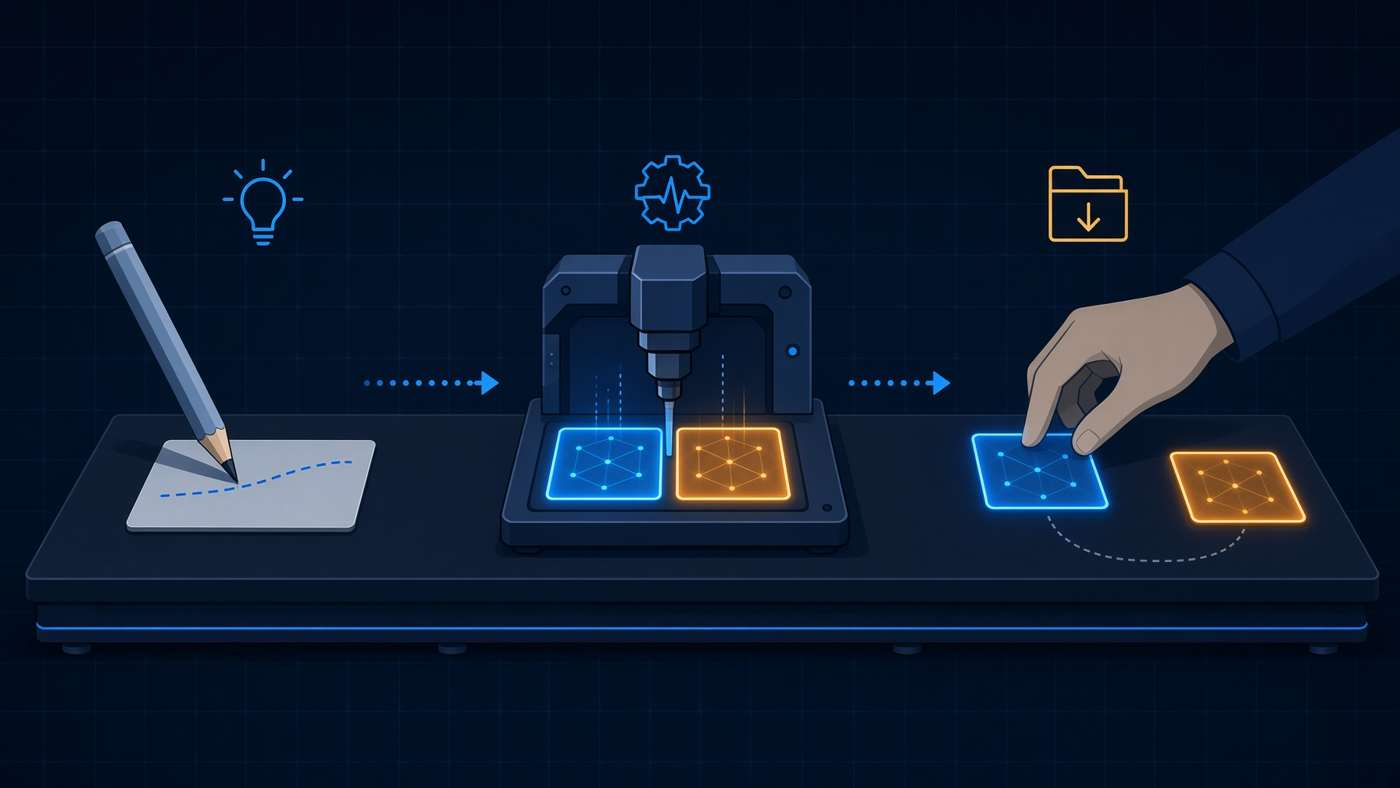
That is a dress rehearsal of the folders, not a test of judgment. The folders are real. The Python is real. The judgment is scripted, and it peeks at the right answer. I checked the function that does the picking. It does not ask a model. It sums the file.
The demo also runs the two lists two ways. One way tries several edited copies beside each other. The other way tries them one after another. Both ways ended on the same one-line fix. Neither way called out for a key.
harness2 vs writing the fix yourself
Write the fix yourself when you can already see the line.
I can delete if amount > 0 in one edit. The demo spent 28 runs to delete the same characters, then saved a lesson that restates the edit. If you already know the bug, harness2 is the long way around. A short rules file that says “add every signed amount” would have stopped the base script before the first run. That is the same habit as the checks in how to stop Claude Code from overengineering: say the small rule, and stop when the line is already right.
Use the loop when three things are true at once. You do not know which file is wrong. You can tell a better run from a worse run without trusting a sentence that says “I fixed it.” And you are willing to pay for many extra runs, because each probe is another full attempt.
The demo hides the bill by using a script. A model-backed run does not. That run asks for a cloud project, Node 20 or newer, and model names in a settings file. One name is the model that does the work. Another is the model that judges it. The dollar figure depends on your cloud project and the models you name, so here is the shape instead. Each round repeats the task several times, and I asked for two rounds. That is a lot of repeats for a seven-line script.
| Write the line yourself | harness2 demo | harness2 with a model | |
|---|---|---|---|
| Needs an API key | No | No | Yes, on a cloud project |
| What changes | The line you edit | One scripted deletion | Whichever of the eight files the model rewrites |
| How a winner is chosen | You look | The picker adds the table | A model, with no answer key in the design |
| What I saw | 85.15 after one edit | 85.15 after 28 runs, cost 0.0 | I stopped before this |

One caveat. “No answer key in the design” is the project’s claim for a real, paid run. The only picker I watched was the demo, and that one has the key.
Why the second ledger still started wrong
The lesson was saved, and the next base run ignored it.
After the first list, the library had one entry. The index even names the cue: when a ledger includes credits and debits. A library here is a folder of earlier fixes, kept so a later task can read them. I checked the second task’s starting script anyway. The filter was still there. The base print was still 35.50. The stand-in then deleted the same filter again, and the print became 20.25.
So “it remembers” is true only as a file on disk. In this demo the next attempt does not start from the fixed script. The editor does not read the lesson before it edits. It always does the same string replace. If you came here hoping the second task would be correct on the first try, it was not.
That is the part I would want a coworker to see before they pointed a paid model at the same loop and assumed the memory was already doing the work. A file that says “include both signs” does nothing until some later step opens it. The demo’s editor never opens it.
How do I run harness2 without an API key?
Clone the project, install it with Python 3.12, and run the demo command. You do not put a key anywhere.
You need Linux, Python 3.12, and uv. uv is the installer the project uses to make a clean Python folder and fetch packages. From the project folder:
uv venv --python 3.12 .venv
source .venv/bin/activate
uv pip install -e '.[render]'
harness2-demo --output runs/demo --k 2k is how many improvement rounds the command asks for. I used 2. The install pulled eight packages: the project itself, plus openpyxl, python-pptx, lxml, pillow, xlsxwriter, et-xmlfile, and typing-extensions. Then the demo printed:
  [accounting] 1/2 ok           ledger-1
  [accounting] 2/2 ok           ledger-2
Local demo: 2 tasks completed; 0 failed.Open runs/demo/demo.json if you want the counts. Mine said 28 executions and 32 editor calls. Open runs/demo/base/scripts/summarize.py and compare it with the copy saved under the library. The difference is that one filter. Open the answer files if you do not trust the summary line. I didn’t, and the files matched the arithmetic.
The project lives at google-research/harness2. Start there if the command names ever move. Stay on the demo until you have a reason to spend money.
A GPU is a graphics card, the chip people use to run big models locally. Nothing in this demo asks for one. The work is a short Python process on the main processor. Fine-tuning is a different job: that changes the weights inside a model, the numbers it learned. This demo does not touch weights, because there is no model in the loop at all.
When harness2 is the wrong tool
Skip it when the bug is already one line, or when you cannot check the answer.
I would not point this at a task where “better” is a feeling. The demo can pick a winner only because the correct total is a sum. A tone of voice, a layout, a name for a function, none of those print Total: 85.15. If you cannot say what a better run looks like, the loop will still write files, and you will not know which ones to keep.
Skip the cloud run when you only wanted to see the folders. The demo already shows the folders. The cloud run is for people who have a cloud project, Node 20 or newer, and a budget for repeated model calls. The project also says it is not an officially supported product. Do not treat a failure there like a broken app you pay support for.
And do not use the demo score as a story about a model. There was no model. The score is “the scripted edit found the line it was built to find, and real Python agreed.” That is worth ten minutes. It is not a reason to hand the loop your repo and walk away.
Common questions about harness2
Does harness2 need a GPU?
No. The local demo is a Python process. The setup list does not ask for a graphics card.
Is harness2 fine-tuning?
No. Fine-tuning changes the model. harness2 is built to leave the model alone and edit the files around it. The demo goes further and never loads a model.
Can I run harness2 on Claude Code with no cloud account?
You can run the demo with no cloud account. That does not put the loop inside Claude Code. A model-backed run, in the project’s own setup, expects a cloud project and named models. Treat a Claude Code hookup as unproven until you try it yourself.
Is harness2 an official Google product?
No. The project says it is not an officially supported Google product.
I would run the demo once, read the two answer files, and then decide. If your bug is as obvious as a filter that drops refunds, edit the line. If you cannot see the line, and you can score a run, then the loop is the thing to study. The key was not the missing piece. The model was.