The warning says the disk is full, and the next move is usually a messy one. You tell a coding tool to “clean it up,” and it starts deleting. A coding tool here means a program that can read your files and run commands, not a chat box that only talks. computer-repair-skill is a folder of written steps that tool loads only when you describe a broken computer. It does not run a model of its own, and it does not install a cleaner app.
Is computer-repair-skill worth it? Yes, if you want that tool to measure first and wait before it deletes. No, if you wanted one button that frees space by itself.
Is computer-repair-skill worth it?
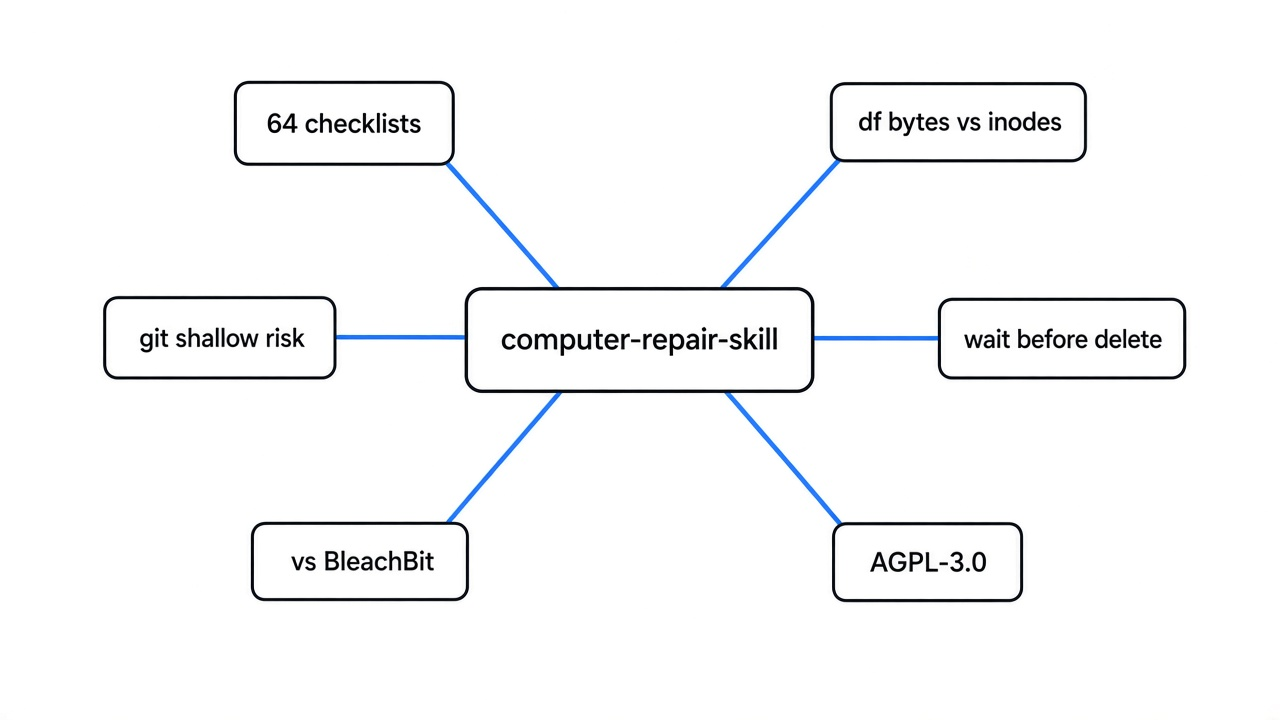
Yes if you want a pause before deletes. No if you wanted a cleaner that frees space on its own. The folder holds 64 checklists. The project’s own checker reported that count and passed. The tool is supposed to open one checklist for the symptom in front of it, not pour all 64 into the chat. A full disk, a slow boot, a dead network, and a printer that vanished are different pages on purpose.
Use it when the coding tool can already run commands on the machine, and when the thing you fear is a confident delete. Skip it when you are in a chat that cannot touch the computer. In that case the same pages still work as a script you type yourself, which is what this write-up did. No delete was requested.
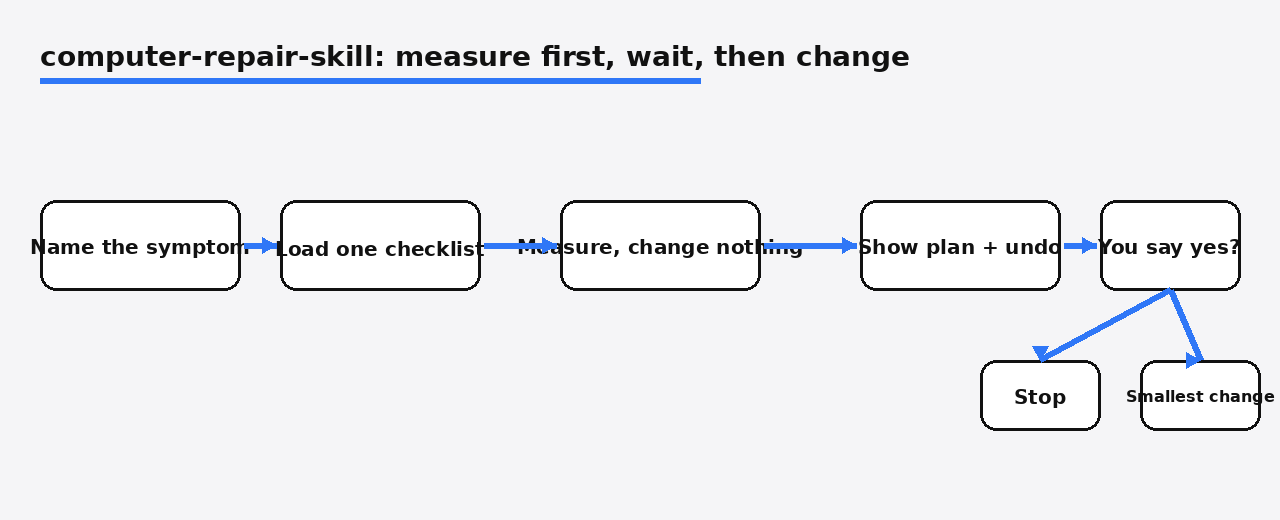
The part worth keeping, even if you never install the folder, is the order. Look. Write the plan, including how to undo it. Wait. Then change. Then look again.
How to use computer-repair-skill
Install the folder, then describe the symptom and forbid deletes until you have seen a list. On a machine with Node, this puts it where Claude Code can see it:
npx skills add 88lin/computer-repair-skill --global --agent claude-codeThe same installer can target Codex instead, with --agent codex. From a copy of the project, the shell script is ./scripts/install.sh --target claude. You can also copy the folder skills/computer-repair-skill/ into the place your tool already loads instructions from. The project is on GitHub.
Then say something this plain: “The disk is nearly full. Measure which folders use the space. Do not delete anything until I confirm a list.”
What happens next is not a new app. The tool is told to name the operating system from the machine, not from your guess, load one platform notes file, and load one checklist. Read-only comes first. A change that can remove files, restart a machine, or move a partition has to come back as a plan with a way to undo it. An earlier yes does not cover a new, bigger action.
If your tool cannot run commands, the instructions say to hand you the steps and the checks, not to pretend it already ran them. That is the honest path, and it is slower.
This is a different job from a security audit skill, which walks code looking for bugs. It is also different from a read-only package scan that only asks whether a known-bad version is installed. Same idea of “load steps, do not freestyle,” different mess.
What did the read-only disk check show?
The percent column can mislead if you trust it alone. On this Linux machine (Nov 9, 2026 Asia/Calcutta), df -hT printed the working volume as an ext4 disk on /dev/vdb: 128 gigabytes, 49 used, 80 free, 38 percent. Two other mounts (devtmpfs, shm) showed as empty memory filesystems. Sorting by percent alone can still send a helper at the wrong row when a tiny read-only image sits at 100 percent on another machine — that is why the checklist names the mount that holds your files first.
A disk can also run out of file slots while gigabytes remain. The slot count is called inodes. df -i on the 128 gigabyte volume showed 2,048,000 slots, 388,023 used, about 19 percent. This machine was out of neither bytes nor slots. A real “disk full” report would have one of those two numbers near the ceiling. The Linux checklist starts with exactly these two commands so you know which problem you have.

Inside the cloned project folder this write-up then ran du -x -d 1 -h. The -x matters. It stays on one filesystem and does not wander into other mounts. The folder was 2.4 megabytes. The hidden .git folder was 732 kilobytes. The rest of the tree (skills, docs, tools, tests) was under 2 megabytes. That is the shape of a useful answer: one folder, a number, and a reason you might not want to delete it.
The checklist’s journal step, journalctl --disk-usage, reported no journal files and 0B of archived logs on this host. That is a failed check for “how big are the logs,” not a clean bill that logs are tiny everywhere. A missing or empty journal means you do not yet know the log size on a machine that actually writes one.
One more trap, and it is why a delete can look successful and free nothing. If a program still has a file open, removing the name does not return the space until that program lets go. The checklist says to find those with lsof +L1 when df and du disagree, and to treat restarting the program as a change that needs a yes. That step was not needed here. The two measurements agreed.
How do I stop an agent from deleting files when the disk is full?
You say no until the plan names paths, and you do not let it delete inside stores that have their own cleaner. The Linux disk checklist is explicit. Measure the journal, the package cache, the container images, and the language caches. Then clean each one with the tool that owns it. Do not reach in and remove files by hand from the package store, the journal store, or the container store. Those tools know which files are safe to drop. A raw delete does not.
The cleanup it is allowed to propose comes in layers, and only after you agree to a specific list:
- Old logs, through the log system, not by shredding the folder.
- Package caches, through the package manager.
- Container leftovers you have already confirmed unused, through the container tool.
- App caches, after the app is closed.
- Your own files, only after a copy has been checked somewhere else.
Home folders, passwords, databases, live container data, and backups stay off that list unless you point at them. After any change, the same df -hT and df -i run again, and the before and after numbers are the proof. “The command exited clean” is not proof the disk grew.
There is a fence around this that no checklist can replace. If the coding tool is the only thing allowed to say yes, the checklist is a suggestion. The cage around the tool is a separate choice: put the stop outside the tool, where it cannot edit the rule.
What the git check refused to bless
A size report alone is not enough. The project ships a small Python script, skills/computer-repair-skill/scripts/git_storage_audit.py. It needs Python 3.10 or newer and an absolute path. It does not install anything. It strips git settings out of the environment so a stray setting cannot point the check at a different folder. Ran on a local shallow clone of the project:
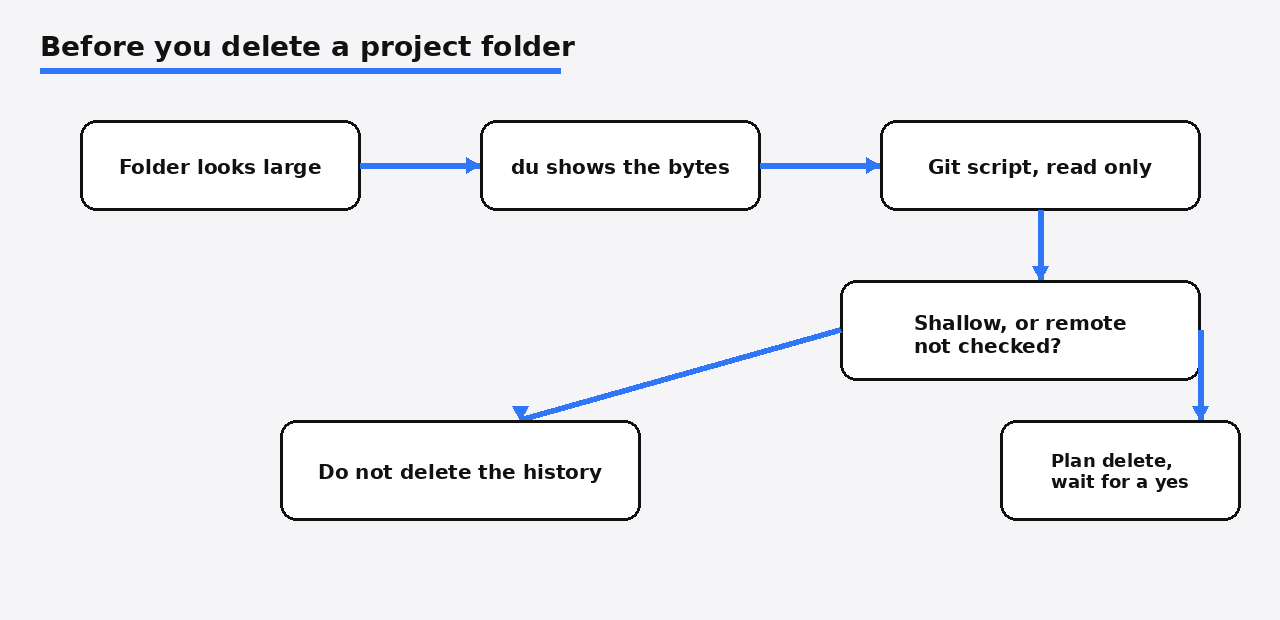
python3 skills/computer-repair-skill/scripts/git_storage_audit.py /absolute/path/to/the/copyThe report came back complete. It was not a megabyte counter. du had already said the hidden git folder was 732 kilobytes and the whole tree was 2.4 megabytes, so git was not the space hog. The script said something else. The copy is shallow, which means the history on disk is not the full ancestry. It did not contact the network, so the remote bookmark is a cache, not a verified backup. It saw one remote, named origin, no uncommitted changes, no stashed work, and no local commits missing from that cached remote. It printed two risks in plain labels: do not treat cached remote names as a guarantee, and do not treat a shallow copy as complete history.
That is the check to want before anyone deletes a project folder to “free space.” Size says whether the folder is worth the trouble. The script says whether deleting it throws away history you cannot get back from this disk. On a shallow copy, the answer is: you do not know yet. Go get the rest, or confirm the remote, before you treat the folder as junk.
Computer-repair-skill vs BleachBit
Use BleachBit when you want to clean caches yourself. Use computer-repair-skill when a coding tool is already allowed to touch the machine and you want it to stop and ask. BleachBit is a cleaner you open. You tick boxes, you can preview, and you press clean. computer-repair-skill is not that program. It is instructions. It will not draw a window of checkboxes. It will not free a gigabyte because you installed a folder.
| Question | computer-repair-skill | BleachBit |
|---|---|---|
| What you install | A folder of steps for a coding tool | A cleaner app |
| Who deletes | You, after a written plan | You, after a preview |
| Full disk | Measure bytes and file slots, then one checklist | Clean the categories you tick |
| Slow machine, dead network, printer | Separate checklists | Not its job |
| Chat that cannot run commands | You type the steps yourself | You still click the app |
| Risk | A tool that ignores the wait | Cleaning a category you did not mean |
A nearly full disk can also be a zip that will not unpack, which is a third problem. HatchZip versus unzip is about that case. This page is about finding which folder grew, and not letting a helper delete the wrong one.
When is computer-repair-skill not worth it?
Skip it when you wanted a one-click optimizer, or when your only tool is a chat window. A few limits are easy to miss because the promise is wide.
The Windows pages are the long list. A “disk full” complaint on Windows is routed among six checklists: you do not know who is using the space, it is cache, you meant to move apps, a move left a broken link, you only want the system drive freed, or you are about to touch partitions. Linux has its own disk page, plus pages for a slow machine, the network, and app cleanup. If your day is Linux servers, you are not getting 64 equally deep manuals. You are getting a short, careful one.
Eleven of the checklists are for setting up one assistant, OpenClaw. If you do not use it, those pages are not a reason to install the folder.
The license is AGPL-3.0. Using the steps on your own machine does not make you publish your files. If you change the project and give that changed copy to other people, you have to share your changes too. Read LICENSE and NOTICE before you ship a modified copy.
It will not close a case the way a repair shop would. Liquid in a keyboard, a disk that is failing as hardware, or a machine that will not boot into the installed system are places the instructions say to stop and get a person. It also refuses a pile of “optimizations” that are really you turning off the protections that ship with Windows. That refusal is a feature.
Common questions about computer-repair-skill
Can I use computer-repair-skill without a coding tool?
Yes. The Linux disk page is three ideas you can type: df -hT, df -i, then du -x -d 1 -h on the one mount that is actually full. The git script runs with Python and a path. You do not need the folder installed into a tool for those.
Does deleting a file always free the space?
No. If a program still has the file open, the space stays used until that program exits or drops the file. Check for that when the two disk measurements disagree, and do not restart a service you need until you meant to.
Will computer-repair-skill clean my disk by itself?
No. A scan is not permission. Timed jobs are supposed to report, not delete in the background. A yes you gave for one list does not cover the next list.
Is the Linux disk checklist enough?
It is enough to tell bytes from file slots, find the heavy folder, and avoid deleting inside the package, journal, and container stores. It is not a full repair of a failing drive, and it will not fix a log flood that grows back because the program writing the log is still broken.
Install the folder on a machine where the coding tool can run commands, and still type the two df lines yourself the first time. The script’s refusal to call a shallow copy a backup is the piece that earns trust. The cleanup can wait until the numbers and the history are both on the page.