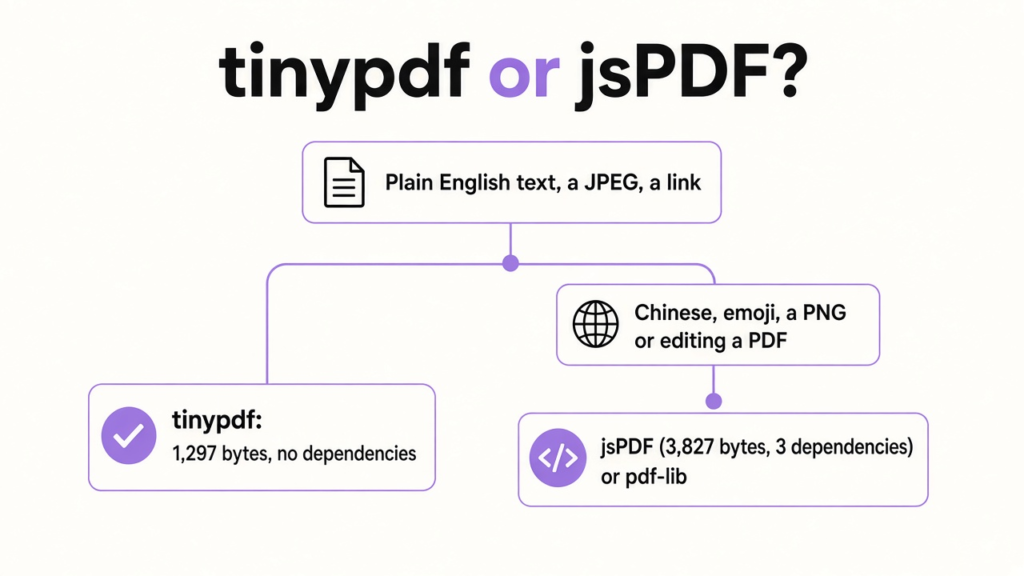
I needed one invoice from a small JavaScript app. A PDF was the right file to send, because a web page shifts when the other person has a different font and a PDF keeps the same page on every computer. The usual library for that job is jsPDF. tinypdf is the small one, and it only draws text, lines, boxes and a photo. For a plain English invoice the call is easy: use tinypdf. Switch to jsPDF when the page needs another alphabet, a PNG or a real table.
I expected the small library to be a toy. What I got was a real PDF, 1,297 bytes, with every word I asked for still inside it. jsPDF wrote the same words into a 3,827 byte file, and both opened as PDFs. The clock wasn’t the story. One page took 0.126 milliseconds in tinypdf and 0.682 milliseconds in jsPDF, and nobody can feel either of those.
What a PDF Page Expects From Your Code
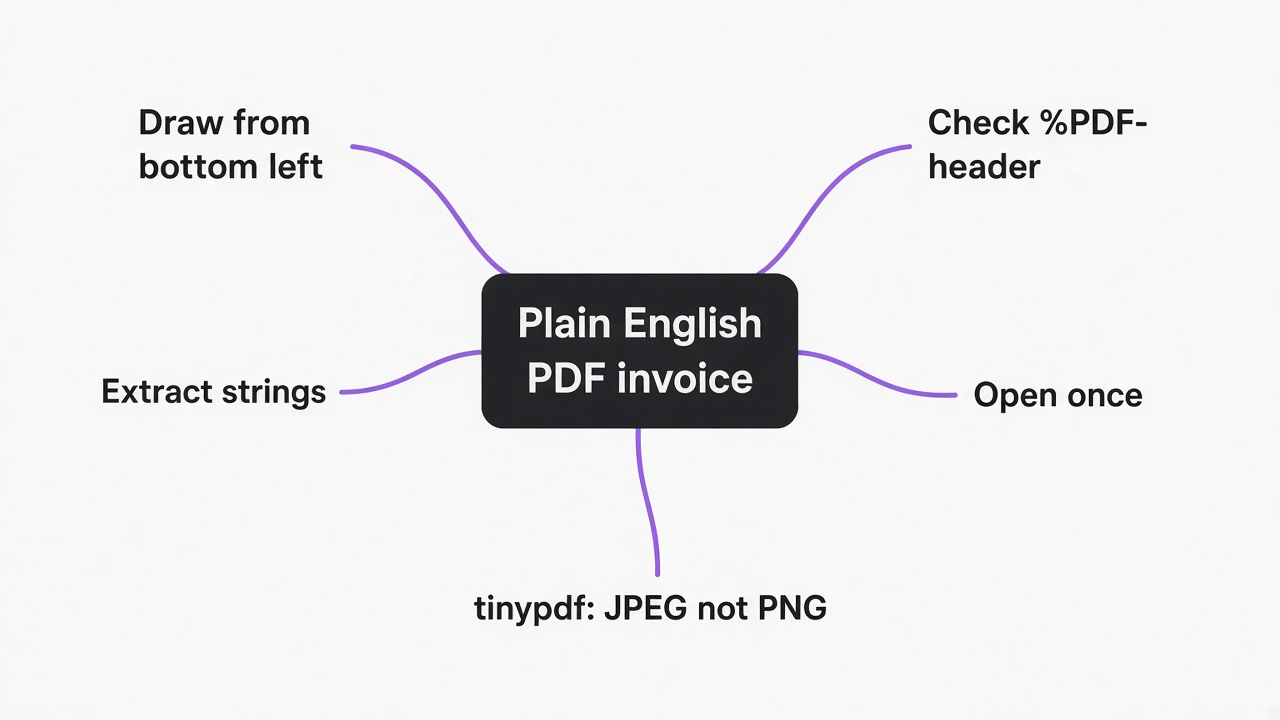
A PDF is a finished page, not a document you keep editing. You pick it when the receiver should see your invoice, ticket or receipt exactly the way you left it. That brings one rule that surprises people: a PDF doesn’t reflow. If a line is too long, it won’t wrap unless your library wraps it, and if you want a second page you have to ask for one.
The other rule is where (0, 0) sits. In a PDF the origin is the bottom left of the page, and tinypdf follows that. A letter page is about 612 points wide and 792 points tall, and a point is 1/72 of an inch, so text you want near the top needs a high y, around 700. jsPDF, in the setup most tutorials use, counts down from the top instead. I kept that in mind so I wouldn’t lose a line that was drawn under the page.
tinypdf: One Package, One Job
tinypdf is a JavaScript library that builds a PDF and nothing else. You install it with npm install tinypdf, and the copy I installed had no dependencies. The published JavaScript file was 15,554 bytes, and gzip, the squeeze a browser uses so it downloads less, brought it to 4,969 bytes.
jsPDF, from the same install, wasn’t one file. The smallest build in its folder was 343,605 bytes, and gzip left 109,191 bytes. Its package also listed three dependencies: @babel/runtime, fflate and fast-png. The whole jsPDF folder was 29 MB. The whole tinypdf folder was 68 KB. The projects are tinypdf on GitHub and jsPDF on GitHub.
I wanted to say that makes tinypdf seventy times smaller, but that would be a half-truth. Seventy times is a slogan about a minified file I didn’t produce. On the files npm actually gave me, the gap was about twenty-two times, and that’s still the difference between a letter and a small box.
What tinypdf draws is short: Helvetica text, a filled rectangle, a line, a JPEG photo, a clickable link and more than one page. There’s also a helper that turns a little markdown into a PDF. What it won’t draw matters more, and that comes later, because that’s where a pretty size number burns you.
Step by Step: Build the Invoice in tinypdf
You create a document, draw inside one page, and call build(). This is the invoice I actually ran. The numbers are points, and the high y values sit near the top because the origin is the bottom left.
import { pdf } from 'tinypdf'
import { writeFileSync } from 'fs'

const doc = pdf()
doc.page((ctx) => {
  ctx.rect(40, 760, 515, 36, '#1e3a5f')
  ctx.text('Invoice 1042', 52, 772, 18, { color: '#ffffff' })
  ctx.text('Ada Lovelace', 52, 720, 14, { color: '#111111' })
  ctx.text('Two hours of review', 52, 690, 12)
  ctx.line(52, 670, 400, 670, '#cccccc', 1)
  ctx.text('Amount 240', 52, 640, 12)
  ctx.link('https://example.com/pay', 52, 600, 120, 16, { underline: '#1e3a5f' })
  ctx.text('Pay now', 52, 604, 12, { color: '#1e3a5f' })
})
writeFileSync('invoice.pdf', doc.build())
build() returned 1,297 bytes. The file started with %PDF-1.4, which is the mark of a PDF. I then pulled the readable strings back out of the bytes: Invoice 1042, Ada Lovelace, Two hours of review, Amount 240, Pay now and the pay URL. So the link was stored, not just painted as letters.
One limit on that test: I checked the bytes, and I didn’t open a picture of the page in a viewer, so I won’t tell you the blue bar looked perfect. If a y is wrong, the words can still be in the file and sitting off the page. Write the file, then open it once. The string check only proves the words were written.
The same shape in jsPDF, counting down from the top in points, looked like this:
import { jsPDF } from 'jspdf'
import { writeFileSync } from 'fs'

const doc = new jsPDF({ unit: 'pt', format: 'a4' })
doc.setFillColor(30, 58, 95)
doc.rect(40, 40, 515, 36, 'F')
doc.setTextColor(255, 255, 255)
doc.setFontSize(18)
doc.text('Invoice 1042', 52, 64)
doc.setTextColor(17, 17, 17)
doc.setFontSize(14)
doc.text('Ada Lovelace', 52, 120)
doc.setFontSize(12)
doc.text('Two hours of review', 52, 150)
doc.text('Amount 240', 52, 200)
doc.textWithLink('Pay now', 52, 240, { url: 'https://example.com/pay' })
writeFileSync('invoice-jspdf.pdf', Buffer.from(doc.output('arraybuffer')))
That file was 3,827 bytes and started with %PDF-1.3. The same five phrases and the same URL were inside it, and jsPDF also wrote its own creator name into the file. tinypdf didn’t.
There’s a second door if you don’t want to place each line. markdown() took a heading and two bullets and returned 845 bytes. The strings inside were Hello, - one, - two and A short note. The bullets stayed as hyphen lines, which is fine for a note and not a designed invoice.
tinypdf or jsPDF: What the Numbers Showed
On one plain English invoice, tinypdf wrote a smaller PDF and loaded a much smaller library, and jsPDF wrote the same words with more room to grow. These are the copies I installed, on one page, averaged over 50 runs after a warmup. If you install them later, measure again. The shape should hold, but the exact bytes will move.
| What I measured | tinypdf | jsPDF |
|---|---|---|
| Install command | npm install tinypdf | npm install jspdf |
| Dependencies | none | 3 |
| Library file | 15,554 bytes (4,969 gzip) | 343,605 bytes (109,191 gzip) |
| Folder on disk | 68 KB | 29 MB |
| One invoice | 1,297 bytes | 3,827 bytes |
| Time for that page | 0.126 ms | 0.682 ms |
| Text I got back | all five lines, plus the URL | the same lines, plus a creator name |
| Chinese, emoji, rupee sign | throws | not in this test |
café and naïve | accepted | not in this test |
Read the two size rows separately. The library was about twenty-two times smaller, and the finished invoice was about three times smaller. I had mixed those up in my head. Sending one PDF to a customer won’t feel like a twenty-two times win. Putting the library inside a web page, or inside a tiny app you already fought to keep small, will.
Speed is the row to ignore. Five times faster, on a job that finishes in under a millisecond, is no reason to switch, and I wouldn’t pick either library for a hundred-page report based on this clock. The test was one page on purpose.
jsPDF still wins jobs tinypdf refuses. People use it when they need HTML turned into a page, a PNG, a custom font, or a plugin that draws a table for them. Those are real needs, and they’re why the folder is 29 MB. If your invoice is English, a blue bar and a link, you’re paying for features you never call.
Where tinypdf Stops
It can’t draw a character Helvetica doesn’t already know, and it can’t open a PDF you already have and change it. I tried six strings on purpose.
| String | What happened |
|---|---|
Amount 240 | file written |
café | file written |
naïve | file written |
Invoice plus the Chinese for invoice | threw, and no file |
| an emoji | threw, and no file |
\u20b9240 | threw, and no file |
The error was specific: Unsupported character, then Helvetica text is limited to WinAnsi, which is the set of Western letters that font already contains. So an accented European name can work. A Chinese name, an emoji and the rupee sign can’t. I didn’t soften that by swapping in a question mark. The call stopped.
That limit is the whole font story. There’s no second font to load, so if your customers have names outside that alphabet, tinypdf is the wrong library and the byte count doesn’t matter. jsPDF can embed another font. pdf-lib can too, and it can also edit a PDF that already exists. tinypdf only creates.
The picture list is just as short. image() wants JPEG bytes, so a PNG logo won’t go in until you convert it. There are no form fields, no password and no HTML-to-PDF. If the page is a screenshot of a web page, a browser print or a library that actually lays out HTML is the honest path. If you only need to merge or split PDFs you already have, a self-hosted iLovePDF alternative is the closer tool, and for changing one with an agent there’s editing PDF files with Claude Code.
Coordinates will also bite you if you treat y like CSS. CSS y grows downward and tinypdf y grows upward. My blue bar used y 760 because that’s near the top of a 792 point page. Put that same 760 into a top-down library and the bar leaves the page.
Is tinypdf Worth Using?
Yes, if the page is plain English and you care what you ship to the browser. No, if one name on the page might fall outside Helvetica. Use tinypdf for an invoice, a receipt, a ticket, a label or a certificate in English or another Western European language, with a JPEG logo and a link. The install is one package, the call is one page function, and my one-page file was 1,297 bytes.
Skip it for Chinese, Japanese, Korean, Arabic, Hebrew, emoji, or a currency sign outside that font. Skip it for editing a PDF a customer sent back, for turning a web page into a PDF, and for any page where you need the words to wrap into a tidy table on their own. Those jobs are why jsPDF and pdf-lib are large, and for those jobs the size is fair.
I would still open the file once, even after the string check. Bytes can hold a line that no one can see, and that single open is the whole review.
Which Library Should You Use for a PDF in JavaScript?
Use tinypdf when the text is plain English, and jsPDF or pdf-lib when it isn’t. The path is the same either way: install one library, draw the page in code, write the bytes to a file, and open the file. If you only remember one thing, remember npm install tinypdf and the pdf(), page(), build() sequence above. To check the output, confirm the file starts with %PDF-, extract the strings, then look at the page once so a bad y can’t hide a line off the edge.
If the first customer name throws Unsupported character, stop and switch libraries. Don’t hunt for a hidden font setting, because there isn’t one. That error is the product telling you the job has outgrown it. The same “do I need the big one or will the short one finish the page” choice shows up in xan vs csvkit, with times and memory.
I’ll keep tinypdf for English receipts. The day a name needs a character Helvetica can’t draw, I’ll delete the import and not argue with the size chart.