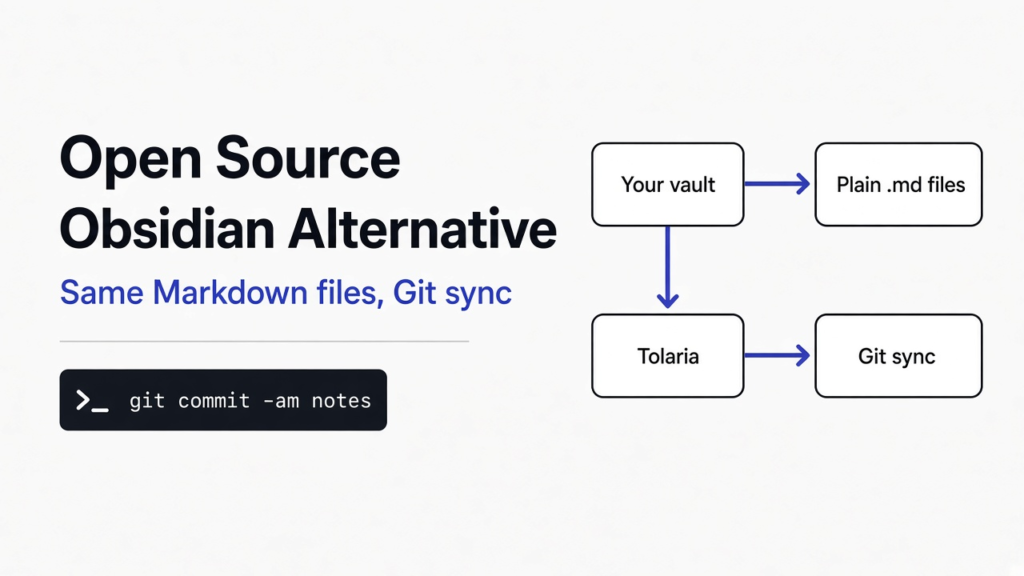
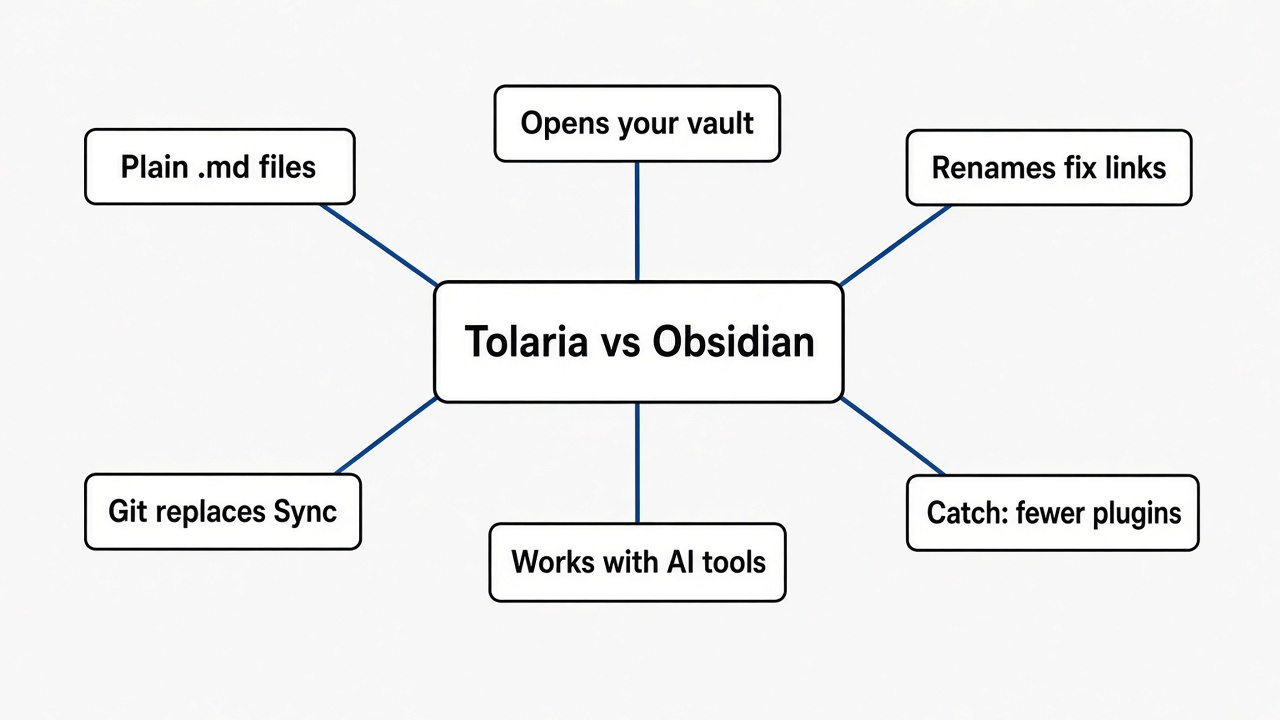
Short answer: Yes. Tolaria is a free, open source notes app for Mac, Windows and Linux that reads the same plain Markdown files Obsidian uses. It adds built-in Git history and an AI panel. The catch: no plugin store, no Android app, and renaming a note rewrites your links in a style Obsidian users may not expect.
You have years of notes in Obsidian. They work. But one day you wonder what happens if the app changes its price, its rules, or simply stops. That worry is the whole reason people search for an open source version.
The good news is that the worry is smaller than it feels. Here is why, what Tolaria changes, and the one rename habit you should check before you switch.
What does “open source” actually change for your notes?
It changes who can keep the app alive, not who owns your files. To see why, start with the base layer: the files themselves.
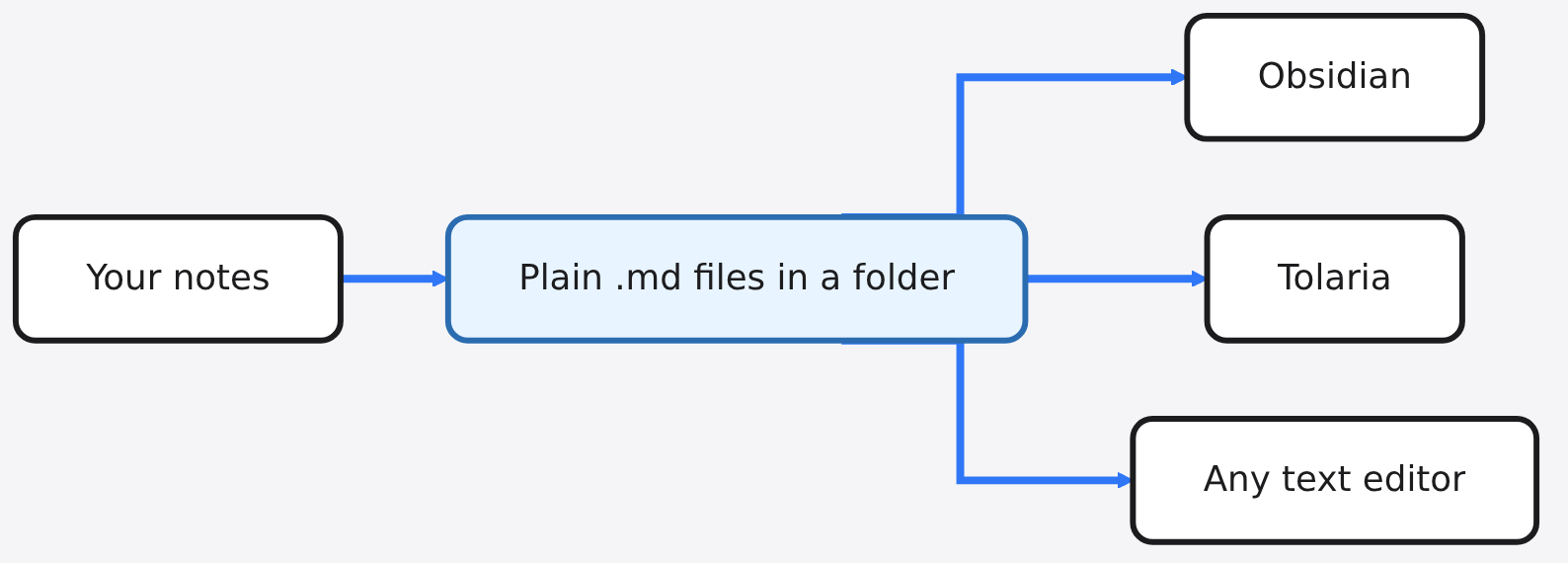
Obsidian stores every note as a Markdown file (a plain text file where # makes a heading and **word** makes bold). The folder that holds those files is called a vault (just a normal folder Obsidian treats as one notebook). You can open any of those files in Notepad and read them.
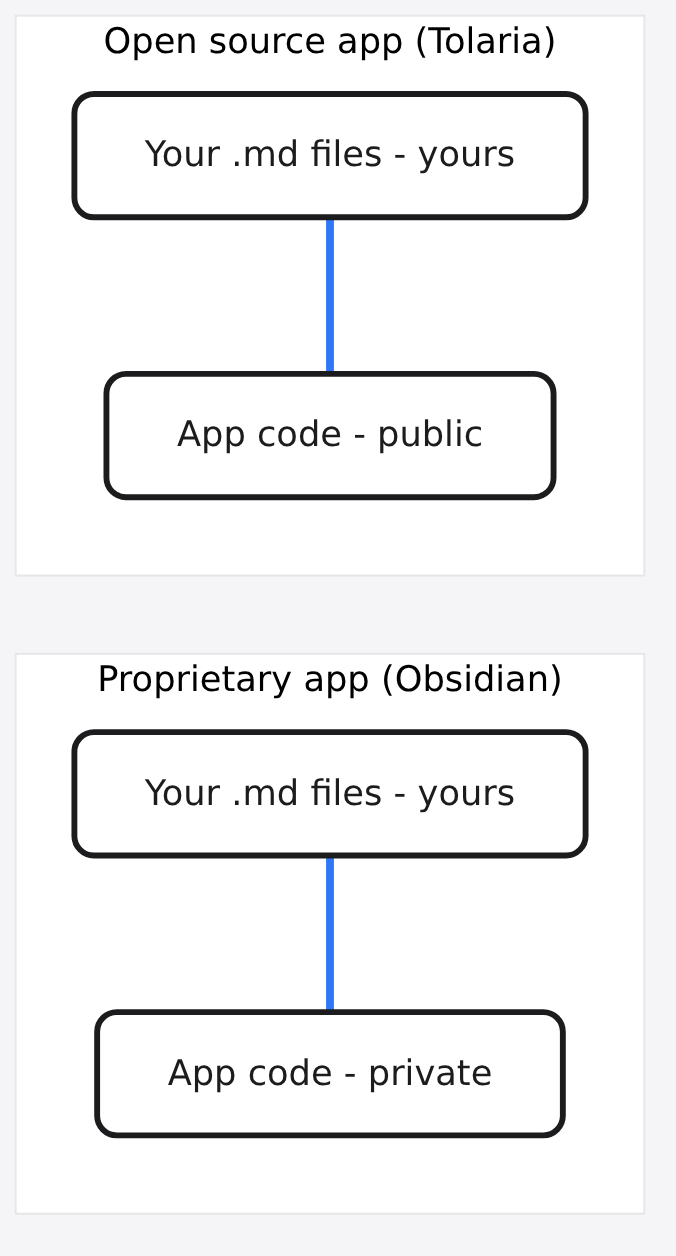
So your words are already safe. What is not open is the app around them. Obsidian is proprietary software, which means its code is private and only the company can change it or keep it running.
Open source flips that. The code is public, anyone can read it, and anyone can keep a copy going if the original team stops. Think of it like a recipe: Obsidian sells you the meal, an open source app hands you the recipe too.
Is Obsidian free, or will I end up paying?
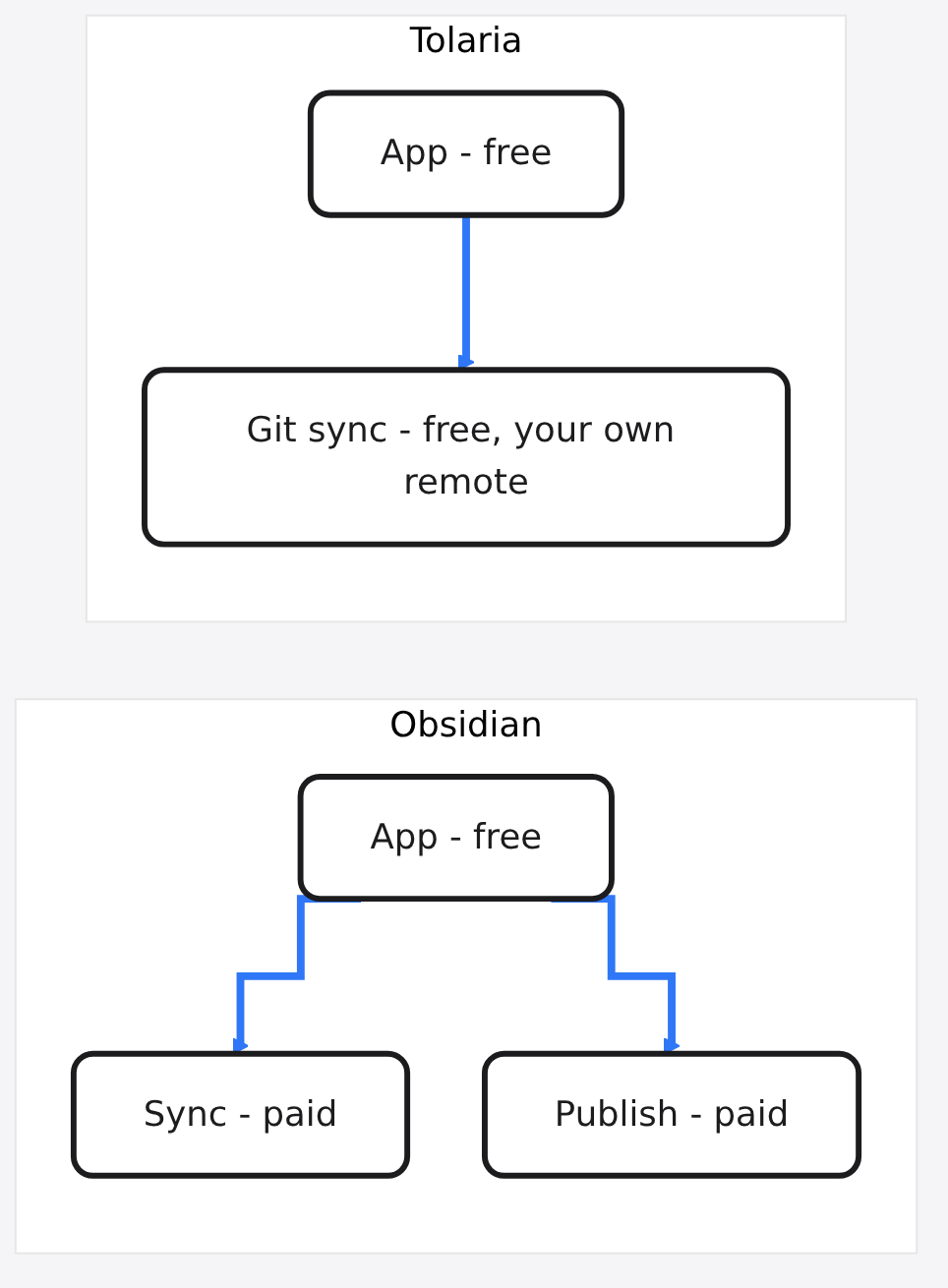
The app is free; the extras cost money. That matters because the paid parts are exactly where an open source swap can save you.
Obsidian’s pricing page calls the app “Free without limits,” and a commercial license is optional. The paid add-ons are separate. Sync keeps your vault the same across devices, at $4 per user per month billed yearly. Publish turns notes into a website, at $8 per site per month billed yearly.
Here is the turn.
If you already use Git, you may not need Sync at all. And that is the exact door Tolaria walks through.
What is Tolaria, in plain words?
Tolaria is a desktop notes app built on the same plain files, with Git and AI built in. Before the features, one prerequisite.
Git is a tool that saves snapshots of a folder over time, like unlimited “undo” with a timeline. A commit is one saved snapshot. A remote is a copy of that timeline on another computer, such as a private GitHub repo.
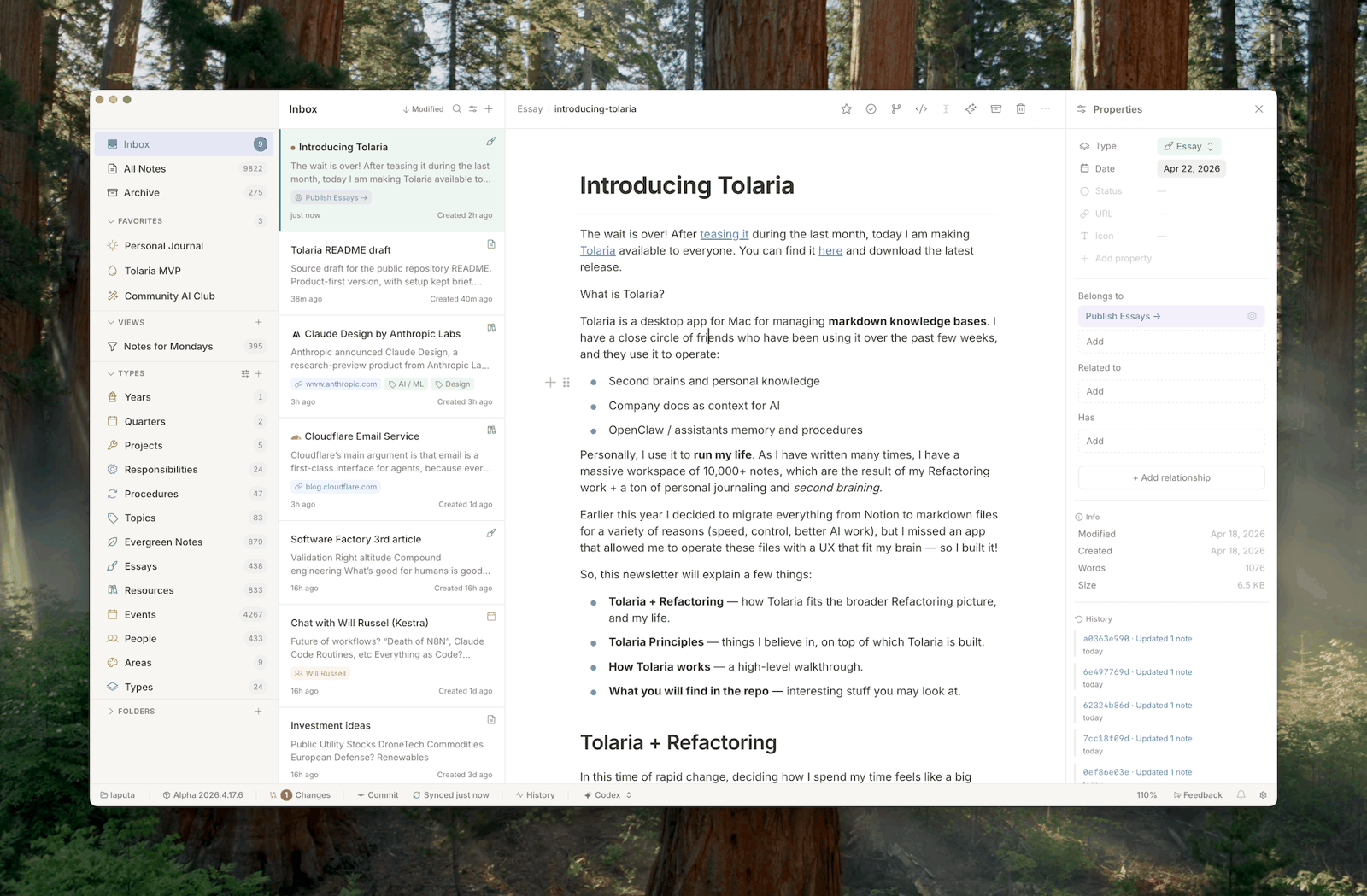
Now Tolaria makes sense. It is a free app for macOS, Windows and Linux, with an iPhone and iPad version in beta. Its code is public under the AGPL license (an open source license that says anyone who shares a changed version must share their changes too).
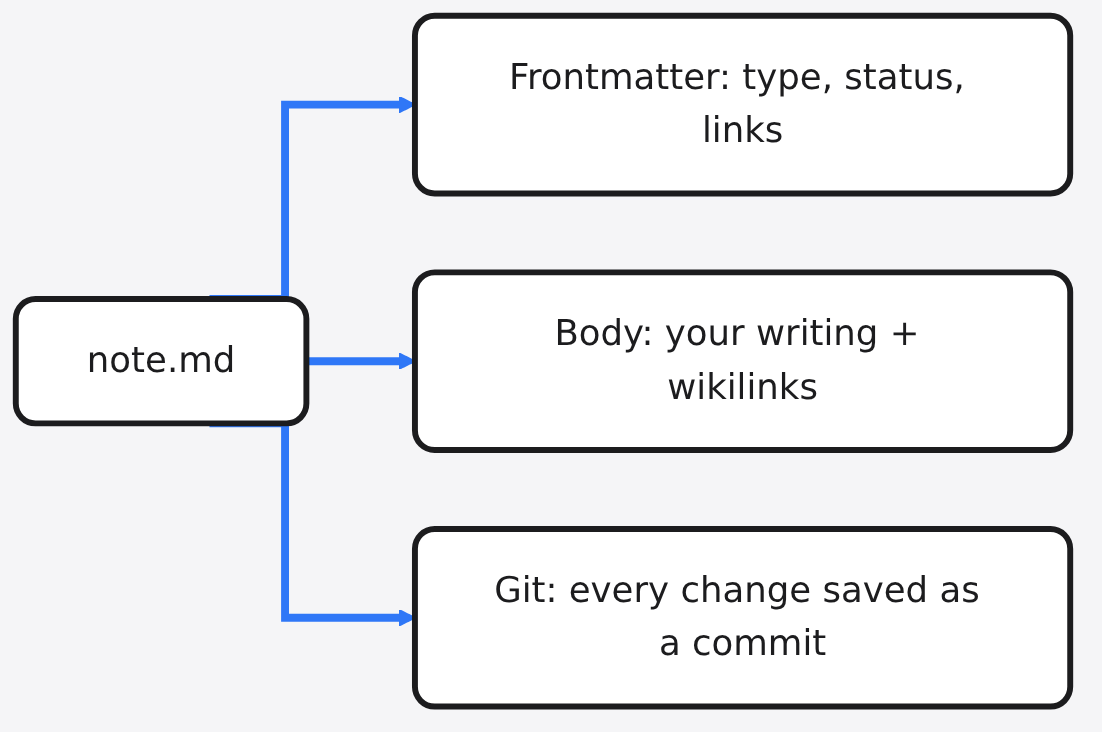
Notes are Markdown files with frontmatter (a small block of labels at the top of a note, between two --- lines). Git is recommended, not required. If your folder is not a Git repo yet, Tolaria creates one only when you ask it to.
Can Tolaria open my existing Obsidian vault?
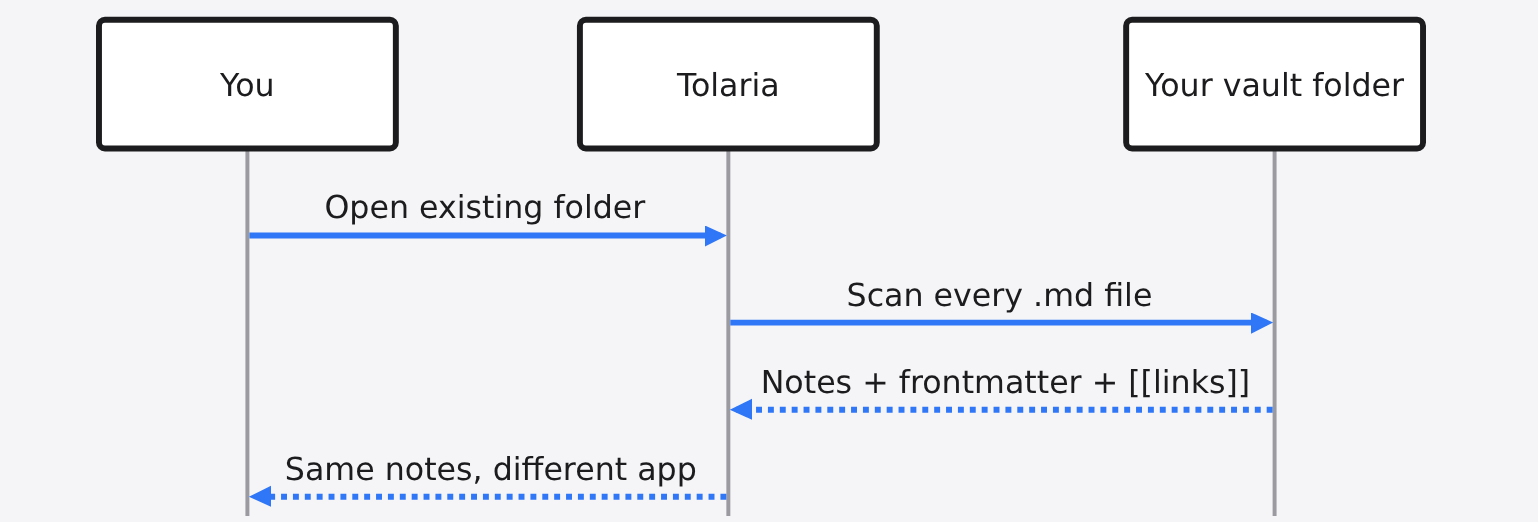
Yes. You point it at the folder and it reads what is there. That matters because the safest switch is the one where nothing has to be converted.
Tolaria’s own docs list “An Obsidian-style vault” as a good starting point. It scans every .md file in the folder, reads frontmatter when it exists, and leaves PDFs and images as normal files.
Links carry over too. Both apps use wikilinks (a link written as [[Note Name]] that points to another note by its name). Type [[ in Tolaria and it suggests notes to link, the same habit Obsidian trained into you.
What happens to my links when I rename a note?
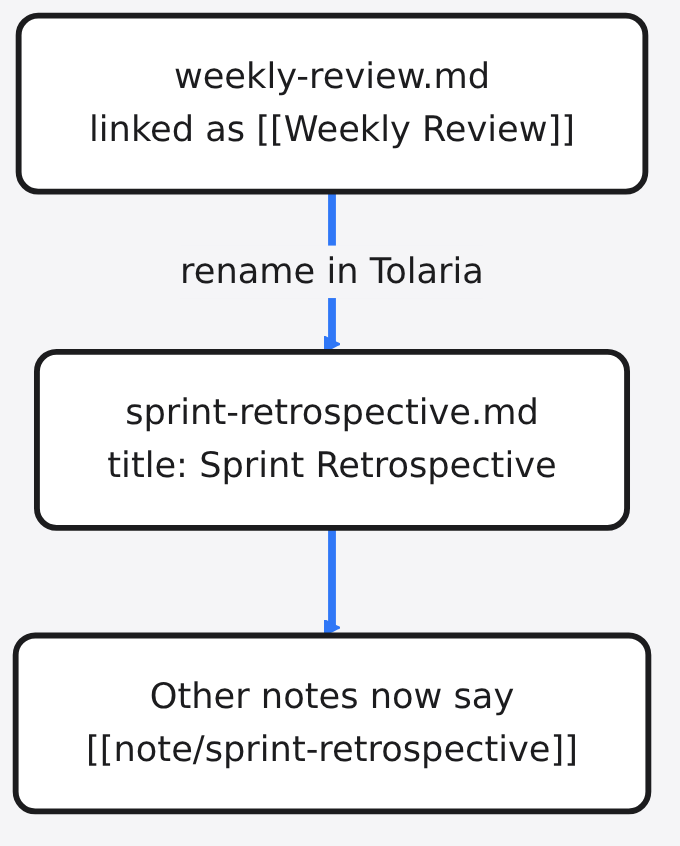
Tolaria renames the file and rewrites every link, but in its own style. I read Tolaria’s rename code and its tests to see exactly what it does, because this is where switching apps usually bites.
Take a note titled “Weekly Review.” When you rename it to “Sprint Retrospective,” Tolaria does three things:
- Renames the file to a slug (a lowercase, hyphenated filename), so it becomes
sprint-retrospective.md. - Adds
title: Sprint Retrospectiveto the note’s frontmatter. - Rewrites every
[[Weekly Review]]link in other notes to[[note/sprint-retrospective]], a link that includes the folder path.
Your heading inside the note stays the same. The project’s own tests check every one of those steps.
So nothing breaks. But if you plan to keep using Obsidian on the same folder, your file names will slowly turn into slugs, and Obsidian shows the file name as the note title. Decide before you rename anything in bulk.
How does Git replace a paid sync plan?
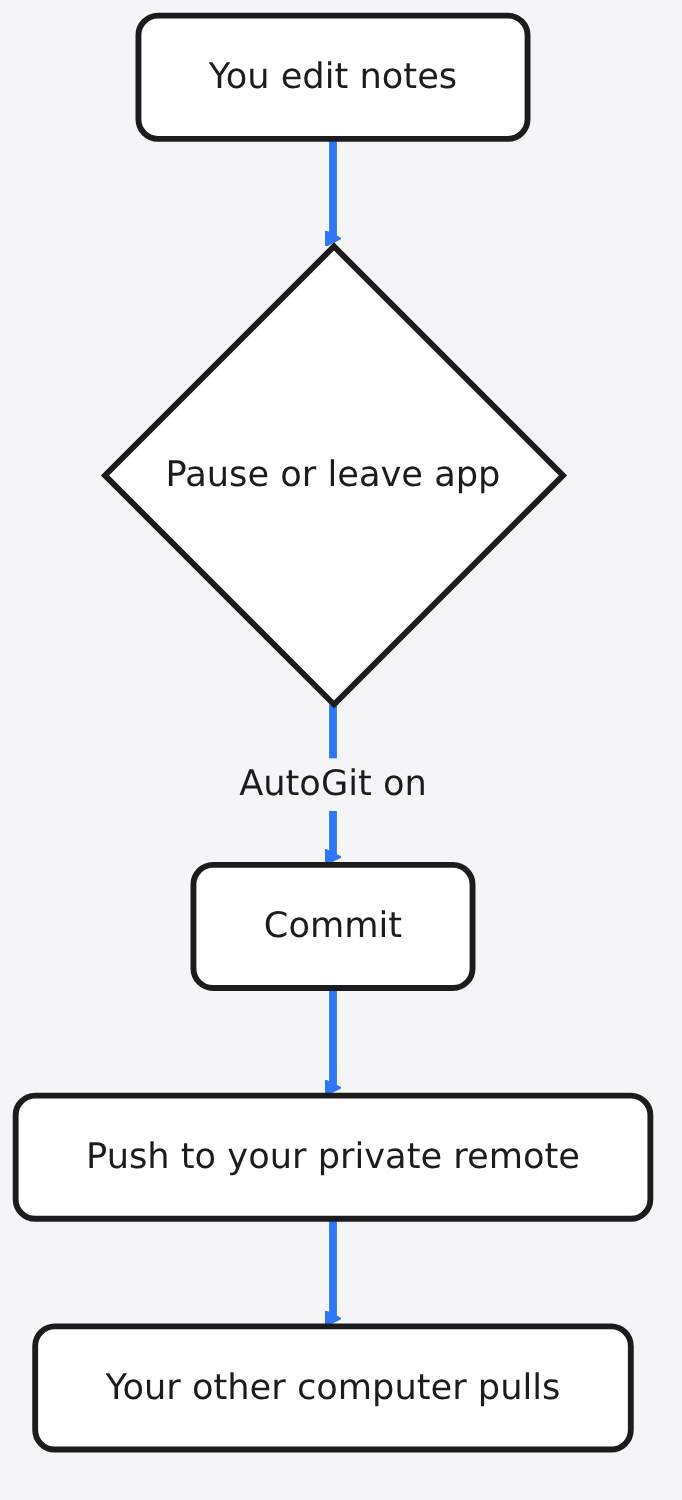
Git gives you history and sync without a sync server you rent. That is useful even if you never sync, because it means no edit is ever truly lost.
Tolaria works as a simple Git client. You can review changed files, write a short message, commit, and push to a remote. Or you can turn on AutoGit in Settings, which commits and pushes for you after you pause typing or leave the app.
Picture a notebook where every page you tear out is quietly photocopied into a drawer. That drawer is the Git history. Tolaria lets you open any note’s past versions and see what changed.
Does Tolaria work with AI tools like Claude Code?
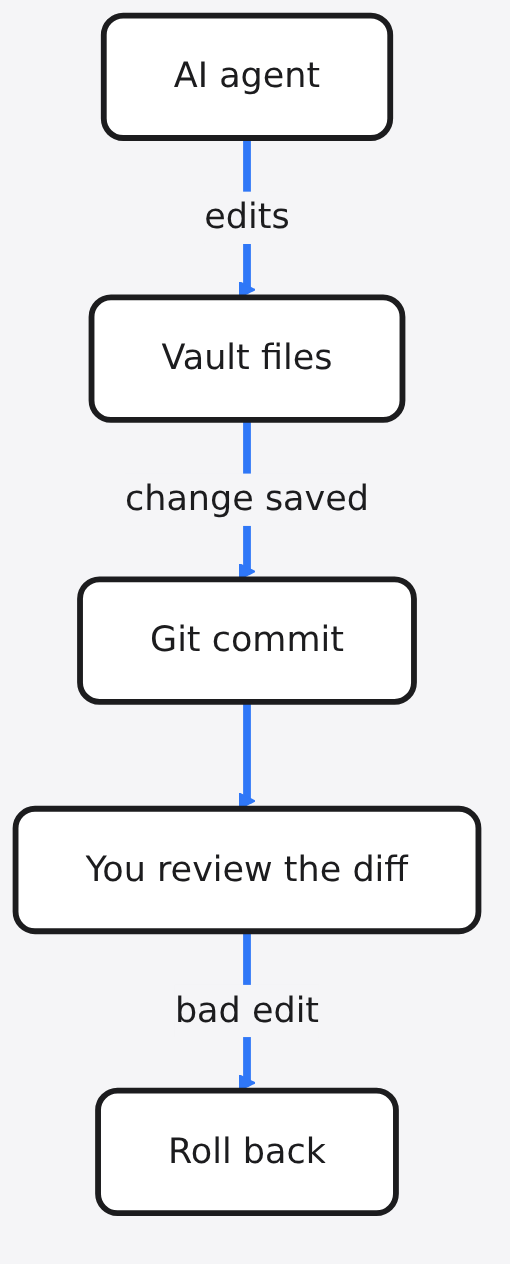
Yes, and it keeps AI changes reviewable. That matters because an AI that edits your notes should never be able to make silent changes.
An agent (an AI that can take actions, like editing files, not just chat) works well on plain files. Tolaria’s AI panel can hand your vault to coding agents such as Claude Code or Codex, to a local model through Ollama or LM Studio, or to an API model. Each vault has a permission mode, and the “Vault Safe” mode limits agents to file, search and edit tools.
And because every change lands in Git, you can review an AI edit like any other commit and roll it back. It also ships an MCP server (a standard plug that lets outside AI apps read and use your notes). If you like making notes visual, here is how to make Claude Code draw real diagrams.
What is the catch?
Tolaria is opinionated and young, and both cut both ways. Know these before you move a vault you care about.
| Obsidian | Tolaria | |
| App code | Private | Public, AGPL |
| Note files | Plain Markdown | Plain Markdown |
| Sync | Paid Sync, or your own setup | Git, free with your own remote |
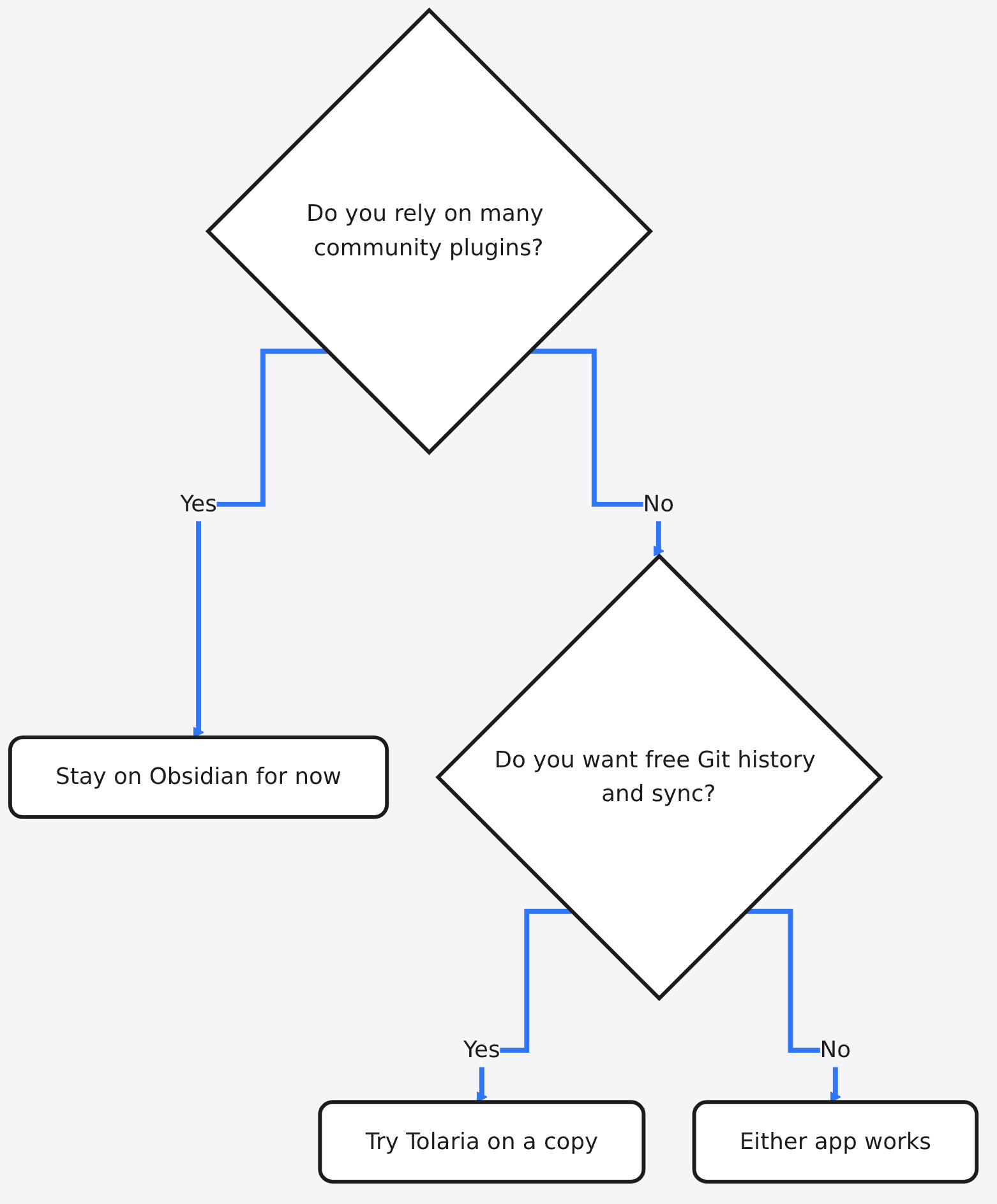
| Plugins | Large community plugin store | No plugin store, ships its own defaults |
| Mobile | iPhone and Android | iPhone and iPad in beta, no Android |
| Renaming | Keeps your file name style | Slug filenames, path-style links |
Obsidian is a blank canvas you build with plugins. Tolaria ships one point of view and skips the plugin hunt. If your setup leans on five community plugins, you will miss them.
Windows and Linux are supported but marked “early.” On a work laptop, IT may need to approve the installer first. On Linux, the desktop app needs WebKitGTK (the system web engine it draws its window with) installed.
Are there other open source options?
Yes, two older ones, each with a different trade. They are worth knowing so you pick on purpose.
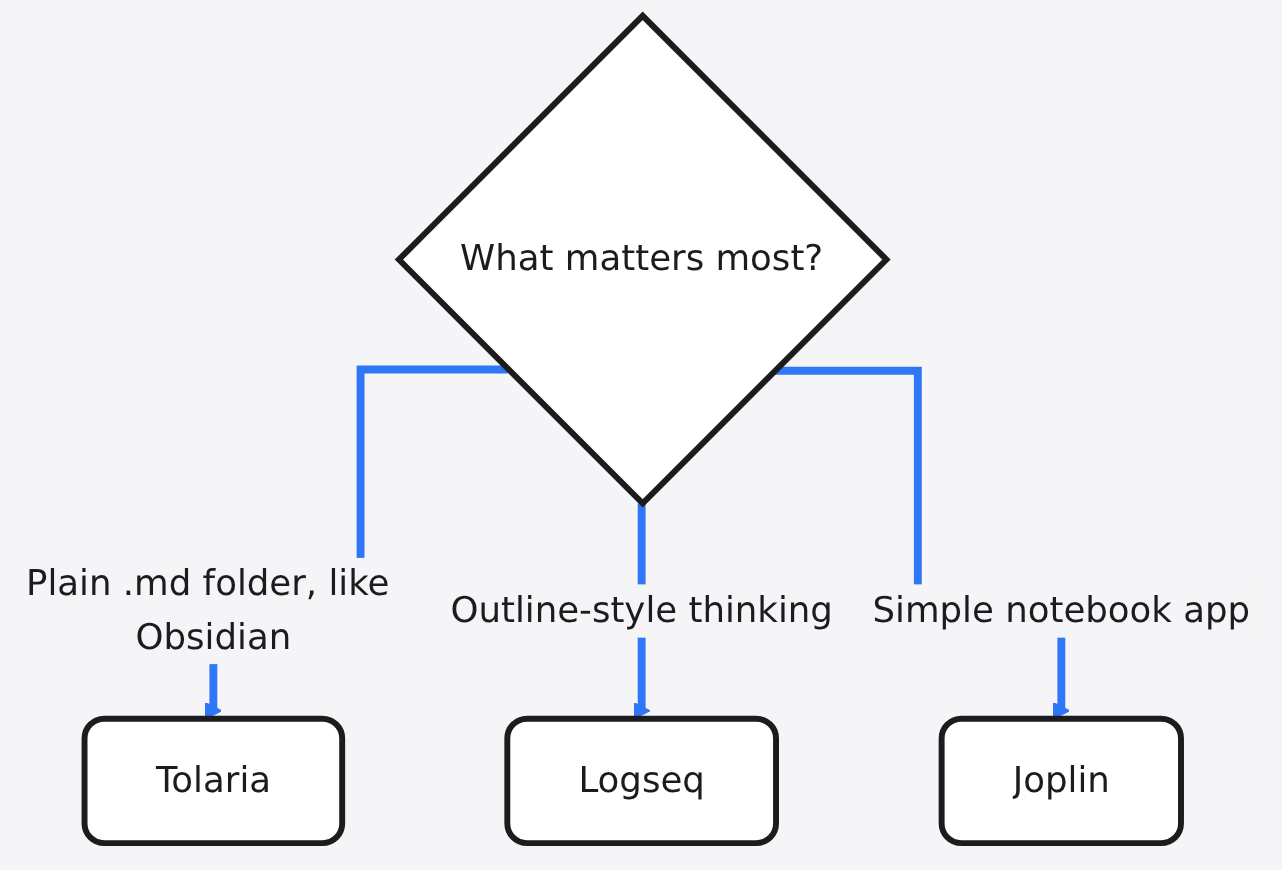
Logseq is free and open source under AGPL. It keeps notes as local plain text, but it is built around outlines (bullet points nested inside bullet points), which feels very different from Obsidian’s pages.
Joplin is free and open source too. You write in Markdown, but the app keeps notes in a SQLite database (a single data file the app manages), so your folder is not just plain .md files you can browse.
If “my notes stay plain files in a folder” is the rule you care about most, Tolaria is the closest match to how Obsidian already works. Keeping files on your own machine is a habit worth spreading. It also works for searching your Mac by what is inside files and converting files without uploading them.
How do I try Tolaria safely?
Test on a copy, never on the real thing. Five minutes of care saves a vault.
- Copy your Obsidian vault folder to a second place, such as
vault-test. - Install Tolaria. On a Mac:
brew install --cask tolaria. Elsewhere, use the download page. - Open Tolaria and choose “open an existing folder,” then pick
vault-test. - Open five notes you link to often and check that the
[[links]]still jump correctly. - Rename one test note and see how the links change.
- If it feels right, ask Tolaria to set up Git on the folder and add a private remote.
Get it here: Tolaria on GitHub. Docs: Open or create a vault.
Your notes were never really locked in. They were plain files all along. The only real question is which app you trust to sit on top of them.
Common questions about Tolaria and Obsidian
Is Tolaria completely free?
Yes. Tolaria is free and open source under the AGPL license, with no account or subscription. Sync uses Git with any remote you choose.
Can I use Obsidian and Tolaria on the same vault?
Yes, both read the same Markdown folder. Renaming notes in Tolaria changes file names to slugs and links to path style, so test that first.
Does Tolaria work offline?
Yes. Notes are files on your computer and Git keeps history locally. You only need the internet to push to a remote or use a cloud AI model.
Is there a Tolaria app for Android?
No. Tolaria has desktop apps for macOS, Windows and Linux, and an iPhone and iPad app in beta.