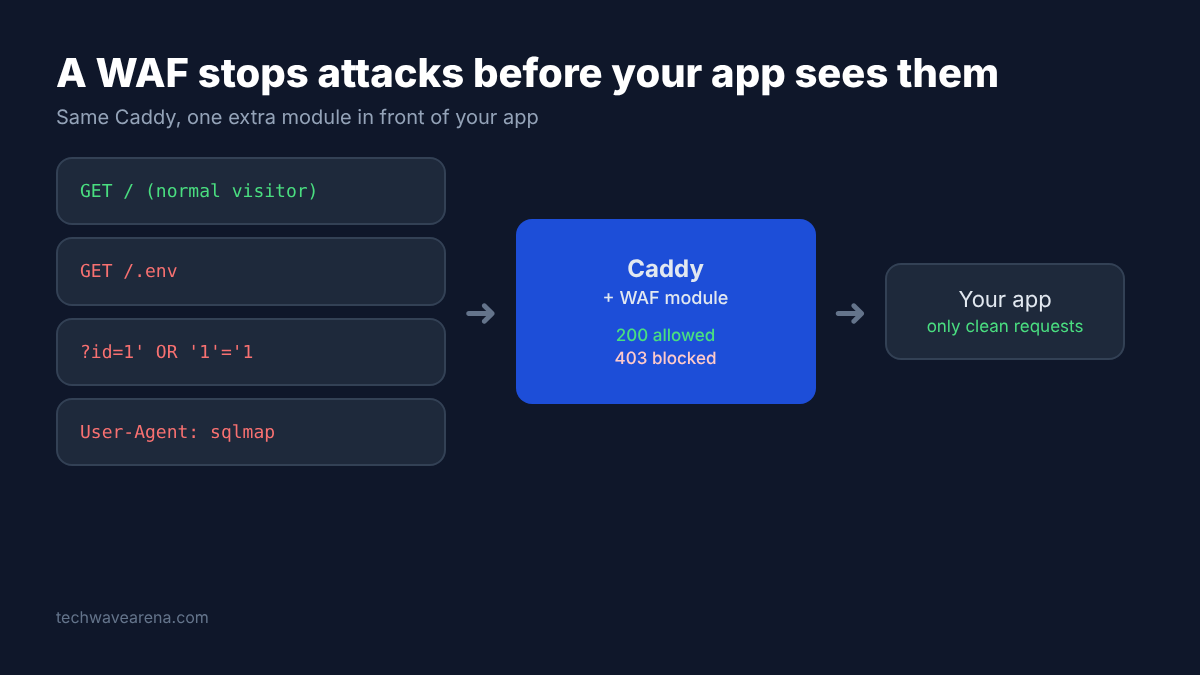
Open the access log of any Caddy server that faces the internet and you will see strangers knocking. Requests for hidden secrets files. Search boxes stuffed with always-true SQL tricks. Scanners named sqlmap asking for pages that do not exist.
Caddy happily passes every one of those to your app. Its job is to serve and route traffic, not to judge it. Whether that attack lands depends only on how carefully your app was written.
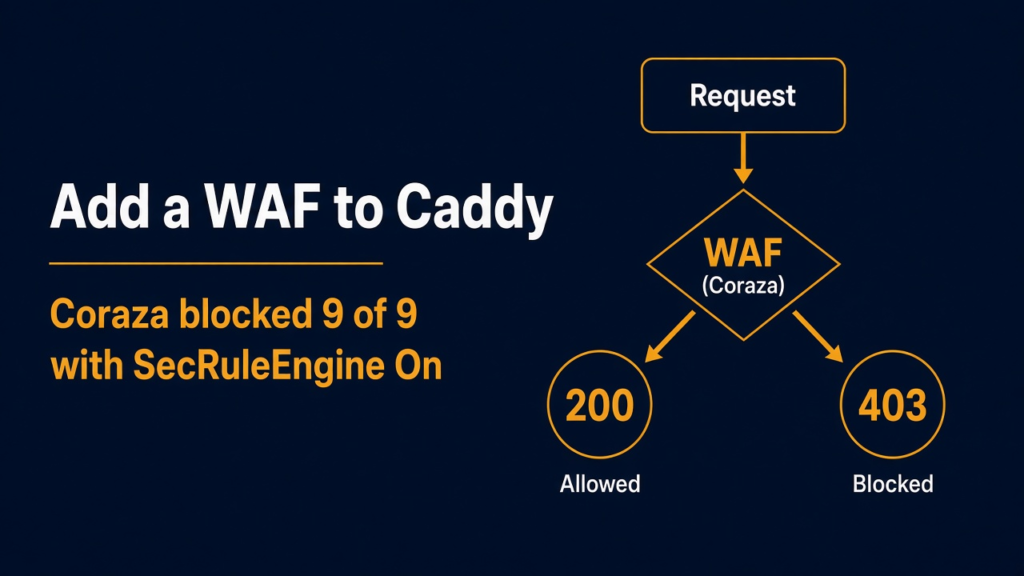
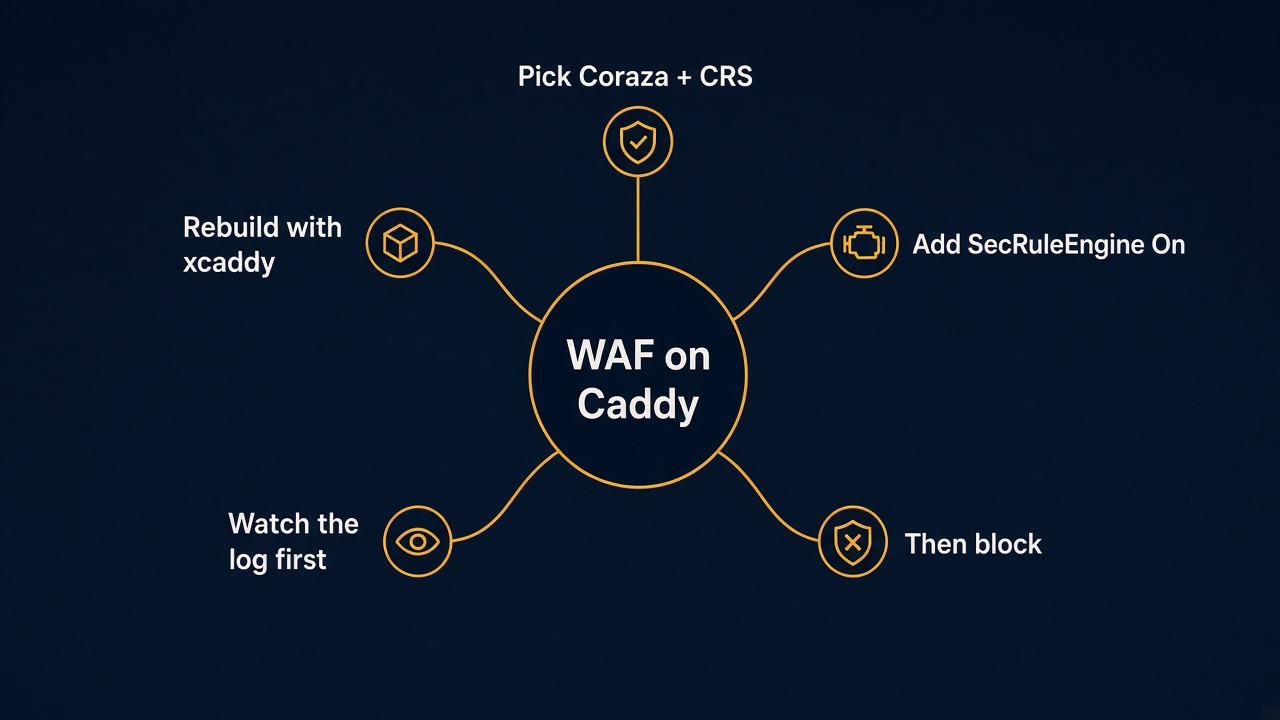
Short answer: Caddy has no firewall for web attacks built in, so you add one as a module and rebuild Caddy with xcaddy. The two real choices are Coraza with the OWASP Core Rule Set (a large, widely used rule set) and caddy-waf (small, readable JSON rules). Both blocked all 9 attacks I threw at them, but Coraza only did it after one setting most guides skip.
I built Caddy with both options, fired the same 11 requests at each, and timed them. One thread runs through all of it: a WAF only protects you once it is switched on and tuned, and the defaults do not do that for you.
What a Web Application Firewall Does
A web application firewall reads each web request and blocks the ones that look like attacks, before your app ever sees them.
Every time a browser asks your site for something, it sends an HTTP request. That is a short text message with a path (like /login), some headers (like which browser it is) and sometimes a body (like a filled-in form).
Caddy sits in front of your apps as a reverse proxy (a server that receives requests and forwards them to the right app). Think of it as the receptionist in a building. It reads the room number and sends the visitor up.
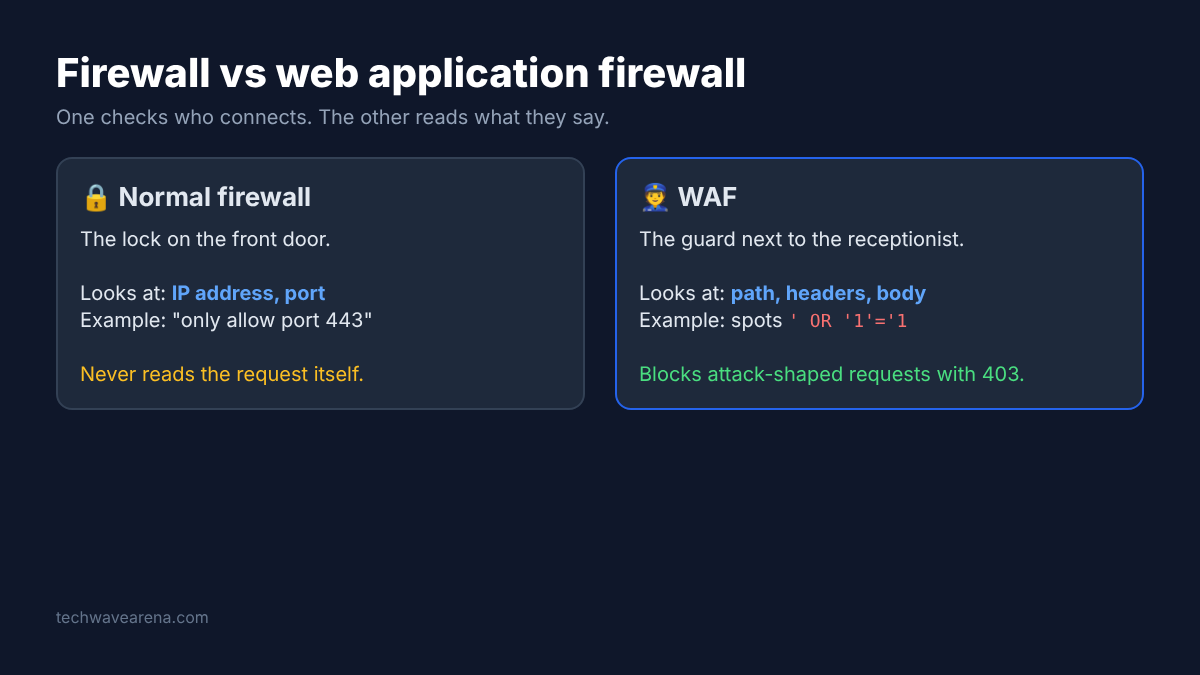
A normal firewall is the lock on the front door. It decides who may connect at all, by address and port. It never reads what the visitor says.
A WAF (web application firewall, a filter that reads the content of web requests) is a security guard standing next to the receptionist. It reads every message, and if a visitor says something that looks like a break-in attempt, it turns them away with a 403 Forbidden reply.
That reading is pattern matching. A WAF holds a list of rules, and each rule describes one attack shape, written as a regex (a search pattern that can match many strings at once). The common shapes:
- SQL injection (text typed into a form that tries to trick a database into running extra commands)
- Cross-site scripting, or XSS (a script tag slipped into a form so it runs in someone else’s browser)
- Path traversal (using dot-dot-slash steps to climb out of a folder and read system files like the Linux password file)
- Command injection (adding
;plus a shell command to an input that reaches the server) - Log4Shell (a famous Java logging bug triggered by a crafted lookup string that tells the logger to fetch and run remote code)
Most WAFs do not block on one match. They use an anomaly score (each matching rule adds points, and the request is blocked once the total crosses a limit). Like a guard who lets one odd word slide but stops someone who says five.
Why Caddy Needs a Rebuild to Get One
Caddy has no plugin folder, so a WAF has to be built into the Caddy program itself.
Caddy is written in Go, and Go programs ship as one single file with everything inside. Extra features in Caddy are called modules (pieces of Go code that become part of the Caddy program). To add one, you compile a fresh Caddy that includes it.
The official tool for that is xcaddy. You tell it which modules you want, it downloads the source code and builds you a custom Caddy file. Your Caddyfile (the plain-text config that tells Caddy what to serve) stays the same, plus a few lines for the WAF.
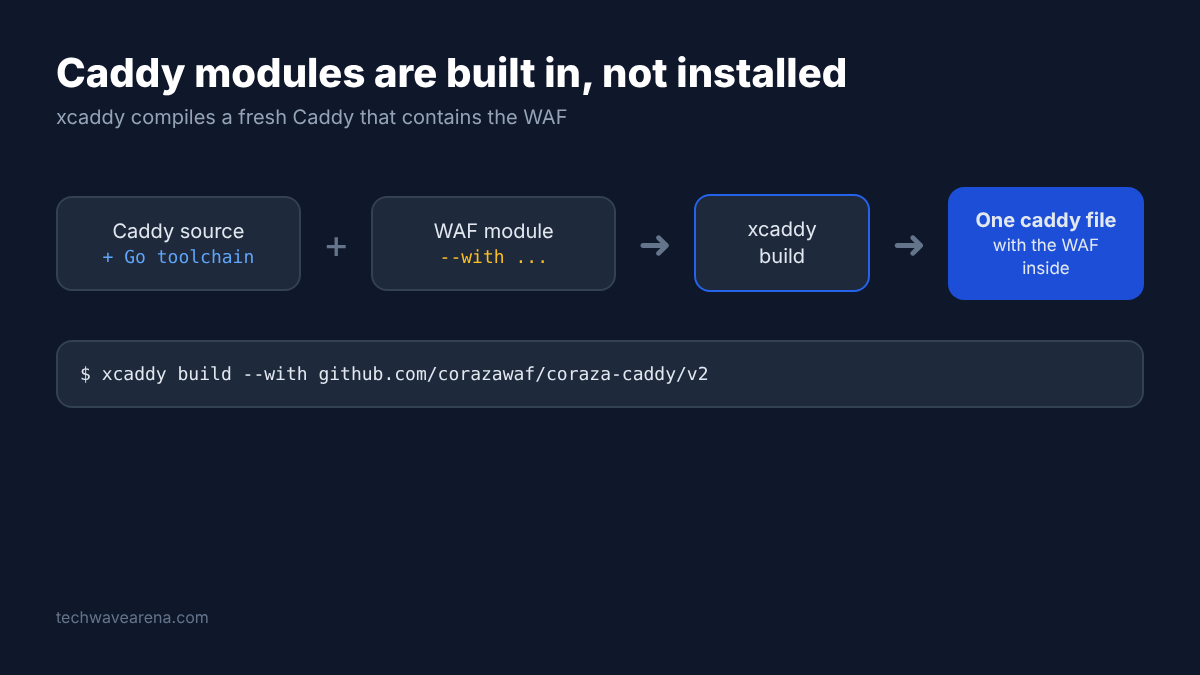
This is also why the caddy-waf project tells you to avoid caddy add-package and use xcaddy or a container image instead. Building it yourself is the reliable path.
You need Go installed. If your Go is older than what a module asks for, set GOTOOLCHAIN=auto and Go fetches the right version by itself. My build machine had an older Go, and both builds still finished without a single manual fix. The caddy-waf build took under two minutes.
Coraza or caddy-waf: Which One to Pick
Pick Coraza with OWASP CRS if you want the widest, most proven protection; pick caddy-waf if you want a small rule file you can read in one sitting.
Here is what each one is.
Coraza is an OWASP project (OWASP is a nonprofit that works on software security in the open). It is a WAF engine written in Go that speaks the ModSecurity rule language, the same rule format that big WAFs have used for years. Coraza comes with a Caddy module.
Coraza alone is an engine with no rules. The rules come from the OWASP CRS (Core Rule Set, a large free collection of attack-detecting rules maintained by OWASP). The Caddy module already contains CRS inside the binary, so there is nothing extra to download.
caddy-waf is a separate, smaller project made only for Caddy. Its rules live in a JSON file, each one a regex with a score and an action (block or log). It also bundles extras: IP and country blocklists, Tor exit-node blocking, rate limiting and a metrics page.
| Coraza + OWASP CRS | caddy-waf | |
|---|---|---|
| Rule format | ModSecurity language, huge shared ruleset | Short JSON file of regex rules |
| Rules out of the box | Full CRS, built into the binary | A small set of grouped rules in the repo |
| Watch-only mode | SecRuleEngine DetectionOnly | Set a rule’s action to log |
| Extras | Deep rule tuning, paranoia levels | Rate limiting, IP and country blocking, Tor blocking, metrics page |
| Memory in my test | About 108 MB | About 55 MB |
| License | Apache 2.0 (Coraza and CRS) | AGPL-3.0 |
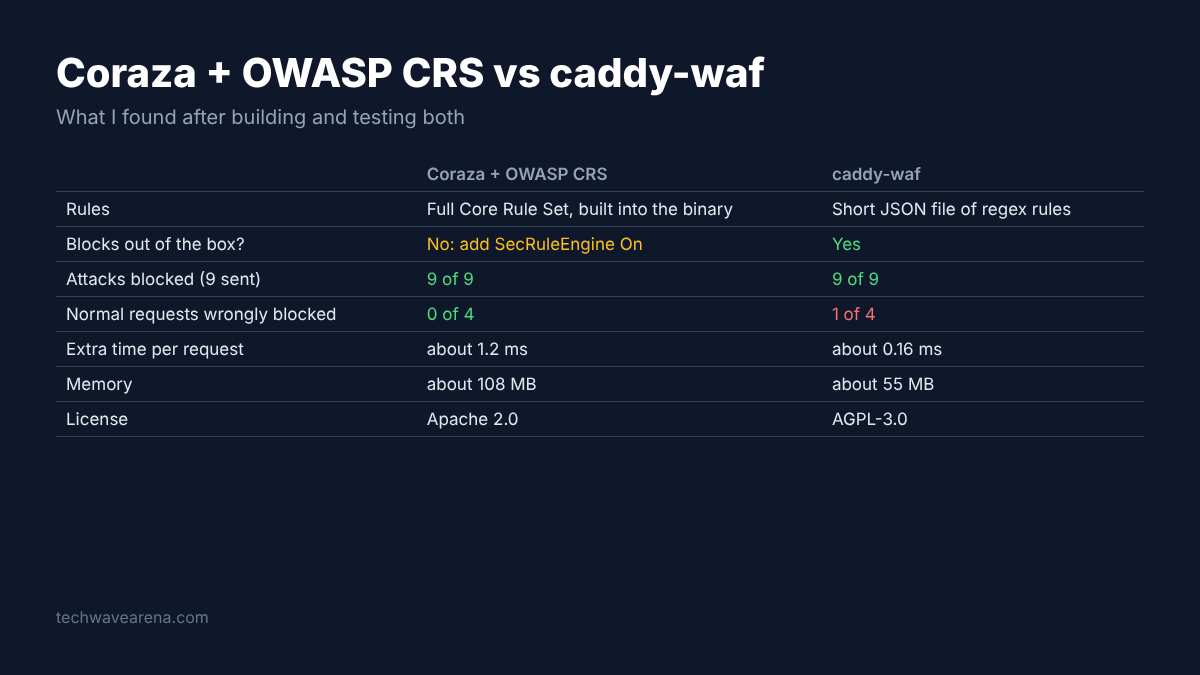
The license row matters more than it looks. AGPL-3.0 (a copyleft license that can require you to share your source code if you change the program and offer it to others over a network) is fine for a homelab. A company that ships a modified version should check with whoever handles licenses first.
Setup A: Coraza With OWASP CRS
Build Caddy with the Coraza module, load CRS, and add one line that turns blocking on, because the recommended config only watches.
Step 1, build Caddy with Coraza:
go install github.com/caddyserver/xcaddy/cmd/xcaddy@latest
xcaddy build --with github.com/corazawaf/coraza-caddy/v2Step 2, put this in your Caddyfile, with your own domain and app address in place of example.com and localhost:3000:
{
	order coraza_waf first
}

example.com {
	coraza_waf {
		load_owasp_crs
		directives `
			Include @coraza.conf-recommended
			Include @crs-setup.conf.example
			Include @owasp_crs/*.conf
			SecRuleEngine On
		`
	}
	reverse_proxy localhost:3000
}The order coraza_waf first line makes the WAF check each request before anything else touches it. The @ paths are not files on your disk. They point to the copy of CRS that lives inside the Caddy binary, which is what load_owasp_crs switches on.
Now the setting most guides skip. The file coraza.conf-recommended contains SecRuleEngine DetectionOnly. That means “spot attacks, write them to the log, let them through anyway.”
I ran it first without the SecRuleEngine On line. Every one of my 9 attacks got a 200 OK. The log showed Coraza had spotted all of them. It just did not stop any.
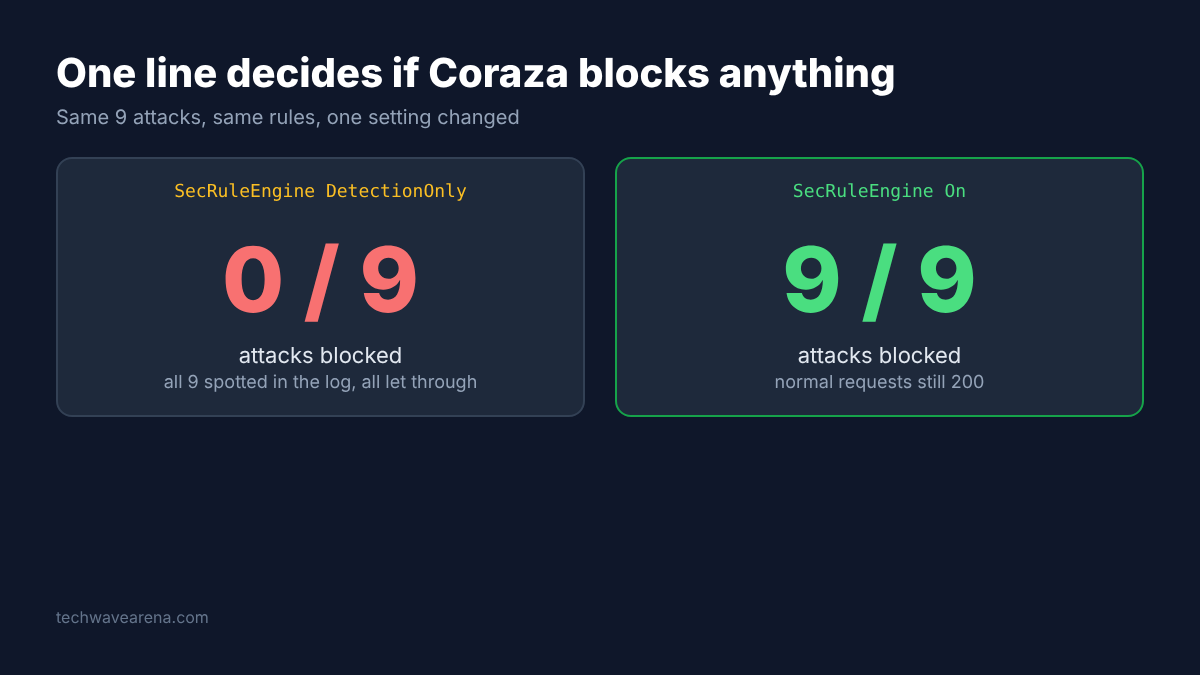
Adding SecRuleEngine On after the includes flipped all 9 to 403 Forbidden, while my 2 normal requests still got 200. One line is the whole difference between a guard and a camera.
Setup B: caddy-waf
Build Caddy with caddy-waf, point it at a rules file and two blocklist files, and it blocks from the first request.
Step 1, build:
xcaddy build --with github.com/fabriziosalmi/caddy-wafStep 2, copy rules.json from the project repo next to your Caddyfile, and create two empty blocklist files (ip_blacklist.txt and dns_blacklist.txt). Then:
{
	order waf first
}

example.com {
	waf {
		rule_file rules.json
		ip_blacklist_file ip_blacklist.txt
		dns_blacklist_file dns_blacklist.txt
		anomaly_threshold 5
		log_path waf.log
	}
	reverse_proxy localhost:3000
}The anomaly_threshold is the points limit from earlier. 5 is the default, and lower means stricter.
A rule in rules.json looks like this. You can read it top to bottom without knowing anything about WAFs:
{
  "id": "block-sqlmap",
  "phase": 1,
  "pattern": "(?i)sqlmap",
  "targets": ["USER_AGENT"],
  "score": 5,
  "action": "block",
  "description": "Block the sqlmap scanner"
}phase says when to check (phase 1 is the request headers, phase 2 is the request body). I added exactly this rule to an empty rules file: a request with a sqlmap user agent got 403, a normal one got 200. targets says which part of the request to read. score is how many points a match adds.
What Happened When I Attacked Both WAFs
Both blocked all 9 attacks, but caddy-waf also blocked one normal search, and that is the thing to plan for.
The question was simple: does each WAF stop real attack shapes without stopping real people?
What I did: one Caddy per setup on the same Linux machine, each answering “Hello from the app”, then the same 11 requests with curl. Two were normal. Nine were attacks.
| Request | Coraza, recommended config only | Coraza + SecRuleEngine On | caddy-waf |
|---|---|---|---|
| Normal home page | 200 | 200 | 200 |
| Normal search for a sofa that used the words “select” and, a few words later, “from” | 200 | 200 | 403 |
| SQL injection with an always-true condition | 200 | 403 | 403 |
| SQL injection that bolts a second query on | 200 | 403 | 403 |
| XSS with a script tag that pops an alert | 200 | 403 | 403 |
| Path traversal to the Linux password file | 200 | 403 | 403 |
| Request for the app’s hidden secrets file | 200 | 403 | 403 |
| Command injection that prints the password file | 200 | 403 | 403 |
| Log4Shell text in a header | 200 | 403 | 403 |
| sqlmap scanner user agent | 200 | 403 | 403 |
| SQL injection in a login form | 200 | 403 | 403 |
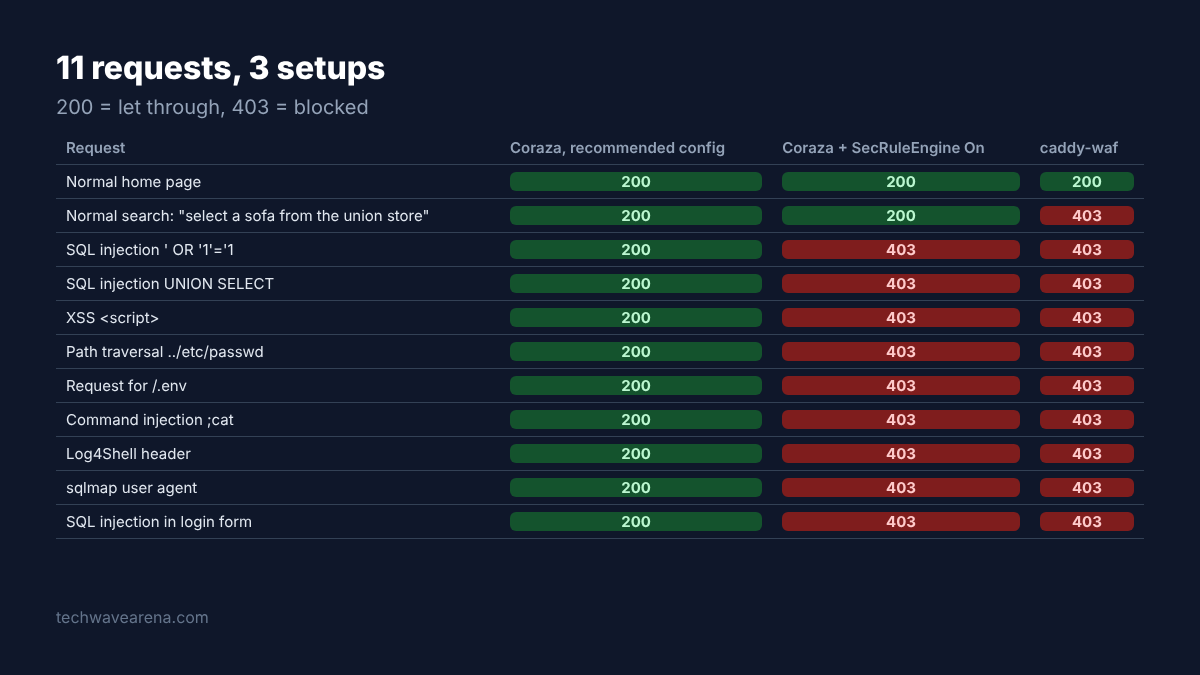
That bold 403 is a false positive (a normal request wrongly blocked as an attack). The caddy-waf log named the rule: sql-injection. Its pattern fires when a word like select is followed, within a short stretch of text, by a word like from. A sofa search that says “select” and then “from” fits that shape perfectly.
Two more normal requests passed on both WAFs. One was a search for “O’Reilly books”, a fair test because the apostrophe is a classic SQL trick. The other was a comment form describing a database query the writer had run in psql.
What it means for you: a WAF is a guess about intent, and every guess can be wrong. CRS at its default level is designed so false positives are rare. A small regex file gets less of that tuning, so expect to adjust it for your own site.
The catch: 11 requests is a smoke test, not an audit. Real attackers twist payloads in ways a short list never covers.
Does a WAF Slow Caddy Down?
Yes, a little: in my test caddy-waf added about 0.16 ms per request and Coraza with CRS added about 1.2 ms.
The test: 2,000 normal search requests in a row from the same machine, one connection, measuring how long each answer took.
| Setup | Median time per request | 95% of requests under | Memory used |
|---|---|---|---|
| Plain Caddy, no WAF | 0.15 ms | 0.26 ms | about 51 MB |
| caddy-waf | 0.31 ms | 0.55 ms | about 55 MB |
| Coraza + OWASP CRS | 1.36 ms | 2.08 ms | about 108 MB |
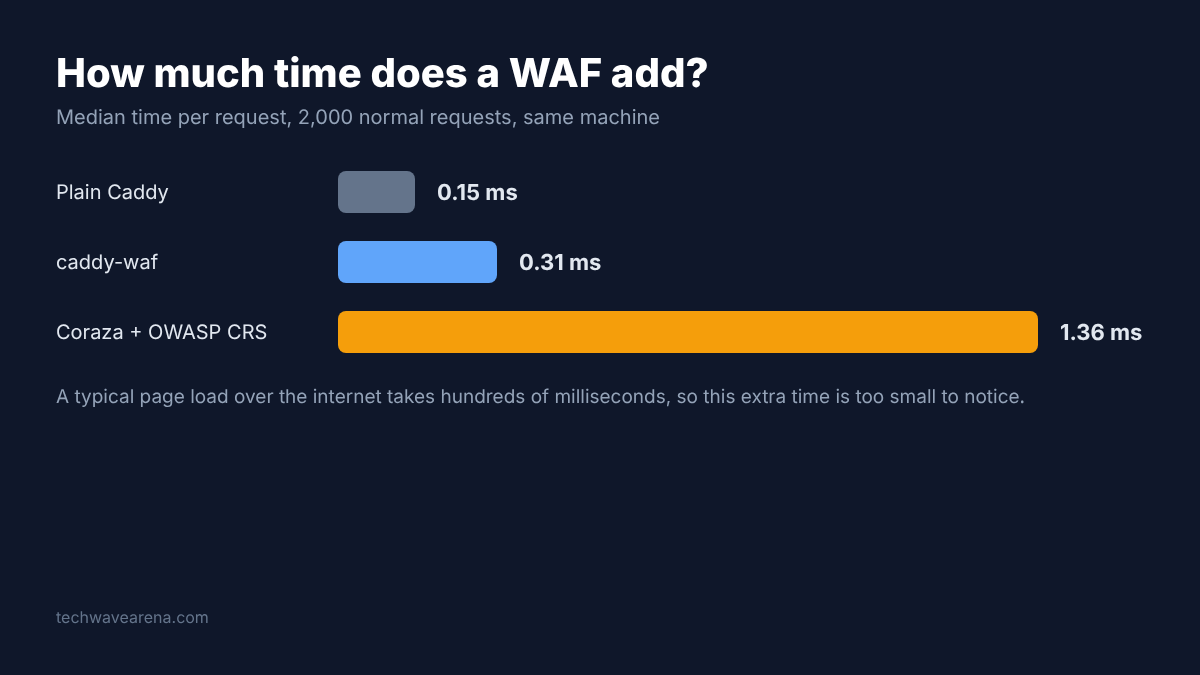
A millisecond is a thousandth of a second. A typical web page takes hundreds of milliseconds to load over the internet, so even Coraza’s extra time is too small for a visitor to notice. The memory gap matters more on a tiny VPS (a small rented server), where 50 MB extra is a real share of the total.
The catch: this ran on one machine with no network in between, in one run. Your numbers will differ. The ratio is the useful part: CRS checks far more rules, so it does more work per request.
Roll It Out Without Blocking Real Users
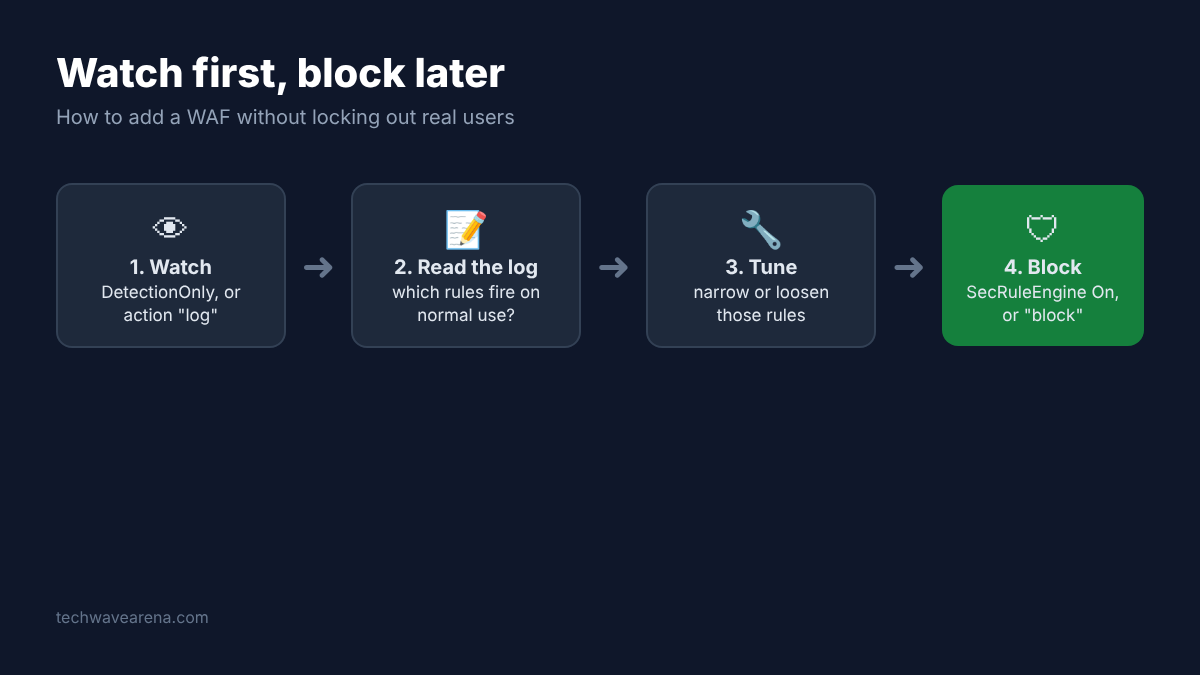
Run the WAF in watch-only mode first, read the log for a few days of normal traffic, then switch blocking on.
This is the step that turns the false positive above from a support ticket into a log line. Both WAFs support it.
- Coraza: leave
SecRuleEngine DetectionOnly(the recommended default) and read the Caddy log for rule IDs that fire on normal pages. - caddy-waf: set every rule’s
actiontolog. I tested this: all 11 requests passed, and the log recorded the would-be score (advisory_score) for each attack. - Use your site like a normal person: log in, search, post a comment, upload a file.
- For each rule that fires on normal use, narrow it to the page where it misfires, or loosen the pattern.
- Switch to blocking (
SecRuleEngine On, oractionback toblock).
For Coraza, CRS has a setting called the paranoia level (how strict the rules are, from 1 to 4). It starts at 1, the level where false positives should be rare. Higher levels add more rules and, by CRS’s own description, more false positives you will need to handle. Raise it only if you are ready to spend time tuning.
What a WAF Won’t Protect You From
A WAF catches known attack shapes in requests; it cannot fix a bug in your app or stop someone who logs in with a stolen password.
It is a filter, not a repair. If your app has a broken permission check, a perfectly normal-looking request can still read someone else’s data, and no rule will flag it.
That is exactly the shape of the Lovable and Supabase data exposure: a missing rule in the app, not an attack a WAF could see. Keep updating your apps; the WAF buys you time, nothing more.
It also does nothing for traffic that never goes through Caddy, like a database port left open to the internet. The same goes for an app with its own ports, like a self-hosted RustDesk server. That is a job for the normal firewall, or for not exposing the port at all.
And it cannot tell a stolen password from a real one. For that, pair it with passkey login on your self-hosted apps.
There is a fair case for skipping a WAF. If you only run a couple of apps for yourself behind a VPN or a login, the extra build step and tuning may cost more than they save. For anything public, with forms and search boxes, I would add one.
Start with Coraza and CRS. Leave it watching for a week. Then add the one line.