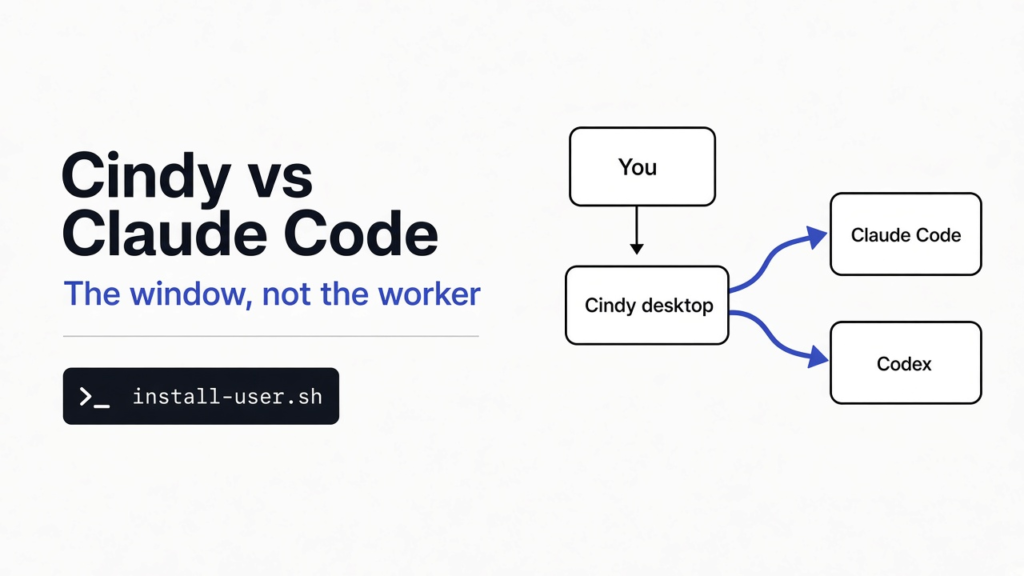
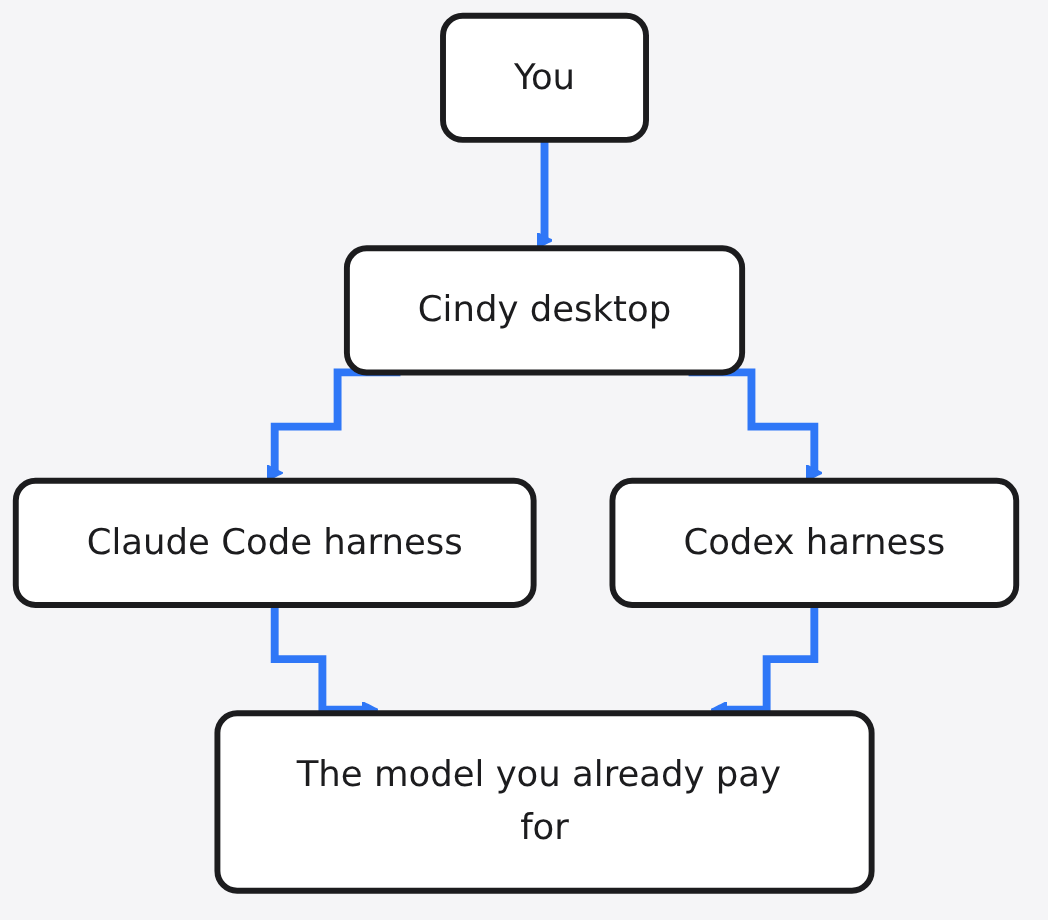
I already had Claude Code open in a terminal, and a second coding agent I only started when the first one stalled. Cindy is the desktop app that says it can hold both of those workers in one window. Cindy vs Claude Code is not a choice between two models. Claude Code is the worker. Cindy is the window around that worker, and around Codex too. Use Cindy when you already pay for a coding plan and you are tired of two windows. Stay in the terminal when one worker, in one folder, is the whole job.
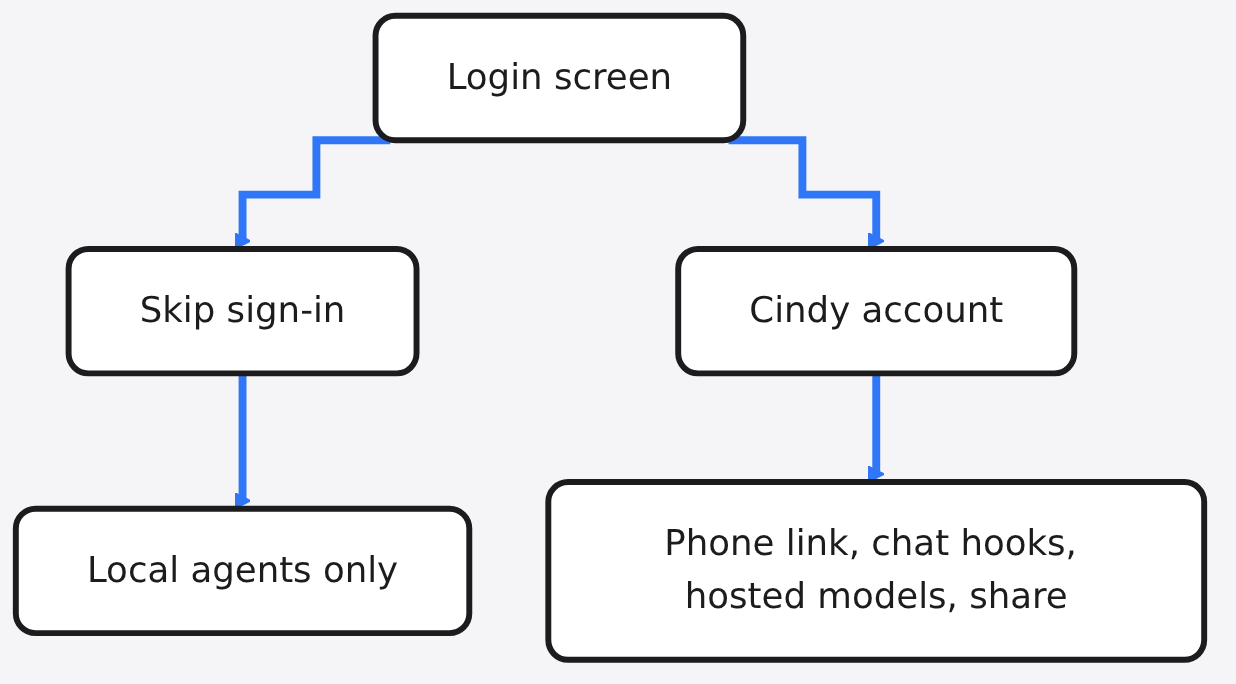
Cindy does not replace Claude Code. It is a free desktop client that can run the Claude Code harness you already pay for, and it turns the cloud features off if you skip sign-in.
A harness is the program around the model. It reads your files, runs commands, and decides when to ask the model for the next step. The model is the part that writes that next suggestion. You can change the model and keep the same harness. Cindy’s claim is the other direction: change the harness and keep the same task. That claim is the product. The check I could finish here was the client repo and the public Linux update manifest, not a full task inside the window.
Cindy vs Claude Code
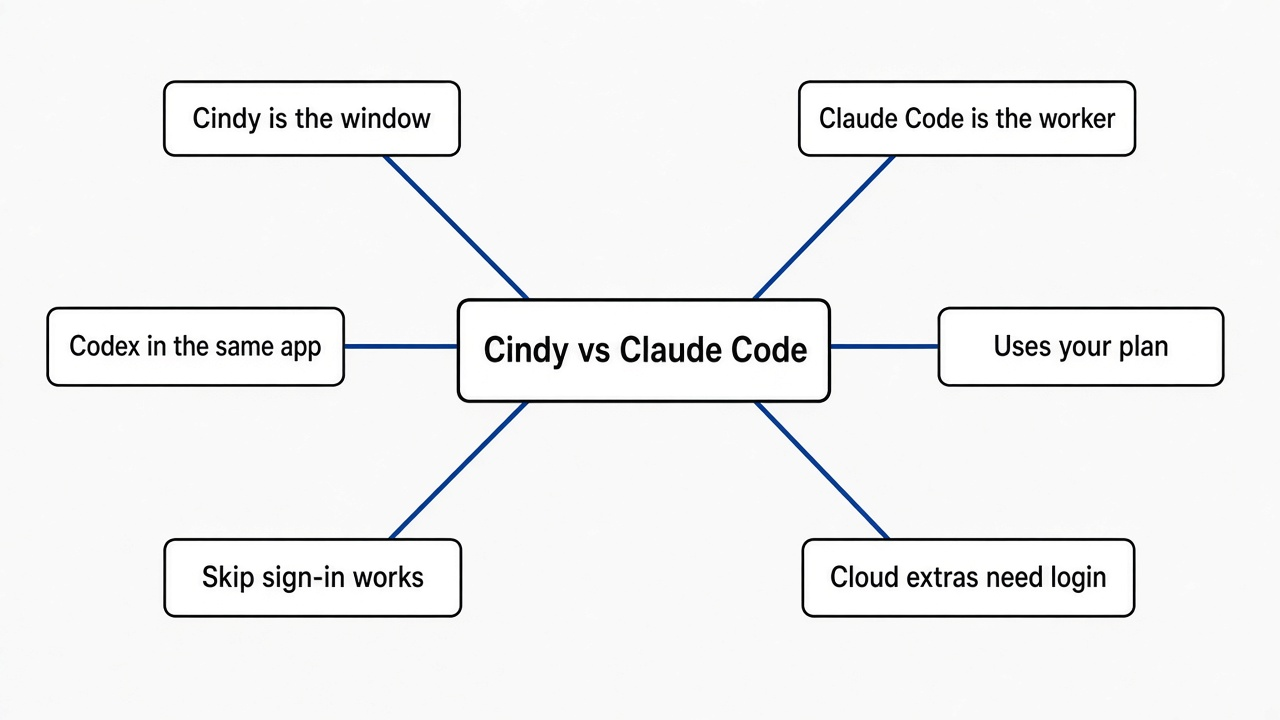
Stay on Claude Code if you already work in a terminal and you only need one agent. Move to Cindy if you want that same Claude Code plan, plus Codex, inside one desktop, and you accept a cloud account for the extras.
Claude Code is a terminal program. You type in a folder, it edits that folder, and the bill goes to the plan or the key you already set up. Cindy is a desktop program, the kind built as a web page inside a native window, plus a phone client in the same repo. The first harnesses it names are Claude Code and Codex. The update channel also publishes a third, Pi. A harness of Cindy’s own is still described as unfinished.
The part I did not expect is the size. The public Linux manifest lists a desktop package of about 188 MB. Next to it sit separate archives for the Claude Code binary and the Codex binary, about 110 MB each, and a Pi archive of about 41 MB. Treat the 188 MB as the package, and the other archives as files that same channel publishes. Do not add them into one total until you have unpacked a release. What is already clear: “out of the box” is not a small script. You are downloading the window and the workers.
| Question | Claude Code | Cindy |
|---|---|---|
| Where you work | A terminal, in the folder you opened | A desktop app, and a phone client |
| Who writes the next step | The model on your Claude plan or key | That same plan, if you connect it, or Cindy’s metered service, or your own key, or a local model |
| What the app itself costs | Nothing on top of the plan | The client is free. The model is not |
| A second agent | A second terminal | Codex in the same app. Pi is on the update channel too |
| Sign-in | The account your harness already uses | Optional. Skip sign-in keeps local agents and drops the cloud |
| The server | You do not host one | The backend is not in the client repo |
If the only pain is two agents saving over the same files, a second folder solves it. That job is OpenRig vs git worktrees. Cindy does not create that second folder for you.
What is Cindy?
Cindy is the open source client, not the whole service. The repo holds the desktop app, the phone app, and the shared packages. The server that sign-in talks to lives somewhere else.
Open source here means the client license is Apache-2.0. You can read it, change it, and ship your changes if you keep the notices. It does not mean the model is free. It does not mean you can stand up Cindy’s cloud from this one repo. The project says the backend is a separate repository and is not part of this one.
The client is built to run on your machine and to touch your files and the apps you are already logged into. That is different from a chat box in a browser tab. The model still has to live somewhere: on a plan you pay for, on a key you paste in, on a local model on your own hardware, or on Cindy’s metered service, which bills usage apart from the app.
Memory, in their words, is a correction that sticks and is shared across harnesses. A skill is a saved way of working you can reuse. Handing those skills to a team is still marked as not done. Plugins that change the look and the clicks are also still marked as in the making. You can also attach your own tools through the plug format agents already use. I would not plan a team rollout on any line the project still calls unfinished.
How to install Cindy on Linux
A normal Linux install is a prebuilt package into your home folder, not a clone of the git repo.
On Ubuntu the documented path is the official package through apt. On Arch the documented path is a user install, not a root install, into $HOME/.local/opt/cindy. Other desktops that ship glibc, the system library Ubuntu and Arch use, get that same path. Alpine ships a different library, musl, and the notes say no. The installer adds a menu entry and a cindy:// link, and it does not start the app for you. You also need a normal graphical login and a keyring, the locked box the desktop uses for saved secrets, because this is a desktop app. A server with no screen is the wrong machine.
If you install from the package by hand, pass the sha256 that the current manifest prints next to that file. A sha256 is a fingerprint of the file. If it does not match, you downloaded something else. Do not copy a fingerprint out of a blog. The manifest I read lived on the update host the client is configured to use, and the fingerprint there sat next to the package name. Re-check it when you download, because the package will move on.
The clone path is for people changing the client, and it is stricter than it looks. npm is the usual JavaScript installer. This repo wants pnpm instead, a stricter one, and only on the version 10 line. The engine field requires Node 22.12 or newer and pnpm from 10.7 up, and it refuses pnpm 11. Read that field before you clone. A refused installer wastes the afternoon. pnpm install is also what downloads the Claude Code, Codex, and ripgrep binaries, which are not stored in git. This machine’s Node was new enough for that engine line. I stopped before the install, because a contributor setup is not how you try the app.
bash ./install-user.sh --install ./cindy-VERSION-amd64.deb TRUSTED_SHA256
bash "$HOME/.local/opt/cindy/current/resources/linux/register-desktop.sh" "$HOME/.local/opt/cindy"
"$HOME/.local/opt/cindy/launch"
What works if you skip sign in
Skip sign-in keeps local agents and turns off everything that needs Cindy’s cloud. The app then labels the account “Not signed in”. That mode is not a local server. The project says so in those words.
I opened the global endpoint file in the client repo. These are the jobs a signed-in client is built to call:
| Cloud job | What it is for |
|---|---|
| Sign-in | The Cindy account |
| Chat and model access | Their hosted model route |
| Device link | A phone or a second computer |
| Account connections | Signing into other services through them |
| Heartbeat | A small online ping while you are signed in |
| Telegram, X, and Slack hooks | Work that starts from a chat app |
| Voice | Spoken input through their service |
| Skill hub and plugins | Installing shared add-ons |
| Share | Sending something out through their share host |
Skip sign-in means those stay unused. Local agents can still run, on a plan, a key, or a local model you set up yourself. Crash dumps stay on the machine. Usage analytics on official builds go through TapDB, and that reporting stays off in this mode. Heartbeats stay off too. On a signed-in desktop, the heartbeat is an account id, the platform, and the version, not your files. The analytics notes say chat text and file contents are not what that collector takes. You can also turn usage statistics off in Settings even when you are signed in.
One caveat. On the phone, an enterprise single sign-on can skip the privacy-policy step, and a migration can mark a fresh install as already consented. Turning usage statistics off stops that path from reporting. If you care, do that before you sign in on a phone.
Can Cindy use the Claude Code plan I already pay for?
Yes. The client is built so you can authorize the Claude Code or Codex plan you already pay for and keep using it inside Cindy, without a second subscription to that same plan.
You still pay whoever sells the model. If the plan has a cap, Cindy does not lift the cap. If you would rather not attach that plan, the other doors are your own key, a local model, or Cindy’s metered service. The metered service is optional and billed on its own. Their pricing section is where that bill is written. I am not repeating a number here. A price goes stale. The shape of the deal does not: the software is free, and the model is not.
If the only change you wanted was to point Claude Code at a cheaper model, you do not need this app. That is a few environment lines, covered in how to use Claude Code with DeepSeek or Kimi. A desktop on top of those lines does not make the model cheaper.
There is a second cost people forget. The harness sends a pile of instructions before you type. A measured comparison of two terminal harnesses is in MiniMax Code vs Claude Code token overhead. Cindy wraps a harness. It does not delete that pile.
When should I stay on Claude Code?
Stay on Claude Code when you want one agent, in one folder, with no extra window and no extra account.
That is the usual day. You open the terminal, you point it at the repo, you review the diff. A desktop that also speaks to a phone, a Slack hook, and a share host is a bigger surface. It is worth it when you will use that surface. It is extra weight when you will not.
Stay in the terminal in these cases too.
- You need the files to survive two agents writing at once. Use a second checkout. OpenRig vs git worktrees is that page, and Claude Code and Codex together is the page for which starter to open first.
- You want a local model and you already have one running. Strata vs Ollama is about fitting a model on the machine you have. Cindy can point at a local model. It is not the thing that makes the model fit.
- You wanted to host the server yourself. You cannot, from this repo. Skip sign-in is not self-hosting.
I expected “open source agent” to mean I could run the whole thing on a box I control. What the repo is: a client that defaults to Cindy’s official hosts, with a documented way to skip the account and keep local agents. That is a fair design for a desktop app. It is a bad surprise if you came for a server.
Is Cindy worth it?
Cindy is worth it when you already pay for Claude Code or Codex and you want both in one desktop, with the phone and the chat hooks, and you are fine signing in. It is not worth it when you wanted a free model, a self-hosted server, or a lighter way to do the job your terminal already does.
Install it on a machine with a screen, skip sign-in once, and try one local task before you connect a plan. If that task is no better than the terminal you already trust, stop there. The cloud features are the reason to sign in. They are not a reason to sign in on the first afternoon.
Common questions about Cindy vs Claude Code
Is Cindy free?
The client is free under Apache-2.0. The model is not. A plan you already pay, a key, a local model, or Cindy’s metered service still has to answer.
Does Cindy replace Claude Code?
No. Claude Code is one of the harnesses Cindy runs. Replacing the terminal with the desktop does not replace the worker, and it does not replace the bill.
Can I self host Cindy?
You can install the client. You cannot stand up the signed-in service from this repo, because the backend is not in it. Skip sign-in is local agents without that service, not your own Cindy cloud.
Can Cindy run Codex and Claude Code on one task?
The project says yes. One task can be planned, run, and reviewed by different harness and model pairs, and the workspace is meant to stay put while you switch. Both binaries are on the Linux update manifest, so the pieces are published. Try the switch on a branch you can throw away before you trust it with one you cannot.