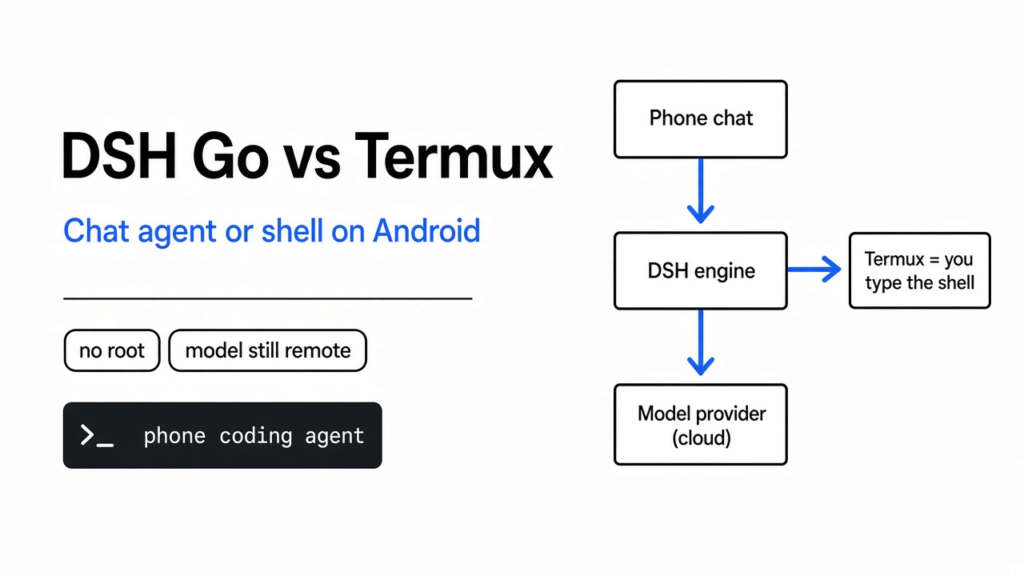
I wanted a coding agent on my phone without learning a terminal app first. A coding agent is a program that can read files and run commands, not a chat box that only talks about code. DSH Go is an unofficial Android app that runs DeepSeek Harness, the program that holds those tools and the chat. Termux is the Android app that gives you a Linux terminal you type in yourself. The dsh-go vs termux choice is not between a model on the phone and a model in the cloud. A model is the system that writes the next words. Both setups still send your prompts to a model provider you configure. Use DSH Go when you want a chat screen, and you accept that it can tap other apps if you turn that on. Use Termux when you want to see the shell and install things yourself.
What is DSH Go?
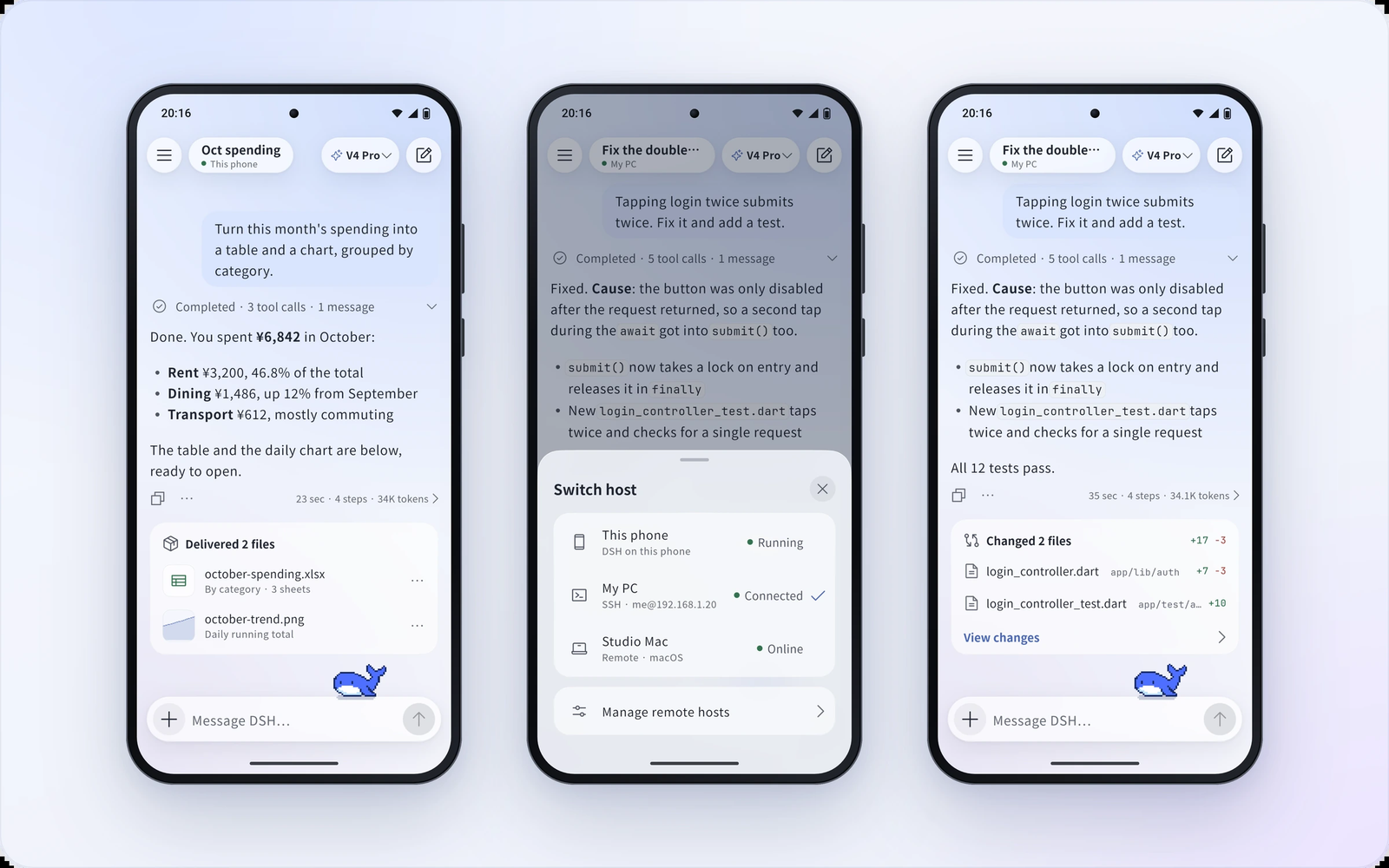
DSH Go is a third-party Android client for DeepSeek Harness. It is not an official DeepSeek app, and the project says so.
Start one step earlier than the app. Your phone already runs Android. Android will not hand a normal app a full Linux system, the kind of system a coding agent expects: a shell, Node, and a place to install packages. Root is the master permission that lets an app change the phone underneath Android. DSH Go does not ask for root. Termux, the terminal app, also does not need root. They solve the missing Linux in different ways.
DSH Go hides that Linux inside the app. You talk to a chat. The engine, the part that calls tools, runs on the phone. The model request still leaves the phone, which is the next section.
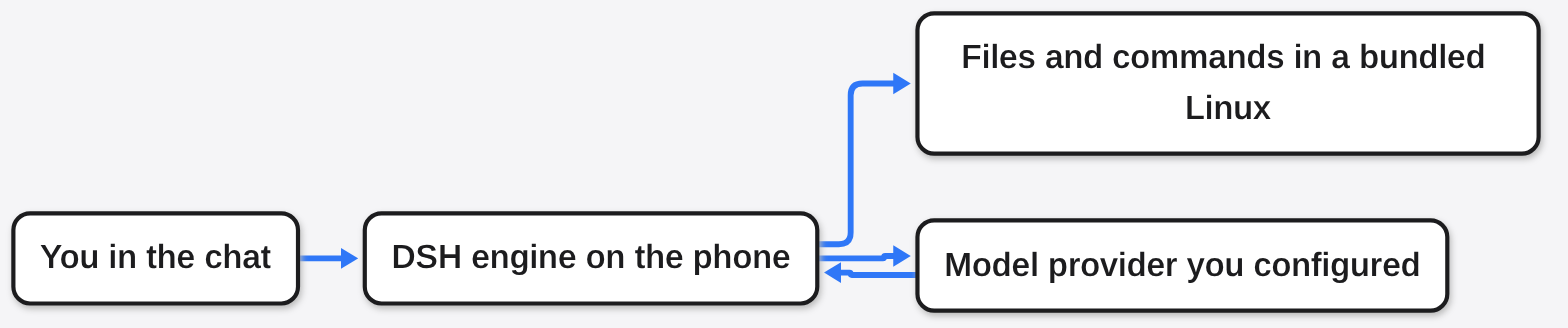
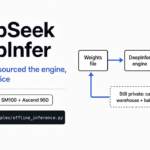
The picture is the whole product. The phone holds the loop. The model is wherever you pointed the key.
Does DSH Go run the model on the phone?
No. The engine runs on the phone. The model does not, unless you yourself point it at a model that is already running nearby.
The headline version sounds like this: open the app, and a DeepSeek model answers from the handset with no account. What the project’s own FAQ says is the opposite. DSH runs on the phone. Model requests go to the provider you configure. That needs a connection, and it bills the account you attached.
The risk note says the same thing in plainer words: running locally does not mean the model is offline, and it does not mean data never leaves the device. “Local” here means the tool loop is local. The words still go out.
That is the same split as on a computer. You can point a coding agent at DeepSeek or Kimi by filling the address and the key, which is the setup in how to use Claude Code with DeepSeek or Kimi. DSH Go is that split, moved to a phone, with the engine already unpacked for you.
If the phone is offline, the chat cannot think. If you have no API key, which is the password the model provider checks before it answers, the chat cannot think either. Keep about 1 GB free if you install the on-phone environment. Connecting only to a computer’s engine does not need that gigabyte, because the engine is not on the phone in that mode.
DSH Go vs Termux
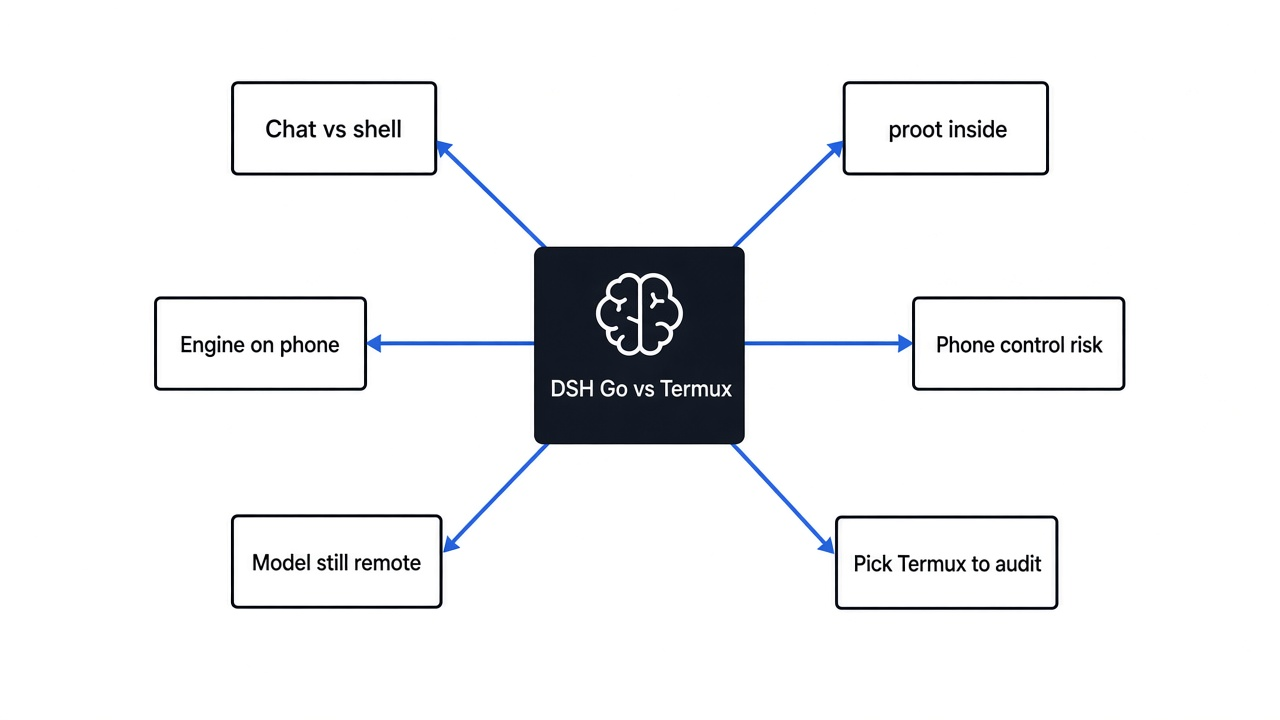
DSH Go vs Termux is a choice about who sets up Linux, not about which model is smarter.
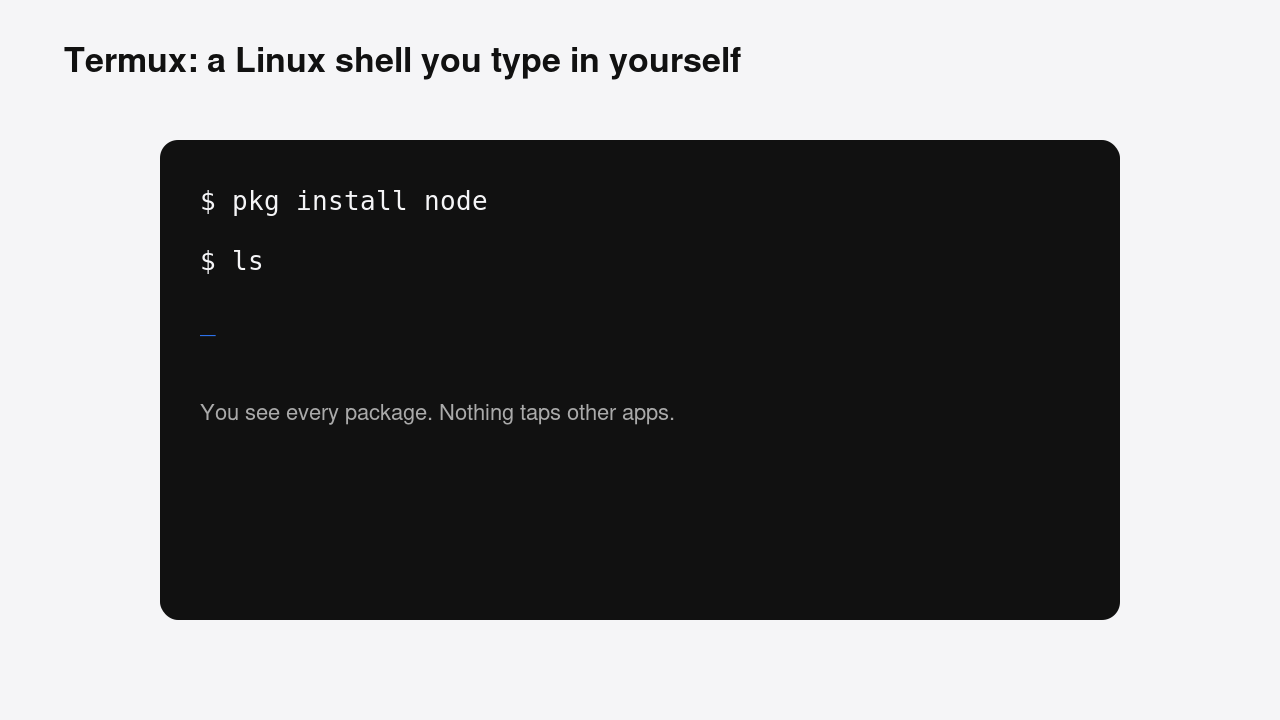
Termux is a terminal and a package manager. You install it, you type, you see every package. People run DeepSeek Harness there with a community compatibility layer, because the official package expects a normal Linux and trips over Android’s own C library. You live in that terminal. Nothing taps your other apps unless you add that yourself.
DSH Go says you do not install Termux. That sentence is true about the icon on your home screen. It is not true about the pieces inside the app. Open runtime/build-runtime.sh in the DSH Go repo. The header says the bundled runtime is Ubuntu base, plus Node.js, plus DeepSeek Harness, run through Termux proot. Proot (a user-space stand-in that lets a normal app pretend it has a Linux root folder) is downloaded from the Termux package repository, packages.termux.dev. The script also packs libproot into the app. You do not open Termux. The app vendors Termux’s proot and hides it.
So the honest table is this:
| DSH Go | Termux | |
|---|---|---|
| What you install | An APK, sideloaded, not from the Play Store | Termux, then the harness yourself |
| What you see | A chat | A shell |
| Linux | Ubuntu bundled in the app, entered through proot | A Linux environment you manage |
| Root | Not required | Not required |
| Model | Still a provider you configure | Still a provider you configure |
| Taps other apps | Yes, if you turn phone control on | No |
| Spare space for the local engine | About 1 GB | Whatever packages you add |
| You can inspect the shell | Mostly hidden | Yes, that is the point |
The line that decides what “no Termux” means is in runtime/build-runtime.sh, not in the home-screen claim. Open that file and read the first comment and the TERMUX_REPO line. The runtime is Ubuntu base, Node, and the harness, entered through Termux proot.
Is DSH Go safe?
It is safe enough to try on a phone that does not hold banking apps, if you leave the defaults alone. It is not safe to treat as a toy that only chats.
Three separate things get called “safe” and they are not the same.
First, the project is unofficial. A wrong command can delete files. A page or a file can try to talk the agent into a bad action. That is true of every coding agent. The stop has to live outside the model, which is the point of an emergency brake the model cannot edit.
Second, anonymous usage statistics are on by default. You can turn them off in onboarding or under Settings, Privacy and sharing. If you do not look, the app phones home with whatever that toggle covers.
Third, phone control is a different permission. An accessibility service is an Android switch that lets one app read the screen and send taps and typing into other apps. DSH Go uses one. During a task, text on the screen is sent to the model you chose. A vision model may also get a screenshot. Bank card and ID numbers are masked first. A test read of the current screen, the button that shows you what it can see, is not sent to the model. The live task is.
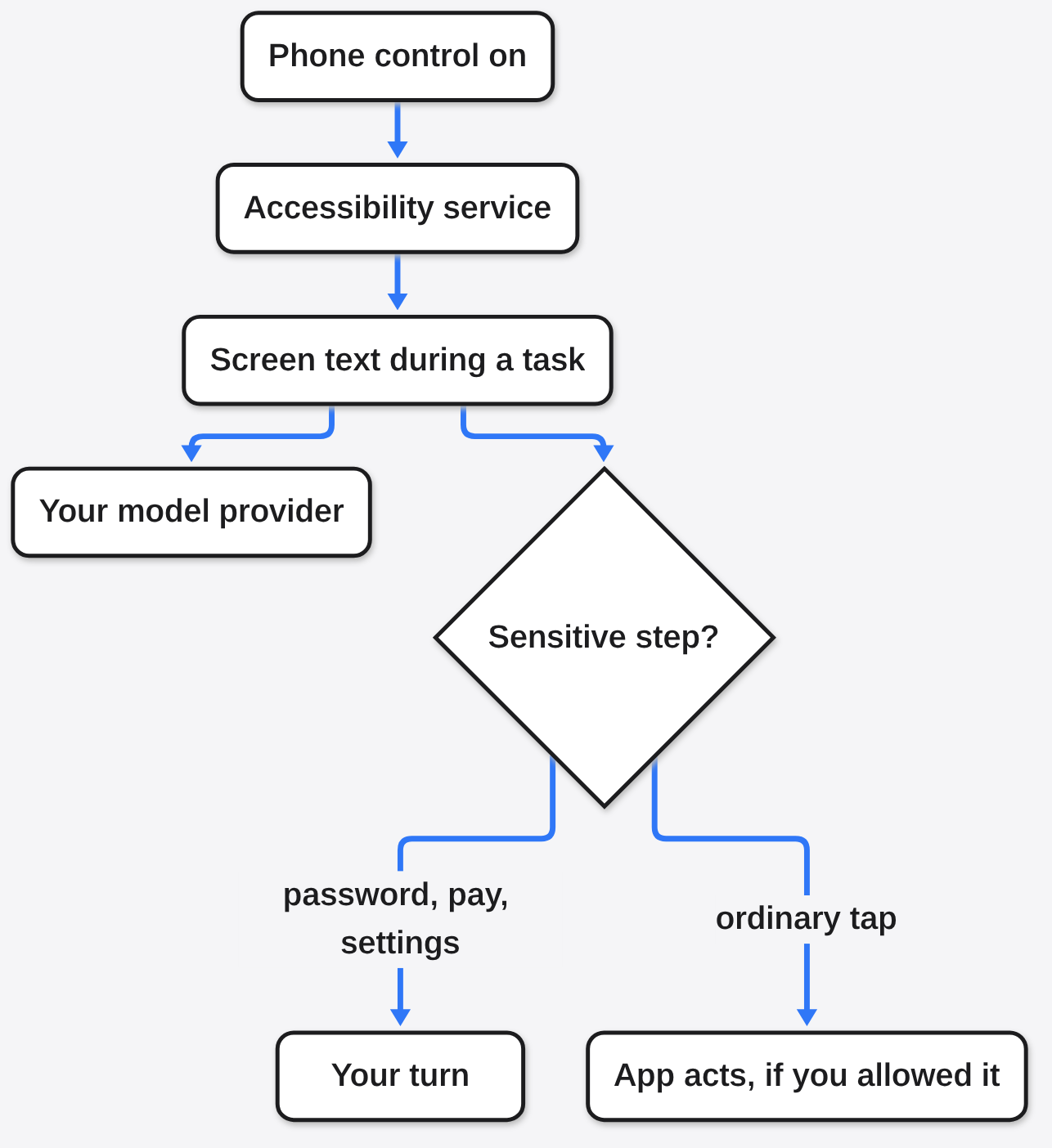
Leave phone control off and this whole branch stays off. Phone control is not loaded in Safe mode, and it only works with the engine on that phone.
Can DSH Go control my other apps?
Yes, after you turn on phone control and the accessibility service. The default is to ask you before the dangerous steps, not to refuse the feature.
Confirmation has three levels:
- Always ask, the default. It asks before entering a new app, sending, deleting, or paying.
- This task. You allow the rest of that one task.
- Always skip. It acts without asking, and the app makes you confirm before you turn that on.
On first setup, the two choices are “Ask me at key steps” and “Fully automatic”. Fully automatic is Always skip. Do not pick it on a phone you use to pay.
Some things stay yours even in Always skip, until you open Lift limits. All three lifts are off by default, and each one is separate:
- System settings, including permissions and installers
- Passwords, verification codes, and payment codes
- Taps inside DSH Go itself
The action log shows dots, not the password you typed. Once a lift is on, the AI can do that thing without a person confirming. The guide says any loss of money, accounts, or data is yours.
App rules sit beside that. Payment, banking, and brokerage apps are Hands off by default. WeChat is Every step. Other apps follow the confirmation level you picked. An approval card left for 30 seconds counts as Decline. A task also ends if the agent makes no new move for 3 minutes. The screen has to stay on and unlocked. Turning the screen off stops the task.
There is a floating bar with Pause and Stop. Holding the shrunk ball for a second stops it too. Stopping phone control also stops every reply on that phone’s engine.
One extra to leave off on a daily phone: Restore accessibility automatically. If something turns the service off, the app tries to turn it back on. To actually stop phone control, use the switch inside DSH Go, not only Android’s accessibility screen.
A desktop agent that reads an accessibility tree is a related idea, with a smaller blast radius, because it is not your pocket computer. Phone control is the same family of permission, pointed at every app you did not mark Hands off. For a computer-side parallel on whether a coding agent leaked a key, see did my coding agent send my API key.
How do I install DSH Go?
Download the APK and sideload it. Android 8 or later. Most phones want the arm64 package, from the project’s GitHub releases or its download page. Allow install from that source. The app is not in the Play Store.
On first open, pick the on-phone environment or a remote computer. Then set the model provider and the key. If you only want to drive DeepSeek Harness that is already running on a computer, you can skip the 1 GB local environment and connect over SSH, or over DSHarness Remote.
An early test build signed with a different key cannot be updated in place. Uninstalling it clears chats, the Linux environment, and settings. Do that only on a test phone.
A sensible first hour looks like this:
- Install on a phone that does not have banking apps, or remove those apps first.
- Turn usage statistics off before the first chat.
- Leave phone control off until a normal chat works.
- If you turn phone control on, keep Always ask, and do not open Lift limits.
- Watch the provider bill. The engine is free to unpack. The model is not free.
Building the APK yourself is a Linux job with a long toolchain script. You do not need that to use the app. You only need it if you want to see the runtime get assembled. That script is what the proot check above used.
When should I use Termux instead?
Use Termux when you want a shell you can audit, and you do not want an app that can tap other apps.
Pick Termux if any of these is true:
- You want the model conversation to stay in a terminal you already trust.
- You do not want an accessibility service installed at all.
- You want to know every package, because you typed the install.
- You are happy to debug Android’s C library when a native module fails to build. That is the tax of the compatibility layer.
- The 1 GB hidden environment feels worse than a terminal you can
ls.
Pick DSH Go if any of these is true:
- You want a chat, an interrupt button, and folded steps, not a shell prompt.
- You want to continue a session that already lives on your computer.
- You understand phone control and you still want the agent to tap a non-banking app, with Always ask left on.
- You accept an unofficial client, a default stats toggle, and AGPL-3.0 on the app code. AGPL-3.0 (a license that says people who ship your changes, including over a network, have to offer the source) covers the app. The
sdk/andexamples/folders are MIT. The name, the logo, and the mascots are not in that license.
Do not pick DSH Go because someone said the model runs on the phone. It does not, not by default. Do not pick it to avoid Termux’s code either. The runtime is Ubuntu, Node, and DeepSeek Harness, entered through Termux’s proot. You skip the Termux icon. You do not skip the idea.
The repo is ccch1mneyyy/dsh-Go. The engine it wraps is deepseek-ai/deepseek-harness. The terminal it is trying to save you from opening is termux/termux-app. If the thing you actually wanted was a cheaper model on a computer you already use, stay on the computer and change the provider. The phone does not remove the bill. Related phone-side agent risk reading: Microsoft’s dynamic agent risk notes.
Common questions about DSH Go and Termux
Does DSH Go need root?
No. The on-phone engine is a bundled Linux entered through proot. Root is not part of the install. Remote mode does not need the local engine at all.
Does DSH Go need an API key?
Yes, unless the provider you chose has some other login. The app does not include a free offline model. You configure a provider, the requests go there, and that provider can charge you. A connection is required for the model even when the engine is on the phone.
Is DSH Go an official DeepSeek app?
No. It is a community client built on the open-source harness. DeepSeek did not ship it. Treat the permissions and the bill as yours.
Can DSH Go control my computer?
Yes, as a remote control for a harness already running on that computer, over SSH or DSHarness Remote. That mode does not need the 1 GB phone environment. It also does not need phone control. Phone control is only for tapping this phone. The computer still runs whatever you installed there, so lock that host down the same way you would lock any coding agent with a network.