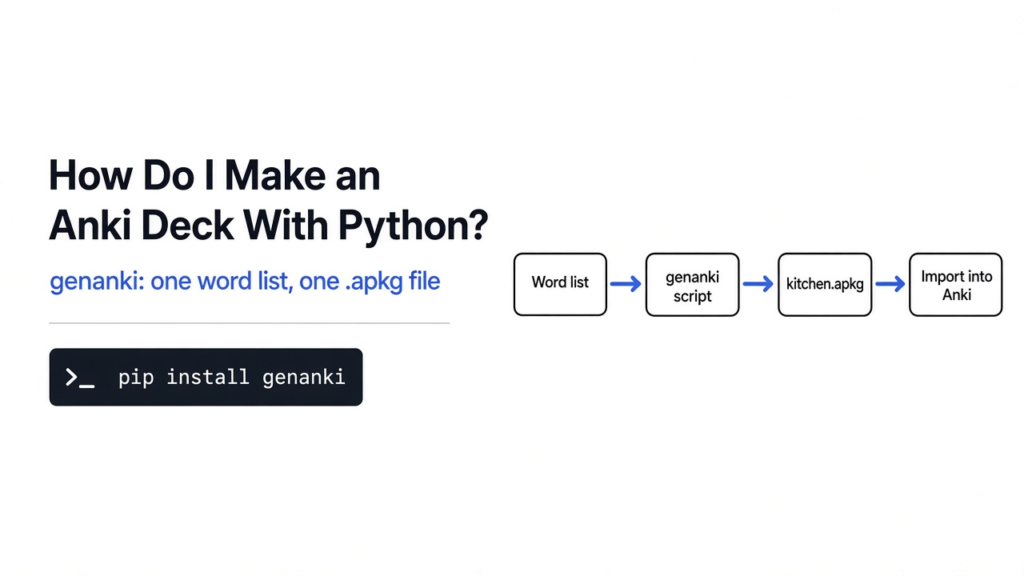
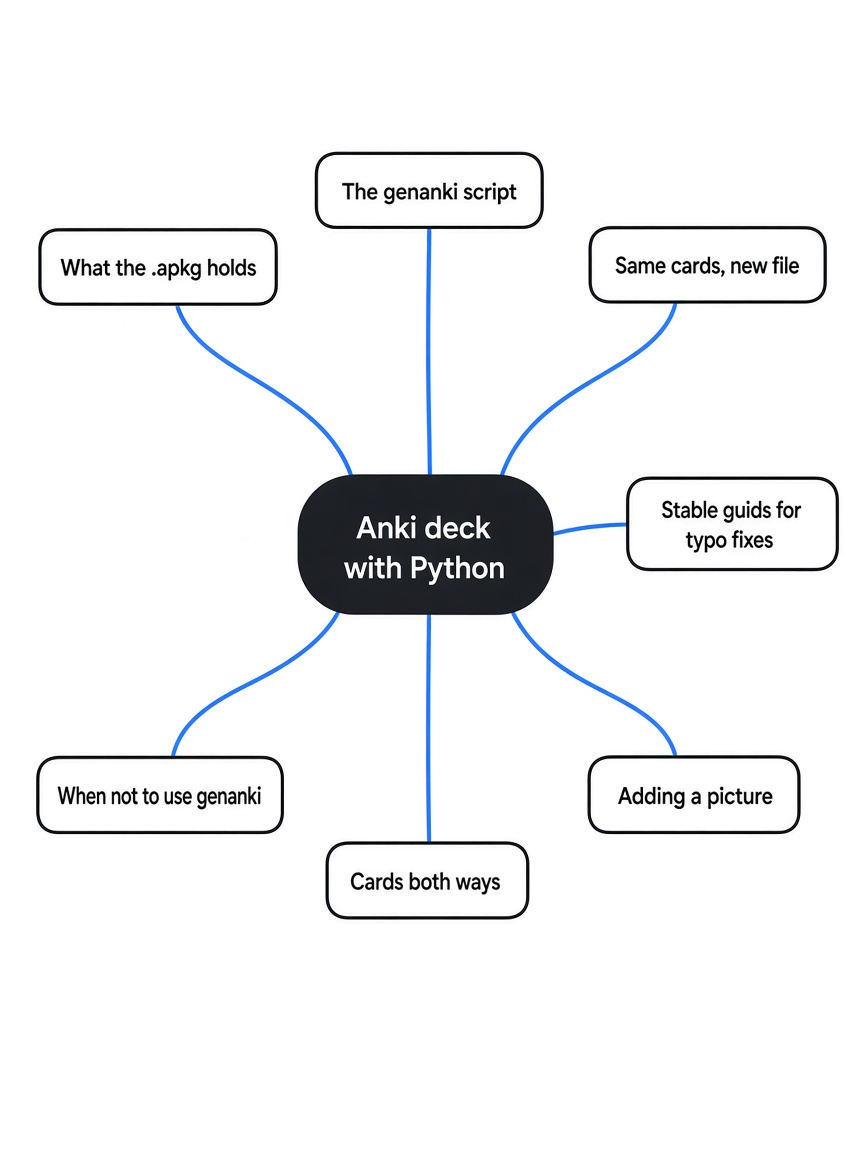
How do I make an Anki deck with Python? Install the genanki library, describe one card type, add one note per word pair, and write a single .apkg file that Anki imports. I had three Spanish words in a text file, and the study app wanted me to type them one card at a time. Anki is the flashcard program (the app that shows one side, waits, then shows the other). A deck is the stack of those cards, saved as one file. genanki is the small Python library that writes that file. I used it on a kitchen list: bread, milk, water. What mattered was not the Spanish. It was which number I kept still, and which name changed when I fixed a typo.
Use Python when the words already live in a list. Use Anki’s add screen when you are making a few cards and you want to see each one as you type it. Everything below was checked against genanki 0.13.1, the current release on PyPI, on Python 3.
What does an Anki deck file actually hold?
An Anki deck file is a zip (a folder of files packed into one file) with a small database inside, not a folder of pictures of cards.
The file you import is called a package, and it ends in .apkg. Unzipping mine showed two entries: a database named collection.anki2 and a tiny text map called media. Once I added a picture, a third entry appeared, stored under the name 0. The database is sqlite (a single-file database you can open with any sqlite reader). It had five tables: col, notes, cards, revlog and graves. The ones that matter here are notes, cards and col.
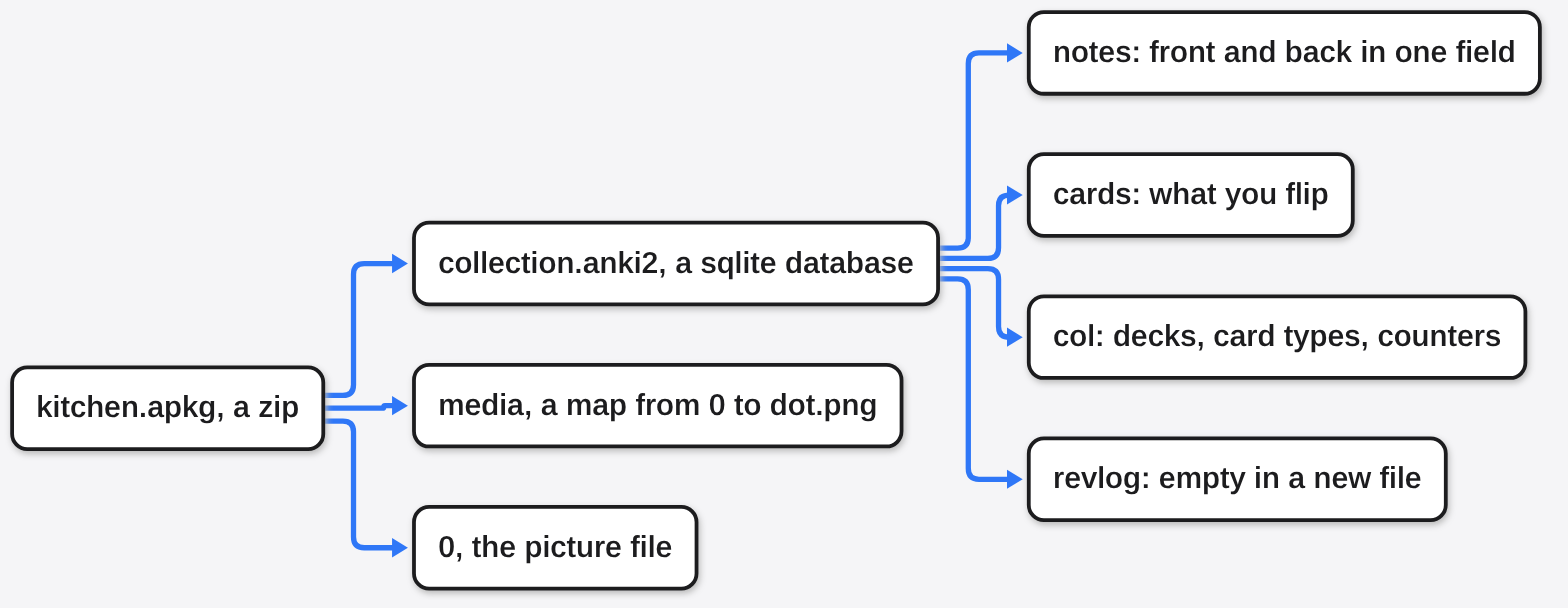
A note is one row of fields, the front and the back, before anyone studies it. A card is the thing you flip, built from a note. My three notes were:
el panandthe breadla lecheandthe milk<b>el agua</b>andthe water
The two sides were not stored as two columns. They were one text value, with a hidden separator character (the unit separator, byte 0x1f) between them. The bold tags were still the characters <b> and </b>. Nothing had stripped them.
The cards table had three rows, all pointing at a deck I named Kitchen Spanish. There was also a deck row named Default with no cards of mine on it. That empty Default deck comes along in every file. Ignore it.
One more trap in that same deck row: the today-counters read 163, while the cards table had 3 rows. That number is a fixed value written into genanki’s own deck template, not a count of anything you added. Trust the table.
The review log was empty. Every card was new. This file can be imported and studied. It carries no study history, because nobody has studied it yet.
How do I make an Anki deck with Python?
Install genanki, pick two numbers and never change them, then add one note per row and write the package.
python3 -m pip install genankiA model is the card type (which fields exist, and which side shows first). The model id is just a number you choose. The deck id is a second number you choose. If you invent a new number next time, you are inventing a new card type, even when the words match. I used 1607392319 for the type and 2059400110 for the deck.
import genanki

model = genanki.Model(
    1607392319,
    "Plain pair",
    fields=[{"name": "Front"}, {"name": "Back"}],
    templates=[{
        "name": "Card 1",
        "qfmt": "{{Front}}",
        "afmt": "{{FrontSide}}<hr id=\"answer\">{{Back}}",
    }],
)

deck = genanki.Deck(2059400110, "Kitchen Spanish")
for front, back in [
    ("el pan", "the bread"),
    ("la leche", "the milk"),
    ("<b>el agua</b>", "the water"),
]:
    deck.add_note(genanki.Note(model=model, fields=[front, back]))

genanki.Package(deck).write_to_file("kitchen.apkg")That is the whole path. qfmt is the question side. afmt is the answer side. {{FrontSide}} means “show the question again above the answer”, which is what the app does when you flip a card. In Anki, open the file with File, then Import.
If you need fresh numbers, the genanki README suggests drawing one at random once and then hardcoding it into the script:
python3 -c "import random; print(random.randrange(1 << 30, 1 << 31))"If the word list starts life as a messy export, clean the columns before this loop. The same habit of checking a file before trusting it is in hl vs jq for JSON logs.
Why did the same cards make a different file?
The words matched, and the two files were still not the same bytes, because each note and card also gets an id from the clock.
I wrote the same three cards twice, with the same type number and the same deck number. The files were the same size, 53,466 bytes, and had different hashes. Do not use a byte comparison to decide whether the cards changed.
write_to_file takes a timestamp argument for this. With a fixed timestamp, the database inside the zip came out identical on two runs. The zip itself still differed, because the zip stores its own file times. Compare collection.anki2, not the .apkg.
What stayed still was the guid (a short name for the note, built from the words). By default genanki hashes every field into it. The bread note kept the guid c+8dLrz}~> on both writes. I then changed the back from the bread to the loaf. The guid changed. Adding tags, food and a1, did not change the guid.
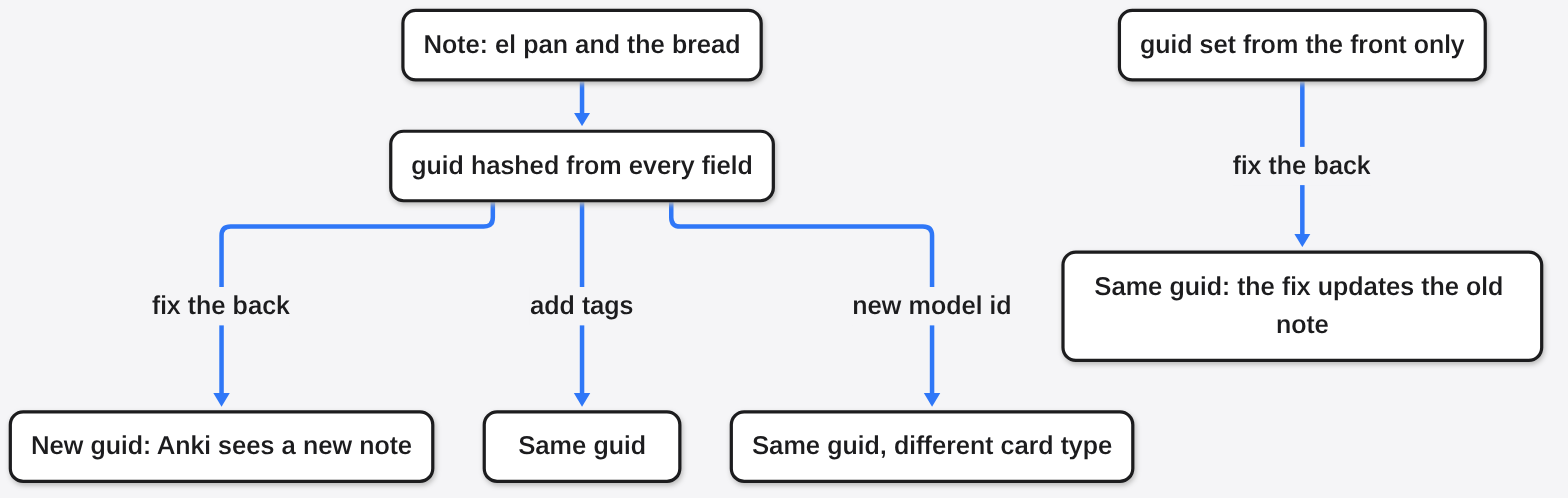
That is the typo trap. Fix a translation, write the file again, and the note has a new name. When you import an .apkg, Anki looks for notes that are already in your collection from an earlier import and updates them if the file is newer, as the Anki manual on packaged decks describes. A new guid is not a match, so the old card stays and a second one arrives. If you need the fix to land on the old card, build the guid from the part that does not change:
note = genanki.Note(
    model=model,
    fields=["el pan", "the loaf"],
    guid=genanki.guid_for("el pan"),
)Any fixed string works too, as long as you pass the same one on every later run.
The type number is the other thing that must stay still. I wrote the same three words again under the type number 1607399999. The bread guid did not change. The notes’ type number did. Same words, different card type. Pick the number once, write it down, and pass that same number on every later run.
How do I add a picture to a genanki deck?
Put the filename in the field as HTML, and pass the real file to the package. If that file is missing, the write fails, and a half-written package can be left behind.
HTML here just means the field can contain tags, the same way a web page marks a picture. I made a tiny png (a picture file) named dot.png. The note’s front field was the text <img src="dot.png">. I set media_files on the package to that path and wrote the file.
deck.add_note(genanki.Note(model=model, fields=['<img src="dot.png">', "a dot"]))

package = genanki.Package(deck)
package.media_files = ["dot.png"]
package.write_to_file("kitchen.apkg")Use only the file name in the field. The genanki README says a path such as images/dot.png inside the tag will not work, and file names should be unique.
Inside the zip, the picture was not named dot.png. It was stored as 0. The media map was the one line {"0": "dot.png"}. The card still asks for dot.png. The map is how the app connects the two names. Do not change the card to point at 0.
Pointing media_files at a path that was not there raised FileNotFoundError. The surprise was what it left: an .apkg was still on disk, with the database and media map inside and no picture. Delete that file before anyone imports it. A note with only one field failed differently: genanki raised ValueError saying the model has 2 fields and the note has 1, and no file was written. An empty back is different again. I saved el pan with a blank answer, and the package wrote. You can ship a card that flips to nothing. The write will not stop you.
Everything in this section comes from opening the zip and the database. Whether the picture is drawn is the app’s job, so import the deck once and flip that card before you share the file.
How do I make the cards go both ways?
Add a second template on the same card type. One note becomes two cards.
A template is the pattern for one direction: which field is the question, which field is the answer. A card type with two templates is a different card type, so it gets its own model id:
both_ways = genanki.Model(
    1607392320,
    "Plain pair, both ways",
    fields=[{"name": "Front"}, {"name": "Back"}],
    templates=[
        {"name": "Spanish first", "qfmt": "{{Front}}",
         "afmt": "{{FrontSide}}<hr id=\"answer\">{{Back}}"},
        {"name": "English first", "qfmt": "{{Back}}",
         "afmt": "{{FrontSide}}<hr id=\"answer\">{{Front}}"},
    ],
)The bread note on that type had two cards, order 0 and order 1. The picture note stayed on the one-sided type, so it had only order 0. Two notes, three cards.
| Typing in the app | A Python file | |
|---|---|---|
| Words already in a list | You retype them | One note per row |
| See the card while you make it | Yes | No, you check the file |
| Study history in the file | Yes, after you study | Empty in a new file |
| A picture | You attach it in the app | You name it and pass the file |
| Both directions | A setting on the card type | A second template |
| A typo fix reaches the old card | Yes | Only with a stable guid |
| A blank answer | Allowed | Allowed, no warning |
When should I not use genanki?
Do not use it for ten cards you want to look at while you type, and do not use it when the file is supposed to carry your review history.
I expected the file to be a full copy of a studied deck. What I got was a clean import: three new cards, an empty review log, and a leftover Default deck. That is the right tool for a word list. It is the wrong tool for a backup of a deck you have been studying for months. For that, export from Anki itself.
A handful of cards is also the wrong job. The script is longer than typing el pan once. I would type the ten words. I would run the script for the three hundred.
If the list is already a spreadsheet and you only need one card per row, Anki can import a plain text file whose fields are separated by commas, semicolons or tabs, with no Python at all. The Anki manual on text files covers the import options. genanki earns its place when you want fixed note ids, pictures packed in, or the same build repeated every week.
The package is an ordinary file. It does not upload itself. On the same wifi, a phone can download it from the laptop with a browser, which is the method in share files over the local network without an app. If the deck is personal and the laptop is shared, keep the file in an encrypted folder. gocryptfs vs Cryptomator is the choice for that folder. If the cards come from something longer, such as a paper you are studying, turning a research paper into a course is a way to pull out the questions first.
Common questions about Anki decks with Python
Can Python make an Anki deck without the Anki app?
Yes. The app is for studying. The file is a zip plus a database. I made kitchen.apkg with Python and never opened the app to build it. You still need Anki, or a program that reads the same file, when you want to flip the cards.
Does fixing a typo update the old card?
Not by itself. The default guid is built from the words. Change the words and the guid changes, so an import keeps the old note and adds a new one. Set guid from a field that does not change, or to a string you choose, and pass it the same way on the next run if the fix should replace the old card.
Is the bold text stored as bold?
It is stored as HTML. The characters <b> and </b> were still in the field when I opened the database. A picture uses the same path: an <img> tag whose filename matches a file you packed.
How do I pick a model id and a deck id?
Draw a random number once, as the genanki README suggests, and hardcode it. The number does not mean anything. What matters is that it never changes for that card type or that deck, and that two different card types never share one.
The number I would write on a sticky note is 1607392319. Next month the Spanish can change. That card type number cannot, or the new file is a different kind of card wearing the same words.