A coding agent can edit a file while you still cannot point at the line that decided to stop. The program for that gap is NamiAgent: a small Python project you run on your own machine, walked as one lesson at a time. Here is how to use namiagent if you want to see the loop, and when to leave it alone. It is a classroom. It is not the agent you should leave on a real repo.
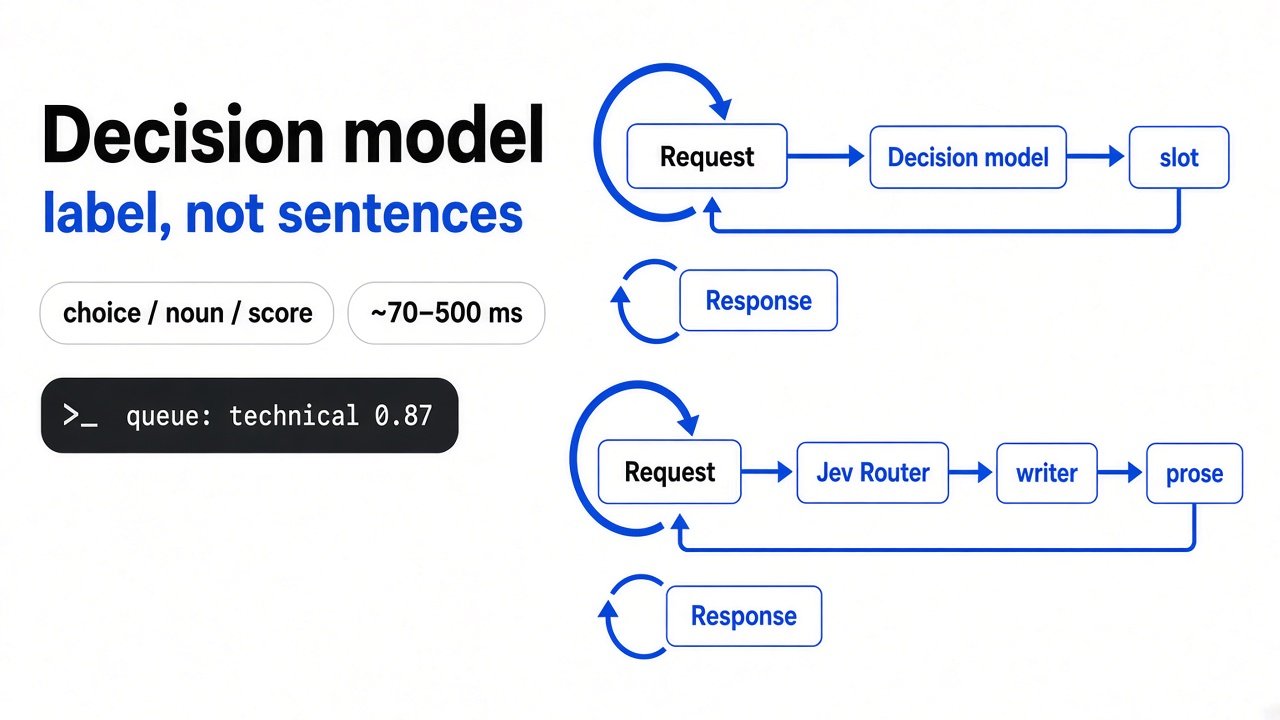
A model is only the program that writes the next reply. It cannot open a folder by itself. An agent is that same program inside a loop your code controls: the model names a tool, your code runs the tool, the text comes back, and the model is asked again. NamiAgent is one short copy of that loop, small enough to read in one sitting.

That circle is the whole idea. Everything after it is the same circle with one more rule.
What Is NamiAgent?

NamiAgent is a local agent you can read, plus lessons that grow it one file at a time.
The first file is lessons/lesson-01/agent.py. That file is 112 lines. Three ordinary functions sit at the top. One reads a file. One writes a file. One runs a shell command, which is just a line you would type in a terminal, such as python hello.py. Under them is a for loop. Each lap sends the conversation to the model. If the reply names a tool, the matching function runs and its text is appended. If the reply names no tool, the loop prints the reply and returns.
The conversation is a list of messages. The model does not keep the last lap in its head. Your code sends the whole list again, longer, on the next lap. You pay for how much text goes in and out, not for how long the machine thinks. A token is one small piece of that text. This test never calls a paid model, so there is no bill. The shape is still the one that makes long runs expensive: every tool result rides along next time.
The first lesson stops itself after 20 laps. The name in the file is MAX_STEPS. Without that cap, a confused reply can ask for tools until you close the window.
I expected a write to ask me first. In lesson 1, only the shell command asks. write_file just writes, and it overwrites whatever is already at that path. The question before a write, and the fence around one folder, show up in lesson 3. If you only remember one limit, remember that one.
How to Use NamiAgent
Install the project, read lesson 1 until the loop is obvious, and do not aim the first real run at a folder you need. For another local-first agent shell choice, see DSH Go vs Termux.
You need Python, and one package: the official client that talks to chat models. The lessons call a host that speaks the same request shape as the usual chat API, so you can point them at another host later. They do not install a local model, and they do not need a graphics card.
git clone https://github.com/aa1143/NamiAgent.git
cd NamiAgent
pip install -r requirements.txt
export API_KEY=your-key
# optional, if you are not using the default host
# export BASE_URL=https://api.deepseek.com
# export MODEL=deepseek-flash
cd lessons/lesson-01
python agent.py "create hello.py that prints hello, then run it"The default host written in that file is https://api.deepseek.com, and the default model name is deepseek-flash. You change both with environment variables. An environment variable is a name you set in the terminal before the program starts, so the key stays out of the file.
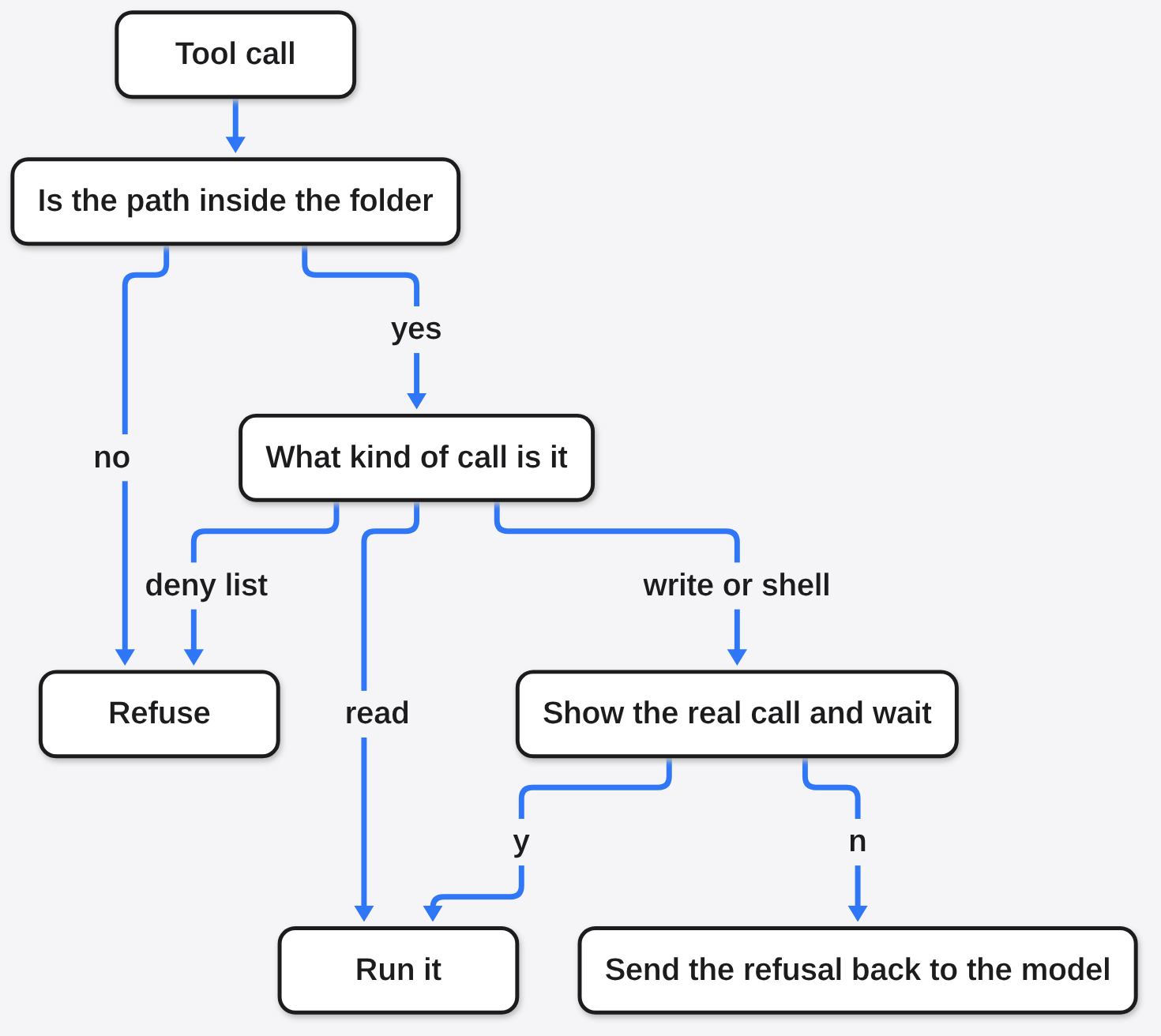
When the loop wants a shell command, it prints the command and waits for y or n. Type n and the function returns a refusal. That refusal is appended like any other tool result, so the next lap can see that you said no. The model cannot skip the question. The question is an ordinary input() in your process.
Do not open lesson 11 first. Each lesson folder is a full snapshot, and the new idea is the diff against the previous folder. Read the loop. Then open the next lesson and look only at the new file.
How Do I Use NamiAgent Without an API Key?
Run the tests, or open the demo page. Neither spends a key, and neither proves that a model is smart. If your worry is secrets in prompts rather than keys in env files, see How Do I Strip Secrets From a Prompt?.
From the last lesson folder I ran:
cd lessons/lesson-11
python -m pytest -qThe result was 49 passed, in under two seconds. The stand-in for the model lives in tests/fake.py. It returns the next reply the test wrote ahead of time, and it stores a copy of the messages it received. A pass means the loop, the permission checks, and the memory wiring matched that script. It does not mean a live model would have picked the same tool.
The other path is the local page. I started it with:
python web/app.py --demoA request to the page came back as a normal page, about twenty thousand bytes, with the page language set to Chinese. Demo mode makes a throwaway folder, sets a dummy key, and feeds a scripted client. One side of the page is the reply. The other side is the full message list, so you can watch the list grow by one tool result. Stop the server when you have seen a single lap. It is a recording of a lap, not a coworker.
The essays beside the code are in Chinese too. The Python names are English: read_file, write_file, run_shell, MAX_STEPS. If you read English only, stay in the code and the tests. Do not expect the articles to teach you.
What Did the Tests Show?
The tests showed that the safety rules live in your code, not in the model’s manners.
Lesson 3 keeps a workspace. Here that word means the one folder the agent may touch. The path comes from NAMI_WORKSPACE. If you do not set it, the code uses the folder you started in. Before the check, the path is resolved: .. is expanded, and so is a link that points somewhere else. If the final path is outside the folder, the call is refused. resolve_in_workspace returns nothing in that case, and the permission check treats nothing as no.
Reads are marked safe, so they run without a question. Writes and shell commands are marked confirm. A short list of shell lines is marked deny: wiping a disk, sudo, formatting a drive, and piping a download straight into a shell. The comment in the file calls that list a seatbelt, not a wall. A seatbelt catches the crash you can name in advance. A person who wants harm can still ask for a command the list does not contain. That is why the confirm step prints the real command, not a summary the model wrote about the command.
This is the same split as a brake that sits outside the model. If the stop is only a sentence in the instructions, the model can talk past it. The version you can trust is the if in your process. The longer version of that idea is in the agent emergency brake.
Shell text is cut on purpose. Lesson 1 keeps the last 4000 characters, so one noisy command does not fill the next request. The cut also hides the failure that scrolled off the top. If the command matters, read the real terminal, not only the snippet the loop kept. Shrinking what the model sees is a different fight, and a smaller printout does not always shrink the bill: what actually happens to the cost.
Is NamiAgent Worth It?
Yes, for one afternoon where you can point at the loop. No, as the agent that edits a real repo on Monday.
I would use it in three cases. You say “agent” at work and you still cannot draw the loop. You are about to wrap a model in tools, and you want the boring parts named: the message list, the cap on laps, the confirm step. You are staring at a bigger agent whose files are too large to start from. The later lessons are a ruler for those files. Context trimming comes first, which is the code that shortens the message list before it is sent again. Then a skill, which here is a file of instructions loaded only when the task needs it. Then MCP (a socket to a program outside this loop). Then a subagent, a second loop with its own message list, so a long search does not have to sit in the first conversation. Then a plan the code can hold the model to. Then memory, a note kept for a later run, after you confirm the note.
I would not use it as a daily driver. Lesson 1 writes with no question. The demo is a script. The 49 passes never called a model. A real run still needs your own key once you leave the fake client. There is no team login and no editor plugin. The page and the essays are in Chinese.
The code is on GitHub at aa1143/NamiAgent. The program is MIT, so you can read it and run it. The written lessons are under a non-commercial license, so do not paste those essays into a paid product.
When Should I Not Use NamiAgent?
Do not use it when the job is to finish the ticket. Open the agent you already trust, and keep this project in another folder as the map.
Do not point lesson 1 at a folder you care about. write_file overwrites, and it does not ask. If a real key is involved, export NAMI_WORKSPACE to an empty folder and run lesson 3 or later. Say n to the first shell line so you can see the refusal land in the list.
Do not read a green test run as a review of model quality. Those 49 passes mean the Python around the model matched a script. A live model can pick the wrong tool, run slowly, or hit the 20-lap cap and stop mid-task.
Do not start by comparing lesson 11 to a finished product line by line. You will drown. The clean map of that larger loop is how Claude Code works. Learn the words here, then use that map when you want the same ideas at full size. The weight of a real harness, the software around the model, is a separate measurement: what gets sent before you type.
NamiAgent vs Claude Code
Use NamiAgent to learn the loop. Use Claude Code to do the work.
| NamiAgent | Claude Code | |
|---|---|---|
| What you open | A lesson file | The product |
| First run without a key | Tests and the demo page | No |
| Who runs the tool | The Python in the lesson | The product’s own loop |
| Ask before a write | From lesson 3, not from lesson 1 | The product’s own permission rules |
| Essays | Chinese | The product’s docs |
| Good for | Pointing at one lap | Editing a real repo |
Claude Code is a finished loop with a lot of tools around it. NamiAgent is the short file that names the same parts. If the finished loop keeps adding files you did not ask for, the fix is how you talk to that product, not this lesson: how to stop Claude Code from overengineering.

How Do I Try the First Lesson Myself?
Give it ten minutes, and do not point it at a repo you need tomorrow.
- Clone the project and install the requirements file.
- Run
python -m pytest -qinsidelessons/lesson-11. You want a pass count. You do not want a key. - From the project root, run
python web/app.py --demoand open the local page. Watch one scripted lap. Stop the server. - Only then, if you have a key, make an empty folder, export
NAMI_WORKSPACEto that folder, and run lesson 3 or later. Saynto the first shell command.
If step 2 fails, stop. The rest of this page assumes Python can import the package and run the tests. Fix the install before you send a real task.
Common questions about NamiAgent
Do I Need a GPU for NamiAgent?
No. The loop is plain Python. The model runs on whatever host you set. Your machine only runs the tools and, if you ask, the web page.
Can I Point NamiAgent at Another Model?
Yes. Set BASE_URL and MODEL before you start, and put the key in API_KEY. The client is the usual OpenAI Python package. If that host cannot do tool calls, the loop has nothing to dispatch, and the lesson will not behave like the file you read.
Is the Demo the Same as a Real Run?
No. The demo uses a scripted client and a temporary folder. A real run calls the host in BASE_URL and can write inside the workspace. Treat them as two programs that share a page.
does a passing test mean the agent is safe
No. The tests check the rules in the lesson, including the folder fence and the deny list. They do not check every dangerous command a person can spell. Read the command before you type y.
I will keep the lesson folder on disk. I will not put it on the path I use for real edits. The 112 lines are enough to stop waving my hands at the loop. The program I trust with a repo is still the one that already asks before it writes.