Short answer: How do I use Mika on Android? Install the APK, connect a tool-calling model, and pair once for phone control. Mika opens other apps on a second screen you are not looking at, taps by name, and leaves the glass in your hand alone. Leave Ask mode on so it stops before a step that spends money.
You asked a chat app on your phone to text someone, and it wrote a nice reply, then stopped. The other app never opened. Mika is a free Android app that keeps going after the sentence. The part that decides the next tap is still a model you connect yourself. That model does not sit on the phone unless you point Mika at one running on a computer you own.

Related reading on this site: AI agent emergency brake for a stop that lives outside the model, and Microsoft Execution Containers when you need a harder fence for code you do not trust. For removing TV bloat without root, see remove bloatware on Android TV.
How Do I Use Mika on Android?
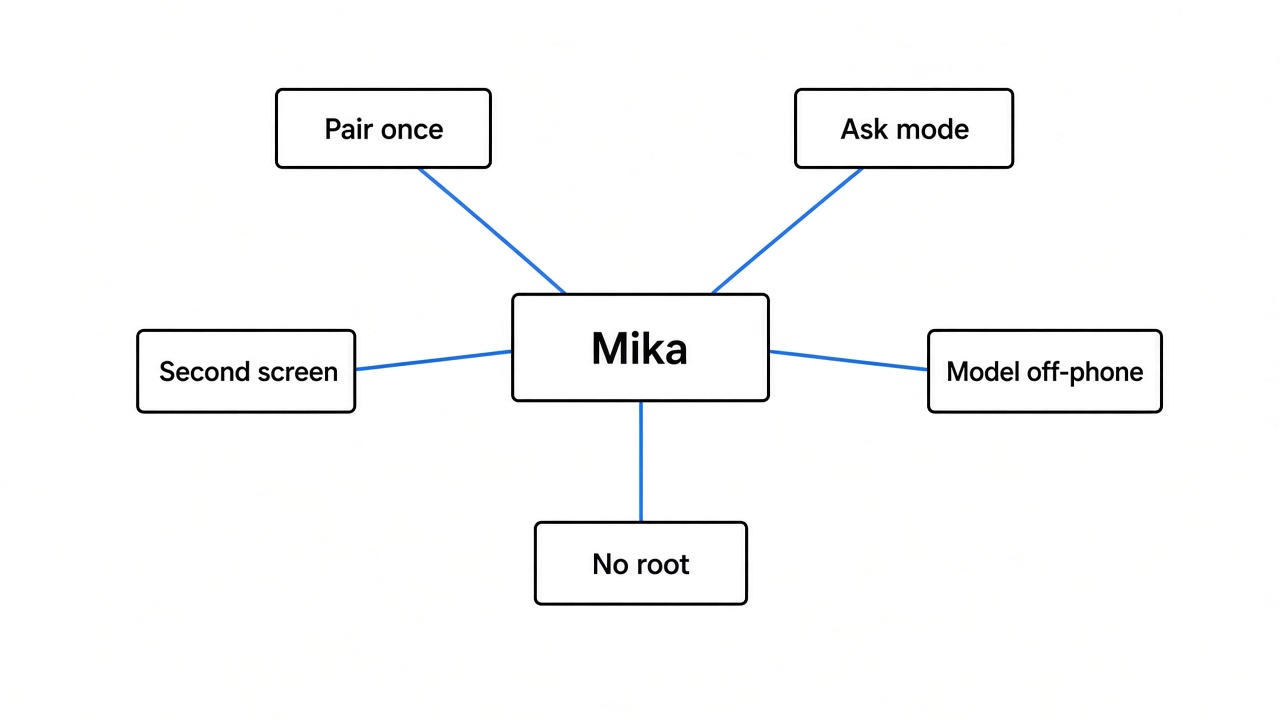
Install the app, connect a model, and pair the phone once if you want it to operate other apps. Chat, the built-in browser, and files work without that pair.
The install file is an APK. Download it from the project’s releases page, open it on the phone, and allow the install. Then open Settings → Model. Paste a key or sign in. Presets cover hosted models, plus Ollama and LM Studio. The main model has to be able to call tools.
Skip the pair if you only want to talk, browse, or hand it a file. The pair is only for opening the other apps installed on the phone.
The pair lives in Set up phone control. The phone needs Android 12 or newer for this part, and it needs to be on Wi-Fi (internet optional). Six steps:
- About phone → Build number, tap seven times (developer options).
- Turn on USB debugging and confirm. Leave it on.
- Skip the accessibility step — Mika turns that on after the pair. Doing it by hand often fails for sideloaded apps.
- Turn on Wireless debugging. Tick Always allow on this network, then Allow.
- Open Wireless debugging → Pair device with pairing code. Enter the six digits in Mika’s notification without closing the dialog.
- Wait until it says phone control is set up.
If there is no Wireless debugging row, a computer can start the helper over USB with adb shell sh /sdcard/Android/data/com.wangzan101.mika/files/usb-start.sh. That cable start does not survive a restart.
Two traps: do not change random developer switches (one can offer to erase the phone). And if a switch is on but the wizard will not tick, continue — the result that matters is Paired.
After that, try a small job that does not spend money. Set two alarms. Or double-tap the floating capsule to send Mika the screen you are looking at.

Does Mika Run the Model on My Phone?
No. The taps, files, and chat log stay on the phone. The model that chooses the next tap does not, unless you point Custom at a model on your own computer or home network.
A key you paste is stored encrypted on the phone. Screens go to the provider you picked. You can sign in with ChatGPT Plus/Pro, xAI/Grok, or OpenRouter, or point Custom at Ollama / LM Studio. If the model cannot see pictures, Mika can still read words with on-device text recognition. A fresh install leaves the separate vision model off.
The phone can also run a small offline Linux box (Python, Node, shell) on arm64 devices. Leave Allow scripts to go online off if the file is private.
Will Mika Take Over My Screen?
No. Other apps open on a second screen, and your screen stays where you left it. A small live view in the chat shows that display. From Android 14 on, typing on the hidden screen does not steal focus from the app in your hand.
Secure screens (banks, password boxes, many payment sheets) refuse screenshots. Mika cannot see those pixels. It moves the app to your main screen and asks you to finish.
Does Mika Need Root?
No. The control path is the debugging door you open yourself — the same door used when people switch off bloatware on an Android TV without root.
After the pair it can see other apps’ buttons and tap them. That is the job. Do not leave Autonomous mode on and walk away. If taps miss after a good pair, run Settings → Recovery and repair → Compatibility self-check (~1 minute on Mika’s own test page).
What Android Version Does Mika Need?
| What you want | What the phone needs |
|---|---|
| Chat, built-in browser, files | Android 11 or later |
| Open and tap other apps | Android 12 or later |
| Hidden screen leaves your typing alone; two conversations at once | Android 14 or later |
| Linux box for Python/shell | arm64 phone |
| Model that decides the taps | Tool-calling model (key, sign-in, or local address) |
How Do I Stop Mika Before It Pays?
Leave the default Ask mode on. It stops and shows a card only when the next step spends money. Sending a message, posting, submitting a form, deleting, and changing a setting are done without that card — say the limit in the sentence and watch the live view if that is too loose.
Autonomous does not ask even before paying. For a scheduled job away from the phone, Ask skips money steps and tells you which ones it skipped.
The stop control is a button, not a sentence you hope the model obeys — the same idea as an emergency brake outside the model. To turn the hands off for good: Settings → Phone control → Unpair.
Mika vs a Chatbot on Android
| Chatbot on the phone | Mika | |
|---|---|---|
| What you get | Words | Words, then taps, typing, and scrolling |
| Your screen | Untouched | Untouched (taps on a second screen) |
| Before it pays | Cannot pay | Ask stops on the money step; Autonomous does not |
| Password and card screens | Never sees them | Cannot see them either; hands them to you |
| Needs root | No | No |
| Other apps | No | Needs one pair |
When Should I Not Use Mika?
Skip app control on a phone older than Android 12. Skip Autonomous if the job can reach a pay button. Skip any job that sends, posts, or deletes if you wanted a confirm first — Ask will not give you one for those. Skip an app whose terms forbid this kind of automation.
The cage around the Linux box is light. If you need a harder fence for code you do not trust, that problem lives on the computer — see Microsoft Execution Containers.
Common questions about using Mika on Android
Does the model run on my phone?
Not unless you point Custom at a model on your own network. By default the provider you chose decides the next tap; the taps stay on the phone.
Will Mika tap a pay button by itself?
Only if you turn on Autonomous. In Ask mode it stops and shows the place, the thing, and the amount.
Which Android version do I need?
Android 11 for chat/web/files. Android 12 to operate other apps. Android 14 if the hidden screen must leave your typing alone.