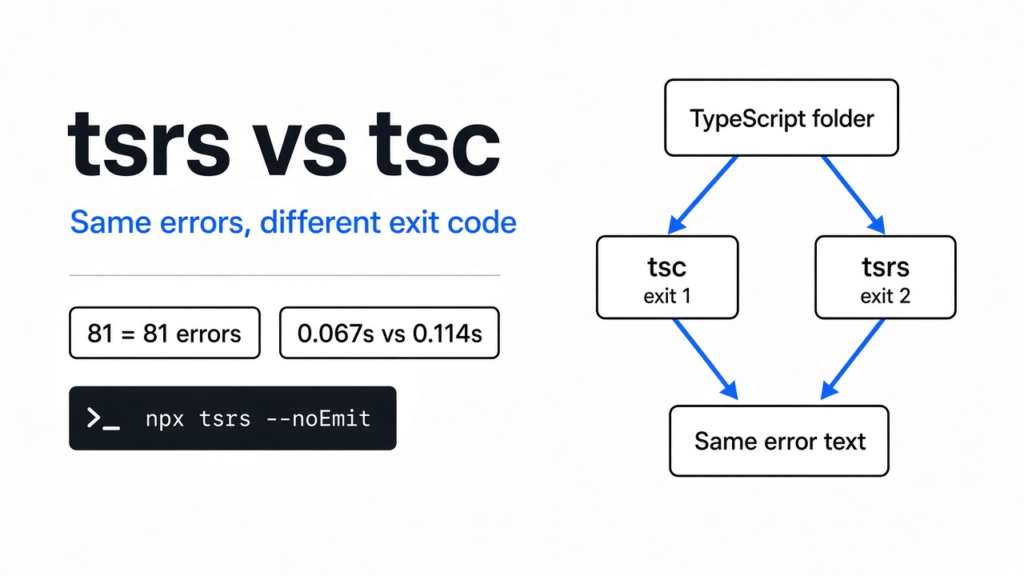
The save was fine. The pause after it was the part I felt. The folder was TypeScript, which is JavaScript with notes about what kind of value each name holds. The program that reads those notes and stops on a mismatch is a type checker. The usual checker is tsc. tsrs is a second checker, written in Rust, a language people pick when they want the program itself to be fast. It tries to do tsc’s job and finish sooner. I ran both on one folder. On tsrs vs tsc, the error text matched and the number the program left behind did not. Keep tsc as the gate until your script can live with that.
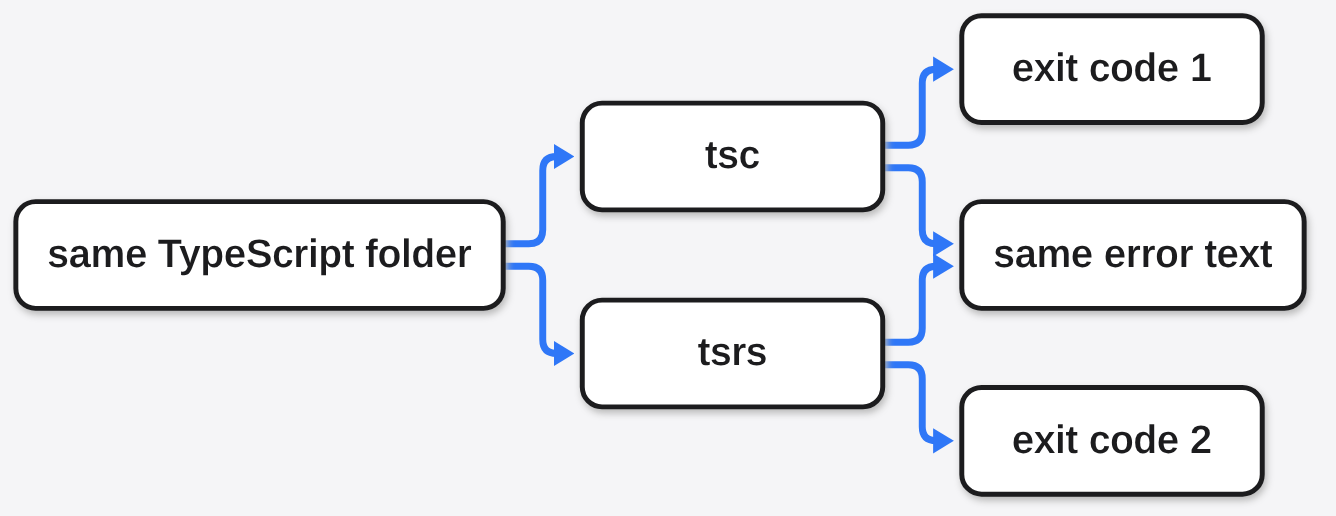
Same words on the screen. Different number for the script that runs next.
What is tsrs?
tsrs is a second copy of the TypeScript checker, not a new language.
Start from the file you already have. JavaScript is the language the browser and Node run. A type is a note next to a name, such as “this is a number” or “this is text.” TypeScript is JavaScript plus those notes. A type checker is the program that reads the notes and refuses to finish when the code disagrees with them. tsc is the checker that ships with TypeScript. You install TypeScript, and tsc comes with it. tsrs is another program that tries to print the same refusals. The language does not change. A file that is valid TypeScript is what both programs are trying to read.
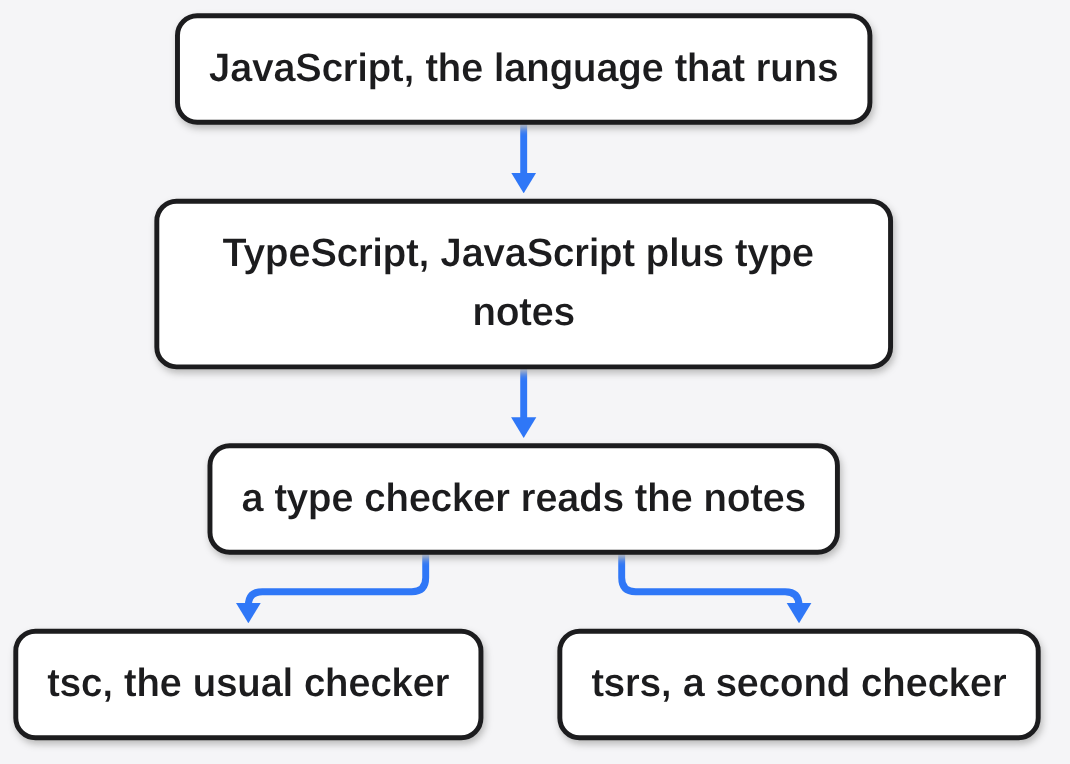
The project also wants tsrs to answer your editor, so a red underline can come from it instead of from tsc. This comparison covers the command that checks files and prints mistakes, not the editor integration.
tsrs vs tsc: same errors, different exit code
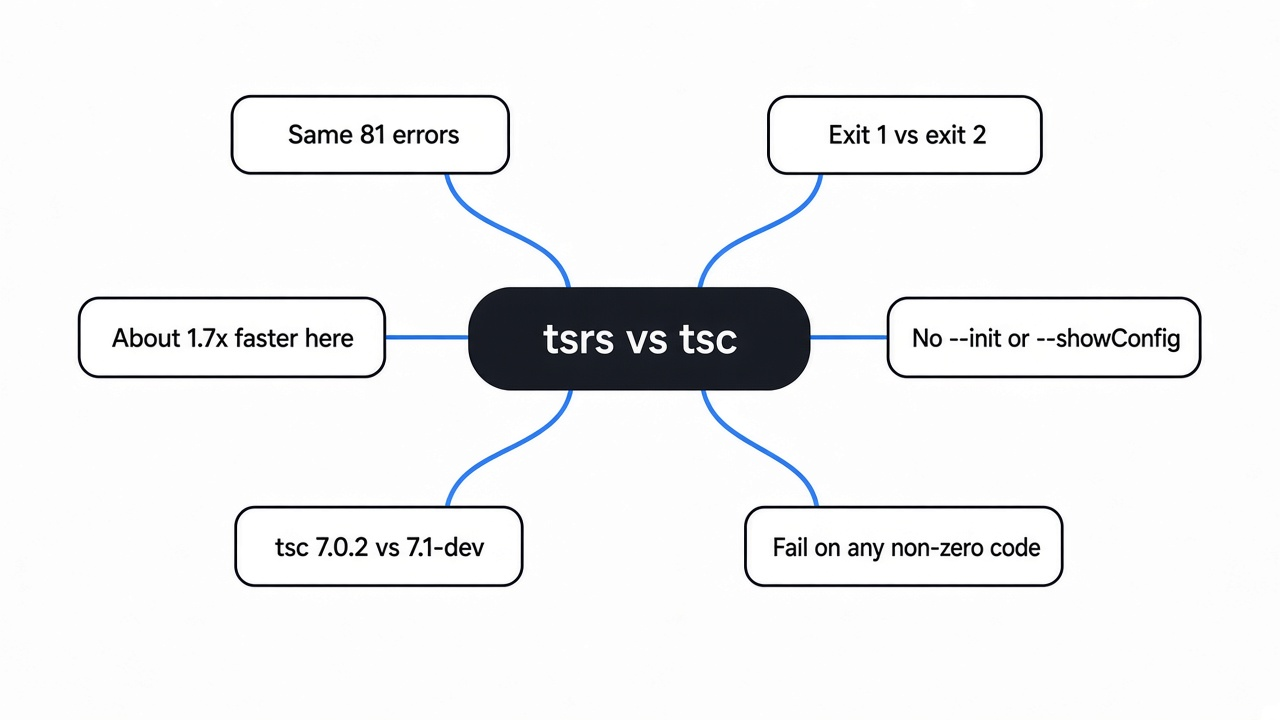
On the folder I broke on purpose, tsrs vs tsc printed the same errors, then left different numbers behind.
I was not asking either program to produce JavaScript. The flag was --noEmit. A flag is an extra word on the command that changes what the program does. This one means: check the types, and do not write a new file. Both programs read the same project. Forty small files called each other. One file took a text id and multiplied it by two, which a checker should reject because text is not a number. One more file built types that could not line up, so the checker had real work and real failures.
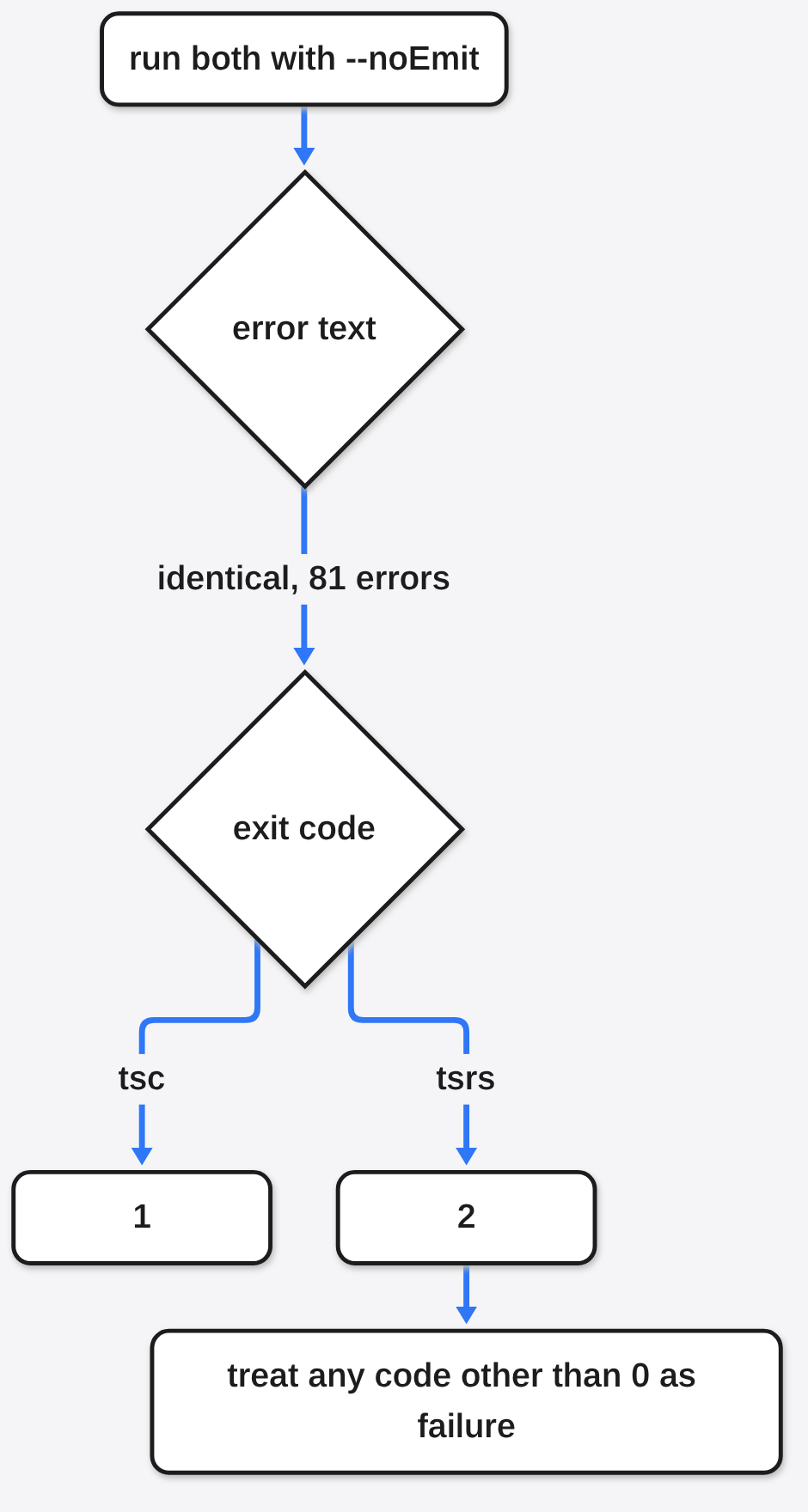
tsc printed 81 errors. tsrs printed 81 errors. I saved both printouts and compared them with diff, the program that shows only lines that changed. It printed nothing. The files were the same length, 14,501 bytes. The first error was the same code, TS2362, on the same line, with the same sentence: the left side of the arithmetic was not a number.
The programs then stopped, and the numbers they handed back were not the same. You type commands in a shell. When a command ends, it leaves an exit code, a small whole number the next step can read. Zero means the check passed. tsc returned 1. A lot of scripts already treat 1 as “the types failed, stop the build.” tsrs returned 2. A script that fails only when the code is exactly 1 will treat 2 as something else: a crash, or, if the script is careless, a pass. The codes above are exactly as printed, not wrapped to look the same.
| tsc | tsrs | |
|---|---|---|
| clean check, 40 files, middle of 5 runs | exit 0, 0.114 seconds | exit 0, 0.067 seconds |
| broken check | exit 1, 81 errors | exit 2, the same 81 errors, the same bytes |
--init | writes a starter config | not supported, exit 5 |
--showConfig | prints the config it would use | not supported, exit 5 |
The version lines were not the same product either. A version line is the sentence a program prints when you ask which copy you installed. tsc said 7.0.2. tsrs said it was a 7.1 development build, meaning a copy that is still moving and is not the finished 7.1 release. Matching errors on this folder do not mean every later file will match. A faster clock here does not mean 7.1-dev is 7.0.2 in a faster coat.
How to use tsrs
You use tsrs by installing it next to TypeScript and pointing it at the same config.
The config is tsconfig.json, a file in the project that tells the checker which folders to read and how strict to be. From that folder:
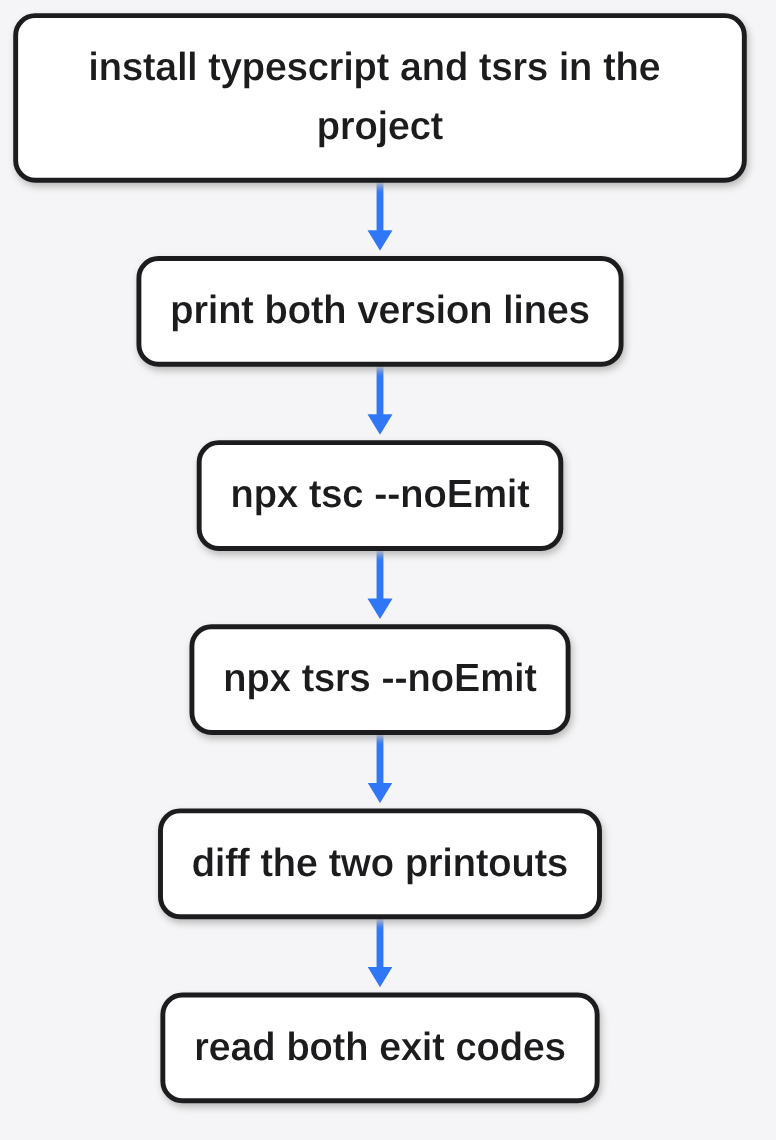
npm install --save-dev typescript tsrs
npx tsc --version
npx tsrs --version
npx tsc --noEmit --pretty false
npx tsrs --noEmit --pretty false
npm install puts both programs inside the project, not for the whole computer. --save-dev means they are tools for building, not code you ship to a user. npx runs the copy inside this project, so an older tsc installed somewhere else does not sneak into the test. --pretty false turns off the colored layout so the two printouts can be compared as plain text.
Write both version lines down before you look at the clock. If they name different TypeScript lines, you are not timing a pure swap. Then diff the two outputs. On a passing project both commands should exit 0 and print nothing. On a failing project, read the exit code, not only the paragraph of errors.
Do not start with --init. I ran it. tsrs stopped with the sentence that --init is not supported, and the exit code was 5. --showConfig did the same. If a setup script creates the config by asking tsc, leave that one step on tsc. Point tsrs at the file tsc already wrote.
Is tsrs faster than tsc?
On my small clean folder, tsrs was faster, and it was not eight times faster.
I deleted the broken files and left the forty that type-check cleanly. I ran each command five times and kept the middle time, so one slow start could not pick the winner. tsc’s middle time was 0.114 seconds. tsrs’s middle time was 0.067 seconds. That is about 1.7 times, on a project that fits in a breath. Most of a tiny run is the cost of starting the program, not the cost of checking types. A stopwatch on a toy folder cannot confirm a claim made on a huge one.
The project says tsrs can be up to eight times faster than TypeScript 7.0, and can use about 70 percent less memory, when both sides use the same number of checker workers. A worker is one extra checker running beside the others, so a big project is split across the machine. Memory is how much of the computer’s working space the program holds while it runs. That large-project figure and the memory figure are the project’s own; the test here was a small folder. The eight-times line is their number. The number I will stand behind is the pair above, plus the identical error file.
If your real project is the one that hurts, time that project. Use the same five-runs, take-the-middle trick, in the folder you ship. If tsrs is barely faster there too, you have your answer. If it is several times faster and the errors still match, the speed is real for you.
One caveat: a faster wrong check is still wrong. Speed does not forgive an exit code your pipeline does not understand. A pipeline is the chain of commands that run after you push a change.

Can I replace tsc with tsrs?
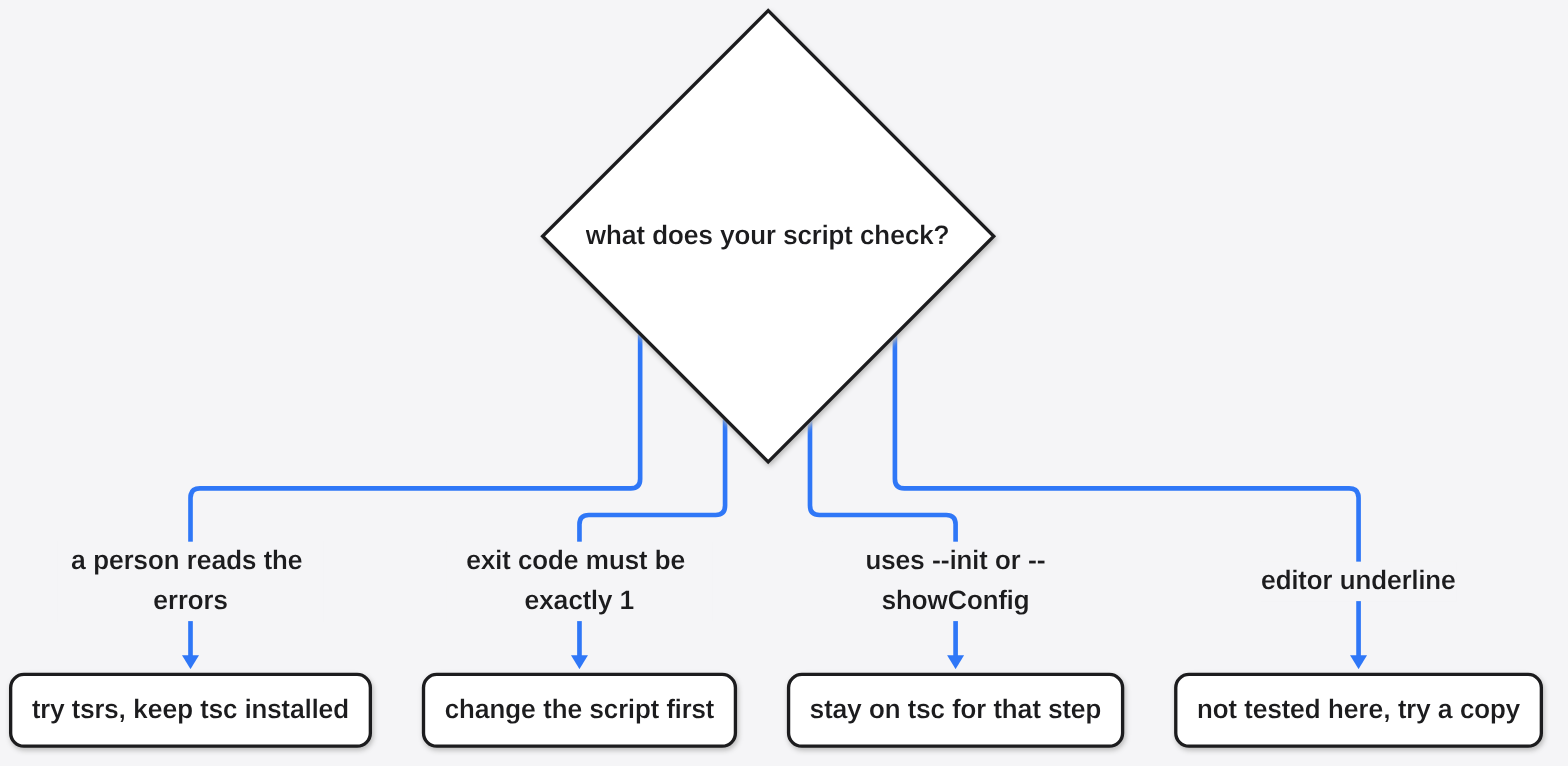
You can replace tsc with tsrs when a person is reading the errors, and you should not replace it yet when a script depends on exit code 1.
I expected a drop-in. A drop-in means the new command can stand where the old one stood and nothing else has to change. What happened was a drop-in for the message and not for the status. The text matched. The status did not. A person at the keyboard can switch and see the same mistake. A continuous integration job, the robot that runs your checks after each change, may not.
Look at the job before you change the command.
If the job only shows errors to a person, try tsrs, and keep tsc one command away so you can go back. If the job fails the build when the exit code is exactly 1, change the job first. The rule that works for both programs is: any code other than 0 is a failure. This is the shape:
npx tsrs --noEmit --pretty false
status=$?
if [ "$status" -ne 0 ]; then
  echo "type check failed with $status"
  exit "$status"
fi$? is the exit code of the command that just finished. -ne 0 means “not equal to zero.” That catches 1 from tsc and 2 from tsrs.
If the job runs --init or --showConfig, it cannot move. If the job is the red underline in your editor, the editor integration was not part of this test. Try that on a copy of the project, and do not remove tsc first.
The same caution shows up when a coding agent, a program that edits the project for you, offers to switch the checker and then rewrites the config, the script, and three files you did not ask for. The habit I use against that is in how to stop Claude Code from overengineering.
If the slow part of the day is not the checker, tsrs will not help. When the agent is hunting files for a sentence instead of an exact name, the comparison that matters is xerj vs grep. When a cheap model walks the tree so the expensive model reads less, the bill changes for a different reason, which is the point of does jevgrep cut coding agent cost.
Is tsrs worth it?
tsrs is worth a side-by-side run on your own repo, and it is not worth deleting tsc yet.
I would install it, time the real project, and diff one failing check. I would keep tsc as the command the robot trusts until that robot treats every non-zero code as failure, and until --init and --showConfig are either unused or actually supported. The code is open to read at the tsrs repository. The large-project speed claim, the one I am not repeating as my own measurement, is written by the people who built the port, in the write-up of the Rust port.
I will leave tsrs installed next to tsc. I will not point the robot at it until the robot understands exit code 2. The errors were the same. The switch is not free.
Common questions about tsrs vs tsc
Does tsrs support tsc init?
No. On the build I ran, tsrs --init exited 5 and said --init is not supported. Create the config with tsc, or write tsconfig.json yourself, then point tsrs at that file. --showConfig is missing in the same way. A missing flag is not a slow flag. The command stops.
Why did tsrs exit 2 when tsc exited 1?
Because a failed type check is not required to use the number 1, and this build used 2. The error text was the same. Only the status number changed. If your script treats any code other than 0 as failure, both tools agree. If it treats only the number 1 as failure, they do not, and tsrs will confuse that script. I would change the script. I would not ignore the 2.
Is tsrs the same TypeScript version as tsc?
Not on my machine. tsc reported 7.0.2. tsrs reported a 7.1 development build. The same 81 errors are a good sign for this folder, not a promise that the two lines will always agree. Write both version lines next to whatever time you record. If a later install moves either line, run the diff again before you trust the old note.
Should I trust an eight times faster claim?
Trust it only after you time your own repository. The project states that figure against TypeScript 7.0 on a large codebase, with the same number of checker workers, and it pairs the figure with about 70 percent less memory. My folder was small, the version lines did not match, and the speedup I measured was about 1.7 times. Their figure can still be true where the project is huge. It was not true for mine, and I have no memory number of my own to put beside theirs.