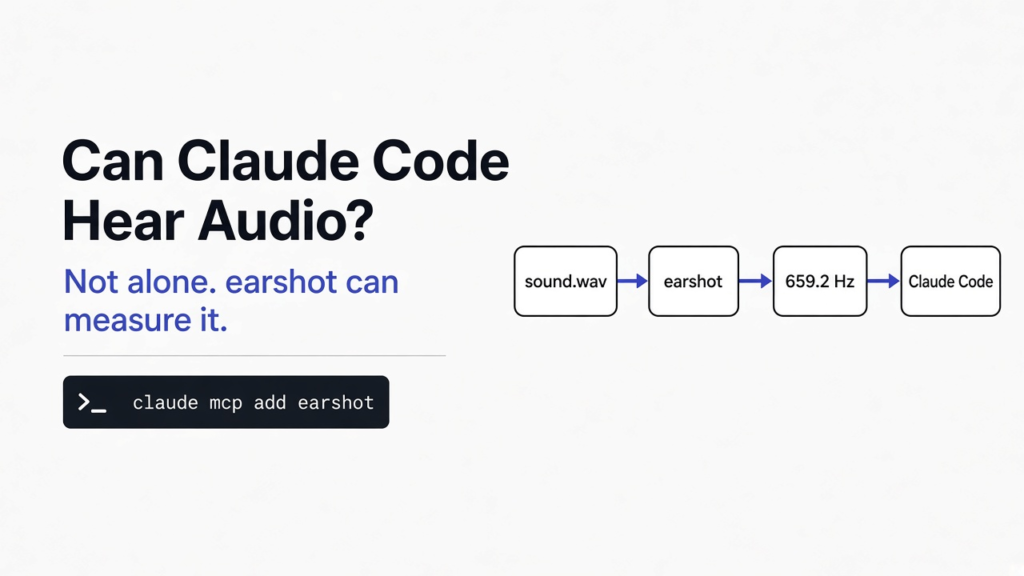
I dropped a sound file into a coding session and asked what note it was. The agent could edit code, run commands, and talk about music. It could not hear the file. The switch people call voice only turns your speech into the words of the prompt. A hook that pipes the reply into the Mac say command only talks back. Neither one opens the file.
Claude Code cannot listen to an audio file by itself. A local program named earshot can measure one. On the copy I ran, I asked it to build a kalimba pluck at the note E5. It wrote the file and reported the pitch as 659.2 Hz. That note is supposed to sit at about 659.3 Hz.
A sound file is a list of numbers. Each number is how far a speaker cone would move at one instant. Those instants are taken thousands of times a second. That count is the sample rate (how many snapshots of the air per second). A coding agent (a program that reads your project and runs commands, not a chat window that only talks) can print those numbers. Printing them is not hearing. Hearing, for this job, means a program that turns the list into a pitch, a loudness, and a yes or no on whether the file is broken.
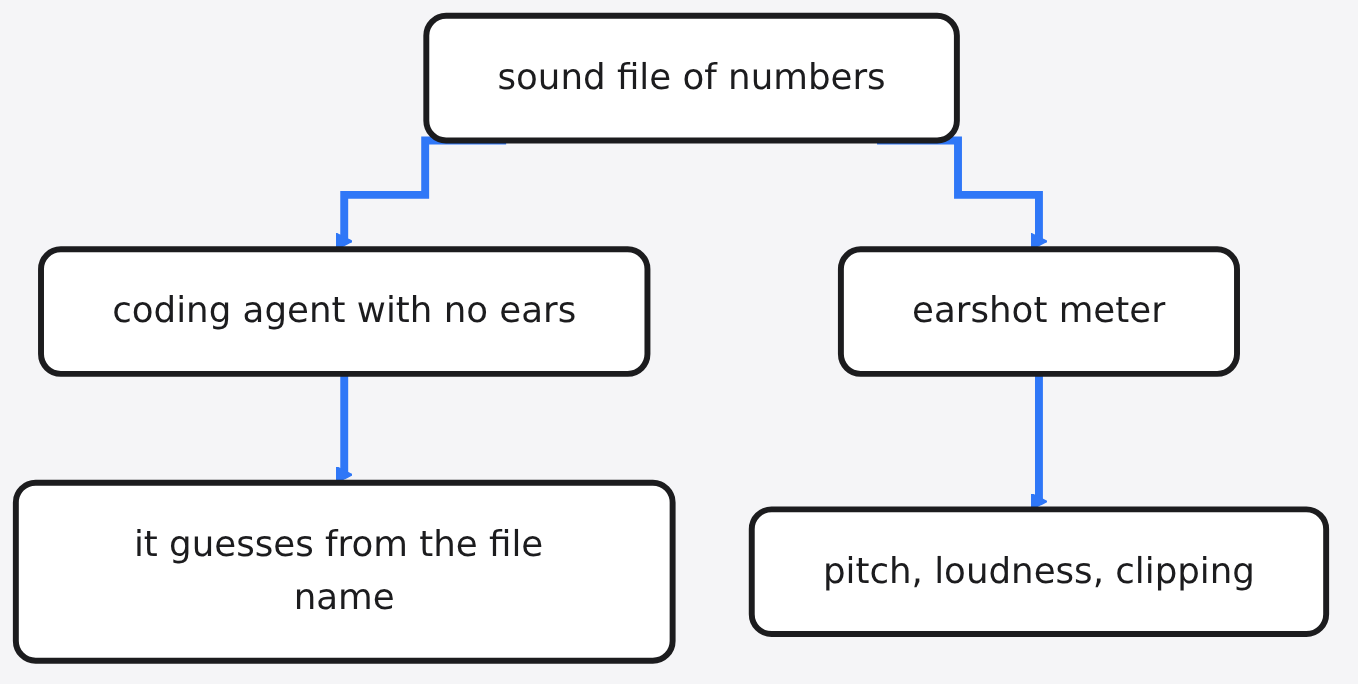
Can Claude Code listen to an audio file?
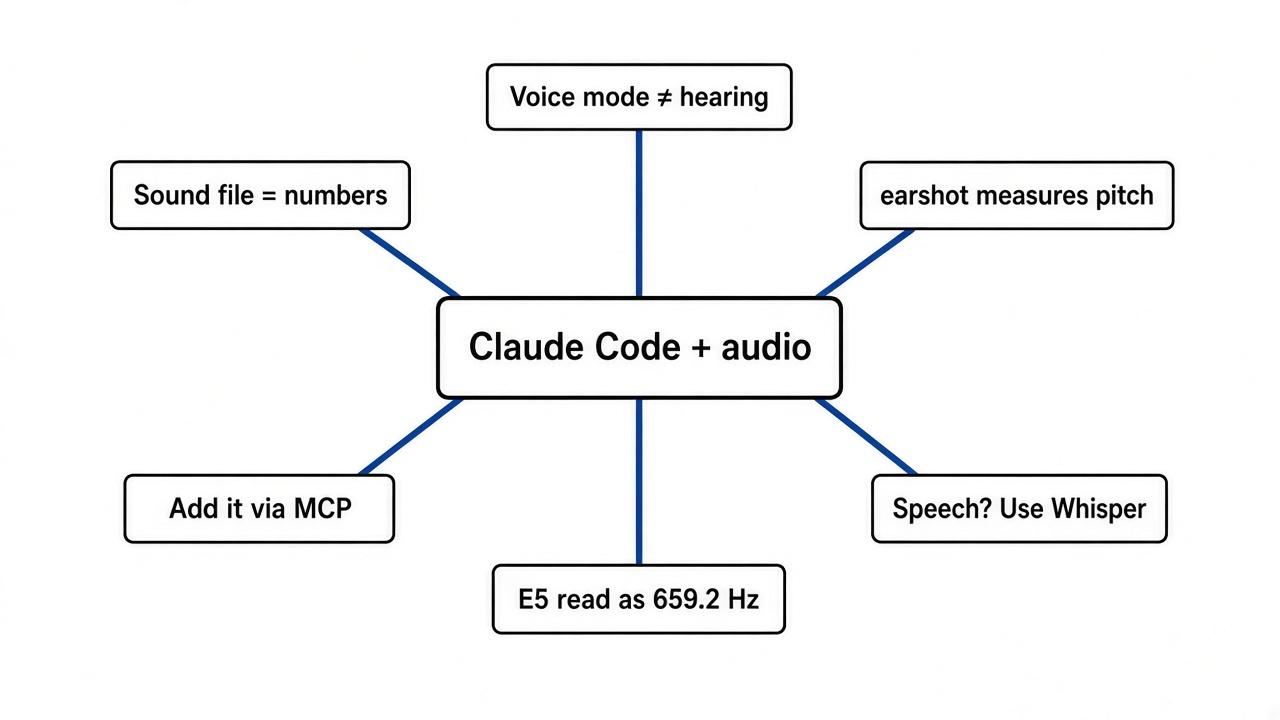
No. Not by itself, and not with the voice switch.
The voice switch is a microphone pointed at you. It writes what you said into the prompt box. The file on disk is never part of that path. A spoken reply is the opposite direction: text the agent already wrote, read aloud by the computer. People mix these up because both are called audio. One is your mouth. One is the agent’s mouth. Neither is the agent’s ear.
If you paste the raw numbers of a short beep into the chat, the agent is reading text you typed. That can work for a tiny file and a patient person. It falls over on a real recording, because a second of ordinary audio is tens of thousands of numbers. The useful move is a small program that listens, then prints one line the agent can read.
Which earshot should I install?
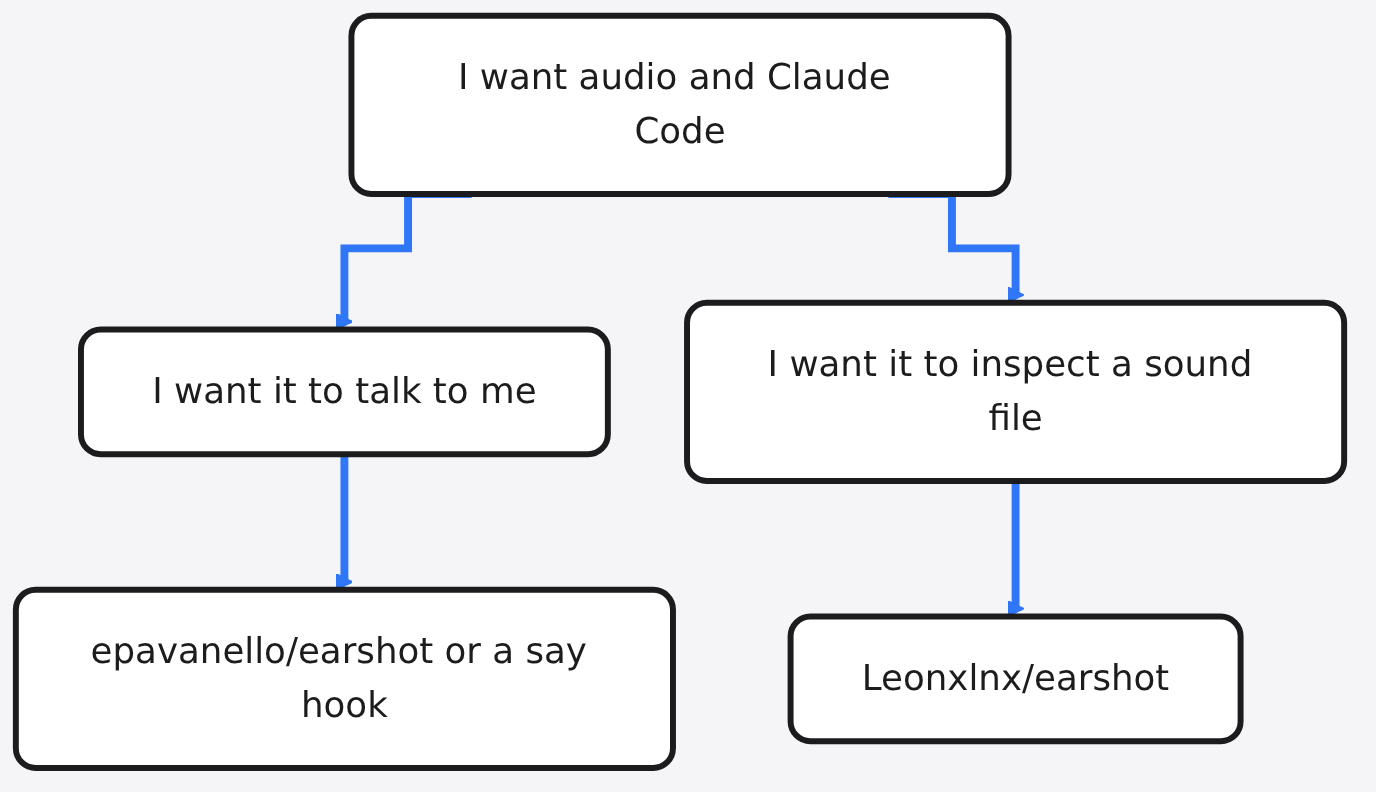
Install the listener, not the speaker. Two different projects use the same name.
The speaking project is a Mac add-on. It makes Claude Code end a reply with a line the system voice reads out loud. Helpful if you want the agent to talk. Useless if you want it to inspect a wav. The listening project is the one I ran. Its job is the file: measure it, check it, and, once you download two extra model files, label what it sounds like.
| speaking earshot | listening earshot | |
|---|---|---|
| GitHub project | epavanello/earshot | Leonxlnx/earshot |
| Speaks the reply | yes, on a Mac | no |
| Reads a wav | no | yes |
| Needs a GPU | no | no |
| What I ran | not this one | meter, sound bank, doctor |
If a guide tells you to type /plugin marketplace add epavanello/earshot, that is the speaker. Stop if your question was about a file.
How do I install earshot?
You need three things before the Python package. Python 3.10 or newer. ffmpeg, the program that decodes almost any audio or video file into raw samples. And ffprobe, the small partner that prints the file’s channels, rate, and length. On many installs, one ffmpeg package gives you both commands. If ffprobe is missing, the listener cannot open the file, even if ffmpeg itself works.
Then, in a folder you can throw away:
git clone https://github.com/Leonxlnx/earshot
cd earshot
python -m venv .venv
.venv/bin/python -m pip install torch --index-url https://download.pytorch.org/whl/cpu
.venv/bin/python -m pip install -e ".[mcp]"
.venv/bin/earshot doctor
The first pip line is the CPU build of PyTorch (the library that runs the hearing models). The CPU index does not carry every other package, so if that line fails looking for a build tool, add PyPI beside it: --extra-index-url https://pypi.org/simple. I had to do that. The second pip line installs earshot itself. The [mcp] extra is only for letting Claude Code call it as a tool. The meter does not need it. I first installed without that extra, and the meter still ran.
earshot doctor is the health check. On my run it reported no problems, a sound bank of 201 sounds, and two hearing models not downloaded yet. It named them and said the pair is about 1.1 GB. Leave them for later if you only want numbers. Fetch them when you want a sentence like “this sounds like a key”.
The 201 sounds split into three files I saw in that report: 183 made by the synthesizer, 3 plucks, and 15 fitted from public-domain recordings. A synthesizer here is not a keyboard you buy. It is a recipe of math that writes the samples. A fitted sound starts from a real recording and keeps a recipe that can replay it.
What did the meter say about a tone I made?
I did not start with the sound bank. I made two files myself so I would know the right answer before the tool spoke.
A sine wave is the simplest tone: the speaker moves back and forth in a smooth loop, with no click and no noise. I asked ffmpeg for 880 of those loops per second, for 0.35 seconds. Hertz (Hz) is just “times per second”. 880 Hz is the note A5, one octave above the A above middle C. A broken meter would not land near that number by luck.
The command earshot measure tone.wav does not use the 1.1 GB models. It is a meter. Mine said:
0.350 s, peak -18.1 dBFS, brightness 893 Hz, no decay, energy sitting in the low-mid band.
Read the new words before you trust the line. Full scale is the loudest number the file format can store. Decibels relative to full scale (dBFS) measure distance from that ceiling. 0 dBFS is the ceiling. Negative means quieter. A peak of -18.1 dBFS is a modest tone, not a slam. Brightness, in this meter, is not the note name. It is where the energy sits along the pitch range. On a pure sine it should land near the pitch you asked for. 893 against 880 is 13 Hz high. Close. A broken reader would have said something in the thousands.
Decay is how the sound dies. “No decay” means it stayed up and then stopped, which is what a sine of fixed length does. Good.
Then I made a bad file on purpose. White noise is every pitch at once, a hiss. I asked for 0.08 seconds of loud hiss. The meter said brightness 11006 Hz, peak 1.7 dBFS, and 62 clipped samples. Clipping means the wave tried to go past the ceiling and got flattened. You hear that as a crackle. A peak above 0 dBFS on this meter is the warning. I did not need a model to know the file was unfit to drop under a video.
A spectrogram (a picture with time sideways and pitch upward) is the same idea as brightness, drawn instead of averaged. Brightness collapses that picture into one number. The picture is better when the sound changes. The number is better when you want a pass or fail in one line.
What happened when I asked for the note E5
The bank can write a new take without the big models. I ran:
earshot sfx render pluck/kalimba -o kalimba.wav --pitch E5
earshot sfx check kalimba.wav
earshot measure kalimba.wav
sfx here is just “sound effect”. pluck/kalimba is one id from the bank, a plucked tongue drum. E5 is a note name. In the usual tuning, where the A above middle C is 440 Hz, E5 is 659.3 Hz. I checked that arithmetic before I looked at the tool.
The render line said: 3.000 seconds, onset 0.003 seconds, peak at 0.013 seconds, end of the audible tail at 1.782 seconds, peak level -1.0 dBFS, and pitch E5 measured at 659.2 Hz. Checks: clean.
The check command, run again on the file, said clean. The measure command added the ear-shaped loudness: -17.3 LUFS. LUFS (loudness units relative to full scale) is not the peak. A peak is the tallest single spike. LUFS is closer to how loud the whole sound feels. Attack was 8 ms, so it got loud almost at once. Decay was 1018 ms, so it rang for about a second. Brightness was 841 Hz, higher than the 659 Hz pitch, which is what you expect once a pluck has a bright click at the start and a simpler tone after. The pitch and the brightness are different questions. The tool kept them apart.
That is the test I would ask a coworker to repeat. Render E5. If the report is not within a hertz or two of 659, something in the install is wrong. If sfx check does not say clean on this preset, do not trust the bank on your machine yet.
| file I made | length | what the meter had to get right | what it said |
|---|---|---|---|
| 880 Hz sine | 0.35 s | brightness near 880, not clipped | 893 Hz, peak -18.1 dBFS, no decay |
| loud hiss | 0.08 s | flag a broken, too-hot file | 11006 Hz, 62 clipped samples |
| kalimba at E5 | 3.00 s | pitch near 659.3 Hz, check clean | 659.2 Hz, clean, peak -1.0 dBFS |
Twenty-two of the bank ids are keys, from a short tick to a one-and-a-half-second typing run. I listed them with earshot sfx list --kind key. I did not listen with my own ears in this run. The numbers above are the part a second person can re-run and compare.
earshot vs Whisper
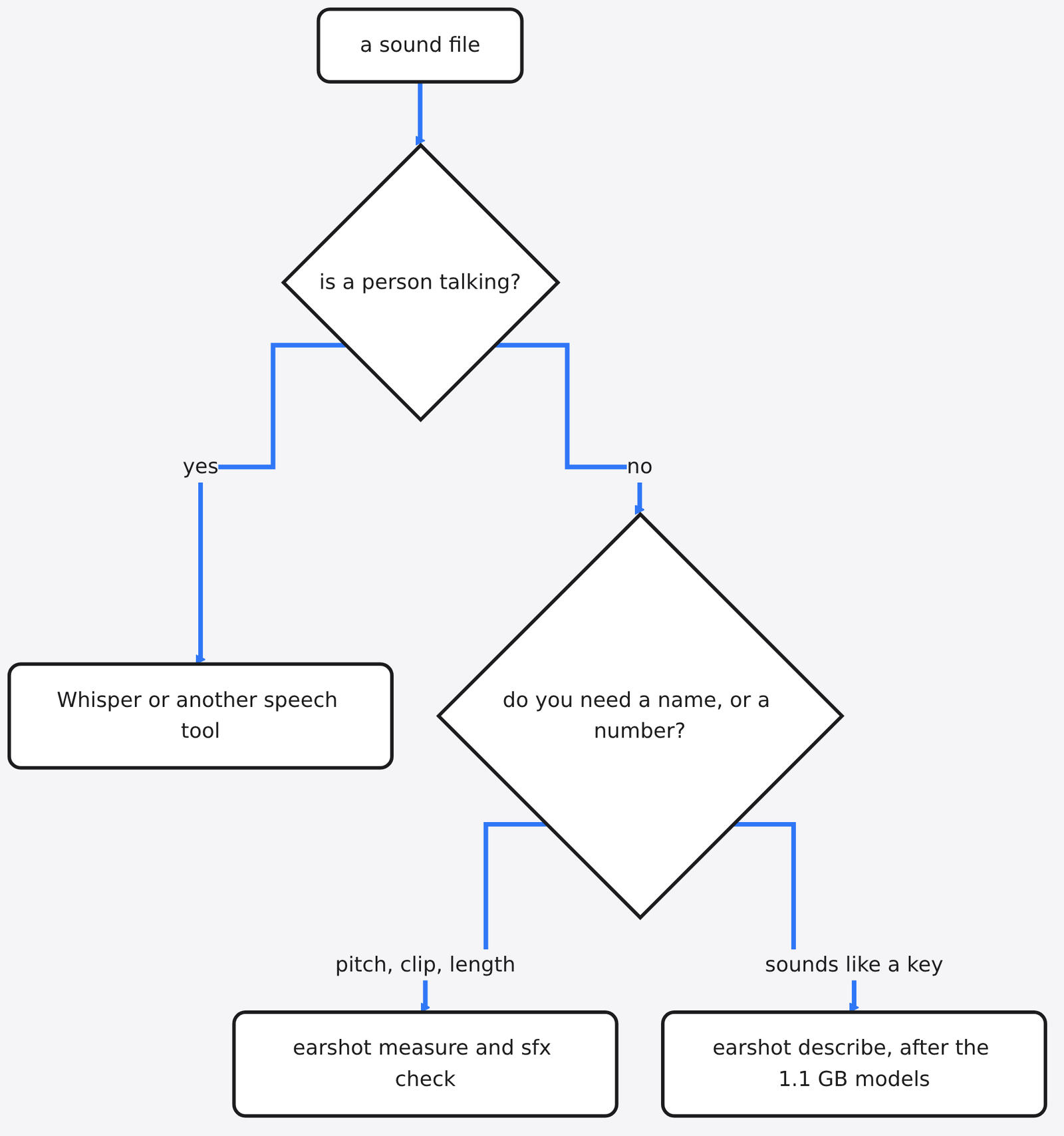
Use Whisper when the file is a person talking. Use earshot when the file is a noise, a note, or a sound effect.
Whisper is a speech-to-text model. It wants words. A keyboard click has no words. If you send the click there, you get a blank, a hallucination, or a single garbage token. If you send a meeting there, you get a transcript. I would not point earshot at the meeting. The project itself is weak on speech content, on whether a song feels sad, and on anything above 14 kHz. 14 kHz is a very high pitch, up where a hiss and some consonants live. A meter can still show energy up there, as my hiss did at a brightness of 11006 Hz. The “what does this sound like” label is the part that gives up around 14 kHz.
There is a second trap. The label models can be talked into a wrong name by a synthetic sound that copies the shape of a real one. The project’s own advice is to trust the meter and the check, then the label. My hiss is the pattern: a careless label might still say “click” while 62 samples are clipped. earshot sfx check looks for clicks, cut tails, clipping, a rising “synth whip”, and a few other failures. It is measurement, not a vibe.
If you already cloned a voice on your own machine and checked it by running the words back through Whisper, that test is the speech path: Can I clone my own voice locally for free?. Stay on that page for talking. Stay on this one for knocks, whooshes, and notes.
How do I make Claude Code use earshot?
You do not have to. The one-line report is already text. Paste it into the chat. The agent reads the line the way it reads a test failure. That is enough when you have one file and you are sitting there.
When the agent is making the sounds itself, pasting gets old. Then you register earshot as a tool it can call. MCP (Model Context Protocol, a plug shape so an agent can call a program by name and get text back) is the shape Claude Code uses. From the project docs, after the install with the [mcp] extra:
claude mcp add earshot --scope user -e EARSHOT_THREADS=3 -- \
  /path/to/earshot/.venv/bin/python -m earshot mcp
Replace the path with the virtualenv you just made. The models load on the first call and stay in memory. On a slow machine the docs say to start Claude Code with MCP_TIMEOUT=60000 so the first call is not killed while the files load. I did not install the mcp extra in the run that produced the numbers above. doctor then listed mcp as missing. That did not stop measure or sfx render. Add the extra when you want the call, not before.
There is also a skill in the repo, a folder of instructions named skills/earshot. A skill (a markdown file the agent loads only when the task matches) does not hear. It tells the agent which command to run, and when not to trust a label. Copy or symlink that folder into ~/.claude/skills/ if you want the reminder. The program still has to be installed.
Two jobs that feel related are not this job. Drawing a diagram instead of a box made of dashes is a picture skill, covered in how do I make Claude Code draw real diagrams instead of ASCII. Hunting bugs in the repo is a different listen, covered in is Claude Code /security-review enough, or do you need a full security audit. Do not install earshot to solve either of those.
What earshot cannot hear
It cannot tell you the words in a sentence. It cannot tell you if a track is happy. It should not be your only check that a made sound is “real”, because a copy of the shape can fool the label. It does not replace your ears for taste. A clean check means the file is not clipped, not cut off, and not doing a short list of ugly moves. It does not mean you will like it.
The describe path, the one that says “keyboard” or “whoosh”, needs those two models, about 1.1 GB, downloaded once. I did not download them. Every number in this piece comes from the meter, the render, and the check, which stayed healthy with the models absent. If your question is only “is the pitch right, and is it clipped”, do not wait for the download.
It also cannot open a file if ffmpeg or ffprobe is missing. That failure looks like a mysterious audio error. Run earshot doctor first. If doctor is unhappy, fix that before you blame the sound.
One more limit from the way the bank is built. Some recipes refuse a pitch and say why. Noise does not have a note. Do not fight that. My hiss had a brightness, not a note name, and that was the honest output.
Is earshot worth it?
Yes, if you or your agent are placing sound effects, checking a bounce, or trying to hear a file the chat cannot open. The ten-minute test is the E5 render. If 659.2 Hz comes back and the check says clean, the install is doing the job I saw.
No, if you wanted Claude Code to speak, or to take dictation. That is the other project with the same name, or a one-line say hook. Installing the speaker and calling it ears will waste an afternoon.
No, if the file is a meeting. Send it to a speech tool.
I would keep the meter on the machine that builds the sounds, and I would not turn the label models on until a number is not enough. The pitch either matches or it does not. That part does not need a model to agree with me.
Common questions about earshot
Does earshot need a GPU?
No. The install is CPU only. A graphics card does not make the meter more correct. It is the wrong thing to go buy for this.
Can earshot transcribe speech?
No. Speech-to-text is a different tool. Whisper is the usual one, including as a check after you clone a voice. Earshot will disappoint you on purpose here, and that is the right failure.
Which GitHub repo listens to a WAV file?
Leonxlnx/earshot. Not the Mac speech plugin that shares the name. If the README you opened starts with “Talk to Claude Code and hear the answer”, you are in the speaker. Close it.
Can I check a sound without the big download?
Yes. earshot measure, earshot sfx render, earshot sfx check, and earshot sfx list all ran for me while doctor still said the two models were not cached. Download the 1.1 GB only when you want the “sounds like” sentence.