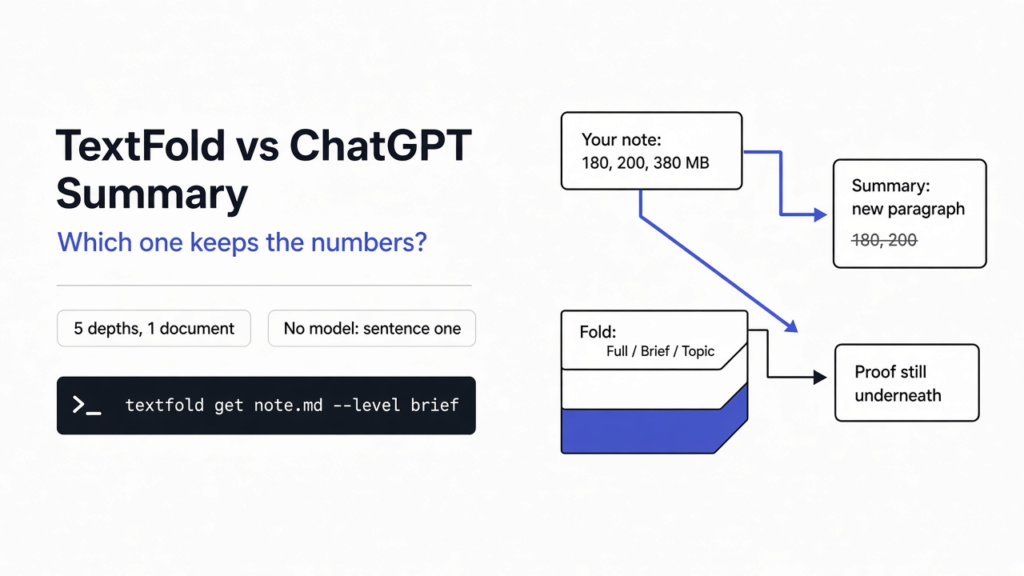
I had a four-paragraph note about a full disk, and I wanted the short version without losing the sizes. A chat summary is a new paragraph. It is written by a model, the program that continues text, and it is free to skip any sentence that does not sound like the main claim. TextFold vs ChatGPT summary comes down to the difference between that new paragraph and a fold of the file you already have. TextFold is a reader that keeps one document and shows it at five depths. I ran it on the note with no model connected. It kept the first sentence of each paragraph, and it cut the rest, including 180, 200, and 380.
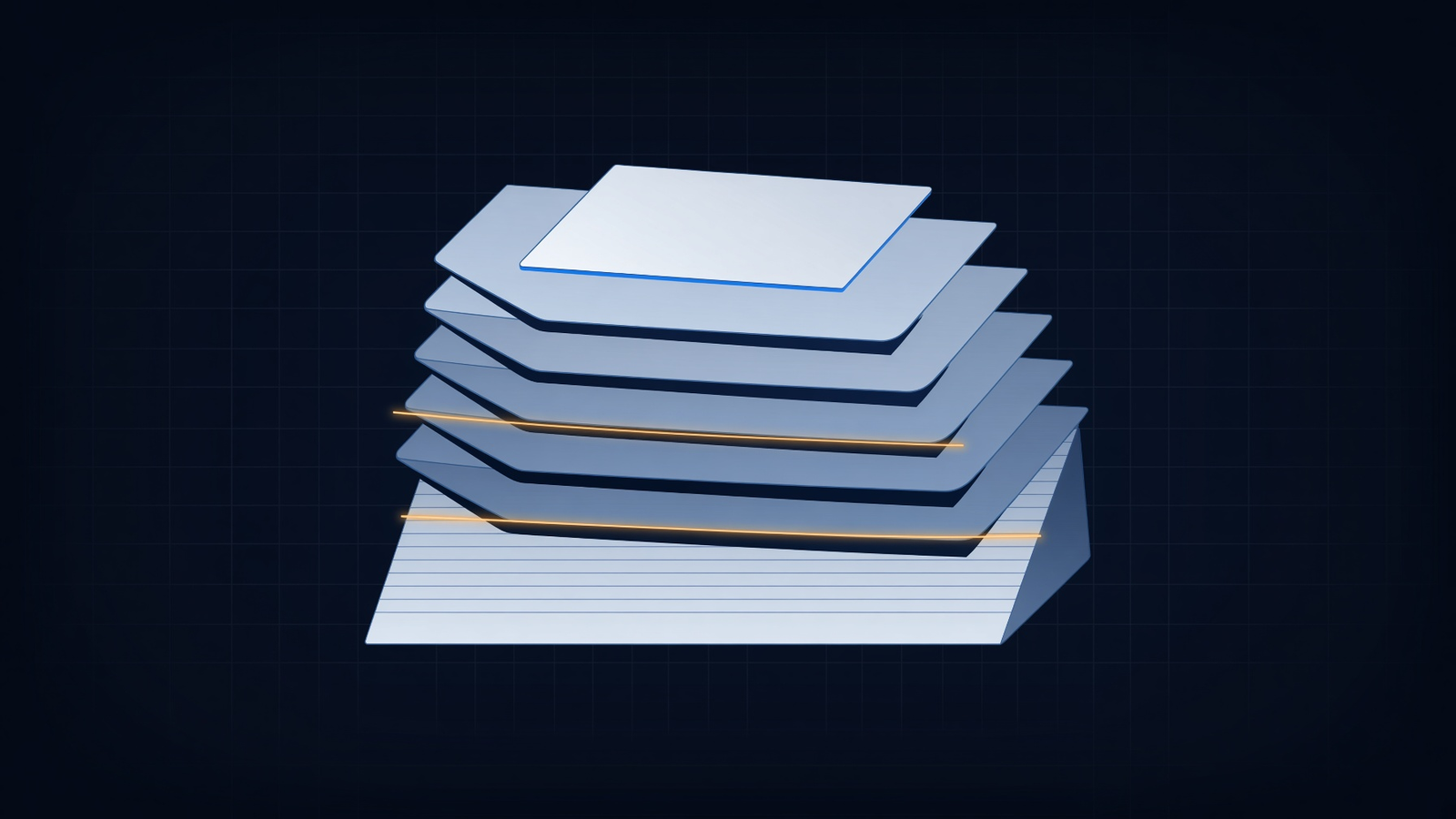
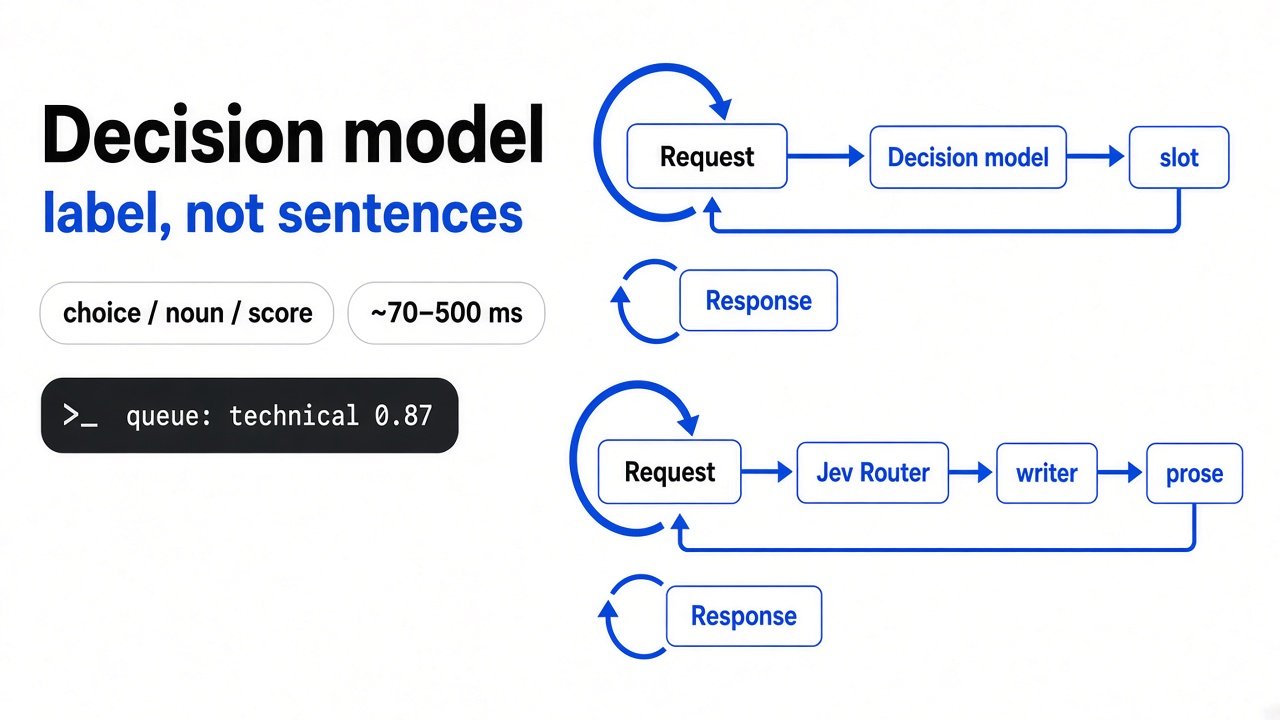
The picture is the whole idea. A short layer sits on top. The long page is still underneath. A summary throws the long page away and hands you a new card.
Why does a ChatGPT summary drop the proof?
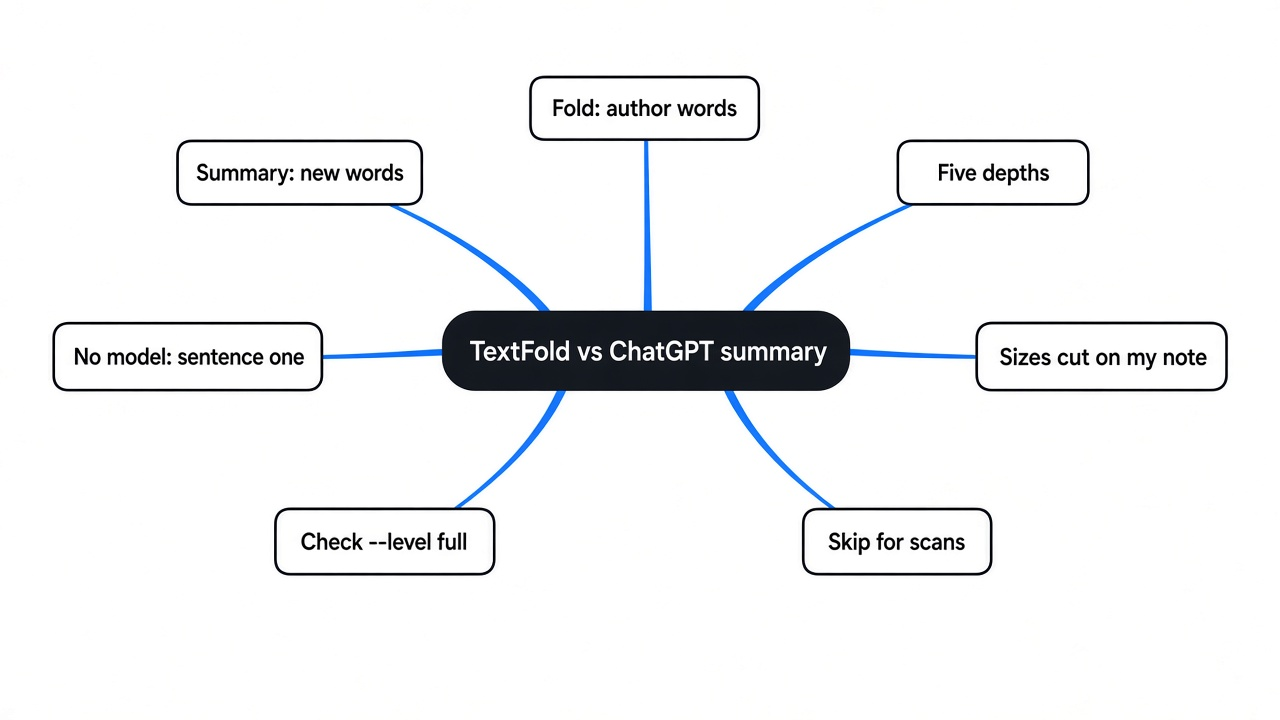
A chat summary drops the proof because it writes a new text, and the new text is shaped like a claim, not like a measurement.
Start from the page, not from the tool. A paragraph is a small group of sentences that belong together. A sentence is one statement that ends when the thought ends. In my note, the first sentence said a zip and the files inside it cannot both sit on a full disk. The next three sentences were the sizes: the zip is 180 megabytes, the files add up to 200, and a normal unzip needs 380 free because it has to hold both at once. The claim is useless without the sizes. You cannot tell whether your disk is big enough.
A summary is not a shorter copy of those sentences. A model reads the paragraph and writes something new in the shape it has seen a thousand times: the point, then a stop. A condition and a number are easy to treat as decoration. Once they are gone, you cannot click the missing number and land on the sentence that held it. You have to open the original and hunt, and you may not remember the number was ever there.
That is the hurt. The short text sounds finished. The decision it was for, “will this fit”, is no longer in it.

One path swallows the page and hands back a blur. The other keeps a real line from the page. The numbers are what fall out of the blur.
What does TextFold keep that a summary throws away?
TextFold keeps the author’s sentences as their own text, and it only writes new lines after you connect a model.
There are two kinds of words, and they must not be mixed. The first kind is the author’s words, copied. The second kind is a model’s words, new. A fold is a choice of how much of the same document you see. It is not a license to invent a third document and call it the paper.
The five depths, from the most words to the fewest, are the whole product:
| Depth | What one paragraph becomes | Whose words |
|---|---|---|
| Full | The paragraph as written | The author’s |
| Brief | One to three sentences copied out of that paragraph | The author’s |
| Key | The point, and the reason for it | A model, meant to rest on the brief sentences |
| Takeaway | One line for that section | A model |
| Topic | A few words, so the file becomes a map of sections | A model |
Full and brief are copies. Key, takeaway, and topic are writing. If no model is connected, the tool does not invent those three. It falls back to the author’s first sentences, and it says so. That fallback is what I tested. It is not the same thing as a model choosing the one to three sentences that actually carry the proof.

Shorter on top, longer underneath. The glass belongs on the long strip, because that is where the proof still is.
TextFold vs ChatGPT summary: which should you use?
Use a chat summary when you want a new explanation, and use TextFold when the sentence you may need to quote is already in the file.
No second product is needed to see the split. A summary’s job is a new paragraph. TextFold’s job, before any model is connected, is a cut of the file. On this note the cut was severe, and it was honest about being a cut.
| A chat summary | TextFold with no model | TextFold after a model is connected | |
|---|---|---|---|
| What you read | A new paragraph | The author’s first sentence in each paragraph | New short lines that are supposed to rest on copied sentences |
| The sizes 180, 200, and 380 | Easy to lose, because they are not the claim | Lost on this note, because they were not the first sentence | Kept only if the model copies those sentences into brief, which you should check |
| The way back | You search the original | --level full prints the paragraph | Open the brief sentence the new line rests on before you quote it |
| A condition you have not defined | Often smoothed into the claim | The first sentence survived, the definition in the next sentences did not | Same risk, unless brief kept the defining sentence |
The row that matters is the middle one. Both tools can drop 180, 200, and 380. They drop them for different reasons. A summary drops them because it is allowed to rewrite. The local fold drops them because it keeps the first sentence and stops. If your proof is in sentence two, neither one is safe until you look.
How do you use TextFold on a file you already have?
Install it, point it at a file you have, and print the brief level with no model so you can see the cut before you trust it.
You need Python, the language this program is written in. In a terminal, the text window where you type commands, run python3 --version. If the number starts with 3.9 or higher, you can install:
python3 -m pip install textfoldPut the note in a file, then print the short copy:
python3 -m textfold get your-note.md --level brief --no-generate--level picks the depth. brief is the short copy. full is every word. --no-generate means do not call a model. Add --section 1 when you want only the first section. On a paper with numbered sections, --section 3.2 is the same idea.
A link works in the same place as a file. The arXiv site is where a lot of research papers are posted for anyone to read. A DOI (the permanent id printed on a paper) is the other handle, the one that starts with 10.. Either can go where your-note.md went.
To open the reader in a browser on your own machine:
python3 -m textfold serveThen open http://localhost:3017. That address is only your computer, not a public site. The first time, the page asks you to connect a model. Ollama is a program that runs a model on your machine, with no account. A key for a model you already pay for works too. Until that connection exists, treat key, takeaway, and topic as first-sentence scraps, not as a reading of the paper.
Zotero is a program that stores papers in a library on your computer. TextFold can open an item from that library after you allow other programs on the same computer to talk to Zotero. That switch is in Zotero’s advanced settings. It does not send the library to an account.
One limit belongs here, before you drop in a scan. A normal PDF has real text hidden in the file, so the words can be copied. A scan is a photo of a page. TextFold can read a normal PDF on its own. A scan needs the MinerU engine, about 3.4 GB, installed once from the reader. If you only have photos of pages, this is a long setup, not a ten-minute try. If all you need is the text out of a scan, a faster alternative to Tesseract OCR is a lighter start, and if you want to change the PDF itself, see whether Claude Code can edit PDF files on your computer.
The project page, with the desktop apps and the command list, is chenxiachan/textfold.
What happened when I folded a real note?
The brief level kept four first sentences, and it deleted the sizes and the definition that made those sentences usable.
The note had four paragraphs. The first said the zip and the files cannot both sit on a full disk, then gave 180, 200, and 380. The second said this only works if the zip is not one solid block, then defined a solid block: one compressed lump that cannot give any space back until the whole lump is out. The third said to check a space plan before extracting. The fourth said a two gigabyte margin is there so the disk never hits zero.
I ran:
python3 -m textfold get disk-note.md --level brief --no-generateThe command printed a line that the written levels were the author’s first sentences, and that a model is connected in the reader if you want more. Then it printed this:
A zip file and the files inside it cannot both sit on a full disk at the same time.

This only works if the zip is not one solid block.

The check to run first is a space plan, not an extraction.

I kept a two gigabyte margin on purpose.Full still had every sentence, including the three sizes. Brief did not. The same run at topic, still with no model, was not a map. It was chopped openings: “A zip file; This only works; The check to; I kept a”. The record it stored marked the fold as local, and not written by a model.
I had expected brief to mean “the sentences that matter”. What it meant, with no model, was “sentence one”. The condition survived, because it was sentence one of its paragraph. The meaning of the condition did not survive, because the definition came after. A reader who stopped at brief would know to worry about a solid block and would not know what a solid block is.
That is the test you can repeat in a few minutes. Write four short paragraphs. Put the number in sentence two. Run the same command. If the number is gone, you have seen the cut.
How do I read a long paper without losing the original sentence?
Read the short level, then open the full text on the one section where a number or a condition would change what you do.
A long paper is the same shape as the note, with more paragraphs. People who read them for a living already do this in passes. They look at the question, the figures, and the last section before they read every line. The figures matter because a paper’s evidence is often a picture, and the picture is not always next to the sentence that talks about it. A clear account of that habit is How to (seriously) read a scientific paper. TextFold is a way to do the short pass without replacing the paper.
The mark is the point. You highlight a line you can find again. You do not swap the page for a paragraph you cannot trace.
The order I would use, after the test above:
- Run
--level fullon the section that holds the result, so you know the words are really there. - Run
--level brief --no-generateand see what sentence one is. If the number you care about is missing, do not stop. - Connect a model only if you want key, takeaway, or topic. Then open the copied sentence under any new line before you repeat that line to someone else.
- Skip topic entirely while the tool still says the lines are first sentences. Those scraps are not section titles.
Pasting the whole paper into a coding chat is the expensive version of the same shortcut. Most of that bill is the tool re-reading the conversation it already has, which is the point of RTK vs Caveman. If the chat then builds a framework you did not ask for, the smaller habit is in how do i stop claude code from overengineering. And if you are the person trying to submit the paper, not only read it, the slot limit is a different problem: arXiv will only take two papers a month from you.
When should you not use TextFold?
Do not use TextFold as a teacher for someone who does not have the paper, and do not trust the local brief when the proof is not in sentence one.
A friend who needs the idea explained, in words the paper never used, wants a summary. TextFold will not write that lesson until a model is connected, and even then the high levels are short lines, not a class. Use the chat. Then check the chat against the full paragraph, because that is where textfold vs chatgpt summary stops being a slogan and becomes a step.
Skip it for the afternoon if the file is a scan and you do not want a 3.4 GB engine. Skip topic and takeaway until a model is connected. If you will not connect one, either move the decision into sentence one of each paragraph, or read full.
There is a second TextFold that is easy to mix up with this one. Inside Claude Code, a plugin folds the reply the model just wrote. You press a number: 1 is every word, 5 is the answer in one sentence. It does not call a second model. It asks the reply to put the point in the first sentence, then keeps that first sentence. That is the same rule my note ran into, used on purpose. It is the right tool for a long reply. It is not the tool that opens a PDF. The install, on a Claude Code new enough to load it, is:
claude plugin marketplace add chenxiachan/textfold
claude plugin install textfold@textfoldThis test covered the paper command, not the plugin. The plugin is the same idea pointed at a chat, and the idea is only as good as whatever got put in sentence one.
I will still ask a chat for a story when I want one. I will not ask it to be the place where 180, 200, and 380 live. Those stayed in the file, in the sentences after the first. The command that showed me the cut is short enough to run before you trust either tool.
Common questions about TextFold
Does TextFold work without a model?
Yes for the full text, and yes for a brief made of each paragraph’s first sentence. No for a real map of the paper. Key, takeaway, and topic need a model. Without one, topic was chopped first words, and the command said so.
Can I use TextFold instead of ChatGPT?
Use TextFold when you may need the author’s sentence again. Use a chat when you want a new explanation and you will check it against the paragraph. On a file where the proof is not sentence one, the local brief is not a replacement for reading.
Does TextFold change my file?
No. The command reads the file and prints a fold. The note on disk was the same afterward. Sharing a fold still means following the terms of the original text. The tool’s own license is not the paper’s license.
How do I fold one section only?
Add --section and the section you mean. --section 1 is the first section. A numbered paper takes the number you see in the headings, such as --section 3.2. Pair it with --level full when that section is the one with the result.