You save one line. Then you wait for the build. The wait is the part you feel.
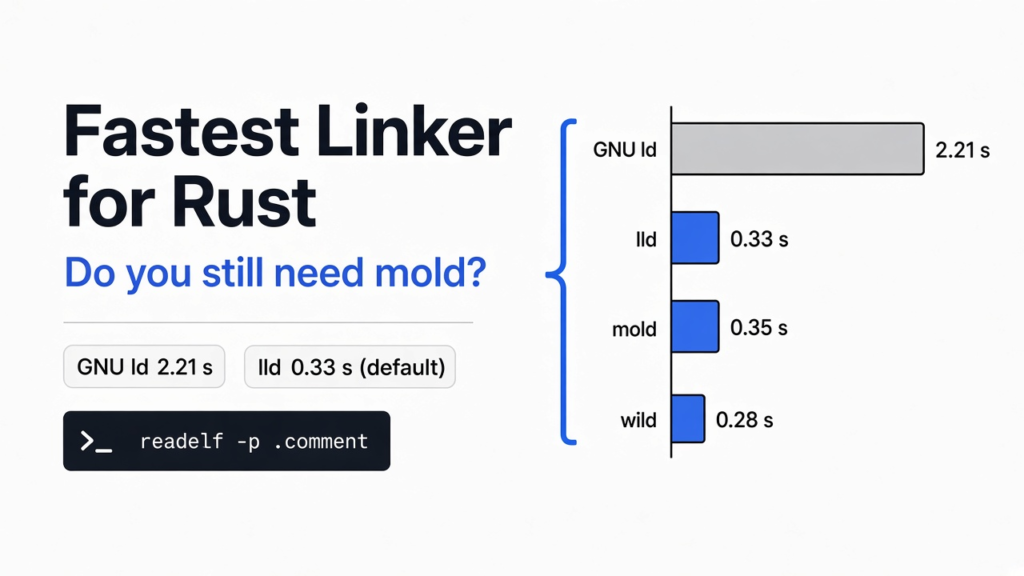
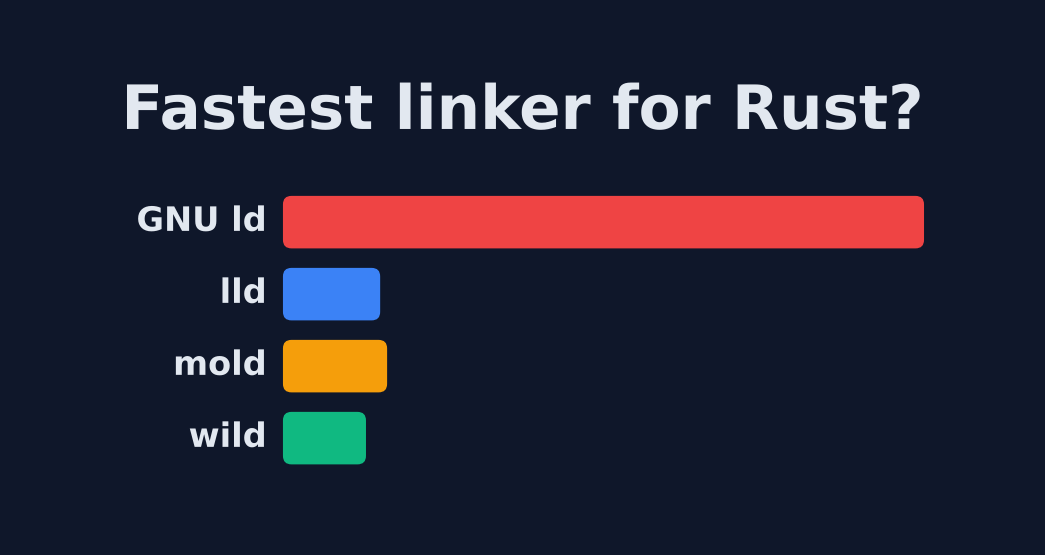
Short answer: For most people, no. On x86-64 Linux, Rust 1.90 and later already link with lld, which removed the big slowdown. When I timed the fastest linker for Rust candidates on one build, GNU ld took 2.21 seconds to link. lld took 0.33, mold 0.35 and wild 0.28. Only switch again if linking is a large share of your rebuild time.
What does a linker do?
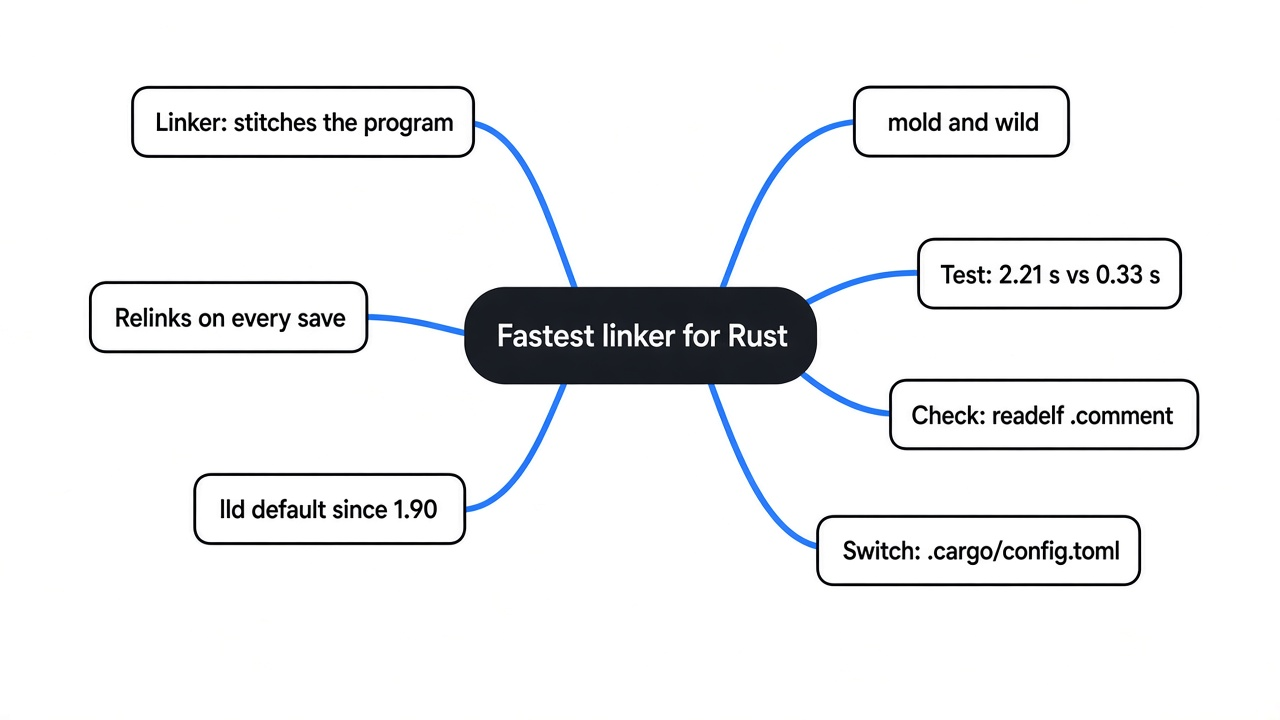
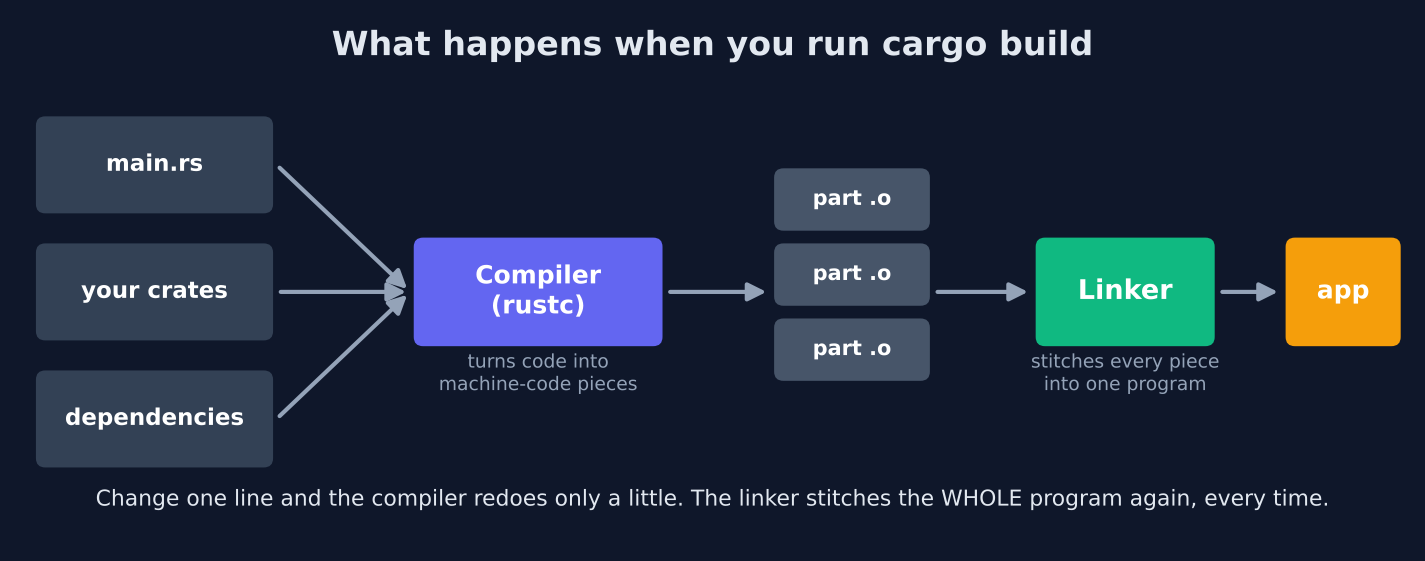
A linker is the program that stitches compiled pieces into one program you can run.
Start from what you already know. You write Rust in many files, and you pull in crates (ready-made Rust libraries other people wrote). The compiler, rustc, reads that code and turns it into machine code, the raw instructions your CPU runs.
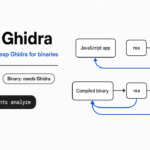
But the compiler does not make one big file. It makes many small ones, called object files (half-built chunks of machine code, ending in .o). Each chunk has holes in it. Your main calls a function that lives in another chunk, so the chunk only says “jump to a function called parse somewhere.”
That name is a symbol (a label the compiler leaves so other pieces can find a function or value). The linker’s job is to collect every chunk, find where each symbol really lives, fill in the holes with real addresses, and write one finished program.
Think of a book printed in loose chapters. Each chapter says “see page ?” for things in other chapters. The linker binds the chapters and writes in the real page numbers.

Why does linking slow down Rust rebuilds?
The compiler can skip work you did not change. The linker usually redoes the whole program every time.
When you edit one line, Rust uses incremental compilation (it saves past work and only recompiles the parts that changed). That makes the compile step smaller on the second run.
The linker has no such trick today. It reads every object file again, including all your dependencies, and writes the whole program again. A debug build (the fast-to-build, slow-to-run version you use while coding) also carries debug info (extra data that maps machine code back to your source lines for the debugger). That makes the files the linker must read much bigger.
So the more crates you depend on, the more the linker has to chew on after every save. That is why a faster linker can feel like a faster laptop.
What changed when Rust switched to lld?
On x86-64 Linux, Rust now uses lld by default, so most people already left the slow linker behind.
For years, Rust on Linux used the system’s default linker, GNU ld (also called BFD, the classic linker that ships with most Linux systems). It works everywhere and it is slow on big programs.
lld is the linker from the LLVM project (the compiler toolkit Rust is built on). It is much faster, and Rust 1.90 started shipping its own copy and using it by default on the x86_64-unknown-linux-gnu target (normal 64-bit Intel or AMD Linux). The Rust team measured a 7x faster link on an incremental rebuild of ripgrep, which cut the whole rebuild by about 40%.
That is why “should I install mold?” has a new answer. The old advice was written when the default was GNU ld. The default is not GNU ld anymore.
What are mold and wild?
mold and wild are two even faster linkers you can swap in for lld on Linux.
mold is a linker built from scratch for speed. It spreads the work across all your CPU cores (the separate workers inside your processor). On a 16-core test machine its own benchmark links Clang in 1.35 seconds, against 5.20 for lld and 42.07 for GNU ld. It is MIT licensed.
wild is a newer linker written in Rust. It aims to be faster than mold, and its long-term plan is incremental linking (relinking only the parts that changed, the trick the compiler already uses). That part is not built yet. Its main target is Linux, with macOS and Windows support listed as future work.
Both are drop-in replacements (you change one setting, not your code) for Linux builds.
Is mold faster than lld? I tested all four
On a 2-core machine, mold matched lld, wild was a little faster, and GNU ld was about 6.7x slower than all of them.
The question was simple. How long does the linker take after a one-line edit, and how much of the wait is the linker?
I built one Rust program four times, once per linker: GNU ld, lld (the Rust default), mold and wild. The program was a big library of generated code plus a small app on top of it. The debug binary was about 80 MB. I timed the link step itself by wrapping the linker command in a stopwatch, then took the middle of 7 runs.
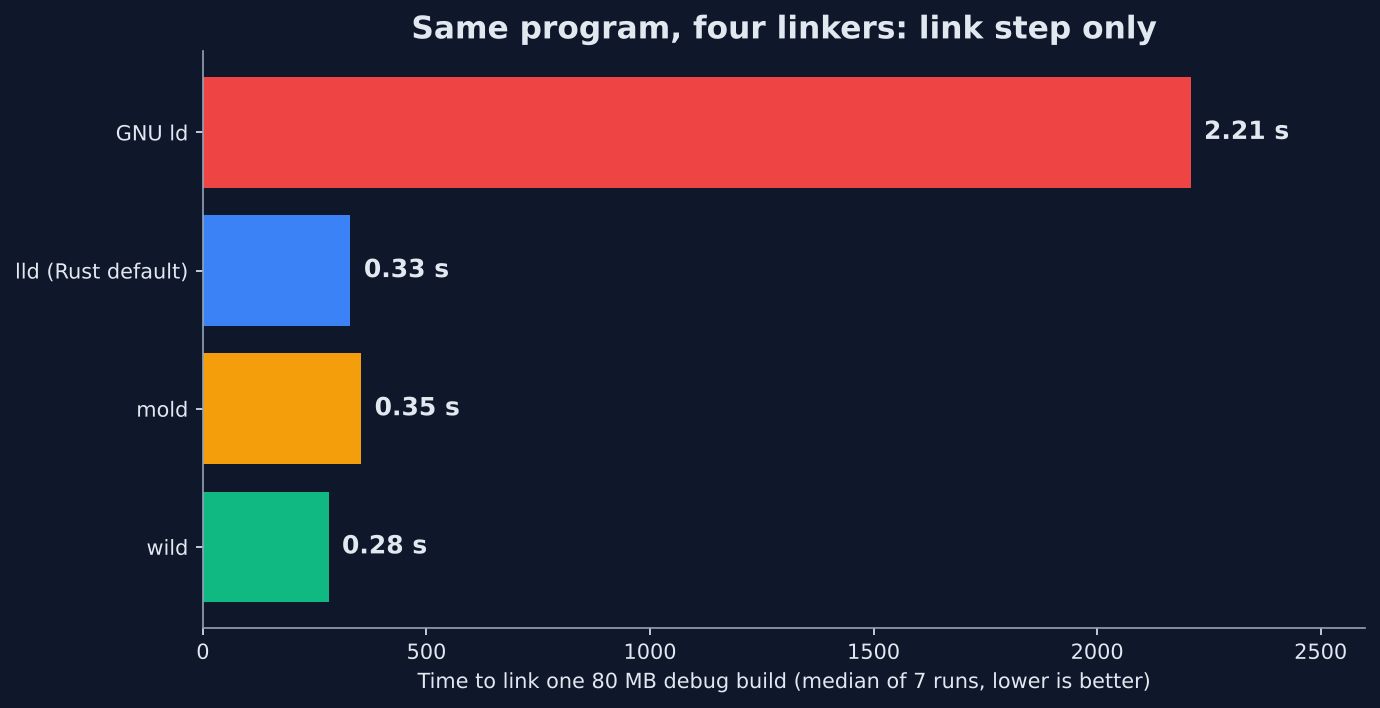
Here is what came out.
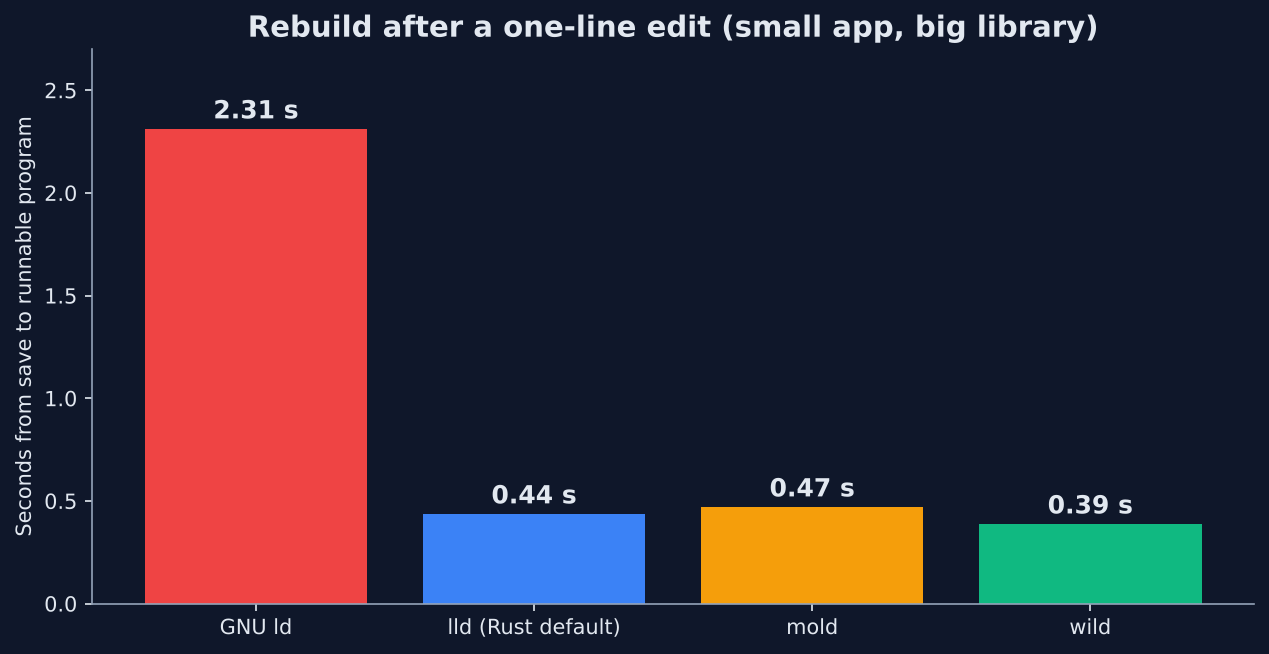
| Linker | Link step (median) | Save to runnable program |
|---|---|---|
| GNU ld | 2.21 s | 2.31 s |
| lld (Rust default) | 0.33 s | 0.44 s |
| mold | 0.35 s | 0.47 s |
| wild | 0.28 s | 0.39 s |
GNU ld was the outlier. Leaving it took the wait from over 2 seconds to under half a second. That is the change Rust already made for you.
The gap between the three fast linkers was small. wild beat lld by about 50 milliseconds (a twentieth of a second). mold was a hair slower than lld here.
The catch: this ran on a 2-core cloud machine. mold and wild get their speed by using many cores at once, so they pull ahead on an 8, 16 or 32-core desktop. Expect bigger gaps there than I saw.
Does the linker matter for my project?
It depends on what you edit. In one of my tests the linker was 2% of the wait. In the other it was 75%.
I ran the same four linkers on a second layout. This time all the code sat in one big crate, and I edited a file inside it. Each rebuild took about 18.7 seconds with lld. The link was only 0.34 seconds of that. Even GNU ld only added about 1.3 seconds. The compiler was the bottleneck, and no linker can fix a compiler bottleneck.
When I edited the small app on top of the big library, the compile part shrank to about a tenth of a second. Now the linker was three quarters of the wait.
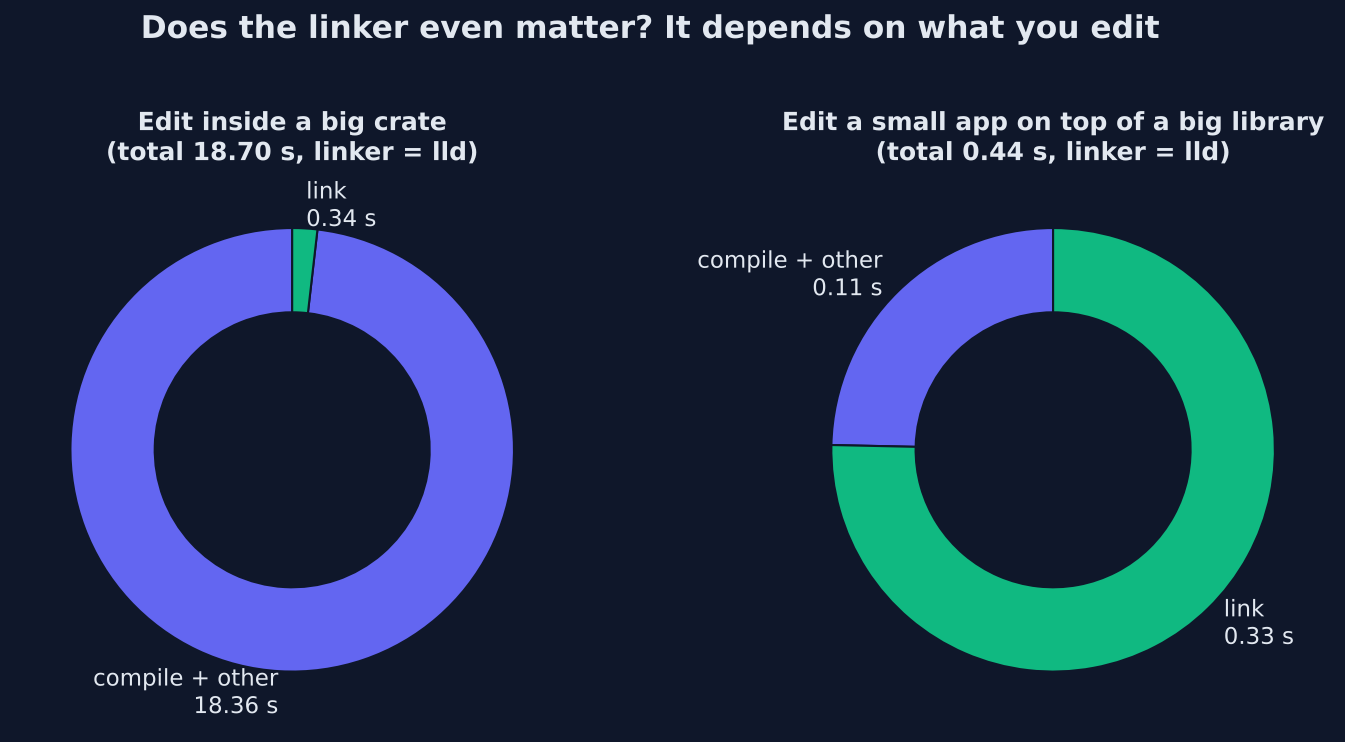
So the honest rule is: a faster linker helps when you edit a small crate that sits on top of a lot of code. That is the normal shape of a real app with many dependencies. It helps very little when your edits keep forcing a big crate to recompile.
How do I check which linker Rust is using?
Read the note the linker leaves inside your program. It takes one command.
Most linkers write their name into a section of the program called .comment (a small text area inside the binary that tools can read). On Linux, readelf prints it:
readelf -p .comment target/debug/your-appThis is what each linker left behind in my builds:
- lld prints
Linker: LLDfollowed by a version - mold prints
moldfollowed by a version - wild prints
Linker: Wildfollowed by a version - GNU ld left no linker line at all, only the compiler’s
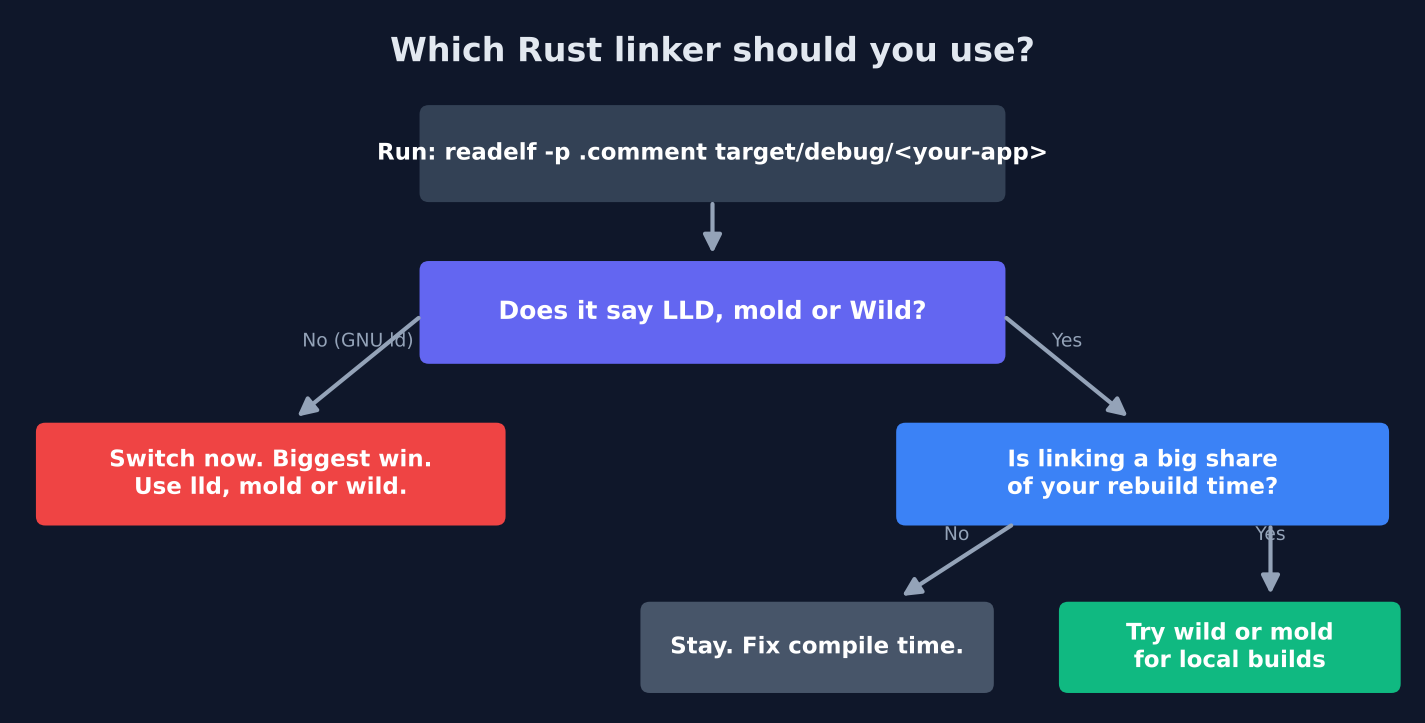
If you see no LLD, mold or Wild line, you are probably still on GNU ld. That happens on other targets, older Rust versions, or when a project turned lld off.
How do I see if linking is slow for me?
Put a stopwatch around the linker. Rust lets you pick the linker command, so you can pick a tiny script that times it.
Save this as timecc.sh and make it runnable with chmod +x timecc.sh:
#!/bin/bash
s=$(date +%s%N)
cc "$@"
rc=$?
e=$(date +%s%N)
echo "link took $(( (e-s)/1000000 )) ms" >> /tmp/linktime.log
exit $rcThen build once, edit one line, and build again with it:
CARGO_TARGET_X86_64_UNKNOWN_LINUX_GNU_LINKER=$PWD/timecc.sh cargo build
cat /tmp/linktime.logcc is the C compiler driver (a front program that Rust calls, and which then calls the real linker). The script just runs it and writes down how long it took. Compare that number to the total build time. If the link is under a tenth of your wait, stop here. Your time is going to the compiler.
How do I use mold or wild with Cargo?
Add a few lines to .cargo/config.toml in your project. Remove them to go back.
.cargo/config.toml is Cargo’s settings file. A project-level copy only affects that project. First install the linker: mold is in most Linux package managers (sudo apt install mold), and wild installs with cargo install --locked wild-linker.
To use mold, add this block. It tells Rust to link through clang and hand the work to mold:
[target.x86_64-unknown-linux-gnu]
linker = "clang"
rustflags = ["-C", "link-arg=-fuse-ld=mold"]To use wild instead, use this block. Same idea, with wild doing the linking:
[target.x86_64-unknown-linux-gnu]
linker = "clang"
rustflags = ["-C", "link-arg=--ld-path=wild"]Here -fuse-ld and --ld-path are flags that tell clang which linker to hand the work to. Then run readelf -p .comment again to confirm the switch worked.
If lld ever breaks a build (it is not bug-for-bug identical to GNU ld), you can drop back to the system linker with -C linker-features=-lld in rustflags.
Which Rust linker should I use?
Use the default lld unless your own stopwatch says linking is a big part of your wait. Then try wild or mold on your dev machine.
There is a fair case for switching anyway. If you have a many-core desktop and a big app with hundreds of crates, mold or wild can turn a one-second link into a fraction of that, and you feel it every save. Teams that build very large Rust apps already recommend them for local builds.
Still, for most projects the big jump was GNU ld to lld, and Rust already made it. Keep your CI (the server that builds and tests every change) on the default, since wild is built for fast iterative development and lld is the path the Rust team tests and ships.
The same measure-first habit works for the rest of the loop: for rebuilding automatically when files change, for reading what ends up inside a compiled binary, and for checking a Rust rewrite of the TypeScript checker against tsc.
Common questions about the fastest linker for Rust
What is the fastest linker for Rust on Linux?
In my test, wild was fastest at 0.28 seconds per link, then lld at 0.33 and mold at 0.35. On machines with many cores, mold and wild usually pull further ahead of lld.
Does Rust use lld by default?
Yes on x86-64 Linux, from Rust 1.90 onward. Other targets may still use the system linker, so check with readelf -p .comment.
Is mold worth it for Rust?
It is worth trying if you are not on lld, or if linking is a large share of your rebuild time on a many-core machine. On a small machine with lld already active, I saw no gain.
Does wild work on macOS or Windows?
Not yet. wild’s main target is Linux. macOS and Windows support are listed as future work.
The wait after one saved line is real. Time it before you change anything, because for most people the linker already got fast.